 Problems? See this thread at archive.org.
Hmm, do you have the "Let me choose one scaling level for all my displays" checked or unchecked at the moment? With displays that close in resolution, I would imagine that checking that and choosing 200% would yield very acceptable results on both displays simultaneously. Obviously screen elements will be smaller on the built-in panel than the desktop display (just like they are with 1080p laptop panels compared to desktop displays), but it should still be very usable. On the other hand, keeping that setting unchecked might be causing Windows to see enough of a difference between the two displays to attempt GPU scaling on the secondary display to make everything the same physical size, resulting in the performance you're seeing.
So if you haven't already, check that box, choose 200%, log off and log on, and report back.
-
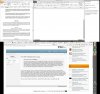
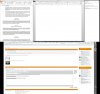
Here a 'side-by-side' comparison, of 200% and 125%
In a screenshot it looks alright (I resized it to 50% otherwise I could not upload the picture), no matter the scaling:
In reality it looks (to me) like a terrible waste of space (don't mind the mess and the partial finger)
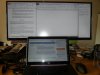
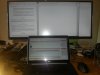
With 200% scaling the 34 inch is a waste of good money on real estate (at least that is how I feel). With 125% scaling the 34inch looks alright, but the laptop screen is very tiny. -
Is there an update on coil whine? Interested in this laptop, but waiting for issues to be resolved.
-
Ok, then what about 150%? I use that when using my QHD+ panel by itself since that's slightly more real estate than 1080p would give you. Things are a tad small, but it works fine for me, and maybe you'd find it acceptable for your external panel as well.
-
I might indeed do that, set it to 150%.
The coil whine issue is still present in my 2,5 weeks old XPS 15. I have a permanent ventillation system in my house, and I'm normally not bothered by that sound. The coil whine of the XPS 15 is less audible than the permanent ventillation. My house is not very old and has a huge insulation value, therefore I can say it is a very quiet house. Even though, the coil whine is noticable for me, only if I really pay attention to it. I have heard it might get worse in time, but I have no idea when that is.
Keep in mind that the coil whine is only an issue if it is hooked up to the power supply. On the move you hear nothing. I am hoping to be able to take it with me everywhere,
The MBP is not really an option I feel. The same specs (althoug a better processor, with IRIS) costs me €1000 more than the XPS 15. I might just stick with it. Dell is not really replying to my return demand. -
Just an update for the ones of you that are not following this coil whine thread in the dell community. Terry B the guy from the dell liaison gave an update that the remodeled boards should be ready mid august and that anyone can call the dell tech suppot at this time to get a replacement. Nevertheless he said that new mainboards will be made available for new systems first. The new mainboard will also be available for the xps 13 and m3800
prplhaz4, LibraXPS159530 and axelllerator like this. -
anyone using this with Miracast??
I am getting a black box when i output to my tv via Miracast (belkin miracast adapter). My tv is 1080p. -
I have used it with NetGear PTV3000 adapter. It works perfectly fine except for a rare disconnection .
-
Whilst you are discussing somehow MS windows and it's problems:
Dell released a new Bios: A06
About coil whine:
Had a motherboard replacement 1,5 week before.
(Old broke and also destroyed my partition table of the samsung 840 ssd. Now I have a new MB, more precisely "new refurbished" MB (pretty dirty, but the CPU temps are luckily the same): no coil whine.
I thought it would be a complete MYTHS, but seems that there actually SOME old MB's exist, which have NO coil whine.
Back to the Bios:
So again bios A06 is out. I don't use the nvidia card (I'm working on this thing of crappy unreliable device), but maybe the new vbios can help people with throttling problems?!?
cheers -
Hey Aerojex,
I've recently been experiencing the same issues you have spoken about, it's getting so annoying!
Have you managed to find a solution? -
Have you tried to check if your video fan is working or not. Some posts ago I reported that I had a similar very annoying buzzing noise. On further investigation I discovered that the video fan was not working. Is the buzzing emitted from near the right side usb ports ? The buzzing is emitted by the the fan trying to move and it doesn't. You can pick up the laptop and have a look through the grill below if it is the fan blades are stationary. To be completely sure get in to the e-PSA diagnostics and let it run. If the fan fails you will get a loud series of beeps.
-
Works perfectly fine with my Belkin Widi adapter . Are you able to connect to your display ? I had some issues initially but since Widi is supported by Intel they offer a download tool which configures the laptop with the right drivers and since then its been really smooth. Since Miracast and Widi are almost merged I would assume it should work also. Try running Widi Update tool and try connecting to your display maybe it works.
-
Hi all,
I received my Haswell XPS15 2 weeks ago. Overall I am very happy with it.
One thing, though: The metal service tag flap on the bottom comes loose very easily. So easily, in fact, that most of the time when I lift the laptop from its table, it hangs open. While working with the laptop on a flat surface, I sometimes even hear the "clap" it makes when it suddenly comes open.
Is this normal? It bothers me a bit, because I have to take extra care when putting the laptop back down.
Cheers,
Henning -
Definitely not normal. That flap is supposed to be held in place magnetically.
-
Hey guys, I need some feedback from those of you that have schedule a defective system replacements with Dell XPS Tech Support.
I just like to verify that the replacement will be a brand new unit -guaranteed- and not a refurbish. According to Dell it will be brand new, but I will like to double check it before I proceed. -
System exchanges are always brand new -- and that means that sometimes you can even get a newer model than the one you have, e.g. if you call about a huge issue very late in the warranty period and your model is no longer in production. I sold my Precision M90 to a friend who discovered a major GPU issue that I never noticed since I'm not a gamer (turned out that its GPU was part of the massive NVIDIA recall a few years back), and he ended up getting a brand new free M6400 as a result. Pretty sweet deal for him....
Individual parts that are used for service appointments, on the other hand, are only ever claimed to be refurbs, though if you have an issue very early on in the ownership period (not sure what the exact cutoff is), you will be given the option to get a full system exchange instead of a part swap. And sometimes the "refurb" parts themselves are in fact brand new, but that is never guaranteed.nMIK-3 likes this. -
Thanks for the confirmation
-
I own a top end XPS 15 9530 (the one with the SSD) since January and overall I like it really well. However, I found 1 issue which is really annoying and I wonder if more people experience this problem and if there is a solution. I did try to look in this forum and other for this issue, but didn't manage to find any. I also have to admit I didn't read all 600+ pages, I hope you'll forgive me for that
My problem is that the laptop will not always boot up after I put the laptop in sleep mode, which I always do. After the laptop is put in sleep mode, about 1 out of 5 times this happens:
1 - I press the power button
2 - keyboard lights go on, but the screen remains black
3 - I wait for up to a minute, nothing happens. I have even tried leaving it for something like 10 minutes, but nothing happens.
4 - I put the laptop off again by holding the power button
5 - laptop now always boots up, but there are 2 possibilities: it could be a full boot (so sleep mode has dissapeared) or it could be a resume from sleep. In the last case I notice that the laptop has lost wifi connectivity (normally this works flawlessly) and it takes about 10 seconds to reestablish that connection.
What have I tried so far?
- I updated all drivers, including BIOS
- I called Dell. I had a very surreal conversation with a Dell representative who told me that I shouldn't use sleep mode since it kills the battery and that the graphics cards always have issues with the screen. After that he asked me if I had a Radeon video card in the laptop - he had absolutely no idea what he was talking about

- Full factory reset
Does anybody else have this issue and, even better, does anybody have a solution?axelllerator likes this. -
Did you check the XPS 15 Wiki, specifically the Common Complaints section that has an article specifically devoted to this issue in which the recommendation is to disable Intel Rapid Start? It would also allow you to reclaim a good chunk of SSD storage. And the Wiki itself has lots of great non-complaint content such as recommended tweaks to the factory default configuration. Definitely worth perusing.
And FYI, turning your system on after forcibly powering it off would never be a resume from sleep. It could only be a resume from hibernation or a cold boot.dreamtheater03 likes this. -
Thanks for your response. I'll certainly have a look at the Wiki and disable Intel Rapid Start.
Regarding the "forcibly powering it off", all I know is that I put the system to sleep and try to resume after a while. As I said, about 1 in 5 times the system doesn't start up and in about half of those times, after a hard power off, the system still resumes... no idea how it's possible, but I most certainly didn't put it to hibernate. -
It's because with Rapid Start enabled, when you put your computer to sleep it actually goes into a special form of hibernation -- so if it fails to resume and then you forcibly power your system off, that hibernation data is still there for a resume when you power your system back on.dreamtheater03 likes this.
-
That explains it then. I disabled Rapid Start and, although the startup is a bit slower, it does seem to be reliable now, which I find much more important. Thanks for your help!
-
I had resume from sleep/hibernation problem for a while. Have mSata 512GB SSD.
It seems to be fixed after the latest BIOS update Resume times maybe not as quick. But it is at least reliable. -
Thanks for your response.
I do not notice any magnetic force. Guess I will call Dell's support.
Regards,
Henning -
I just installed the new A06 bios and I'm noticing that sleep/wake performance under Rapid Start is vastly improved. Probably due to a tweak in video bios. Before, sleep sometimes took several seconds till the power button went dark, and resume from sleep was a crap shoot, sometimes slow, with the screen sometimes not waking up. Also, if I decided to wake the computer immediately after putting it to sleep, I had to wait 15 seconds before the power button would respond.
With A06 and Rapid Start, sleep and wake are almost instant, and 100% reliable, and I can resume immediately. Big improvement!
Has anyone tried running games with A06 video bios update? I'm curious if throttling behavior has changed at all. -
Do you have the 512GB SSD option or the 1TB+32GB option? I want to use rapid start but I've had nothing but issues with the 16gb ram problem
-
Small battery. 256gb Plextor SSD boot + 1tb HDD. Rapid Start has always worked, but I think the new bios somehow fixed the video card so that it no longer gets hung up on sleep/wake.
-
I just got the XPS 15 today. Is there any fix for the scaling issues that come with the HIDPI screen? In particular, Chrome and Spotify are very blurry. Fixes I found online do not work, unchecking the HIDPI settings under preferences results in tiny UI for those applications.
-
Had a quick test and it throttle the same as before
Sent from my GT-I9505 using Tapatalk -
Chrome 38.0.2112.0 Canary is perfect on XPS hidpi.
Chrome Browser
I don't use Spotify, but that one is for listening anyway. Does it matter so much how it looks? -
Sorry to get back to this topic but I believe I have to cancel my order. Apparently the mentioned Samsung U28D590 is not a MST 4K Monitor according to several comments all over the net.
Has anyone actually tried the XPS 15 with UP2414Q or UP3214Q running 4k60Mhz?
I have tried it on my desktop with Intel HD4600 and there is no way to enable 60Hz, the system reboots as soon as i enable MST in the OSD and Intel has confirmed they working on a new driver since month which is not yet available.
How do you change resolution on the XPS? Are both the nvidia and the Intel drivers installed? If so which one is responsible for selecting output and colorsettings etc? -
The U28D590D is one of the cheaper 4K monitors on the market and is priced to combat Dell’s own 4K monitors as well as Seiki, an American-based TV brand that was the first to offer cheap 4K monitors to consumers on that end of the world. Samsung’s solution for 60Hz is the same as most others – because of its reliance on Displayport 1.2, the U28D590D uses Displayport MST to divide the monitor into two logical parts and use AMD Eyefinity or Nvidia Surround technology to stitch them back together into a single, addressable group.
And it works fine on 4K/60HZ with the M3800. -
As the post above said, someone has 4K @ 60 Hz working on an M3800, and currently the only way to achieve that is through MST. That resolution over SST won't be possible until DisplayPort 1.3. But since I don't have any first-hand experience with 4K, I'm not sure what else to tell you. I don't really see why experience with your desktop would be reason to cancel your order, though, especially when the behavior you're seeing is as strange as a display forcing the entire system to reboot.... That sounds like a lot more than a driver or lack of support issue to me.
All of the settings you're talking about would be managed by the Intel GPU. The NVIDIA GPU is a "render-only" device, i.e. it is engaged when the system detects that it would be beneficial, and when it is, the NVIDIA GPU draws the scene and then sends the rendered image over to the Intel GPU for output to the displays. The NVIDIA GPU is not directly wired to any outputs, and as a result it is not possible to completely bypass the Intel GPU. But you still seem to be fixating on the idea that the Intel GPU "isn't powerful enough for 4K". I don't see where that idea is coming from. After all, the internal QHD+ panel is nearly 4K wired to the Intel GPU through an internal eDP connection (not sure if it can be driven by SST), and I've run that display and two external 1080p displays all simultaneously.
Worst case you can always return the system of course, but if the issue does turn out to be driver-related, then the thinnest and lightest system that has only a discrete GPU driving its outputs will be much larger and heavier than the XPS 15, to say nothing of the battery life difference, in which case if you can, you may want to consider just waiting for the driver update if needed. -
Thank you so much! I am a hardcore chrome fan so I'm so happy to not switch to IE. Some game launchers I tried also are pixelated/blurry, are these things, spotify, and whatever occasional webpages or dialogue boxes that scale funny just something that xps 15 users learn to live with?
Also, while playing League of Legends I got the error message "Your computer is low on memory, close this program." I would certainly hope that it's not as it is brand new (and the top spec). I found other people with this problem, but I didn't find a solid fix to the problem. It happened several times, and for some reason once the program it asked to close was IE (some windows were open). Updating my NVIDIA graphics driver did not help. -
Fwiw, Firefox is almost flawless on HiDPI except for some minor menu graphics. It's not like you'd be stuck with IE if you didn't use Chrome. (That said, IE handles HiDPI absolutely flawlessly and looks fantastic, as I suppose might be expected.)
But if an application doesn't scale correctly or is displayed "zoomed-in" rather than with sharper graphics and text, unfortunately that's because Windows machines have only recently gotten HiDPI options, so applications (and even parts of Windows itself) just aren't ready to support HiDPI gracefully across the board. One of the more glaring examples is RDP, which doesn't offer any scaling at all, so you always end up with ridiculously tiny text and icons when you RDP into the server; RDP unfortunately doesn't support passing the client's DPI scaling preference over to the host. Several Adobe products also don't scale properly, leaving users with tiny toolbars and palettes, though I've been reading that at least the latest versions of some of their applications have been updated recently.
There's more information about scaling in a great AnandTech article here, but that pretty much only gives technical information about the problem and offers some workarounds. Actual fixes have to come from developers. And a related but separate problem is HiDPI coexistence with regular DPI. That's even more apparent and even trickier to solve, and I wrote about that on the XPS 15 Wiki here -- again, it's mostly a technical summary and some recommended workarounds, but no fixes.
As for the memory issue, someone else mentioned DotA 2 had that problem, and Googling around revealed that it was common to that game. If Task Manager shows you have plenty of free memory, it's something that would have to be fixed by an application update. I don't know enough about memory management to guess what specifically is wrong with that game (and why it may only affect certain systems), but it's definitely not a problem with the system itself. I'd look in League of Legends forums for possible workarounds/fixes. -
Man this BIOS update totally fixed my slow to wake issues. This is awesome. I heard the link state power management settings caused wake issues, does anybody know if the new BIOS helps with that? I want to use all the dell battery saving tricks but the link state and USB selective suspend being enabled always caused me issues.
-
Easy to test. Enable rapid start, switch to default 'power saver' or 'balanced' power plan, disconnect AC and sleep. Works flawlessly for me.
Power button to screen-off: instant, power button to power-button-dark: 3 secs. Battery power: sleep to login screen: 2.5 secs, AC power: sleep to login screen 1 sec. Perfect. This bios update definitely enhances usability. I didn't realize how much I was 'tolerating' the previous sleep problems until they were fixed. -
Does anyone know if it is possible to peel off the Windows 8 label off the System badge located on the base, without damage it? Or if it is possible to get a badge with the Windows 8 labe attached?
I need to replace the base and saw that I would have to peel off the badge from the base, which the badge is connected to the base through mylar tape.
I also asked for a replacement badge since I already weakened the adhesive of the badge by peeling it off. -
Is this a serious question? It's not a Product Key sticker like you find on other laptops since the key it's embedded into the BIOS on these systems; it's just a sticker with a Windows 8 logo on it -- who CARES if it's not there!? I took that thing off immediately upon receiving my system because I hate stickers on my laptops, and I was simply grateful that there was only one small one I had to remove.
-
Yes, this is a serious question because if I intend to sale this laptop there will probably be people who want some type of proof that it is genuine. Just like how there are COAs on Dell's Desktop machine, I read that the Windows 8 Label that is found on the system badge is a Genuine Microsoft Label. This label show that they are getting a genuine product.
Other than that, I read that the XPS 15's screen has really good or near perfect colors but it requires calibration. I tried searching through this topic and couldn't find what tools should be used to calibrate it and what tools to use to check the colors. Should I use the built-in Windows Color Calibration? -
Regarding the coil whine, I accidentally found a thread on a Dell forum in China and surprisingly the same problem dated back to XPS 1530 and 1330, which is 8 years ago. There was already enough discussion about the cause, including both the c4 state and poor-quality inductor.
Someone classified common laptop noise into 4 categories: fan noise, HDD noise, noise due to change of current level and noise due to change of CPU frequency. The latter two are what people might mention as coil whine.
´÷¶ûÖÐÎļ¼ÊõÖ§³ÖÍøÕ¾-ÂÛ̳
Users found get arounds for 1530 and 1330, while the replies from Dell is that the noise is normal and users are expected to accept that. Some users even receive documents from Dell on how to use RMclock to solve the issue.
´÷¶ûÖÐÎļ¼ÊõÖ§³ÖÍøÕ¾-ÂÛ̳
1530Ïû³ýCPU¸ßƵÔëÒô(Òѽâ¾ö¿ª»úUAC)_´÷¶ûXPS±Ê¼Ç±¾ÂÛ̳
Probably no one cares about whether the noise issue on XPS 1330 and 1530 was solved or not, but the history seems to be repeating again and again. -
The dev version is also 64 bit and hidpi aware, it's also more stable than canary.
Sent from my GT-I9505 using Tapatalk -
Just a thought: the coil whine might stand out in the XPS15/M3800 because the machine is so remarkably quiet otherwise. My Studio XPS 1640 had coil whine 5 years ago... but the fans on that thing were almost always constantly on and sometimes on full blast so it wasn't very noticeable.
-Carlos -
That's partly true. However, when I opened the box of 9530, I also had my Inspiron 1440 running, although the noise from HDD and fan of this old machine is quite high, I can easily tell that it does not have the coil whine when this two machine are put together and compared. I just thought: Why would I buy a machine that's even worse than my old one on its first day? Without second thought, I returned 9530.
-
The sticker on these systems is NOT a COA sticker like the ones that come with older systems; it is purely a cosmetic sticker. And you don't need the sticker to prove that the system came with a genuine copy of Windows because this system has its Product Key embedded into its BIOS. Microsoft no longer requires COA stickers to be attached to systems because (taking a page out of Apple's playbook), they realized that users don't like having stickers on their systems.
Calibration tools are a combination of software and hardware, so if you don't have equipment like a Color Spider, then don't bother. Trying to do it with just your eye will absolutely result in a worse calibration. And if you're not willing to spend the $80 or so to buy a calibrator, then just be happy with what you've got. It's already a very impressive and pretty accurate display out of the box. -
Hey guys, today I noticed, that the gorilla glas of the screen is slighty going off. This results in a screen bleeding on the edge of the laptop. I will definitly ask dell for a replacement when the coil whine fix is available. When you add the grinding fan i got i am a little dissapointed about the flaws regarding how much money i paid for it. Nevertheless i love this machine and I hope I will get one without these problems

-
How did you get MST to work with the Dell?
I have the UP2414Q and I can only get it to work at 30Hz. I'm suffering from the problem described here:
Precision M3800 display issues using Dell UP2414Q (or other 4k/2k) display connected via Mini-DisplayPort adapter | Dell US
It implies that the intel drivers can't cope with MST and assume you're outputing to two monitors (and outputs just 1920x2160 to the UP2414Q rather than combining the two).
Actually, had a reasonable amount of success with "collage" mode using the intel driver, as described here:
http://www.intel.com/support/graphics/sb/CS-034596.htm
I now have an extended desktop to the UP2414Q at 60Hz. It doesn't come out of sleep properly, and it displays the taskbar twice (I have two start buttons), but it's the full resolution at 60Hz. -
Hi "Everyone"
This venue is so gratefully appreciated and I first & foremost want to thank the forum owner and moderator and each and every one of you great people devoting your time to hopefully help others, as you definitely did and do for me and to hopefully be educated and be helped as well.
Without starting yet another PC vs Mac/Mac vs PC War (You see how I covered myself there) Seriously, to the ones that own or have used both, in your very expert, honest and unbiased opinion, between the MacBook Pro 15 retina and the Dell XPS 15 9530 which one has the better, sharpest, truer, cleaner whites and darkest blacks display?
Thanking each & everyone and in advance.
Best Regards, -
I would ask for a new laptop, you have a 90% chance in a 2nd hand panel being sent out otherwise.
-
Laptop #3 is here.
new board
imgur: the simple image sharer
old board
imgur: the simple image sharer
they have also changed the silicon palmrest material, I don't think it is silicon any more, feels more like rubber ? it is textured either way and blacker than the old palmrest, it makes the keys and trackpad look grey. well done dell...axelllerator likes this.
XPS 15 (Haswell) Owner's Lounge
Discussion in 'Dell XPS and Studio XPS' started by mark_pozzi, Oct 23, 2013.


