Problems? See this thread at archive.org.
Try a cheap and cheerful usb wifi adapter to see if it makes much difference
Sent from my HTC One X using Tapatalk
-
The thing is, I'm already getting terrible battery life (almost on par with the laptop I'm replacing, 2-3 hrs). Wouldn't adding a usb wifi adapter make it that much worse?
-
Depends upon the adapter.
If it spends less energy hunting networks, stabilizing the connection, transmitting, and sustains faster operations compared to the internal card then it's probably a win (especially if you disable the internal card via function-key).
I've found the latest intel card (7260) to be the best internal performer for my L521X (I started with the intel 6235, tried an intel 6200, intel 5300, dell 1510, and killer-n 1202). The killer-n was the best for me until the 7260 came out. The 7260 works better in call cases vs the killer-n, for me. The fact that my home wlan is 802.11ac doesn't hurt.
I still need to use my backup usb-dongle (Netgear WNDA 3100v2) now and then though as even the 7260 can't make a silk-purse out of the sow's-ear that is the wlan environment of the L521X. -
True.
Does this laptop generally get this poor of battery life? In the reviews I was reading, they were stating over 5 hours of battery, which is what I was expecting and part of the reason I went with this.
EDIT: Reading through, apparently Dell only says it is good for 4 hours now? That's nice... -
I don't think anyone has taken a serious survey of battery lifetime.
Considering how many factors go into battery consumption it's a hard bowl of jello to nail down.
I do know that I reliably get over 4 hours of use in lightweight work ... e.g. web stuff, mail, etc. Dunno how far to 5 or 6 hours use I've gotten, I don't really track that.
Probably helped by the fact that I have my OS and apps installed on a 120 Gb mSATA SSD so the HDD is not often spinning in that use. I also tend to run my display with a very dim backlight, which is another huge factor. -
I have yet to replace the hdd with the ssd I have waiting (I just finished my last final exam for the semester), but with screen brightness at 0%, power save profile on, bluetooth off, optical drive disabled/off and using integrated graphics (I even throttled the CPU down more than the 1.2 Ghz) I get just under 3 hours with wifi browsing.
I'll be completely removing the optical drive as apparently that seems to help with temps (and I won't ever use it anyways) as well as installing the SSD, which will be my only drive. It shows that right after I unplug the computer, the percentage automatically drops down to 96%. I'm not sure if installing an SSD and removing the optical drive will get me up to those 4 hours. -
Wait so is the latest Killer Wireless Driver from Dell.com a bust? Should I be using the Qualcomm drivers or Dell?
Also does anyone note how much memory the computer is using. It seems awfully high right now. Normally when I start the computer its around 2.5GB but after opening things like Word, Excel, music streaming etc it goes up to around 5.0GB. I wasn't too worried but once I closed all those applications it never goes below 5.0GB of ram usage according to Task Manager.I'm not sure what the computer is doing -
audiracer, what are you using to see the current state of memory utilization?
There are a lot of utilization numbers floating around in Windows and it's not always obvious what the current real usage of physical memory is. Windows is also a bit of a natural pig, lazily releasing some resources on the assumption that they will shortly be required again.
If you check in the Task Manager to see what processes are currently running it can show how much each process is consuming.
Also, almost without exception it is impossible for an application that has terminated to still be retaining memory resources. There are a few very arcane ways that an application can be so ill-behaved as to permanently leak memory resources but no major application would suffer that at this point ... certainly not components of the MS productivity stack. That doesn't mean that they don't have a helper application or process which IS retaining memory, just that things are not leaked.
Which version of Windows are you using? The Task Manager reports a bit differently in each. If you really want to get "all biblical" on seeing what is consuming memory resources you should look into the SysInternals Process Explorer (along with other SysInternals tools) as they are very informative.
I doubt the latest Dell Killer-N driver is a complete bust, but I use the OEM drivers mostly for WLAN and GPU, unless there's something critical added by Dell to their drivers (it happens). If you really want to know which is likely the better driver to go with you have to check and see what revision the actual drivers are ... not the driver-installer, but the actual device driver that is installed. That usually takes a little digging, either into the download file (it can often be unpacked by 7-Zip or WinZip into a directory) or by doing the installation and checking driver versions via Device Manager.
Also, with respect to the Killer-N, did you let the Killer-N "manager" app do it's "tuning" thing? I found that step was required for best performance of the hardware. Once the tuning step was done the manager app is no longer required, and I removed it from my startup and never ran it again (unless I updated the driver). -
I have another question (go figure).
Has anyone experimented with using the latest intel hd 4000 drivers? In the device manager mine says that the driver is from 9/2012, which is pretty old. I remember Intel coming out with a new driver that supposedly reduced power consumption.
I just installed it and wanted to see if anyone saw any benefits as opposed to the driver from 9/2012.
EDIT: I'm also curious if reducing the refresh rate will increase battery life as well (I'm assuming so, as the gfx chip doesn't have to push half of the frames to the display). Either 30p Hz or 40p Hz is what I was thinking (40 p Hz native, was going to go with 30 just to see how much I can stretch the battery life). This would obviously only be enabled when I'm not gaming (who needs 60p Hz when you're just typing something on word?) -
Which online store did you order from USA ?
When did you place your order ?
after shipping mine costs more than 900$
what is a refurbished laptop according to my understanding it was used by a customer and then returned to dell due to unsatisfactory performance from the product . Is that right ?
How did you find this product as on the dell website this option was not listed.
Is it possible to order now ?
I ordered the second deal with 8 gb memory and 3rd gen i7 processor then i applied a 100$ discount on it using this coupon HF08ZLDCXJM19W
then i placed my order.
Did anyone here ordered there laptop on the actual black Friday week ?
If you have received it that means you have a similar model to mine does this specific model overheats while gaming for more than 2 hours constantly ? What temperatures does it reach ? how long after gaming does it start throttling ? do the temperatures decrease by elevating it or can they be decreased by using an expensive cooling pad such as the sf-19 or the NZXT cryo lx ?
thermal pasting does it work how about removing the optical drive and replacing it with another cooling fan ?
Every reply is appreciated , Thank you -
I placed my order on the 11th at Dell Outlet Home (USA of course). Prices and selection will vary all the time at the Dell Outlet. You also have to follow those steps to get that price (because it includes having a sales rep add the 10% off coupon).
Refurbished can mean a lot of things. It can mean the previous owner simply didn't like it, or that something was wrong, really any number of reasons. Dell can't resell it new, so they have to sell it as a refurbished item.
From what I know, there is a coupon for the Dell Outlet that is 25% off XPS systems. You could use that, and use the link above if it still works to get the extra 10% off as well.
I believe I have my temperatures under control, but I will be having a dell tech repaste (or I'll repaste it) as they are coming to replace the battery and screen anyways.
Tomorrow or Friday I'll be removing the the optical drive as well as putting in my SSD. I don't know if you can put a fan in the optical drive bay (if you can, I'd love to see it and see how I could do it as well) -
Wow i never knew about the dell outlet and all this time was visiting the dell website.
I found the offer on the website that you are talking about but anyways i have ordered already so its not possible to save another 100 $ now.
You said that you will be putting in an ssd does that mean you just have a SATA hdd ?
because mine comes with a 32gb ssd drive and 750gb sata
when you remove the optical drive please let me know if there is enough space for another cooling fan :/ and btw are you going to keep that space empty ??
I still think its better off to buy new instead of a returned one as the person who has returned it must have his own reasons and that thought is enough to mess with my brain :/
How long did you play for and managed to keep temps under control ?
If anyone else has used a cooling fan like NZXT cryo lx or sf-19 and managed to lower the temp please write back to me because i live out of US and once my laptop is shipped back to me i will not be able to order anything else. -
I have bought about 10 Dell laptops in the past for me and family members and I now need a new quad core one for myself. I want a quad core as I do video editing and may play games, and it should be useful for longer. I am happy with a refurb as it gives me more bang for my pound - yes, I am in the UK.
The reviews of the L521X when it came out in mid 2012 were glowing, reading those alone I would love to get one. However the problems with overheating, throttling and the Wifi connection appear to be quite overwhelming. There are over 650 pages on this thread. On the Dell community site I see similar tales of woe and interestingly, Dell technicians responding promptly to queries which is something I haven't seen in years past.
I also notice that on Dell UK now they don't offer the L521x with i7 anymore, i5 is the highest - does that suggest that Dell knows the chassis can't cope with the heat ?
I am keen to stay with Dell, if for no other reason that there are Dell power supplies everywhere in my and my family's houses.
I have seen other brands which are tempting me, Asus seems to have a good reputation for quality as an example.
Has anyone had one of these units with i7, worked it hard and had no issues ?
All advice welcome.
Mike -
Don't get an L521X, get the new XPS 15 9530, unfortunately you can't get an i7 CPU in the non-QHD display model so you'll have to deal with display scaling of some nature. It apparently has much improved thermal management, has a better discrete GPU, and dramatically fewer WiFi reported issues. It's not without warts, but it seems to be without THOSE warts.
I would get a mid-range model that has both mSATA and HDD and replace the mSATA with a 256 Gb model to host the OS on and use the HDD for data, possibly replacing it with a full size SSD of 512 to 1024 Gb capacity. If you get the 9530 with the 512 SSD then you can NOT add a second storage device to it, FYI, which is why I say go this way.
That's my advice. -
Anyone else got a view on this, please, I'm in a quandry...
-
The plastic piece that people are getting rid of is the one that covers the center part of the grill, correct? It's shiney and it's just the width of the fan?
Also, Dell support wasn't able to come today, but I am still installing my SSD. It shouldn't matter if I have the optical drive out and that plastic piece removed, right? -
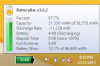
Well, I have this thing sipping power now. It normally bounces anywhere between 9000 to 13000 mW disharge rate. Removed the optical drive, replaced HDD with SSD, upgraded to windows 8.1 (from a Windows 8 clean install). Used the BlackViper website to disable everything I don't need and this thing is humming along quite nicely. Much different than the under 3 hours I was getting at the beginning.
It's a shame you have to do all of this just to get amazing battery life though. Now, if the battery on this refurbished unit didn't come in with so much wear, it would be better. Hopefully Dell will be here before xmas to replace it. -
Need a few more opinions on this please ....
-
Hey, Did you repaste your cpu and gpu if yes which compound did you use ?
What is the difference in heat ?
and did you remove the plastic ? Just want to know how to face overheating problems on this thing :/ -
I removed the optical drive and that plastic piece in the middle. I would say it helped the temps. Not so much at idle (though when I start the laptop, it stays around 40-50, but after a few hours, idle goes to around 50-60). When playing DOTA 2, I was getting high temps, now they stay under 80 normally. That is with 1080p and medium/high settings. It gave me headroom to overclock the GPU core by 135 and the memory by 200. It still didn't overheat and got nearly 60 fps in the game (granted DOTA 2 isn't graphics intensive). I only played for about an hour and a half as well, but temps stayed relatively stable.
In my opinion, those are still a little high, but not overheating. I'll still be asking the tech to repaste. If he won't, then I'll likely talk to Dell about my options. I'm not too keen on voiding the warranty. -
Did you experience any throttling issues ?
-
Currently? Depends. Before, yes
Real world applications & games, I haven't noticed any after removing the the optical drive and plastic piece. I also haven't tested any games or applications that would put a lot of stress on both at the same time (if you have any idea as to which application I could use to test real-world, I'd be happy to do it)
If I run furmark & prime95, there still definitely is throttling. Really though, I doubt it'll reach those temps in real world applications -
I have finally ordered IC Diamond and articlean kit to repaste the heat sink with the cpu and gpu.
I did not order a cooling pad 55$
55$
I wanted to order a samsung evo 120g ssd but didnt 80$
so the laptop will be shipped to me with the thermal paste within a couple of days.
Other than that i think if i face any huge problems on this thing ill just save up again and buy an Asus g750.
But again for multimedia use the HP envy was 10x better than this and the same price Envy TS 15t-j100 Quad - Smart Buy | HP® Official Store -
Ordered on 11/30 for delivery on 12/27. Just got an email that my order has been delayed until 1/9, but I also see that the XPS 15 is no longer showing up on Dell's website. Something fishy or just normal delays?
-
There are parts delays. One part (the rep. said he didn't know which) is on delay for my repair. I'm kind of assuming it's the display that is on delay. I can't confirm it until the rep gets back to me, but I'm just going off of what is apparently on delay for the new XPS 15 as well. I can't see how a heatsink or battery would be on delay as those are relatively simple parts (and those are the other two parts to my repair).
-
It is because l521x has been discontinued.
-
I have just tried the Win64_15338 (10.18.10.3345) and the problem is still there, even the dell drivers(other than 3262 and those listed) do not fix this issue, the only stable drivers that allow us control of the brightness are listed below.
9.17.10.2857
9.17.10.2867
10.18.10.3262
From: **********
Sent: Wednesday, October 23, 2013 6:59 PM
To: [email protected]
Subject: Re: {ticketno:[*************]} - Your Intel Customer Support Inquiry
the problematic intel graphics driver/software are 9.18.10.3165 and 10.18.10.3316 those two will remove display brightness control for some reason.
all other drivers prior and after work fine. and I finally managed to install intel graphics driver/software 10.18.10.3262 without getting an error message from both dell and intel instillations.
I had to install the intel graphics drivers in the following order or id get an error.
9.17.10.2857
9.17.10.2867
9.18.10.3165
10.18.10.3262 -
Oh, well... guess I was wrong. It is the battery that is out of stock. Apparently they just got them in today. My next day service has turned into a 3 week service.
So, to the person above who ordered it. I'm guessing it will be coming soon -
The laptop was working fine, i was going through my dell and it asked me to update my bios to the latest version which improves system perfomance, i downloaded the bios version it restarted my system installed the bios.
Now the laptop wont boot, it goes straight to the automatic repair option and i dont know what to do to make it work. I did not change any setting before the bios update.
Any help please ? -
Play about with the drive modes. Its probably reset stuff
Sent from my HTC One X using Tapatalk -
Can you elaborate a bit more, im a little worried about my computer ...
-
Check if the BIOS is set for AHCI or Intel XXX mode, and flip it to the other.
It won't hurt it to do so, just do it. -
I tried that, as well, no respite. Its frustrating as hell
-
Try legacy
Sent from my HTC One X using Tapatalk -
Have you tried the F12 boot selection, both to verify it's still seeing your OS as a bootable option and trying to force it?
I don't see how the BIOS updated could have screwed with any partition data but one never knows when something wacky manifests.
The other thing I can think of to ask is whether the legacy bios option is on or off (as I think someone else asked, in fewer words), on the boot setup page of the BIOS. -
Lots of new drivers listed for the Dell XPS 15 (L521X) at Support | Dell US
-
Hi guys, new to the forum.
So I upgraded from an L502X (for sale BTW). But I was surprised that it has no option of a surround-sound out. My questions is (broken into pieces for easy answering):
1) Even though HDMI is capable of transferring surround audio, I'm right in saying that the internal sound card doesn't support 5.0, (no subwoofer so no 5.1) right? Only 2 channels (If there were 4, I could mix the front L and R for centre speaker)? Therefore...
2) Do I need an external 'USB soundcard'? This is my understanding from waaaay earlier in the thread.
3) If so, does quality matter? Is it an issue as I want a digital-out signal? I'm looking at this but am concerned that the cheap price may reflect the quality of it. Is it OK for connecting digitally to an amp or do I need to find something more expensive and if so...
4) What do I need to look for in a USB soundcard? -
I thought it did support 5.1? I'm sure when i hooked it to my amp it with 5.1 it was fine
You need to change the settings in control panel and in the player.
There is a dolby check on utube
Sent from my HTC One X using Tapatalk -
Sorry, what's a Dolby Check?
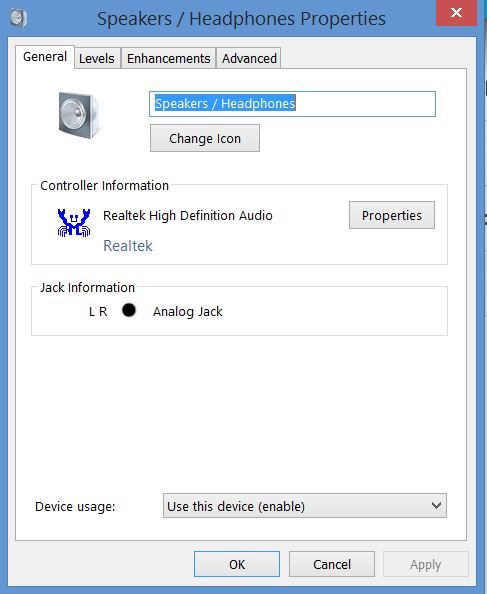
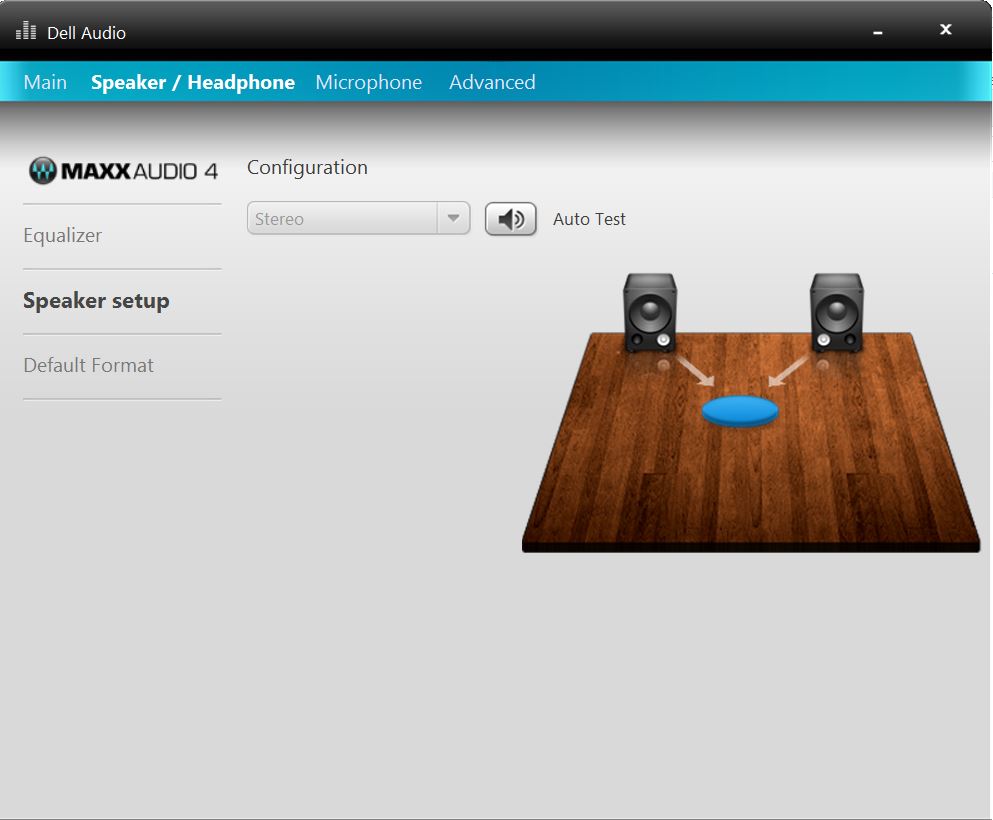
On Control Panel I've looked at the sound options and it appears to be a no-go, the one exception is the MIC properties (below), but I think that applies to the stereo mics either side of the webcam.
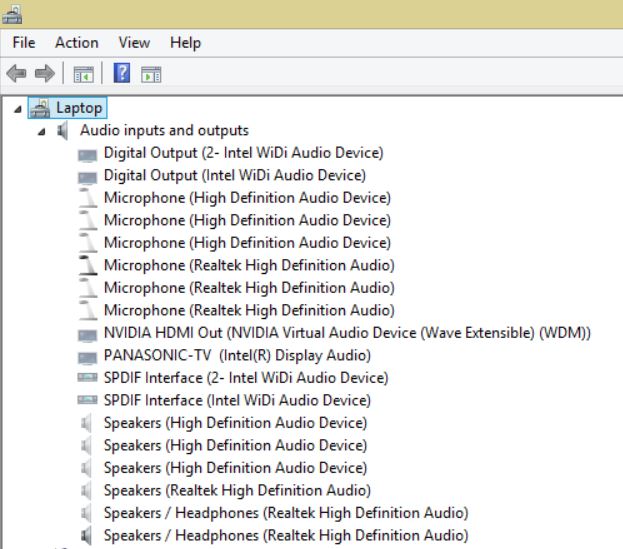
As the other images show, the Intel software only allows for stereo output; it can't be selected and changed and there's the output just for good measure.
HOWEVER, the 4th capture shows a digital connection but it's Widi and there's no S/PDIF port - I've even gone through the literature for it listed here: Manuals and Documents for XPS 15 (L521X) | Dell USAttached Files:
-
-
I'm considering purchasing a used Dell XPS 15 (L521X) in the near future. To learn more about it, I searched for the owner's manual and quick-start guide on the Dell support site. The item labeled as "owners manual" appears to be primarily a service manual, with its emphasis on removing and replacing various components, and the quick-start guides are very rudimentary and oriented primarily towards Windows 7 and 8. Does a XPS 15 (L521X) manual or guide exist that emphasizes explanation of use of the many features of the notebook PC?
Thanks,
PG -
Nope, afraid not. I expected a decent manual like there was for the L502X.
-
I'm running Windows 7 with SSD and the discharge rate is awfully high (~30,000 mW) even with wireless disabled and cpu nearly idle (fan runs @ ~2200 rpm). Any advice on reducing the power usage?
-
I did a clean install of Windows 8.1 first. I only installed drivers. I did install My Dell as well, but not quick set (doesn't seem needed for me)
disable everything you don't use (bluetooth, optical drive, webcam and the card reader for me) and mute the volume. Turn brightness all the way down (even though with brightness a few notches up, it doesn't affect it too much oddly enough). I also changed the refresh rate on the screen to 40 Hz instead of 60 Hz.
Google Black Viper windows 8.1, disable the services that you don't need.
I use Chrome and I installed The Great Suspender (suspends tabs so it doesn't use resources when not being looked at/inactive), Flash Control, and AdBlock Plus. Flash control stops flash from running on websites, AdBlock.... self explanatory.
I turned off windows indexing (with an SSD searching is fast enough IMO), I made a restore point after installing everything and then turned off system restore as it is not needed for me beyond that point. I turned off paging as I have 16 GB of RAM. I also set SystemPerformanceProperties to 'best performance' instead of 'best appearance.' That's about it if I remember right. Just keep track of what is running. What I'm running is pretty much bare bones with light web browsing. Most of what I'll be doing on battery is web browsing, viewing pdf's, using office and using a program or two for programming, so it works for me.
Also, updated drivers seemed to help a lot. If you can update the intel hd drivers and still maintain the ability to change brightness levels, do it. I believe that is one piece that helped me.
Then you get this for basic web browsing
-
Hello All!
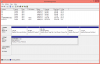
So I got a L521X from Dell Outlet two months ago. Everything has been working great with no issues. However, I have a question regarding the 32GB mSATA SSD. I want to know if it is actually being used as a cache.
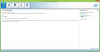
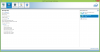
From what I have learned from google, I see that there should be a Accelerate button in Intel Rapid Storage Technology, however, I do not see that button.
My BIOS is set to AHCI.
Here is the information from Intel Rapid Storage Technology:
System Report
System Information
OS name: Microsoft Windows 8.1 Pro
OS version: 6.3.9600 9200
System name: DELL-XPS
System manufacturer: Dell Inc.
System model: XPS L521X
Processor: GenuineIntel Intel64 Family 6 Model 58 Stepping 9 2.201 GHz
BIOS: Dell Inc., A15
Intel® Rapid Storage Technology enterprise Information
Kit installed: 12.8.0.1016
User interface version: 12.8.0.1016
Language: English (United States)
Driver version: 12.8.0.1016
ISDI version: 12.8.0.1016
Storage System Information
Controller name: Intel(R) 7 Series Chipset Family SATA AHCI Controller
Type: SATA
Mode: AHCI
Number of SATA ports: 3
Number of volumes: 0
Number of spares: 0
Number of available disks: 2
Rebuild on Hot Plug: Disabled
Manufacturer: 32902
Model number: 7683
Product revision: 4
Direct attached disk: WD-WX11A73K9181
Direct attached disk: S0XLNSAD151200
Disk on Controller 0, Port 0
Status: Normal
Type: SATA disk
Location type: Internal
Size: 699 GB
System disk: Yes
Disk data cache: Enabled
Command queuing: NCQ
SATA transfer rate: 6 Gb/s
Model: WDC WD7500BPKX-75HPJT0
Serial number: WD-WX11A73K9181
SCSI device ID: 0
Firmware: 01.01A01
Physical sector size: 4096 Bytes
Logical sector size: 512 Bytes
Disk on Controller 0, Port 1
Status: Normal
Type: SATA SSD
Location type: Internal
Size: 30 GB
System disk: No
Disk data cache: Enabled
Command queuing: NCQ
SATA transfer rate: 6 Gb/s
Model: SAMSUNG SSD PM830 mSATA 32GB
Serial number: S0XLNSAD151200
SCSI device ID: 1
Firmware: CXM13D1Q
Physical sector size: 512 Bytes
Logical sector size: 512 Bytes
ATAPI device on Controller 0, Port 2
Location type: Internal
SATA transfer rate: 1.5 Gb/s
Model: MATA DVDRW/BDROM UJ167
Serial number: WN55 077113
Firmware: 1.02
Here is a picture of what I see:
-
If you do any research on the issue at all, you'd see that your BIOS needs to be set to RAID for the accelerate/cache function to work.
You can try changing your BIOS to read RAID and see if it boots. If it does, SSD needs to be blank (and a few other criteria met) for it to act as a cache module to your HDD.
I don't have the links, offhand, but just do some searching and you can find some really good help sites on how to accelerate using the SSD cache. -
If bios set to ahci then caching can not work.
Changing the bios HDD controller mode may require reinstalling windows. You may be able to find how to change without reinstall but info not know to procedure.
Changing the bios mode requires windows use a different fundamental driver or HAL, I don't know which, but these are normally set at installation only.
Sent from my Nexus 7 using Tapatalk 4 -
I am starting to shop for a used/refurbished Dell XPS 15, preferably L521X. If I can find one at a favorable price, I'd prefer a refurbished one in like-new condition. I have seen a few examples of these being sold by 3rd-party dealers. Dell Outlet currently does not have any in stock. I hope the following question is not inappropriate--and I sincerely apologize if so...can anyone recall the approximate price(s) that Dell Outlet had previously sold refurbished L521X's, roughly equipped as follows?
Intel® Core™ i7-3632QM (or i7-3612QM) Processor (2.2 GHz, 6MB cache)/Hard drive - 750GB Hard Drive (7200 RPM) + 32GB mSATA cache /Display - 1920 x 1080 p Truelife/RAM - 8GB DDR3 SDRAM 1600MHz/GPU - nVidia GeForce GT 640M 2GB/Optical drive - Blu-ray ROM + 8X DVD+/- RW with 9-cell battery and Windows 7 Home Premium OS
I'd also welcome comments regarding recommended prices for a L521X equipped as above or close to it in refurbished and in very good/good used condition, as well as any other related comments. I'm also considering the L502X primarily because of its subwoofer option and accordingly reputedly superior sound; I realize this option will likely limit me to used examples in varying conditions. I realize buying a used or refurbished unit from 3rd party sellers needs to be approached with caution and I aim to be careful in doing so.
Thanks much for reading and any information or suggestions. -
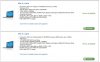
Here are two options that are currently available in the Outlet store ... both are good deals :thumbsup:
-
Thanks for the information. I thought I had checked Dell Outlet a few hours ago and read no 15 XPS's were available--I should have checked again immediately before posting my note. This is helpful and I will certainly consider these options, thanks again.
PG
-
Yeah I did try to change the bios HDD controller from ahci to Intel Rapid Storage Technology. However, when I do that, windows goes into repair and it basically keeps looping through repair and restarting. I literally just finished installing everything I needed so I am trying not to do a reinstall of windows. I will go ahead and see what google has in store for me on how to go about this. Unless, if any one of you knows or did this, I'd appreciate some guidance.
You'd think dell would of thought of configuring this before they shipped my laptop!
XPS 15 (L521X) Owner's Lounge
Discussion in 'Dell XPS and Studio XPS' started by Muddy, Jun 28, 2012.