 Problems? See this thread at archive.org.
Just played Skyrim for 10 minutes, maybe. A little less, and when it got past 80°C, throttling started. Clock frequency reduced to less than 500Mhz
-
Has anyone any idea how to revert back to previous bios (A04)? I tried to flash it normal, but it seems that from new to older version is not working that easy.
Since A09 update, the fan runs high for no reason, with A04 was working perfect. -
I guess that Dell is trying to address the throttling issue by running the system cooler thus increasing the fan speed. Instead of going back to A04 perhaps you should consider installing a fan control utility.
I have a similar issue in my MBP and I increase the fan speed in order to run the system cooler.
Just my 2c -
ezervoud,
I removed the 2.5" 750 GB SATA drive and replaced it with the SSD. Performance tests show around 550 MB/s capability. A full virus scan took 32 seconds. Boot-up, even with the Dell BIOS, takes about 20 seconds. Opening documents is instantaneous regardless of size. Diablo 3 plays at max settings no problem. I have no need for 750 GB's in a laptop, so the performance of the SSD is a great substitute.
Nate -
I had A04. I played for about an hour with the new bios, seems to be working fine now. I'm about 4 hours into Max Payne 3 running 1080p. Though I didn't play it with A04, it runs surprisingly well with A09. If its still throttling at all, I don't mind. It seems to work great. Now they gotta fix the wireless, and if we're lucky, looking to replace the LCD model too.
I'll let you know. I just finished finals so I haven't taken my laptop out much. I don't suspect a huge drop if any. -
Just a quick PSA. When viewing photos in a "slideshow" format within a folder, I would occasionally get a "COMS surrogate stopped working" error. Using the reliability history browser I was able to see the problem module was igdumd64.dll. I installed the latest Intel drivers from Dell's site and the problem seems to have gone away. I also installed the latest nVidia drivers from Sept 13th.
-
I have been gone from this for a while so I'm out of the loop. Where issues like wifi, display, throttling, etc fixed/ on their way to being fixed?
-
/i've been having issues with this, at lowest settings, and brightness low as possible too.. I get 3:45 total... not happy with that.. anyone interested in starting new thread about battery life and different variables and amount of time you get on a charge? (I have no main SSD only the factory hybrid 32 ssd personally)
-
I have one of these, and have been fairly pleased with it so far. However, I've fallen victim to the same issues that most owners have already mentioned herein (slow / broken wifi, CPU throttling). I just updated to A09 (from A06), and am seeing the following:
- Still seeing CPU throttling when running CPU/GPU-intensive tasks. For example, when I loaded up HL: Black Mesa this afternoon, I was delighted to see ~100FPS with all settings maxed out (1900x1080). Unfortunately, after something like 20 minutes, CPU throttling kicked-in and performance dropped to less than 25FPS.
- The optical drive noise is still present
- Even after updating to the latest driver, wifi is fairly terrible when there's a wall or two between the router and the computer (4mB/sec up & down). (For comparison, my 2007 vintage Dell E1505 sustains approximately 20mB/sec down/up from the same location)
Two questions:
1.) Are there any 3rd party programs that will effectively stop the CPU from downclocking?
2.) Is it possible that the wireless hardware in this laptop is just extremely weak?
Battery Notes:
I'm seeing 5 - 6 hours per charge when in power-saver mode (with A06). That said, I found out the hard way last week that running Speedfan essentially cuts battery life in half. -
There's been a new bios update (a09), but not enough reports yet to form an opinion. Nobody has done a serious test.
There's been at least one geforce driver update (current stuff just went WHQL).
There's been a recent (v15.3) intel wifi driver that seems to have helped some, one reported it was worse, for me personally it is clearly better than 15.2 (at-least as-good-as the netgear wnda3100 up to about 20' from the wap). May be more up to your actual use environment.
No official statements in any way for a while. -
my replacement laptop is coming in on monday, Its an l521x and my current is a studio xps 1645, would i be able to swap out the 6235 card from the xps 15 with my studio xps's 6300? Dell said i could but would the card fit and have room and 3x antennas?
-
I just installed the new Intel wireless driver.. I am currently one floor up above my router so there's a floor between me and the unit. My current max provider speed is 30/3
Before the wireless driver, I was getting 20/3. I ran the Speedtest about 5 times and it was pretty consistent
After the wireless driver install and a reboot, I am now getting 30/3 in the same place. I haven't moved and all I did was install the driver and reboot. Again, I've run this test 5 times.
I am NOT plugged in and I'm running on battery power in power saver mode. Going into the advanced power settings for the wireless adater, it says On Battery: Maximum Power Saving.
I am also on A06 BIOS and my computer has a clean Windows 7 installation, not the Dell provided install base. -
Well, I just picked up a L521X from microcenter just to see maybe I would get a good one and not notice any issues...However, I was mistaken :/
I setup everything, upgraded the video drivers, BIOS (A09), and wifi (10.3) and proceeded with my testing.
Right off the bat I noticed some wifi issues, but since I was so close to my AP (around 15 feet) I thought it wouldn't bother me at first. So after I upgraded the drivers, I ran into the issues of being connected and then I have little to no connectivity. I disconnected, and then reconnected - had no issues after that. This still needs to be tested further though.
I used the 5GHz band since as you can see in the picture, 2.4 is pretty saturated except for channel 11 (bright green, and my AP).
The throttling is a different animal all together. I just had furmark running for 15min (burn-in benchmark) and by the time I hit 50% it was nearly 80C. All that time though, I saw THROTTLING near the video card name. Little did I know, while the temps on the video card were hitting 80C, my CPU temps also spiked to 85+ C.
The screen issue for me does exist. I see a grid up and down the display, however it doesn't bother me much as I thought it would.
The really annoying thing is the CD making noises while doing certain tasks. Its not that bad, but I really hope there is some firmware update soon.
So my final vertict: Undecided (only had it one day)
I like the laptop, and I like the build quality.
The throttling I can understand since this is not a gaming laptop and wasn't designed to be as such. Granted it stinks not being able to play games, but XPS is not the XPS of the past. AW is the XPS of the past now :/ Not an excuse, but still kind of valid in my books.
EDIT - wireless needs major help/overhaul:
Before (e6410):
![[IMG]](images/storyImages/2182245419.png)
After:
![[IMG]](images/storyImages/2182399651.png)
Attached Files:
-
-
Yes, you can do it. I did it myself, there is a bit of improvement but I am back with N-6235 now, usually am about 5M far from router and the signal is strong. On the other hand you will miss; Bluetooth and other N-6235 functionality.
There are only 2x antennas connections. -
I posted this ins the wifi thread, but I want to know what everyone thinks about this:
-
ill just request dell send me an antenna cable an ill put it in myself. ive also got my dell 370 bluetooth mini card, sure its not 4.0 but i can upgrade that anytime. what N 6235 functionality are you talking about?
i thought the 6300 was better than the 6235 speed and range wise... -
I am trying to form an opinion on the laptop here and I have identified the below issues from this thread.
1. Wifi - unanimous consensus I would say that it performs sub spec but can be addressed with an external device that usually Dell provides
2. CPU throttling - depends on the processor and the use. I understand that is found on i7 under gaming, is this correct?
3. Screen - some people report a visible and annoying grid others don't mention the issue
Concluding, I gather that if the screen issue is indeed annoying then I would steer clear from this laptop
Otherwise, for a student opting for an i5, should be ok, am I correct? -
Elvis: the xps 15 does not have socket for discrete Bluetooth - it is part of the 6235 card functionality. Wet:6300, only thing Incan gather vs 6235 is that it has 3rd antenna lead for 3x3 operation and no Bluetooth. However there is no 3rd lead on the xps sonindoubt you could use it 3x3, only 2x2 as with the 6235.
Sent from my brain using neurons fueled by glucose -
Same boat as you men, looking around for a laptop for about 2 years now.
Here in Europe the difference between base xps 15 and base m17x r4 is just 100 euro's. The xps looks are stunning, thin and portable. Had a m17x r3 so I know eveything is good there regarding cpu/wifi/screen but its very thick and not portable at all. So specwise the Alienware wins but design wise the xps wins. Tbh the xps specs are plenty for my ussage.
I would choose the i5, less powerhungry and less heat.
Wifi....well Dell need to fix that, a adapter is no fix, for the price Dell is asking the wifi should be working without problems.
The screen, did read about the grid to, it worries me.
Is that i5 a Ivy Bridge cpu with HD4000 or is it a renamed Sandy Bridge with HD3000?
Does it support RAM with a speed of 1866mhz? Have 8Gb dusting away in a drawer, same for a M4 SSD. -
Dell offers the 3rd gen i5 3210m which supports memory frequencies up to 1600MHz and HD4000 graphics
I understand that any processor, for a college student, will not be utilized over 5% most of the time with spikes up to 20%
So I wouldn't worry about the processor too much
I have been in the IT market since 1985 and the processor was always the focus of the discussion, perhaps because people understand that the most?
In this case an i5 with SSD would make the system a screamer
Now, the screen is a different issue altogether, you look at it all the time
If it is flawed, no matter how fast is the system, you will be dissatisfied and there is no new driver to make it better -
the xps 15 is a stunning machine........IF DELL put the gt650M GDDR5 instead, i would bought right away.
...the gt640 does not handle BF3 in native resolution (1920x1080) very well.
my question is.......how many have successful Overclock the gt640 so it reach gt650 performance WITH DECENT TEMPS ??? -
Given that the only way I can play Tribes Ascend (on Low detail, native res, less demanding than BF3) smoothly without burning my fingers is to:
- Use A04 BIOS
- Use Throttlestop and lock the multiplier so the CPU only goes to 2.1GHz, no Turbo boost
- Use an aluminium notebook cooler
I would say that trying to get the GPU to run at GT650M levels with decent temps is impossible. The joint CPU/GPU cooler just isn't suited to the task. -
Are you kidding? I guess you have not read much on the threads of the XPS15. It it throttling on the 640 when the GPU and CPU are stressed. I don't think there is much chance of it running a 650M or overclocking the 640. I think everyone should be happy if it could just run the 640 with no throttling.
-
LOL, are you kidding?
L521X can't handle gt640m without throttling and you want that Dell had put in a gt650m, maybe was good to put in a gt640m LE.
Overclock in gt640m of L521x is practically impossible!
Inviato dal mio GT-I9100 con Tapatalk 2 -
im not really get this.............you guys buy a £2000 laptop and keep it still it gets very warm and starts throttling down the core speed ????
why dont you guys send it back and buy another model or something else.
a £2000 PC should run like a God..........think DELL have serious issues to solve here. -
You're right, but I needed a laptop to move overseas with, so I got what looked good. Now having moved, it's a bit difficult giving up my only connection with the outside world to get it replaced. And I'm not even sure what I'd replace it with - if it worked as spec'ed, then it'd be the only PC that ticks all my boxes.
Everyone has their reasons. -
I don't count for the majority here, but Dell (well Bill) has promised a fix to the wifi soon. How soon is soon - we dunno.
The machine as a whole is nice, and not bad for what I paid (1599) for a i7, 750GB HD, BDROM, GT 640 2GB, etc. and I have a 14 day return policy from microcenter. If I find that I don't like it as much as I thought I would - I will return it. -
One of your drivers needs to be updated! For me it was the display driver but I found it by downloading Intel's driver utility. It checks your current drivers and will tell you what needs to be updated. I did this 3 weeks ago and haven't had the error since
-
Like many of you, I'm having the wifi issues (don't have or haven't noticed the screen grid issue) so I'm planning on formatting (one more time) and installing the raw windows 7 ultimate and all the drivers from Dell's website instead from restoring the factory partition. What worries me is the proper installation order of the drivers.
Dell had a faq for previous models with precise instructions on what to install first and what next. Any advice on how to do this with the L521X?
Enviado desde mi GT-I9100 usando Tapatalk 2 -
If you're in a real bind you could ask Dell to swap it for a Inspiron R 15 SE or Alienware M14x R2 + partial refund and cross ship.
I too am planning to move overseas (in a few months), I'm really glad I bought the computer in advance so I still have time to look now. -
Current Intel driver: 8.15.10.2653
Current NVIDIA driver: 9.18.13.623
Both updated in the last few days. Do you have something newer?
I've had no COMS errors since these updates. -
i wont have to wire the third antenna anyway, just get a flat antenna and have it withing the laptop?
-
That's exactly what I intend to do, yet I still have to wait until december because I can't be without a computer for a couple of weeks because of college =/. If it gets fixed by the, then it's no problem, but it bugs me that I can't play games on this laptop besides LoL. Probably going for the Inspiron because M14x is way too thick and getting a 1080p screen (if it can) would be difficult considering the prices and latinamerican Dell isn't as nice as USA's Dell.
-
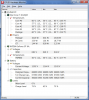
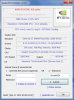
Did anyone else install the latest Nvidia drivers (306.23 WHQL) and noticed that GT640M now operates at 645Mhz 'standard' clock, no longer at 709Mhz?
Btw, still using A06. -
I think thats what the clock should be.
http://hothardware.com/Reviews/NVIDIA-GeForce-GT-640M-Kepler-Goes-Mobile-with-Acer/
Maybe the previous driver had it working a little more than it should
Sent from my ASUS Transformer Pad TF700T using Tapatalk 2 -
Same here -- 306.23 / A06 and the clock is reported as 645 MHz. I didn't make note of the reported clock speed before installing the new drivers.
-
It would seem odd that a driver would affect clock speed. Could it be the BIOS that did this? Did you notice the 709Mhz on BIOS versions all the way up through A06? Or is it that you just happened to realize on this particular driver that it was 645Mhz while the previous driver while on A06 reported 709Mhz?
-
Like i posted earlier i think that is the correct clock speed for the 640m from the official nvidia specs. 709mhz was over what it was intended to run at
Sent from my ASUS Transformer Pad TF700T using Tapatalk 2 -
I disagree, there is a long history (15 yrs +, going back to 3dfx Voodoo IIRC) of drivers affecting hardware operating frequency.
These days with dynamically clocking hardware, it's really not surprising at all. -
It was 709Mhz with the same bios before. The only change is the new driver. And yes, I know 645Mhz is the rated standard clock, 709Mhz is the gpu boost clock enabled and if this laptop had better thermal design it would be acceptable. I like the fact that it runs slightly lower in order to keep the temps in check.
-
Does it ever goes to 709Mhz now or even at low temperatures it keeps is base clock?
-
Though, in the past say 7 or so years, clock speed with Nvidia mobile GPUs was only affected by deliberate overclocking. That they introduced this turbo feature may account for this present anomaly. What software are folks using to measure GPU clock speed? And did that software have an update between the last time the clock was checked before the new driver? Sometimes GPU-z (if that is what's being used) may not get the clock right with relatively new GPUs but subsequent updates do.
-
Thoughts anybody?
Enviado desde mi GT-I9100 usando Tapatalk 2 -
The 645 MHz I quoted in my earlier post is simply the value reported by the NVIDIA control panel. I haven't measured it myself, however.
-
If anyone is considering a different laptop to the XPS, then from personal experience I wholeheartedly recommend the Samsung NP700Z7C model. It is incredibly thin, nicely built, and has a lovely screen with slightly better spec than the XPS i7. It also never seems to get warm/hot like the XPS did and there are USB ports on the right side for your mouse, and there are no optical drive noises even though it is also slot loading. The only thing I can fault with it is that the Displayport connection on the laptop only works when connected to another Displayport device. You cannot use an adapter that converts Displayport to DVI for example.
-
Hi, should get my xps 15 by wednesday, need to buy an ssd can you recommend one. Would like to stay away from OCZ, looking at 128gb. Also the 1TB 5400rpm hdd with the laptop im going to use as an external in an usb 3.0 enclosure, can you please roughly tell me the speeds i will get from it.
-
B&H.com has 256GB Samsung 830 Series Internal 2.5" Solid State Drive SSD (MZ-7PC256B/WW) for $182 with free shipping. Must add to cart to see lower price
-
Anyone know if there is anyway to always have the backlit KB stay on?
-
My work laptop is a 15" Samsung Series 7, and while it's decent, I'm not a fan. The screen's viewing angles are really bad, worse than the 4 year old screen in my old HP DV5, and it's 900p, not 1080p, which is a deal-breaker for me. The keyboard keys are perfectly flat, which I hate, and the laptop flexes a lot if you press in the middle of the keyboard. Also, I personally hate numpads on laptops because they put the keyboard way too far off-center. The touchpad is AWEFUL. To be fair, I haven't updated the touchpad drivers since i got the thing, but that was only a month ago.
-
Follow this guide. Not the same laptop but works the same on ours
http://forum.notebookreview.com/del...ure-backit-keyboard-resolved.html#post7395151
XPS 15 (L521X) Owner's Lounge
Discussion in 'Dell XPS and Studio XPS' started by Muddy, Jun 28, 2012.




![[-Mac-]](images/avatars/[-Mac-])


