Problems? See this thread at archive.org.
I mean 7.1 for 2 graphics scores, and 7.5/7.9 for CPU mempry, disk etc.
-
Joke, unless your full system restore meant to send back to Dell to restore (or replace).
-
If your router was not changed, that climate or air humidity changed.
-
How is the battery performing under A11?
-
elands i am also using A04 and the 15.3 drivers. I have found my wifi to be really improved. I am currently on holidays in bali in a villa and I find the wife reception really good. I think there are still some hardware issues but they have been able to subtstantially improve the performance with the 15.3 driver
-
Is it possible that the Wifi issue comes from the casing material?
-
Hi. Yes, you probably didn't read the whole history of this thread. But since july, I post message about the situation with Linux.
I think it still could be a driver issue. This wifi driver is also written by Intel, and I don't think the source code is all different between Windows and Linux. And as the driver is directly integrated into the Linux kernel, we can't benefit from quick updates.
I did some tests with an old HDD with W7 used only to update the BIOS, and of course with Linux. And with both OSes, the wifi is catastrophic. -
Well, with all the hoodoo-voodoo of the wifi for this machine i gotta say it's slowly improving. I'm sure it'll never get 'perfect' but for my use it's dang close to just 'good enough'.
I got bios a11 and the current drivers pulled down (intel hd4000 & wifi, nvidia). I un-installed the three driver sets completely, then did the bios update, then worked my way through reinstalling the drivers one at a time and rebooting if asked to ( hd4000, then wifi, then geforce ).
The response-time from web browsing is tangibly quicker, browsing in general is better, particularly this site, MTBR.com, and a couple others that I frequent.
I got a chance to do more testing this morning before the neighbors wlan came up and now my u/d performance is holding above 30 Mbps at up slightly beyond 12 meters (including one wall and some electronics in between router and notebook).
Going behind a second wall I now get 20u/10d - Mbps - where last time I tested it was on the order of half that.
Tomorrow I will probably be able to get some testing outside the home, around town as it were at a wifi joint or two, we'll see. -
Someone from Dell called me yesterday, asking me how I liked my XPS 15. I asked her if this was because of the wifi issue, and she said yes. I told her I have been one of the lucky ones and the Wifi has worked flawlessly from the day I got it, but I was aware of the issue. She said that it was a bad batch of Intel Centrino cards, which didn't sound right to me based on what I've read here, but then honestly I stopped following this thread a month ago when I got my XPS and the Wifi worked ok, so maybe I've missed some developments.
Anyway, she said the issue had been fixed and assured me that if I do run into problems it's covered by warranty, blah blah blah. I'm not really buying it, but just thought I would pass along what is probably misinformation (after all, what is the Internet for if not misinformation?).
I also offered the suggestion that they put an IPS panel on the next model, and that would make this laptop perfect. In truth, that is my only gripe (since wifi is working), the glossy screen is a real PITA sometimes, and although "good" I would expect "excellent" in a high end laptop like this, and this panel is definitely not "excellent". I've been using external IPS panels on all my machines for a couple of years now, so I guess I'm just spoiled, but it makes a huge difference and IMO should be a requirement for any high end laptop, where the viewing angles can tend to be more extreme vs a desktop.
She said they valued my feedback and would seriously consider my suggestion, blah blah blah. So if the 2013 XPS models have IPS panels, you have me to thank. Email me for directions where to send your gifts of cash and precious metals/gems. OK, maybe that was just market speak, and if the newer models do have IPS panels, maybe it's just because laptop manufacturers are just now starting to get on the IPS train (Asus has a couple of models, I think Dell and HP do in their workstation-class laptops, probably some others I'm forgetting).
-
I also did this and my wifi is not too bad right now. originally i just flashed A11 and went to town but the wifi seemed slower. I just followed ^ and now it seems better
-
If its a bad batch of Intel Centrino cards, a replacement of the wireless card should be work, right?
-
It does not work. I got 2 replacement 6235 cards and then got a Dell card and same issue
-
Updated from A09 to A11 and now I have the wifi issue! I was fine before.
-
@txmikester
Funny!
Glad you got a good one man! So maybe there are changes in the works after all...
When did you order/get your XPS? Did you get it from Dell's website? -
GAMING UPDATE
Crysis 2 is playable with DX11, high-resolution textures, and a "high" general graphics spec at 1366x768. The first few moments of play render FPS in the 60s (which is phenomenal). However, shortly thereafter, FPS drops down to ~28 FPS.
I have no idea why this occurs, as I am using Throttlestop 5.
Any thoughts? -
Someone mentioned this the other day and said it was switching from the Nvidia card to the Intel Hd graphics. I know nothing about it but im sure someone else will chime in
-
Maybe the GPU clocks are being changed instead of the cpu
Sent from my HTC One X using Tapatalk 2 -
Nobody tested battery performance under A11?
-
ok so my replacement l521x has been amazing, until about 20m ago when i finished putting all my data back on and updating drivers.. (rapid start,rapid storage,intel gpu,nvidia,but not bios) my laptop came with bios a 9 and my nvidiagpu was visible but after driver installation , device manager shows it as deactivated, the fans are constantly running, laptop started running sooo slow , then the laptop crashed , blue screen, (i got a chance to take a pic of the error) and then no power was going into the laptop, i thought it was the laptop because everything was plugged in then i touched thepower supply and it literaly burned me... so i took out the old l521x's power supply and am using that one(its different than the new one
) any ideas? should i update to a11 to make the fans stop and gpu working again?
1:39am, it just crashed again :S i used to have random crashes with my 1645 and it turned out to be a bad mobo (error id 41, shut down unexpectadly)
help me please
-
ok, after 3 crashes, i uninstalled intel gpu, but it still crashed and wifi cuts out. so i restored my laptop to before i updated drivers and it still crashed even though all drivers are back to as they came.
3:19, ive ghosted the xps to origin, ive used the dell recovery to factory restore it and its still crashing! im going to try a clean install again...
transfer speeds between xps and lan pc are now 16mb down/10mbup instead of out of the box speeds of 23 down/18 up. -
Mine did essentially the same thing.. was doing nothing particular.. web surf a tiny bit and typing text document.. then I felt the left hand side.. it was ridiculously hot.. fans never came on(was running A09) ... ran Speccy from piriform software and the cpu was at 90 Celsius... absolutely ridiculous.. popped it in to powersave mode and it slowly dropped to about 78 and then hung there ... about 20 minutes after it hit 90 for no reason and was hanging at 78 or so for no reason it shot back up past 90 and then shut it's self down automatically..
Called dell, they replaced the motherboard, fan and heatsink.. pretty ridiculous. It is what it is and I'll prolly never know but I suspect with no good evidence that had something to do with A09 now that I see you experience pretty much the same thing... story over. -
oh, new mb came with A04 and I decided not to mess with it, also installed the OS from a usb stick they sent me which is I think is clean OS + drivers and a couple dell softwares.
-
those crashes are mostly due to A09. A allot of people said the same thing when A09 came out.
-
Hi, I have noticed that the xps 15 l521x is available in the outlet, did anyone buy it from there and are the problems fixed?
Thank you. -
The outlet units will be returns and such I would guess.
Other than the machine bashing the is reloaded to spec I doubt anything has changed with it.
"You rolls the dice ..."
Sent from my brain using neurons fueled by glucose -
Have you run ThrottleStop with the Log File option checked? Turn on GPU monitoring in the Options window first.
How do you have ThrottleStop setup? Many users are running ThrottleStop but don't fully understand the program enough to get the most out of it.
Post a screen shot and upload some data to Pastebin.com and then post a link here. -
I don't know if throttlestop has some option for GPU too, but after bios A04 Dell has introduced through BIOS update very heavy throttling on GPU to avoid thermal shut down of the L521x.
Therefore even if you use throttlestop with bios major than A04 you can't avoid the drop down in fps.
Maybe throttlestop could be useful only with BIOS A04 that pushes the GPU always at max clock.
In Anandtech review is established that max clock on CPU could be 1.8GHz (using throttlestop and BIOS A04) when both CPU and GPU are used, but this result is dependent from ambient temp and from the particular building of the laptop, so every L521x could have a different limit.
Inviato dal mio GT-I9100 con Tapatalk 2 -
[-Mac-] is essentially correct, you need a BIOS that only throttles the CPU to get good gaming results with Throttlestop.
I am running my games fine now, having gone back from A06 to A04, and setting Throttlestop to limit my frequency to 2.1GHz (maybe I will increase that as we head in to winter). -
yeah but even after I installed a11 and reformatted, it kept crashing.. So now, after 4 reformats, yes 4!! It seems to be stable, the only thing is, my WiFi up/down has been reduced by half. So instead of transferring 24d/18u its at 10d/10u also, I've notice that while I had a09 , the CPU frequency was at a stable2.9 constant and the WiFi was great.. Now the CPU is in flux, 1.9 to 2.6 and the WiFi is bad, so mayhap tis a frequency interference issue with this laptop?
Also, forgot to mention, although it's now stable , other than the WiFi, the system is really really slow! 10seconds +++ to run things and even open up touchpad settings took 16 seconds. Windows have my drive a rating of 5.9 but things weren't this slow on the previous 521 -
Here is a screenshot of my THrottleStop config (before being turned on):
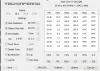
Also, it appears that the framerate drops once the GPU gets to 80c.
Here is my log:
ThrottleStop - Pastebin.com -
Double post
-
Sooo, anyone know when the L541x comes out?
-
How did you flash to an older version?
-
You can do a6 to a4 just not any other bios. I guess they're similar.
-
I think those crashes are just hardware problems?
-
I'm still not closing the door on the display grid problem. Previous comments (in the 355 previous pages) led me to believe that *all* devices have the issue, however every few days someone pipes in with "I don't have the display issue."
I'm not ready to let Dell off the hook for my display just yet.
Is there any way someone who knows they have the grid issue can compare against a machine where someone thinks they don't have the grid issue? -
sometimes the grids stick out alot and other timesi dont see them, it depends on the color, but if i look closely, i see it.
its 100% visible and annoying when there's baby blue or light blue colors on the screen...
im more concerned about the stupid touchpad, the wifi and the slowness of the system
Attached Files:
-
-
I just wanted to chime in w/ similar experience to c0derbear & gixer2000's: with A11 BIOS and latest drivers (intel display, wifi, nvidia geforce), my XPS15 has much better performance than before (although that's not saying much).
Before (with A06 BIOS & older drivers) = at 10 meters range, .5 Mbps download & disconnecting frequently; at 1 meter range, 5 Mbps download;
After (with A11 BIOS & new drivers) = at 10 meters range, 3.5 Mbps download & stable; at 1 meter range, 25 Mbps download.
So all these drivers updates did improve wifi at longer range for me but it's still below par since if I use a USB-wifi adapter, I was able to connect 15 Mbps at the 10 meters range. I'm not sure how much better Dell can squeeze out better wifi performance from the software side, there has to be some kind of hardware upgrade to get maximum wifi performance... -
Your problem is you are buying Lxx 1X models and so being "betatester". Dont be so "hurry", be patient and always wait for Lxx
2X (rev.2). For example next will be L52
2X...
-
Where are you guys getting A11 from? I get a message saying “Sorry, the requested file could not be downloaded” or “file not found” whenever I try and download it.
-
I have a mirror of it here
L521XA11W.exe -
Justgot off the phone with support, again. they want to try to swap out the mobo,display etc. they said that the main cause for the wifi is that its because its combined with bluetooth and they are in talk with dell to fix it etc.
I plainly said no to the tech guy coming to replace display etc because this is a replacement system and the 4 years warranty extension i had purchased was not suppose to sold to me so dell took it back and refunded the money. In other words, i should receive an out fo the box working laptop and not have to replace part after part and render more problems.
I will try to see if i can return the laptop back to dell and have them send me one in a month or however long it takes them to fix all these issues. -
I'd like to offer a comparison. I don't hink I have the issue. However how to compare, that's a problem. Don't expect me to mail in my laptop.
-
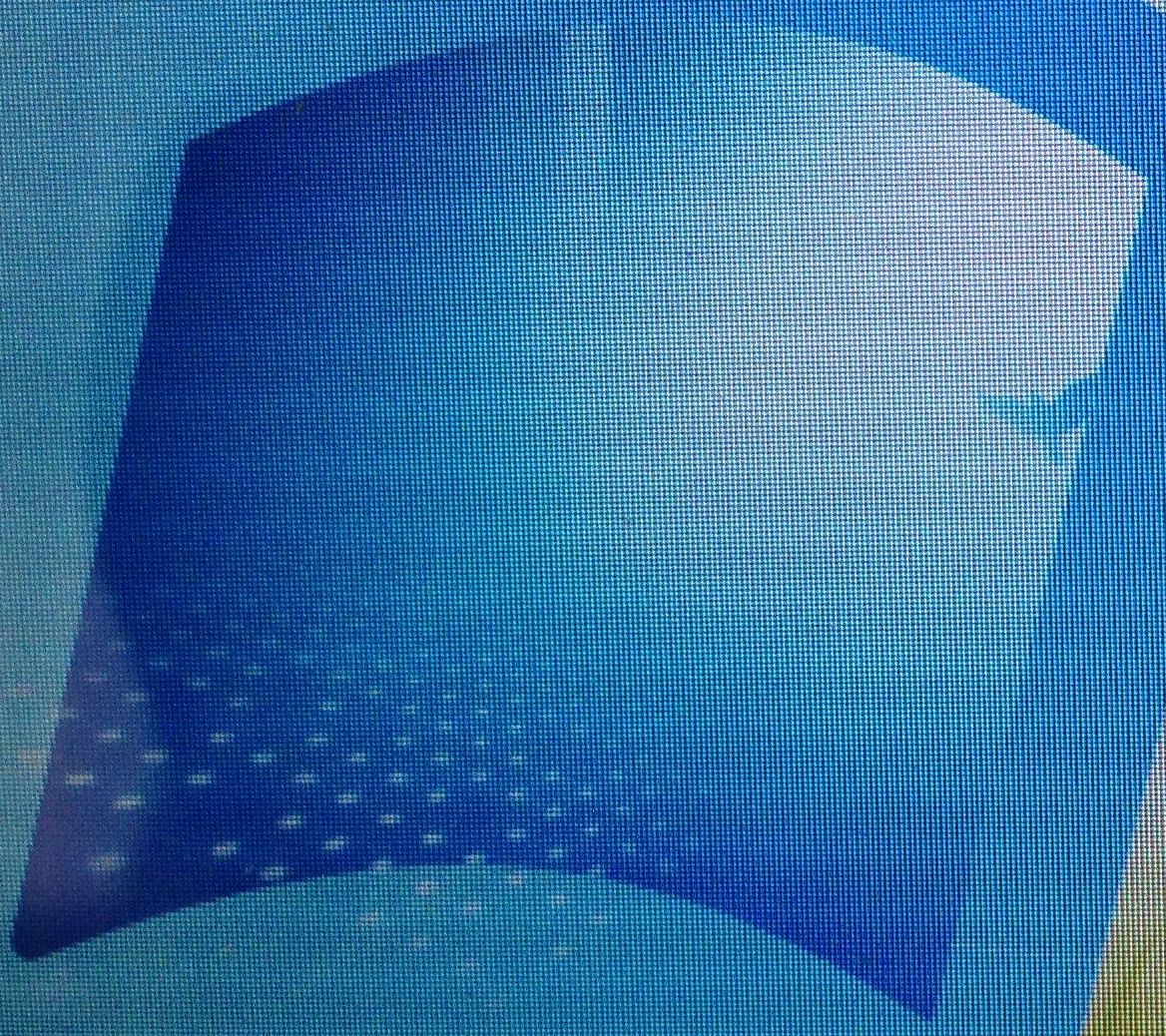
Let's try it this way: Laptop 50% brightness, ue Windows 7 standard theme, take a picture using iphone 4s (horizontally), with the 4-color logo at the center of the frame, adjust the distance so that the logo occupies the fill width of the phone. DO not use HDR. Have to crop the picture as it's too big. So I cropped the blue part of the logo.
Attached is the picture I took in above way.Attached Files:
-
-
For any that might be interested, I am still in the same place with a replacement machine that has the same wireless issues. I think more owners should take the approach to refuse having a tech come out and replace the "mobo", LCD, or anything else on brand new machine. Hopefully if enough people do it....well Dell will still probably find a way to hose us. Anyway I was looking at Dells site for any interesting reviews and came across one where someone was talking about the CPU issues. Here is the response from Dell on the site - which of course says nothing about A11 fixing wifi.
Response from Dell.com:By SilangchiSforDell, Customer Reviews, October 8, 2012
Hi jakubk2,
Sorry to hear about the issue with the system . I understand that its quite frustrating if it couldn't meet our expectations. However, we are listening to your feedback and we are aware of it!
So, i would suggest you to update the system BIOS to the latest version A11 which probably have a chance to correct the issue like GPU, high fan speed and thermal issue etc. Here is the link - http://dell.to/QZnrTg
If you continue to read current posts, there is another about wifi, but no mention of an A11 fix.
Response from Dell.com:By JohnBforDell, Customer Reviews, October 8, 2012
Vallaird,
Thanks for taking the time to review the XPS 15 laptop.
“Dell is aware of customer feedback regarding wireless performance on the L521x and L421x. We appreciate the information customers have provided us so far, and have been using that information along with our own methods to determine the scope of the problem and potential root causes. Please feel free to continue to let us know about specific feedback regarding wireless performance. We have no updates to share at this time, but when we do, we will update this thread and others we find on the topic. Thank you for your patience.”
JGB
So a few days ago we had a couple of new Dell people post about A11 potential fixing the wifi, Mourin I believe. It would be great if you could take the time to post about what happened to your statement that A11 was supposed to fix wifi. It would be welcomed! -
I stopped by checking what have changed in last few weeks. I see there is still no WiFi fix, no word on grid line issues, more and more disappointed clients and apart of Bill now there is also Lionel and others pushing you people great marketing bovine excrement. So let me summarize.
1) In a device for $2000 Dell is telling you that you need to have installed a combo of 4 dell drivers (wifi, bios, gpu and dedicated gpu) in order to have wifi working. LOL !! So in 2 years when dell will drop drivers support for L521x you will be forced to use old dell drivers instead of using new ones directly from Intel and nVidia sites. This is really great! Wait, how much costs the device? $2000?!?!
2) Dell workers still keep saying the wifi issue is fixed. Nice. In 21 century in country like US there are still companies that can sell broken products with a knowledge it's broken. This is something that proper court should take closer look at. I'm really surprised nobody yet notified proper enforcement agency. This is conscious misleading in order to gain financial benefit. Take a look at all patents battles. When device is in sale and it's breaking some law, the court prohibits selling that device. L521x should be banned from the sale market for as long as the issues are not officially fixed. For God sake this is how it should be.
3) You buy new notebook. After 3 days you call DELL to fix wifi issues. They are coming and replacing your mobo. Guess what. Your "new" mobo is refurbished ! Dell is not replacing motherboards with new motherboards, but with refurbished ones. So they are taking your brand new mobo and inserting some f.g. 3 months old one and your wifi issues is obviously not fixed. So, for a $2000 machine it's nice to have 3 months old mobo in 3 days old device, right? -
FWIW, "Jesse" at Dell provided in another thread that the substantive fix in bios A11 was to correct the problem that was causing problems with the secondary GPU when computrace was turned on.
http://forum.notebookreview.com/dell-xps-studio-xps/691081-xps-15-l521x-bios-a11-now-available.html
That at least sounds reasonable.
-
Hi,
From time to time, I've read here posts about the faraday effect of the aluminium+gorilla glass package which encloses the wifi antenna. I'm far from being an expert, but I have some doubts about this, just because the XPS13 has also an aluminium cover and a gorilla glass, and I've never heard about such wifi issues with this laptop. -
I've read complaints on all of Dell's ultra-thin notebooks. Personally I think the problem goes beyond Gorilla glass and aluminum.
I've not not had a working computer for over two months. After 3 service calls, endless customer service, the laptop stopped turning on. It should be coming back from the Depot today. Let's see what happens. -
I made a poll. If you have or had the L521x please take the time to take the poll. I wish I could have made it more involved, but the poll feature only allows a single question.
http://forum.notebookreview.com/dell-xps-studio-xps/691748-dell-xps-15-l521x-poll.html
XPS 15 (L521X) Owner's Lounge
Discussion in 'Dell XPS and Studio XPS' started by Muddy, Jun 28, 2012.


![[-Mac-]](images/avatars/[-Mac-])