 Problems? See this thread at archive.org.
i would, but i sent my xps to depot yesterday.
-
I did it now. Device Manager says that is the same driver 8.15.10.2778, and the same Wi-Fi problems.
They might have changed the name of the driver from A01 to A02. -
Thanks for the idea. I'll try it on other system when I get the chance. And as for the hashes, I wanted to check it but have no hases to compare against to. I have RTM dreamspark version and can't find the hashes for it.
I have changed the boot to UEFI. The problem is that BIOS FREEZES as long as USB key is plugged in. Meaning no boot installation. When it freezes I have to hard reset the computer. -
At least you can get into install lol. I can't. BIOS gets stuck for good for me. And only when USB key is plugged in.
-
can you try using another USB drive?
-
Let your system sit for a while then recheck your battery status. Program needs time to recalculate the usage and the estimated time remaining. So this is what happens when there are dips or spikes in power usage:
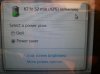
I wish my laptop always stayed that way lol -
Tried and BIOS still freezes.
-
if the same thing happens with a DVD then it may be something wrong with your hardware..I you have spare disks laying around you can install one and see if it's your hard drive.
-
Hey I might have a stupid question here but I don't know how to turn off the bluetooth. When I open the settings, there is no such option. Is disabling the bluetooth is the same as disabling the following options :
- Allow BLuetooth devices to find this computer
- Allow Bluetooth devices to connect to this computer
If not, how to disable it ?
Thanks -
Only way to "turn off" bluetooth is to disable or remove the bluetooth driver and support application.
The bluetooth control via the Mobility Center doesn't actually give you control of that radio vs the wifi.
Since the two are on a single card, possibly in a single chip, this may or may not make sense in the larger scheme of things.
But it's what we have. -
And if you don't know where to disable the driver, go to Device Manager, right click it and choose disable.
-
Alright. Thanks guys
-
Download a copy of win8 from ms, check the hashes then try from there. -
I found if you disable bluetooth, viewing devices and printers does not work. Not sure if just me. But when I disabled bluetooth, devices and printers wouldn't load and I spent a while figuring out why I couldn't print
-
Hi there.
I've just tested the wifi with the famous HD4000 A02 driver and...same, of course. I took a picture of the XPS and the old 2006 Macbook Pro of my wife, both à 7m from the router.
The Mac is constantly at 12.9 Mb/s while the Dell is one time at 2, the other at 5, then finally at 4. So not only the performances are low, but they are inconsistent in the mediocrity !
So, a nice discussion to have with the Dell guy tomorrow !! -
If anyone else has more feedback for my questions, please reply!
1. How long does the battery life last on average?
2. Do the wifi issues still exist?
3. How heavy is the laptop?
4. Is it ideal to be bringing this laptop to university everyday?
5. Anything else I should know? Is the laptop worth getting? -
DVD works, USB doesn't.
EDIT: Well apparently file name is different but it is the same ISO. SHA1 check passed on ALL downloads I have. Now I'm confused. -
Multiple people already responded to your questions. Please read back a few pages...
For those who swapped out the HDD with an SSD, what did you do with the msata partition? and intel rapid start/storage? How did you tweak it? -
And everyone has different views on it. I'd like to have several views before I make the final decision.
-
I deleted the raid and used it as a spare drive.
-
Mate, IMO, you would be better off reading through the now 393 pages long thread and making and informed decision for yourself instead of spamming the thread and ruining the discussion.
What exactly is "6x% of rgb" vs "9x% of rgb"? I don't quite understand what that specification is meant to mean. In any case though, I doubt it is the only specification that accounts for an LCD's performance. Considering also that most visual performance (much the same as audible performance) is mostly subjective with comparisons between high quality sources, I doubt the difference is that noticeable to award a unanimous result one way or the other by the average user. -
Hey
I received today this cooling dock HD3 Gaming Chill Mat - Black : Computer Components | Dell that I bought with my gift cards and it totally fixed the heating problems. Of course it's not the kind of thing that you can bring everywhere with you but it's a reliable solution. You might say that it was expected but I just wanted to say it so people who want to enjoy their xps at 100% capabilities know that there is this solution. -
I agree the issue might be a little overblown. I can see the pixel grid only if I got really close to my screen and it's at higher brightness but I keep my brightness at the lowest and imo it's still too bright. Can't notice the pixels from about 3 feet away. I think he was referring to about 68% rgb and 98% rgb. L521x's screen's rgb rating is around 60ish % but the L520x's screen rgb rating was close to 98%. RGB refers to the pixels in the screen, each pixel has 3 colors, red, green, blue in series. Higher RGB means richer colors and more accurate colors. However the l521x has a glossy gorilla screen overlay that makes it have the appearance of being crisp and sharp. However if the gorilla glass were removed, the l502x's screen would be considered superior.
-
@mrmumbles- Cool, thanks very much.
-
anyone else having issues downloading a11 bois from dell website?
-
Downloading is really a pain on the Dell website, hope someone could provide you a direct link for the A11, I can't personally.
-
For me, HD 4000 driver 2778 conflicts with A11. When they are together, Windows alays gives 'driver stopped responding' error after resuming desktop from blank screen. If screen saver is activaed then even worse, it cannot resume at all. One has to press ctrl-alt-del and type password blindly. It does resume if you type correctly, though.
-
I agree there is no way, or I missed something, to see if we're running the A02 revision or not. But anyway, it doesn't fix the wifi.
-
I uploaded it and can be downloaded from here:
L521XA11W.exe -
Me too. I also seem to have persistent errors when trying to download from DELL site. This is what I do: Choose to download using download manager --> proceed until I get an error on download page --> view page source and search for word 'FOLDER' --> such as "http://downloads.dell.com/FOLDER00899731M/1/L521XA11W.exe" --> substitute "http://downloads.dell.com/" with "ftp://ftp.dell.com/" and get a working link to dell ftp:
ftp://ftp.dell.com/FOLDER00899731M/1/L521XA11W.exe -
It seems that Dell got rid of all "first generation" XPS 15 L521x. In UK, IE, other countries are not available anymore. In USA, Holland, just these two countries checked and the "second generation" laptops, under the same name are ready to be shipped .
.
Better processor, no throttling, no grid issue, no Wi-Fi issue, no, no...... I hope.
The LCD hinge better oiled, I had to open it and put a few drops on each hinge, no more noise
-
Codred2, I like your optimism.
I just do not yet believe.
Sent from my brain using neurons fueled by glucose -
What I found strange is that in the U.S. there is new Wi-Fi card, while in my country, "second generation" is still equipped with Intel© Centrino© Advanced-N 6235 instead of Dell Wireless 1901. CPU is i7-3632QM .
-
When you turn on the laptop, do you get a blank screen with a underscore blink 3x then it loads the XPS loading page then underscore blink with windows start screen? I just noticed this, I don't think my computer did that before..
-
Hello!
Has anyone know something about this "second generation" of Dell XPS 15? I'm very interested what Dell had made to fix those issues with throttling and Wi-Fi. I wasn't in this topic for a long time so I don't know much about it. Can anyone give me some informations? I want to buy this laptop, but of course without problems of "first generation".
P.S.
Sorry for any mistakes which I'm pretty sure that I made during this short text, but I'm still learning English ;P -
Well, since you haven't read up on what is in the 395 pages of posts here (or even the last 3 or 4 pages) I will summarize it for you... This is the best laptop ever, everything is perfect, no problems at all, Dell is the best, buy 10 of them if you can afford to.
If you want the truth spend a little time reading. -
Nothing has been shared that is not in the public marketing literature from Dell.
There have been no confirmed fixes for any of the complaints (wifi, throttling, display) with respect to the XPS 15 L521X.
There is the apparently random "lottery" effect going that a (small) number of people are posting "it's great, works perfect". -
If anyone else has more feedback for my questions, please reply!
1. How long does the battery life last on average?
2. Do the wifi issues still exist?
3. How heavy is the laptop?
4. Is it ideal to be bringing this laptop to university everyday?
5. Anything else I should know? Is the laptop worth getting? -
OMG STOP SPAM US WITH YOUR QUESTIONS WE ALREADY ANSWERED
1. ITS ARROUND 5H
2. YES STILL WIFI ISSUES
3. 2,6 kg THATS OK FOR A 15"
4. YES ITS AN ULTRABOOK 15"
5. SOME OTHER PROBLEM WITH THE SCREEN QUALITY AND THROTTLING -
1. Until it is drained.
2. You must be within range of an available wifi network. Usable range somewhere between 1 meter and 100 kilometers
3. Between 8 ounces and 6 metric tonnes depending on accessories
4. Of course, unless you can get the university to come to you.
5. There are several things you should know: the speed of sound, the average airspeed of a fully laden African swallow, how to train a per mongoose to fetch your slippers and of course how to read a thread if you really want answers to whether a laptop is worth buying or not instead of ignoring the previous 395 pages of information and constantly asking someone else to sum it all up for you. -
What's the resolution of your brother's screen?
This is a little misinformed. What the RGB percentage refers to is AdobeRGB, a color gamut standard that means it can display a given percentage of colors that Adobe's specs call for. The XPS 15 L502X has a screen that shows 92% of this gamut--far, far more colors are available on it than, for example, a Macbook Pro, or even the Macbook Pro with Retina. Few laptop screens in existence can best this rating. The L521X (the current XPS 15) has mid-60s% AdobeRGB coverage--perfectly average in every way, just not a perfectly average price (it's an insane price).
No amount of pointless Gorilla Glass can make anyone with decent eyesight think the screen on the L521X is better than the 1920x1080 screen on the L502X. The L502X's screen is in probably the top five or ten laptop screens ever made. -
I've recently purchased a XPS 15 (L521X) but am wondering if the outside aluminium screen gets scratched easily? I know that for something like the MacBook Pro you can purchase a film which you can stick over it, or a solid plastic cover similar to the one you put on a iPhone, etc. I'm just looking for something that is clear (transparent) so that I can keep the original look but with protection too.
Thanks -
I just watched a review where they said games were almost un-playable on this laptop? True or false?
-
Perhaps you should read back the forum or use the search tool? This has been addressed many times, along with other issues and questions you're bringing up.
-
it is very similar in size to the MBP 15. I bought a wrapsol protector for my MBP 15 2011 and it was great. I will probably buy it also for my XPS 15. I no longer own the Mac so I can't size compare but they are very similar.
-
Tha's Bull I play games with no issues .
Admin type people maybe you guy's /girls should do something about all the trolls in this thread . I do know there are issues with this comp. I've had my WIFI card replaced . But these trolls are making this thread totally useless. -
Yeah, the reviewer was stating that after about 5 minutes of gameplay, the frames per second dropped dramatically. Also, does your laptop have wifi issues, because I'm hearing only some people are having the issues.
-
If you are referring to my case, no. Just freezes on Dell BIOS screen when Windows 8 USB key is plugged in.
-
do we have any updates on bios a12? Someone posted earlier it would be released this week
-
Hey guys, I was thinking about getting one of the L521x from the Outlet.
Has any one delt with support from a outlet product compared to a aNEW one. If a new revision or hardware fix would outlet sourced xps 15 be included/eligible for the fix. Or is it a take it or leave it type policy.
I saw some pretty nicely priced xps 15 on the outlet. But if the Win 8 version fixes everything i should just wait and get a "working" version.
Thoughts?
PS I have been here since the Begin. I know it is my money and I should and will spend as i please. I am just looking for some experiences/advice from owners and dell support users.
XPS 15 (L521X) Owner's Lounge
Discussion in 'Dell XPS and Studio XPS' started by Muddy, Jun 28, 2012.


