 Problems? See this thread at archive.org.
I just tried it in the area I get worse download speed and I don't think it makes much difference. Maybe it will for people with high broadband speeds.
Just learnt that there is a little button on the back that lights an led battery indicator
-
-
Thanks - I use Xirrus WiFi inspector which shows the dbm With both the 1901 and the 6235 i see it reporting the same dbm as the other (non dell machines) i have, but an inability to connect. I would have expected it to show lower dbm if the signal "wasn't getting thought." It seems to show that the signal is there, but that it just won't connect reliably. So the WiFi issues seem to be on the 2.4 network mostly and seem to drop off as the dbm gets closer to -60dbm. I am currently working on a machine connected at -71 (Toshiba) which is at edge of what I think is reasonable. This room works for most machines, and sometimes the machines can have an issue. If I can find a solution where the Dell will work in this room then I am good.
-
Its not a laptop. it is the factory image windows 7 hm installation on USB stick from Dell.
-
on the 5.0 speed test says 10ms ping 1.38/35 down and 0.99 up/3.00 ..
at about 24 ish feet on the same floor of the router I get -73 dbm windows still says my connection speed it 300mb.. signal strength at 52%
on the 2.0 speed test says 10ms ping 1.37 down/35 and 1.87 up/3.oo
68dbm 24 ish feet away same floor connection speed at 144mb signal strength at 72%
this is sooooo strange I came back to about 6 feet from the router signal strength 100% link speed 144mb and dbm 41 but speed test is giving me 15ms ping 1.24 down and 1.19 up ... on the 2.0 network. I try disconnecting and reconnect..
ok so I disconnected and reconnected and am now at 15ms ping 51.22down/35 and 2.96up/3.00
switched to the 5.0 network got 5ms ping 2.38 down and 1.48 up
disconnected from it and reconnected I got 15ms ping 46down 2.96 up -
Great! Can you post a photo please?
Sent from HTC HD2 with Tapatalk -
Hey, I'm looking at getting one of these but wanted to ask a couple of questions - would be very grateful if any owners could shed light on these:
mSata - can I take out the 32GB cache and replace it with a larger mSATA to use as my primary partition? Asked Dell tech support and the guy said it was very difficult to replace (not sure that I believe him), and what would it do to the caching issue - will the computer still be automatically trying to cache things to that drive? I'm not really sure of the hierarchy of the caching process or how to disable it
WIFI Issues - do I infer from this thread that these Wifi issues are fixed with the newer Windows 8 versions of the laptop?
Overheat - do I also infer that this frame rate still drops massively if both CPU and GPU are at load? Not a massive issue, just want to be sure
Thanks -
Swapping the mSATA isn't that big a deal, so long as you're handy with stuff, can follow minor directions, and have a Torx T5 screwdriver (and a small Philips screwdriver). There's two Philips screws and ten T5's that hold the bottom case on, which you must remove in order to access the mSATA. Once that's done it's one more screw and 30 seconds to physically swap the card.
Setting the system to use it as a boot volume so you can place an OS install only requires the single BIOS change of setting the system to AHCI instead of Intel Acceleration mode.
This completely disables the use of the mSATA as a cache device for your your HDD and also disables Intel Rapid Start. To make the system boot-old-os-resilient I'd advice disabling and uninstalling all of the Intel Rapid Start / etc support before doing the BIOS and physical changes.
Note that changing the device to AHCI mode will also prevent the existing install of Windows from booting at all ... different low-level device drivers. To re-enable that you'd have to switch the BIOS back to "Intel" mode.
No, they are not. It's completely hit-and-miss whether a machine suffers wifi issues, as before the Win8 shipping revision. It does SEEM like the default Win8 drivers for the intel 6235 part perform better than either the current Dell or Intel drivers, but it's anecdotal evidence only at this point. FWIW, I put the 6235 part from my XPS into my wife's XPS Studio 1645 that had recently been converted to Win8 and the card worked well. Whence I put the current Intel (not Dell) drivers on so that the system would recognize it was an 802.11n connection (instead of 802.11g) the throughput downstream dropped almost in half. It's still over 50 Mbps so it doesn't really matter in this case, but it's something to keep in mind. I replaced the 6235 in my machine with a Bigfoot Killer-N 1202 card and that has helped tremendously on data rates and made the connections very stable. Make any opinions you want comparing the Qualcomm/Atheros hardware in the Killer-N vs the Intel 6235 or Broadcom hardware (used in Dell's branded hardware). There's one or two others here on the board that have reported similarly. It doesn't make it work as well as my wife's machine though *with the intel card* so keep that in mind. Whether it works out for you is going to depend a lot on your wifi environment and router. 5Mhz seems less affected, but then it has less range. Some routers may perform better - particularly those with stronger transmitters I'd think.
Should my killer-n not be sufficient sometime, I have the Netgear WNDA3100v2 USB dongle in my carry bag Just In Case. For 99% of my use I don't need the extra bandwidth it can provide though - the Killer-N gives me 10+ Mbps beyond 2 walls (one of which is a fire-wall) in my house and my internet provider is only 3Mbps anyway. None of the public wifi locations I have access to exceed even that paltry rate with the exception of the local college, where I usually end up with an 802.11a connection (5 Mhz band) and 14+ Mbps.
Throttling is a factor, with current shipping BIOS the GPU is pulled down in favor of the CPU if thermal loads hit. Whether this affects your use only you can say. If I'm running wPrime95 alone my machine will run flat-out a full turbo on all cores and threads (e.g. 4x2.8 Ghz) until I turn it off. If I'm running Furrmark alone my machine will run the GPU flipping between 600-700 Mhz (~704 is full-turbo for the NVidia 640M). If I run both then the GPU gets pulled down and runs between 400-500-something Mhz at most. I rarely have the latter situation in real use so it's not a factor for me.
related:
I haven't seen a steady stream of *new* complaints but I assume the random build-QC is still a factor ...
- keyboard mounting / leaving prints on the screen
- trackpad mounting
- display grid-line issue
I really like my notebook by the way. It was clearly designed for Windows 8 though. The trackpad integration and gesture support for the Win 8 stuff is very solid. The only thing is that I wish there was a switch to disable the trackpad if an external mouse is connected (via USB or Bluetooth). I liked that on Win 7 and it doesn't seem to be the case on the Win 8 trackpad driver. You could probably retrograde the Trackpad driver, but then you'd lose the win 8 gestures. *shrug* -
Hey, just last week had my previous XPS system exchanged for a L521x. The biggest issue with my old XPS was throttling and it's surprising that 3 years later this is still an issue with current XPS designs. I've skipped around and read several pages of this thread to get a feel for some of the issues but it's too long to read it all. Any help is appreciated.
SSD Cache - It wasn't enabled by default but I've since turned it on. For those using it, does it really help? I'll give it a chance for a while. If I don't notice increased speeds over a regular HDD, can I disable the cache and manually install items there for high speed storage? The thought here is to not reinstall Windows and instead change the BIOS RST setting.
Blu-Ray - Is there a software/firmware fix for the Blu-Ray drive making noises every time an app checks the drive? My old XPS didn't do this. It makes me think it's defective even though some of the posts are indicating otherwise.
Wifi - I've seen references to issues with Wifi connectivity but I can get 300Mbps connectivity using 5Ghz on my Cisco E4200. Doesn't seem to be a problem yet but what is the Win8 version/solution to this problem? This is one of those issues that I might not really notice until I test a bit more.
Screen - How can I check for gridlines? I've looked carefully at the screen but I don't see anything wrong with it. It's noticeably not as bright or as vibrant (some would say oversaturated )as my old RGBLED but it seems decent so far. I haven't noticed the screen pressing on any keys either but I'll keep an eye out for it. Am I just lucky here?
-
It's assumed a problem stemming from the simple fact that a) the l521x doesn't have as much open air flow and b) there is only one cooling fan and the cpu/gpu share heat to each other - it's a fundamental design (flaw?) of the l521x IMO.
Depends on what you do and how much cache you go through, but I found it effective in Win 7. The Intel Rapid Start definitely works as a faster hibernation mode - best done with Hibernation actually disabled in Win 7. For Win 8 I found that the built-in optimizations of Windows obviated the need for Rapid Start altogether. I have also since put a larger mSATA SSD in place from which I hosted the OS and that seems the best use if you ask me.
If you disable the caching then in theory you should be able to create a normal partition there for file-system usage, it's not huge (about 24 Gb with the Rapid Start hibernation partition still there, ~32 Gb overall) but it's there.
Do not change the BIOS RST setting, that will require Windows repair or reinstall. In theory it may be possible to simply disable all the intel storage/acceleration drivers and create a partition there with Disk Manager.
"It's not a bug, it's a feature." - really - it's just normal for that device. Some slot-load devices seem more quiet than others, one user here got Dell to replace the device with one that was more quiet, however the replacement was not a BlueRay drive.
There is no real fix ... the "win8 version" is just a different wlan card ( dell 1901 ) which doesn't always help. See prior comments today about 2.4 vs 5 Mhz band behavior.
If it ain't broke don't fix it - if you're not seeing something offense to your own use, why waste time? Seems like it was either painfully obvious or not present. If you magnify the screen enough you can find grid-lines on a MBP-retina after all. -
It's similar to the xps l502x but much more discreet I didn't even know there was one until I was reading a review.
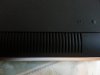
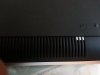
You can see the little button just above to the right like a circle. 5 lights for full battery. -
Some of us think the screen is fine so if you're happy then there's no need to keep looking as you're probably bound to find something which annoys you and it's probably the same with a lot of screens. Regarding the saturation press the windows button and then x and change the setting from saturated to generic.
-
Thanks for the responses.
I agree that the limited heat dissipation is a design flaw but the XPS 1647 had a similar design flaw which plenty reported to Dell (including myself) and that's what makes it frustrating to see it come up again. So far I haven't experiencing throttling myself but I'm a casual gamer so I'm not really pushing the new hardware as much compared to my old system.
For the integrated SSD cache I'll leave it for now. I may upgrade it later to a larger drive. I use my desktop for all the heavy lifting so the laptop is really for entertainment while travelling. Out of browsing the web, games, and movies, only one can really benefit from acceleration and it's probably best I manage it manually.
On the Wifi issue, I'm here just loading apps and doing updates on the machine and I've already noticed something. Using the link speed reported by Windows task manager, after I restarted it connected at only 27Mbps. It then slowly negotiated it's way back up to 300Mbps. It's been in the same spot, not really doing anything with it except software installs like I mentioned earlier.
My screen is probably fine but I was thinking long term. Since it's a replacement machine I don't enjoy the 1+ year warranty that other brand new owners do. Unless I ask Dell to extend it then I have what's left of my existing warranty and that's it. Because of that I'm really scrutinizing the system and making sure all the major issues are covered.
jjjjj_55555, thanks for the tip on the saturation change. It's a change I had already done since I read it somewhere earlier in this thread, possibly from you.
-
I think the saturation tip was by Ramdrive he also said he calibrated his screen & I'm trying to get the file off him I'll see if it makes much of a difference. -
The WiFi issue is 2.4GHz not 5...
-
I got my netgear N300 usb dongle from dell today. My tests found it with similar performance to my old laptop but much better ping. Compared to the l521x it's way better at range and I recommend you request this one if you want a smaller and nice looking usb dongle compared to the netgear rangemax 600 they are offering. It also comes with a nice usb extension/cradle.
-
anyone else had this happen? -
Not for me and others have said the WiFi issue was on 5GHz as well.
-
Can someone help me I am a bit confused. I am going to switch the hard drive for my ssd is there any benefit in keeping the msata in? Will I use it as a cache like it was used for the standard hard drive but surely that would be pointless? ( refer to page 7 where bill says something about that). or will it be used as a standard drive alongside my ssd so effectively increasing my hard drive space?
thanks in advance -
So, for those that are getting the USB dongle, what improvement are you guys seeing? I'm very very specific when it comes to Internet speed. As of now, I've seen a huge difference in the Dell driver versus the Windows 8 driver. The Dell driver helps me hit 50 mbps but it loses a bar every minute or two for 15 seconds which stalls the connection (making streaming and downloading impossible)
Then there is the Windows 8 driver which gives me about 10 mbps but with a consistent "enough" connection which drops to 1 Mbps but at least I can somewhat stream Netflix. I have uninstalled and re-installed both drivers at least 10 times to confirm there is a big difference between the drivers.
Both give me 30+ Mbps at 4 AM though which I don't understand. If it was my Internet, I wouldn't be getting 50 Mbps on another computer at 8PM and 10 Mbps on the l521x
I bought some cheap $10 dongle and I see zero improvement so I wanted to know if the Netgear n300 or n600 given by Dell are any better. Despite that, Dell is definitely a company of losers. I can't believe the coprorate escalation guy just wasted two hours of my life arguing that there is not a single report of wifi issues and that I should not believe "blogs" despite them being official Dell forums. He won't give me any other choice BUT to have the card replaced. He was directly connected to my computer for more than an hour and he said things looked fine and that the fact my amazon video stop playing right in front of him and that I was getting 5 mbps on the speed test meant absolutely NOTHING because to him this is an intermittent issue only on my laptop. I'm gonna hit up Terry B right now, but I don't know if he will help. I told the corporate guy to simply send me a USB dongle and things should be fixed in the time being and he says he can't send stuff that's not part of this computer. Ugh.
@jjjj_55555
The msata would be useless at least in terms of performance, but you can definitely use the msata as additional storage.
@Bunshaw
Which version did you get as a replacement? The second Windows 8 revision or the Windows 7 one? I too got an exchange last week and as you can see the wifi issues with mine are horrible.
My screen looks good, but there is a lot of light leakage an inch off the sides on all sides which makes it look very ugly when watching something with black, though other colors are fine. Not sure if this is normal with everyone.
EDIT: TBH, I want my l502x back but they don't make new ones and they can only give me an old refurb. Despite the improvements in the l521x, it definitely has decreased my productivity, not only because of the wifi issues, but because of the keyboard and touch pad. The l502x ones felt full featured. Lack of the context menu button, lack of dedicated home/end/pdup/pgdwn buttons, lack of touchpad smoothness, lack of physical mouse buttons, etc, make me work slower. Plus the screen definitely looked better on the l502x. -
I thought so I guess I can use it for extra storage as I only have a 128gb ssd.
I did get the netgear n300 today from dell. It is very similar to the wireless on my l502x ( but better ping) but I do have relatively low internet speeds I guess it (the dongle) would beat the l502x on range as it's external . I went for the n300 because it was smaller and looks better but it's definitely way better than the l521x I definitely recommend it for a fix if you're happy with using it.
The n300 is only 2.4ghz b/g/n whereas the n600 is dual band. Saying that the n600 doesn't look that nice and is big and the n300 also comes with a nice extension dock. I don't know about the performance difference between either the n600 is marketed as "high performance" upto 300 + 300 mbps whereas the n300 is "work and play" upto 300mbps. Dell told me the n600 something along the lines of the n600 has been tested as an alternative for this but I requested the n300 and I am happy with it.
You could always get the l502x again you can probably get a new one on ebay or a refurbished one with dell warranty ( which are usually just as good). -
This may be a dumb question . I came home today and my Computer told me there was a update for Nvidia drivers . So I downloaded it from the Nvidia site . I haven't loaded the drivers yet . So here is the question. Should I use the drivers from the Nvidia site or wait for Dell to provide the updated drivers? Does Dell add to the drivers or are they just reposting the drivers after they test them ? I seem to remember reading on here someone using the drivers from Nvidia and their Intel graphics not working after that . Or something to that affect .
-
To put things simply - how moronic is it that Dell is selling an overpriced system with broken wi-fi. I ask myself the same question. I have a $2500 system with a damn dongle sticking out lol. Dell, you have failed to deliver on a system and have lost many loyal customers. And how dare you to not get this fixed sooner. Idiots.
-
Dell issued the Windows 7 version for me. It really feels like I need to do more wireless testing with my machine. My router is dual band and supports both 2.4Ghz/5Ghz at the same time. I'm going to try some tests on 2.4Ghz as well. If the dongle is necessary, even if only while travelling, I'd rather have it than not BEFORE I need it. It would be awful to be away from home and discover the same issues so many are reporting here.
The L521x is a nice looking machine, clean, simple, handsome even, but it's obvious Dell made some compromises for aesthetics. -
Is the WiFi issue actually fixed with the Dell Wireless 1901 802.11a/b/g/n, Bluetooth v4.0?
On the German Website they are selling the XPS 15 with two different cards. The one I just mentioned and (as I understood older) Intel© Centrino© Advanced-N 6235 .
Which one is the better choice?
If it wasn't for the Wifi issue I would be able to call a Dell my own already.
If that hasn't been fixed I guess I would have to go for the Samsung Series 7 17"... -
Nothing conclusively says so, we've had a number of bad-wifi reports from new-system owners in multiple countries (since the release of the win8 revision).
The only wlan card that seems to make a consistent difference (if a sample of 3 can be considered reliable data) is the Killer-N 1202, but it's not a stock item from Dell. It also does NOT "fix" the situation - just makes it much more tolerable in the three reported cases - seems like range in 2.4 Mhz is still a limitation.
If you need WiDi, then 6235, if not, then either.
It'd be great if there were more people that had tried the Killer-N and could report findings...but it's not free and only available in limited fashion from one source (via Amazon or eBay though). -
Thank you very much for that comprehensive answer. However, it is just frustrating that Dell is not able to fix a known issue that causes potential buyers to think twice. But appearantly it is not easy.
Very unfortunate that Dell design such a marvelous machiene with intolerable flaws.
I sometimes wonder whether there are only a few people out there dealing with these issues. Since Dell sells a tremendous amount of Laptops wouldn't there be much more complains? -
agreed.
It's also not a 100% consistent problem, there is a small number of people contributing since the beginning with the basic "it works great for me" situation. Whether they're just not running into the issue with the wifi because of local conditions or wifi router or such, or they don't have the issue with their machine, is not provable in either way.
It just seems to me that it's a machine that requires very tight tolerances to be built to engineering spec, and that tolerance is not reliably achievable on the mass-market production line that Dell has.
As to why there aren't more reports of problems?
Here's my un-scientific thought process (with no backing data, this is just opinion, please keep that in mind ..)
- Of all the machines shipped, assume 95% have the problem.
- I assert that of those with problems, they end up used in environments where over 50% of the owners can't tell there is a problem - limited internet bandwidth, no local server, 5 Mhz wifi only, etc. So now we're down to 47.5% with unresolved issues.
- Of the owners that DO detect an issue with networking, only a subset of them will have other machines to compare it against and prove there is a problem. As this is an XPS and expensive, let's be generous and say 50%. Down to 23.75% unresolved.
- Of the owners that have a problem and care enough to do something about it, some quantity of them will be satisfied enough with the first fix they get (whether replacement wlan, usb-wlan dongle, replacement screen, whatever) to not go further. Let's be pessimistic and say only 25% are accepted as okay after first fix, leaving us with 17.8% unresolved.
- Of the owners remaining, some will take decisive action on their own to address the situation (dual-band router, non-standard wlan card replacement such as the Killer-N, whatever), and end up in the "it's good enough" zone. I'm included in this zone as the Killer-N is doing well enough for my use, and I have a USB dongle if *necessary* for other times. Again, let's be pessimistic and say only 25% are okay at this point, leaving us with 13.3% unresolved.
- Of the owners remaining, some will go through multiple painful iterations with Dell support, and end up with hardware which works well enough. Say 10%, leaving us with 12% unresolved.
- Of the owners remaining, some are simply "stuck" with what they have for various reasons, call it 25%, leaving us with 9% unresolved.
So, we end up with less than 10% of shipped hardware going back to Dell.
Based on the very infrequent availability of the l521x in the Dell Outlet I fell like that is still high, but it's not even close to significant quantity to force a corporate response or a major redesign.
In the end however, the only possible authoritative source for the quantity of returns and of problem reports would be Dell, and it is not in their interest to disclose either in any way, so I would not expect them to.
I am also quite sure their staff is appraised of the situation, and required to be in complete denial across the board. If sales and tech people were actually clueless about the issues I'd expect them to be more open to the possibility, but instead the reported behavior is that "there is no problem" - that to me is a behavior of explicit denial. -
I would actually say that the WiFi issue affected 100% of launch units, just to varying degrees. I had several ranging from "this works but it feels like 802.11b" to completely unusable. Dell has made some changes to combat the issue (with apparently has to do with interferance from board components combined with the aluminum shell) so some of the newer units are probably more usable. None of them still seem to be competitive with a cheap 1 antenna 802.11n card, but some of them seem to work for the people who have them.
If you have any concerns about it just buy something else, there are a lot of other options. The Wi-Fi on this m14x works great. I'm sure if you look around you can find something else you will like. -
So the laptop cpu reaches 90+ degrees when I tried battlefield 2 today. I also stress tested the cpu and gpu and got it throttling but I didn't do long session. Surely these high temps must be bad for the laptop I know it's not a gaming laptop and my l502x also reaches the low 90s when gaming.
I have been reading about a mod where you replace the pads on the cpu and gpu with a copper shims and this can help reduce temperature by quiet a bit. Only thing is I don't want to ruin my warranty. Also thinking of doing some other kinda mod by increasing the amount of heat pipes. -
Really bad connectivity issues... 3 techs came home and change mother board, wifi card, wifi antenna, without any results... still really slow in the Kitchen and fast near the modem (i have fiber to the home at 50MB).... not the only one having that issue as well. see XPS 15 Laptop
total crap..
Thanks
Francois -
I have the same issue... got my mother board, wifi antenna and wifi card changed, still slow in the kitchen and fast if I sit just beside the modem... my work computer doesn`t have the issue with the same distance from the modem... really piece of .
-
So just reporting back on my Wifi issues with 5Ghz, looks like I spoke too soon.
I can get 300Mbps in the office with the router and other rooms in the house also get good speeds (150+ Mbps). I did a basic test streaming some 256kbit MP3's from a local Windows file share in media player. Walking around the house while watching the link speed, it occasionally dropped into the single digit range and sometimes even went to 0Mbps and the music would of course pause. There's a consistent dead spot on the stairs and in my bedroom. The speed I see is normally fine but it's consistently lower than my SXPS 1647 was. In locations where my SXPS would sustain 270Mbps the L521x seems to 'only' be able to do 180Mbps which is still fine. I would be perfectly okay with that if there weren't full on dead spots and single digits. When the link speed is in the single digits I may as well not have a connection at all. A bit odd too because Windows always reports signal strength as good to excellent.
I've already reported it back to Dell. It shouldn't be the router, its the same one I use with the SXPS and my work laptop, neither have these problems. Tablets and smartphones are okay too. I'm considering bringing my old router back online and putting it downstairs to help out. I'm trying to be somewhat considerate of my neighbors though.
-
@c0derbear, I would be less affirmative regarding the Dell denial, but indeed I don't understand their behaviour. I've been in touch with a Dell rep in France who said "yes, we have a problem with the wifi". If you read the feedbacks on the L521x page on the Dell web sites, you see some messages which sound like an acknowledge of the issue, we had Bill here, and Terry-B seems to be a good guy. So they can say "we know" when they want, but they don't seem to really work to fix this in any way, pretty strange.
-
Anyone have a resolution for the overheating issues when gaming? I have th Windows 8 version and the 640M gpu would get up to 82*C while playing NFS Most wanted just for a few minutes. I have under clocked the GPU with MSI Afterburner so now it only gets up to 75*C, which is still high but works for Most Wanted because it is a crappy port that only utilizes 50% of gpu anyway.
Also, as far as wifi my rig has the 1901 card. It works fine for me but I am relativity close to my Netgear 2.4GHz Range Extender. However, I have noticed that this computer usually gets one bar less than my old XPS 1640 or 2011 13 MPB. -
Has anyone had contact with Terry-B in the last few days? I sent him a PM but hasn't responded yet (he usually responds by the next day).
-
They never fixed the overheating, they modified the thermal control settings to make the throttling less obvious. Repasting your notebook might help a little, but it's not a gaming system.
-
Guys, it is unbelievable what news I got, my XPS L521x purchased on line as new, came refurbished from Pulsar Marketing UK. I requested refund and the following is the message in regard with it:
"I have heard from my associates and they tell me that the system wasn't originally purchased from Dell. They are suggesting that you contact the vendor Pulsar Marketing. If Dell creates the refund the monies would go back to the original purchaser which would be Pulsar"
I have never heard about "Pulsar", I thought that is a watch company.
I have receipt that I purchased it online from Dell India.
Dell has so many laptops that started to sell them as NEW. I noticed that is not new, but I was assured that is new.
I do not know what is going on.
First the XPS 1647 bought as "NEW", and I was told that was purchased from Dell outlet UK, but they do not deliver in my country. I was lucky that I had my receipt. Now with this one.
Can anyone tell me where can I purchase a NEW Dell laptop? Not refurbished! -
I managed to swap the hard drive for my ssd however now I have a small problem which I hope you guys can maybe help. Basically in the bios intel smart response is chosen if I try changing it to achi I get a blue screen on boot up. Everything else is fine I did a clean install and split the msata into hibernation and spare drive. Question is why won't it let me choose ACHI is it still using the msata to cache? The samsung ssd magician is telling me to boot with achi for best performance and that it's not currently in that mode.
thanks -
Leave it as Intel smart response ... Since that was the setting when you installed windows that is what you need to stick with - or repair/reinstall windows.
You can only use the Intel rapid response (aka: caching) when the bios is set for Intel mode.
If using a larger msata SSD to host OS and boot from then AHCI is better IMO.
Sent from my Nexus 7 using Tapatalk 2 -
Anyone know if it's possible to swap the display on the L521X with the one on the L502X?
-
I did a clean reinstall.
One more questions I have a10 bios atm however I know there is an a12 out now but it's not "made available" to my service tag unless I click on show all why is this? Is there any benefit in updating for windows 7 users?
thanks -
Bump. I'm trying to get a USB Wireless adapter but everytime I call Dell, each representative is clueless about the Wifi issue and insist on updating drivers, etc and trying to swap out the wireless card. It's so frustrating.
I'm trying to get in touch with Terry-B since he seems to be the only one who knows what he's doing. -
The big changes for a11/a12 targeted win8 and uefi as far as I know, there may be cpu/gpu throttle management updates in it too. I ran a12 under win 7 for a while w/o issue.
you may need to pop a12 to get win 8 to boot uefi+ahci. -
Hello everyone. I had an xps m1530 that Dell is replacing due to some class action suit or some such and they are sending me the following:
1 T4VV7 Badge
2 R609C 125V Power Cord
3 364RF 90W AC Adapter
4 H7KC2 Palmrest
5 J6XND Genuine Windows 7 Home Premium 64-Bit Operating System DVD
6 V65HD Eligible for Microsoft Windows 8 upgrade for $39.99
7 TG4MT Genuine Windows 7 Home Premium 64 bit Service Pack 1
8 Y4WN2 Dell outlet XPS 15 Laptop
9 MJC3Y Processor: Intel Core 3rd Generation i7-3612QM Processor (6MB cache, up to 3.1 GHz)
10 NGVK2 16.0GB, DDR3-1600MHz SDRAM, 2 DIMMS
11 PGM2W 128 GB Solid State Drive
12 9NFG3 1 TB 5400 RPM SATA Hard Drive
13 V5G7F 8X Blu-Ray BD Combo (Blu-ray ROM + DVD+/- RW)
14 6XH41 NVIDIA GeForce GT 640M with 2GB GDDR5
15 M3JDK Intel Centrino Advanced-N 6235 and Bluetooth 4.0
Offhand I cant say I can complain considering my 1530 had a t9300 core2duo, 4gig ram and nvidia 8600m gt. However, it seems there are quite a bit of issues with heat, cpu throttling, and wifi with this unit. Are there any suggestions for someone new to this model? I'm assuming a good cooling pad would be a good priority, but other then that I'm not sure.
Thanks again -
Right, I did some experimentation with the laptop and I've come to the conclusion that the fan is not good enough for the heatsink, The problem with the laptop is that the fan cannot pull enough air to pass through the heatpipe fins. I experimented by going the normals approach, suspending the laptop and leaving it in an intense video game, GTA IV for 5 minutes. At 2.8ghz on the CPU the GPU began to the throttle and the game became unplayable. GPU reaches 80+ and beings throttling.
Then I removed the bottom of the notebook and taped up the gaps left between the fan and the heatpipe fins, so that the fan would still force air over them. Games ran just fine, at 2.8ghz on the CPU the GPU remained at 709mhz and 75 degrees. What this shows is that the fan can pull enough air for cooling if it has enough readily available. However with the bottom on the laptop the fan is effectively starved for air and can't create vacuum great enough to pull in sufficient air. The difficulty of creating that vaccum means the motor in the fan needs to work harder to get the same amount of cool air. The solution here is obvious, Dell NEED to replace the fan with either a more powerful model or change the design of the fan, as it's simply not able to get the air it needs to cool the laptop. There will never be a software solution.
I had an XPS 1640 previous to this and by default it also throttled down considerably during games. The fix was (which came as default on the 1645, although it also get an extra slit in the fan vent) was to use the 9cell battery, which lifted the notebook off the desk/knees and gave the intake vent more breathing room.
If this laptop came with a perforated bottom just where the fan is I'm sure it'd make it very usable, at least on your lap, as a gaming device. Or even on a laptop gaming forced air system.
Another solution would be to get rid of the DVD drive. Who the hell uses DVDs / Blu-rays? If you want to play Blurays pick up a multimedia laptop, or have it as a USB add-on. Having looked inside the laptop there is potentially lots more room for the heatpipe to extend around the back of the device and a second cooling fan to be place. It could even bring in air from the side of the laptop instead of from behind the LCD hinge! the extra thermal capacity could have allowed for a GT650M, GT660M or maybe even at GTX670MX and made this that must have laptop. Lost potential.
Optical drives are the biggest waste of space in a laptop. Apple learnt this, and they have made amazing strides with their Retina Macbook.
What I can't believe is that none of these things are thought of by Dell engineers, what the hell do they get paid for? -
why the 502, why not the touch screen from the inspiron 15z?
-
Colour accuracy?
Sent from HTC HD2 with Tapatalk -
You can't change l521x display with others because it's glued to Gorilla glass, also there isn't enough space for others display model.
Inviato dal mio GT-I9100 con Tapatalk 2 -
While I am leery to state the following, after much testing, it looks like my wifi issues have been solved.
Long story short, I phoned Dell last night to ask for a dongle, so that I might use my laptop in certain environments that exceed the 10-15 foot range unimpeded range. While the tech had no qualms about doing so, and one has now been sent, he said that they had discovered a problem between the GPU drivers and the N-6235 driver. Principally, it had to do with the order each was loaded first onto the system, as there was some conflict. At this point, I said "no problem, I'll try anything although I remain highly dubious, so fill out the order for the dongle while we go through a new series of re-installs and installs".
So I downloaded the wifi drivers and the NVIDIA drivers from the Dell site (links below). VERY IMPORTANT, the NVIDIA driver is not the newest 310.70 update that came out a couple days ago on the NVIDIA home site. Once downloaded, I uninstalled the N-6235 and the NVIDIA driver (for those who do not know, go to Device Manager). HERE IS THE MOST IMPORTANT STEP, ON THE RE-INSTALL THE NVIDIA DRIVER MUST BE INSTALLED FIRST. Then, re-start machine, and install the N-6235 driver. Now, 40 feet from my router, through three walls and a door, I don't have a drop in my speed, whereas before I used to lose +50%.
While I'm still in shock and my brain tells me not to believe, the speedtest and my downloading tests don't lie. It's perfect. And for those who doubt my sincerity, read my previous posts. This machine has been close to going back in a box several times. The only question left, is what do I do about NVDIA updates. Is this, at present, the only permutation that works without wifi interference? Anyway, good luck all, hope this helps. I'm beyond asking questions about the black arts of wifi, all I know is that I'm extremely content and I don't have a 40$ dongle sticking out of my two and a half thousand dollar lappy.
WiFi_Intel_W74_X09_A02_Setup-4KND4_ZPE:
http://downloads-us.dell.com/FOLDER00839244M/4/WiFi_Intel_W74_X09_A02_Setup-4KND4_ZPE.exe
Video_nVIDIA_W74_X15_A01_Setup-WXGWV_ZPE:
http://downloads-us.dell.com/FOLDER01017523M/2/Video_nVIDIA_W74_X15_A01_Setup-WXGWV_ZPE.exe -
Best news I have heard in months. I am on my second XPS 15, and so glad to hear that this has been tracked down. Can you keep us posted on how this continues to work?
XPS 15 (L521X) Owner's Lounge
Discussion in 'Dell XPS and Studio XPS' started by Muddy, Jun 28, 2012.


![[-Mac-]](images/avatars/[-Mac-])
