Problems? See this thread at archive.org.
Check my previous post (just before yours) and also here: http://forum.notebookreview.com/threads/xps-9560-windows-creators-update-thermal-management.805561/
Perhaps this is a MS thing then? I'm getting severe power throttling and I can't for the life of me figure out why.
-
Yes, although I can see no indication of actual CPU throttling. Not doing anything that really should cause that either but still, my XPS15 is crawling...
-
For anyone affected this, please try running "perfmon /report" in a elevated command prompt. Ironically, for me, the supposed to be "60 seconds" where probably twice that which in itself indicates a problem. My report however where not that bad (assuming it is correct) but I know that others have had other results.
This however is interesting:
Informational
Severity:
![[IMG]](images/storyImages/info.gif)
Information
Warning: High average interrupts / processor. This machine has 8 processors and 7 network cards. Total Interrupts/sec on the machine is 40659. The average interrupts per processor per sec is 5082.
Related: Performance Diagnosis
(The 7 network cards are in fact mostly virtual ones)
Would imagine this is the DPC problem all over again... -
Hmm, reindexing? Maybe run hwmon to monitor the frequency and see if it's throttling itself?
There's deffo something weird going on with my system - I thought it might be graphics driver related but it's not. If i run a game in windowed mode, normally I'd get the 4K resolution of the LCD. But since the last few update (I'm not sure if Windows or otherwise) over the past 1-2 weeks, I can no longer run at 4K resolution, if I do it's outside of the LCD. Looking at the res it's exactly scaled by 175% which is why I've set windows OS scaling to. The resolution in windows however is 4K. So I'm a bit miffed as to how this is happening?
I'm also wondering if this is why things are now throttling, if windows is running the panel at 4k, but then scaling the game from its 175% resolution to fit the panel.
For clarity:
LCD resolution: 3840x2160
Scaling: 175%
Game mode: OFF
Windowed game res: 2194x1234
Before I would get a windowed res of 3840x2160 (I can still select this but it's outside of the screen area). Can't see anything new in patch notes for either windows or elsewhere.
I've tried a workaround as suggested on the other post of setting max cpu to 95% and this "seems" to have alleviated the power throttling issue as far as I can tell. -
I can safely 'falsify' your theory, as I was running the 'balanced' profile before and after my update.
Nevertheless, I adjusted the balanced profile in both cases to my liking. -
Good to know I guess. I'm struggling to know what other optimisations Dell could have made that would prevent the throttling issues. I know a lot of posts here state it's HW related, but it's not coincidence that I've had 4 months of rock-solid performance, only to reinstall and have issues.
-
Same here. Been happy for 3 months after the initial 'system cleanup'. But now, after the 'creators update' + another clean install, it's like I have a different laptop.
As I wrote in my thread here, I remember seeing dell executing some scripts via the task scheduler on a system startup. I did not mess with those and kept them. As far as I remember, the script dell was executing was somewhere in the c:\windows\... directory.
This might be completely unrelated, but maybe it is not. -
For anyone affected this, please try running "perfmon /report" in a elevated command prompt. Ironically, for me, the supposed to be "60 seconds" where probably twice that which in itself indicates a problem. My report however where not that bad (assuming it is correct) but I know that others have had other results.
Thats how I know it isn't CPU throttling. -
Based on experience with Alienware (Dellianware) BIOSes, that can also be a factor here. Those very sometimes almost like they were intended to make users furious.
-
Being a bit naughty here as I've started my own thread in the Precision section but need some feedback asap.
Hoping the community can help me out a bit here.
I am choosing between the the XPS 15 and Precision 5520 as per the title. Where things get a little tricky is the processor selection.
I work with AutoCAD, Navisworks and Revit 3D construction programs. Although they do make use of the graphics card for rendering (which I send to the cloud anyway) they do not use it (in Revit anyway) for real time model acceleration. The programs are mostly single threaded and tend to benefit from higher core speeds over multicore performance.
So both machines will be specified with at least 512GB M.2 SSD & 32GB RAM. Where the models differ is the price, processors, GPU and screen.
XPS 15 - £2199 (before any discounts etc)
7700HQ
Nvidia 1050
4K Screen
1TB M.2 SSD
Precision 5520 - £2,572.99 (before any discounts etc)
Xeon E3-1505M v6
Quardo M1200
FHD Screen
512GB M.2 SSD
So my difficulty is obviously there's is fairly large price difference between the two. Is the extra premium over the XPS for what is essentially a worse screen and reduction in real world graphical performance for an extra 200Mhz and 2MB of Cache worth it? Is that processor performance increase really going to be worth the other negatives for my usage case?
Thanks in advance for any feedback. -
The Xeon goes to a bit faster clocks. Not sure for how long it can maintain them, at the same TDP limit and cooling. Look up a review at Notebookcheck...
The Quadro is weaker in clocks and cores but has pro drivers for graphical programs. I understand GTX doesn't support certain specific OpenGL functionality.
In both cases you get a thermally borderline design, if you're lucky you can long-term load either the CPU or the GPU without throttling, more likely you'll need to repaste. Running both at once unthrottled is not feasible, at least without heavy modding. Half a kg more in heatpipes and fins is recommended for heavy workloads.
The Precision may include better support? Unfortunately you are likely to need it...
You could also compare HP ZBook Studio G4 coming out these days. -
What's the 4K panel model number for 9560? For the 9550, it's Sharp LQ156D1JW31. Is it a different one this time? I haven't seen the 9550 4K but notebookcheck thinks it's great: https://www.notebookcheck.net/Dell-...HD-InfinityEdge-Notebook-Review.156462.0.html (See 9560 4K here: https://www.notebookcheck.net/Dell-XPS-15-9560-i7-7700HQ-UHD-Laptop-Review.200648.0.html) Notebookcheck seems to have written the wrong panel models for their 9550 UHD review. Also both reviews show color shifts.
And does it have weird viewing angles like the other Sharp panels such as LQ156D1JW02 (Alienware 15R2 T41VN) and LQ156D1JX01 (Toshiba P55), where it looks like they have a privacy filter film? The hues stay the same but the brightness shifts with your head. If you move your head a little to the right, the left side of the screen dims.
I was wondering whether the AUO B156ZAN02.1 found in the new Thinkpad P51 is a much better 4K screen: https://www.reddit.com/r/thinkpad/comments/69oa71/p51_uhd_ips_vs_p50_fhd_ips_picture_comparison/ "100 % sRGB, 100 % AdobeRGB, 97 % NTSC gamut. No PWM as well."
The AUO 4K panel for the 17R3 is the most vivid, brightest panel I've ever seen, with no contrast nor color shifts, so I'm inclined to get the AUO B156ZAN02.1. -
I have a Precision 7510 at the moment with a Xeon and is fine performance wise. Its just i'm out and about and want something lighter. I often re-paste etc (as per my signature) so that won't be an issue but if I'm never hitting full boost that is a problem. I will very rarely be using GPU and CPU full load for sustained periods.
-
Fair enough, just trying to help

Incidentally, I've noticed running purely off an external screen with the main LCD off seems to improve things slightly. I guess without the GPU having to push 4k pixels around it's slightly less load (obviously, I guess). -
I would have said the lack of backlight would also help
-
Thats a bright idea...or maybe not
-
Just for comparison, I tried to run some task "office productivity tasks" on my AW 17 R4 and compared it to my XPS15 (9560) and the AW17 is just flying compared to the XPS15.
The AW17 is equipped with a 7820HK compared to the 7700HQ on the XPS15, but it is not overclocked so the CPU difference shouldn't really be that big for normal "office tasks". The XPS15 is running a 2 TB 960 Pro and the AW17 is running 2 XG4s in RAID0. Both are sporting 32GB of RAM. Since there is not throttling and both are running the High Performance profile, the extra chassis thickness, cooling etc shouldn't really matter.
I just cant understand how the XPS15 can feel so sluggish compared to the AW17...my suspicion is that Dell might have crippled something more than the TB3 in the XPS15...or really messed up with the BIOS etc. One thing that could affect is that the AW17 has GSync, ie no Optimus, which makes it run on the dGPU (GTX1080) all the time. But for normal office use, the iGPU in the XPS15 should really be more than enough...but add to that drivers etc and that might be part of the explanation. The AW17 is still running its Killer 1535 though but so was the XPS15 before and had the same problems as now.
Edit:
It should be noted that the AW17R4 has been far from immune to these kind of problems in the past so it isn't like I am comparing against the golden standard or anything
Last edited: Jun 6, 2017pressing likes this. -
I'm not sure what kind of sluggish issues you are having. In terms of running office applications and what not, my XPS feels like my 7700k desktop, it's pretty seamless.
-
Interesting question. The processors are similar and the SSD configurations are super-fast.
Why don't you do a 5 minute LatencyMon run on both computers? That might provide some clues on setup... -
I have and am running it and it just confirms what I am seeing
I am actually considering setting up a VM and put all programs in there. As I have lots of development tools I need, reinstallation is kind of a time consuming process in the long run, so just having to restore a VM would make things easier. But at the same time introduces more complexity which in turn could mean more problems.
Whats good about it though is also that you could shut down the VM and do benchmarks on a very "clean" installation.
Sent from my iPhone using Tapatalk -
So since I'm lazy and don't feel like searching, how do you want me to run this latencyMon? Right now it's running in the background while I use firefox, but I don't know if I shouldn't have anything open?
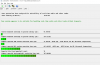
I've only been running it for 5 minutes and the highest latency has been 685us, which means nothing to me. Yes I am on wifi and I still have my killer card in. I did cheat though and have throttle stop set to 0 SST.
*on edit*
So after 20 minutes of doing firefox and watching lectures online ndis.sys went up to 1632us. Not sure when exactly.Last edited: Jun 6, 2017 -
custom90GT
Please run LatencyMon for ~10 minutes with nothing else running. Stop the program and take a snapshot. Feel free to post the preliminary snapshot here.
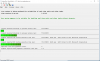
My "optimized" 9550 run is attached; those results are fine for running huge live instrument software. A few 9560 owners with Creators Update have posted significantly better LatencyMon results.
Based on that snapshot check the tabs for "offending" processes. The LatencyMon FAQ provides some tips for resolution. Or you just have to search the internet for the "offending" processes.Attached Files:
-
-
I'm not sure what you mean. Could you explain as I am curious what is making your AW so much more responsive...
-
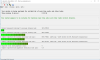
I won't be able to run it by itself since I am studying. Here is 25 mins while streaming lectures online after disabling power saving on the wireless card:
Attached Files:
-
-
Hard pagefault on the image is obviously a good result. LatencyMon "green" bars and the "output" phrase are encouraging.
But I don't know how to compare the results of an "idling" system to those of a system streaming video.
For curiosity, please run LatencyMon without any programs running when you have time. -
yeah I will do, I just let it sit for a couple of mins and it wasn't a ton different, the highest was around 500us (acpi again). I probably won't mess around with this until after the 15th, but wanted to throw some results in here.
-
I wish I could but I can't
-
I still feel that running performance monitoring while doing...nothing should be kind of pointless. Especially considering the fact that the WiFi seem to be a common cause for DPC problems. I would suggest running something like SpeedTest (flash version) and check the DPC latency at the same time. At least for me, that spikes the DPC all the way.
-
I can do that, here is mine running speedtest...
Attached Files:
-
-
And thats while running SpeedTest (or some other heavy flash "application") over Wifi on your XPS15? I am no where near those numbers.
-
Yeah speed test over the 5ghz band of my killer wireless card. Bear in mind my download speed is only 90mbps and up is 6mbps
*on edit*
Those lectures I was streaming during the 25 min run before are all flash as well, not sure that if that changes things either.
*on second edit*
I just tried it in chrome and saw similar numbers even with all the ads (I have adblock on firefox). -
Thats a relevant remark, I'm on a 500/100 Mbit/s broadband. Not sure how much that would impact though.
-
I still think it is easier to troubleshoot in "idle" then start adding processes...
-
If you get DPC problems even at idle then go for it.
-
That must be it, transferring a 5GB movie from my server to the laptop at ~50MBps causes it to jump up to 2600us.
-
So the XPS15 9560 can't handle a fast WiFi connection regardless of it being using a Killer NIC or an Intel NIC. If that really is the case, it kind of s-u-c-k-s
Edit:
Are you really getting 2600us? That's catastrophic results -
Does your alienware handle it fine? I'll try it on my desktop later, it has wifi which I never use.
-
Actually, not really when I did a quick test, that however still has the Killer NIC crap so I am not really sure what is compared. Also have just installed default drivers and let it be and it does not have any development tools installed as well as missing lots of other software being installed on the XPS15 (that shouldn't really affect performance but still it kind of prevents a fair comparison).
I just tried to install a dual boot with Windows 10 on the XPS15 but getting the same results as with me main installation.
That said, Microsoft Creators Update also seem to be a POS based on reports on the net... -
Did some testing on my desktop in my sig.
Gigabit wired - latency still shoots up to 950us while transferring 5GB
AC wireless - latency shoots up to 2600us.
Conclusion - it's not Dell's fault. -
Are you running Windows Creators Update on the desktop as well? My impression is that a lot of problem started once that was installed, and the rumor mill on the net seem to agree.
-
I am.
-
No opinion on if the problems got worse after installing?
-
I had never heard of latencymon until it came up here. I don't do anything with audio outside of listening to it.
-
So, is anyone with a high speed broadband (at lest 100 Mbit/s) NOT getting a lot of DPC latency on the XPS15 when running WiFi? Or is it no way around it?
-
Just noticed something really weird that might not be related to XPS15 but still. Even if I disable the Microphone Realtec Audio in Device Manager, Skype still seem to be able to pick up the sound from it. Anyone else experienced anything similar??
-
You could try a wifi or LAN USB dongle or over dock (it still appears strange to me there is no Ethernet LAN plug onboard, some other thin laptops do have one).
Or perhaps try another m.2 wifi+BT card?
Or try different drivers?
https://www.reddit.com/r/techsuppor..._wifi_card_was_causing_bad_dpc_latency_in_my/
http://forum.notebookreview.com/threads/best-wifi-card-with-5ghz-for-laptop.764907/page-3
https://www.sysnative.com/forums/wi...1-a-3.html?s=2b4becd6f295b6e5bf6f131ce0c5e6df
I've got the 9550 i7 QHD with the Intel 8260, wifi is not particularly broadband but LatenyMon shows max DPC exec time over 2000 us from ndis.sys when idling but with a few programs and Chrome tabs open. Under 1000 us on wired LAN via WD15. -
Sorry if this questions has been asked previously.
I just got 9560 (UHD) with i7.
When playing dota 2 at 4k, the CPU temperature reaches 99°c.
Blue screen will occur as (due to Nvidia driver fault) when running Dell's diagnostic test.
Is repasting thermal paste with MX4 advisable?
I read around web but I only came to a mixed conclusion. Some of them end up with a higher temperature readings. -
I hate to say it, but if a 5ghz 7700k can't do wifi and DPC then it's probably not going to happen on a 9560. Get a usb to ethernet if you need to max out your internet and still use DPC.
-
I think a repaste is worth it. If you're worried about it, why not give undervolting a shot?haode likes this.
-
Just noticed something really weird that might not be related to XPS15 but still. Even if I disable the Microphone Realtec Audio in Device Manager, Skype still seem to be able to pick up the sound from it. Anyone else experienced anything similar??
Have you tried these solutions and gotten them to work?
XPS 15 9560 owners thread.
Discussion in 'Dell XPS and Studio XPS' started by GoNz0, Jan 20, 2017.