Problems? See this thread at archive.org.
Oh didnt know the latest BIOS had those fixes. Im bloody going back to the version before that lol.
But that ROG skinned version was reporting the proper VID even with the older version of the BIOS as well.
-
-
So..... apparently I made some bad choices when I picked some of my parts before....
In terms of expansion room, I am a bit limited by myPSU, and case. Might have to fix that.....or at least some of that. -
One way you can improve on your cases efficiency is a custom waterloop.
-
What've you got? You could post up some pics of the insides showing space & layout?Mr. Fox likes this.
-
-
how about the new bios of asus 1101
-
a question that I have to ask so that the voltage of the micro lowers when it is not used?
-
If speedstep is enabled then yes (Along with adaptive voltage if im not wrong)
The processor will drop to lower power states and this use lower voltages.Papusan, KY_BULLET, Vistar Shook and 2 others like this. -
I am concerned it will impair performance. I will test before and after and see if it causes harm. If it does, I will go back to the BIOS I am on now.
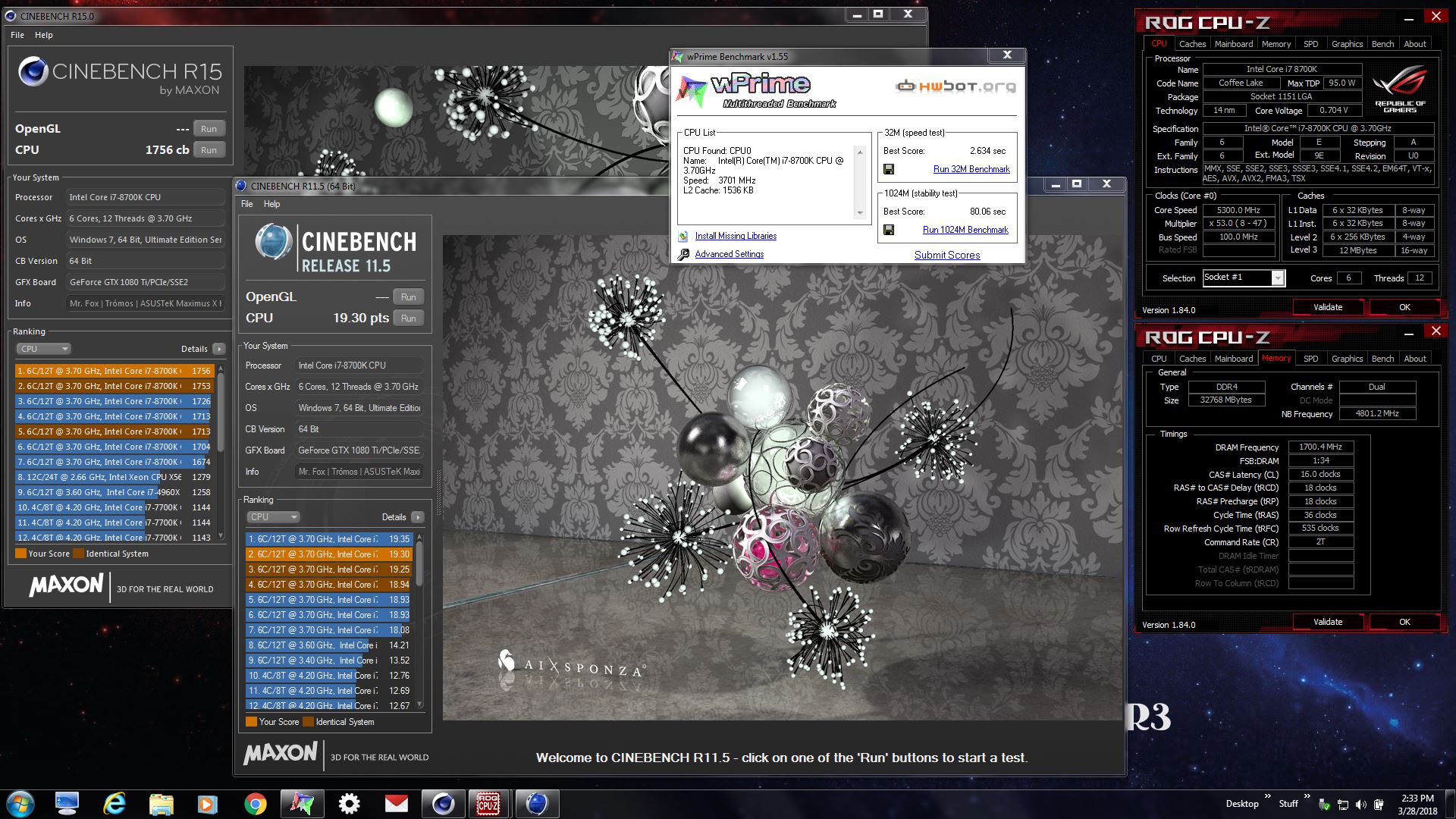
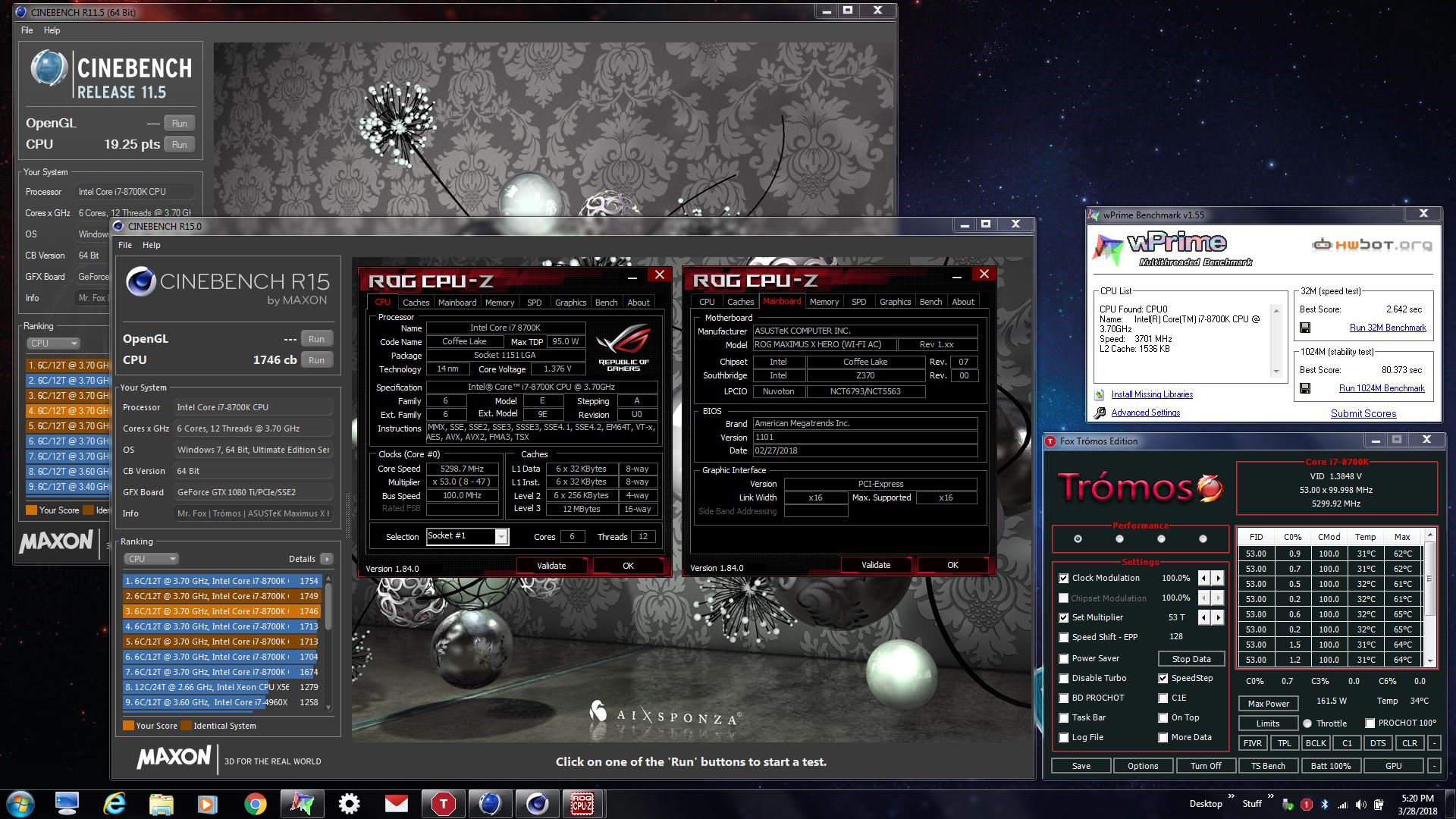
These results are with the BIOS I am on now (v0802 11/01/2017). The BIOS version between this one and the new BIOS available today lowered my performance.
![[IMG]](images/storyImages/MUttX0u.jpg)
![[IMG]](images/storyImages/LKQFewH.jpg)
-
Yes, updating BIOS is always a risky proposition. If you have firmware that works really well, the thought of updating it to something that may be a screwed up mess is pretty damned disturbing. If it's not broken, don't fix it is the smartest approach. Fortunately, our ASUS BIOS recovery options are robust and there is not much danger in downgrading if the new BIOS sucks.
-
Thats the plan.
If I want to run 3+ GPUs on my current PC, I need custom WC(new case due lack of rad space), bigger PSU and lack of proper x16/x8 slots on my X299 motherboard.Robbo99999, Papusan, KY_BULLET and 1 other person like this. -
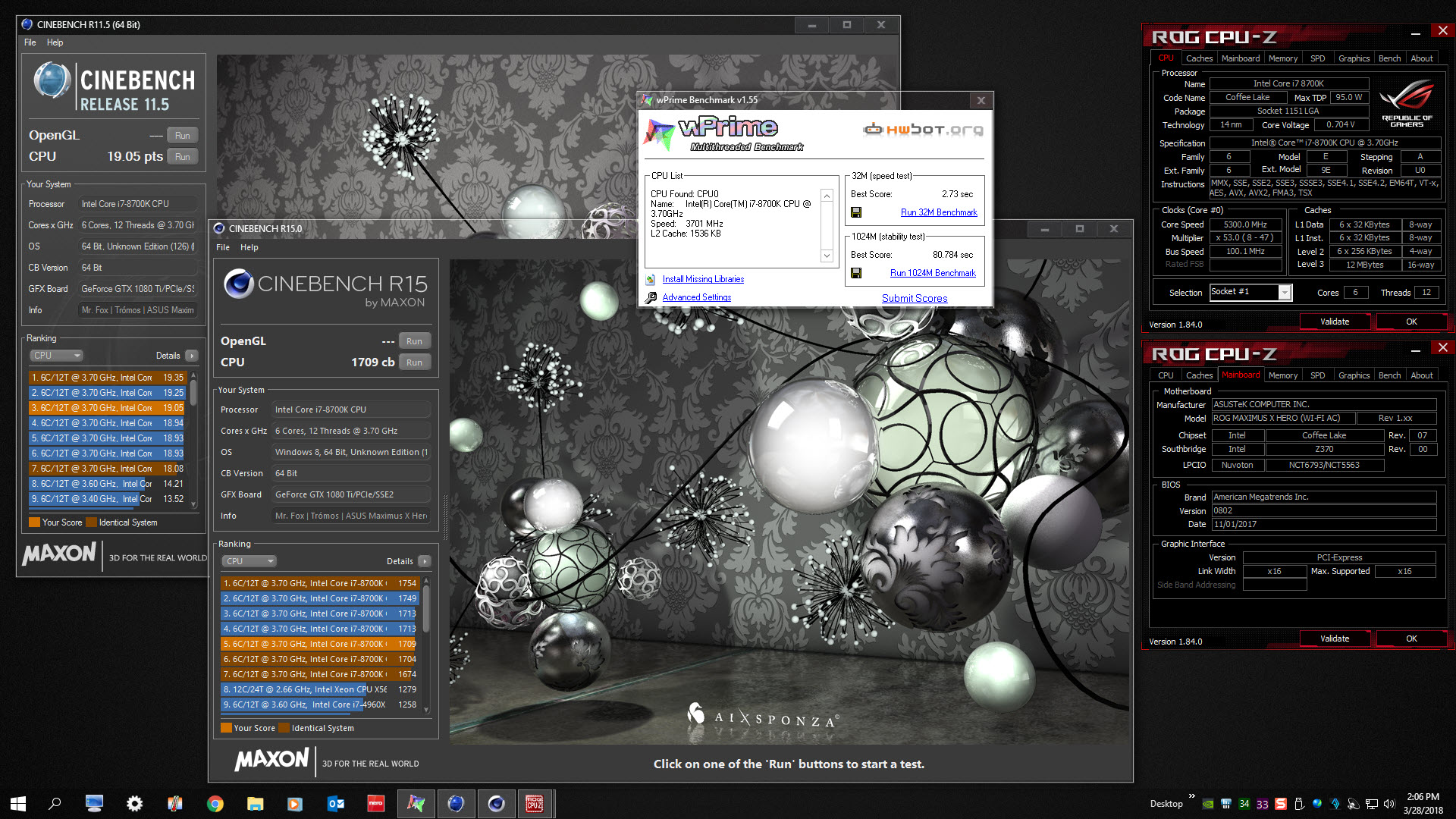
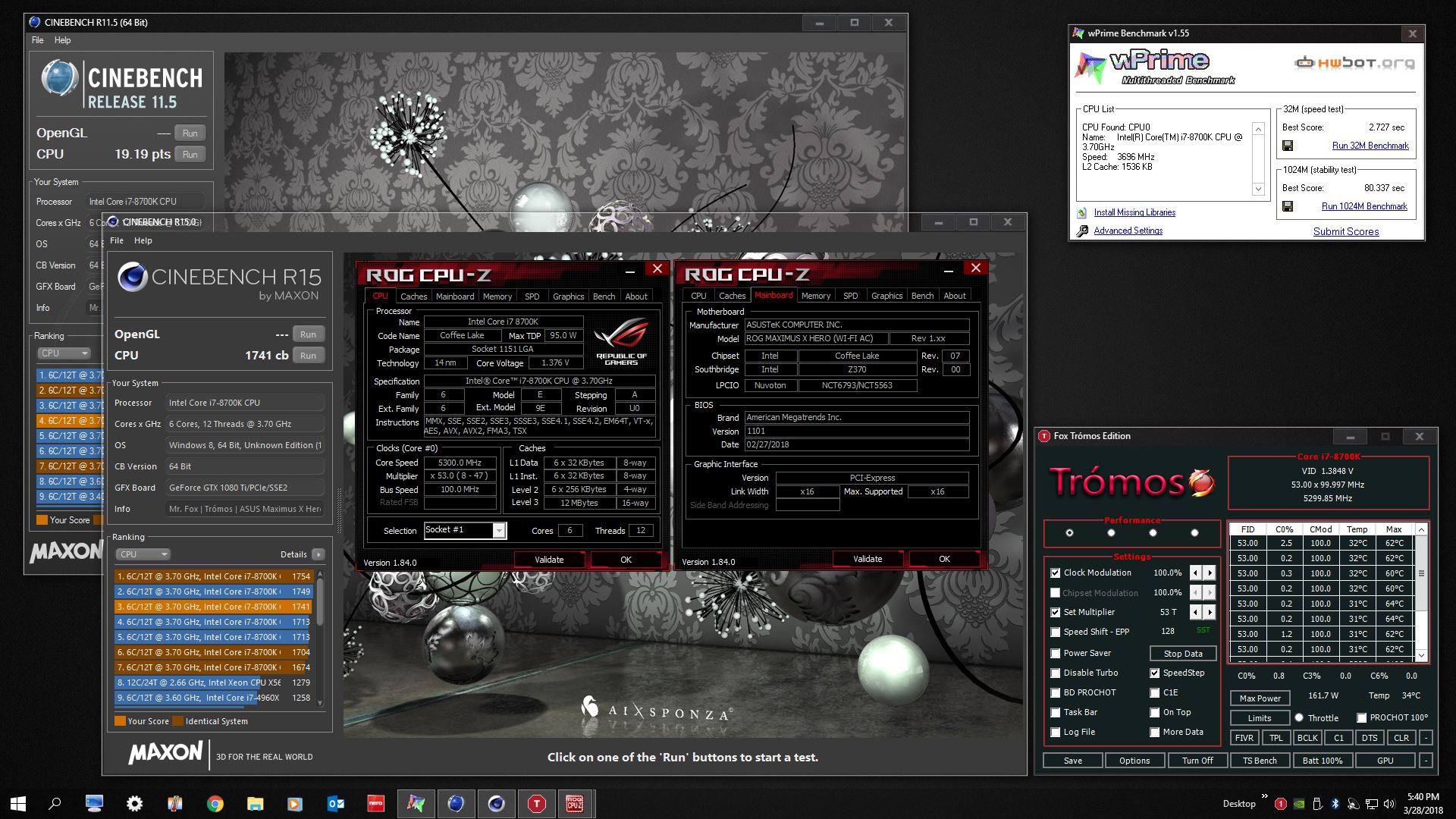
OK, good news. I think the new BIOS is fine. I can still use low voltage (under 1.400V for 5.3GHz) and 3400 memory is still stable. I am using 50x6 in the BIOS with voltage set to "Auto" and only using ThrottleStop for 5.3GHz and the benchmarks are about the same. (They are just a little bit lower with the new BIOS, but I do not have all of my custom BIOS settings applied yet. The scores will probably be as good once I do.) Max core temp with wPrime 1024M and Cinebench at 5.3GHz is 65°C, so that is good.
I am also glad to report that the CPU-Z voltage is reported correctly now. I will post some before/after screen shots.
Edit: Screen shots posted. Under W10 the scores are actually a little bit better than the previous BIOS. W7 is a tiny bit lower, well within a margin for error, so I am going to call it a good BIOS update. Flash away in confidence. Thanks, ASUS!Attached Files:
Last edited: Mar 28, 2018 -
-
Nice! So no need for me to go back to the old BIOS.
Is the voltage being reported correctly even the stock CPU-Z as well? (for me without SVID it doesnt get reported, with SVID it seems to be accurate)
Im able to do 5.3Ghz @ 1.355V , still need to try and push to 5.4Ghz.
65C definitely seems awesome! Im sticking to 5.1Ghz for daily use @ 1.245V , with max temps around 51-55C after 30 mins of RealBench Stress test. -
@Papusan - what do you think? 5 Minutes of AIDA64 stress test? Thumbs up?
Vistar Shook, makina69, Raiderman and 3 others like this. -
I might be able to go lower on voltage. I haven't tried. Again, BIOS is on Auto for voltage and I am using my old ThrottleStop profile. I'll will also try for 5.4GHz and 5.5GHz soon. I think I have enough headroom on temps to do that now, as long as there is not a huge jump in voltage.
Yes, CPU-Z stock and ROG both report the same now. With SVID disabled, I doubt that it will, but I have to rebuild all of my BIOS profiles from scratch since they cannot be applied to a different BIOS version. I will find out if it disables voltage and CPU Package Power with SVID disabled once I get to doing that. I'm guessing it will because that (I believe) is an intentional feature of SVID being disabled.
-
Won't give you any scores and no points on the bot. Thumbs down
 But If you like high Cpu Package Power numbers, uncheck the
Stress Cpu box
But If you like high Cpu Package Power numbers, uncheck the
Stress Cpu box
-
Yes, thumbs down for no HWBOT points, but thumbs up on good temps.

Without CPU stress test boxed checked it is 207W, but the temps are the same.
Last edited: Mar 28, 2018Robbo99999, KY_BULLET, bloodhawk and 1 other person like this. -
-
Well you've got a plan! I'm sure you know that 3 GPUs is not a practical build for gaming, SLI is not really the way to go, and 3 cards is even more excess trouble & less return. SLI has become increasingly irrelevant over the recent years. But, it could be fun to build and perhaps it will help in benchmarks or maybe something else you plan to use your PC for that can use all those GPUs. I guess there's a slight positive argument when it comes to gaming for 2 cards in sli if you've got a 4K monitor, but it's still a headache I think.Mr. Fox likes this.
-
CPU-Z Validation - 5.4GHz - https://valid.x86.fr/9idgid | http://hwbot.org/submission/3819994_
![[IMG]](images/storyImages/R7HxGut.png)
-
wPrime 32M @ 5.4GHz - http://hwbot.org/submission/3820011_
![[IMG]](images/storyImages/image_id_1999022.jpeg) Last edited: Mar 29, 2018
Last edited: Mar 29, 2018 -
3DMark Fire Strike - https://www.3dmark.com/fs/15212225 | http://hwbot.org/submission/3820023_
![[IMG]](images/storyImages/MJzRSQ1.jpg) Papusan, Robbo99999, Raiderman and 1 other person like this.
Papusan, Robbo99999, Raiderman and 1 other person like this. -
Cinebench R15 @ 5.4GHz - http://hwbot.org/submission/3820035_
![[IMG]](images/storyImages/cS4HGqL.jpg) electrosoft, makina69, Papusan and 2 others like this.
electrosoft, makina69, Papusan and 2 others like this. -
-
Thank you. A nicely binned CPU makes a lot of difference. The 8700K that I took out of it a couple of weeks ago would just barely handle 5.2GHz and it took a whole lot more voltage to do that.
-
......waiting patiently for zen+ I am ready for something new. Need to get a new Asus board this go around also, as this board I have doesn't allow fsb tweaking. Most people are getting slightly better results than me, because they can drop their multiplier down a few, and bump up the FSB beyond what my max OC is. MSI has a board that does this also, but Asus seems to be the better choice.
Sent from my SM-G935T using Tapatalk -
Not sure about all the Asrock boards but I know this can be done on the Taichi x399 as well.Raiderman likes this.
-
I didn't opt for the upper board from MSI this go around, so I am stuck with only multiplier clocking. They say Ryzen only benefits up to around 110mhz as it starts affecting infinity fabric, but every little bit helps.
Sent from my SM-G935T using TapatalkMr. Fox likes this. -
CPU-Z 5.5GHz Validation - https://valid.x86.fr/um06xh | http://hwbot.org/submission/3820387_
![[IMG]](images/storyImages/pac9dBb.jpg) Raiderman, Spartan@HIDevolution, Robbo99999 and 4 others like this.
Raiderman, Spartan@HIDevolution, Robbo99999 and 4 others like this. -
what voltage is recommended not to exceed ... ??
Can the microphones be damaged with so much voltage?
I have stable i7 8700k 1,264v at 5ghz ...OCCT.
What other program can I use to make it stable? -
Maybe the translator picked the wrong word for you (microphones)?
I do not think there is really an "unsafe" voltage per se, but the lower you can keep it the better off you are. I think the temps are more important. There are lots of self-proclaimed experts that throw numbers out as being the safe limit. I am not comfortable running above 1.500V-1.525V for anything more than a short benchmark, but that is because I err on the side of caution. I am probably going to drop back down to 5.4GHz and then set my BIOS to match the ThrottleStop values.
I recommend testing with ThrottleStop. If the machine has a BSOD or shutdown, none of the settings are permanent and it will revert back to your BIOS settings. You can also set 4 profiles with ThrottleStop. -
Ha, holy shmoly, can you do anything with that or just boot up?! ha
-
What other program can I use to make it stable?
-
There are no programs to make your system "stable". There are programs that test your stability, but making a system stable is all up to you and the choices you make, and set in the bios. That comes with testing, and failing until you find the sweet spot.
Sent from my SM-G935T using Tapatalk -
Still tinkering with settings. I can run wPrime 32M but the score is low. The good part is, this CPU can run 5.5GHz using the voltage the other one needed for 5.2GHz. At 5.4GHz it only needs like 1.350V. See benchmarks on previous page. Not sure I am going to stay on this new BIOS yet. W7 acts kind of weird with it, and I am not OK with that. But, it might just be I haven't found the right settings yet. I'm not ready to replace W7 with W10 because it's not good enough to replace it.KY_BULLET and Robbo99999 like this.
-
OK, moving from ThrottleStop to BIOS-only settings. This is more stable. My best ever scores on these two benchmarks. I will do more testing, then move to 5.5GHz BIOS settings.
@bloodhawk - SVID is disabled and voltage still shows correctly. CPU Package Power Limit sensor is still disabled.
wPrime 32M @ 5.4GHz - http://hwbot.org/submission/3820559_
![[IMG]](images/storyImages/0IH4w8w.jpg)
Cinebench R11.5 @ 5.4GHz - http://hwbot.org/submission/3820557_
![[IMG]](images/storyImages/GwoJgNG.jpg) Last edited: Mar 29, 2018Raiderman, KY_BULLET, Papusan and 1 other person like this.
Last edited: Mar 29, 2018Raiderman, KY_BULLET, Papusan and 1 other person like this. -
-
Not a record from Papusan's Camp. But still nice score from an wimpy 4 core i7 in laptops
48x in Cinebench is more like idle temp on the Tripod mess from Azor's thin babies in Alienware Camp
Last edited: Mar 30, 2018Raiderman, unclewebb, Vistar Shook and 5 others like this. -
-
Yeap cant do 5.5 Ghz under 1.5V.. i really dont want to push it byond 1.45V without the new rad which should be here in a week or so.Vistar Shook, Papusan, KY_BULLET and 1 other person like this.
-
I think what both of us are able to do with the 8700K samples we have now is already crazy awesome. 5.4GHz benchable with such low voltage and temperatures is just totally nuts.Last edited: Mar 30, 2018
-
Oh hell yeah! 5.3ghz for daily clocks under 1.3V , ill take that over anything else all day!
Papusan, Mr. Fox, KY_BULLET and 1 other person like this.
-
At least it don't contain everything Micro$h4ft wished should be in there. But yeah, its a nasty OS. But not as ugly as the orginal And my nice well known
vomiting Avatar is in there as well to remind me about all the tragedy out there
![[IMG]](images/storyImages/y0pzRTf.png) KY_BULLET likes this.
KY_BULLET likes this. -
btw, forgot to ask, are you on full manual voltage control or adaptive ?
-
-
Gotcha. I was reading up about the voltage being mis reported issue, and turns out that with adaptive mode the VID is reported accurately but with manual only vcore is properly reported.Mr. Fox likes this.
-
It seems like they are both reported accurately now. But, now with the new BIOS the ASUS EC reports nothing to HWiNFO64. It used to have useful information when SVID was disabled.bloodhawk likes this.
-
Ah yeah, it was super useful. Not sure why there are so many issues with Z370 reporting stuff.
*Official* NBR Desktop Overclocker's Lounge [laptop owners welcome, too]
Discussion in 'Desktop Hardware' started by Mr. Fox, Nov 5, 2017.