 Problems? See this thread at archive.org.
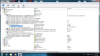
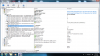
Here are the screenshots:
-
Attached Files:
-
-
Hello,
I am trying to decide between a Xbox360 or a eGPU (getting another computer is not an option right now), I am a computer gamer at heart, but I am not sure if I am smart enough to pull it off. I have been following this thread for months but still can barely understand anything!
I have an
X220T i5 with M4 SSD
It seems like X220 is a very popular laptop to do eGPU on.
From what I am gathering all I need is:
Graphics Card: GTX560Ti? (any other cost effect recommendations?)
Power Supply: ?? (what is the requirement here?)
Connector: PE4H+EC2C?
From what I am gather is that all I have to do is get an BIO update and connect those parts? Compare to a graphics card in a Desktop how much performance do I get? (50%? less?)? Lastly, perhaps mostly importantly what games does the eGPU enable me to play/not play? The games of interest would be starcraft 2, diablo 3, and Battlefield 3?
Thank you so much. -
Thanks for the great advice. I'm having trouble discovering which version I have, the 4500MHD or HD4330. Is there a tool or app I need to look it up? CPU-Z only shows intel series 4 family.
additionally, the gtx460's that i find online now dont say Fermi. What model did they swap over to the fermi architecture?
I apologize for my ignorance, ive been out of the DIY component scene for a few years. -
Starcraft 2 (with ambient occlusion off) and BF3 both run great on an eGPU. I cannot say for diablo 3, but if it's like wow, then it won't run very well on an egpu, but it will still be very playable.
-
What determines if a game runs well or not? Also aside from what I described above is there anything else I must do to make eGPU work?
-
Hi guys
I've been browsing this thread as well as others about eGPUs and this certainly has piqued my interest
If I were to decide to buy a 560GTX Ti, what type of connector should I buy:
PE4H or PE4L? And under what circumstances would one be preferable to the other (or compatible)?
GPU and connector aside, I also understand that I need a double male miniHDMI cable that connects to an ExpressCard Adapter, Plus an adequate power supply
Did I miss anything? Thanks
PS: I have an Asus G50Vt-X2
Vista 64
Intel Core 2 Duo P8400 @2.26 GHz
4 Gigs Ram
Nvidia 9800M GS
ExpressCard slot
This system barely gets by at playing BF3 even on low settings -
This may be a stupid idea, so sorry if this makes me look like a foo' , but if the drivers for the iGPU are unique between the 4500MHD and the HD4330, couldn't you find the driver serial number/version for your integrated graphics using device manager and then find out which gpu your drivers correspond to using google? Just a thought, hope that can work.
-
Probably the Nvidia driver/software corrupted when your system crashed earlier. Did you try reinstalling the driver (uninstall & install the driver)?
Thank you for the screenshots. They look OK. Interestingly ASPM is disabled. These are two reason why hot-plug doesn't work on your notebook:-
- BIOS treated eGPU as non-hotplugable device.
- BIOS failed to read/write important registers. This in turn causing system to crash when you tried to hot-plug the eGPU.
Need to fixed the BIOS to fixed the hot-plug issue. Unless lenovo fixed this in new BIOS, there is nothing you can do.
Hello,
Graphic card draw power from +12V lane. So, when choosing PSU, you need to look at supported max current on +12V, not the PSU total power. For example, GTX560Ti power requirement is 205W (on peak 3D), the PSU must have at least max current of 19A on +12V (12V * 19A = 228W; calculated with 10% margin).
If your notebook have 34MM/54MM ExpressCard slot, you need either PE4L-EC2C or PE4H-EC2C, where former is cheaper. Both deliver same job & same performance.
I calculated desktop graphic card performance on eGPU is roughly at 70%.
You can check which one you have by checking it in Device Manager, under Display Adapters.
GTX460 is Fermi graphic card.Last edited by a moderator: Feb 6, 2015 -
I'm seeing a lot of benefits to CUDA and I have an old 430 from a friend but the trouble is my laptop is a AMD/ATI (specifically this: Lenovo - IdeaPad Y560 15.6" laptop)
Will using an external Nvidia graphics card play nice with my computer? -
Hi,
Unless your notebook can do x2 link setup, I'm afraid your notebook can't utilized eGPU performance. When eGPU connected to only ExpressCard slot, it will work in PCIe x1 link only. When playing games like BF3, you'll experience stuttering & lagging, especially at outdoor & huge map.
You can only do x2 link setup using two PCIe ports. x2 only possible in either of these arrangements:-
- PCIe port#1 & port#2
OR
- PCIe port#3 & port#4
OR
- PCIe port#5 & port#6 -
Agree with Kizwan. Unless you can do x1.Opt (not possible) or x2 then I'd suggest offloading the G50VT and getting a better DIY eGPU candidate like this $480 i5-2410M 14" Lenovo E420: Lenovo® ThinkPad® Edge E420 (1141-A24) Laptop Computer With 14" LED-Backlit Screen & 2nd Gen Intel® Core? i5-2410M Office Depot B&M $479.99 - Slickdeals.net
I've just completed x1.2Opt benchmarking to give an indicator of the performance SB notebooks will get when BPlus release their PE4H 3.0 in the coming weeks. See DIY eGPU implementation: i5-2540M 2.6 12.5" HP 2560P + NVidia [email protected]. .
The i3/i5 (Arrandale) Y560 has switchable graphics so will be no problem. Can just disable the HD5730M using Setup 1.x to liberate 256MB of pci-e space for the eGPU to work with and allowing x1.Opt implementation. The i7 (Clarksfield) runs a dGPU arrangement so you'd need to check if TOLUD is 3.25GB for the same reason. See the PCI BUS resource in your Device Manager as explained, visually summarized below:
![[IMG]](images/storyImages/insp1440tolud.th.png)
-
For those who are waiting for my benchmarks, here are the results using PE4H+EC2C peripheral with x1.Opt:
3Dmark06:
![[IMG]](images/storyImages/3dmark06.png)
3Dmark Vantage:
![[IMG]](images/storyImages/3dmarkvantage.png)
3Dmark 11:
![[IMG]](images/storyImages/3dmark11.png)
RE5 DX9 Benchmarks Test:
![[IMG]](images/storyImages/IMG_0562.jpg)
DMC4 DX10 Benchmarks Test:
![[IMG]](images/storyImages/IMG_0564.jpg)
-
Great work! I bought today the PSU for my config ( Silverstone SST-ST45SF Strider Series SFX - 450 Watt). The enclosure should arrive on monday and then only the new PCB will be missing for the completed kit.
-
@nando 2.0 Setup
wow it looks very very nice. And i cant wait to test an Opt 2.0 Setup on my Vostro
But one Question. You said that you have less problems with micro lags on pci express 2.0. But are they gone or still noticeable? -
Just wondering if anyone knows how to force PCI Express 2.0 on the Express Card slot for a Lenovo W520?
-
Sorry, but I don't understand how to figure this out and I thought I'd just ask, will my laptop work with an eGPU?
It is the Gateway Tablet Laptop M285-E
Official Gateway Specs Page
Thanks a lot,
-Zach -
Hey nando,
I have done posting the benchmarks. -
Thank you Nando for the GTX560Ti x1.2Opt benchies. Sounds very promising especially for internal lcd.
-
Is Setup 1.x reporting the your port, example port4, as p4@x1.2? If so, then the port is already set to negotiate a pci-e 2.0 link. If it says p4@x1.1 then use Setup 1.x to set the port to g2 speed, then plug in your EC2C to get it to negotiate the link. Boot into Win7 then confirm by running a game/app that uses the eGPU, then fire up GPU-Z and see what the link speed is. Need the background app as otherwise the NVidia driver reverts to pci-e 1.0 speed if the eGPU isn't being used after a few secs.
If you look at the compare the FPS histograms of RE5/dmcv4 for x1.2Opt and x1.1Opt you'll see there are no longer any dips below 60FPS when using x1.2Opt. Means microlags during that benchmarking set are gone. The rendering is noticably smoother. The amount of microlags will of course depend on how bandwidth-centric the game/app you are using is.
My pleasure. The x1.2Opt performance was better than I'd expected. I've added some more comments and pics in DIY eGPU implementation: i5-2540M 2.6 12.5" HP 2560P + NVidia GTX560Ti @x1.2Opt
@All - you'll note in the link some new comments about the EC2C-045A (cable plus EC2C all in one). It was unreliable at maintaining a pci-e 2.0 link so it looks like the next PE4H 3.0 will include a mHDMI cable and EC2C all soldered together. Testing indicating the mHDMI connector on the EC2C/PE4H as being the culprit. The same soldered architecture is used by Villagetronic's ViDock. -
To get best performance from eGPU, you can either do x1E or x2 or x2E link setup, where latter is better.
x1E
This tweak is to enable full x1 1.0 speed on a Intel pci-e port which requires the mPCIe port to be an odd numbered port with no device on the next sequential port, eg: PCIe port#1/port#3/port#5 with no device on port#2/port#4/port#6.
x2
You can only do x2 link setup using two mPCIe ports if they're available. x2 only possible in either of these arrangements:-
- PCIe port#1 & port#2
OR
- PCIe port#3 & port#4
OR
- PCIe port#5 & port#6
x2E
x2E being similar to x1E setup but requires PCIe port#1+port#2 setup, with both port#3 & port#4 having NO physical devices attached to them. PCIe port#1 is set to x4 mode, running with only the first 2 lanes (port#1+port#2). x2E also offering 15-30% faster performance than x2 alone.
NOTE: if x1E is enabled on PCIe port#3 or port#5, the effect is the same as when x2 is engaged on them - PCIe port#1 or port#3 respectively will also be switched to x2 which in turn render the port#2 or/and port#4 non-operational.
Don't worry if the above information are difficult to understand. First & most important thing you need to do now is figuring out the PCIe port arrangement. To do this, you can use AIDA64 (Motherboard \ Chipset \ South Bridge). AIDA64 can give you rough idea the PCIe port arrangement but the PCIe port(s) that being reported empty does not necessary means they're physically available. To know for sure, you need to check how many mPCIe port(s) available on your notebook.
TIPS: first place you can look for mPCIe port(s) is in the WLAN/HDD/RAM compartment. -
Hi
I decided to buy PE4L to have x1 via Express card
I tried it with an old 7300 GS. eGPU was detected easily but the result was "error 12"
after some try & error I decided to buy a new ATI R6870 1GDDR5
The result was just worse!!
windows simply cant detects my eGPU!!
I tried many ways that you suggested in this forum (sleep/cold reset with 7s delay, pci compaction, unplug & plug/turn on/off &...) except using "iport bridge" that I couldn't find any simple way doing that. plus I'm not so sure about doing others correctly. but I did my best.
here is some info.
Vostro 1310 core2duo T9300 2.5GHz
iGPU 8400M GS 128Mb
eGPU ATI R6870 1Gb
ATX power supply so called 450W
two green LEDs are ON
eGPU fans are working very silent all the time.
I installed the eGPU driver from included CD
I dont Have any sign of eGPU detection!
here is some screenshot (excuse me! I couldnt find the path of screen shut storage :') )
![[IMG]](images/storyImages/dsc0135dq.th.jpg)
![[IMG]](images/storyImages/dsc0134cl.th.jpg)
I have this error to. and the instruction not worked
![[IMG]](images/storyImages/dsc0133zt.th.jpg)
I even supplied eGPU with extra power cords that was in the package!!
but nothing have happend :'(
please help me! -
Hello,
I installed PE4H with Geforce gtx 550 Ti to my old Amilo Xi1546 (I have built in x1800).
I installed clean Windows 7, without drivers to x1800 and I plugged in eGPU.
Exerything was installed correctly and after restart I have in device manager sth like this :
![[IMG]](images/storyImages/egpu.jpg)
It seems that card is working ok, but I cant use it as a active video adapter.
When I go to resolution change tab, there is only standard VGA adapter and laptop screen
Can anyone help ? -
Hi,
Please post PSU specification. What is the max current on the +12V? Did you connect both 6-pin PCIe power connectors to ATI HD6870? The two 6-pin PCIe power connectors on the ATI HD6870 are not optional. You need to connect both.
BTW, instruction on how to obtain screenshot is well explained in Setup 1.x page, under "5. How do I access my diagnostic dumps or screenshots?".
Hello,
You need to install driver for dGPU (x1800) too. -
Tnx
here is my PSU config.
ATX PIV 450W
![[IMG]](images/storyImages/dsc0138zu.jpg)
But I dont believe in it
It comes from my old PIV (2003) computer
I do connect all Power cords to GPU. but result was nothing
Can the problem be with my psu?
I used newer one with 7300 GT in my office and it to some how works!! -
See in the picture: +12V@8A = 12V * 8A = 96W. ATI Radeon HD 6870 power requirement is at least 151W. Your PSU unable to provide enough power for ATI Radeon HD 6870 to work.
-
How would I go about getting the best results for my Dell XPS 15 L502X with i7-2760QM?
What sort of setup/components would I need, and what sortof results would I be looking at? -
Gentlemen, I have done posting the benchmark, you can see it at the news table.
-
Thanks, Kizwan, you are right. I did not uninstall verde drive completely.
Here are some futuremark test results of my system:
Lenovo T420
2540m,8G ram, EVGA GTX 560 Ti DS Superclocked @900 core speed+PE4L+EC2C+ 450W cooler master PSU
3dmark06 17669
3dmark Vantage 12950
3dmark11 3968
Custom enclosure on the way~ -
Has anyone attached their ExpressCard ViDock setup to hwtools' EC03 USB 3.0 adapter?: EC03 (ExpressCard 2.0 to USB 3.0)
Edit: Nevermind, it uses the USB pins only, no PCIe. -
Recently I had the experience of swapping my 260M to 6970M... with the hekp of a friend.. awesome .. Realy like the swapping
-
Plus the swapping this is so easy in AW M15x.. neva knew that
-
Sorry for the late reply. Here is my DIAG folder zipped.
DIAG.zip -
I assume it didn't involve flashing BIOSes?
-
Your devcon.txt file shows us why you cannot get your dGPU and AMD eGPU allocated in 32-bit space. There is a motherboard resource that taints what would otherwise be a 256MB contiguous space @D0000000.
The solutions are therefore:Code:ACPI\PNP0A08\0 Name: PCI bus Device is currently using the following resources: MEM : 000a0000-000bffff MEM : c0000000-feafffff IO : 0000-0cf7 IO : 0d00-ffff ACPI\PNP0C02\1 Name: Motherboard resources Device has the following resources reserved: MEM : fed1c000-fed1ffff MEM : fed1b000-fed1bfff MEM : e0000000-efffffff MEM : fed20000-fed3ffff MEM : fed45000-fed8ffff MEM : ff000000-ffffffff MEM : fee00000-feefffff [B][COLOR="Red"]MEM : db200000-db200fff[/COLOR][/B]
1. Use a NVidia Fermi card. It uses a fragmented 128MB+64MB+32MB PCI BARs so can be allocated around that problem device.
2. Use your AMD card but have 3GB or less of system RAM installed.
3. Run your AMD card by using a XP driver. You'd lose DX10 and Aero support. Do that by performing 32-bit compaction in Setup 1.x 'ignoring' the dGPU. Then add a 'call iport dGPU off' before your 'call pci' in your startup.bat. You'd be booting blindly into Win7 until the XP driver engages the eGPU. -
Ouch - I really was hoping to set up the eGPU...
Just last two questions:
1. In my BIOS I found an option to set "the frame buffer size of graphics memory", where I can set it to 128 mb. Can this have any influence on the TOLUD?
2. I was trying to install older version of BIOS (I thought that maybe it will help - as in the case of X220), but the program tells me that my version is newer, bla bla bla, and I can't do anything. Maybe there is a way to override this program and install older BIOS anyway?
And can you be more specific about this PCMCIA to Expresscard adapter? How it can help if the TOLUD is still a limitation? I assume that I missed something - if you could be more clear I would be very grateful.
And BTW I think that maybe it will be better to update the info on the Samsung Series 4 so that the other people who might consider this notebook will know that it's eGPU incompatible. -
Noted that the Samsung Series-4 has TOLUD=3.5 in the SB eGPU notebooks list. Worth seeing if setting the Frame Buffer to 128MB shows a small pci-e space footprint in Device Manager. If it does, then try to use Setup 1.x to compact the devices and see if it can liberate 256MB at 0xE0000000. I do however believe the iGPU allocates a 256MB pci-e BAR regardless of the frame buffer size.
If not, then the solution would be to pester Samsung in the same way the Lenovo ppl did highlighting the expresscard slot is pretty much useless if the bios doesn't provide pci-e space to host a device used in it. Ie: same process as noted in Request to fix TOLUD in newer BIOS files - Lenovo Community .
You could always revert to other workarounds: using 3GB or less of RAM or using the XP driver. -
Unfortunately changing the Frame Buffer didn't help. Also I was unable to install the older graphics driver from Windows XP. I think that I would have to reinstall my OS to Windows XP to check it (I also discovered that the Frame Buffer thing in BIOS also works only in XP - so maybe this limitation of memory size and Setup 1x compaction is some kind of idea).
Maybe I will try with less amount of RAM as it's very cheap at the moment. Although I don't understand how it can help? If too much RAM is the issue maybe I can install another OS in the Virtualbox and let it "take" 1 GB of RAM? Or this isn't the case?
It would be great to make Samsung change the size of TOLUD but, as I know their attitude towards client support I wouldn't believe anything can be done. And, as I see, I would be a one man army as there aren't many Samsung users...
Thanks anyway! -
OK, I'm new to the whole eGPU concept and have been doing a lot of reading through the main post and through the thread as well. It is however a long thread and I cannot read it all or pretend to be as technically knowledgeable in this particular subject as I'd like.
I hate to do it but I'd like to ask for help in identifying if my laptop is even a candidate for an eGPU before I pursue this any further. I've checked the FAQ, Google, and searched this thread but wasn't able to find a similar question asked about my laptop.
I have a Dell Studio 14z (1440)
Win 7 64 bit
Intel Core 2 Duo P8600 2.4ghz
5gb RAM
GeForce 9400 M
Expresscard slot
It anyone could spare a minute to straighten out whether or not I can try this with my laptop I'd really appreciate it.
Thanks! -
Hey nando4,
Did you check my last PM? -
The Studio 14z uses the same chipset as a XPS 1340 (a NVidia MCP79). There are two example implementations of those on the first page so very likely your system shouldn't be problematic. The good news is this system doesn't have a crippled Intel x1 1.0 link so you'd get the equivalent of the faster x1E-tweaked performance with an ATiAMD card.
Yes. You'll be added to the first page later today. -
Excellent, thank you. I really appreciate the help. You have a great thread here and I'm sure I'm not alone in gratitude for all the help you have provided.
-
I've been playing around with eGPU setup and considering whether I can get optimus to work of my laptop.
I have currently got the current config working.
Win 7 64 bit
Lenovo T400
Intel Core 2 Duo T9900 3.06ghz
8gb RAM
iGPU Intel GMA 4500MHD\ dGPU ATI 3450 Hybrid[disabled]
eGPU Nvidia GTS450 1GB 1x1.1 (Expresscard Slot [pcie - p4])
I have have (just about) been able to get the the eGPU working on p5 as I have a lenovo advanced dock which enables access to this. However it is not completely stable and I'd love to be able to run optimus.
Hoever each time I try I am able to get all 4 display out puts working i.e. 2x eGPU 2xiGPU at once with the iGPU on the LCD however I've not been able to get the egPU to use the internal LCD or even get it to recognise it. any suggestions?
I'm guessing if I had an ati egpu I should be able to run x1e via port 5 but that doesn't really help me just now.
(btw thanks for all the hard work on this I've been following for a while and have been happily using my egpu system.)
update: I've posted aida64 image of dock based setup on g+ https://plus.google.com/u/0/105169706094453802950/posts -
This seems to be the best option for me at this point. Are you positive that if I replace my 2 GB stick with a 3 GB stick that I would be able to run the card with my AMD card?
-
I found a compartment that says m-pci on it, that means I can do this?
-
Optimus' internal LCD requires (1) Latest Intel 4500MHD driver and (2) The NVidia eGPU be visible on the pci-e bus *before* Win7 boots up. The second can be accomplished by either using Setup 1.x (vidwait) or by halting Win7 startup with the F8 key, powering on the eGPU and then connecting the mHDMI cable to the EC2C. Then you'd ensure there is nothing connected on the eGPU's output ports.
If you did have LCDs connected to the eGPU and started a game on there, but wanted it to run on the iGPU then then you'd just drag the window from the eGPU output to the iGPU output window. Outputting the eGPU output via the iGPU would of course see it run slower.
Presumably you have 2x2GB modules. Swapping one of them out for 1GB instead would set TOLUD=3GB. There would then be plenty of PCI space to host your eGPU. -
Nando, How would I go about an eGPU with this as the base?
Computer #1
Core 2 Duo P9700
8GB DDR3-1066
nVidia GTX 260m
ExpressCard Slot
Computer #2
i7-2670qm
16GB DDR3-1333
nVidia GTX 560m (1.5GB GDDR5 / 192-bit)
no ExpressCard Slot.
I want to have interoperability between both, and use MINIMUM a GTX 560 (i'd prefer a 560Ti) for the eGPU. I don't want to use an external monitor (ie: I basically want to have it hooked up so it displays through my laptops). Is there any way for this?
Jason
I know I have essentially an underclocked -
Can you select between Intel GMA 4500MHD & Nvidia GTS450 in Nvidia control panel?
![[IMG]](images/storyImages/NvidiaOptimusGPUActivity.jpg)
Nvidia Optimus only engaged on internal LCD if eGPU is connected before windows loading.
What you need is mini-PCIe (mPCIe), not mini-PCI. Please take a picture & post it here. Another task you can do is check in AIDA64 (Motherboard \ Chipset \ South Bridge), to find out what is the PCIe port number for the WIFI card. Then, if there is another mPCIe port available, move the WIFI card to that port & check in AIDA64 for the PCIe port number where the WIFI card is appeared now.Last edited by a moderator: Feb 6, 2015 -
x1.Opt only possible if your notebook have Intel GMA 4500MHD or Intel HD Graphics or Intel HD 3000 iGPU. Opt=Optimus is required to get acceleration on internal LCD & it also provide PCIe data compression which boost performance over PCIe x1 link. x1.Opt ~= x2. In fact, x1.Opt on some games are better than x2 link setup. If your notebook doesn't have any of the iGPU, you will not get acceleration on internal LCD. You can run games on internal LCD but only in windowed mode & you still need external monitor.
-
Nando - Like others have stated, thank you for the 1.2 optimus benches. My HP 6460b has the same processor as the HP you used and I'm picking up the same Twin Frozr 560, so minus the SSD my setup should be very similar. I will post Skyrim and BF3 benches when I finally get everything together.
Question - The update from Bplus mentions the PE4H but not the PE4L, which is what I'd prefer to use since I won't need more than one link. I saw in their previous update that they expected to make both the PE4H v 3.0 and the PE4L 2.0, so I assume both should be expected sometime January as is referenced in the latest message, not just the 4H right? I've been tempted by the modded PE3A as it doesn't look too hard to do, but it wouldn't allow me to keep my power plugged in for the laptop and I'd like to keep my hands attached to my arms and in non-cooked fashion, which a 560ti's fans and 170 degree cooling pipes wouldn't necessarily allow. So I think I'll wait
-
neither rig has optimus. What i mean is i want to be able to unplug from rig A, plug into rig B (and vice versa) and have fun!
DIY eGPU experiences
Discussion in 'e-GPU (External Graphics) Discussion' started by master blaster, Sep 18, 2009.


![[IMG]](http://imageshack.us/photo/my-images/714/insp1440tolud.png/)


![[IMG]](http://imageshack.us/photo/my-images/683/dsc0135dq.jpg/)
![[IMG]](http://imageshack.us/photo/my-images/193/dsc0134cl.jpg/)
![[IMG]](http://imageshack.us/photo/my-images/834/dsc0133zt.jpg/)

![[IMG]](http://imageshack.us/photo/my-images/21/dsc0138zu.jpg/)


