Problems? See this thread at archive.org.
The chipset is not the limiting factor it is that ExpressCard only supports x1.
I assume the tweak you are referring to is the x1E tweak, but I don't think it applies to your card.
-
Copied my disk image to USB, and got some "missing operating system" error. Any ideas?
-
Thanks for reply. I already have the PM3N CLKRUN set because otherwise it would never find the nvidia card. I haven't tried any combinations with the PE4L switches. Do you think it's worth a try or is the delay not playing a role when using the PM3N?
I quickly ran 3dmark6 on the internal display. I don't know if the score would be different when using an external one: 10381 3DMarks
I will try to run the other tests on the week. -
How are you getting 10k 3dmarks fujian? I have similar specs and I'm at 5k. I see you have 4500MHD integrated graphics... are you taking advantage of the nvidia pcie compression tweak?
-
Fujian ran it at 1280x800, not the standard 1280x1024. That's why his score is higher.
-
Fujian have Optimus setup with Intel GMA 4500MHD + GTX560. That's why fujian have higher score than yours. You don't have compatible iGPU to support Optimus. The only way to get better result is by doing x2. x2 required two connections between notebook & eGPU either using two mPCIe or ExpressCard+mPCIe. x2 only possible only with any of these combinations:-
PCIe port 1 & 2
OR
PCIe port 3 & 4
OR
PCIe port 5 & 6
Probably his screen doesn't support 1280x1024. Even if fujian ran it with 1280x800, it's not the reason why fujian got double score than the_journeyman. It's because Optimus. -
Let me get this streight... all i need is a PE4H-EC2C, a desktop power supply, one dektop PCI-E x16 GPU, and one monitor and thats it? all i have to do is assemil it according to the other thread? ( http://forum.notebookreview.com/gam...-lets-figure-out-how-make-diy-vidock-109.html)
-
Please read Pre-Purchase FAQ, especially " 2. How can I check if my notebook is compatible with an eGPU? ".
-
ok, so according to the text on the thread, i just have to boot this Setup 1.x ( http://forum.notebookreview.com/6295529-post641.html) follow the instructions, and post the results on that thread for an analysis of the diagnostic, is this correct?
-
Yes, you can do like that too. You can identify, especially if there is PCI compaction issue which you can resolved before buying eGPU kit (PE4L/PE4H). You just need to buy Setup 1.x.
You also can click the Pre-Purchase link in my previous post, which contain information you can use to check whether eGPU is compatible or not with your notebook. -
To reiterate my situation, I have my GTX 570 working through a 1x link with my expresscard through PE4H. I am trying to get my 2x link working, but my free mPCIe port is not working, so I am trying to get setup 1.x to work so I can do anti-whitelisting but when I load the bootmenu item, it doesn't load anything, and kicks me right out to the same boot menu to choose again between win7 and setup1.x.
I tried making a bootable USB drive as well, but when I try to load it, it says "missing operating system" or something like that. All I did to make the bootdisk was copy the image file onto it. Is this all it needs? If someone could help me get setup 1.x working, I think i've found all the instruction to use it.
Thanks guys, this forum has been great to me. 1x is already so much better than my iGPU performance its not even funny. Already playing skyrim on ultra with mods, now just trying to get antialiasing too battlefield 3 though is unplayable at any decent settings with 1x.
Also, does anyone know if overclocking is safe for eGPU's? I understand it's probably pointless because it would bottleneck, but I overclocked a little bit with a 1x link and felt my performance was a bit better. Once I get my x2 link going, I'm going to do full performance benchmarking, and I'll include overclocked performance on both 1x and 2x to compare. -
Just wanted to share some of the build pics with you guys. I'll be trimming about 4 inches of length off of the case later and will update this post with the result.
![[IMG]](images/storyImages/420420_3404147466868_1365302409_33394795_1687968375_n.jpg)
![[IMG]](images/storyImages/407344_3404151306964_1365302409_33394797_160001067_n.jpg)
![[IMG]](images/storyImages/426394_3410023613768_1365302409_33396899_937226064_n.jpg)
![[IMG]](images/storyImages/PEjpo.jpg)
![[IMG]](images/storyImages/Yib00.jpg)
![[IMG]](images/storyImages/395858_3440805583298_1365302409_33409400_352110456_n.jpg)
**UPDATE** I finished cutting down the case and relocating the fan inside. My eGPU is now xbox size.
![[IMG]](images/storyImages/64622_3483423368716_1365302409_33429569_801362030_n.jpg)
-
I'm averaging 25fps on battlefield 3 with a gtx 560 (1080p, medium settings). It's playable as the framerate is comparable to the consoles. But, I just tried running it in stereoscopic 3d and the framerate was almost cut in half.... a definite limitation of the x1 bandwidth.
-
can i plug a 2.x express card into a 1.x express card slot? is it compatable? because i dont know which one my laptop has... i have a Sony Vaio PCG 3C2L if that helps...
-
Did you read Pre-Purchase FAQ? None of the information you gave so far is helpful.
-
I've been trying to get my own eGPU to work for the last two weekends to no avail. I finally gave up on the search button and have decided to ask for help directly from you guys. I've tried to do my due diligence with the search button before asking but I apologize if i missed something obvious.
First some background,
I'm working with a PE4H 2.4 which is currently hosting an Nvidia 550 TI. My laptop is a Vaio SB, with hybrid graphics (the dGPU is a AMD 6630M) and i've got the egpu hooked up via a mPCIe slot.
Initially i was getting an error 12, which was resolved with the Setup 1.x boot disk. Unfortunately after successful compaction i was getting an error 43. After doing a little searching i was able to resolve the 43 using the verde drivers with their proper .inf file. This however required me to use a generic intel driver to drive the igpu rather than the AMD/Intel hybrid one as well as shutting down the dgpu in setup 1.x in order to get the Nvidia to initialize.
Onto the problems:
While i'm able to initialize the monitor that's hooked up to the egpu, the Nvidia driver crashes fairly regularly, and i'm kicked back to the igpu. Occasionally the 550 comes back for about 30secs before the driver crashes again. This keeps on repeating over and over.
For some reason the Nvidia card will not initialize when i use a igpu driver other than the stock intel one. When i'm using the AMD/Intel igpu driver i don't get any errors against the Nvidia card after successful compaction (device manager shows it as enabled and functioning) but nothing i do gets the attached monitor to initialize on the Nvidia card.
The above explination leads me to some questions:
1. Should i even be trying to do this with a Nvidia card when my notebook's hybrid graphics are AMD based? Would i have better luck with an AMD based card? Would the use of an AMD based egpu allow me to keep the AMD/Intel driver for the igpu thereby allowing me to keep my hybrid graphics intact when the egpu is not in use?
2. Could the constant driver crashing be a result of an underpowered PSU? At the moment i'm using a fairly old PSU pulled from a Dell tower. I think it's 350w+/- PSU.
I'm willing to invest in a new video card and a new psu if necessary but don't want to start bying components needlessly. I was hoping someone could point me in the right direction.
Also, and this is a dumb question, if my igpu is driving my laptop's screen, and the egpu is driving my plugged in monitor how do you ensure that an application is using the right gpu? Is it as simple as making sure it's running on the correct screen?
Thanks for reading. -
1. You should use pure Intel driver for your Intel HD Graphics iGPU. This mean your hybrid graphics will stop working until you reinstall the driver again. There is no alternative I'm afraid. You can change to ATiAMD card but the performance will be less than Nvidia on PCIe x1 link due to missing Optimus.
2. I believe the crashing is because of PSU unable to provide sufficient power for eGPU to work. What is the max current on +12V or +12V1? GTX550Ti power requirement is 116W. So, PSU must have at least 11A of max current on +12V or +12V1 (12V * 11A = 132W, calculated with 10% margin). PSU total power is not useful since eGPU only draw power from +12V or +12V1.
Use Nvidia control panel to monitor which GPU is being used by games/applications. Just need to left click the GPU Activity Icon. Any games/applications listed in GPU Activity Icon are using Nvidia GPU.
![[IMG]](images/storyImages/NvidiaOptimusGPUActivity.jpg) Last edited by a moderator: Feb 6, 2015
Last edited by a moderator: Feb 6, 2015 -
I redid the Test with 1280x1024 on an external monitor and getting better scores: 12071
-
Got setup 1.x working my status reads as follows:
HM55: gen=1 p=6 tolud@N/A
using_devcon_txt: yes
pci_written: no
pci_alloc_valid: yes* [64mb]
dGPU = 1002: [email protected] (AtiAMD)
eGPU = 10de:[email protected]@x1.1 (Nvidia)
[email protected]
[email protected] NVidia (sometimes if i mess around this turns to AtiAMD
[email protected] Intel (my wireless card)
[email protected] Jmicrn (ethernet)
(I have a p5 and p6 as well, but I have no clue where those even are)
c:/config/startup.bat
call iport reset 1
call pci
call grub4dos mbr
-----------------------------------------------
I have the gtx 570 plugged into both the expresscard (p2) and also what is supposed to be the 3g slot (ive always assumed was p1, but it doesnt appear to be active, no LED lights up on mPCIe adapter from HIT, though I get LED when it is connected to WIFI slot)
I'm trying to anti-whitelist, but no matter what I seem to use as settings, I can't get anything to show up for p1. any ideas how i can get my 2x link going? -
This is yet another excellent result. Have wanted a SA/SB successful implementation. A SA offering a unique set of features in a portable package.
Now to your issues. You must force the mPCIe slot to gen1 speed in Setup 1.x or else will crash as you describe. This is because the PE4H 2.4 isn't pci-e 2.0 (gen2) compliant.
When the iGPU + eGPU is running, I make the eGPU LCD the 'main display' in the screen resolution properties. Then all apps will automatically start by using the eGPU.
As for the iGPU+dGPU+eGPU all working with the AMD switchable graphics drivers, it appears to be a no go. Though you are pioneering the way there. May I suggest using the latest NVidia desktop driver + Setup 1.x? Your Setup 1.x startup.bat would look like shown below. The parts in [] need to be completed by you based on your system's details
Code::: enable caching of startup for faster runtime call speedup lbacache :: disable the HD6630M dGPU call dGPU off :: set the eGPU port to gen1 speed call iport g1 [mPCIe port hosting eGPU] :: initialize the NVidia card to eradicate error 43 call vidinit -d 10de:xxxx [your GTX550Ti's pci-id] :: run the result of the last PCI compaction (if you have one) call pci :: chainload the MBR to get to Win7 call grub4dos mbr
What a beautiful mPCIe cutout you've made there. Looks like it came out of the factory that way. Can I ask you add these details in your definitive Z570 implementation post here? If there is a Z570 owner's lounge you may want to post that info there as well (or start one if it doesn't exist). I'm sure the owners would find that to be particularly tasty information
-
Hello community
i have a question about my eGPU (Geforce GTX 650 + PE4H):
why is the performance in games with directx9 so bad and with dx11 very good?
problem is that Codemasters EGO Engine in DX11 have problems with Nvidia cards. F1 2011 have DX9 and 11. when i change the settings to DX9 the performance is bad but with dx11 i have many freezes.
is there a dx9 support? -
@Kizwan & Nando4
Thanks for the quick feedback. It'll be a couple of days till I work on this again but i'll post my finidings when I do. -
Will there be a PE4H 3.0 with more than one connection? To bad its all soldered together :/
-
Has anyone made an eGPU work with the Clevo 151hm/Sager 8130 15.6" model with i7 2670 and 8GB ram? I have a built in GTX 560m but would like an eGPU GTX 560ti desktop version[ its probably 30-40% more powerful]. So when I'm home I could game harder ha.
-
GTX560M will outperform eGPU GTX560Ti because the latter only work at PCIe x1 <strike>or x2</strike> link at best.
If your notebook have active Intel HD Graphics/3000, you probably get only 10% to 15% increased in performance, if there is any improvement at all. This kind of improvement may not noticeable. -
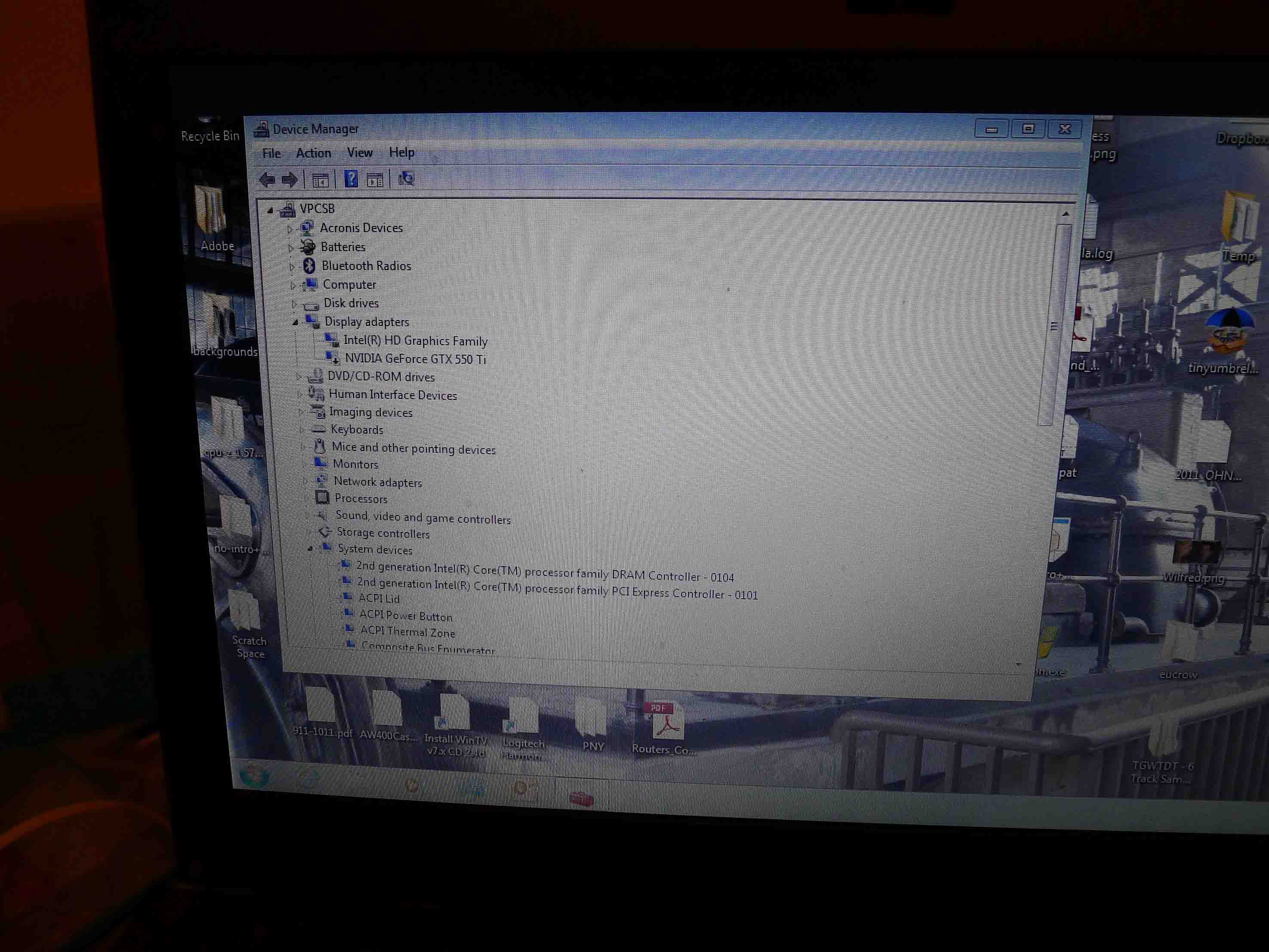
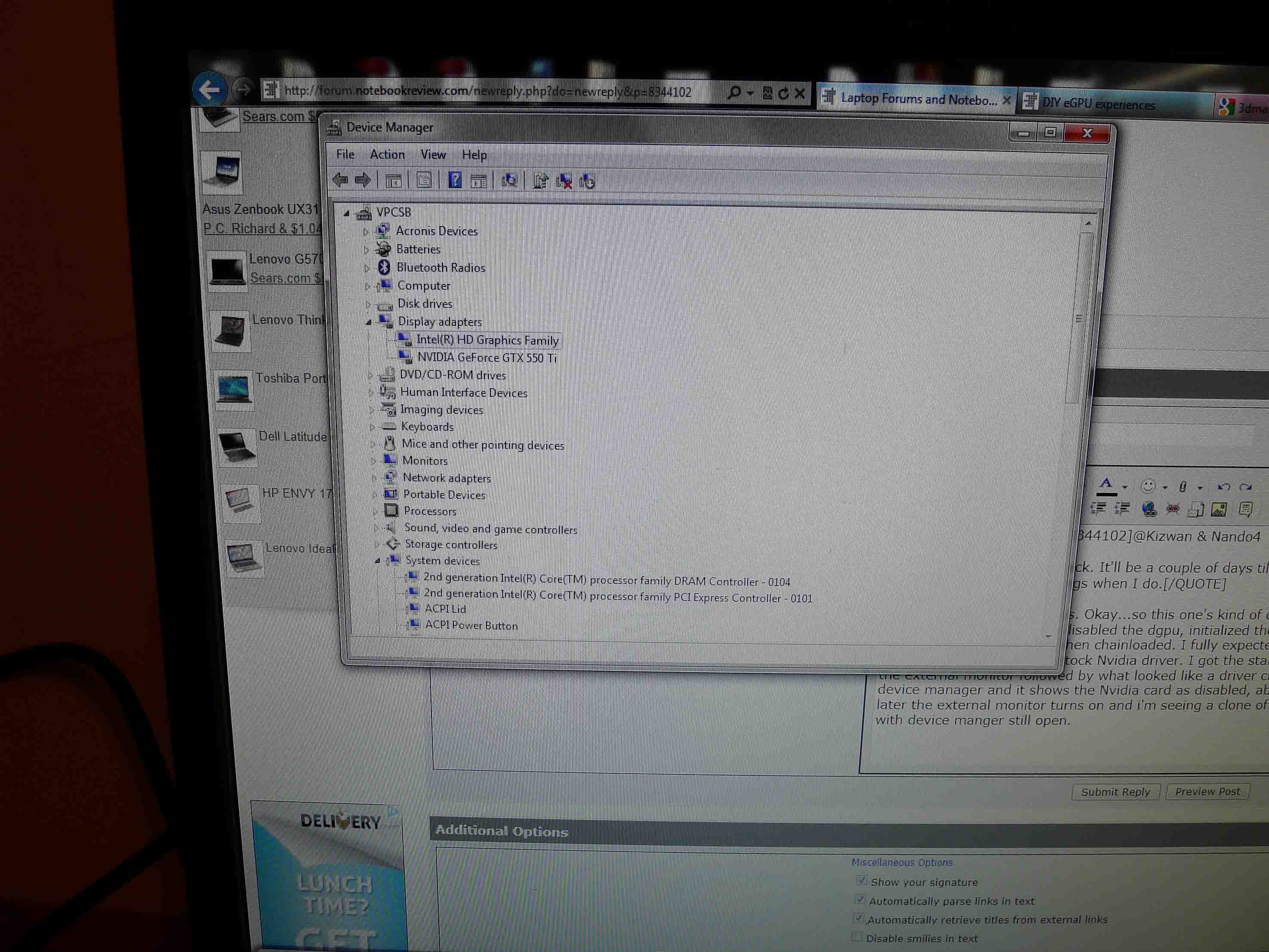
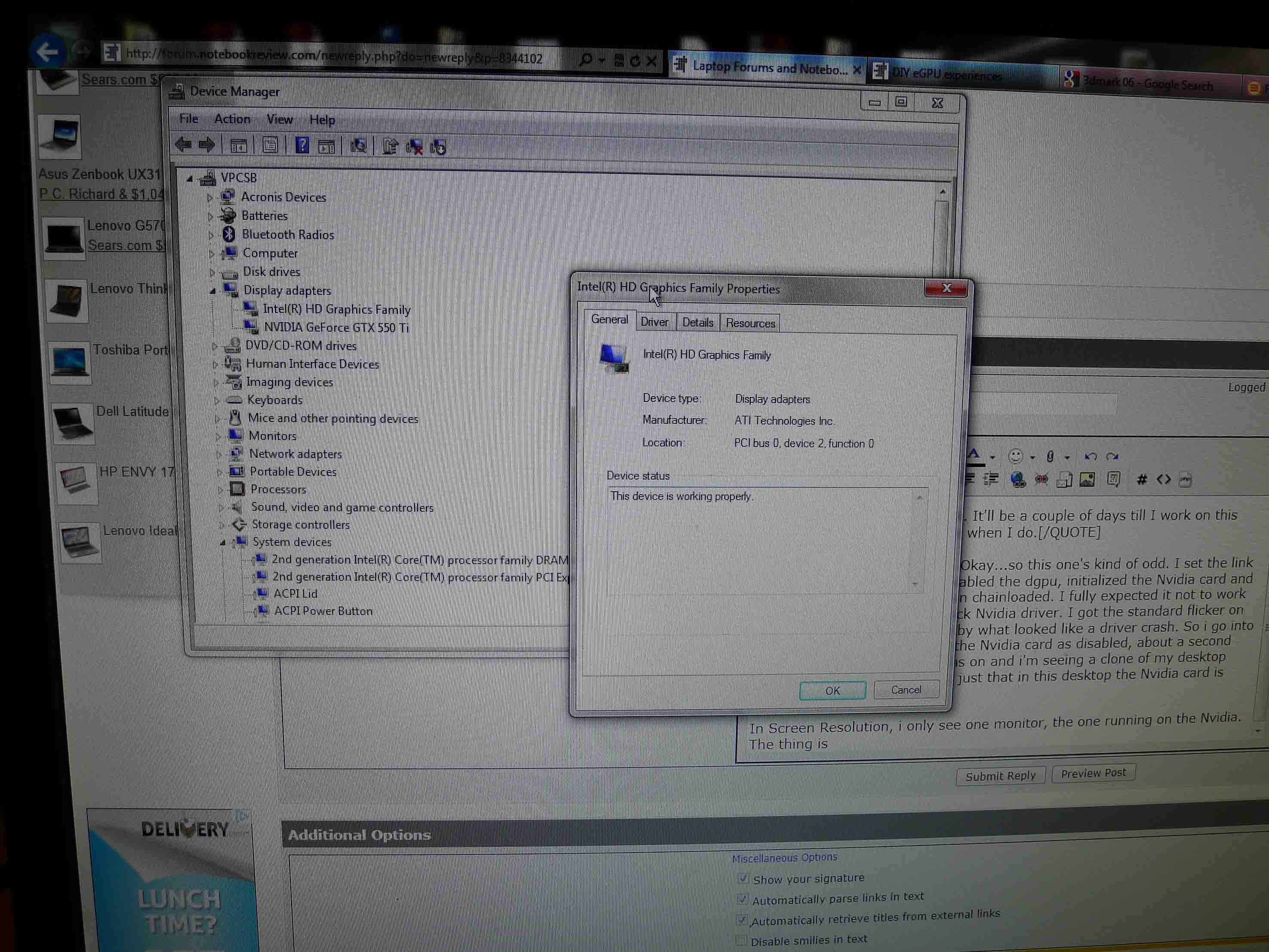
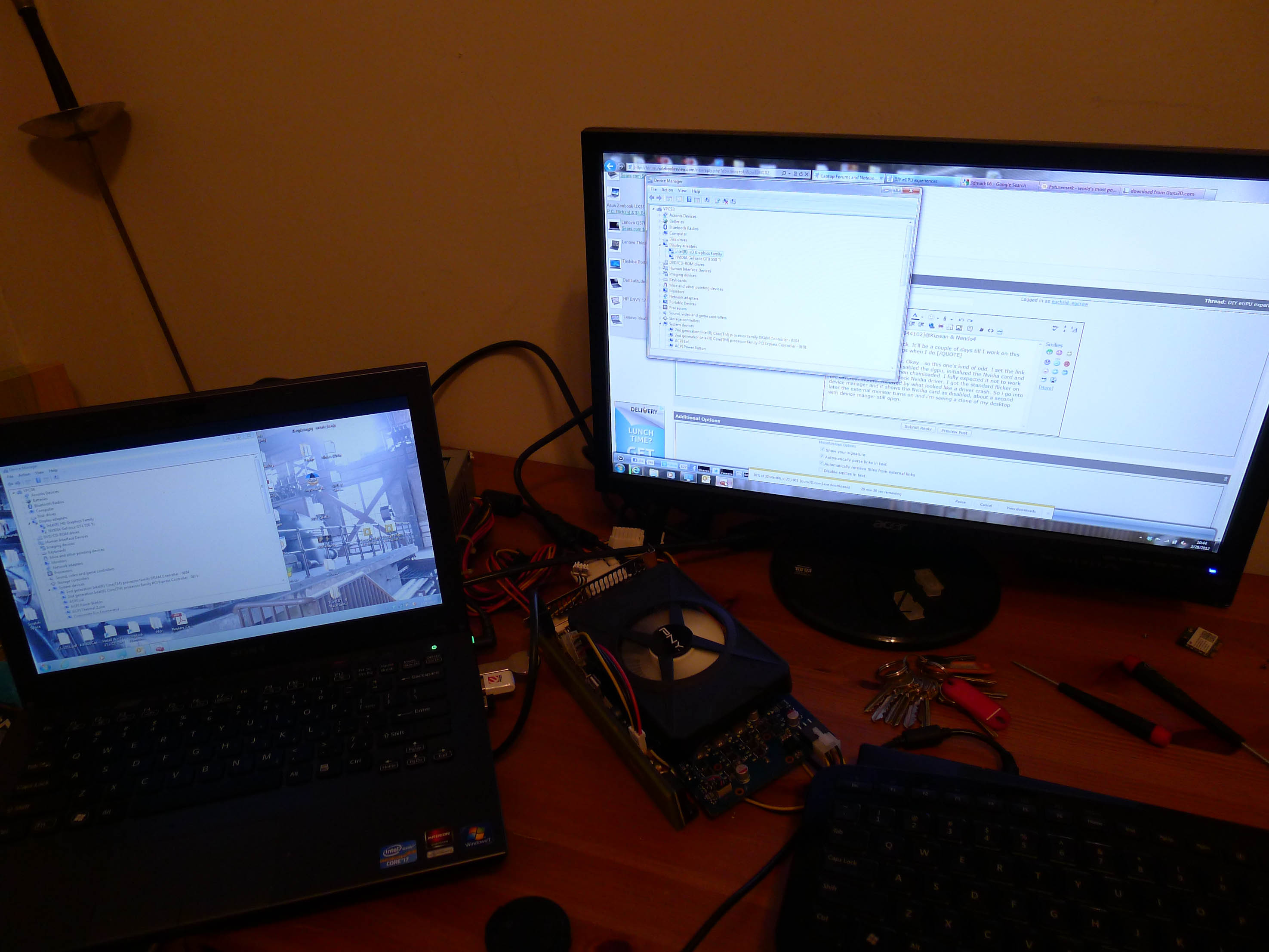
So i couldn't wait a few days. Okay...so this one's kind of odd. I set the link to x1 as nando suggested (the one thing i didn't do last time), disabled the dgpu, initialized the Nvidia card and compacted the igpu+egpu then chainloaded. I fully expected it not to work since i hadn't installed the stock Intel driver (i reveterted to the AMD/Intel driver to get my hybrid back after my last attempt). I got the standard flicker on the external monitor followed by what looked like a driver crash (the monitor flickers on then off quickly).
So i go into device manager and it shows the Nvidia card as disabled (on my laptop's screen), about a second later the external monitor turns on and i'm seeing a clone of my desktop with device manger still open, just that in this desktop the Nvidia card is enabled and running. My mouse and keyboard are captured in the second screen.
In Screen Resolution, i only see one monitor, the one running on the Nvidia. The thing is i haven't reinstalled the stock intel driver yet!
I'll add pics to all this later today.
I'm now downloading 3dmark06 in order to benchmark this thing and see if it crashes on me at all. Though the 5mins i've been running w/o a crash has been longer than any of my other attempts.
Update:
3dmark06 gave me a result of 14717 though 3dmark11 wouldn't run at all. I kept on getting an out of memory error. -
I just found this awesome post. Everyone is talking about installing this on OS XP or 7. Will it work with Vista, I know I hate it too? Here is my older setup that I run for some games on, the only thing I have at atm. Do you think I could make this work or should I chuck it, kinda short on cash to buy a new computer at the moment but I want better video.
Dell 1720 Laptop
Intel 2 [email protected] ghz
4Gb memory
32-bit OS Vista
Nvidia gforce 8400M gs 128mb
I do have what used to be called is a PCMCIA slot, probably called something diff now.
Any help would be appreciated. Thank you -
Hey there,
does anybody have advice on good PSUs for powering a GTX560TI 448 (especially size, price and loudness)?
Thanks! -
I got the Corsair CX600 off newegg which is 600w and 38a and it powers my gtx 570 perfectly and it was only 60 or 70$. Standard size (really not too big) and not loud at all.
-
Got 1x link working, still trying to get 2x link going, but still unable to find device with PM3N, and port doesn't appear to be active though DM and setup 1.x say it is. Any help would be appreciated.
-
I don't agree with this statement. It's game based but in almost every game i recorded, the performance were at worst on par with the 560M (and we're talking about the x1.1Opt, the x1.2Opt solution would be better.
The problem is about graphical detail. Often lowering the details doesn't give any performance improvement due the lack of bandwidth and not of calculation power. So lowering details, the 560M will perform better, but with maxed out options the eGPU will kill the 560M. (always assuming that the top fps reachable are playable). -
If you move your wifi card into these other mPCIe slots, boot and it isn't being shown in Setup 1.x then likely that mPCIe slot doesn't have the pci-e lines wired through. WWAN slots tend to have only USB connected. Port1 is the root port so is always active even if the port isn't wired. Others may be too if the bios programmer hasn't bothered to disable unwired ports.
-
Has nvidia ever hinted at any sort of expansion for its pcie compression to be capable on any integrated gpu other than Intel's? Wonder if the 300 series nvidia drivers will include it...
-
So is there any work around? Can I still do a 2x setup if p1 is this unwired port, p2 is express card (and integrated graphics according to setup 1.x), p3 is wifi and p4 is Ethernet? I have a p5 and p6 too though I have no idea where they are.
-
No feasible workarounds unless you have SMT soldering gear, rip the ethernet chip out and wire a mPCIe slot in it's place so can do a port3+4 x2 implementation. Not at all recommended.
Best workaround is to offload the system, get a x1.2Opt capable SB/IB + PE4L 2.1 instead. See the thin-and-light link in my sig for some candidates. Dell Outlet often having coupons for their Latitude series. 12.5" HP 2560P available on ebay in the $600s and can host a i7-quad cpu. You get portability and a ton of performance. -
Thanks a lot, I'll keep that in mind for future reference, as I'm not trying to spend any more money at the moment. I'll just have to settle with x1.1 for now. Any things I can do to optimize my 1x performance and really get as much as possible out of it?
-
I have an ATI 5870 lying around and I was thinking of buying a Lenovo Y570 and using the 5870 to run my 2048x1152 23" monitor and 1920x1080 42" plasma TV via one of these eGPU setups, wondering what steps I will have to take/things I will have to buy to get performance from the 5870 comparable to a desktop setup?
Thanks for the help
Last edited by a moderator: May 6, 2015 -
HI,
It's my first time posting here, although i have been following this for a while. I tried searching for it, but i (maybe because of a mistake) couldn't find anything about DIY thunderbolt Egpu's. Has anyone been capable of doing a DIY thunderbolt EGPU? -
Added pics. So far the egpu seems stable. I haven't tried re-initilizing my igpu which shuts down once the egpu kicks in.
Turns out the above was done while my hybrid graphics switch was set to the dgpu. I set it to the igpu and now when i run the egpu the igpu doesn't crash. 3dmark11 still crashes though i re-ran 3dmark06, which ended up scoring 15151 with the default settings, for reference my computer scores a 7676 when on the Radeon 6630MAttached Files:
-
-
That IF his/her computer have active Intel HD Graphics. If not, eGPU will only work at PCIe x1 2.0 at best which means he/she might only see little improvement compared to GTX560M, and of course it's game based (should be self-implied when talking about games performance).
This is my analysis comparison between GTX560M & GTX560Ti at x1.Opt. Of course, with x1.2Opt the performance will be better. The "10% to 50%" should be read as a minimum improvement (that is why the word "probably" is used in the sentence). Still, this begs the question whether it is worth or not to implement eGPU on a notebook that already have high-end GPU like GTX560M? -
The score (15k) indicate Optimus is engaged. Good to know you can keep hybrid graphics driver. You will get better performance with PE4L v2.1 kit (PCIe 2.0 compliant). Or should I say; you will be able to utilized PCIe 2.0 (10Gb/s concurrent) on your notebook with PE4L v2.1 kit. (Everyone agree with the second statement?) PE4H kit you're using right now only support PCIe 1.0 (5Gb/s concurrent).
BTW, congratulation on your successful eGPU implementation! -
You have PCMCIA CardBus slot. Unfortunately, you can't use it with eGPU. You can use mPCIe port for eGPU. Vista doesn't support two graphic cards from different vendor. So, if you get an Nvidia desktop graphic card, you shouldn't have problem.
If using one mPCIe port, it means you're running eGPU at PCIe x1 link. You'll experience stuttering & lagging while playing games. I only recommend you to setup eGPU if your notebook can do x2 link. x2 link will require two mPCIe ports in your case. x2 only possible with one of these combinations:-
PCIe port 1 & 2
or
PCIe port 3 & 4
or
PCIe port 5 & 6
You also can do x1E/x2E tweak but this tweak only possible with ATI cards or older NVidia cards (GTX4xx is not affected):-
You can use PE4L v2.1 + PM3N (for mPCIe port) which will be available this April. Basically, just need to disabled dGPU (GT555M) & connect eGPU to mPCIe port. Then, you can connect the two monitors to eGPU.
Do you means to setup an eGPU with performance equivalent to desktop 5870 setup? Well, you can see a list of successful eGPU implementation in first post, look for the one with " @x1.2Opt". The benchmark score & games benchmark (if any) can give you the idea what kind of performance you can get.
5870 + PE4L v2.1 is equivalent to PCIe 1.0 x2 link. If you get a Nvidia Fermi desktop graphic card instead, coupled with Intel HD 3000 available on Y570, you can do x1.2Opt setup which equivalent to PCIe 1.0 x4 link. As you can see here, Nvidia will provide better performance than ATiAMD because the former have more bandwidth (thanks to PCIe data compression with Optimus setup).
There are at least two successful eGPU implementations on macbooks using Thunderbolt port but they're using Sonnet Thunderbolt to ExpressCard adapter. However, the ExpressCard adapter only support PCIe 1.0 (2.5Gb/s), not PCIe 2.0 (5Gb/s at each direction) that Intel 6 Series chipset natively supported.
You can read updates on Thunderbolt in the News section, top-right corner at first post.Last edited by a moderator: May 6, 2015 -
Did anybody already contributed already that for an eGPU-solution a GPU with more than 1GB VRAM is definitive useful. I did't find it in the FAQ thats why I'm asking.
-
Hi,
First time posting here, my GTX 260M has recently died ( toasted, fried, whatever D: ) and i'm looking for a cheaper alternate than repairing the card. I'm using the same laptop as mangos47 so i will just copy his hardware here
I'm having trouble understanding some of the info so here are some of my questions.I only intend to use 1 eGPU so i should get the PE4L or PE4H ? what are the differences between these two? Would i be able to run ATI cards because i'm interested in getting the 6770, 6850 or 6870? ATI or NVIDIA would work better on my system?Thx
Oh and sorry for the bad English
-
PE4L & PE4H are basically the same except PE4L only have one PCIe port which is suitable for Optimus setup because it only required one PCIe x1 link. PE4H have four PCIe ports which means it can support x1/x2/x4 link setup.
In your case, you should get PE4H because your notebook support x2 link setup using PCIe port #1 & port #2. This means there will be two cables connected your notebook & eGPU. You also need PM3N (mPCIe card) & EC2C (ExpressCard adapter). You can see mangos47's eGPU implementation at post #4529.
Nvidia vs. ATiAMD: Hard to tell which one is better. It all depends on the games. I believe the difference is not too big. So, it's up to you to decide which GPU you want.
I didn't found anyone running benchmarks with two identical GPU but different VRAM size to create a comparison report. Or someone did already running the benchmark but didn't share the result here. Anyway, I don't think higher size of VRAM can increased the performance of eGPU. I don't think it will eased the limited bandwidth. Unless, the software you're using really can use higher size of VRAM, e.g. 3ds Max Design which have requirement 256 MB or higher video card memory, 1 GB or higher recommended. With 3ds Max Design, you may see improvement when running with 2GB of VRAM than 1GB of VRAM. -
Hello,
I'm having a problem with my lenovo x220 and the PE4H ver2.4.
When I run bios with version 1.11 the egpu works correclty, but when i flash version 1.26 windows still say code 12. i thought that v1.26 fixed the code 12 problem?!
I installed the egpu like the instructions in Xavs post http://forum.notebookreview.com/7572285-post4022.html
any ideas there? -
Make sure eGPU is powered ON & connected to your notebook before starting up your notebook. Also make sure PE4H PCI reset delay is not set (default set to 0s).
-
The PCI reset delay was the mistake (#2 instead of position #1)
Thank you very much!
-
Yes. I have the Sonnet Echo adapter and Vidock 4plus working with my 2011 macbook pro 13inch under Windows 7. There is another person who has it working (but I forgot his username).
-
To be honest, I am very grateful for you guys. You helped me a lot for making my laptop a high end gaming console. I am looking forward to hearing good news about PE4H v3.0. Thank you for everything.
DIY eGPU experiences
Discussion in 'e-GPU (External Graphics) Discussion' started by master blaster, Sep 18, 2009.


![[IMG]](http://i1236.photobucket.com/albums/ff457/Kizwan_Chronos/NvidiaOptimusGPUActivity.jpg)