Problems? See this thread at archive.org.
Windows is full update?
Have try to install latest version of dell drivers?
-
Yes, everything is up to date ! Before reformatting it was, too.
-
When i boot with intel hd + nvs 4200, i can launch nvidia control panel.
So i desactivate nvs and plug the gtx, i can't launch nvidia control panel anymore. Even if i unplug gtx and replug nvs. I have to reboot to be in mesure launch NCP (nvidia control panel). -
i don't know what could be the problem, normally i receive tomorrow my PE4L v2.1b, i will test it
-
me i plug egpu before to start up pc, when windows is running, i remove egpu propely, turn off egpu, unplug egpu, wait a few seconde, power on egpu, plug egpu. After i go in system manager, gtx is here and i desactivate nvs4200.
have you try this? -
Indeed, i have the 2.3 ghz i7 quad core, and when im gaming i usually have GPU-z and another program to measure the cpu usage and while the gpu is always at 90%+ the cpu almost never goes above 20-25% and usually stays at the 15%, which is why i overclock my 6750m to play metro 2033 and crysis 2 in DX11, the DX9 versions run fine almost max settings...
And no, i don't have the 1600x1050 i have the standard 1440x900 screen, i know the 1600x1050 screen would hit the performance, but it would still be pretty awesome
-
I'll try tomorrow !
Thank you for your help ! -
"a little" update of results after clean instalation and without nvam. I don't paste RE5 because there is something strange in this benchmark, with defaults setting (1280x800) I had better results with direct10 than direct9. (~80 fps) which was a low results even that.
here is some results, which is adhere to NBR settings.
I had problems with 3dm06 online results but I used printscreen with GPU results.
HP Elitebook 8460p
CPU: i5-2540m
RAM: 8GB
SSD: Samsung 830 - 128GB
OS: Win7 Pro 64bit PL
PE4L 2.1b
Asus GTX560Ti DirectCUII Top
ATX Corsair CX430
Dell U2312HM / 2007FWP
How to run eGPU with 8460p?
After clean OS installation, I restarted 8460p, stopped win7 loading by f8, turned on eGPU (by SWEX), plugged into 8460p and let win7 loading. After this, 295.73 drivers were used. Restart adhered to algorithm above. Set PhysX to CPU and High Performance Processor as main (nVidia control panel). Switching between internal and external, available by Fn+F4.
internal: (1.1opt x 1.2opt)
3dm06: 14345 vs 17786
3dm11: 3812 vs 4240
vantage: 13326 vs 16480
Heaven: 1071 vs 1820
external: (1.1opt x 1.2opt)
3dm06: 17653 vs 18220
3dm11: 3917 vs 4194
vantage: 14610 vs 16481
Heaven: 1665 vs 2015
------------------------
the precious information from today session is fact that Fn+F4 is sufficient to switch between internal and external !
(maybe it is already observed but somehow I missed that). OC attempts (direct9, direct10, direct11) ends with drivers error. Is there possibility the source of problem is MSIAfterburner ? Should use original Asus software?
nando4 what about BIOS update? Currently I run on F03, and there is F25 available but I've been wondering if there is hazard of loss eGPU compatibility? I delay with update to ensure myself that this version (F25) is eGPU friendly. -
Scores of a GTX560 @900/2200 1.2Opt-Int.
NVIDIA GeForce GTX 560 video card benchmark result - Intel Core i7-2630QM Processor,Hewlett-Packard 162B score: 16899 3DMarks
NVIDIA GeForce GTX 560 video card benchmark result - Intel Core i7-2630QM Processor,Hewlett-Packard 162B score: P15263 3DMarks
NVIDIA GeForce GTX 560 video card benchmark result - Intel Core i7-2630QM Processor,Hewlett-Packard 162B score: P4036 3DMarks
I tried Settlers 7 with the latest 296.10 but the framerate was awful. Reverting to the 285.62 the performance were in line with the 1.1opt-int. All the other games perform normally even under 296.10. Any suggestion about it? -
Okay guys, I ordered parts finally!
I ordered the PE4L from HIT. You should update the OP to reflect the price increase. I had to pay $78 shipped for it versus $65 shipped.
And I ordered a GTX 560 from Amazon. Originally I had bought a 6850 from Fry's, but upon the realization that I was going to build an eGPU instead of a desktop, I knew it'd be better to use a Fermi card instead of a Radeon.
I have a Corsair VX450W I hope will be enough to power the video card.
A few questions:
How do I do 1.2Opt? I want to use the internal monitor and have the better performance from Nvidia drivers. I have a Lenovo E420 with i3-2310m and 8GB of memory. -
Setup 1.1x can certainly disable the NVS4200M dGPU, plus there is a NBR user coupon that makes it a $15 donation to access.
PM sent.
Can you please create one definitive HP [email protected] post with all the details so I can link it? ie: system, RAM, any special requirements to get it going; eGPU hardware, drivers, benchmarks. You have the details already but it's across around three separate posts. Thanks. -
I'm excited to jump in to the world of egpu, and am expecting it to go pretty smooth.
I have a Lenovo T520, with latest 1.36 bios (should fix whatever TOLUD issues previous bios's had)
The machine has a i7 2860qm cpu, 16gb of mem, and intel 3000 + NVS4200 dgpu.
I bought a PE4L 2.1b, and a gtx560. hoping to get x1.2opt performance via external display. And will be using a 203w/16a modded xbox 360 psu to power the gpu.
Since the lenovo T520 supports pcie 2.0 x1, and had fixed the TOLUD issues in bios, I am expecting a pretty much plug an play operation.
Am I correct? or due to have the 16gb of ram, will I need to do a DSDT override? to get into 36bit allocations.
Also wondering if there will be a need to disable the dgpu? to get the egpu to optimus with the intel 3000. I disable the nvs4200 in bios if needed.
I can't see a need for the Setup1.x disk in my configuration, but I dont know if I am overlooking something.
thanks -
Is there a tutorial somewhere in regards to using an xbox 360 psu as a power source for egpus?
-
http://forum.notebookreview.com/7255913-post3125.html
except instead of even bothering with the molex, I'm gonna wire the 2 6pin and the floppy cable directly with no adaptors. I am also gonna put a switch between the +5VSB and the PWR ENABLE Pins. ( http://www.instructables.com/id/XBO...sory-Adapter/step9/Essential-Info-The-Pinout/) So I can turn off,on psu at will -
Fabi3n is having a problem getting his Dell E6520's iGPU+dGPU (NVS4200M) + GTX560 working in harmony together, but Joss27's Dell E6420 with same iGPU+dGPU had no such problem.
Since there is no bios option on a E6520 to disable the dGPU, Setup 1.1x can do it. Though Fabi3n is seeking solutions to avoid the $15 donation to access it. I am curious to see how he will solve this problem.
If your T520 has a dGPU disabling bios option then no such problem for you plus I believe that the latest T520 bios does lower TOLUD upon detecting a eGPU so there are no 32-bit pci-e config space issues.
A XBOX360 203W PSU with a 12V/16.5A (198W) rail pairs nicely with a GTX560. It even has enough juice to power a 195W TDP GTX680. Please do post the final pics of your wiring. -
Does HIT sell PE4L v2.1? The one that doesn't require any rework by the consumer. I'm only finding v1.5 on their page.
-
Hi Nando , where can i get this coupon ?
edit: ok i saw in FAQ, I pm HITRC -
-
OK, i've edited my last message during you answered
-
I really hope that setup 1.x will help me.
-
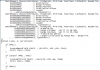
(DSDT Override)
Can someone tell me if the below is correct.
Right now im at the QWord dMemory.
QWordMemory (ResourceProducer, PosDecode, MinFixed, MaxFixed, Cacheable, ReadWrite,
0x0000000000000000, // Granularity
0x0000000C20000000, // Range Minimum, set it to 48.5GB
0x0000000E0FFFFFFF, // Range Maximum, set it to 56.25GB
0x0000000000000000, // Translation Offset
0x00000001F0000000, // Length calculated by Range Max - Range Min.
,, , AddressRangeMemory, TypeStatic)
Name (_HID, EisaId ("PNP0A08"))
Name (_CID, EisaId ("PNP0A03"))
Name (_ADR, 0x00)
Method (^BN00, 0, NotSerialized)
{
Return (0x00)
}
Method (_BBN, 0, NotSerialized)
{
Return (BN00 ())
}
And im lost at step 4, where do i execute the next command and do i save the above file ?
Thanks -
i have receive my PE4L v2.1b and no pb, but i have tested that :
-laptop without egpu, just using internal lcd, i can't open nvidia control panel, normal with optimus because the nvs4200 turn on when graphic power is needed (not need for surf for example)
-laptop with egpu, just using internal lcd, the same thing
-laptop with egpu, using internal lcd and lcd on my GTX, i can use nvidia control panel.
On my setup, i use a dockin station with a lcd on dvi, and my pc use nvs4200 by default setting (gpu intel does not support dual screen) -
Thanks for pointing me in the right direction!
-
You say me that you CAN'T use internal screen with egpu and PE4L 2.1b ?
You never make a test without docking station ? just eGPU on the internal screen ? -
Sounds like he has set Optimus=disabled in the E6420 bios resulting in only the dGPU and eGPU being active. Doing that means no x1.Opt NVidia Fermi/Keplar acceleration on the eGPU (20-300% performance improvement) no can the eGPU drive the internal LCD.
You want to set Optimus=enabled in the E6520/E6420 bios to enable the iGPU and massively boost NVidia Fermi/Keplar eGPU performance. If I am correct about this then will need Setup 1.x to disable the dGPU to allow the x1.Opt acceleration on a iGPU+dGPU E6420/E6520. The iGPU-only version this wouldn't be required. -
Yes nando i'm waiting for joss reply too, to confirm that.
So-what, I'm not so dumb and it's maybe just the NVS4200 the problem in my case.
I'm waiting for HITRC answer too for the coupon. -
~ deleted ~
-
hey, I lost sound when I let eGPU through HDMI. i tried to turn on nVidia sound high definition controller but nothing changed.
-
have you try click on sound icon (near clock) => mixer => and select another hardware ?
sorry my os is in french. I post a picture to be easier to understand.
![[IMG]](images/storyImages/mixer.png)
-
I have a option there but only between earphones and speakers. Any of them doesn't work.
But in fact, eGPU shouldn't have any influence on sound. Sound goes directly from HP so I can't figure out what is the reason of sound loss.
With external speakers everything is ok, checked with HTC desire as a sound source. -
I never test the egpu with only internal screen, always with external, and in my bios, optimus is activated.
I try the test for you tomorrow morning
-
Great, Thanks Kizwan.
Managed to execute the command successfully.
36-bit PCI BUS
Guess it still didnt work for me
Still facing code 12.Attached Files:
-
-
ok thanks joss
-
The screenshot show you didn't load the modded DSDT into registry (no. 5 in DSDT Override).
If you did load the modded DSDT into registry, please reboot your notebook & check the Device Manager again. -
Does anyone have any idea?
-
Please post screenshot of Playback tab (Control Panel >> Hardware and Sound >> Sound).
-
I attempted to ask for pricing / release date, but the response I received was - unavailable / by end of April.
-
"MSI Tech.
03/30/2012
The MSI GUS, should be available next week. if there are any changes will update you. thanks" -
I think they like you, lol ~
"MSI Tech.
04/02/2012
The MSI GUS should be release end of April. As for pricing, we in support do not have this information at this time. Please check back with us, thanks" -
Success with x220 + PE4L v2.1b + 9800 GT!
Plugged the eGPU in, booted laptop up, installed nvidia desktop driver (mobile Verde driver reported no compatible hardware) and it was good to go!
Benchmarks:
3dmark06: NVIDIA GeForce 9800 GT video card benchmark result - Intel Core i5-2540M Processor,LENOVO 4286CTO score: 7498 3DMarks
3dmark vantage: NVIDIA GeForce 9800 GT video card benchmark result - Intel Core i5-2540M Processor,LENOVO 4286CTO score: P5020 3DMarks
GPU-Z:![[IMG]](images/storyImages/2kp.png)
Thanks to nando and everyone who contributed to this thread!
-
Ok you don't use internal screen also ?
-
So i have tested that :
-laptop without egpu, just using internal lcd, i can't open nvidia control panel
-laptop with egpu, just using internal lcd, nvs4200 activate in system manager, the same thing
-after i launch BF3, come back in windows (without quit BF3), try to open nvidia control panel but not possible
-desactivate nvs4200, launch BF3, come back in windows (without quit BF3), try to open nvidia control panel but not possible
-connect my laptop on dockin station (who have a external lcd connected in dvi), try to open nvidia control panel but not possible
-after i activate the nvs4200, try to open nvidia control panel with success, configure physx on gtx, launch BF3, performances are the same that if egpu is not connected
-i desactivate nvs4200, plug a external LCD on GTX in HDMI, and i can open nvidia control panel !
So i don't know how to say at windows to use GTX when there is no external screen connected. -
Ok so I feel reassured that Optimus® doesn't work for you too
Nando is surely right when he says that NVS4200 needs to be deactivate before loading windows, to get Optimus® working in internal LCD.
I buy setup 1.x this morning and am waiting for DL link to try this evening.
I'll make a report as soon as possible.
Specials thanks to you Joss, for long and complete tests
-
No, internal screen reverts to integrated Intel HD3000, and no Optimus functionality since 9800GT is not a Fermi card. 3DMark Vantage scores are the same with eGPU enabled and disabled on internal screen. (low)
-
it's maybe drivers modded who made that
-
@sivikchen: ok
@Joss27: I think it's just windows who doesn't understand what to do with optimus. Because, even if you disable nvs in windows, dGPU is enabled at start up. Dell could program in the BIOS, a functionality to disable dGPU, but if we ask them, they would think we are crazy, and that there is no reason to do that ... -
solution: turn on 8460p + eGPU with audio cable out od socket.
thanks!
-
Hi Kizwan,
i have repeated the steps a couple of times but it still aint working.
Maybe you could help take a look at the following screen-shots if
i have made any mistakes.
Thanks AgainAttached Files:
-
-
Hi, im new to this but i have read quite a bit about how to configure an EGPU, so about 3 weeks ago i got the PE4H 2.4 Kit with the express adapter and i seem to be having some problems, first of all here are my system specs
Lenovo x200 laptop
p8600 core 2 duo processor
Windows 7 32bit
PE4H V2.4
NVIDIA GTS 450
Optimus Driver Verde 285.62 32bit driver
I want to be able to render the graphics onto the internal screen and as far as im aware i would need the 4500mhd which my laptop does, so i installed the optimus driver and it seems to have been done correctly as the graphics card is showing up in device manager, so i open nvidia control panel and select "High Performance Nvidia Processor" in the Preferred graphics processor option, then i go to play a game call of duty modern warfare 3 but the graphics seem to be having no effect, i done a benchmark on my graphics card and i got the same score i got on my intergrated graphics, i have a feeling i might be missing out on something but i am not an expert PLEASE PLEASE HELP ME! I REALLY WANT THIS THING TO WORK -
Anyone can help with this?
DIY eGPU experiences
Discussion in 'e-GPU (External Graphics) Discussion' started by master blaster, Sep 18, 2009.