Problems? See this thread at archive.org.
Well, I just had an interesting experience in getting Deus Ex (the original, and the GoTY version so it's already prepatched) to run properly on my laptop. It's interesting enough that I thought I'd share it for those who are curious...
Deus Ex is 7-8 years old, so you'd think it'd run on the X3100 fine. Well, sorta. Here's the problem - out of the box, one discovers the frame rate to be highly inconsistent. I'm not talking about the game's FPS acting slowly or anything - it always rendered smoothly, but the timing was off. This was most obvious by the blue Eidos logo that comes into view in the menu intro; it stutters, slows down and speeds up at almost random times. Even worse, run the tutorial and you'll find your movement speed changing at certain areas of the map, which is completely unacceptable. I thought this might have been due to my Core 2 Duo and Deus Ex's known issue with dual-core processors, but after messing with things I realized this wasn't the issue. It didn't matter if I was using Direct3D, OpenGL (both the supplied renderer and the one at http://cwdohnal.home.mindspring.com/utglr) or even the damn software renderer, they all suffered the same inconsistent frame rates.
After playing around for a bit, I discovered how to get things to finally work, and it was significantly different to what I was used to on my desktop:
(1) Run using Direct3D.
(2) Disable Detail Textures.
(3) After running the game once, open your DeusEx.ini file, and under the [D3DDrv.D3DRenderDevice] section, make sure you edit the Vsync line so it says
UseVSync=True
The weird thing about doing this is that for some absolutely insane reason, Deus Ex will perform the opposite of what you state. So, by saying true, Deus Ex will not use vertical sync, and as I found out, vertical sync was the primary reason for the frame rate issues, and disabling detail textures fixed the remaining inconsistencies (which was useful, since it didn't seem to be rendering detail textures with it enabled anyway). I would have used the replacement OpenGL renderer since it's normally my favorite, but despite having a similar variable, it seems to force vsync regardless of what I do. Direct3D was the only way to disable vsync and get things working again.
Very weird. But now it works perfectly and with an FPS equivalent to what I had on my desktop.
-
Hmm I've not tried DX with my new CPU yet, will have to try it and see what results I get
-
How do we read the driver version,mine shows as:
Driver Version: 6.14.10.4906
Operating System: Windows XP* Professional, Service Pack 2 (5.1.2600) -
That's a good question, been meaning to find that out myself. In my case I get the following details:
Driver Version: 7.14.10.1409
Operating System: Windows Vista (TM) Ultimate* , Service Pack 1 (6.0.6001)
Only thing is, I'm using the latest drivers from Intel's site, which are marked as version 15.7.3. I see no connection between their version number and what is reported using the graphics drivers themselves. -
Hey GFree, I actually get better performance with the enhanced OpenGL renderer than DX lol.
-
So far the following games play really well on my laptop with G965 X3100 chipset.
Plays Well : ( with respectible framerates )
-----------
Doom 3 ( medium settings )
Demon Stone ( high )
Oblivion ( medium, used oldblivion mod which works really well. )
Counter Strike Source ( some on high )
Command and conquer 3 ( Low )
Guild Wars ( High )
Seven Hearts online ( High )
Flyff ( High )
Half Life Episode 2 ( some high )
Far Cry ( Medium to high )
dont play at all :
-------------------
Worms world party ( doesnt even enter game. known vista bug )
Worm 4 mayhem ( enters game, goes past the intro video and gets stuck at black screen )
Does anyone knows how to get worms working, or which worms does work on windows Vista ?
Will try some more game later and post results.
Laptop specs :
intel 1.73Ghz
1GB ram
120Gb HDD
G965 X3100 chipset
Windows Vista Basic home edition ( Vlite edition )
I used vlite to tweak slimline my vista disc for better preformance. i found that vista home premuim edition was to sluggish when trying to multitask. So i made a vista basic version and used driver genius to backup my drivers. Before when i playd guildwars for example i had only 27mb of free ram left. now when i play GW i have 273mb of free ram. Basicly vista using alot less ram and games seem to perform better now. -
Source on High? I don't believe it, I play Source on all low settings and still get crap framerates. I definitely don't believe that.
-
I said some on high, not all. my current settings are as follows :
Model detail : High
Texture detail : Medium
Rest on low.
And i play with 8 players on each side ( 16 players in total ). and game runs really smooth. when i tried the texture on high and hdr enabled it was a bit sluggish which is why i turned it down.
Edit : Are you playing on Xp or Vista premuim ? If you playing on premuim then there is your problem with crap framerates ...... see my post above for some tips on how to use a laptop ... home premuim loads such a lot of extra CRAP that you will never ever use. download vlite and remove the junk, vista will use between 200mb and 300mb of ram less and be snapper and respond quicker in general, your framerates will go up too.
Also vista basic only needs 500mb of ram to run ( currently only using 354mb on my system, where as vista premium needs 1gb of ram. and for home user there is nothing in premium that basic dont have ) they both look and feel exactly the same ...
( Make sure you use driver genius to backup your drivers before hand ). -
OMG no way, what CPU you got? What driver and what launch options?
-
Lastest driver.
see specs above
launch options : "C:\Games\CounterStrike Source\hl2.exe" -steam -console -game cstrike
I told you. the problem with low framerates is not the CPU or the Chipset. it is Vista. unless you have 2GB of ram you really need to find a way to free up more memory.
Windows vista on its own uses more than 500mb of ram just while idling. and every few minutes your antivirus and other programs auto check the net for updates and push ram usage higher. you have a few items running in background and next thing you know you running vista on 700mb of ram, doesnt leave much memory for gaming does it ? ( keep in mind that your chipset uses shared ram. less memory = less ram your graphics can make use of. )
Fix your memory consumption by either buying more memory or tweaking your vista to use less and your gaming and everything else will automaticly run better.
If you are getting low framerates on 2gb of ram then obviously there is another issue. i would recommend running a spyware/adware scan.
O, and stay FAR AWAY FROM NORTON ANTI VIRUS !!!
it is a plague on any pc and if you have that installed then there is your problem. rather get nod32. it uses a quarter of the ram norton does and doesnt make your pc feel like an old PII
Also enter into your run command box : msconfig
press enter and choose the startup menu in popup box.
Check there all the crap starting up with windows. untick everything you dont need. basicly only things you need is anti virus, and 3 intel drivers. untick the rest. -
Here are my specs:
Core 2 Duo T5250 1.5GHz
1GB RAM
Vista Home Premium tweaked with all tweaks listed in Vista tweaks thread. Also other tweaks have been performed. -
my cpu is not a core 2 duo. so you are meant to get better framerates than me.
tweaking vista is not the same as slimlining with vlite. services can still be forced to manually startup.
keep in mind : your grpahics card uses shared ram. the less memory you have free the less graphics power you will have.
Start any game. click ctrl+Alt+Del and select task manager. then go to performance tab and see how much free ram you got.... there is the problem most people have but dont even know they do. -
I know but I don't want to use vLite really cos SP1 won't work when I try to install. I will see what I get with Source.
-
89% Physical Memory usage. And I'm using Readyboost too. I will try and do some more tweaking and see what I can come up with. I'm going to be getting 2GB RAM soon anyway.
-
ah yes i had the same problem with sp1 and vlite. i had to install sp1 many times before it worked. the trick was that everytime it gave a error you reboot and start again, it will give error next time on different spot, reboot and start installation again ... eventualy it will go all the way through...
Long work around i know. but performance gain is worth the 3 hours of frustration.... -
Yeah but I'd rather just wait if ya know what I mean. Not long till it'll be available. I've noticed the Steam is a big memory sucker, anyway to run Source without opening whole client etc.
-
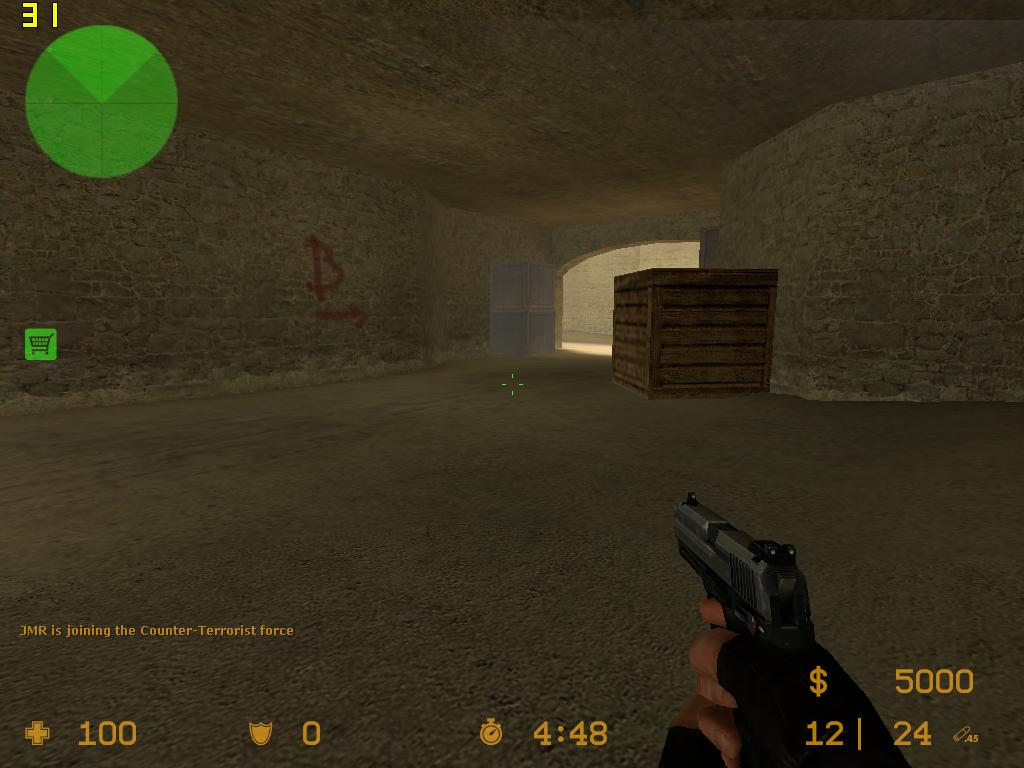
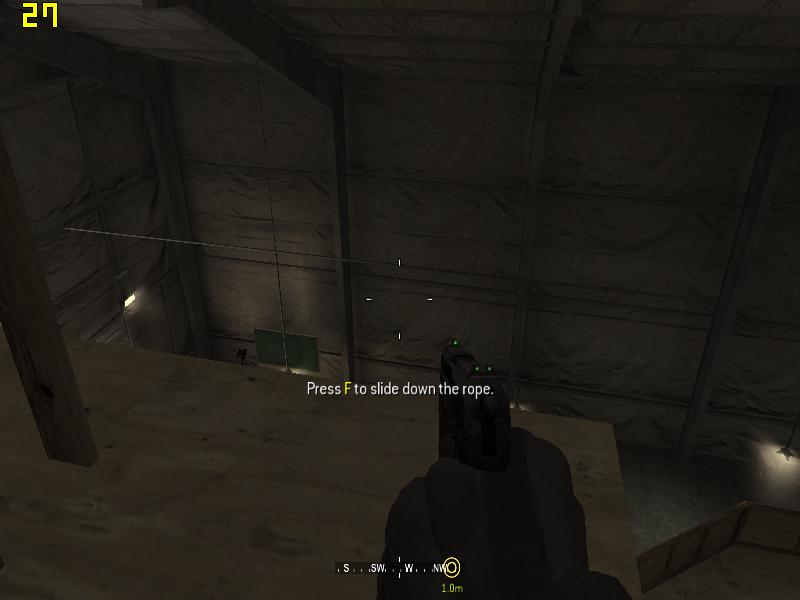
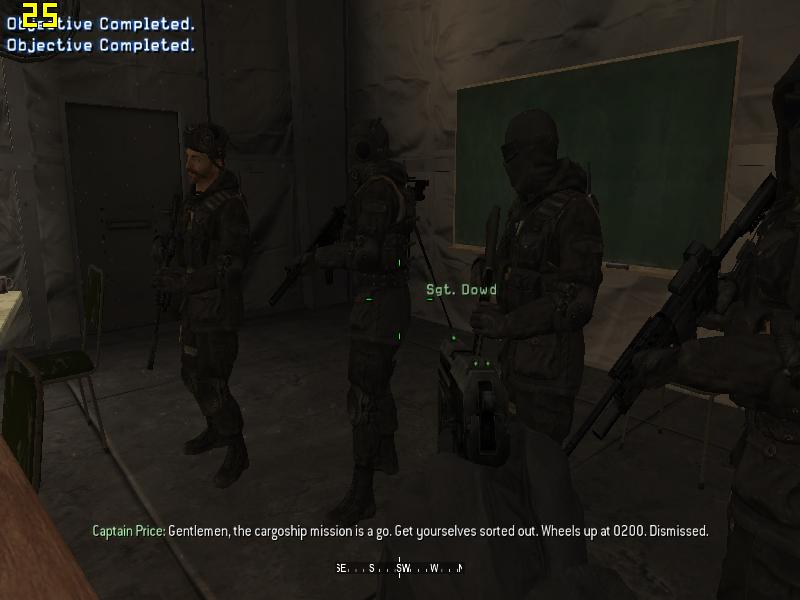
look at the screenshots. i downloaded fraps. and as you can see i have very playable framerates, and from screenshots you can clearly see i am not running on minimum settings....
Attached Files:
-
-
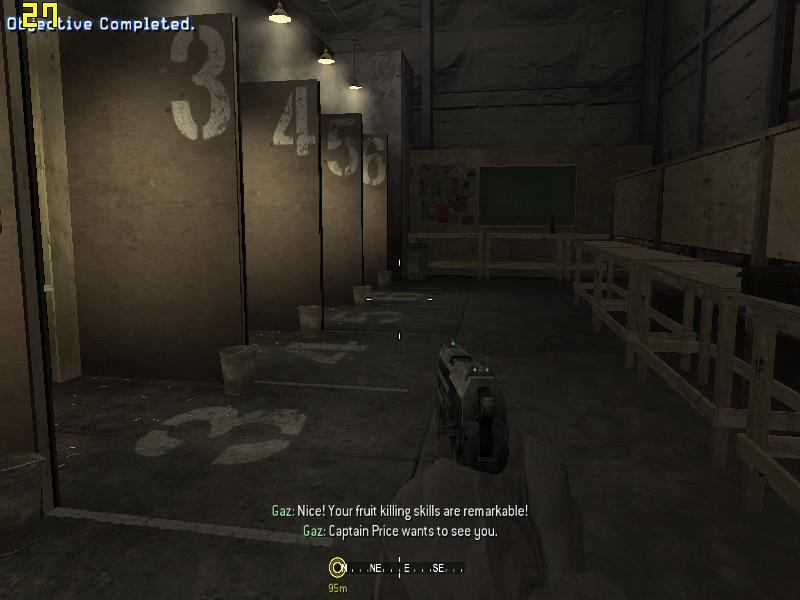
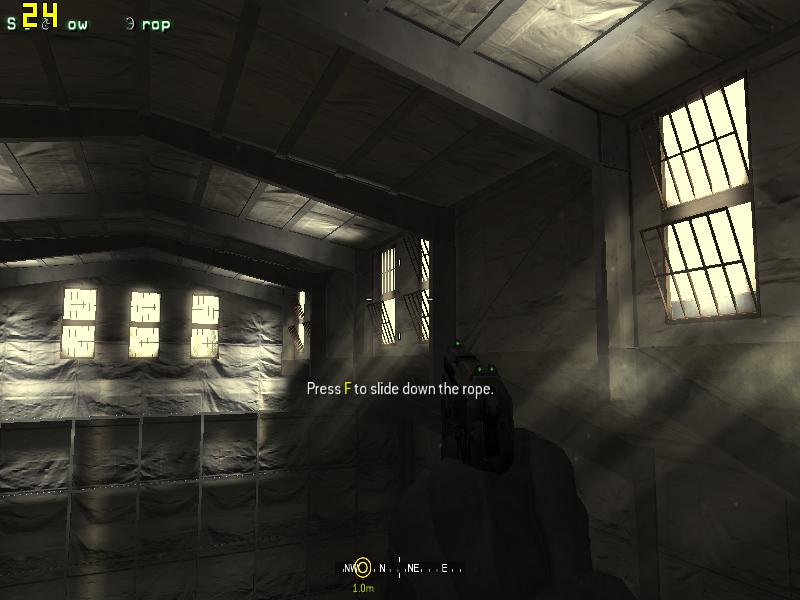
here is call of duty 4. i had to put settings fairly low to play at enjoyable framerates, but none the less the graphics are still ok and freamerates are descent.
Attached Files:
-
-
What happens during big gun fights? Or when smoke is on the screen?
-
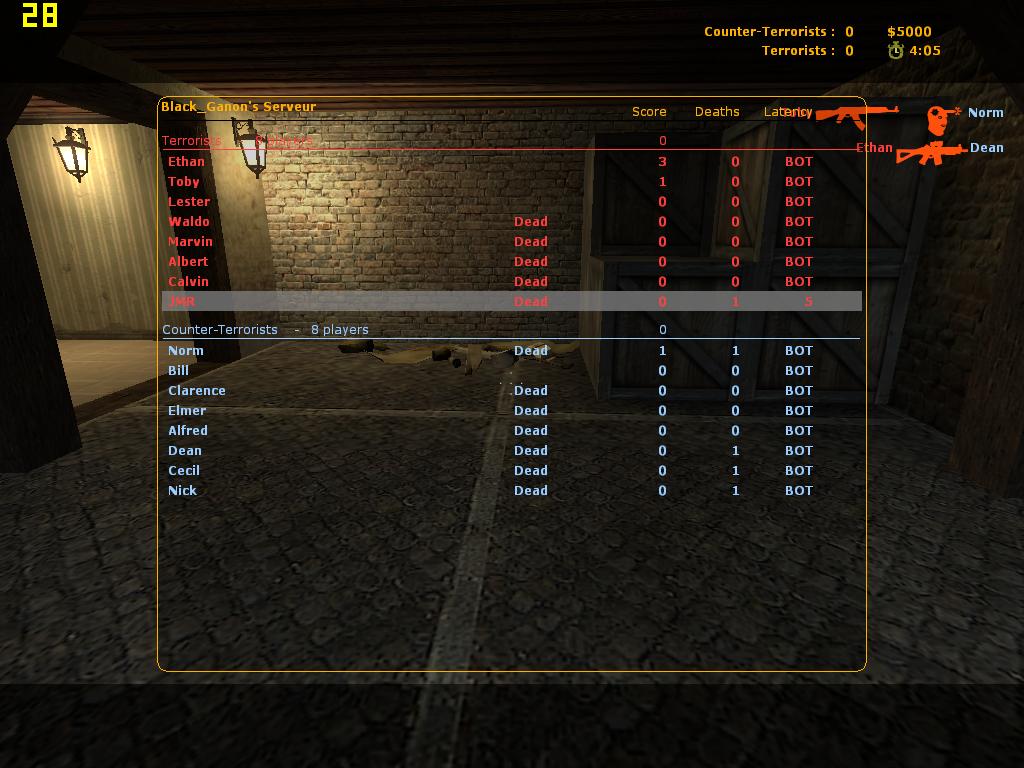
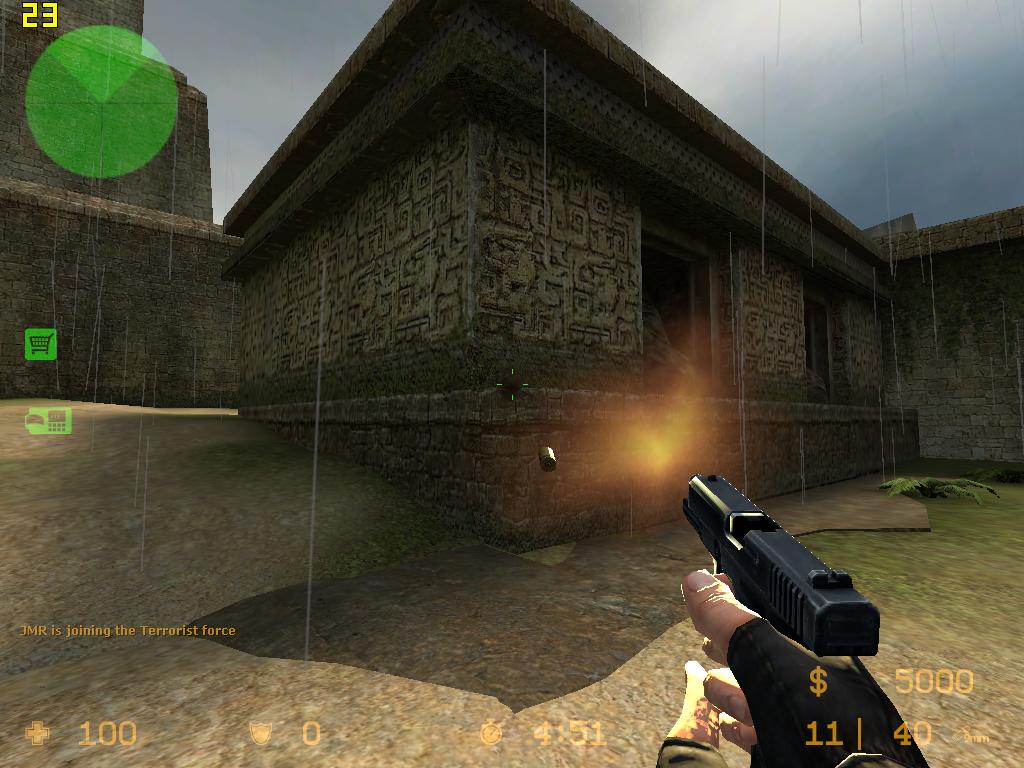
Its kinda hard to take screenshots in CSS, for some reason fraps kills the game when i hit F10. dont know why, the other games dont do it. i died in that one screenshot cause i tried to hit F10 as he shot but just missed it.
And ofcourse the game drops a few frames with activity on the screen, all games do that. but come on almost 30 frames what exactly do you think is gonna happen when you fire a gun, its gonna drop down to 10fps ??
anyway, here i took another screenshot of gunfire, bullets flying etc ...
It only dropped a few frames.Attached Files:
-
-
@Ray:
What's are your spec?
thank! -
Intel 1.73Ghz cpu ( single core )
1GB ddr 2 ram.
X3100
120GB HDD
Windows Vista Basic eddition -
Ok so you can fire one bullet on the screen without a huge drop.
-
If i seriously want to game ill use my desktop...
I was just surprised that the laptop could handle the games at such a lvl, so i set out the weekend and tweaked the crap out of vista to run all my usual programs i use and still to perform as a gaming machine in the event i am not at home and still want to enjoy one of my favorite games. which is usualy counterstrike, Guildwars and SHO and SWG...
Guildwars was allways on the notebook, Counterstrike, SHO and SWG i loaded today. Anyway, they dont perform to bad and are playable atleast will keep me occupied for the weekends i go camping in the karoo... -
i fired more than one, my magazine almost empty. and what is your point ?
If i get around almost 30 fps in game, then logicly it will drop down to around 18-20fps when there is heavy gun fire. WHICH is still very playable.
The point i was trying to make was that my settings were not on low and i can still play without the game feeling sluggish. -
How you can find 18-20fps playable I do not know. Anyway I'm swapping my laptop with my sister for my old PC with a 7300GT so now I'll be able to play Source properly
-
well firstly my laptop is not a gaming machine. i didnt buy it for that purpose. my desktop specs are as follows :
AMD 6000+ dual core cpu.
4GB ddr 2 ram
HD 2600XT DDR4 powercolor
250GB HDD
160GB HDD
Sony DvDRW dual layer writer
LG DvDRW Dual layer lightscribe writer.
19 inch LG monitor.
Windows Vista Ultimate Vlite edition.
5.1 Speaker system.
Pc is connected to a 72 inch TV.
When i am home i game on that. when i am not at home i use the laptop. stop being an idiot. dont take it out on me if your pc sux and you cant play counterstrike. Get over it .... -
Lol my PC doesn't suck, I never said it did. So you have no argument lol.
-
Logically drop to 18-20? Thats not a logical connection. In fact, users have reported much more significant drops when smoke is on the screen, or during a TRUE gun fight in online play.
-
That's still an expensive, albeit weak, videocard.
-
Guys,
Back on topic...report a user instead of replying. I deleted/edited some posts.
Thx
Kdawgca -
The point is to see what will work. Kinda getting tired of the haters on this thread, who contribute nothing!
I get good performance in source too, but I haven't tried cs yet. Source seems to perform a little worse than other more intense games as well.. -
But it's always the same. We all noticed the X3100 can't handle particle effects (such as smoke grens), and the FPS will go down the river. And every other day someone posts it is "playable", no its damn not, for MULTYPLAYER games it must be 50+ fps or you won't hit nothing. Singleplayer 25+ fps is ok.
HL2 runs just fine on mine, but all OrangeBox-Games suck as hell, and CSS is not playable in real gunfights. I can post some screens l8er.
Ah, and btw: F10 is the standard exit key in CSS... ;-) no wonder it keeps "crashing" -
I noticed this is your 3rd post mr. "unreal."
Thats the sole point? Just to see if it works? LOL. BTW, if you are accusing me of contributing nothing, search this thread for my posts. I have tested many games and reported my results here. Just because someone doesnt post screenshots doesnt mean they are not contributing. However, since YOU/unreal/raymerjacque showed up, I stopped contributing due to the mass misinformation being spread.
Also, "Source seems to perform a little worse than other more intense games as well.." is complete bs. Many of us have gotten great results with source, especially for online games. COD4 performance is way worse than source. -
as I said before, maybe he's getting paid by Intel.. ;-)
-
You talkin to me? I haven't been in this thread in a couple days & i see nothing has changed, yall still arguing over pointless things. Don't put my name in things thats not true cuz ive contributed alot of things in this thread too, ur not the only one dude. the problem is you guys are asking for too much & acting like the X3100 is as powerful as a 8800 for example, well its deff. not, The X3100 like i said & other people said doesn't not handle Smoke, Heavy Grass, Snow, Rain, Etc.. very well at all, So ur gunna expect that in pretty much any game, For example cod 4 & i posted up my configs tons of times & ive got it to where Cod4 runs pretty damn playable on the X3100 & to me thats pretty amazing that i got cod 4 to actually run good & not look like crap.
Anyways On Topic......ima post some comparison screens from call of duty 4 with the Fog on & with the Fog off, theres a pretty big difference in FPS & makes it alot more playable on some maps & now playable on some other maps as well. ill post screens later. -
Who accused you of not contributing? The previous poster was implying that I was not contributing. The only thing I said of you is that you ARE the previous poster, no fingers being pointed for lack of contribution. Only one pointed for contributing misinformation.
Sorry I cannot stay on topic guys, but this thread has become a total mess of misinfo. It should be closed. -
oh ok, i just saw my name there & was like WTF haha, but yeah this thread has been goin on to long & agree it should be closed.
-
I actually didn't mean that as a direct attack.
It just seems that a lot of people are harping on the x3100 where the thread should be about what it CAN do. We know dedicated cards are better.
It seems to really hit the wall when other things are forced into ram at the same time, downfall of the shared ram i guess.
However there are a great many intense games that run fine on it. I've beaten half life 2 on mid-high settings and episode 1 already.. I had to find the right setup on my notebook, which turned out to be Vista.
Vista is another thing people bash without a clue, the only real problem I have had is the explorer memory leak. not an M$ fanboy either!
I'm gonna post some screenshots staring at walls soon! -
Wow .
-
mr. unreal your posts have been the most helpful to me btw.
I'm still waiting for my check from Intel. -
No, the real problem is that guys like you keep posting framerates like a 8800 could do it.. which is just not true & not possible.
And with "your" config it does look like crap.. (which is, ofc, just simply common for highfps-configs)...
I still don't know how you got around the DX error on WinXP btw... -
Thank you..................Thank you very much, Atleast someone thanks me around here.
-
On Topic:
Midnight Club 2 On the X3100
Wow what can i say very disappointed, Game just strugles way too much & i dont no why. i started out with everything max 1280x800 & got under 20 FPS. Than i went to 800x600 & only gained a couple FPS, so this game is pretty unplayable to me. Also for example when goin around a turn & then viewing like a huge city the Framerate drops to like 5, so yeah its pretty bad.
Settings:
800x600
All Max
Screens:
-
You know what...thread closed. That's the end of it, we're tired of moderating the arguments and we are not going to any more.
The X3100 is not for gaming, and let those who want to pretend their card is awesome that is fine with me. But stop spreading misinformation around about this card, as we'll get a lot of dissatisfied users who listed to bogus advice.
X3100 hopefuls...beware, this isn't a gaming card, and you probably should not listen to most of the advice on this thread.
*****The GMA X3100 gaming thread - HL2 screens + more*****
Discussion in 'Gaming (Software and Graphics Cards)' started by Charles P. Jefferies, Jul 29, 2007.