Problems? See this thread at archive.org.
It will display a screen that shows you the FPS for each area, as well as a letter grade (ignore it)
The FPS are the important bits of information here.
Also, could you run a separate test @
1280 x 720 2X AA DirectX 9.0C all other settings set to Super High
I'm curious as to whether the X305 will perform similarly to the F55 with identical specs
with reference to this thread. It should, but if there are huge differences, that should be interesting.
http://forum.notebookreview.com/showthread.php?t=282795
-
Okay, I'll do that first then...
-
Thank you. I believe you're running 32 bit Vista Ultimate, correct?
That will also help in determining if 64 bit Vista is a factor in performance. (Since the F55 was running 64 bit) -
Yes I run 32-bit Vista Ultimate, and yes it actually is a factor in performance, as the processor has a wider bus path to send a recieve words, the register for thos words are also larger for 64-bit, so essentially, it's switching from a 3.8 liter V-8, to a 5.3 liter V-8, the power is increased, but at a negating cost of efficiancy...
-
I know 64 vs 32 has some effect on performance, but in this case, I'm more curious as to whether what effect it's having, as the 32 bit Vista machines scored substantially higher than the Vista 64 machine.
Also, what drivers are you running? -
As you asked. Here are the overclocked results per your request...
http://smg.photobucket.com/albums/v720/christopherquinalty/My Qosmio/?action=view¤t=OCDX9.jpg -
Foceware version 175.90
Video Bios version 62.94.37.00.04 -
Now on to the higher resolution benchmark, then it's DX10 time, then I'll repeat with stock clock frequencies...
-
Why did it get so quiet around here?
-
Okay now for the higher resolution test, again MSAA is turned off, resolution is 1440*900, everything is set to super high, Direct X 9c
http://smg.photobucket.com/albums/v... Qosmio/?action=view¤t=OCDX9highres.jpg -
Sounds good to me.
-
One really good investment for this notebook would have to be a better cooling solution....
-
It really took this benchmark to show me how beautiful this game actually is...I might have to buy it...
-
Do you have a game controller? I found the keyboard control to be somewhat odd.
Also, heat picking up? -
Okay DX10 High resolution 1440*900 @50hz, super high on all quality settings, no MSAA...Okay, you'll have to take my word for it this time...I guess the overlay messed the screenshot up, but it ranked a B with those settings and in scenes 2 and 4 the FPS dipped beolow 30fps more than once, but other scenes stayed at 59+ fps
-
I do have a 360 controller, and the heat is within normal for a notebook...that is to say that it is still functioning... and now for the stock clock benchmarks....
-
:laugh:
Piece of Paper + pen/pencil > details from memory.
But thanks anyway. -
Apologies, doing 4 things at once, while working on my desktop and notebook....
-
No need for apologies, I just found it rather funny.
-
for the stock speed benchmark I ran the following...resolution @ 1440*900 @60hz, all quality set to super high, and no MSAA
http://smg.photobucket.com/albums/v...ction=view¤t=StockDX9highresolution.jpg -
DX10 stock speed benchmark, resolution 1440*900 @59hz, Super high quality settings, and no MSAA.... Okay again, i guess the DX10 overlay, messed up the screenshot function, but the results gave me a C, and suggested I get a CPU/GPU for stylish action...
-
Does the DMC4 benchmark maybe save the run results somewhere on my computer, so I could pull them up from there and show you?
-
It's just as I thought though...Overclocking the GPU does offer substantial improvement over stock speeds.
-
Not that I know of.
Ignore the letter grade comments, they're.... somewhat less than useful.
Could you also do a stock clock run on the settings I specified earlier?
1280 x 720 2X AA DirectX 9.0C all other settings set to Super High
Thanks a lot.
Oh! And keep pen/pencil ready! -
how much did you overclock it by? exact mhz?
-
sure, I'll get right on it....
-
I Oc'd the core 203mhz past stock, and memory 215mhz past stock
-
Do you have any programs running in the background?
This is rather odd. I'm seeing a 10% or more decrease in performance for you in 3 of the 4 areas compared to the 64 bit test. Would be good if we could get more results up.
http://forum.notebookreview.com/showthread.php?t=282795 -
Nv monitor and ea download manager, are the only applications running through both sets of tests..why is it strange?
-
Oh wait, I did have steam running too...
-
Unless Nvidia Ntune is reporting the wrong factory shipped clock frequencies...
-
Oh yeah not too mention, (though it shouldnt really matter) My secondary drive is a SATA 1.5, where as the main drive is SATA 3.0...
-
Well, I didn't expect to see that much of a decrease. The stock 6860fx did better for the test on 32 bit Vista as well, so I'm beginning to wonder if it's a driver issue.
-
Nope, a misread, the correct clock is 530mhz....hmmm i wonder...
-
I could almost for sure tell you, that there are alot of driver related issues...
-
As I said though, there are alot of variables at work...I do know that this thing performs very admirably.
-
Dude, edit button works. Use it.
-
Ouch, I didnt realize I was posting so much....
Yep, it's definitely time to slow down on the posts.
-----------------------------------------------------------------------
Okay, I have isolated the performance issue, to background services and programs...As well I have the new Physx Drivers, yet Physx states that I dont have anything hardware physx capable...so driver issue... -
Well, I'm finished with my running around for the day. Guess it's the bewitching hour..where I drop a T7500 in my new Qosmio x305 to test compatibility. This may take a bit before I am able to come back with any results. I'll have to first remove the donor from the HP, which I'm sure will be a delight. Good thing they provide a dissasembly guide. Then of course, I'll have to diassemble the Toshiba as well, good thing cq842000 provided a dissasembly guide with pics http://smg.photobucket.com/albums/v720/christopherquinalty/Qosmio X305-Q701 disassembly/ .. Once donated, gotta reassemble the Toshiba and test fire this baby up! Honestly, I have 3 concerns.
1) After spending an hour to an hour and a half of the afformentioned, the BIOS won't recognize the CPU. This is my first concern, just cause I don't wanna waste the time for no results.
2) I'm voiding the warranty on BOTH laptops, so I'm swingin' in the event something should go wrong..now or later.
3) If something goes wrong now, and blue smoke whiffs up through my Qosmio then I may ruin both this computer and the CPU for my HP. Hence, no results will be posted here anytime soon. I am least worried about this happening.*knocks on wood*
Anyways, time to be a test dummy(literally), and tear down this beautful rig to stick some ol' model CPU in it. I'm really hoping it works, just so I can run some benchmarks to see if there's a chance that it outperforms the p7350(which the frequency difference and the FSB likely cancel any performance gains).
Well, for now.. I'm out. Wish me luck, and good luck OC'ing! (I expect a rep or two for this one
-
Will you stop triple posting? there is an edit button you know.
Thanks. -
Hope it works out for you. Please see if you can find the PLL of the Toshiba that way people that have the Toshiba can use SETFSB to OC their CPU Or if you can take some HIGH resolution pictures of the motherboard for people to look over so hopefully they can make out the PLL. I will give you some reps now.
God Bless
-
I'll take high resolution photos tomorrow, at least to fill in the gaps in my guide...
-
Good idea.. thank you. Well, I managed to remove the CPU form the donor. Wow, you literally have to tear the whole thing down. I'm not on a record pace or anything..but I'm also sipping beer, and making sure I don't break anything.
One more beer and a smoke break, then I'll tear down the Qosmio. I'll let ya know when I'm done! BTW, any last minute "good lucks"?
-
Good luck. I can't wait to find out.
-
good luck, and if you have any questions, I'll help the best I can.LOL. One for all and all for one...
-
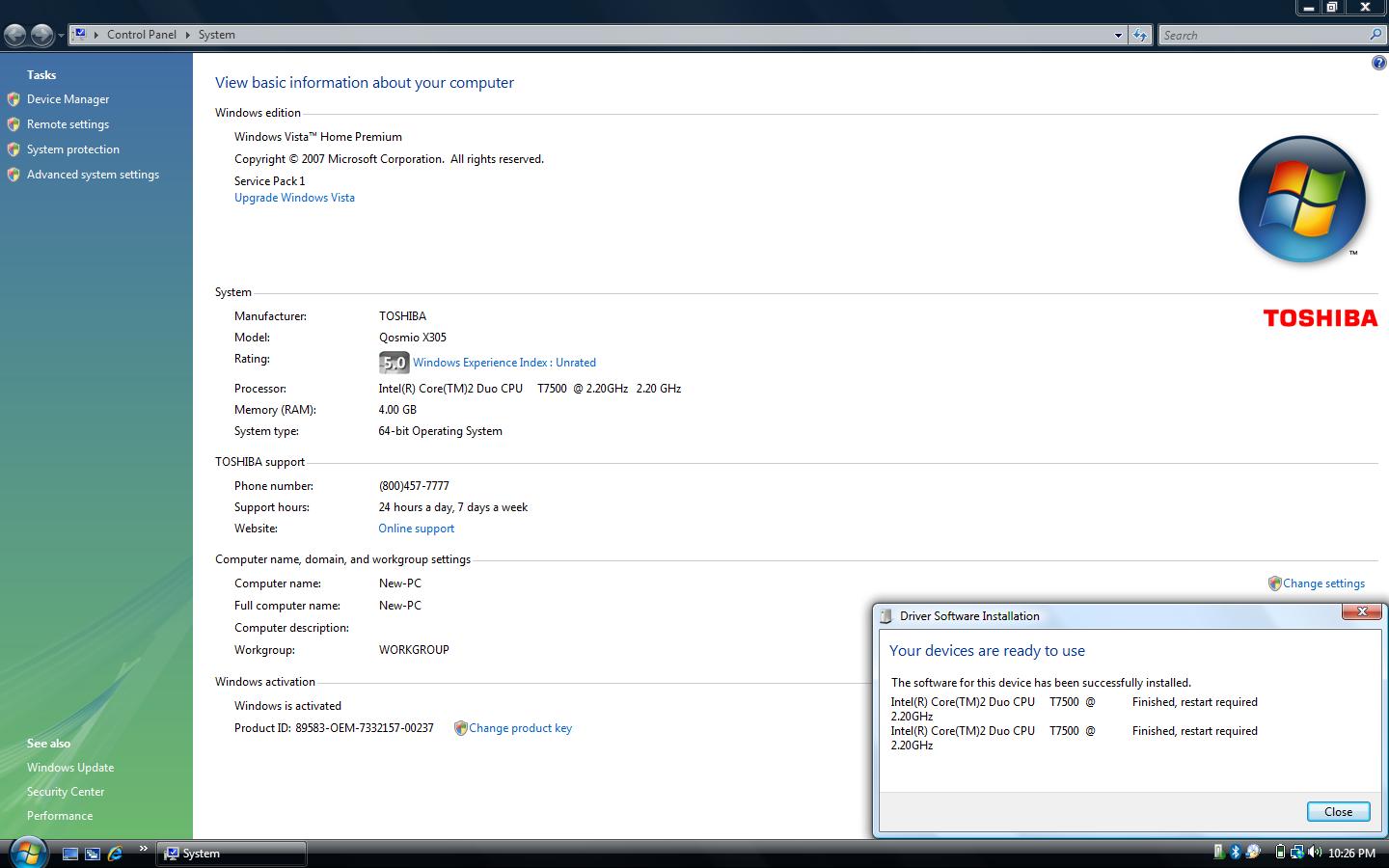
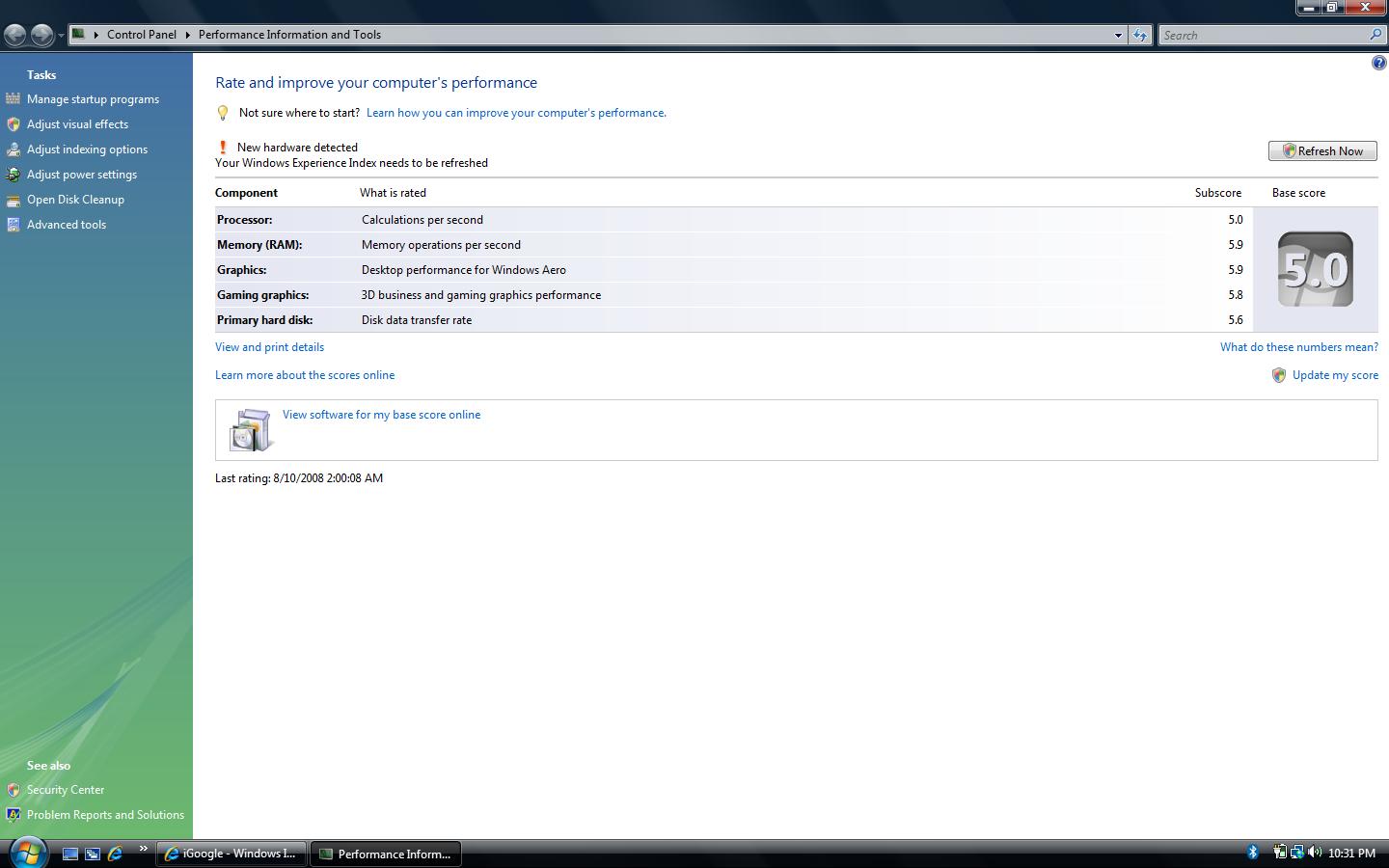
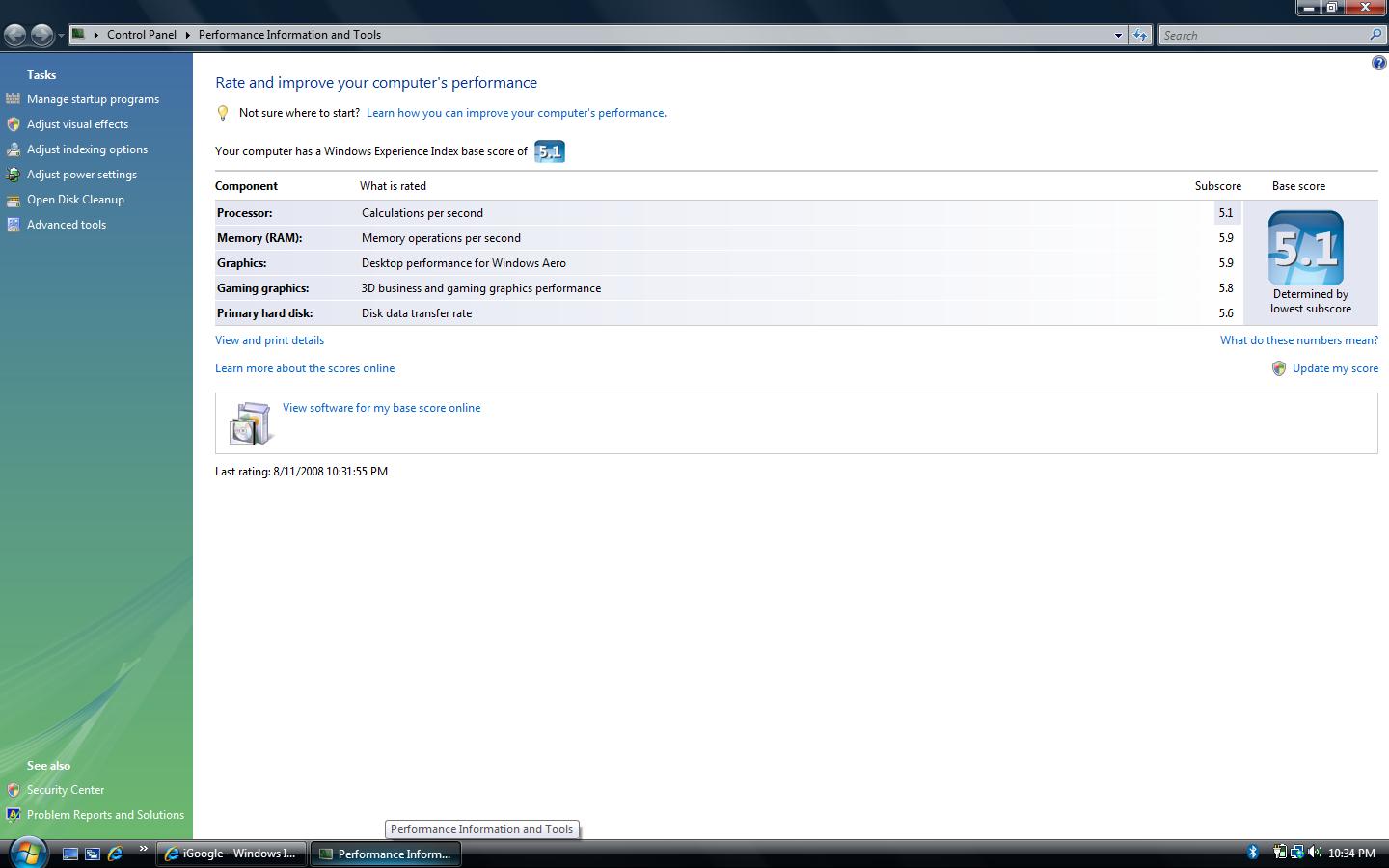
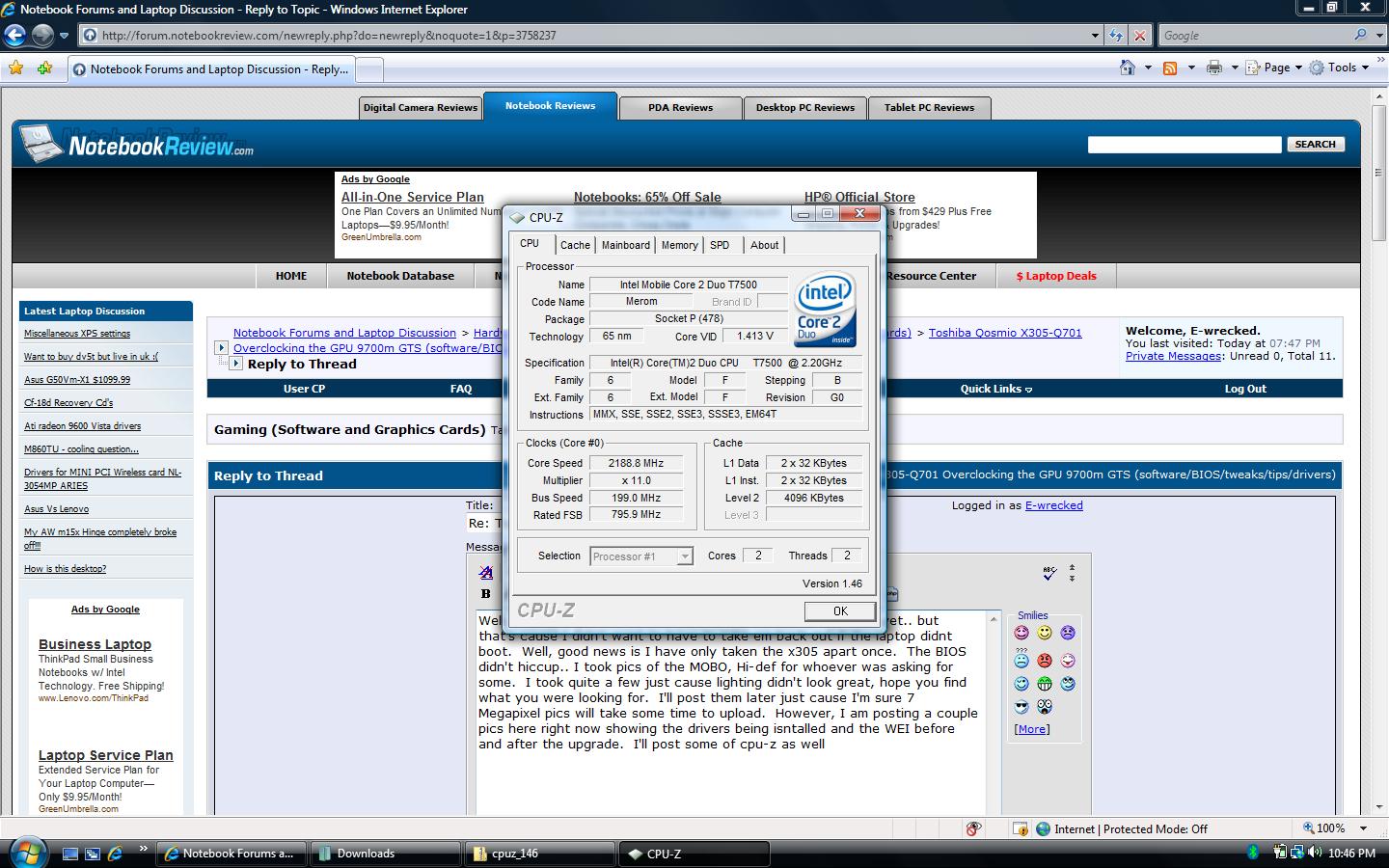
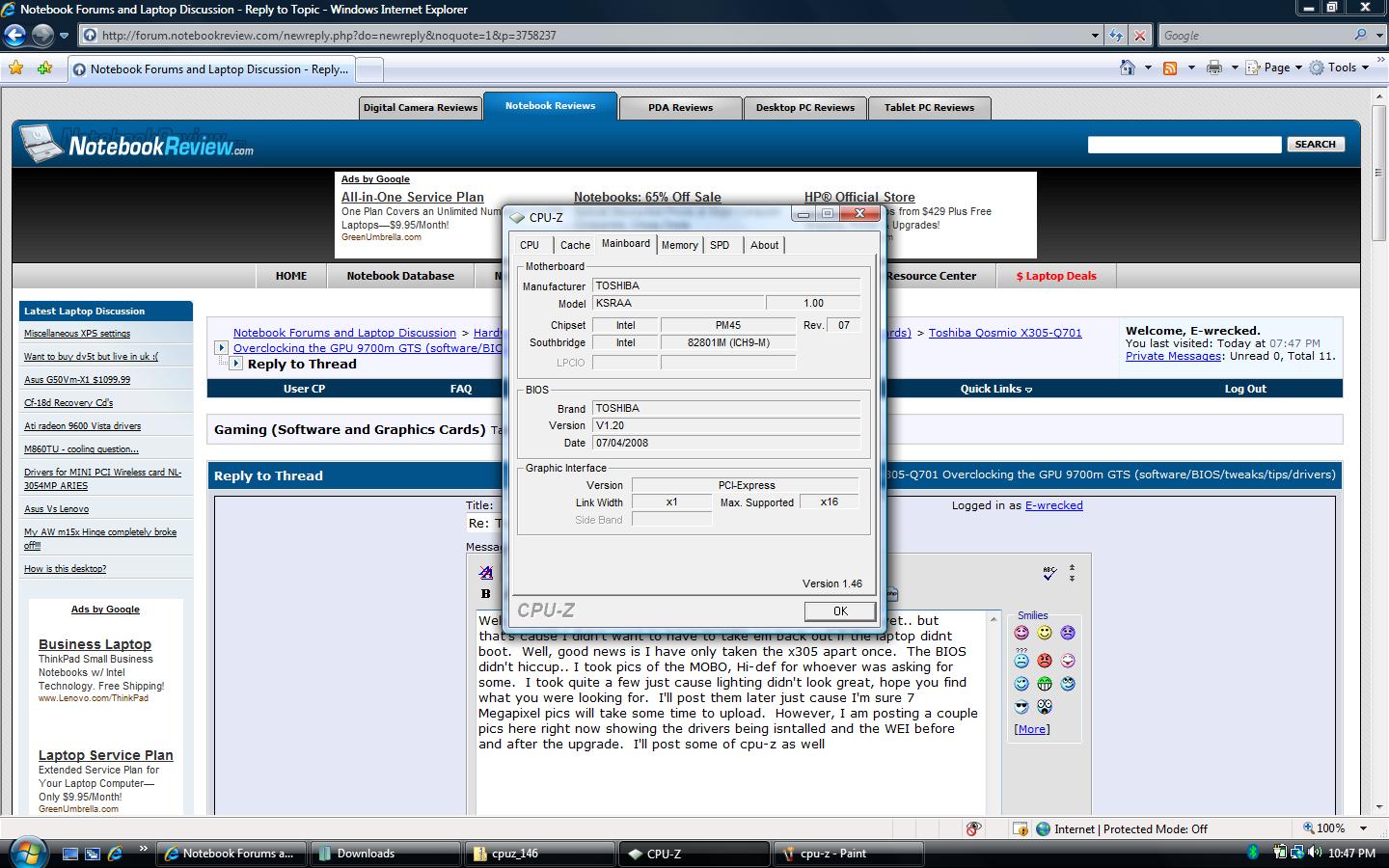
Well, I haven't put the screws back in the bottom of the case yet.. but that's cause I didn't want to have to take em back out if the laptop didnt boot. Well, good news is I have only taken the x305 apart once. The BIOS didn't hiccup.. I took pics of the MOBO, Hi-def for whoever was asking for some. I took quite a few just cause lighting didn't look great, hope you find what you were looking for. I'll post them later just cause I'm sure 7 Megapixel pics will take some time to upload. However, I am posting a couple pics here right now showing the drivers being isntalled and the WEI before and after the upgrade. I'll post some of cpu-z as well.
Well, I'm happy to be back! I just don't look forward to swapping the CPUs back to original setup. I'll likely order the CPU that I *want* for the Qosmio, and wait til it comes in to swap back out. Overall, the Toshiba is an easy breakdown..the HP sucked. I'll be happy to provide any benchmarks and what not..just let me know if ya have any questions.
For anyone who may not have been keeping up with the thread.. The Toshiba Qosmio which uses Intel's new Montevina Chipset with the 1066 Mhz FSB is compatible with the older Merom CPU and Satna Rosa chipset which has a 800 Mhz FSB. Swapped the stock p7350(Montevina) for a T7500(Santa Rosa) from my HP. Both socket P CPUs.. No BIOS problems, no heat issues(yet), and everything is 100% stable. To the best of my knowledge, this has not been tested with posted results until now.
Guess I can say it now, told ya so
Attached Files:
-
-
Nice. Congratulations. You're right.
And now to find out why the X9000 wouldn't work in the other Montevina chipset (M570TU).
How's the performance between the two anyway? T7500 vs P7350.
Oh, and +rep. -
Haven't done a whole lot of testing.. the t7500 is a stronger chip, larger cache and such. But, it's an old architecture so isn't likely as efficient. I posted the WEI(just cause it's quick), went from 5.0 to 5.1 with the swap. All other scores same.. I did notice that Vista booted a little bit quicker with first restart. The lower FSB probably negates any cache difference or clock difference.
-
I'll update if I ever get any information about the X9000 in the M570TU chipset.
Might be a bios issue. Which HP did you dismantle?
Toshiba Qosmio X305-Q701 Overclocking the GPU 9700m GTS (software/BIOS/tweaks/tips/drivers)
Discussion in 'Gaming (Software and Graphics Cards)' started by E-wrecked, Aug 10, 2008.