 Problems? See this thread at archive.org.
can you tell me where the vibrating is coming from ? the front back side ? where exactly ?
-
-
If it's sitting on a flat surface there's an audible low toned vibration. It's a vibration you can feel and hear, makes me grit my teeth after a while. It's coming from the left middle underside. If I lift up the laptop, no vibration. If I press down on the laptop (from top side) anywhere on the left side the vibration stops/mutes it. If I press on the right edge/right edge bottom corner it's still vibrating so it's definitely from the left side. If I lift up the laptop and kind of press it near those vents on the underside it kind of vibrates. So whatever is causing it is near the vent.
-
seems like something is scratching the fan and i know exactly why its happening. I'm not home to show you now but i will show you later cause iv seen something and im pretty sure i know where its coming from. it even caught my attention
-
Hey guys I finally can play bf4 after I update my nvida driver manually. And I tried to run it on all ultra. It's totally palyable!!!!!!!!! But I recommend turn off anti-aliasing deferred. But even if u turn on anti-aliasing deferred to 4x it still work well.
-
I am in the same boat. It does seem like the Dell XPS 15 is much more expensive than this machine. Curious to hear what people think.
-
I have similar temperatures. If turn on ultra boost mode it'll go even higher. I think it's normal though. My last laptop which has 2630QM gets to 100 C when doing gaming or rendering work, and it works pretty stable for the past two and half years, not giving any BSOD due to overheating. I suppose 4700HQ can survive too.
-
Looking back at some of the photos that were previously posted I'm not entirely sure that the laptop was repasted at all. Only one of my warranty stickers was moved around and the paste pads look identical, unless they only did the CPU/GPU.
-
How to rum game by using NVIDA 765m? I tried to set the global settings in nvidia control panel. But my battlefield 4 still run in intel 4600 sometime. And I also go to program settings and change it. Even if I right click and let it run with nvida it still run at intel 4600 sometime.
-
@misera did you end up trying my method and did it help ? If not check this. Open your ram cover and look at this screw, if it's tight and touching the motherboard then that's why it's happening
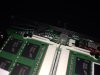 it shouldn't be right on the motherboard
-
I unscrewed the whole backing and folded up pieces of napkins and put then under and on top of the harddrive so there was no part loose. Also have one wedged between the hd and the piece that separates the hd area and the OD area. Also taped a couple of pieces on the fan. Rescrewed everything and it's still buzzing though not at much. I did try tightening screws before I did all this and it didn't change the vibration. It is slightly less with all the padding I put in. Ghetto padding but whatever! Which screw are you referring to in that picture?..
One thing I noticed was the screw underneath the OD drive. That one goes right up against the touchpad. It was loose when I opened everything up and so I tightened it and put things back together and then I wasn't able to click at all anymore with my touchpad. So opened everything back up and adjusted it until it clicked as I wanted So for whoever has an issue with how the buttons click, check that screw. My touchpad is good to go now! It sits a bit above the hole though so there's a bit of a ledge.
-
I wish I saw pictures of your inside before you did all that lol, cause that should not really happy :/ I'm kinda pissed that you kept it...... No offence but that shouldn't be right, the only reason I know is the fan. Maybe the motor isn't lined up properly so it rotates on an uneven level.......
Get it checked before it makes things worse -
Hello,I have been following this thread almost 2 months and I am not sure if I should buy it or not.
I want to use it for gaming and school. Do you suggest this laptop? -
P25w
not as sleek as the 35k but a great machine none the less
Sent from my HTC One X using Tapatalk -
Just raid 0 my p35k today with two msata drives and I could say that even widows updates don't bother me anymore lol
And literally less than 8 seconds from complete shutdown to desktop.
My main games are on the msata so it took away all the loading times so I'm happy about that -
Hey all, I've been looking at this laptop for a bit too, especially since I can't get the Samsung ATIV Book 8 with the higher end ATI 8870 graphics card in the US. I primarily use it for photo and video editing (Lightroom, Photoshop, Premiere, and After Effects).
So my big question is this: Gigabyte said that the Full HD IPS has "up to 60% wide color gamut". Are they talking about sRGB color gamut or Adobe RGB? Has anyone used a Spyder 3/4 color calibrator or similar to calibrate the screen and what's the result that you're getting from that?
Thanks! -
Does anyone know what the button at the front on the right does?
In the manual it says 'Power Check Button' but it doesn't seem to do anything. -
haha, its for when the laptop is shut down you can check if there is battery or not, but you can only use it when the screen is open.
so turn of the computer or sleep mode whatever. then with the screen open press it.
:hi2: -
Thanks, opening the lid did the trick. :thumbsup:
I'm used to just closing it for standby but that's a nice feature! -
Thanks Gentech from Russia, all come in the best shape )
-
Anybody having issues with the smart switch? Sometimes when I hit power down it just restarts my computer. I might just uninstall it since it doesn't really seem that helpful.
-
I too would be very interested with above results ie which gamut does the "60%" belong to, as also am considering the Ative Book 8 and P35K. Mostly for Lightroom & Photoshop work also.
If anyone using P35K for Adobe Lightroom could share their experience would be appreciated.
Also, P35K has RGB and HDMI connectors, does anyone know if we can drive two external monitor simultaneously with this? or would need 3rd party USB3->HDMI adapters?
If we can drive two monitors at same time, can we have them at different resolutions, ie, ideally would like HDMI(at highest resolution) for Lightroom image editing work, and second monitor just normal resolution for email/web browsing.
Thanks
-
So I finally ordered my P35K from XoticPC. I am very excited for a new laptop! Went with with the Samsung mSata 256GB as my primary, instead of the standard. I originally picked the Crucial, but they called me today saying it was backordered. So happy they did, since I didn't want to wait any longer. So far, very happy with XoticPC! I will keep everyone posted.
-
Hi,
I returned my XPS 15 Touch and say i'm impressed with the performance increase. My only issue now is the screen. After looking at the QHD+ screen for a week. This screen looks blury for some reason. How can I tell my my screen is really IPS or test the quality?
This is the one I purchased.
Newegg.com - GIGABYTE P35K-CF1 Intel Core i7 4700HQ(2.40GHz) 8GB Memory 750GB HDD 15.6" Notebook Windows 8 -
I returned my Dell XPS 15 Touch for the p35k. I can say that after using the XPS for 1 week I miss the sharpness of the screen. Right now my p35k's screen feels blurry. The reason I returned was due to the graphics card power. With the p35k I will be able to play games on much higher settings. Also the ability to have 2 msata's and 2 2.5" hard drives is great.
-
So I've been lurking here for the last 6 month or so and am about ready to pull the trigger on the P35K. However, I plan to only run Linux on the laptop. I was wondering if anyone has successfully booted an operating system with secure boot off? Also, I would be very greatful if anyone can try popping in an Ubuntu Live CD and tell me what happens.
Finally, if that Gentech PC guy is still lurking around here, what exactly is the Recovery DVD? Is it a full Windows installer or just some kind of PE environment?
Thanks in advance. -
Yes you can use VGA and HDMI with the Screen. Which is how i'm using mine the last few days.
-
Same here but it worked by itself !
-
Hello folks, I'm looking at P35K v/s XPS-15. I'll not be gaming at all - just need a dGPU for family image/video manipulation. My previous Asus G died due to heat issues (stupid Nvidia). Is there an easy way to "convert" 4700HQ to 4702Q (ala XPS) and similarly downgrade 765m to 750 or similar. Also, is there a way to add extra battery in lieu of DVD & 2nd HDD space?
Really wish there an option to get extra battery and lower powered CPU/GPU.
Anyway, thanks in advance for your reply. -
For those who currently own the p35k, do you guys have a very slight bulge in the middle of the keyboard around where the "J" and "K" are? The depth keys tend to feel different when typing, and it is somewhat uncomfortable.
-
It depends on the software you're using. Lightroom only uses CPU and photoshop generally only uses CPU unless you're using a couple of the specific features that actually utilize the GPU. Most encoding utilizes your CPU as well while rendering usually uses GPU. My guess is that you're not doing professional work so any of the 4th gen i7's should be fine. The superHD screen of the xps 15 is certainly a perk though. You cannot upgrade the CPU/GPU on the p35k because it's soldered on, but you can overclock both the cpu/gpu (I wouldn't recommend it). The 4702MQ is actually clocked slower than the 4700HQ, they're different TDP. You can't simply downgrade the GPU either. Again any laptop with an i7 will probably suffice for your needs, must make sure you get as much RAM as possible which will help with processing large files, but other than that just consider price. I would put my money towards a faster CPU, RAM, and a nice external monitor if you really want to be serious about photo editing.
It might just be paranoia but I also have some odd wavy flex in my keyboard as well. I think the problem is that there are screws on the bottom that hold the keyboard in. So the keyboard is pulled down more where the screws are in and flex in between. I agree that the keys are annoying spaced apart as well, if I didn't have large hands it would probably be much more uncomfortable. Also the trackpad always gets in the way. I'm also having an issue where if I actually brush the touchpad it trigger some auto-ctrl key function. It's very annoying when I'm typing because it'll go haywire. I'm not sure which settings to change in the touchpad software to fix this.Sourmango likes this. -
I have also run into another slight issue. Recently I have been playing battlefield 4 on the p35k and it runs very smoothly, but after a little while of playing it overheated and shut itself off. The chassis didn't feel very hot though. When I tried to reboot it went straight to BIOS, and after restarting from BIOS the laptop would only repeatedly go back to it. Eventually though, after a while, itll go back to booting regularly. I didnt have turbo boost on, the laptop was set to auto, and I was only playing on medium settings at 1920 x 1080. Do i need buy a laptop cooler? Or is the sudden shutdown the cause of a different problem?
-
Thank you! I am trying to lower my TDP hence wishing for 4702 - so is there a reliable way of underclocking/undervolting cpu/gpu to bring down the tdp and manage heat issues better? XPS suits my needs better - but the forum is full of people with bad experience on its quality.
-
I changed my mind about buying this laptop when I saw this post. If this laptop is really that bad designed for gaming then why gigabyte announces it like a gaming laptop . Also all the chassis and hardware problems......
-
Can anybody tell something about this? and what are "all the" chassis and hardware probs? really thinking of buying this notebook
-
There were some issues with the chassis bending and leaving a small mark during the first shipments of this laptop. I think that problem is now resolved. I've had this laptop for a couple of weeks now and I'm ok with it.
Pros: Thin, super thin
Performance is ok
Price is pretty good
Cons: Loud, when both fans are going max it's pretty loud, I wouldn't game anywhere you'd disturb someone.
QC issues, The left bottom cover and the aluminum cover of my laptop are slightly offset near the audio port which bothered me when I first got the laptop.
Runs hot, even with the thermal paste upgrade from GentechPC it still runs close to 90 degrees C, I pretty much will only game on my cooling mat.
Software, smartlaunch seemed nice but it is buggy as hell, removed it.
Trackpad, sucks, I get ghost ctrl-key if I even brush up against it, I have to use my mouse constantly.
Overall the buggy issues aren't really enough for me to return the laptop. I've carried it around in a messenger bag for a couple of weeks now with no problem. Aside from the Day 1 QC issues I haven't had any problems with it at all. It's nice to be able to carry it around during the day for schoolwork then go home and game on it with no problems. -
I just updated all the drivers including firmware and seems to be all fixed since i havent seen the laptop crash since last time. The laptop can be quite noisey, but overall it runs bf4 very smoothly.
-
thank you for the quick update - so it didnt happen again? any information about throttling?
-
Not sure about the throttling, I havent tried gaming on it without the ac adapter plugged in.
-
Hey guys, get the program throttlestop and underclock it from there it's simple
-
thanks for the information guys
seems like i have to get a p35k!
-
Just make sure, when it does arrive, that you update all your drivers... a lot of things went wrong before i actually went through and updated everything. Also, you should definitely get a mouse for it. The touchpad isn't very good at all. Otherwise enjoy!
-
thanks! will definitively tell you how it's going!
edit: ah and with driver updates you meant the ones from gigabyte site? -
I ordered two P35K-CF1's from Hutsady @ XoticPC two weeks ago, one with a custom skin and one with custom hardware. They both shipped yesterday. While I am not a gamer and cannot report the performance of gaming, I will report how well the system does with Photoshop, Win8 (gack!!! might roll one back to 7) and Linux as well as the new packaging vis a vie bent chassis and the additional packaging that XoticPC uses. Coming from a Thinkpad W520, the build differences will be tough to get past, but the hardware and the weight ROCK!!!
-
The HP Envy Touchsmart Quad is calling your name!
-
so got my p35k today, quite nice
everything works fine! it's just the fans, they are a little bit loud ^^ is there any option to reduce fan speed? or temp when to kick in? would be nice if any1 has a solution or hint! thanks
-
Choose stealth mode in smart manager. CPU freq will reduce to 1.5 GHz once the temp goes up. You'll lose some performance though, and even in this mode it is not that quiet. It'll be nice if there's some apps that can manually adjust the fan speed. Currently it seems to be too fast for just keeping a normal temperature.
-
I have a question: How 'bad' is the build quality on the P35K and where is it 'bad', and in relative terms how bad is the fan noise on idle / light duty - can anyone draw parallels to any 'name' notebooks?
I'm quite intrigued by this machine. But the only 'mainstream' review I can find for it is Cnet's and they keep calling the 765M 'entry level' and criticising it's performance while comparing it to machines twice+ the weight, and then on the other hand predictably in the Barbiebook Pro review fawns over the 750M's capabilities - so I can't trust anything in that travesty. -
Wow...well said. We really need a good review from someone who is more informed.
If only gigabyte could send a P35k to Anandtech.... -
Anandtech even did a 'first look' at the 34G, then never bothered to do a full review.
Sent from my Nexus 4 using Tapatalk 4 -
As long as Anand doesn't do it (he's basically Cnet/Verge/etc now, but with better graphs) I'd be fine with that. In either case unless the machine's 'exciting' or Apple he farms it out to other more apparently objective guys so I guess we should be OK.
new Gigabyte P35K
Discussion in 'Gigabyte and Aorus' started by [-Mac-], Jun 2, 2013.


