 Problems? See this thread at archive.org.
Okay, after messing around a little, I got it to 245mb read and 160mb write
Paid $180 for a 128gb SSD and Im very happy. I know its not the best/fastest SSD, but it works good enough for me. Great bang for the buck.
My programs start almost instantly. Its awesome haha
-
I started ASSSD and aborted right after.
As u can see still 31K BAD

-
Use the CrystalDiskInfo to check the status of your SSD first
-
Ok will do so.Tx
My guess is that my SAMSUNG does not support TRIM. -
TRIM doesn't affect the alingment though...
-
I did but looks strange like some datae does not show such as HEALTH
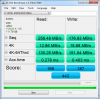
-
I am not sure if it's the PATA interface responsible or that this SSD is not supported.
In any case if a clean Windows 7 install doesn't help with the alignment you can try my way that will use a 64K cluster size. There is link at the same post in order to check after the installation the alignment
http://forum.notebookreview.com/ali...ssd-tips-tricks-benchmarks-4.html#post6193783
You don't have to do the secure erase -
That's my DISK C: SSD

I will read your post. -
@alignment issue
Hey. I installed Windows 7 and my drive wasn't aligned. Don't ask why; asked the same thing myself fifty times when I accidentally wiped my drive and the image restore didn't work, LOL.
If you don't mind losing the 100MB recovery partition, there is a guide floating around this subforum. Uses GParted and will certainly align the drive without losing any data.
@Dude who just bought the Samsung with the ..15... firmware
Google PM800 TRIM Samsung Alienware. Should bring up a thread here...try there. If still no luck..........maybe it's one of the older ones that can't be upgraded?
But, my drive (which is a Samsung 256GB with TRIM) had some write degradation, but I barely noticed my writes dropping to 15MB/s from 165MB/s. Performing a Secure Erase helped, but it only felt a bit snappier. I don't do much, though, lol.
-
I was on VISTA 32 and it was with the same problem as in W7 >>
-
Oh, OK.
So, it's still 31K-BAD with W7, too? Align it with the guide that's here somewhere if you want.
~Ibrahim~ -
Ball park idea if not asking to much about in which page
edit.: never mind I found it.
-
Even if TRIM is not working you can use the SSD. You just may loose some performance down the road.
Follow this advice to get TRIM working:
-
Thanks to Phil for advice i got a refund in full from ebay i paid £295.00 for the 256gb SSD which was cheap but after reading about the problems with the firmware (VBM15D1Q) i decided to talk to seller who refunded me, I have however signed the petition here regarding Dell to allow the firmware to be updated.
-
How did You get your write speeds back?
If You are using guide in my signature, I can't guarantee that it will work with Windows Vista or 7. -
I followed this guide.
I also took out my regular HDD and put the SSD in the slot the HDD normally was. I dont know if that did anything though lol. -
It worked on my Win7 installation.
Albeit, there was some frustration on my part after I removed the 100MB recovery partition, but no real loss in retrospect. -
Just wanted to say thanks to those of you who said to do a clean install of windows instead of cloning the drive. Works great. I called Kingston, and even they admitted that the cloning software that is in their cloning bundle sucks.
Does anyone know of software(free) that I can download to keep this SSD humming along? I heard that there are programs that keep the speed of the drive up and in general helps the drive.(This is hear say, I don't know if it's true/works.)
Thanks. -
I think the V+ is TRIM enabled, so you don't have to do anything to maintain performance.
-
The drive is pretty much self sufficient although keeping n eye on its performance is beneficial. You can make sure certain services are shut down such as defrag as well as System restore which has been found to be not so good for many systems.
-
My guide is based on those steps.
BTW: If You look at the end of first post You'll find same link. -
Hey guys I have an Intel 160gb SSD and did a fresh reformat...how do I know if I am running TRIM? OS is Win 7 Ultimate btw
-
Download the intel toolbox.
-
Agree on Intel Toolbox - if simply want to check if Trim is running - download CrytstalDiskInfo. Once installed will provide several data points on your drive (including Trim).
-
Just got my Intel X-25V 40GB. HDTune looks decent although some people get 224 MB/sec reads.
![[IMG]](images/storyImages/HDTune_Benchmark_INTEL_SSDSA2M040G2.png)
Do I need to do or install anything?
Does anyone know a good guide on how to make Windows 7 smaller after installing it? -
CrystalDiskInfo will tell if SSD supports TRIM or not, but won't know if TRIM is actually working on Your system.
-
Thanks, according to Crystal TRIM is supported.
Are the normal drivers Windows 7 installs good enough or should I install something else? -
With Win 7 drivers it should work, but for me it didn't.
-
Hey Phil. It seems that the default driver that Windows 7 installs will give you better performance.
Here's a link to another thread where i detail how i recently discovered that.
having said that, in case you have the x25-m ssd, i'd really appreciate a crystaldisk benchmark results of your drive to compare with mine.
Thanks! -
I have the 40GB X-25V. I just installed HP's Intel(R) ICH9M-E/M SATA AHCI driver.
Seems like HDTune max. read went up 2 MB/sec.
I'll run some CrystalMark later.
PS. as you probably know your 80GB should be faster. -
Reinstalled W7 and followed ur guide.
Here are the results
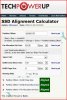
Right now I am doing all the updates/installing my stuff and will run ASSSD again to see what I got.Will report back -
At least you got it aligned
-
Yes that's great >>
I wonder why on my 1st Clean Install W7 didn't do the alignment???
Is it supposed to be this way
-
No it wasn't supposed to be that way. On a clean windows 7 install, if you delete the existing partitions on the disk, create an unallocated space and then select that space to create a new partition then it should be aligned. The procedure you followed does that plus the change of the cluster size.
-
Ok got it.Thanks for all the info and help.+1
-
Thanks, glad I could help.
-
Which is the better, more reliable drive... Vertex 2 or Vertex LE ?
-
SF 1200 vs SF 1500
I am not aware of any statistics concerning each controller's reliability or failure rates but I would go with the Vertex 2 (personal preference) -
And just to confirm it,although I didn't run it as yet it's too late and gotta get
up early to work,this is the new ASSSD after alignment

No more 31K BADS
-
Thanks. I was leaning that way, not sure why. I figure because they have sold more of these maybe.
OK, weird. I see TWO Vertex 2 's on New Egg. 100 GB version and a 120GB version, both called Vertex 2.
Is the 100GB the newer version with more empty space for future speed? -
@Cape Consultant
Out of curiosity, what makes you think getting a Vertex 2/LE so soon? Have you found one good deal?
Still on the fence between OWC Pro and OCZ Vertex 2. (already on the 3rd week)
-
Ive just purchased two Vertex 2 drives. Both are 240GB.
One will be replacing my current standard 5400rpm drive in my MacBook Pro 13" - I will create a video of the speed difference etc.
The second drive? Well i dont know why I purchased the second drive TBH!! It was on offer so I went for two thinking I would get rid of the disc drive in my MBP, and raid both drives together. But now Im having second thoughts!
Since I purchased on offer I cant return it either.
So if anyone is in the market for a 240GB Vertex 2 drive, give me a shout as I'll have a brand new unused one spare in a couple of days! I'll let it go if I get a decent offer......keep an eye out on the selling section here, as if I do decide not to RAID I'll put it up for sale there (will leave it new and sealed etc) at a lower price then retail
-
Any more opinions on the Intel ICH9 driver vs. the standard MS ACHI driver?
Performance wise there's very little between them.
Please make an in the Marketplace forum.
And how much $ were you thinking of? -
Sorry I will do. I havent received the drive yet so I cant take a pic with my name next to it for verification etc - which is why I havent listed it in the marketplace yet. I want to wait until I have it in my hand and can take pics etc.
Ive created a price check thread for it here....
Its £590 new, so Im assuming I should get around the £530 mark considering its still new and sealed etc?
Anyways, will not talk about it any further here, since I dont want to de-rail this thread!
Once I receive the drives, I will be installing mine, and I'll create a video of the difference in boot up times etc on my MacBook pro, along with my initial thoughts etc
-
I did a lot of benchmarking between the default MS driver vs. the Intel ICH 9 driver.
The only benchmark that shows a clear difference is the HD Tune Pro random acces time benchmarks.
Microsoft standaard ACHI driver
![[IMG]](images/storyImages/ms09-June-2010_11-38.png)
Intel ICH 9
![[IMG]](images/storyImages/Intel09-June-2010_11-41.png)
I've ran it several times. Intel has way more IOPS with random files sizes. -
I have a silly question - I read benchmarking on SSDs is not very healthy for the drive? Is this correct?
If not, does anyone know of any basic programs I can use on the MAC to test my new SSD when its installed? -
Xbench.
I wouldn't worry about running the occasional benchmark. -
@Phil
I would like to request if you can run ATTO bench test with MS AHCI driver?
Thanks! -
No sorry. I won't go back to the MS driver. When I did a roll back yesterday my OS got messed up and had to do a system restore.
I did a clean install after that. I'm happy with the Intel driver now.
SSD Thread (Benchmarks, Brands, News, and Advice)
Discussion in 'Hardware Components and Aftermarket Upgrades' started by Greg, Oct 29, 2009.


