 Problems? See this thread at archive.org.
@Starlight5 Do you know any other choices for the 42mm SATA III m.2 SSD larger than or equal to 500Gb? I found you were looking for one recently. I am also interested in buying one in a couple of months maybe. Hopefully there will be cheaper ones after the CES 2016 event. Thanks.
-
@i2000s it seems there are only ZTC Armor 512GB and Transcend MTS400 512GB; the former just expensive, the latter - ridiculously expensive.
-
Then what was your final choice? I have seen a lot of predictions that the price of SSD will be on parity with HDD in 2016. So, maybe by the end of this year, you can buy 1Tb SSD in ~$100. If this is going to be true, buying a relatively cheap (~$100) 256Gb m.2 SSD could be a good choice for later updates. You think so?
BTW, I am waiting for the Thinkpad Yoga 460 to come out for this upgrade. -
I'd say price parity is unlikely this year.
-
@i2000s I'm awaiting an m.2 to sata adapter to confirm m.2 b-keyed slot on my T734 is fully functional. I am also considering modding my machine accommodate larger m.2 drive, or another mSATA drive.
I believe one should always get the biggest capacity he can afford - and 256GB is not quite enough. Smaller drives become obsolete very soon - because of their size - and unless you have a behemoth capable of taking many on board, I strongly suggest getting a larger drive.
By the way, how does one determine if the drive is self-encrypting, if datasheet or any other technical information, except controller type, is not available? If drive shows the same results in CrystalDiskMark after activating BitLocker, is it safe to assume it is self-encrypting? -
Drive hardware accelerated encryption is not supported in Windows 7, so there is like a 7-10% penalty hit. I think it is a 1-3% hit in Windows 8 and 10 since they can use the hardware encryption engine on the drive.Starlight5 likes this.
-
@Raidriar I use 8.1 & 10.
-
Then I believe you should have hardware accelerated encryption. It should automatically encrypt/take advantage of it.
-
@Starlight5 Sorry, forgot to mention, I was thinking of the Lenovo Thinkpad Yoga 460 computer which can have a 1Tb 2.5'' HDD (can be upgraded to SSD later) and a separated m.2 SSD card. I found you were talking about a similar configuration for upgrading. My thought on this is just to upgrade the m.2 SSD to 256Gb for Windows 10 and a Linux OS as well as some apps. All data files go to the 2.5'' disk. This seems sufficient in terms of space and balanced in terms of cost and performance.
And you know what? The Transcend 512Gb m.2 SSD card just went off $50 to reach $262 this morning, though it is still expensive! http://www.amazon.com/gp/product/B0...rd_t=36701&pf_rd_p=2079475242&pf_rd_i=desktop
@alexhawker How much do you expect the price of SSD can go down this year? 30%? Now the price of SSD is about a little more than twice of HDD per unit capacity.Last edited: Jan 8, 2016Starlight5 likes this. -
@i2000s 512GB ZTC Armor costs $190. Once you buy a convertible, you will immediately want to remove all mechanical drives from it, believe me. The noisy vibrating abominations hit battery life - and user's nerves when moving the device around. =) Yoga 460 is great choice, btw. Also, 2.5" Sandisk Ultra II 960GB can be had for $260. It's TLC and lacks hardware encryption, though.
Last edited: Jan 8, 2016i2000s likes this. -
@Starlight5 Thank you, I will consider your suggestion once my new computer arrives.
-
If a 256GB drive is ~$100 now, and 1TB ~$300, I don't see $100 1 TB SSDs by the end of the year.Starlight5 likes this.
-
The OCZ Technology RevoDrive 400 1 TB is the first M.2 drive in a 1TB capacity.
(Not that I would trust OCZ with any of my devices though...).
Quote from:
http://www.tomshardware.com/picturestory/702-3-consumer-electronics-show-2016-awards.html -
Whelp might as well add these benchmarks here.
They're for the 512GB ZTC 42mm M.2 SSD: http://tinyurl.com/h52jwrv
Woah that's a mouthfull haha
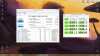
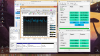 Starlight5 likes this.
 -
Those 'scores' seem abysmal - especially the writes - for an M.2 SSD. The AS SSD score is also suspect (599).
But ty for sharing.
LanceAvion likes this. -
Haha t'is true to be sure, but unfortunately this is the largest capacity 42mm M.2 on the market at the moment. I tried using an m.2 to mSATA adapter prior to getting the ZTC, but it turns out I didn't have enough clearance. Better than wasting a slot I say, and it's fast enough as an OS drive for general usage so there's that.
Just for fun here are the same benchmarks on my 1TB 850 EVO mSATA, which is currently installed via an mSATA to 2.5" adapter. As you can see it's a faster drive than the ZTC, but it has terrible overheating issues. It reached that temperature from an idle of around 37C due to the benchmarks. Perhaps it's a good thing I didn't install the mSATA into that tiny m.2 slot after all.
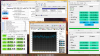 Starlight5 likes this.
 -
See:
http://www.anandtech.com/show/9023/the-samsung-ssd-850-evo-msata-m2-review/2
Has your 1TB mSATA 850 EVO firmware been updated to correct the issue above? It seems that it is more than just an throttling issue...
M.2 and mSATA are great for little office computers (NUC's) and such (with proper cooling pads/design).
They offer nothing over standard 2.5" SATA3 SSD's when sustained performance, price and capacity are important (equally).
This is exactly why out of touch with the real world synthetic 'benchmarking' is not the way to a faster system.
A faster system is simply... carefully putting together components that offer more (sustained, over time) productivity benefits than the previous system setup it is compared to. It is either faster, slower or the same. Next! (Move on to another/different component depending on the outcome observed.
Yeah; I understand that if that is all you have available on a platform you will need to do the best you can.
But... when/if I would be initially testing that platform... it would have been returned for that massive fail right there (only M.2 and/or mSATA storage subsystem connections).
-
Hmmm good question, I have no idea if my mSATA has that issue or not. I have not noticed any stuttering or freezing during usage, even when used as an OS drive. That said, the longest sustained activity I perform on the mSATA is loading games from it, which I doubt is as intensive as these tests.
Oh and as for my laptop, it supports 2.5" SSDs. In total it has 1 M.2 slot (42mm) and 2 standard 2.5" bays (one of those uses the ultrabay). At the moment, however I have my second GPU installed in the ultrabay. That leaves me just the one 2.5" bay, in which I installed the mSATA via adapter. I did that because it was cheaper buying the adapter (I already had the mSATA) vs buying a 2.5" 1TB SSD. -
If you haven't updated the firmware on it (if a new one is available...) it has that issue...
With your setup, I would recommend selling the mSATA 1TB 850 EVO and buying a 2.5" SATA SSD instead (even if just the 850 EVO 2.5" equivalent - but I would be leaning towards the SanDisk Extreme Pro myself).
Getting 40% of the performance of a 'real' SSD is not a good use of your $$$ - and I doubt that you saved that much (60%) by buying the mSATA adaptor vs. buying a proper 2.5" SSD?
Your call, of course, but your overall performance is closer to HDD levels than 2015 SSD levels, imo.
-
Interesting write results. They are on a slower side. I wonder if its just due to firmware.
-
I personally don't consider 61C during heavy writing (as when benchmarking) to be terrible heating. It's the upper 60's and 70's that would worry me. My 840 EVO mSATA 1TB will soon be 2 years old and still appears to be running OK although not quite as fast as your 850 EVO. It also reaches around 60C under benchmarking. SSDs with lower write speeds could well run cooler.
John -
Hmm not necessarily, since I purchased the SSD over a month after that article was published. That said I suppose I won't know until I check the firmware against what they used.
As for performance, I doubt the mSATA has merely 40% of the performance of any 2.5" SSD, they are both limited by the SATA interface. There's no way any 2.5" SSD as read/write speeds of around 1300mbps. That's PCI M.2 speeds. If you're referring to sustained performance, then that's another matter entirely, but I'd like to see proof of that. That said, compared to your SSD of choice (the SanDisk Extreme Pro) I saved over 96% buying the adapter. I'd say that was worth it even at a hypothetical 40% performance haha
Oh and trust me, both of these SSDs are far superior to both 5400 and 7200RPM HDDs you'd find in laptops.
Interesting. Out of curiosity does anyone know how hot the equivalent 2.5" drives get under load?Starlight5 likes this. -
Just checked Samsung downloads for you; no firmware at all for any 850 series drives; your copy has that issue.
It has just over 40% of the Steady State 4K Random Write performance (see the graphs in the link I provided).
And less than 17% of the Steady State 4K Random Write consistency of the 850 EVO 1TB 2.5" version.
1300MB/s speeds? Don't believe in the marketing BS...
Now your doubts are gone (as should this SSD be from your system).
No doubt they seem better than 5400/7200 RPM HDD's... but that is like saying an 1995 Yugo is an upgrade from a bicycle (we'd be agreeing on that too...).
You didn't save 96% over the SEP... you didn't take into consideration how much you could sell the mSATA for...
And again; the performance would be a 60% gain (actually; more than double of where you are now...)...
As for the 2.5" SSD's temps... doesn't matter how hot something gets; what matters is how efficiently and effectively that heat is carried away. 2.5" drives are leaps and bounds better than almost any bare-assed chip/nand/processor tiny card that claims to be an SSD. Better in thermal balance/design, better in associated nand/processor/channels/firmware and better in the only 'benchmark' that matters; sustained productivity over time (without contributing to throttling themselves or the components they share the platform with).
This is not a small issue to be aware of/fix.
But late is better than never.
-
Ah I see. My focus was on the Read/Write speeds of mSATA vs. the M.2 form factor. That said forgot my ignorance, but what exactly does 4K performance of a drive entail VS the Sequential performance? I always put more focus on the Sequential Read/Write speeds as I assume they were more evident of general usage speeds. Of course that could just be a poor assumption. As of now, all I use the mSATA for is the installation of games and as storage for a majority of my files. The 2.5" SSD would be doing the same thing if I purchased one.
Hmm I suppose I could sell the mSATA, if the increased 4K performance of the 2.5" drive justifies that. I've just never considered it. -
Sequential R/W speeds are nice; but they do not solely define performance of storage subsystems.
You'll read around the web that there are 'four corners' of SSD performance - that too is bs (when each 'corner' is tested in isolation).
See:
http://www.hardocp.com/article/2013/06/05/sandisk_240_gb_extreme_ii_ssd_review/8#.Vplpbmb2Z9A
Look at the last graph on that page. The SanDisk Extreme II is in a class of it's own above QD2 when simulating concurrent R/W's like a real workflow presents an storage subsystem. Especially important to see that concurrent R?W workflow after the SSD reaches Steady State too.
Too bad that kind of SSD testing is being ignored by all online rags today...
But the SanDisk Extreme Pro 480GB or larger w/30% OP'ing or more is still the king of the SSD's for mobile platforms.
See:
http://www.tomshardware.com/reviews/ssd-recommendation-benchmark,3269.html
See:
http://www.anandtech.com/show/8170/sandisk-extreme-pro-240gb-480gb-960gb-review
In the anandtech review; the title says it all; "SanDisk Extreme Pro SSD (240GB, 480GB & 960GB) Review: The Fastest Just Got Faster".
And nothing has changed in 2.5" SSD land from the above assessments of not only the SEP, but also any other drive in relation to it either.
SSD's can be (and actually are...) optimized to run a (single) workload in a very optimized fashion (Samsung, OCZ, etc.... i.e. manufacturers looking to put the biggest numbers on their retail boxes). Finding ones that are meant to run actual real world workflows at the fastest possible speed are few and far between (Intel, SanDisk, Crucial).
Sustained performance over time after reaching 'steady state' (all nand pages have been written to) and a concurrent mixture of reads and writes at QD's up to ~8 for most personal workstation class workloads is the metric that counts the most for a 'performance' oriented storage subsystem. It is the culmination of the hardware's strengths, the firmware's prowess and tuning, the physical design and layout (with regards to heat dissipation/channel number and interleaving benefits, etc.) and price that combines to give us something better than just the sum of the parts.
If you chase after any other single metric you may have bragging rights with individual BM 'scores', but that elusive 'productivity' that real performance gains offer will be sadly missing from your platform.
Even with your usage pattern of your mSATA, I would be inclined to believe that performance is not optimal.
As an example; any mobile platform with an SSD + HDD setup feels much slower than a pure SSD setup in simply navigating the O/S to me.
With an mSATA SSD that is leaving so much performance on the table, I can believe it would slow the system down enough for me to care to change it (I'm very sensitive to how responsive a platform feels). YMMV, of course.
And if all you're doing is playing games... getting even twice the performance out of your storage subsystem may not give you one iota of higher FPS rates... As can be evidenced from gaming on a properly optimized HDD platform vs. a pure SSD one.
Good luck.
dzedi likes this. -
Sorry for interrupting the discussion above. We were talking about the ZTC 512 GB m.2 SSD earlier. Here is another benchmark data involving a 128GB ZTC m.2 SSD from spiff72: http://forum.tabletpcreview.com/threads/new-skylake-thinkpad-yoga-260-460.67477/page-129#post-463795
-
YEOW!!! Just how long was the other one??? This one is 1103 Pages long! :0
Anyways, 1103 is too long to go through each one of them... so how about this question:
What do you think about Creating a Ram Disk and moving your Temp files and Windows Caches to it? To save wear and tear on the SSD. Ram is faster than SSD. I got that off this article:
http://www.techradar.com/us/news/co...s-to-optimise-your-drive-s-performance-943984 -
You're linking to an half decade old article?
Save wear and tear on an SSD? Today? With SSD's half a TB and larger? No.
Short version:
RAM may be faster, but caching isn't. Let Windows (preferably Win10x64Pro) do it's own caching as it sees fit. Faster, more reliable and more robust than any third party effort for workstation type workflows.
Yeah, for (very) specific workloads, an RAM cache is faster, but real world productivity software? Waste of time. Just like RAID0 for most workflows too (overall).
When you have enough RAM (greater than 32GB...) to use as a RAM cache - Windows will use it better and more reliably.
As for saving wear and tear on an SSD? Lol... that issue was 'solved' for almost any actual productivity workflow you can throw at an SSD (non-enterprise) with 33% OP'ing or more.
If you need a faster responding system; upgrading the storage subsystem above a good/great SSD that is setup correctly (2.5" SanDisk Extreme Pro 960GB OP'd to 33% or more) is wasted effort.
Instead, buy the most current platform available with the most potent i7 QC full voltage chip and max out that platform with the best RAM you can afford at the capacity it allows... and let Windows 10 x64 Pro run it too.
Tweaking and optimizing your O/S with archaic articles such as the link provided is at best a sideways move, not an upgrade in performance in any sense of the word.
Regardless of what synthetic BM's like AS SSD, CrystalDiskMark and other mostly useless 'scores' might suggest. Useless, because any differences they may show between different setups are not (NOT) reflected in real world use in real world workflows.
Take care.
jack53 likes this. -
Thanks for the reply.. I will leave well enough along. Seems plenty fast anyways.
tilleroftheearth likes this. -
What about Sandisk Cloudspeed Ascend, the 960GB model in particular? Can't find much about it. I believe even if it doesn't support hardware encryption, performance hit when using Bitlocker won't be noticeable, am I right?
-
See:
http://www.tomsitpro.com/articles/seagate-nvme-ssd-ocp-pcie,1-3193.html
Micron nand, 10GBps speeds, will come in both PCIe 3.0 x8 and x16 connectivity, even it this is 'just' for read speeds; still welcome performance to those that have the servers to house it (x16 connectivity required for max 10GBps speeds).
The bad? Not only is this Seagate, it is also SandForce based (OCZ anyone) controller technology (along with compression of data and most likely 'duracrap' tech to protect the drive from itself (and the performance it promises) too.
I hope these high end enterprise drives prove to be better than everything SF has offered before...
Seagate and SF. A combination that does not instill confidence in me. -
Hi, my SSD has higher temperature(40C) compared to my HDD(34C) when the CPU is idling. Is this normal? I'm quite worry about this as I have seen most of the SSD running at a much lower temperature.
My SSD is Samsung Evo 850 M.2 250GB, and I have my OS installed in it too. -
I think a lot of it depends on WHERE your SSD and HDD are located in the laptop - some parts of the laptop are naturally hotter than other areas. For instance I have two SSD's in my laptop, and as I sit here typing this message my boot drive is at 37 degC and my data drive is at 28 degC (room temperature 21.5 degC). Your temperatures of 40 degC and 34 degC seem completely normal to me, and only 6 degC difference in temperature between the two of them.TomJGX likes this.
-
Oh I see, pretty much relieve myself now. Thank you for your quick response.
-
No prob!
-
Is the Crucial BX200 replacing the MX200? It seems they are phasing out the MX200 and have no mid-tier replacement for it. Will they only have the budget BX series now?
Or maybe they will announce the replacement soon. I noticed they announced the M500 in Jan 2013 and the M550 in March 2014. They announced the MX200 in Jan 2015, so it's about time now for them to announce the replacement.Last edited: Mar 22, 2016 -
The BX200 is junk compared to both the MX200 and the BX100. It is no replacement for either.
If a product works well, a replacement isn't needed just because 'its time'.
TomJGX likes this. -
Agreed, the BX series are absolute junk.. The MX series was ok.. The BX200 isn't an option for me at least..
-
actually the bx100 is excellent its the bx200 that is crappy.
I even have sort of the aftermarket similar parts version of the bx100 called the mushkin reactor. it has the same nand and controller but not the slc caches and firmware( compatible with crucial executive)
even so the bx100 is a lot better. Its really not a budget version at all. the reactor is the budget version. Ive owned both now.
I own the mx200 also. its great. Its not significantly different than the bx100 it has a marvell controller. theres reason to believe this might make it last shorter
all three of those driver are 16 nm crucial planar mlc
the bx200 might be replacing t he bx100 but if you can find a bx100 grab it. and the mx200 is eol.
all of those are eol. micron will have to have 3dnand drives to make the next sizes on the market. if they cant make it themselves they will buy it from sandisk. -
to the best of my knowledge the bx100 uses the least power tested of any ssd ever tested. I dont have the article to pull that up for you but i remember it from an official roundup
-
Guys, when I'm looking at some budget SSD's for family members are their any SSD controllers I should stay away from or others that are recommended?
-
What is the budget for each SSD and what is your location?
-
I would look at the Crucial MX100/200 SSDs and if you have some extra money, get the Sandisk Extreme Pro..
-
nothing specific at this time. I'm just wondering about ssd firmware controllers to be aware of.
-
@S.Prime I suggest to avoid SandForce if anyone of them may use disk encryption.
-
I would suggest to anyone in general to avoid Sandforce lol!
-
I'm not sure what size you are looking for.
If you are looking for an m2 and 500 gb or smaller the crucial mx200 is really excellent and it's going for 150 on eBay.
This is and end of life tech but it's a premium mlc with slc cache and top of the line name brand firmware with executive software. For cheap now cheaper than samsung
I think for what I paid for the 1 tb mushkin reactor which was 200 out the door. It was a great deal.
It has the newest controller for cheaper ssd which is silicon motion. It has a few things that show it might be the best controller ever too. Not in speed but in reliability and power usage.
Mushkin reactor is just the cheapest 2.5 inch out there. And it's also not the worst. So that could be what you wantLast edited: Apr 1, 2016 -
A lot of people are saying SanDisk extreme but its ok.
But stay away from the SanDisk ultra 2 that is on sale now.
Both of them are out of date tech
The ultra 2 is actually one of those planar tlc ssds that people say to avoid. Like a Samsung 840
Hard to find this tech but it's still on the market. -
Although I've not heard anything bad about read speed degredation of old data on the Sandisk Ultra 2, whereas I know of that problem with the 840 Evo (although now fixed with firmware). I have both of those SSD's you mention, I don't have any problems with either of them now. Sandisk Ultra 2 has some really fast read speeds in a lot of tests, for example I just got 40MB/s for 4K random at QD1 in Crystal Disk Mark (1 GiB test file size), and 4K performance is supposedly a good indicator of the real world performance of the drive. Not good for large sustained writes though.
EDIT: Apologies, selected wrong drive during Crystal Disk Mark test. The 40MB/s was for the 840 Evo drive at 4K QD1. Sandisk Ultra 2 got 32MB/s on the same test just now - although I have to say that when I benchmark any SSD that's in the first port of my laptop then it reverts to SATA 2 speeds, so you can probably assume the Sandisk Ultra 2 is a little faster than the 32MB/s I just listed when connected to a stable SATA 3 6Gb/s port.Last edited: Apr 1, 2016 -
Is 840 Evo's issue completely fixed? The firmware does recharge old cells now?
SSD Thread (Benchmarks, Brands, News, and Advice)
Discussion in 'Hardware Components and Aftermarket Upgrades' started by Greg, Oct 29, 2009.


