Problems? See this thread at archive.org.
I mean I have read that the thermal sensors in Rocket measure wrong temps. They are not accurate. And you have different design in chassis as airflow around components(already mentioned in my post above).
-
-
You've read, so you read and assume things a lot don't you. Why not post some relevant data and facts. Explain to me how a NMVE drive can "boil"
Do you own a Rocket 4 Plus? Have you tested it and monitored the temps? Do you have any first hand data about the Rocket 4 plus or just making an opinion?
I mean I've read a lot of junk you've posted that is nothing more than opinion and false info, so using your logic because I "read it" it MUST be true -
Maybe re-read my post. Where did I mention Rocket cook/boil into death?
http://forum.notebookreview.com/thr...ews-and-advice.429972/page-1150#post-11084612
Edit.
And this one is for the post I quoted you on...
"We recorded a thermal image of the running SSD as it was completing the write test. The hottest part reached 85°C, while the drive's own thermal reporting claimed temperatures of 68°C. "
https://www.techpowerup.com/review/sabrent-rocket-q-1-tb-m-2-nvme-ssd/7.html
Last edited: Mar 20, 2021ole!!!, Spartan@HIDevolution, Aivxtla and 2 others like this. -
I believe this qualifies as: «relevant data and fact» not «Junk».
Thanks for sharing important information....again.Papusan likes this. -
LOW WRITE RATE UPDATESamsung investigates SLC cache problem with 980 Pro computerbase.de | March 30, 2021
Some owners of a Samsung 980 Pro SSD report that the sequential write rate only remains at a low level.
Update 04/04/2021 4:02 p.m.
Samsung has again commented on the topic in its own forum. Accordingly, a firmware update is being prepared for the Samsung 980 Pro, which is expected to fix the problem at the end of April.
We apologize for any inconvenience caused by the symptoms of the 980 Pro not recovering write performance, this is due to the turbo write area being exhausted.
Samsung is preparing a new version of the 980 Pro firmware so that it can be updated at the end of April to resolve the problem.
SLC/MLC and no cashe is still preferred. More reliable and I can't se much reason to jump on the new and shiny (cheaper tech) only because its newest. Newest doesn't always mean much better.Last edited: Apr 4, 2021ole!!!, Starlight5, Aivxtla and 2 others like this. -
My MSI stealth is a "thin & light" notebook, so my question to you is, 1.Why doesn't it boil? 2. Why should I think the temps are reported wrong if it's not throttling? 3. Why do you keep making claims that are your opinion only and weak at that.
-
Sabrent Rocket Q4 and Corsair MP600 CORE NVMe SSDs Reviewed: PCIe 4.0 with QLC tomshardware.com
Conclusion
The Rocket Q4 and MP600 CORE definitely provide faster sequential transfer speeds than other QLC drives and entry-level TLC drives, but for random IO the Intel SSD 670p often steals the spotlight despite only supporting PCIe gen3 on its host interface. Optimizing for fast sequential IO is a great way to produce big numbers for marketing purposes, but the tradeoffs made by the Intel 670p seem for the most part to better for the real world.
These Gen4 QLC SSDs are not a great general-purpose storage solution; they certainly don't combine PCIe Gen4 and QLC and come out with only the best advantages of each. But they are still suitable for some use cases, especially centered around higher capacities. @tilleroftheearth @Aivxtla
Aivxtla and tilleroftheearth like this. -
Intel has been saying for a long time that their products are tuned for real-world use. Using their products, the 'talk' lines up with the 'walk', for a lot of them. Especially when they're used as intended.
For myself, the 670p is cheap, relatively slow, but also very efficient. I don't care too much about efficiency and the few dollars difference is not a deal breaker (or maker) either, but for the clients I've installed them for, they make for a very low cost, reliable and snappy platform base. For the odd office computer, the 660p continues to work well for me too. With enough 'snap' to even keep me happy.
Thinking about what Intel had stated so many years ago (their CPU's would 'require' an SSD for top performance), their recent exit from the still-king Optane market, and the need to stay relevant against not just AMD, I'm very curious and excited what they have planned for their next storage product path.
If there is anything being worked on in that area at all.Papusan likes this. -
Lappie inbound. It's got a gig in one of two slots, PCI-e 3.0 and takes 2280s. Right now I've got 2 gigs in the current unit, 1.6 used and that's on a slow rise over time.
My thinking is get a 2 gig drive and use the mediocre installed M991 as extra storage. Seems like a lot of the 3.0 drives are getting unremarked changes and not for the better. Which of the drives would be recommended? Your looking at gaming and general office tasks as primary uses. Reliability is an important factor as the machine will be used in remote areas. I keep a full backup but it's better to have and not need them have and need. Right now I'm circling the 970 evo plus pretty hard.
I had considered 4.0 and leveraging the speed in the next laptop but the consensus seems to be that 4.0 will be short lived and it will go wasted in this one. No question I'd want the gen 5 if it was out when I get what comes after this one. -
With Samsung you know at least what you'll get. Worse with some brands as etc Adata
COMPUTER BASE STORAGE TESTING Computerbase.de
Leaderboard: SSD purchase advice for gamers and professionals for spring 2021 -
I tipped to adatta over at Amazon where it's getting beat up in the reviews.
-
I dont think there are fish in the ocean so you must go record yourself and fish some and show me before I believe u.
just because someone doesnt answer your question doesnt prove your right.Papusan likes this. -
Spartan@HIDevolution and tilleroftheearth like this.
-
TeamGroup To Embrace Chia with T-Create Expert mining SSD series guru3d.com
By Hilbert Hagedoorn on: 05/04/2021 06:50 PM
TeamGroup has presented a more durable SSD that has to combine a very high write volume with a very long warranty period. Unlike other cryptocurrencies, Chia relies on free hard drive storage.
TeamGroup Launches Chia Farming 12,000 TBW SSD tomshardware.com
TeamGroup has announced the T-Create Expert PCIe 3.0 SSD that's oriented towards both content creator and Chia farmers. The SSD delivers the industry's first 12-year limited warranty.
The T-Create Expert PCIe SSD's greatest asset is obviously its durability because performance-wise, there are way faster drives on the market. Typically, a Chia plot requires between 1.6TB to 1.8TB writes. In theory, the 1TB and 2TB models can create up to 3,333 plots and 6,666 plots, respectively, before hitting their write limits.
The last time we checked, each Chia plot was selling for $3.5. Therefore, the 1TB drive can generate up to $11,665.5 in profits and the 2TB up to $23,331. TeamGroup didn't reveal the pricing for the T-Create Expert PCIe SSD though so we can't factor in the cost yet.
More info about Chia currency/mining can be found in the Blockchain, Cryptocurrency, Digital Transformation thread by bro @Dr. AMKLast edited: May 4, 2021ole!!!, tilleroftheearth, Dr. AMK and 1 other person like this. -
Chia mining can allegedly wreck a 512 GB SSD in forty days notebookcheck.net | 05/10/2021
Mining Chia on consumer-grade, low-capacity SSDs could prove to be fatal for your drive, says a new report. A 512 GB SSD reportedly lasts only forty days before it exceeds its TBW (terabytes written) rating, while a 1 TB SSD lasts for 80 days. 2 TB SSD lasts for 160 days.
Chia is the newest cryptocurrency on the block, and it's like nothing we've seen before. It employs a unique 'proof of time and space' concept, quite unlike the 'proof of work' used by Ethereum, Bitcoin, etc. Essentially, users stand to benefit from copious amounts of high-speed storage. However, tread with caution if you're trying to mine Chia on a consumer-grade SSD.
A Gold mine for the ssd/storage manufacturers Last edited: May 10, 2021Spartan@HIDevolution, ole!!!, Dr. AMK and 1 other person like this.
 -
Phison Warns Chia Cryptocurrency Boom Will Soon Drive SSD Prices Higher hothardware.com | Today
It seems as though enthusiasts just can’t catch a break these days. Finding a current-generation (or even previous-generation) GeForce RTX 30 Series or Radeon RX 6000 Series graphics card in stock is near-impossible. And things on the console gaming side aren’t much better, as both the Xbox Series X and PlayStation 5 are in short supplies. Phison is forecasting that SSDs are next in line for a price hike in the coming months to make matters worse.
Phison chairman KS Pua cites the red-hot Chinese Chia cryptocurrency as why consumers could see a 10 percent increase in SSD prices as we head into the summer months.Spartan@HIDevolution, Vasudev, Starlight5 and 1 other person like this. -
pricing is already high bruh. 8TB hard drives used to be like $100-120 now its doubled, damn miners lol.
-
-
Anyone can recommend a 2tb NVME that has a good operational temperature? not looking for the fastest, just one that will not throttle inside a laptop.
-
i'd go with samsung with how they design their PCB with additional copper cooling. it was there at least on the 970 series so i dont think it would change with the 980s.
going by your signature though, shouldnt msi 17 inch laptop have cooling plate for the triple m.2? @Falkentyne would prob know more since he owns one.Vasudev likes this. -
Thanks for the reply ole!!!, yes you are correct my current MSI GT73VR Titan-017 does have a metal plate that covers 3 NVMEs, but im about to move into a GE76 RAIDER 11UH-053 which doesn't seem to have much cooling on the NVMEs, i feel the current plate does its job fine, but without it, idk if ill chose Samsung, i would prefer a cooler running nvme.
-
even if it heats up, just let it throttle and cool back down, or get a small thermal pad place it ontop of the controller and in contact with laptop chassis or something that'll be more than enough.
flash needs to remain hot to not lower its endurance, but hope that solder for flash is of high quality.Papusan likes this. -
Yeah flash is a paradox in a way, colder the better for data retention and opposite for when doing writes. (A bit extreme and not a commonly encountered case but constant 85C temps for example in one paper mentioned data retention going as low as 6 months or even worse but many years at 35C, granted with data being moved around by the controller not too much of an issue especially since most users aren't constantly pushing them to those levels in ). Either way you probably don't want controller temps to get too out of hand, which most times is what people usually end up seeing rather than the actual flash temps in regards to readings, at least in the ones I've had.
Here's one of the references if anyone is interested. There was a better one looking at read and write temperatures with better info, if I can find it.
https://cms-cdn.selinc.com/assets/Literature/Publications/White Papers/0015_NANDflash_IO_20141211.pdf?v=20201211-193637Last edited: May 26, 2021 -
@ole!!! Intel killed Optane disks before it really begans for consumers. Samsung killed MLC drives. Here is next level of the downwards spiral in this trend.
The mainstream market is switching completely to DRAM-less SSDs computerbase.com
According to Western Digital, SSDs without a DRAM cache are becoming the standard in the mainstream consumer market.
![[IMG]](images/storyImages/2-1080.c963c2df.jpg)
I expect this will offset some of the increased prices due Chia mining. Aka you'll have to pay the same for less. See the bottom in the article below.
https://www.tomshardware.com/news/ssd-developers-to-design-special-drives-for-chia-minersLast edited: May 27, 2021Vasudev, Iperzampem0, ole!!! and 1 other person like this. -
to be fair intel sold off the fab to micron and no longer have access to the tech. so they have to source it and buy from micron instead. with limited supplies no doubt they would kill off consumer line, or charge a premium to make profit enough for them to purchase from another company, which is rare of intel.
they make a lot of their own things, good or bad. wifi card, mobo, network card, gpu, cpu, ssd, flash, ssd controller. kinda rare for them to purchase a bunch of expensive flash and then resell it but I guess they promised it on roadmap there will be legal issue if its not delivered on alder stream.
i guess the only good thing come out of this is that no more hiding performance number with DRAM. they have been saying DRAM hasnt act as cache and only store meta data for awhile now but I have my doubts. gonna see how it affects SSD.Last edited: May 29, 2021Papusan, Falkentyne and Vasudev like this. -
PNY Quietly Reduces XLR8 CS3030 SSD's Endurance by Almost 80% tomshardware.com | June 3, 2021
Buyers beware
ComputerBase, a German news outlet, reported that PNY has significantly reduced the endurante rating for the brand's XLR8 CS3030 M.2 NVMe SSD. The recent change suggests that PNY might have secretly switch out some of the drive's core components for lesser quality parts.
tilleroftheearth, Aivxtla, ole!!! and 1 other person like this. -
either they lied about original endurance and afraid of people find out due to chia mining, or they ran out of original flash supplies and had to use poopy flash. either way, samsung offering qlc for data center, probably WORM type drives thats read intensive.
https://www.tomshardware.com/news/samsung-unveils-zns-ssdsFalkentyne and Vasudev like this. -
Hey guys, I thought I might ask here instead of making a new thread since this is related.
I'm looking for a good NVME Gen 3 drive with reliable sustained write speeds for transfering large files (such as VSTs, Unreal Engine projects etc.) and good overall speed for workstation applications (mainly music production but also 3D). Even though I'm using a thick laptop, acceptable temps could definitely be a plus.
I'm torn between a few models here, what would you recommend ?
The one I'm looking at the most : Samsung 970 Evo Plus 1Tb (145€ on Amazon.it)
The closest competitor (I think ?) : WD Black SN750 1Tb (126€ on Amazon.de)
The newest one : Samsung 980 1Tb (non-Pro version) (135€ on Amazon.fr)
Appreciate you guys taking the time to reply, thanks !Vasudev likes this. -
I would suggest you buy Samsung 970 Evo Plus 1TB.alaskajoel, Papusan and 0rpheu5_ like this.
-
I'd also consider Hynix P31 NVMe drive which has best power efficiency and can stand strong against Samsung 970's or basically any PCie Gen3.
-
Thanks for the replies guys, good to know I was heading in the right direction with the 970 Evo Plus.
I've also seen very good reviews for the Hynix P31 but unfortunately it seems like it just doesn't exist in Europe, I can't find it listed anywhere.
EDIT : Just a few hours after my original post, the 970 Evo Plus already costs +10€, it's amazing how hardware prices keep going up these days
Last edited: Jun 11, 2021 -
Yes outside America, Hynix P31 is hard to find. I couldn't find it on Amazon india and went with P1 1TB.Papusan likes this.
-
Sabrent Releases Firmware Update for Rocket 4 Plus, Fixes Performance Issues
http://forum.notebookreview.com/thr...t-ssds-and-others.836023/page-2#post-11101322
Very enjoyable see all the older posts about Sabrent and now we have this
ole!!!, Vasudev and tilleroftheearth like this. -
Just received and installed my 970 Evo Plus in my Clevo laptop but... i'm a bit confused here.
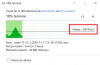
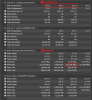
I copied large amount of files from my old SSD to this one and the write speed is nowhere near the value that I benchmarked (3300mo/s), instead it's peaking at 330mo/s... I'm not sure why.
The temps are good so I'm guessing it's not because of thermal throttling (the controller did hit 89°C during CrystalDiskMark's write test, but the drive itself stayed very cool).
What do you guys think ?
Thanks.Attached Files:
Last edited: Jun 19, 2021 -
-
What do you think about Samsung 870 QVO SSD SATA 2.5"? Is this reliable on the long run? How many years can this SSD hold information if it's not used for a long period of time, do data ever get "erased"?
So basically I'm asking for the data retention rate, and if anybody experienced any issue about this? -
SSD's are 'supposed' to hold data for a year without being powered on. Some even lower (6 months) or less.
If you want reliability for the long run, a QVO SSD isn't for you. -
I get it. So what about conventional spinning drives? And SD cards?
-
SD cards (garbage) and spinning rust for longevity? You're regressing, I think.
If you kept an HDD in a sealed, magnetically impenetrable, box away from elements, oxygen, moisture, and extreme temperatures for a millennium, the contents may still be readable. If you had an O/S and the associated hardware to do so.
Instead of asking interesting philosophical questions, what do you want to actually achieve?Papusan likes this. -
I'm not trying to achieve anything, just wondering what happens if you can't access your hard drive for a given period or time (you are out of country, you save it with things you don't use anymore, etc.) I wasn't expecting SSDs to have a retention period of a year. Maybe 30 years, but a year, this should be printed on the label of each SSD.
-
Use ATTO Disk Benchmark and run it two or tre times in a row. Take sceenshoot of the last run.
SSD's should be powered on 2-4 times a year if you haven't it connected to a pc. I will say the same for old spinning disks. Don't gamble with your data. A backup disk with important data you save in a drawer should be powered on even more often.0rpheu5_, etern4l, tilleroftheearth and 1 other person like this. -
So for long storage periods it's better to use BR-RE (BD-RE XL) disks.
-
I use ssd's and spinning disks. some info. You find more with a search https://www.canada.ca/en/conservati...tute-notes/longevity-recordable-cds-dvds.html
Important note
One key to preserving information on optical discs, magnetic tapes and magnetic disks is to make copies. Ideally, three copies of the information should be created on at least two different types of storage media and one of the copies should be stored off-site. If the same type of storage media is used for one of the copies, then different brands should be used.Vasudev, etern4l, tilleroftheearth and 1 other person like this. -
The 'best' SSD's have a year's retention without being powered on. Consumer SSD's? I wouldn't tie my shoelaces without having my data elsewhere too.
Optical disks? Lol... worst data storage I've seen since backup 'tapes'.
Today, in the second half of 2021, use (no, I mean actually 'use') cloud storage as one of your backup options.
If you want any of your data to be accessible 30+ years from now, be sure you are verifying it, converting it (to any future software/encoding requirements the future brings), and moving to the next storage medium as they become generally available. And don't rely on any single one.
For full control, get two or more NAS boxes with 8 drive bays or more (each). Use one, back up to the others. Make sure the NAS' are scanning for viruses, recovering bit rot, and that they are safely protected from online intrusions (which means keeping their firmware images updated as needed). Get a stack of spare HDDs/SSDs (and test them fully before storing them to replace (as needed) the ones in use). Think QNAP or Synology here (main players). Forget the budget/one-offs and DIY approaches (if you don't know what you're doing). With NAS boxes lasting upwards of a decade (with a few HDDs replacements as needed, of course), two or three 'sets' as described above should get your data safely somewhere near 2050.
Along with cloud backup, our digital data may outlive the owner today. And actually, still, be accessible.
But not with optical drives, SD cards, or HDDs/SSDs stored in boxes and 'forgotten' for 3 decades or more.Vasudev, Papusan and Robbo99999 like this. -
There's so much data being produced now, do we really want to hang on to it forever? I heard on the news recently that there was more data collected & stored globally within the last 3 yrs than since something like from 1970 till 2015 - really vague recollection from me, but there was some extraordinary similar contrast of facts stated. Kind of a philosophical question of whether it's better to let the data die or store it forever, ha! I suppose it could be interesting for future generations to see what made great grandpa tick, and there are things to be learned from history.......I suppose that's something different to filed tax reports and data mining from global corporations like Google / facebook that might be the main reason for the data storage surge, mind you facebook is a glimpse into someone's past life for future generations, but facebook might not last for a hundred years (scary!?). I dunno, just being philosophical! I've got nothing I want to store for 50yrs....ok, maybe I'll make sure I store some photos.
But point taken, corporations & governments/organisations will want to make sure they hang onto everything for later referral (or praps it's convenient to even let some of that go, ha!).Vasudev, Papusan and tilleroftheearth like this. -
Agreed, we can't backup everything, indefinitely, but we need to have a fluid, ever changing goal of Data management.
When we're gone, a lot of our Data will become irrelevant to anyone else. And that is true for ourselves too as time marches on and Data outlives it's purpose for us.
But holding and keeping the Data that is important is a job that many people trust to the 'technology', when actually it is squarely on their shoulders. As it's always been.Robbo99999 and Papusan like this. -
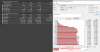
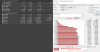
Thanks for replying man, here are the results of the three tests I did.
Nothing seems particularly out of place (except the controller temperature), but in real life transfers I can't get passed 300/400mb/s for some obscure reason. What do you think ?Attached Files:
-
-
Try copy an Win 10 ISO or similar bigger file and transfer between the drives. Do it for all ssd's in your pc. And a good quality thermal pad on top of the ssd controller will help on the temps.
This should be illegal… - Manufacturers are swapping SSD components
Our Favorite SSD, Samsung 980 Pro, Keeps Getting Cheaper tomshardware.com
about 2 hours ago
For Amazon Prime Day, you can get the 2TB model for just $329.
Now, as part of its Prime Day deals lineup, Amazon has the Samsung 980 PRO on a great sale, both in its 2TB and 500GB capacities. Earlier today, the 2TB model, which is normally $427 was on sale for $329. its lowest price ever. Now it's even cheaper at $313. That's $36 cheaper than its lowest price before today. And pretty decent for a 2TB SSD of any speed these days.
This is cheap.
Last edited: Jun 21, 2021 -
300MB/s sounds normal if you are copy mix of small and big files. the benchmark are all highly sequential and high queue depth, of 1 type of size, of read or write.
when u copy bunch of files its a mix of large and small files, even sequential, random performance will get mixed in because sequential is really meant for hard drives and SSD sequential vs random is entirely based off how well the firmware is. -
So in order for me to hit close to these advertised specs, I would need to transfer one type of file only, very large or small but not mixed ? It seems a bit counterproductive at that price.
I don't know much about the very technical aspect of nvme drives but I thought I would at least hit better speeds, 300mb/s is SATA level at this point so it's a bit disappointing.
I will try that. Do you recommend any particular thermal pad ? I don't want to remove the sticker and void my warranty though. -
The big sequential write/read numbers is for bragging and transfer of huge files from disk to disk. Not real world usage for most consumers. In many type usage you won't see much of an difference between sata and pcie drives.
Note: Few drives will hit such speeds in real world usage, as that is the practical maximum the drive can achieve, and differences in file sizes and composition can impact read and write speeds in practice.
See if you can get Gelid thermal pads (the thickest one you can fit in). If you have space then go for heat shield together with thermal pads (ask in the proper thread for your laptop model). But most thermal pads will work. You don't need to buy the most expensive for this type cooling.Last edited: Jun 22, 2021ole!!!, Vasudev, tilleroftheearth and 3 others like this.
SSD Thread (Benchmarks, Brands, News, and Advice)
Discussion in 'Hardware Components and Aftermarket Upgrades' started by Greg, Oct 29, 2009.


![[IMG]](images/storyImages/fv5.png)