Problems? See this thread at archive.org.
oh dear ...
I think my drive is going bad. Recently I've been having those BSOD to pop up from time to time, with different errors. Half of the time, or more, the error is with NTFS.SYS .
ouch.
other times I got: IRQL_NOT_LESS_OR_EQUAL ... and I havent installed new stuff, other than the windows updates that pop up whenever MS decides to push those ..
one time I got new error: PAGE_FOULT_IN_NOT_PAGED_AREA
anyways, most BSOD happen on cold boot, like the first one for the day, before all icons load up. Then windows restarts, and then it boots fine. After half day or so on some reboot it may happen again, but most likely doesnt. Only a few times I got BSOD during normal operation.
so yey, I need to find a way to ship it to Seagate. But I need another drive in the mean time so .. dont know, would they ship me new drive before I ship them this one ? Not that I know where to ship it though, will have to look at that too.
dmnit
-
oh, this is one from the first batch drives, bought it about .. 2-3 months ago ?!?! cant remember.
-
IRQL_NOT_LESS_OR_EQUAL is usually correlated with the memory so you may have bad memory as well.
-
i want to buy this drive but i don't think i am cause i had many seagates before 3 of them were bad. and on top of that i don't know how the temps on it is. i may get a 500gb @5400rpm
-
Are they all Momentus's?
-
-
Cool. Please post the HD Tune Pro shot. (including the I/O benchmark).
-
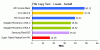
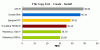
Here are tests :
But I will make again because i don't have installed all laptop drivers and sata conrtollers etc .. -
Looking at the downward spikes there must have been some background process or network activity. Try disabling as many as possible: indexing, AV, wifi, ethernet etc.
Have you enabled enhanced hard drive performance? -
That is already enabled no?
In win 7 ? -
I don't know.
-
well here's the verdict.
the WD IS really faster than 7200.4
WD3200BEKT vs ST9500420ASG
i had always wondered why my wife's laptop with only 4gb ram/T7200 loads vista and photoshop faster than my QX9300 with 8Gb of ram.
![[IMG]](images/storyImages/benchmark5.jpg)
![[IMG]](images/storyImages/benchmark6.jpg)
![[IMG]](images/storyImages/benchmark7.jpg)
-
Here are my benchmarks from the drive I got way back in January (Rev 1).
![[IMG]](images/storyImages/hdtune72004.jpg)
-
I'm wondering if anyone could post HDD tune result of Raid 0 7200.4?

-
it seems that for an OS drive the WD is a better drive..
-
sorry, don have 2 drive to test for you.
-
just curious.. given a choice now that there is a direct comparison between seagate and WD. which drives would you use? considering that i now have both. LOL
-
I'd go with WD3200BEKT because it's faster in real life. HDTune may not show it but you need to do real world testing to notice.
If you want to see the difference duplicate a 5GB folder on the same drive. -
sigh. i'm too lazy to dismantle both harddisk drives from the laptop to do another benchmark.
so you're saying that if i dup a 5Gb folder of different file size the speed difference is alot more obvious?
I guess my raid should be a good middle man. and considering that i abe 8gb of ram.I should be able to reduce latency of my raid.
then i have to do a read and write test of each drive. making it a total of 4 test to run.
oh well, i might just leave the WD in my wife's laptop. ( lucky her) and hold onto the seagate on my laptop until X25m 320Gb arrives.
I am so thinking of getting x25m 160Gb as C and seagate 500Gb as D drive via the multifunction bay of HP 8730W.
but getting x25m 320Gb will remove the need for 2nd disk.
the laptop is used solely for Nikon tethering. per shoot can go up to 50Gb(nikon D3 average) and 110Gb (NikonD3x average). 160Gb just dont cut it..
at the end of day, the images gets moved to my main workstation for image processing so I dont store images on my laptop for long.
and 500Gb just overkills it. LOL.
just dont want my Art director to wait around while things load. -
Yes.
Sources:
http://techreport.com/articles.x/15079/7
http://techreport.com/articles.x/17010/7Attached Files:
-
-
I am planning to buy this hard drive soon, and I was going over this topic for benchmark results. I then found the one from ramgen which was extremely useful since he was comparing it with the same one as I have installed now
Now I am pretty new in all this hard drive comparison stuff, and I am not sure how to interpret those benchmarks now. As seen in the post, the transfer speed seems to be 50% higher as the WD3200BEVT, but there is almost no difference in access time, and the burst rate (whatever that is) is even lower as in the WD.
So I don't really care about those numbers, I would just want to know if this would now really give me a noticable difference in daily usage of the computer (boot up, shut down, copying files, etc). So if anyone with knowledge could please interpret those numbers for me Thanks
-
Hardly. In some situation the 7200.4 is faster, in some the WD3200BEVT is faster.
WD3200BEVT is benchmarked here: http://www.techreport.com/articles.x/15079/7
7200.4 is benchmarked here: http://www.techreport.com/articles.x/17010/7 -
Anyone here has the 7200.4 320Gb ? I has one with firmware 0002SDM1 and it produces a lot of annoying clicking noise. After each clicking noise the laptop is halted for 0.5-1 second then returns to normal.
My old 7200.2 80Gb doesn't have this issue ! -
Try hdparm. It usually solves the clicking. Maybe also the halting.
-
Mine is absolutely quiet. No clicking issue whatsoever. Maybe you should try what Phil said.
-
Aha, so it is probably not really worth the upgrade then. Thanks for the info
-
3-month order from Dell officially canceled.
-
Hi,
I've spent a fair bit of time going through this thread, but it is extremely long.
I was wondering if I purchase a 7200.4 500GB drive with the 0002SDM1 Firmware, are most of the bugs and kinks worked out?
I understand that the first version of the firmware was buggy, but, do new drives with the 0002SDM1 solve all those problems?
Or is it still pretty hit and miss with this drive?
I need 500GB, so I guess my only other option is the WD Scorpio Blue. I have read the TechReport review about the WD Scorpio Blue being their recommended drive. But, I can't find any other reviews to support this, so performance wise, I still tend to lean towards the 7200 RPM drive. Too bad the WD Scorpio Blacks don't come in a 500GB flavor.
Thanks for your help! -
read the scorpio blue review thread here.
-
Thanks for the WD thread... the thread didn't seem to work for me, but I grepped NBR myself.
But, are there any comments on the reliability of the 7200.4 500GB drive with the 0002SDM1 Firmware? Are most of the bugs and kinks worked out with this (the current) version?
Thanks! -
According to Device Manager, I have the early firmware (001SDM1). What kind of bug that the early firmware has?
-
From what I understand (look around post #1281), short term drive failures and intermittent clicking noises.
I'm just trying to understand if the new bios has resolved most of these issues, and if the current drives are reliable.
Thanks! -
I4U.com has published a review where the Hitachi 5K500.b beats the 7200.4 in a file copy test, like shown in the Techreport review.
-
Hi Phil,
Thanks for weighing in. I appreciate your input.
I noticed in this thread you recommended the WD Scorpio Blue 500GB. However, I also noticed that you stated (in the WD Scorpio Blue thread, referencing Laptopmag I believe) where a 7200RPM drive does a superior job in multitasking environments.
So given that I want a very reliable, 500GB drive, and I do a large amount of multitasking work, which drive would you suggest for me?
I don't mind paying more for better performance.
Thank you for any suggestions. -
I would suggest to wait for WD5000BEKT or Hitachi 7K500.
If you can't wait get a WD3200BEKT for the time being. It's still the fastest for heavy multi tasking.
In light multi tasking the WD5000BEVT will keep up. -
Any ideas as to when the WD5000BEKT or the Hitachi 7K500 will be released?
Thanks! -
I don't. And no one else seems to know either.
I would guess we're going to hear something soon. -
Thanks for the prompt responses.
Are you not recommending the 7200.4 due to performance reasons or because of its uncertainty in terms of reliability?
Thanks! -
Purely performance. As you can see in the I4U and Techreport reviews and the I/O measurements of HDTune it's not a stellar performer.
-
Phil,
Thanks for your help! -
argh, so whats the genreal consensus on what is the fastest real world drive?
i'm looking for sustained read/write times and access times.
this drive will be used for audio/video production so throuput is top priority.
drives i'm looking at are the Scorpio Black (blue tooo only because of the 500gb size) the 7200.4 500GB, and anything else 320GB that would compete speedwise. -
I've had my 500GB 7200.4 since shortly after they came out. I wanted the biggest 7200RPM drive I could find, which meant the Seagate. I've been pretty happy with it. As much as you want to say the WD or Hitachi will be better, you can't buy one right now and it remains to be seen if the claim is true. They're also coming out much later, so they should be better. Fastest is sort of an illusion as they're all so close, you'd hardly be able to tell the difference.
-
That's pretty much exactly where I am now (wanting a fast, 500GB drive). I had pretty much decided on getting the 7200.4 500GB, but, after reading some user reviews, and hearing all the comments about lack of reliability, I just don't know if the risks are worth it.
From what Phil mentioned, I'm now thinking of sacrificing disk size, and going with the WD Scorpio Black 320GB (unless by some miracle the WD Black 500GB gets released in the next two weeks). It's hard to give up the disk size, but, giving up potential reliability is worse. And since it seems like the WD Blacks out performs the 7200.4 by quite a margin, it seems to be the right play for my situation. -
I've not had a problem with mine. That's all I can tell you. There's issues with relying on user reviews. The people with a problem tend to be much more vocal, which skews the perspective.
-
If you go by The Tech Report's recent review, you'll find that there are many times when the Scorpio Blue 500GB equals or tops the 7200.4. Many other times, the differences are too close to call. Also, the increased platter density of these large drives makes for better performance than some of the previous 5400rpm drives on the market.
I can only tell you what my experiences are, but replacing the 120GB Fujitsu 5400rpm drive in my T61 with a 200GB Seagate 7200.4 resulted in no visible performance increase, and a noticeable decrease in battery life. Unless you're working with applications that require long, heavy sustained data transfers, or involve a lot of random seeking (something that can be somewhat alleviated by keeping your disk defragmented), I can't say a 7200rpm HDD is worth it for the battery life you may end up sacrificing.
P.S. After my experiences, I ordered a 500GB Scorpio Blue for my upcoming T400. -
Download quietHDD (a free utility that sits in the tray) and turn of APM. This is what causes the click. Mine is really quiet now.
-
Having owned both a western digital 3200BEVT and this seagate 7200.4, I do think the seagate is considerably faster for general use. After vista has optimised its prefetch (takes several bootups to achieve this), I have found that applications load faster and games load quicker.
The seagate is also quiet and does without that horrid gritty grinding seek noise that my WD drive had. It did click but downloaded quietHDD and turned off APM and now its near silent, apart from motor noise which sounds like a quiet fan (slight whoosh).
I've always liked seagates and this drive, plus the awesome 7200.12 in my new desktop has just improved my opinion of the brand. -
Thanks everyone for your comments.
I completely understand what your saying here. It's odd, but, I can't seem to find too many user reviews of the 7200.4 drive with the new firmware. Perhaps it's resolved all the problems.
Has anyone had any experience with 7200.4 drives with the new firmware?
Yes, I've read that review before. My only desire to get a 7200RPM drive is to reduce the bottleneck, as my upcoming laptop CPU isn't the most powerful (Intel SL9400), and to help me out when multitasking.... and I multitask a fair bit.
I'm a fan of the 7200.12 as well. I use them for backup drives. But with the problems of the 7200.4, and my primary server HD which is a 1TB ES.2 (necessary firmware upgrade), it's left me with a bit of a disconcerting feeling with Seagate.
*****
I have to admit that I'm reasonably confused still. If the WD Scorpio Black 500GB was released, I'd get it in a heartbeat. But with the current selection, I've narrowed it down to the WD Scorpio Black 320GB, WD Scorpio Blue 500GB and the 7200.4 500GB.
As my priorities are reliability, speed and size last... I guess that leaves me with the WD Scorpio Black 320GB.
I plan to purchase the drive next week.
All input is welcomed.
Thanks again everyone! -
I have never seen that to be the case and I've been using 7200RPM since the first 7k40s were released, though I suppose the definition of "noticeable" would have some bearing on the matter. Regardless of the throughput of the drives, it's the better seek times of the 7200RPM drive which makes them feel faster in my experience.
-
Believe me, I wish I could tell you differently. I wanted the 7200.4 to make a difference in system performance, which is why I bought it. I ran both it and the Fujitsu in AHCI mode.
Only thing I can think of is if the ThinkPad Active Protection software is slowing performance, but I ran it on both drives.
Seagate Momentus 7200.4 thread
Discussion in 'Hardware Components and Aftermarket Upgrades' started by Apollo13, Jul 10, 2008.


![[IMG]](http://img196.imageshack.us/i/hdtune72004.jpg/)