Problems? See this thread at archive.org.
Would the WD5000BEVT still be a good choice if I placed it inside an external enclosure?
-
-
Sure but if that case is USB you can just buy the cheapest 500GB drive you can get your hands on. Because USB will be the bottleneck.
-
it will be better if use this drive using esata..
-
Great,thanks for your helpful info -
Hi all,
I just bought a Momentus 7200.4 from Dell and am trying to install in on a Gateway 7811. I plug the drive into the second bay and when i boot up the computer it just hangs there. I cannot get into bios or anything. When i Hit F2 it just says 'entering bios' and sits there.
i tried booting just on hard drive, both, and nothing. my old 200gb hard drive works with no problem, with the jumper in and out.
any ideas? do i need to update the bios or something? is the hard drive dead?
thank you! -
Hi guys I found quite simple soft for HDD's
HD Speed and its very good
Real time showing speed of read ,you can check burst speed ..
I like it
(that fall down in the middle of graph is burst test on seagate hdd's is quite low 75Mb/s -
dont stick any stupid jumpers into your hdd leave it clear original
and remove all hardrives from your gateway and stick momentus only and check -
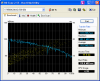
Are the major dips in the transfer rate in my 7200.4 normal? TIA
Attached Files:
-
-
that's most likely caused by drive access during the benchmark process.
-
Hmm. It happened each time I tested it with the drops in very similar times each time. And I made a point to have no other programs open.
-
normal. the only way to get a more pure benchmark out of a synthetic test like HDTune is to connect the drive via eSATA or some other way where it can be the non-primary drive (the one with the OS installed on it). that way you'll get minimal (or zero) random reads/writes from other processes running in the background (like antivirus).
-
Thanks. Looks like my drive is fine then and for $65 from Dell I have no complaints
 The results even look a little better than what some previous HDTUNE reports were showing for this drive.
-
Can anybody tell me the default value for APM of the 7200.4? hdparm for windows reports it as unknown.
Thanks! -
somewhere around page 120 or upwards I think I've posted that I suspected problems with my HDD ... cant find the post now.
well turns out it was one of my RAM modules. I've change it and again no more BSODs. Then the sounds that I thought the HDD is making were comming were from the small lamp that I have nearby the laptop .. duhh .. so if anybody finds my post - pm me, I'll edit it.
overall, nothing wrong with the HDD
-
I took out my 5400.2 and installed the 7200.4 last night. Its very quiet compared to the 5400.2. Not a peep out of it.
However, afore I went to sleep I ran a quick test to see how quick it was and was surpised. I used DiskBench for this:
DiskBench V2.5.0.10
NodeSoft
Windows XP Professional V5.1.2600 Service Pack 3
.Net Framework Version: 2.0.50727.3082
System UpTime: 00:07:50
And read & wrote a 512Gb file from the same disc to the same disc. The results were these,
Starting Create File Bench...
Created file: C:\Documents and Settings\Administrator\My
Documents\DiskBench1.bin
Size: 536870912 bytes
Time: 39344 ms
Transfer Rate: 13.013 MB/s
Created file: C:\Documents and Settings\Administrator\My
Documents\DiskBench2.bin
Size: 536870912 bytes
Time: 40938 ms
Transfer Rate: 12.507 MB/s
Create File Bench ended
These transfer rates are not what I expected. I had expected about 100MB/s at least on a read from the 7200.4. I have the latest 7200.4 firmware installed, and am using a fully patched WinXP SP3 on a Vaio SZ. Are there any specific drivers I should install - The WXP is a frech install. -
I justed installed the seagate with the fall sensor onto my netbook and it seems to be making this odd swish noise each time I lift/put down/move the netbook. Is that normal? Is the drive defective?
When I used paragon to copy the HDD from the old Toshiba 160GB it corrupted the HDD that it no longer works anymore but I never noticed the noise before. -
I ordered these in my M17x thinking it would be great to have these nice fast drives and this much space. But I have been having a problem with them clicking. Dell replaced my first one last week and so my original D drive became C. It clicks as well and so I am having them send me another one. The one they sent me last week to replace my original C drive is now my current C and it clicks as well.
From what I have found out it is a widespread thing. Here is one topic I found stating the problem. And here is another that talks about the same issue with a different drive. Towards the bottom there is a post where someone else with an M17x contacted Dell to no avail who was having the problem with the 500gigs rather then the ones that are listed in the firmware update at the top. -
Rockwell B1 clicking can be disabled with hdparm.
-
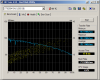
250GB version HDtune bench.
Disappointing access and burst......boot's XP a couple of second's slower than my 7k320 320GB according to bootvis running the same OS imageAttached Files:
-
-
If we need to disable APM to stop the noise, obviously there is flaw in the drive.
Most other hds don't make such loud clicking sound when parking.
Btw, i am got the non-g version for M17, it's clicking like crazy if you let the laptop idle for a bit. -
update, disable APM doesn't fix it now.
Do I have to disable it in dos to make it work and permanent? -
I finally got mine to stop by setting APM to 255 with quietHDD. Not a good enough fix in my books, but works for now till Seagate gets their act into gear or I get someone at Dell with some common sense to realize this is a huge widespread issue. Maybe after I make em replace so many of em they will look into it from loss of money.
I have the ASG model though, but doubt that would cause any difference in the APM not working for ya Fusion. -
I have exactly same values like you tiny higher ..
guys
I think am gonna say good bye to HDD's those SSD's are great ..
there is one Samsung SSD 128GB with nice speeds (220MB-200MB) and I can choose best offer, so we will see ... -
update on clicking:
I found out I used hdparm -B 254 hda didn't work for me is because my seagate is hdb. Now it's working.
Question: does the hd reset to default value of apm after reboot?
Another question: I see hdparm has a option -z to disable seagate power saving feature, anyone tried it instead of -B? -
The following benchmarks show the performance of 7200RPM 500GB Notebook Harddrives from Seagate (Mine) and Hitachi (from this website)
![[IMG]](images/storyImages/HDTuneAccurateBenchmark.png)
![[IMG]](images/storyImages/travelstar_7k500_hdtune.png)
How come Hitachi is about 10% faster? Is it because they are newer? Or is it just an anomaly? All benchmarks that I have seen so far with 7K 500GB Notebook Hard drives have around 80MB/s Transfer Rate. -
HDTune is a nice indication, but what really matters is real world performance. Hitachi will probably blow away the Seagate because of better interface performance and I/O.
-
My seagate 7200.4 320g makes frequent terrible clicking sounds recently, well i can make do with the sound since my previous hitachi is equally aweful. But the laptop freezes every time the HD clicks. now that's extremely unpleasant. I mean I can't even afford to watch youtube now. Freezy video!! According to someone, the clicking is harmless. but could anybody tell me why the clicking freezes the laptop? Thanks!
-
You can use hdparm (also available for Windows) to disable APM and AAM. My 7200.4 500GB drive doesn't click/freeze after setting APM to 255 and AAM to 254.
On my system both values reset to their defaults after a reboot. So I just created a script running in task scheduler (triggered automatically 30 seconds after startup):
C:\PROGRA~2\hdparm\bin\hdparm -M 254 /dev/hda
C:\PROGRA~2\hdparm\bin\hdparm -B 255 /dev/hda
The script needs to run with admin rights (you can set that in the security part of the general task settings tab). -
ok thx jensw, i just tried disabling APM and setting it to maximum performace. either way the clicking disappears. so disabling it or setting it to maximum performance which is better?
and the freezing still confuses me, some ppl's HD clicks but doesnt freeze?
another question, under Health in hdtunepro i saw my Reallocated Sector Count as alarming, it says something like a threshold of 36 and the current count is 23, so what is RSC anyways? does it hurt? Thx in advance -
As fas as I know you have to disable APM (255) to fully stop clicking / freezing.
-
Hi,
I just discovered this site and it seems pretty good.
Hopefully I can get some help with my question here.
My question concerns laptop battery life. Since I replaced my Macbook's stock 120 GB 5400 rpm drive with a Seagate Momentus 7200.4 500 GB drive, my battery life has gone down the tubes. As much as 50%.
I've read that 7200 rpm drives really don't consume much more power than 5400 rpm counterparts (but of course this is a huge generalization). But obviously this is wrong since I'm getting such a huge hit in my case. Is this expected and normal? Or could something be wrong in my setup and how could I fix it?
I used to think my Macbook gets great battery life (4 hours with regular tasks), now I'm lucky to get 2 hours.
Thanks for any help in advance.. -
That definitely can't be all from the HDD, something else must be draining your power since HDDs aren't designed to suck up more than a fraction of a Watt.
-
Yea, that doesn't sound like a HDD issue. I've got two of these drives and can get decent battery life out of my M17x when on the 9400.
Being in a MacBook though you might want to see if you can find the update Apple created for the ticking issue with these drives earlier this year. I would install that and see if it helps since what it does is configure the power management and fall indicators I believe. I could be wrong about that though, but I don't feel there would be a downside to trying it.
Did you install the HDD yourself or have the Apple Store or somewhere else do it? Maybe something got crossed in the process?
Or run your current battery down to 20% or so and then turn your notebook off, remove the battery, plug the notebook into the wall without the battery and turn it on, and then shut it down after a few minutes and put the battery back in to charge it. If all else fails, try a new battery.
I recently had to go through this with my battery in my M17x because it was not fully charging even though the notebook said it was fully charged. After I did this its correct level registered and has been working like a charm.
Just a few ideas, maybe something will help. -
Hi,
Thanks for the reply.
I installed the HDD myself. I've swapped many HDD's into laptops before and I've never had issues like this.
I've already applied the Apple SMC Firmware update that you are talking about. It didn't fix the battery issue.
Lastly, the battery was calibrated as you say. The battery was working wonderfully, but the minute I started running with the Momentus drive, the battery life went way down. Maybe I should calibrate it again, but I don't know if this will do anything.
But it's good to know that you all think that this hard drive shouldn't take that much more power than 5400 rpm drives. Something is up... -
Hmm... Well if none of that helps then lastly I would say to run the Apple Hardware Test, if you've not done so already, from your disc to see if anything gets detected by that.
But it should not be a cause from just installing the HDD itself unless you just ended up with a very defective drive. Even then though I would doubt it would decrease your battery life by half. -
so today is my first day cloning my HD to the momentus 7200.4 320gb HD. ive skimmed through the forum and i have some questions. i have these tiny little clicks continuously from the HD and its pretty annoying.
so how do i stop it? i read something about HDparm but i have no idea what that is. and are these clicks going to be detrimental to the drive?
thanks in advance
Tsung -
update using dell's firmware solved it for me.
-
thx for the quick reply, i played with quiet HDD, but i im not very sure what im supposed to expect when i turn off APM completely and lower AAM completely at battery mode. is it supposed to be no click whatsoever?
-
Yes it should solve the click totally.
Also apply the firmware update as recommended by fusionsenses. -
should i apply that even though my laptop is a sony?
-
Only if Dell's update is for all Seagate 7200.4s. I don't know what update he is talking about.
As far as I know Seagate's 7200.4 firmware can not be updated. -
i find it weird that on HD tune, it doesnt show me health statistics like my previous HD. btw, i used cloning software from acronis. is there a way to get the stats back?
thanks in advance -
Hey everyone, where can I find this firmware? I've been suffereing with this problem for months and hope to God this is the remedy.
-
FIRMWARE UPDATE FOR ALL!!!
so everyone is probably aware that dell came up with a new firmware to update for the dell users with seagate hard drives. i am a sony vaio user and the cd boot would say my version is not compatible (probably due to serial number not matching). then i copied the files to a USB stick. put the CD AND usb stick into the laptop and restart. after the cd boot fails and brings you to dos mode, go into the usb drive (mine was "D:") and type "FDLH -m HOLLIDAY -f 0005SDM1.LOD -i ST9500420AS -b -v". that should update your firmware there!! now i only hear seeking sound and no more occasional clicking.
edit: obviously, change the ST9500420AS to your HD model that applies to this firmware update.
link to dell firmware http://support.dell.com/support/downloads/download.aspx?c=us&l=en&s=gen&releaseid=R250679&SystemID=STUDIO1555&servicetag=&os=WLH&osl=en&deviceid=21644&devlib=0&typecnt=0&vercnt=1&catid=-1&impid=-1&formatcnt=1&libid=41&typeid=-1&dateid=-1&formatid=-1&fileid=366463 -
anybody try updating the firmware on the drive while using 2 of them in a RAID 0 array? how did it turn out? was there anything special you have to do?
also, i tried updating the firmware earlier via usb flash drive, but when i booted up the computer it said "Non-system disk, press any key to continue..." so i pressed a key and it just started to boot up windows 7. any idea why? -
diablo, just follow what i wrote. im not sure how raid0 would affect the update, but i think my method should still help you out. the cd merely brings you to DOS and then use dos and the command in my post to update ur firmware.
hope it works out for u -
thanks. ill give it a try later on tonight. ill let you know how it works out.
-
As an FYI - so I got my RMA 7200.4 (all of 4 months it lived) back from seagate....ridiculously overpackaged, but not the point.
THey send me a certified remanufactured drive, with exact same firmware as the original....wondering why, if they knwo they have a problem? -
I'm getting a Seagate 7200.4 in a couple of days.
Is there any point in updating the firmware like described by shenofjo above?
Seagate Momentus 7200.4 thread
Discussion in 'Hardware Components and Aftermarket Upgrades' started by Apollo13, Jul 10, 2008.