Problems? See this thread at archive.org.
Quoting myself:
-
-
Nice one ferret!
-
Thanks. I found the link itself somewhere else on this board (I think). But I see this question come up a lot (how to run without UAC getting angry). I've seen quite a few 'download this piece of software, etc' type responses, which are not required. Task Scheduler can do it and its part of windows functionality.
-
Great stuff Ferretwulf!
EDIT - in addition to your instructions, I'd like to add one more step.
Under the 'Conditions' panel/tab uncheck the box next to 'Start the task only if the computer is on AC power'.
Doing this will ensure that the task will run regardless of whether you're running on AC or battery. If you don't do this, the task will fail to launch. -
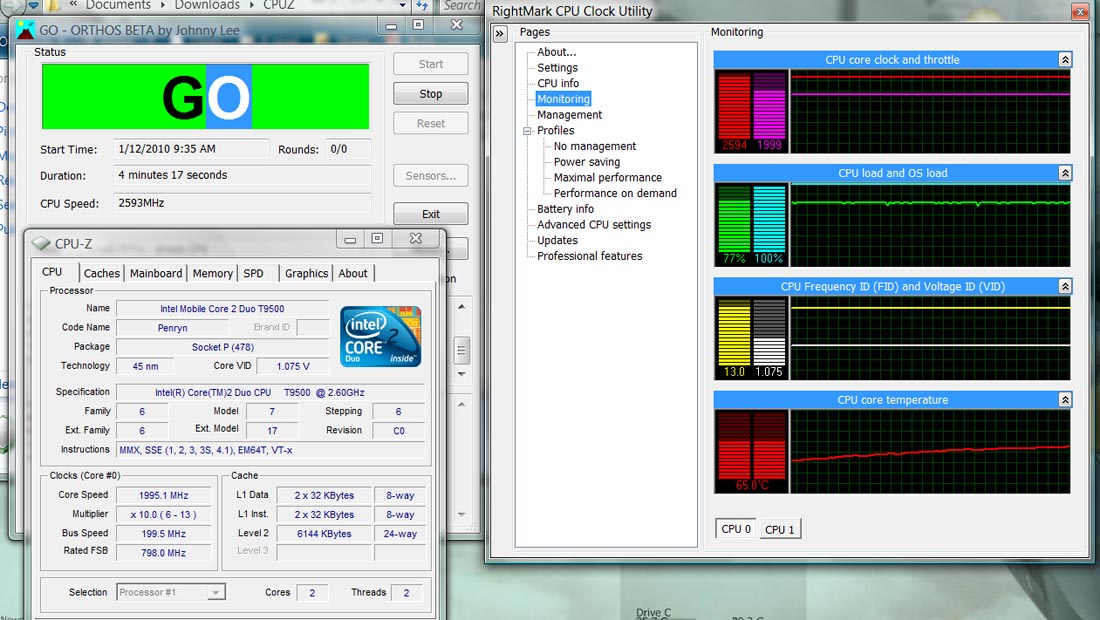
I just tested my computer with the orthos and HWmonitor and the highest temp I got on one of my cpu's was 73.
HWmonitor does not show my GPU though, I tried the 64bit version and the 32bit version, am I doing something wrong? -
Hi everyone, thanks for great thread
can u explain the following:
my laptop, hp dv-5 has T5800 with multiplier ranging 6x-10x
my aim is to get maximum battery life
when i use RMclock the minimum multiplier and voltage (6x / 10500V.) result in 1.2 GHz CPU.
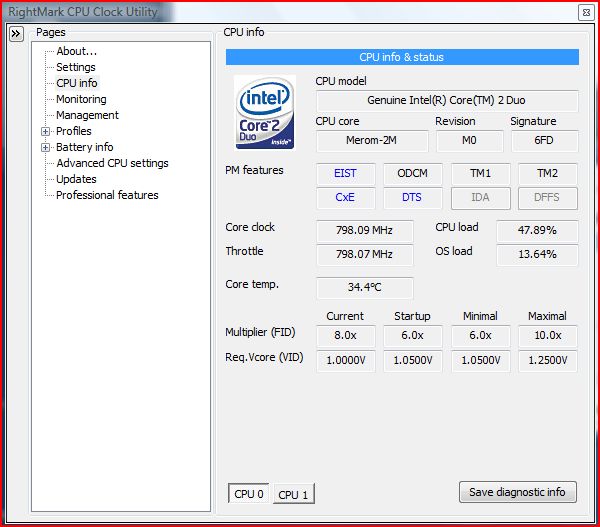
but i noticed that CPU can settle on 0.80GHz when idle or on battery (using vista power management)!! RMclock indicate that core (798) / multiplier 8x / voltage (1.0000 V)
what it is going on? is there is glitch? or what?
see attached images
1) vista power saver
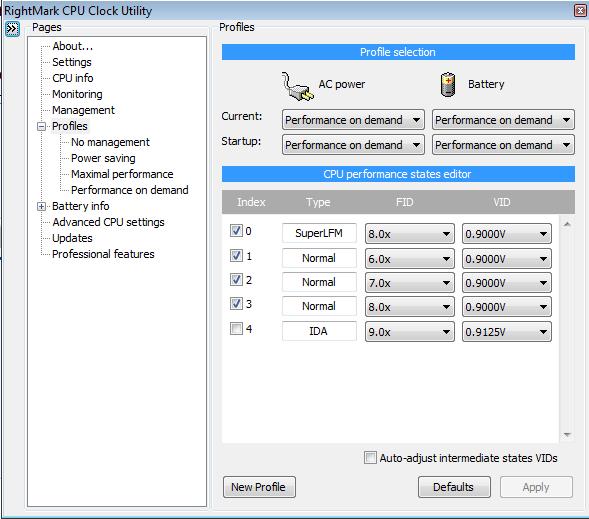
2) RMclock minimum multiplier and voltage
Anyone can explain?!!Attached Files:
-
-
Good catch, I've got that checked as well. Thanks
-
Hi all, Im new to this forum, but not completley new to Oc and tweaking. I have some problems with my vostro 1500. Its gets very hot!
Its a dell vostro 1500 with t7300 2GHz duo, 2Gb ram, 8600M GT 256mb
Original settings (1.2125volt) full load: 98C - this causes RMClock to say core overheating
Undervolting (1.025volt) full load: 89C - this is working better but there is something strange, after a while in ex. a game, framerate starts to drop more and more. I think it has something to do with Throttling.
Here is part of a log from gaming:
22:08:30.433, CPU: 1, Clock: 1994.45, Throttle: 100.00, FID: 10.0, VID: 1.025, CPULoad: 93.15, OSLoad: 92.31, CoreTemp: 90.0
22:08:31.451, CPU: 0, Clock: 1994.45, Throttle: 100.00, FID: 10.0, VID: 1.025, CPULoad: 97.78, OSLoad: 96.92, CoreTemp: 85.8
22:08:31.451, CPU: 1, Clock: 1994.39, Throttle: 100.00, FID: 10.0, VID: 1.025, CPULoad: 98.58, OSLoad: 100.00, CoreTemp: 90.0
22:08:32.464, CPU: 0, Clock: 1993.76, Throttle: 88.40, FID: 10.0, VID: 1.025, CPULoad: 78.60, OSLoad: 87.69, CoreTemp: 85.8
22:08:32.464, CPU: 1, Clock: 1994.44, Throttle: 88.40, FID: 10.0, VID: 1.025, CPULoad: 81.48, OSLoad: 96.92, CoreTemp: 89.8
22:08:33.475, CPU: 0, Clock: 1994.42, Throttle: 88.39, FID: 10.0, VID: 1.025, CPULoad: 73.55, OSLoad: 80.00, CoreTemp: 85.6
22:08:33.475, CPU: 1, Clock: 1995.02, Throttle: 88.39, FID: 10.0, VID: 1.025, CPULoad: 78.16, OSLoad: 90.77, CoreTemp: 89.6
and then it ends like this:
22:10:54.428, CPU: 0, Clock: 1994.43, Throttle: 45.59, FID: 10.0, VID: 1.025, CPULoad: 35.83, OSLoad: 53.85, CoreTemp: 80.0
22:10:54.428, CPU: 1, Clock: 1994.43, Throttle: 45.49, FID: 10.0, VID: 1.025, CPULoad: 38.35, OSLoad: 63.08, CoreTemp: 81.8
is it still overheating and just not telling me?
Best regards Eric -
89c is still pretty darn high, and 98 is just insane
I think there's something wrong with your notebook.. -
Thats my opinion too, but what can I do?
The good thing tho is that my system is very stable and never crashes, the only noticable thing is the fps-drop in games.
I decreased voltage to .950 and that got me down to 80C full load, and it still feels stable. If I put RMClock on "performance on demand" and SuperlowLFM (600MHz, .850v) I get around 43C idle.
Anyone else who had these insane temperatures? -
why can't i obtain 0.8GHz using RMclock??
Anyone!!
-
I can get 0.6GHz using SuperLFM, next step is 1.2Ghz. If I dont use RMclock and use Vista Powersavingmode I get 0.8GHz
After changing my Nvidia drivers, undervolting to 0.950v and putting a book under the back of the laptop to create some space underneth I now get around 80C playing, and the throttling has stopped, so Im happier. Thats a 18C decrease from my overheating 98C before! -
i don't have Super LFM choice in RMclock (My processor T5800 may not support this feature).
then how can vista power saver reach this clock -
May I suggest a mod to make this thread a sticky? It is really useful for everyone.
-
good idea this should be a sticky....................

-
Hello,I've got a question,it's probably a stupid one,but I must ask.
Is it possible to undervolt a GPU like you described for CPU?
Sorry for a potentially stupid question.
Thanks for your time -
I read somewhere that its really hard and I havnt seen any guides how to do it.
-
GREAT GUIDE
I followed the steps and from 66 Celsius in stress I managed to drop the temp to 58 Celsius in stress ! I lowered the voltage from 1.2500v to 1.1000v -
Anyone know why my voltages are jumping up and down like this? Voltages jump up and down during idle but not during stress test.
The stress test is stable at .900v.
Also, it runs stable at .900v so should I just keep the clock at 8x only? There should be no difference in the power draw?
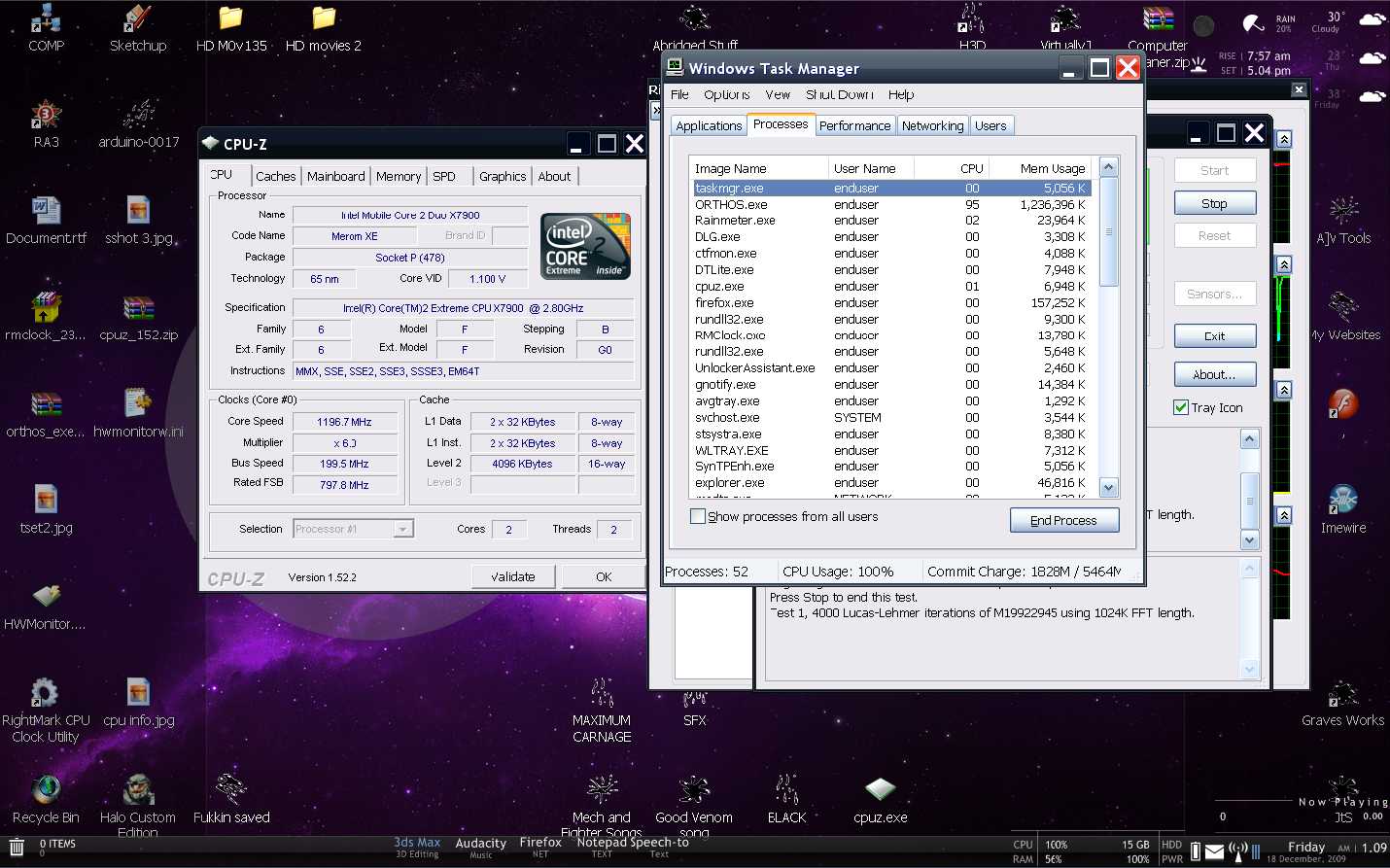
Anyways, CPU Z shows a different voltage. I'm guessing my CPU has a feature to automatically change the voltage to suit its needs? I didn't see this in the guide.
I went ahead and bumped up the voltage to CPUZ's voltage. No more spikes now. Weird.
Edit: After getting a BSOD at the (now known to be fake) 0.9 V, I figured out why CPUZ was showing different voltage than RM. I have a Core2Duo laptop, but the voltages are correct when set in desktop mode: autodetect was right.
Temp drops are the same in both mode, so I would rather go with the correct one.Attached Files:
-
-
Very nice guied thanks.
-
Does anyone know why peoples voltage ranges vary? I just changed my hard drive from a 5400rpm to 7200rpm and noticed that my voltage range has increased.
Before on the 5400rpm, the lowest I was able to set the voltage was 0.9250v
Now on the 7200rpm, the lowest it will let me go is 1.0375v...that's the lowest option I have. So now I have to do all the testing again to find the right voltages.
7200rpm would use more power yeah, but why does the voltage for the CPU increase? Are they related or something?
...I'm kind of considering changing back to 5400rpm cause atm I don't notice a damn difference in speed.. -
I'm sure this question has been answered, but I obviously can't read 300 pages of discussion.
If I undervolt, then reinstall windows (or upgrade to Windows 7) will I have to undervolt again? Or do the changes stick permanently? -
Assuming you do a 'fresh' windows install you will need to do your setup again. It is done via software within the OS you are using. It does not perm affect HW level items.
-
My t9900 uses a 11.5 multiplier, so if I follow this guide, my cpu will be down a 100mhz?
-
Are you sure? My T9900 was showing 11x if I recall correctly.. I tweaked every multiplier (My post with the voltages I used is a page or so back) so I can set it to Performance on Demand if needed. Currently I set Power Saving to lock it to SLFM (800MHz each core) on boot, and then before I start a game I set it to Maximum Performance (I only left the 11x so it locks the processor to 3.06GHz each core). Works GREAT like this. I'm not even currently using the Performance on Demand profile at all, it isn't needed.
-
it uses 11.5
Here's another guy's experience: http://forum.notebookreview.com/showpost.php?p=4727570&postcount=52 -
What is a normal temperature for a CPU???
-
most mobile CPUS are designed to handle temperatures from 55 degrees up to 120 degrees. but there a lot of contributing factors to temperatures. Heat distribution on your notebook, how your cooling it, how fast it is = how much voltage it eats.
general rule of thumb is to keep it on the low side
Now for my question for all the old folk that remember NHC why did we ever stop promoting that software? was it because of the lack of Santa Rosa support?
RM clock screws up my stand by function
-
Nice guide, thanking you kindly!
+rep -
Wow.
My first thought: Impossible.
My second thought: Hmm, there's some strange "stuff" going on in hardware vs. software.
My third thought: Keep me posted, I have to know the answer to this one.
I'm over 55, I'm out of thoughts.
-
I too noticed this when I switched to a 7200RPM HDD, but I can live with it as I have noticed a difference in speeds. Mind you, I use my machine for database work, and the software I use / database structure that software utilises relies more heavily on access times rather than anything else - which have improved with the new drive.
-
Just a thought. Did RMClock "revert" to desktop mode from mobile mode when it sensed the hardware change you made with the hard drive switch ? (bottom of Advanced CPU Settings menu).
-
Hi Everyone - I didnt make it past the first post in this thread. He says to download RMClock. When I attempt to do so I get the following error messages: (Im on Vista 64)
(by the way nice grammar in this error)
"Cannot install or load RTCore64 driver. Make sure you're loading this application from not a read-only medium and/or a network drive, and that you're logged in with Administrator rights"
I tried executing the file also by right clicking on it and choosing "Run as Administrator". Didnt help.
Help! -
Well there's your problem.
-
Hm I'll have to check mine when I get home. It shows 3066 MHz..
-
Just want to clarify, as your post does not make it clear if you cannot download it (first part of your post), or you are unable to actually execute it (the error message).
First, make sure you are using the 64bit RMClock link (located at the very bottom of the first post:
http://forum.notebookreview.com/attachment.php?attachmentid=24096&d=1221194853
Its a zip file, so you'll need to extract it. That should provide you with the 64 bit version you will need for your version of Vista.
If, however, that is the file you picked up and extracted and it won't load, not sure about the error message
-
yeah I remember NHC. I think by far that is the best. it even allows to control the fan% by temp. and i remember that I could even set it for min and max multiplier only without using inbetween multipliers.
-
-
Scott, well I don't think that's possible since putting in the new HDD meant that I had to reinstall windows and RMClock and the fact that the voltage range had changed, I assumed it was because of the new HDD. However I don't seem to be getting that problem anymore. It's weird because after I restarted my comp, the lowest voltage available changed to what it was before...0.9250v....so now I have everything set like I used to on the 5400rpm. It's pretty weird how the lower voltages just randomly appeared after the restart cause 1.0375v was the lowest I could get.
Sometimes when I put my cursor over the RMClock sytem tray icon, the voltages will actually change back though. So if I was idling for example, while it's set to 0.9250v, the voltage in the system tray icon will sometimes show 1.0375v (my old lowest voltage before the restart). Don't know if it's just saying that or if the voltages are actually changing....no idea why it would do that though.. -
Why does it seem like my undervolt settings change everytime I restart or close RMclock? I keep having to re-select the "Performance on Demand" drop down box.
Also, does RMclock have to be running for me to be able to use those voltage settings?
Lastly, I don't know if its just me doing something wrong, an omission in the guide, or has been mentioned elsewhere but did anyone else have to change the "Power Plan" for their computer before the voltage changes took effect? I'm running a Dell 1640 by the way. -
You also need to choose Performance on Demand on the drop down box UNDERNEATH the current option.
There are 4 drop down boxes
Plugged-In|||||Battery
Current||||||||Current
Startup||||||||Startup
You must change the startup ones also to whatever profile you would like to load on startup.
This should really be in the main post, I've seen tons of people confused about this including myself when I first got started with RMClock using this guide.
Yes RMClock must be running. The undervolt will only be in effect when RMClock is running and has a modified profile applied (If No Management is selected there will be no changes in voltage). -
Thanks for the tip. I don't even look at settings not covered in the guide for fear of breaking something, but profile on "startup" is pretty clear indication had I read more carefully.
-
Has anyone bothered undervolting the P8600? (See sig) It runs very cool, but I was wondering if it can run even cooler and if there are any noticeable gains in battery life.
-
Wow, thank you very much for this guide! My T9300 went from 104c under load to 85c, and 60c idle to 35c! Amazing
-
I will be very shortly. I had very, very good results undervolting the T6400 in my M1330 so I will be undervolting the P8600 in my wife's new Vostro 1720 (which arrived yesterday) once I do a format, reinstall OS, and optimize on it. Looking forward to the experiment.
-
Excellent! I was originally a bit wary on undervolting a processor that has a low TDP of 25w, thinking that it probably couldn't be improved any further without compromising system stability.
Please let us know of your results! -
It can be undervolted a fair amount to be fair. I had mine undervolted but recently did a full reset and put everything back to the way it was in prep for selling; so can't tell you exact numbers.
But if I understand correctly (hope so), two of the same processor might not be able be undervolted to the same level, so it would only be an idea anyway. -
Correct. Each individual processor will have production variables that would influence its effective level of undervolting ability. These could relate to batch, position on the wafer, stepping, among a number of others.
Additionally, variables related to the processor's installation (i.e. motherboard, chipset, voltage regulation, cap type, OE tolerances, other system components, and a host of other variables) would also potentially affect the degree of undervolting possible. -
Hi, have just taken the plunge and undervolted my Acer 6920g.
Am currently 20 mins into a stress test for a Core 2 Duo T5750 and all is well...temperature is down from 62c to 43 and the voltage seems stable at 0.9875v for FID 12.0x. Have also just played over 45mins of GTA IV with no BSOD or throttling while playing.
Can anyone advise (if this current voltage turns out to be stable) what I set the other VID multipliers to. The lowest FID 6.0x is at the default setting and lowest (0.9500v).
Should I set FID 7, 8, 9 10 and 11 at this current stable setting of 0.9875v or try lower (even though there are only 3 lower voltage setting available).
Thanks in advance guys for any help -
I assume you are using RMClock? If so, you have two options, you could tweak each multipler manually as you've done with the first, or you can tell it to automatically adjust the lower settings - which I think works out pretty well. The option is on the same page where you change the voltages, can't remember if it's a tick box or a drop down box, but it's at the bottom of the screen I think.
I'd still recommend stress testing each of the multipliers to be sure you wont get BSOD.
EDIT: It's in the very first post by Flipfire......... quoted it below seeing that you missed it first time round
The "Undervolting" Guide
Discussion in 'Hardware Components and Aftermarket Upgrades' started by flipfire, Apr 1, 2008.