Problems? See this thread at archive.org.
I really want to get an intel SSD, the performance is so OMG!, it would be a nice upgrade for my monster
2 weeks to wait and see.
-
-
Alrighty, it's been more then great for me so far, though only the startup and shutdown In regards to system restore, I've been tinkering with Vista for a while, how do I make it make less restore points?
I'm still installing TF2 and L4D on it, so i'll see when thats done.
It's just that I hear alot about TRIM and whatnot, that I get confused. -
I just type "Restore" after i hit the Window key and it will usually pull up system restore. From there you just disable it.
As to TRIM, it a feature that deletes blocks more efficently on SSD's Windows 7 is "supposedly" going to feature it. -
And for it to work correctly; SSDs along with the OS needs to support it natively. This can and will be done in the near future with the Vertex's via a firmware update. Or so i've read.
-
Hmm I thought OCZ was supposed to have implemented in their firmware and W7 would feature it as one of its new improvements.
-
resize system restore vista (google search)
or, if you have a good backup solution, you might consider disabling it. -
As far as I know, the current release of Windows 7 already does send the TRIM command for each file delete, but its up to the controllers and drives to interpret it correctly before it can have any effect.
OCZ, Supertalent, Gskill, and anyone else who repackages Indilinx SSDs is waiting on Indilinx to update their firmware to recognize native TRIM, so that all these drives can benefit from it. Samsung drives are also supposed to see a firmware update when Windows 7 is officially released. -
Not sure if it was posted before but Techreport has upgraded their test system and posted new benchmarks of used Vertex vs. Summit vs. Intel in Vista.
http://techreport.com/articles.x/17136/5 -
Hey guys anybody know the equivalent to ATTO or crystal mark on linux?
-
Quick question: EeePC 1000H is limited to SATA I, right? My Vertex gets a max seq read of 124MB/s.
-
Guys wahts the best Strip size for raid 0 on 2 corsairs 256gb..? currently got 128kb
-
Yes, correct, you are limited by the interface, not the drive.
-
Good, so the benchmarks are ok and I have a silent and fast netbook. The fan is still annoyingly loud, though.
-
Kill the fan, Kill the fan!!
Not a good idea btw, I've killed 3 systems because of fans I've removed. But I don't learn from it, hahah -
Mine too And i'm getting around 122 Seq.
-
I almost killed the fan because I swapped the crappy Ralink wifi card for an Intel 4965 and installed a third antenna, which got into the blades one time. It took me some time to figure out why the fan was making such strange noises...
I think the Eee shouldn't suffer to much without a fan if you don't use it for intensive tasks. But I'm still not gonna kill the fan.
So, back to topic. The Vertex inside is great. I was really worried about the HDD which used to be in the Eee. This Seagate thing used to idle at 50 degree celsius...
Now, it's nice and cool. But of course, everyone in here already knows that. -
is the fan regulated by temparature, or is it just always on? because as you now lowered the internal temperature thanks to the ssd, you may really be able to turn it off, or make it more quiet, actually.
now that would be a gain from the ssd
-
The thermal policy is coded into the BIOS, so I don't think there's a chance to reduce the noise even more. I might try SpeedFan, but that didn't work on my Timeline.
The Timeline starts the fan only if it has to (battery mode). On AC, it runs constantly. So yes, the more powerful laptop runs quieter. -
^^^ Yea I gave SpeedFan a try sometime back but didn't have the option to control the fan in the 1000HE.
-
Eeectl gives fanspeed control right?
-
Awesome. Now I have two silent notebooks. At least on battery...
-
It's a really cool tool. Also the backlight brightness control.
-
davepermen: Why did You "kill" fan?
You think You know better?
Just kidding!
Really, why did You "kill" it?Last edited by a moderator: May 8, 2015 -
guys do you know the best route for slapping 4 ssd's into a external raid0 drive connected via e-sata?
-
There is zero reason I can think of for using 4 SSDs in RAID-0 via eSATA. Your drives are severely bottlenecked by eSATA.
-
as I recall, he is silence addict
so, heat spreaders and heat pipes are the way to go mate
Last edited by a moderator: May 8, 2015 -
Because - I wanted it - to DIE!!!!! *evillaugh*
No clue actually But I wanted it to get quiet and it didn't liked it
Last edited by a moderator: May 8, 2015 -
Thanks for this. +Rep
-
I always thought that fans are used to keep thing cold enough and prevent stuff from dying, so to me it is logical that every time You kill a fan You kill one or more "stuff".
I'm glade that SSDs don't need a fan and don't have any moving parts. As someone mentioned before: I really like green PCB with chips.
BTW: when I told to my girlfriend that I bought new "hard drive" without spinning plates (SSD) she asked me what is the difference between old SSD (Samsung 16 GB SLC) and new one (Super Talent MasterDrive SX)? Is it maybe the color of PCB? Will it be blue? :laugh: :laugh: :laugh:
Just to mention that she hates computers, notebooks, and stuff. -
I'm the type that prefers cooling over silence, daveperman and I are on opposite ends.
Within reason of course, I have a nice steady whirr of rushing air in my desktop. Laptops have fan whine or sound like a leaf blower, this is just like the sound of a desk fan moving air which I can deal with.
-
I'm something between You and davepermen: I prefer silent cooling over smell of burned "stuff".
-
Thumbs up to silent/passive cooling.
-
as I wrote few posts above, heat spreaders and heat pipes kicks a*s
-
Waiting patiently for the new 34nm 160GB Intels. Hopefully the price will be low enough for me to afford it. Otherwise, I'll be waiting until the first price drop.
I was going to just jump in with a 34nm 80GB at whatever price that came out at, but looking at my current 200GB HDD, I only have ~60GB left, so the 80GB really isn't a realistic option, and I don't want to have to be constantly plugging and unplugging in an external HDD for storage of files. -
hey well it's the fastest way of connecting external storage from my dell m6400,
any other ideas of how to acheive 400Mb/s + transfer for RT video editing etc..?
I wonder when ssd's will start appearing in raid disk arrays with fibre channels etc... -
all that exists, but not for the general consumer..
-
You won't get 400 MB/s over eSata. You won't get 300 MB/s. You may not get 200 MB/s. You may even be fortunate to get 100 MB/s.
I'm not trying to rain on your parade, I'm just pointing out that you're literally throwing away money to invest in a setup that you'd need a $700+ RAID controller to properly utilize. -
Btw, 400Mb/s = 50MB/s (8 bits per byte), unless you meant bytes (which is what was assumed). eSATA should be able to hit near 300MB/s since SATA can also hit near 300MB/s. You can use an ExpressCard/54 solution to RAID0 two eSATA ports to hit nearly 600MB/s.
-
So is it generally agreed that the Super Talent MasterDrive SX (based on Samsung PB22-J) is the lowest-priced SSD that consistently outperforms a notebook HDD (i.e., not based on a JMicron controller)? The PB22-J is still quite a bit slower than the Indilinx-based SSDs, but for some people the cost savings may be worth it.
Here's a deal for the MasterDrive SX, if you're interested:
MasterDrive SX at ewiz.com for $155 shipped after coupon
Code for $15 off: fireworks15
I'm waiting another week to hear what Intel has to tell us
-
It's probably worth mentioning that the above links to the 64GB version. The 128GB version is also available, and the same coupon code applies to bring it down to $310. If you live in California, taxes may kill the deal. Free UPS ground shipping, though.
-
What controller is in this, I can't keep track anymore lol.
-
Samsung controller.
-
Samsung gen 2 for easier understanding.
-
It's also worth pointing out that the 64GB version of the new Samsung MLC has a much lower write speed: 120 MB/s compared to 200 Mb/s for the 128GB and the 256GB versions.
http://www.samsung.com/global/business/semiconductor/products/flash/ssd/2008/down/PB22-J.pdf -
not surprising. less nand, less channels.
-
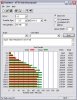
this is actual results for Super Talent MasterDrive SX 64 GB
Attached Files:
-
-
this is on SATA-I controller
and yes, my SSD arrived today
BTW: we're on page 666
Attached Files:
-
-
So when do we think Intel will reveal these new drives? The wait is killing me! I'm ready to jump in.
-
That cant be sata I, you're getting over 200mb/s
Edit: Im blind, nevermind -
only the second one is Sata I.
The new SSD Thread (Benchmarks, Brands, News and Advice)
Discussion in 'Hardware Components and Aftermarket Upgrades' started by Les, Jan 14, 2008.