Problems? See this thread at archive.org.
Now Im more tempted...
What the hell... I will buy it, if it doesnt work Ill resell it here for almost the double
-
-
Maybe wait a bit more because Anandtech seems to think that Patriot performs the same as OCZ Core.
http://www.anandtech.com/cpuchipsets/intel/showdoc.aspx?i=3403&p=11 -
Thanks for the heads up. Maybe I should wait for a price cut in the intel one.
-
Well there's another thread going on about this Patriot SSD and it seems that the V2 of the Patriot does not have the Jmicron controller.
I'm looking forward to see some reviews of the Patriot V2. -
If the Patriot shakes out to work well, I will get one. If not, I will have to wait for Intel price break. Sometimes it seems the Internet actually gets in the way of accurate information with so many sources and such a rush to be first.
For instance, I do not want to read conflicting reviews. I simply want to know:
What controller does the Patriot v2 use?
And does it stutter?
I mean, 2 rather simple questions. Not like, "How does a Black Hole actually work?"
So, let's work on getting an accurate answer and run with it! Dave -
What controller does the Patriot v2 use?
No clue. According to an official post from Patriot, it does NOT use Jmicron.
And does it stutter?
The current reviews say NO. However, there isn't enough reviews to determine/guarantee if this is true or not. -
I'll let you guys know about the 64GB Patroit V.2, I just ordered it from ZZF for $209 with a $40 MIR = $169.
-
Yay I'm not the guinea pig!
Hope the experience will turn out good for you... Wwhen is it going to arrive for you?
-
One thing for sure, the price is decent
-
Should be here wed or thurs.
-
Ic, the moment my laptop ships from Xotic, I'm going to purchase the Patriot SSD from NCIX (local pickup, so rather fast), so if it ships Monday, I might be getting it before you
. Maybe I'm still gonna be the one screwed over >_<
-
Will be interested to see your results. my 120B OCZ V2 gets ~140MB/sec read, with bursts up to 160MB/sec. If the Patriot delivers near that, it sounds like a good option...
-
Any stuttering or hickups with your OCZ Core?
-
There were some reports on the OCZ forums about stuttering in the v2 same as v1. I think both versions have Jmicron controllers.
-
Yes I've read that but I was curious about his personal experience.
-
Well I just ordered one 64gb patriot ssd off ebay.
The bad news are that some say that it has the jmicron controller
-
Well, even the patriot has a V1 and a V2. Supposedly (from this thread) the V2 doesn't have a jmicron controller.
-
I just got a Patriot 32gb V2 (I think). How can I verify if it has a JMicron controller?
-
Open it up.
Otherwise, just run it and tell us how it works. If it sucks, likely Jmicron. If it is slightly better than absolute suck, maybe something else -
Blah
I might be returning it... read speeds are great but random write speeds are still in the crapper. I get A LOT of stalls in Vista while I'm installing my apps. We'll see if it improves once everything is installed. -
I can't believe they accept returns for an SSD!
-
I hope they do... it's www.ncix.com. On open box items there is a 15% restocking fee, but better than being stuck with a dud.
-
ahh... it's a dud
guess I'll be getting a 250gb 7200.3 if it continues being a dud -
Patience young grasshopper.
-
Can you confirm that it was a v2? What was the exact product name and product number?
-
Product Page: http://www.ncix.com/products/index.php?sku=31806&vpn=PE32GS25SSDR&manufacture=Patriot
Part # on the box: PE32GS25SSDR
Part # on the drive: PE32GS25SSD -
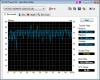
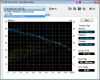
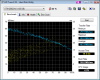
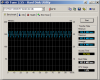
See attached for HD Tune Benchmarks comparing to my Seagate Momentus 7200.2.
Attached Files:
-
-
That is eh... rather slow!
Is it possible it is defective/your setting aren't right?
check out this: http://forums.ncix.com/forums/index..._id=31806&msgcount=4&overclockid=0#msg1812860
Hehe.. 0C. -
I'll do some more tests tomorrow with different block sizes when I'm not tired. The default was smaller but it seemed the speeds were less than when I have it at 64kb.
-
can u confirm its v2?
v1: http://www.patriotmem.com/products/specs/64GB SDD.jpg
v2: http://www.patriotmem.com/products/specs/64GB SDD_300px.jpg -
I got mine from NCIX too, and it looks like exactly like the V1.
And the drive blows, even slower than my 5400.3
Need to talk to them as the site showed the v2 and the spec was 175r/100w, but inside the box, the thing says 130r/80w, which obviously is the v1 -
I ordered a 32GB Patriot to load into my HTPC. All of my "big" storage is on a NAS array and what I'm running easily fits into the footprint of a 32GB drive.
-
Mine is definitely a V2. It says "V2" instead of the MS Windows logo on the V1. I got mine from NCIX.
By the way, I'm running Vista with some components removed using vLite. -
I ran Hdtune on my Ridata 128 gb ssd in my Thinkpad T400. I ran hdtune on my SuperTalent 120 Gb ssd.
-
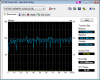
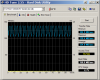
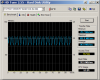
More HD Tune benchmarks on my Patriod 32gb SSD V2 vs. Seagate Momentus 7200.2, 256kb block size.
Attached Files:
-
-
Those numbers from the patriot drive are hard to believe... I tought it was a better performer.
You know what? I guess that these drives are meant for slave drives or a secondary storage. Like a drive for running heavy stuff or videogames... -
Yes. I've managed to mask most of it by tuning my Linux cache parameters, but if you get an app that insists on flushing/syncing its writes instead of letting them be cached, the app will visibly hang/stutter. But most of the programs I've used don't use synchronous writes, so most of the time there's no visible problem.
The more worrying problem is that on two occasions, when I rebooted my laptop, the drive disappeared. The BIOS says "no hard drive found.". Powering off and on again has cleared it up each time. I'm still using the drive, but it definitely has me worried... -
I've just gotten a Patriot 64Gig SSD, V.2, and I'm seeing different numbers under HD Tune, about 30 meg/second higher (though still not hitting the 175 meg/second Patriot claims). I'll try to post the picture later: I had to run back to work.
One last thing: when I first tried it in my E-SATA dock, it was defaulting to SATA-I and I was getting number similar to Michael Kenny's w/whatever is the default in HD Tune for blocksize. (I'll check that as well...) When I put it in my machine, on the Nvidia SATA connectors, I got higher numbers and SATA-II (and my CPU usage went from around 50% to around 10%). -
I was running this drive plugged in directly to my laptop, no enclosure or anything. It's possible maybe that the laptop is SATA-1 only, but I thought it supported SATA-2 (it's a Lenovo T61 with ICH8M controller). I posted a message on the www.ncix.com forums and posted my screenshots. Someone from Patriot replied saying that the drive was probably bad and that I should exchange it. I probably will get a refund and wait a while still since I don't want any issues with the replacement one.
-
First: peak 162 meg/sec, ave. 152 meg/sec at 256K block in HD Tune. OK, now some pictures, and some comments.
The one ending in "64GB SSD" (Max transfer 105.0) is connected via ESATA dock, to a Silicon Image SiI 3132 SATALink controller, on the motherboard of an ASUS A8N32 SLI. After running the test, I checked and the properties for the controller said "write caching off" and also specified that it was running at SATA-I rates.
The picture ending with "64GBInternal" (Max transfer 138.4) was the same drive, placed into the box and so connected to the NVidia nForce4 Serial ATA RAID Controller, again on the motherboard. This time write caching was definitely on in properties, and the interface was running at SATA-II rates.
However, both the above tests were done with HDTune 2.55 running the default 64K blocks. So I set the block size to 256K for the last one, "64GB-Int-256KBlocks" (which I named so incredibly originally) (Max transfer 162.6). This is still internal/nVidia, just the block size has changed.
Despite the temperature shown on the graphics, at no time did the Patriot actually suck heat from the surrounding surfaces in a violation of the laws of thermodynamics.
Lastly, I ran Atto on it, and the screenshot is attached. This is when it was internal.Attached Files:
-
-
could u try this iometer test as per bottom of here? (may need to sign up)
hdtune, hdtach doesnt show the random write performance (atto is only linear write also) which is the thing that blows with all these jmicron drives -
Done: ouch. I'm guessing "Total I/Os per second" being 6.69, is better than the OCZ's rumored "4" in the same way that herpes is better than syphilis.
Average I/O response time (ms) is 148.9025. Total MBs per second: 0.03
Reran test, and results were something like a percent or two faster, so, these are probably pretty solid. -
eek horrible I/O
might be ordering a 250gb 7200.3 today -
your analogy is accurate. shame if patriot are stating V2 doesnt have jmicron controller if thats not the case. doesnt look any different to core v2 drive over the original core, gave the hope of better performance etc but didnt deliver
-
Maybe it's another controler that just equally sucks.
In other news, supertalent has announced another MLC SSD, third generation.
http://www.dailytech.com/article.aspx?newsid=12976 -
^^ Yes but with a 1 year guarantee only.
It seems not even their manufacturer trusts their "super" talent. -
At 150MB/sec read and 100MB/sec write it doesn't sound very different from the OCZ Core V2. Suspicious...
-
The SLC version of the Super Talent drive sounds promising, albeit still pricey at $849/64GB,
http://www.dailytech.com/article.aspx?newsid=12976 -
Could you describe any scenario that makes your Patriot V2 stutter?
There's one user that can't get his to stutter:
http://forum.notebookreview.com/showthread.php?t=300292 -
well going on the core drives, i had my suspicions that the stuttering only occurs if writing to the last 80% of the drive, where a sequential write benchmark like hdtune will show an oscillating graph (first 15% is ok).
because the ocz support were saying they didnt have the issue, and then we only ever using a blank drive (non-os) and therefore when they do their benchmarks would use the first good bit of the drive (but no one has)
but when they ran a 10gb benchmark that goes beyond the first ~15% of the drive they started getting worse performance.
ive tried to get people with a core drive to partition it 20/80% and then run benchmarks on the first partition and then the last, and see if the last is always bad
also, it could be an issue with the way the filesystem/os works so a mac benchmark without issues isnt evidence theyre not affected.
The new SSD Thread (Benchmarks, Brands, News and Advice)
Discussion in 'Hardware Components and Aftermarket Upgrades' started by Les, Jan 14, 2008.