 Problems? See this thread at archive.org.
Thanks caiol611.
-
Dang I missed the delivery by 20 minutes I have to wait till 4:30 to go pick it up =(
-
Yeah that was me. Unfortunately my envy hasnt shipped yet, but I have the caddy ready. I will be putting a 160gb ssd in the main bay and moving the 500gb to the ODD bay.
-
JUST got my Envy 14...I love it so far.
For those of you who were curious about the BEATS audio headphone jack. I currently own a pair of ATH-A900 headphones and consider myself to know a bit about sound.
The jack is DEFINETLY better than any other laptop jack i've used. The bass was strong and the soundstage was very nice. Though it may not be as good as a 200$ audiophile source, it is extremely adequate in my opinion.
Enjoy the music =D! -
Can you use the caddy with a slot load drive?
-
What's the true color of the envy in person? I'm hoping it's silver instead of a bronzish color. I can't really tell from the pics posted.
-
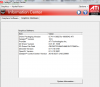
Double check CCC 'info center' and make sure that both CCC and the driver updated to the 10.6 versions, sometimes it doesn't update the CCC version which causes problems... Here is what my version numbers are, note that I have the 10.6 'beta' version of CCC and the WHQL final version of the 'driver package version' so your CCC version number should be higher (the bottom one on the list).
-
Abaddon - Yes, but it needed modifying. The problem is its too long as a normal ODD sits flush with the outer shell, a slot loader sits inside the laptop so its slightly shorter.
You can buy a 9.5mm drive which will fit without modifying but I already had a 12.5mm and hacked it up to fit in my m15x's slot loading 9.5mm bay -
Someone shoot me.
My E14 came retarded. -
I care about is how noisy it is, when there is no music playing, do you hear any hiss? It will be a very faint hiss sound.
-
no they dont, but i havent messed with them yet. I am reinstalling windows first -
Uninstall all graphic drivers and reinstall the ones you can get from hp's website. If it fails, do a clean install of windows and reinstall all driver's from hp's website or the recovery partition driver folder. If that doesn't solve it well return it.
-
Keep in mind, the e14 is still a $1000 laptop and to me for a mainstream laptop, it is badly designed witrh cpu whine and "semi-glass" type screen. Battery life isn't what I had expected either. And why add more weight by implementing an optical driver? You're paying $1,000 for a laptop that has 5650 and you expect a Sony Vaio Z? God, don't even get me started with the touchpad and the unpredictable moments of freezing of the system. HP, we all had high expectations of this laptop ever since that horse commercial came out. I can honestly say that I can get better laptops than the e14 right now. The Acer 3820TG is a good alternative.
-
Sounds good, guys. I'm interested to know what happens. I remember some people speculating whether or not it would be possible to swap out the slot drive like people do with standard ODD tray drives.
-
whats wrong with it?
-
There shouldn't be any problems right out of the box. Go RMA that crappy laptop of yours.
-
Without the great screen or optical drive, pilot. Anyone who expected this launch, or any notebook launch, to be perfect was kidding themselves. Give HP some time and I am sure they will fix these problems, just like they did with the Envy 15.
-
Can anybody redirect me to someone talking about reformatting their envy 14 or comment on the post I made? Thanks!
(I don't know how many people just look at this post haha) -
Mine just arrived. Box was in fine shape, and kudos to FedEx -- at this time yesterday, it was in Alaska. I took a few unboxing photos, now it's charging up, so I will post more later. Obviously, I'll be listening for the whine!
Overall the build quality seems good -- there are no gaps like some of the Envy 17 owners reported -- though there are some niggles. There is a very noticeable amount of keyboard flex around the IOPKL keys; the metal base panel that covers the battery is quite thin and very slightly loose, so handling the laptop when it's closed feels a bit rattle-y; and I think one of the laptop feet (the front left) may be slightly shorter than the other three, so it rocks a bit (although I need to test this on more surfaces, it might also be my table). -
1st page of this thread under Hp laptop out of the box guide
-
I had already reverted back to the stock drivers after seeing your post. But, I had completely uninstalled the old drivers, and ran driver sweeper...So, I'm rather sure everything was updated.
-
Well a CPU doesn't "Whine" so what are you guys talking about? GPU whine? the sound of over voluted circuits? fans?
-
PROTIP: Don't move the laptop while the recovery DVD's are burning. At all. Not even a bit. Yanno what, don't even look at it while they're burning, and make DAMN sure to not breathe directly towards the system. Otherwise, the disc fails and you have to scrap it and start again (and this is a slow burn program).
I know it's never a good idea to move a laptop while it's burning a disc, but damn. I've already ruined 6 DVD-R's, and I'm only on disc 2! Thank god I've got access to the office's blank media store closet
-
First of all, the HP logo on the front glows. ONLY HALF OF IT.
THATS NOT SUPPOSED TO HAPPEN. It's supposed to glow 100% of it
Second,
It wiggles. The 4 corner rubber things at the bottom of the laptop that's supposed to hold the laptop in place? One's short. So it wiggles.
Third,
I see 2 dents already. I JUST opened it. It's ridic. -
I'm just on NBR and basic internet stuff. I hope that isn't cause for failure. I'm even being gentle typing!
EDIT havnt had it long, but there's no wiggle. and I can identify no dents so far. I think theres a tiny rattle while typing, I will attempt to identify this at some point. Sounds like it comes from the right side of the computer. -
Sorry but I'd at least try reinstalling graphic drivers (takes 5 minutes) from hp website (certified ones) before going into 4 weeks waiting of RMA. Especially when the issue looks totally driver/windows installation related so far.
Driver problems out of the box do exist, especially if everything was already installed and running on the first boot (I mean there was not a 10-15 minute startup installation from recovery partition the first time you booted). -
Looks like you got a lemon
-
Hmm. i was pretty excited to get home and open up my new laptop but the more i read here the less excited i am.
-
I was hyperbolizing a wee bit, but honestly I wouldn't do more than type on it. Twice I picked it up a bit to look at the etchings on the case and the disc failed. Tilting is culprit; the DVD is a gyroscope and any time you tilt the system it hits the inside of the DVD drive and failure occurs.
-
I just updated my earlier 'Touchpad Setup Tips' with the following. Which makes a big difference with the performance and cursor sensitivity....
EDIT: 7/16 -- Forgot to include that There is a control for sensitivity under the 'pointing' options for both touch sensitivity (how hard to press before the cursor activates) and 'palm check' which controls what happens when you accidentaly slide your hand over the pad, it helps prevent the cursor from jumping around by accident (like when typing). Set both to your personal preference, I use about 60% for both.
HERE IS THE LINK TO THE FULL (UPDATED) SETUP TIPS -
Questioning that sweatshop labor finally? Well mine seems to be in acceptable shape physically. Still need to stress test.
Oh, and out of box the touchpad seems great. I like it just as much as my OLD MBP. (not the new glass ones but still a nice pad) -
Anyone planning to install linux on these machines. If so, please post how the process goes, what works, what doesn't, and what distribution you are using. Thanks!
-
Awwww man that horrible..
I'm sorry to hear that.
Did you call hp yet? Cuz that's the first thing I would do.
And it does sound like you got a lemon. -
One of the germas already posted htis about 10 days ago! see the first post on page one, should be a link to his post. It seemed to work well.
^^^ still getting used to typing. -
I'm just going to stick it out and return this after my vacation (my other one has a build date of July 23rd, I return the 31st so that should be good timing). I'll then just return this one August 1st (within my 21 days) or whenever I get my new Envy.
Random question:
Should I avoid using the 10 dollar coupon that came with it if I'm returning this one? You never know with corporate America and how they'll try to screw you over. -
Thanks man! Do you think this would work: Optical Bay HDD Caddy to replace Slot-Loading Optical,9.5,SATA [OBHD9-SATA-SATA-NF] - $42.00 : NewmodeUS, Hard Drive Caddys for Notebooks
I'm planning on throwing in one of these: Newegg.com - Western Digital Scorpio Blue WD7500BPVT 750GB 5400 RPM 8MB Cache 2.5" SATA 3.0Gb/s Internal Notebook Hard Drive -Bare Drive Read a toms hardware review saying this 5400rpm drive outperforms most 500gb 7200rmps.
-
Theres a linux thread already going with info..
-
See the E14 linux thread
-
man that sucks! sorry to hear that dude
-
Eh don't give up hope yet. While there are problems with some systems, there are plenty of people who are liking it so far. I personally love this system, and any criticisms I have of it are purely nitpicking or me just making observations.
Also, sort of ironic: I'm using my e14 to listen to Pandora while the recovery discs burn, and the entire Pandora background image is an ad for HP laptops talking about how sweet the Beats audio is. The ironic part is that I just switched my headphones over from my work G5 to the E14 for the sole purpose of using the Beats audio
-
What's a lemon? lol
I'm on the phone with them right now.
Scared the chick and she's getting her superior. Heh. -
mine arrived.
man the hell is mycolors.
also my box was banged up a bit and had the start of a hole in it.
the box within the box though was pristine (the one with the computer inside it of course).
I took some pictures that I'll upload later. Man it IS brighter than the screen on my Asus G1 (still on the G1 right now since it's setup in the back and well...there's gonna be some stuff I need to move over eventually) -
Wow! I have an update for the trackpad.
I lower the required sensitivity to the lowest possible (among a few more slight adjustments in the settings) and I now LOVE the trackpad. Working with the settings to your liking is almost a requirement with this laptop.
I'll try to do some more testing later today. -
A lemon is a product in abnormally bad shape
-
Anyone think the screen is brighter than the E15 glossy 1080p?
-
A question for the people that received their Envy's with the i5-520M. Do you hear the Cpu whine that others are reporting?
-
hey guys does the optical drive have lightscribe?? the manual says lightscribe but its not mentioned in the specs on the site... so can anyone confirm that? thanks
-
No. I'm burning DVD's and the only thing I hear is the whirr of the DVD drive, but even that is pretty quiet.
No lightscribe.
Also, though I said recently that I could take some pics; I guess I lied. I forgot WHY I brought my camera with me today; I'm using it and it's Memory Stick as USB mass storage for the day No pics for now, sorry...
-
Yes. 10 char.
It's not loud but I'm nitpicky with sounds in quiet environments. When you detect it, you will not be able to forget about it. -
Only when I put my ear on the keyboard.
*HP ENVY 14 (1XXX series) Owners Lounge, Part 1*
Discussion in 'HP' started by 2.0, Jun 21, 2010.


