 Problems? See this thread at archive.org.
Wow...I would have much rather had a flex issue than to have a problem which accounts for 99% of what I'll even do on a PC...using the Internet/WiFi. If my next E14 has the same problem...I'm going to have to settle for MBP...and I really don't want one.
-
You chasin' an ambulance... or something? What's up with these trolling posts?
Last one. Unless of course, YOU have a personal gripe with HP. -
any idea why battery meter and windows battery thing isnt recognizing my slice battery?
i think it did the first time i tried it when i first opened my laptop but now it doesnt seem to. i tried turning off the laptop, taking it out then putting it back it then turning the laptop back on but im still getting the same readings as it was without it -
No one minds the throttling on battery life I just found while playing BFBC2? I thought you would all be up in arms!
-
Wow I already have a dead pixel as well...My battery cover also doesn't latch fully and it jiggles if I hold it from the bottom. Pretty upset about how terribly mine is running, hoping that my second one is nothing like this or I may go....
MACBOOK PRO -
*shrugs*
got no desire to game on battery? -
Yep i knew i wasnt the only one to go this route The MBP is starting to look alot better.
-
Yeah, I've got no desire to "inform the world" of anything. I'm just worried about the laptop I just spent $1500 on.
Aside form the keyboard issue, which I may be able to fix, it's spectacular. It runs circles around my desktop.
Edit: Having quoting difficulty! I'll go read the FAQ. -
...
man picasa. why do you only let me upload 5 pictures at a time -
Make sure CCC power play is set to 'max performance' when on battery. You can also change it in the advanced power plan settings...
-
Tiny bump
 can't wait to call HP tomorrow after I'm fully rested. I'm going to give them supreme HELL.
Btw I am now restoring back to Factory Settings...although I don't think that will change anything. -
It's also important to note the following: for soon-to-be HP owners who ordered using Bing cashback, having to do a return for a new unit may void your cashback.
-
That should be the 'index list' to help you figure out what 'SP####' files are are what. One of the files in the SWsetup folder is the intel 6200 driver and one is the HP wireless assistant app, you can reinsatll them from the .exe files directly without needing to get online, you just need to decipher which ones in the list they are since thye have kind of cryptic names...
-
ok.
I think I got this link right.
Envy 14 pictures
edit: btw. the original box got beat up, but the box inside was fine as can be seen.
At the end I was just taking a few pictures of the envy compared to my G1. Last picture is that weird stuff you can see at the bottom mid if you're looking at the envy at like 170 degrees -
woahhhhh, the 14 isnt magnesium alloy? It's just plastic?
-
When you apologized for the angle I didn't expect THAT - rotated 90 degrees. HA!
-
Thank you all for posting; I have decided to get the 13 inch macbook pro.
-
Even if you underclock the intel GPU, battery life difference is extremely negligable between a standard clocked intel GMA vs underclocked intel GMA.
For the ATI gpu, i recommend rivatuner -
No it's aluminum.
-
USB ports are stiff... LOL
-
I had found the HPWA driver and installed that...but I couldn't find the 6200 Driver in the folder (or at least...I missed it). Anyhow I want to get down to the bottom of it, unfortuantely I'm doing a Factory Setting restore atm.
-
*jaw drop*
hooooly crap my dvd drive is region free from the start.
thank you hp for messing that up (or not messing that up) -
That should fix it for you also
-
1 more person to the MAC side.
-
You plan on runnin' windas on that?
-
Cool pics. Thanks.
-
I feel for you...lost soul.
-
hey is anyone else's touchpad raised at the top? idk if its the design or if mine is flawed.
-
I still can't get over that the dvd drive is region free!
I was afraid I'd have to find some firmware for it (which there is none) or use something to make win 7 think it was region free too (my old computer needed both firmware and that region killer thing)
the envy doesn't need either. -
Can you go post this in the Backpacks thread too? It's good (bad) news to share! Thanks bud.
-
LOL @ clicking trackpad button... too darn funny. "oh wait there is a cable".
But yeah, those build issues should not exist. -
haha mine too! Does that mean we can play all dvds?
-
yo dookie.
SC2 dun like ultra everything. it gets 30fps on beta phase 1 and...well sub sub 30 on beta phase 2 (beta phase 2 has stuff in the background that makes it less optimized than phase 1).
sc2 high gets 40-60 in phase 1. low 30s in phase 2
sc2 medium gets 70-85s in phase 1. 45s in phase 2.
phase 2's issues better get fixed when live shows up -
Yes, I have it too. I think HP workers were in a rush so they slammed the keyboards and touchpad like madmen...Thats my take.
-
Yes. it means you can play dvds from anywhere. This is a nice bonus.
'cause well. means I can play that boxset of The Life collection in the back finally.
I had to go to the front and use the one dvd player in the house that we could make region free (and well not gonna replace the dvd-recorder with that in the back) -
Alright. I've done a clean install, gotten on the drivers installed, and installed all of my favorite software!
Next up is some fallout 3 and n64 emulation
Notes:
-Zero CPU whine for me (520).
-This laptop is super quiet.. and very cool. Extremely impressed. I don't notice the fan noise, but then again I am extremely ADD.
-Keyboard definitely has flex spots, not that I care at all.
-Laptop runs like a beast without all of the bloatware. It's night and day. I highly recommend a clean install. Went flawless for me.
-Drivers installed with practically no problems. Catalyst and everything works as advertised.
-Touchpad is amazing after you tweak the settings.. except for one thing, you cant rest your thumb on the clicker, because the clicker is part of the touchpad area. It makes the cursor go wild when you try to drag and drop because of this/ There has got to be a way to fix this somehow.
-Screen tilt: could be better, but it's not horrible. I can't sit with my legs bent and the laptop angled toward my face while propped up on my legs. (I'm over 6' tall so this might be a height issue)
Overall, the laptop feels sturdy and compact.
p.s. if anyone can figure out how to disable the part of the touchpad that is on top of the buttons, please post it. -
also my touchpad is raised on the sides (by like a half an inch or less or something)
flush on the top and bottom.
doesn't really bother me -
ahhh i want your beta key! but thats good news that we should be able to play on high when its released.... -
This is the first laptop ive ever bought....so i lold when someone was mad about the rubber things on the bottom not being even. I guess they were serious?
Wouldnt it take less than 3 minutes to shave them down a bit and make it level?
Or is that just my thick-minded, Midwestern, idiotic train of thought?
edit: or pull the low one off and add a little rhino glue underneath? -
Good points.
Happy for you! , wish I could be happy for the rest of the users.
-
they're just being sorta ridiculous.
and yeah you could try shaving them down but man. they're already pretty low lying on mine. -
Me too.
-
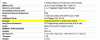
internal chassis is magnesium alloy, the outer skin is aluminum
-
i have a pre configured envy the Canadian version and its perfect. No creaks, no unevenness and no flex unless you press really hard, screen is amazing and it so much cooler then the last gen envy 15. Also no CPU wine on the i5 430m
-
I posted a guide a ways back. Up the 'palmcheck' settings and increase the 'Touch sensitivity' options in the 'pointing' section of the Synaptics panel. Also if you enable 'Tap to click' and 'tap to drag' then you really don't need the physical buttons 95% of the time.
-
Huh? what internal chassy?
-
3dMark06 score- all basic settings- 6890
-
I'm still waiting on mine so hopefully it won't have the CPU whine or crazy keyboard flex or raised touchpad. I really wanted a premium laptop, not a "budget" premium laptop. I waited for the Envy 14 specifically thinking it may be the only PC alternative that can keep me from a macbook because I'll be spending all my time in Windows and Linux.
-
I have never implied negativity on another user on this forum for bring up true and valid points; ever! I didn't think "moderators" would infer negativity upon its users with derogatory word choices like you've suggested against me here. Lets spare the accusations and allow honest Democracy a chance. My Envy 14 is to be delivered next week.
Sir, its obvious HP has consistent struggles with notebook quality. Im not an industry leader in reviewing notebook quality, SquareTrade is more capable than myself at that service. Im not sure who pays the bill here now that you've brought it up?
Who else is having HP Envy 14 build quality problems?: Here, here, here, here, here, here, here, here, here, here, here, here, here, here, here, here, HERE, here, here, here, here, here, here, here, here, here, here, here, here, here, here, here, here, here, here, here, here, here, here, here, here, here, here, here, here, here, here, here, here, here, here, http://forum.notebookreview.com/hp-envy-hdx/493715-official-hp-envy-14-owners-lounge-739.html#post6479899[/URL].

-
that's a lot of heres.
*HP ENVY 14 (1XXX series) Owners Lounge, Part 1*
Discussion in 'HP' started by 2.0, Jun 21, 2010.


