Problems? See this thread at archive.org.
Ya, I was going to say that I've read through this thread and we were all thinking it should be 1-1.5 hours because of what you were told... BUT seems like everyone who had run it ended up at 4+ hours. I started wondering pages ago if the tech had no idea what he was talking about; at least that's what the evidence points to so far.
-
-
Initial set up completed (really was out of the box). Creating recovery disc now. Did not even let defender update before.
On a different note. At the office I had it running on the 6 cell battery, and it got pretty hot just through the updating process (nothing worrysome...funny as is, one of the guys whi has a Macbook pro came over and said "you are crazy, your envy is crazy cold"). Now I have it on the 9 cell with the back up and it really hardly warms up. -
Glad to see you up and running again! Keep the recovery disks in a safe place...but you now know how to do a recovery...
-
You can do the maths on how long it should take to do a full disk scan. For a 1TB disk to take 4 hours the maths would be
1,000,000MB / 4 / 60 / 60 = 69.4MB/s
So to take 4 hours it would have to average 69MB/s which is a fairly normal average read speed for laptop drives. If the drive is smaller then you would expect it to take less time.
Modern hard drives with > 1TB of storage take a very long time to do a full scan or a RAID rebuild because every few years they double in size but the sequential read/write performance only goes up by 10%.
If this trend were to carry on then in 10 years we would have 20TB drives that take 3 days to scan or rebuild. -
I had 2 thoughts/questions when I read this:
About the GPU: I wonder if it only picks up the Standard VGA because of the switchable graphics, so it's only seeing the integrated Intel GPU?
About Tridef: What serial number is it asking for? Computer serial number or software serial? Maybe try putting in your computer serial and see if the activation button becomes active. -
Might order one from Amazon, think it's like $25. But wasn't it fiver5 who ordered the 6300 and was going to try it out? I'd like to see how that pans out first.
For now I just opened it, went over the connector to the HD which was a bit loose in one corner, then removed and reinstalled the ram and the wifi card. we'll see how it goes
As you can see, I really don't wanna return it, even though it seems like I eventually will have to. -
1. My 6300 was shipped via USPS today. I don't know if it was shipped priority or not so we'll just assume it should be here Monday at the latest.
2. I pulled a known good working 6200 card with the same part number out of an HP8440p. That 8440p works perfectly on my home network in both 2.4 G/N and 5 N mode. Wireless is broken on the Envy with this card unless I force both the router and the card to G only mode.
This means either my Envy has a bad motherboard, or there is something about the combo of SB+6200+My specific router's N implementation that makes it break.
edit: everything below this line is wrong
I have an idea that isn't fully formed yet, let me ramble a bit. Note that the Envy 17 supports WiDi. Also note that the 6200 wireless card does not natively support WiDi. I think what might be happening here is that even though WiDi is not being actively used, something about the Envy is "pushing" the card and doing something either at the edge of the cards capabilities, or at the edge of the N specification. Certain unexpected handshake activities with certain routers / etc might just make it blow up. Wild Guess, as it were. -
Allright, let me know if the 6300 is whitelisted by HP then, and if you're able to install it and use it with 2 antennas. Cause it's supposed to be a way better card than the 6200 and if it can fix our problems, it's $ well spent
What I've noticed, and as I have said before, I run a ping -t to a certain site, so I can continuously see what happens. And it starts with some timeouts, until it drops completely and then freezes the computer moments later. Now if I only knew what makes it drop the connection in the first place. Would be weird if it was a bad wifi too, since it works flawlessly at times until it suddenly acts up. -
Hey, I was just looking here, and it implies that the 6200 card can be used for WiDi.
Intel Wireless Display
What am I missing? -
I actually have as of yet been able to get any graphics drivers from anywhere working.
The 8.whatever from the HP website properly install the ATI driver, but does not install anything for the onboard Intel. I have no switchable graphics and am "stuck" with the onboard Intel GPU with vanilla win 7 drivers.
I also tried the hacked 11.2 drivers from over at guru3d (which I had working earlier today on the stock installation). Same thing, ATI is there but no intel.
Basically I am either missing some prerequisite or I need to get my paws on drivers for the onboard GPU. I haven't been able to locate anything but I'm honestly starting to get a bit punchy and probably should just go to bed and figure this out later.
I will post a screenshot of the Tridef window whenever I get graphics working. It does not appear to be looking for a machine serial. -
You are missing nothing, I am wrong
I read all the product documentation for the 6200 last night and just flat missed that it does WiDi.
myth -> busted. -
After cruising Intel's site a little more, I noticed that the 6200 isn't listed as a current product any more. The 6205 and 6230 are there, but not the 6200. I wonder if it's because there is some design issue with it.
I had an experience with my last computer where it was constantly dropping the Wifi signal. I tried every driver and every solution. Eventually, online, I found that almost everyone with the same Wifi was having the same issue. Next I noticed that Intel only offered the card in my computer for a very short time, and very quickly updated it to the next model. I always wonder if there was some unspoken engineering flaw in the design of my card and intel covered it up by quickly redesigning it before it was uncovered and became a recall. I ended up using that laptop plugged in most of the time, only using wifi when necessary.
This is starting to make me think a little of that experience, especially since the 6200 has already been replaced, and only exists in the support area of Intel's website.
Those with freezing issues or interested in the Wifi issues, check this out, sounds a little familiar:
http://forum.notebookreview.com/ali...i-fi-card-intel-wifi-6200-system-freezes.html
At first I thought, maybe isn't Intel's issue, maybe it's the router manufacturer issue with something their putting in their programing/protocol. But then I remember that you took a 6200 card that had no issue and put it in the envy and it had issues.
Is your envy using the same wifi adapter driver as your other laptop (that donated the card) is using? -
Sounds very familiar.
-
Just had mine delivered this evening. I got the SSD in place, Windows loaded, and all is now set. Working great with no issues. The new version is quite a bit cooler than the older Envy 17.
As for the network card, there is a driver release that covers the 6200N released 3-4-2011 (newer than installed). Here is the link, just download the top file (Windows 7 64 bit). I am having no issues with the NIC. Great latency, high throughput on a Linksys 3000 wireless N router.
http://downloadcenter.intel.com/Det...7, 64-bit*&DownloadType=Software Applications -
Okay I will try once again is anyone experiencing high pitched noise coming from headphones plugged in to their Envy 17?
-
Not a high pitched noise but very distorted sound. I tried to headphones and both are giving me some weird experience. Sounds like sombody is oversampling the original sound. Vocals are distorted and sound like an old tapeplayer eating tape.
I have yet to try some external speakers, but I am still burning my recovery DVDs after some crashes and doing a complete out of the box recovery. -
Insurance and extended warranties are something I have never worried about. I have my house and contents insured. I can't afford to replace them if anything happens. My car is ensured to cover other cars and people. Anything else can easily be replaced. Most problems with PCs occur in the first couple of months and you have cover for that.
Except for the VOG, I live in a similar climate on the Sunshine Coast of Australia - right on the beach and plenty of sea spray. I wash my car, I wipe my computers.
For the amount you pay on insurance, investing that for 10 years will well and truly cover any computer fixing or replacement. -
Hey So I ordered my envy a few days ago & I got it with the standard hard drive but I plan on replacing it with this Constellation.2 Hard Drives | Seagate and a vertex 3 120 gb....so the question is what do you guys think about the seagate constellation 2?
-
In my personal opinion it's a bit of a waste as the 1TB (or is it 750GB now perhaps?) Toshiba drive that comes with the Envy is more than fast enough to be used as a secondary drive while you have your OS and most important games/applications on the SSD.
Really, it doesn't feel like a 5400rpm drive, it's very smooth imo. -
I just figured that it would be load up all the blu-rays that Im gonna have on there I dont want any sort of stutter. And yea it's a 750GB
-
Two quick notes before bed about clean installs:
1. You MUST download the Intel HD Graphics drivers from Intel and install them before monkeying around or trying anything with the ATI drivers. Failure to do so (like I did) will cause great pain in your life. Probably you want to get all chipset drivers installed before doing any of the GPU stuff as well but I don't know if that's as critical.
2. Friendly email with very specific details sent to the tridef people about the following (activate button greyed out):
![[IMG]](images/storyImages/capturebco.png)
-
After reading everything u guys are going through I just hope mine doesnt have any problems.
-
You are absolutely right. I have 6 TB on my PC desktop (4 x 2T in RAID 5). I need this for my photos, videos and movie collection. I run checks regularly, while I sleep, and it takes upwards of 9 hours.
I have ordered the 2 TB (2 x 1 in RAID 0) for my new HP Envy so I can take some movies when I travel and have room to download photos and videos as well.
I ordered (in Australia) on the 31st March and they are going to start the build on the 20th of April. I can expect it a week or so later. Our prices in Australia are considerably higher but as I am buying it on a novated lease I will pay no tax or GST - so it should cost about $1600.00 from an initial cost of $2999.00. I only need to keep it for one year and then I can sell it for what I bought it for. (In Australia there is only one model Envy 17-2002tx which is 17/3" 3D, 8 G RAM, 2x1000 TB HD, 1G video card, and one year - RTB warranty.) I am looking forward to getting mine, too. -
I don't have my Envy yet, but i'm very interested in the issues as I will receive it soon.
I looked around for a little more info on the Intel 6200 possibly being the source of the freezes:
In this thread, which I posted before, the OP upgrades to a 6200 from the Dell card and starts getting freezes, plenty of other people with the 6200 and 6300 said they've had a similar experience.
http://forum.notebookreview.com/ali...fi-card-intel-wifi-6200-system-freezes-2.html
Another thread linked to in the 1st thread:
http://forum.notebookreview.com/alienware-m11x/550038-crashing-related-intel-6200-r1.html
Basically, what I've seen in these threads is:
-One person suggests disabling the power saving function of the card, others said that didn't work for them, find the feature in Device Manager.
-Another user said that he/she had no problems until updating to the newer driver, then it started crashing. He/she said that they went back to driver 13.0.0.107 and haven't had any crashes since. Other said they used old drivers (but didn't specify if they used 13.0.0.107) and still froze.
-Some people believe that it's Google Chrome causing issues and say going back to firefox helped.
-A second user (unique from the first one I mentioned) said they used the 13.0.0.107 (from 9/15/2009 according to his device manager) AND turned off the power saving feature and that fixed the issue.
-One user noted that the card is rated to 60*C, and thinks that under large downloads/heavy loads, things get over 60C (he said his got really hot) and it locks up
Here is a link to Intel's page with the 13.0.0.107 drivers. NOTE, the date of the driver is different from what was posted in the links I provided. Also, looking around, I found various 13.0.0.107 6200AGN drivers that had different dates (but is it the date the driver was created or the date it was posted???) and different file sizes, so I have no way of knowing if this is actually the same driver the others are saying fixed their problems. This is obviously more than just the driver, it's the software also, so the 13.0.0.107 label might not even be accurate.
http://downloadcenter.intel.com/Detail_Desc.aspx?DwnldID=18212&ProdId=3141 -
Ran the HP hdd check 4 hours ~
I m going to stress the WiFi to see if it causes crashes.
I am also thinking about calling HP about this wireless issue.
Checked HDD with TuneHD. Under healthcheck I received a lot of failed statuses!!! Can anyone check this with their hdd? I have the standard 1TB and want to know if these fails are normal.
P.S.
No problems installing SP1 -
Yes... I posted about this a couple of times previously. It's the only problem my Envy is giving me! The noise, thankfully, goes away when I play music or another sound, though.
-
I use the 13.5.0.6 driver published 1/19/2011 for the wireless card that I linked earlier. No problems with WiFi here.
-
depends on what you mean by "true 120 Hz" and "rated as 120 Hz"
the display itself has to fire at 120 Hz because it has to fire 60 fps for your left eye and 60 fps for your right eye, and do that all at the same time, alternating between left and right eye content. thats pretty "true 120 Hz"! your left-eye shutter fires at 60fps and your right eye shutter fires at 60fps.
if you are looking for 120Hz for 2D content such as you might find on an HDTV you will be disapointed. on the Envy 17 3D, the 120Hz display offers none of the motion enhancments associated with HDTVs -
That motion enhancement stuff is bullsh*it anyway.
120 Hz should give you a much smoother desktop though, and smooth playback for 24/30/60 fps material, so it definitely is an advantage. If you'll need/use it is another question. -
Fiver...
Does TrhDef work for you without the code? BTW...my machine on truck for Delivery....here before 10am... -
Interesting....If I recall.....you can download the TRIAL (option) then go on the Tridef site and see if you can then get the automatic validation/activation. Hope that works.
KJ
-
why does 120HZ give you a much smoother desktop? I don't see any advantage to firing the displapy at 120 Hz just to show five repeated frames of the same thing, for example. A 60Hz (native) display can fire at 48 or 60, accomodating all 24/30/60 fps content, and I would expect would be just as smooth as a 120Hz display forced to blink faster than your eye can notice.
-
Congratulations. Hope all goes well. Cannot wait to read your setup and care and maintenance reports.
-
It's not a big deal, but the desktop (or rather, everything in your OS, moving things around, etc.) will appear a bit smoother.
For video, you could keep the display at 120 Hz without having to switch refresh rates for 24/30/60 fps material. Nothing major, but an advantage in theory. -
Gonna add photos so it may take until sometime during the weekend. If the file is too big...what might you all suggest I do. Can't upload very large files to this site.
Any recommendations how to get the file here??? I am documenting everything in Word and then gonna turn the final into a .pdf file... -
I figure this got buried away:
Just got my Envy 3D tonight and I am really liking it so far. One question for owners: as you open and close your screen, do you get some distortion near the center of the screen (typical LCD distortion)? Just wondering if this is normal for the Envy 17 3D and if it could potentially pose a threat to the screen in the long run?
EDIT: The easiest way for me to see it is to openvthe "3D Demo" and leave it on the purple blank screen (make sure it's full screen) then move the hinge. -
I doubt there is any perceivable advantage to moving windows or icons around if the display is firing at 120Hz versus 60 Hz.
And keeping the GPU fixed at 120Hz assumes it cannot automatically adjust between 60 to 48 as needed, so there is no advantage there either! unless you are saying the GPU cannot do that, and that somehow we have to fool the GPU into accomodating content with different frame rates by choosing a display refresh rate that happens to be the least common multiple of 24 and 30? -
I'm unhappy to report that I have begun to experience the periodic crashes that others have been reporting... This sucks.
-
I can't believe it!!! They set it up correctly. I have a 160 GB SSD AND a 640 GB HDD...separated already. No problem...I am still able to work on the guide for anyone who might need it but I think HP has it under control...
Attached Files:
-
-
Gonna back this baby up and start to play...back in about an hour!
-
Hooray!! And I was all psyched to break the array. Keep us posted.
-
Huh? You seem to have misunderstood me.
If you keep the display at 120 Hz you can play 24, 30 and 60 fps material smoothly, without changing the refresh rate to 48 or 60 Hz. -
Couple of things. How does one tell if the SDD is in AHCI mode? I want to check the firmware on the drive, but can't update it unless in Legacy mode. No setting in the bios for that...
-
Does anyone know how hard it is to replace the wireless card? Is it soldered to the mobo or is it just a chip you can switch out? I might just throw a bigfoot networks killer in there and be done with it.
-
Eyeballing this machine...looks perfect! No open seams, looks uniform...screen looks perfect...still backing up...
-
Indeed, I acknowledge that 120 is the least common multiple of 24, 30, and 60, and that as such a 120Hz dispaly is capable of playing back such content without changing refresh rates. I'm questioning whether or not that is a real or meaningful benefit, or even worth mentioning in the context of display features, if the GPU can automatically switch refresh rates according to the content. If you have a 60Hz display and the GPU can switch from 60 to 48, then you don't need 120 HZ to accomplish the goal of playing 24, 30, and 60 fps material, and the 120Hz display is offering no real advantage for this purpose.
But -- if the GPU is not able to auto-detect and switch the refresh rate of the 60Hz display between 60 and 48 (for example), then one of two things will occurr:
1. the content will not be displayed, forcing a manual refresh rate change. really? does the 6850 actually do this?
2. the GPU will perform some sort of pulldown conversion and "try" to play the content. really? wouldn't it be easier for the GPU to switch refresh rates instead?
GPU experts chime in here please, and correct as needed, but both of the above two options sound silly to me and I doubt that any GPU engineer with a lick of sense would design the likes of the 6850 that way. I suspect, rather, that the GPU would auto-detect the content frame rate and adjust accordingly. is that not the case? am I missing something here? why are we assuming that the GPU can't fire a 60Hz display at 48Hz when it needs to? -
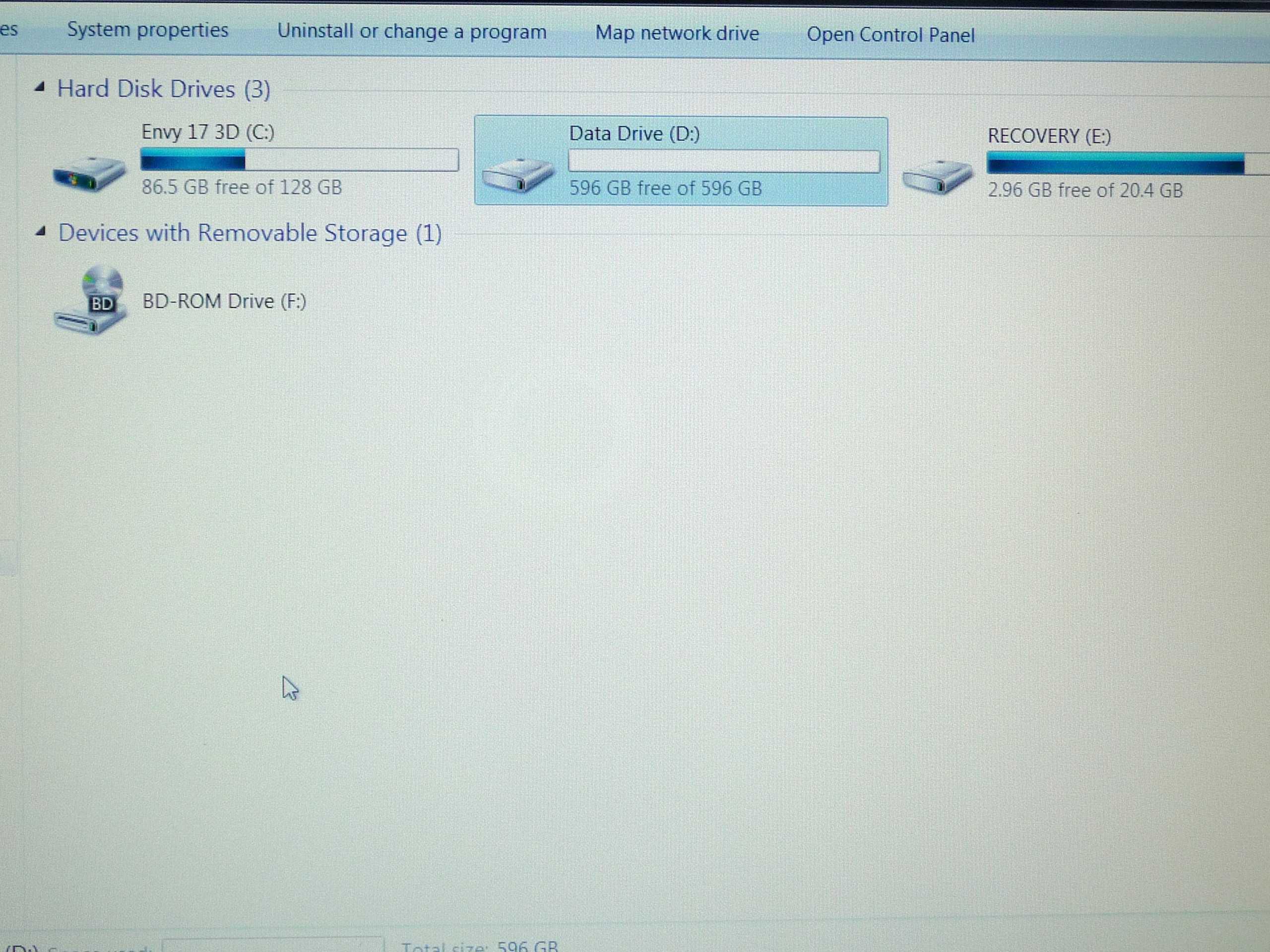
From the thumbnail it looks like the recovery drive E is a partition on drive D on the hdd. Is that a correct interpretation? Should it be left that way?
-
So after reading that thread yesterday and trying their suggestion, I've been up and downloading torrents and other stuff without a freeze for 10 hours now, and still nothing. It's too good to be true. How can this whole thing be a driver issue, while 5 drivers give you the same issue, ONE single driver fixes the whole thing.
I really don't get this. Most of your 6200 cards run fine on any driver, but mine can only accept this one. Ah well, I don't care, now I just wanna enjoy my computer.
The things I did was install 13.0.0.107 and removing the ability for windows to put the card in powersaving. I did the latter on other drivers as well without any avail, so I think the driver itself is the fix. -
HP Support Assistant alerted me to updates, so I installed all of the HP updates (including one for the wireless card) and I haven't crashed since... We shall see.
-
Yes...Having the SSD as C and Samsung as D gives you the 800 GB. To assure that you keep the SSD fast...you are gonna want to move the page file to D...keeps from using up write cycles on the SSD. Will be putting that in my guide...
*HP ENVY 17 & 17 3D (2XXX series) Owners Lounge*
Discussion in 'HP' started by 2.0, Mar 14, 2011.