Problems? See this thread at archive.org.
Has anyone ordered and received the regular Envy 17?
-
-
I was just thinking about that a couple of days ago. If anyone did order the Envy 17 SB, I highly doubt its anyone from NBR. As you realize, those who come here quickly end up learning that getting the Envy 17 3D SB actually costs less than the regular Envy 17 SB once you add the Bluray drive and a 1080p display and you are paying $200 more for a similar product that still is less in value because you don't even have the 120Hz display or the $100 valued 3D glasses. In a way, that makes the 3D Envy $300 cheaper if you want to look at it that way, kinda crazy.

So, if anyone did buy the regular Envy 17 SB, I'd say its most likely because they have not read our Envy forums. ( Edit: There are others who received the Envy 17 SB as an exchange for an Envy 17 1st generation because of vaious issues, one of which happened to be overheating. Others may have had a defective DV7qte and have gotten an Envy 17 SB as an exchange.)
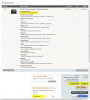
Below is a comparison showing you if one was to place an order for either one of these laptops today 4/16/2011 using no coupons.
Envy 17 SB Total with tax: $3,040.93
Genuine Windows 7 Home Premium 64-bit
2nd generation Intel(R) Core(TM) i7-2820QM (2.3 GHz, 8MB L3 Cache) with Turbo Boost up to 3.4 GHz
1GB GDDR5 Radeon(TM) HD 6850M Graphics [HDMI]
8GB DDR3 System Memory (2 Dimm)
800GB 7200RPM Dual Hard Drive (SSD 160GB + 640GB 7200RPM)
No Additional Office Software
30% OFF! One 6-Cell and One 9-Cell Lithium Ion Battery
17.3" diagonal Full HD HP Ultra BrightView Infinity LED Display (1920x1080)
Blu-ray player & SuperMulti DVD burner
HP TrueVision HD Webcam
Intel 802.11a/b/g/n WLAN and Bluetooth(R) with Wireless Display Support
Backlit Keyboard
Adobe(R) Photoshop(R) Elements 9 & Adobe Premiere(R) Elements 9
HP Home & Home Office Store in-box envelope
Envy 17 3D SB Total with tax: $2,826.93
Genuine Windows 7 Home Premium 64-bit
No Additional Office Software
2nd generation Intel(R) Core(TM) i7-2820QM (2.3 GHz, 8MB L3 Cache) with Turbo Boost up to 3.4 GHz
1GB GDDR5 Radeon(TM) HD 6850M Graphics [HDMI]
8GB DDR3 System Memory (2 Dimm)
800GB 7200RPM Dual Hard Drive (SSD 160GB + 640GB 7200RPM)
30% OFF! One 6-Cell and One 9-Cell Lithium Ion Battery
17.3" diagonal Full HD HP 3D Ultra BrightView Infinity LED Display (1920x1080)
Blu-ray player & SuperMulti DVD burner
HP TrueVision HD Webcam
Intel 802.11a/b/g/n WLAN and Bluetooth(R) with Wireless Display Support
Backlit Keyboard
Adobe(R) Photoshop(R) Elements 9 & Adobe Premiere(R) Elements 9
HP 3D Active Shutter Glasses
HP Home & Home Office Store in-box envelope
KJ
-
My Envy 17 SB is the regular one, albeit I got the laptop as a replacement.
-
True, I forgot to mention exceptions to the rule, thanks.
Crimsoned can you remind me, did you have the regular Envy 17 pre-SB, or a DV7tqe?
Yeah, back then it was cheaper to buy the regular Envy 17, so you made out well in the end, but after an uphill battle with HP. Ugh.
Oh, you had the super egg fryer Envy 17.......
Edit:
Just checked your thread...
"I purchased an Envy 17 on 2/23/2011, yes that's less then a month ago. I received and was quite happy with it until I noticed it overheated drastically, and had obviously quality concern issues."
KJ
-
Why move a mouse on an uneven surface when you can just use a trackball? <3 my Logitech Wireless Trackball M570!
![[IMG]](images/storyImages/logitech-wireless-trackball-m570.png)
-
Anyone had any luck with the Tridef software? I formatted so I don't have any form of key. Running in trial mode now.
-
everything working great on mine, the Momentus XT hybrid drive is performing as expected, i got cool-sense working again, and i got the wifi connecting at max speed.
for some reason my intel 6200 had the channel width set to 20 Mhz only which capped my wifi to 130 mbps, but after switching it to Auto (40/20 Mhz) i now get a full 270 mbps. Also only WPA2+AES encryption lets you use N speeds greater than 54 mbps, so yall check your routers -
Tridef working fine for me - I've found that once you do the auto detect it continues to pick up new games automatically as you install them. For example - I opened left for dead on steam and imstuctions popped up for 3d settings - ctrl alt and f1 for settings is written on the load up screen.
Blue screen - I've identified it as atimkg.sys which is the catalyst control centre - bluescreen would come if I left the computer alone for a while - rather oddly.
New updates for ccc and it seems ok now - left for 30 mins and no bluescreen - touch wood.
Crysis plays on max settings just fine woohoo!
Anyone else tried 3d gaming yet - interested in your thoughts. -
What do you guys think of the screen? At first I thought how bright it was, then compared to my vaio f12 looked a bit harsh - I've calibrated and now. Looks superior.
The 3d basket ball demo is amazing. Alot of 3d I've seen seems to have a need for things to jump out at you - this doesn't do that - instead reay showcasing the depth that 3d can deliver. I'm a convert even with the glasses. Shame j only have one pair lol -
So, I'm not doing too bad with my situation then? This is with Windows 7 Professional and no extra battery, the rest same as your configuration.
Attached Files:
-
-
Snowman those are list prices...see my signature?
-
Snowman, great specs, but I would not be able to afford that.
KJ
-
mrgod2u, now that we are talking prices again, just to clarify in your signature, the $1,998.74 is before taxes? If so, what was your total
after taxes?
KJ
-
Yes....we are all jealous you guys got to use that 25% off coupon!!! But they are nowhere to be found now. Even so...I couldn't stomach that price Snowman....do you have any way to do the HP Academics discount - that would probably save you at least $300 on that config. There are also some $50 off and $30 off promo codes floating around out there. And I would try and call the order in and see if they would be willing to discount it a bit more - that is RICH for my blood!!
-
Have you registered with TriDef and sent their support people an email about this? The software is supposed to NOT require activation on an Envy, yet you are the second person to report an issue. Curious indeed!
-
Joe tax was $83.27; $2082.01 total
I went for the 4 year accidental damage and warranty coverage with in home service too-
$2498.66 GRAND TOTAL WITH TAX everything
Plus I added the 4 year accidental damage and extended warranty with at home service to the deal; I had to pay full freight on that because they would not do the $1oo.oo instant rebate because I was using the 25% off coupon; still $666.25 off was no slouch of a deal either and because of the coupon I went straight for the 800GB dual drive 160GB SSD & 640GB HDD 7200rpm drive; yeah I know it cost me a couple hundred bucks extra doing that... so what, no hassles, no potential screw ups; just make my restore disks; dump the bloat ware and go........ -
Snowman you have to signup for an HPA account to get the discount, I don't know if you can use the same email account; you can try or have another email account at the ready to do so.
This will get you as peaches07 said, an additional 10% off !!! -
Does anyone have any idea how that 3D display and transmitter work?
Namely, how is the transmitter connected to the computer? Is it a USB device? Is it hanging from some port on the GPU?
I'm looking at the Envy, and the "current" ClickPad is a no-go for me; the new 8760w would be perfect for me if I could get a 3D display with it. I also DO use the business features of my current EliteBook.
So, I'm considering shoving an Envy 17 3D display into the EliteBook -- but first I'd need to know how the display and emitter work.
I do wonder: since the workstation cards can do real quad-buffered stereo, why the heck don't they offer the Envy's 3D display with the thing? -
Speaking of restore disk sets; is was said by someone that these can only be done on DVD R's only not on the RW's so you have to have at least 5 or 6 if I remember correctly.
On the restore disks I believe you can do this only once; has anyone found a way to defeat this and enable a second or 3rd set of restore disks to be written? Is there a way...?? I'd like the original restore and another restore set without the bloat ware and finally a restore with all of the updates and the programs I use for work. I just want to cover my bases on this.
I would like to hear some insight on this restore issue pro/con as to when to do it in the process of setting things up. -
The 3D transmitter is build into the top of your screen next to the Webcam. There is an activator built into the glassess...that when you put them on, it initiates the transmitter. I believe that it has to do with the nose piece.
-
Check your PM
-
While I don't game much anymore, I was more into WoW or other MMORPGs. However, back in my younger days I would play Doom and Heretic networking with a trackball just fine. Trust me, once you get used to using your thumb, it can be so much faster than moving your whole arm.
-
What I'm asking is: how is the transmitter connected to the GPU? It's likely either connected to the LVDS port, or to a GPIO on the board, or to the USB bus.
Unfortunately, the answer to that will likely not be easy to find. I wish they'd offer the 3D display in the business ones! -
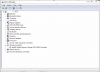
Wanted to bump this but also wanted to share an oddity with you all. First off...the SSD is SATAII and "should" run in UDMA 6 mode for full speed. Mine is UDMA 5, but catch this. The drives C: and D: are separate. In device manager, there should be a way of double checking the SATA settings...but there are NONE! In addition, even though I am NOT running in RAID mode...the RAID controller is present in Device Manager. If I were RAIDed...I could see this as proper...as on my desktop machine. This is very odd. Anyone with the SSD / HDD combination or just SSD alone...do you see this? Not sure this would show up on a clean install...and I haven't undone my original configuation, because I didn't feel the need...just cleaned up the machine after I uninstalled what I didn't want.
Attached Files:
-
-
Anyone has keyboard protector/skin for their envy 17? any idea where to get them?
Thanks -
Bob. I got your message - thank you.
About the glasses they activate the 3D merely by being pointed at the Envy within so many feet; you do not have to be wearing them and there is no on/off switch so be careful were you keep and point them unless you have spare batteries floating around. -
Hi Bob,
I see this as you do in the device manager. -
Thanks for all the replies, guys, but as I live (mostly) in Saudi Arabia, that is the only place on the internet I can find that ships over there.
HID Evolution
Currently I am in Australia but it is not yet available here and build / shipping time / TAX prevents me from putting one on order for delivery here.
HP will not deliver overseas so no way to get any discounts
-
Yeah...not sure I am gonna mess with it. UDMA 5 mode on the SSD is getting me about 185 mbps high and low with virtually NO random access time...faster than any HDD...that's for sure. If TriDef didn't cause so many activation issues...I might consider a clean install...now...NO
-
Any suggestions on a good extra power adapter for my e17 3d 2820. I really wanted a smaller one for traveling but I did some research and it looks like you will take a performance hit if you use a 90 watter or something. Anyone have any experience with this??
-
I'm not sure if this also covers the keyboard but I think I'm going to get this one...
HP Envy 17 Screen Protector | invisibleSHIELD by ZAGG -
Bobmitch, from Intel's own site: Intel® X25-M and X18-M Mainstream SATA Solid-State Drives - Overview
This is regarding the speeds of both the X25-M & X18- M SSDs.....
Bandwidth
•Sustained Sequential Read: up to 250MB/s
•Sustained Sequential Write: ◦up to 70MB/s (80GB drive)
◦up to 100MB/s (120GB drive)
◦up to 100MB/s (160GB drive)
If your read is 185MB/s, looks like you can get it higher, but not sure what tweaks you need to do in order to reach its max.
P.S. I am getting anxious already....darn HP site still says "In Production" I hope it changes tomorrow....eventhough its not due to ship till the 20th, my order seems so long ago on March 25th...
KJ
-
I'm not sure but the display in the envy may be connected via display port instead of LVDS. If this is the case then you would only be able to transplant it to laptops that also use display port which is few and far between. The service guide if its been released for the current model yet might tell you. Anyone with an Envy can quickly check this by testing its multi monitor support. If it uses LVDS then the internal display will not work if have two external monitors going connected to VGA and HDMI (for example plug the envy into your HDMI TV and an old school VGA monitor at the same time). the graphics card can only output two vga/HDMI/LVDS signals at a time but display port connections don't affect this. If the internal display is display port then in theory you could connect all 3 external outputs (with an active external display port adapter or proper display port monitor) and get 4 displays including the internal one.
Also if you want 3d from an elitebook it might want to try doing it with external monitors instead.
The service guide may have some clues as to how the IR transmitter is connected. Device manager on an envy may have some clues as well.
Michael -
His question goes along the same lines of what i am interested in doing, think you can fwd that pm on to me?
-
Here is the message; I'm sure Bob won't mind
c:\ProgramData\Hewlett-Packard\recovery\hpdrcu.prc
and d:\hpdrcu.prc (recovery root)
Those files exist, but you can't see them. What you basically do is go into FOLDER in Control panel...check the view tab and then make sure to click on "Show Hidden files and folders" Once you do that...scroll down a bit more and UNCHECK "Hide Protected Operating system files" click apply and then you will see these files. Just delete the hpdcru.prc file in each directory and you can create a second set...
Good Luck -
Even if you generate multiple restore disk sets they will all be identical because the restore disks are just a copy of the built in restore partition which never changes. So any programs you remove before you generate them will be there again if you use the disks. If you want to capture the state of your laptop after you have done some initial setup work and removed all the rubbish then you will have to create a complete system backup. Normally there is an option to do this using the HP backup/restore app. Note that the recovery disk 1 also doubles as a boot disk to do a restore of such a backup. When you run it there is an option to either to restore to factory default config or restore a complete system backup.
Michael -
I can't wait for you to get the machine. If it is set up correctly, then all that much better. Perhaps they are checking that before shipping. One can hope. As far as my performance...I have tweaked as much as I found. Moved my page file to the D drive, so as not to waste write cycles on the SSD. Moved secondary software to secondary D drive as well. I am not all that disappointed...the low speed is the same as the high with almost no access time. The drive still flies...perhaps one day I will figure it out...but I really think it's something HP did...
-
I don't mind...but once HP figures out that people learned this...they will change it again. As for right now...that is the correct procedure
-
Bad news from Tri-Def. They do NOT support a fresh windows install!
TriDef OEM software is locked to the hardware of your manufacturers PC. Do not ever un-install or reformat your hard-drive or you will loose your ability to use your TriDef 3D software, unless you either purchase a retail licence or restore your OEM system to its original state via full-system backup.
Please note that pre-installed TriDef OEM software provided on notebooks from Acer and HP can only be restored from either recovery disks, manufacturer backup partitions or full-system backups. OEM software is not available for download from our web-site.
Best Regards,
Wayne,
Senior Customer Services Engineer. -
Here are two benchmarks of a 1TB 5400/2820 Envy 17 3D. I performed a system restore prior to running them so it reflects the system "as shipped". I have however replaced the 6200 WiFi with a 6300.
Stock memory -> Result 9140 PC Marks
1600 Mhz Kingston HyperX Cas 9 Memory -> Result 9386 PC Marks
Nothing earth shattering which is about what I think everyone expected. Probably not the best use of 99 dollars but the sticker on the hyperx looks nifty and I'd just spend it on booze anyway. -
This sucks. Has anyone tried installing it on a fresh install of windows?
-
Yes I did and it didn't work that's why I emailed customer service about it.
-
Hi Latent,
Thank you for your very clear explanation regarding the recovery disks. Can you come up with a reason why HP limits you to one set?
I have never burned a DVD. How do you label a DVD? -
Ohhhh
fiver5, thank you. So you replaced the
1333MHz ram with
1600MHz and only had a
246 difference which you say is not really significant? Hmmm, I don't know much about those numbers, so would anything over
1,000 make a real notice in performance?
KJ
-
Thank you fiver5. Good reason to avoid a clean install if you want to use the TriDef application. Does the TriDef software only apply to gaming? Does it affect playing Blu-ray 3D movies?
-
It's a pretty small number, to put it in perspective my 2630/640-7200 posted 7840. Result
Not required for 3D blue rays PowerDVD can handle that.
I'm sure there's probably a way to hack over the files and registry entries to fool the installer, probably some other ways to obtain the software if you are a resorceful person. -
I wonder if that is even legal? How can a third party tell you if you modify ex. do a clean install of Windows, they will not allow you to reinstall the Tridef software? That sounds proposterious to me....and I'm not even an attorney. I'm just thinking...you paid for the laptop that included the Tridef, so you paid for it in a way, per their contract with HP....
KJ
-
What is going on with this laptop?? Does it really have this many issues? I havnt gotten mine yet abd once again Im starting to regret it.
-
frankie011, I understand your concern. To be honest, I would be worried too, but the fact is, we have a great bunch of people here on our NRB/Envy forums with lots of computer/technical knowledge that can help us pretty much through any laptop mess.
If it wasn't for these guys, I don't know what I would have done....
KJ
*HP ENVY 17 & 17 3D (2XXX series) Owners Lounge*
Discussion in 'HP' started by 2.0, Mar 14, 2011.