Problems? See this thread at archive.org.
-
Oh my gosh, I'm going to waste my life on the phone with HP!
-
Hi Acidblast,
Thank you for your persistence. Hope you can get to the bottom of this scandalous business practice. Keep us posted. -
Killa Joe it's not the 2820, I got mine yesterday and ordered on 8 April, see my specs below, which omits all of the common stuff
Anyone out there needing proof on other systems being ordered and shipped on the configs in my signature just send me a private message; I'll give you all of the ammunition to give HP hell.
Mine was ordered on 8 April and in my hot fingers on 20 April 2011 That's 12 days from ordering it to having itLast edited by a moderator: May 8, 2015 -
I have a 2820 in the system I just received (no SSD though). I am really thinking it was somebody else's return since it only took two weeks to arrive from the date of my order (4/8). In addiiton to the stuck red pixel (which sounds very familiar to another forum member's issue), it looks like the seal on the microsoft office CD was tampered with.
-
Just got off the phone with Resolutions again and got no where. Well, once again, I have a new person to add to my list to avoid in the future. I have a pretty good list now of people and notes about the conversations I've had with all of them.
I feel like I'm calling a completely different department from the department that a bunch of you talked with earlier in this thread when there were issues and credits were issued. They do not care about the problems I've had and the mistakes they've admitted making, and they do not care if I cancel my order or not. -
there maybe many who have got this long ago....tridef with the envy is version 3.07......4.5 is available here -
TriDef - Downloads
Envy 17 3d specifically mentions as being a free download not sure if it checks to see you are an envy - but might be worth a go for those who were looking at forking out for it.
-
You can upgrade the version...but make sure to read this post first. I was sent this by a TriDef support person
ddd.com • View topic - update preinstalled Tridef 3D Ignition -
Would you check your build date as suggested by the above quote by Bobmitch? Thanks.
-
Not sure about that. It is really unlawful to sell refurb as new. If you google about HP selling refurbs as new...there are tons of retailers that sell HP refurbs. Not sure anyone got a refurb. I would certainly call HP about the Office CD being tampered with...especially if the seal was broken...Were you able to activate office with no issues? If you could activate...means someone else didn't
-
It says to download the updatred version from here:
TriDef - Downloads
Has anyone done this without a problem? Just install over the version you have now? -
In checking the BIOS, it shows a warranty start date of 4/15/2011. I don't see the build date offhand, but the battery is dated 12/12/2010. I was also able to register my copy of Office using the key code from the CD sleeve, so I guess that's a good sign.
I am not sure what to think at this point. I don't understand why it seems that some folks are waiting for what seems like months for a comparable system (less the SSD), and this one shows up in under two weeks. I really don't want to believe that HP is doing anything funny (I have dealt with them for many years without any significant issues), but they are under the gun right now to get these systems shipped because of the mysterious delay some folks are experiencing.
All in all, if it was not for the stuck red pixel near the center of the display staring out at me each time I boot the system, I would be really content at this point. -
Dude stuck red pixel? I'd have sent it back already. That would irk me to no end. With the amount of money you're spending on that system you shouldnt have to "live with it.".
-
Thanks for checking.
There just seems to be no reasonable explanation for HP's order processing. Perhaps they throw all of their orders into a hopper; draw one out and if they have the components they build and ship it; if not, back into the hopper the order goes.
Hope our frustrations do not put a damper on your enjoyment of your system. Very best wishes. -
mrgod2u, thanks. I called Resolutions again, 2:15PM Eastern Time, eventhough Nathan from Resolutions said he will call me tonight. I could not wait after finding out you already got your system exact specs like me and you ordered on April 8. By the way, I'm happy that you got yours.
So, Russel, a nice lady at Resolutions helped me out. I did mention off bat that others ordered earlier such as April 8th and got their systems. I offered to give her your order number, but she did not deem it vital, so find. She did further looking into, spoke with a special dept. for those who have not gotten updates. She told me:
1. I should get a confirmation email by tonight, no later than 8:00PM Eastern time.
2. She managed to get me a further credit!!! Although not the amount I wanted it is better than nothing as some of you are saying Resolutions did not give you anything. That is nuts, even with discounts, you should get something. Anyway, she said
they can give me $75 credit, which I was not going to scoff at. Nice steak dinner!
Will update hopefully tonight. Thanks all, and mrgod2u.
Just to get an idea of the savings on my specs:
Envy 17 3D SB
Genuine Windows 7 Home Premium 64-bit
No Additional Office Software
2nd generation Intel(R) Core(TM) i7-2820QM (2.3 GHz, 8MB L3 Cache) with Turbo Boost up to 3.4 GHz
1GB GDDR5 Radeon(TM) HD 6850M Graphics [HDMI]
8GB DDR3 System Memory (2 Dimm)
800GB 7200RPM Dual Hard Drive (SSD 160GB + 640GB 7200RPM)
30% OFF! One 6-Cell and One 9-Cell Lithium Ion Battery
17.3" diagonal Full HD HP 3D Ultra BrightView Infinity LED Display (1920x1080)
Blu-ray player & SuperMulti DVD burner
HP TrueVision HD Webcam
Intel 802.11a/b/g/n WLAN and Bluetooth(R) with Wireless Display Support
Backlit Keyboard
Adobe(R) Photoshop(R) Elements 9 & Adobe Premiere(R) Elements 9
HP 3D Active Shutter Glasses
HP Home & Home Office Store in-box envelope
Total after Tax, no coupons, no credits $2,826.93
Total after Tax, coupons/discounts/delays.....about $1,900.00 Not sure it makes up for all the trouble, but it helps.
KJ
Last edited by a moderator: May 8, 2015 -
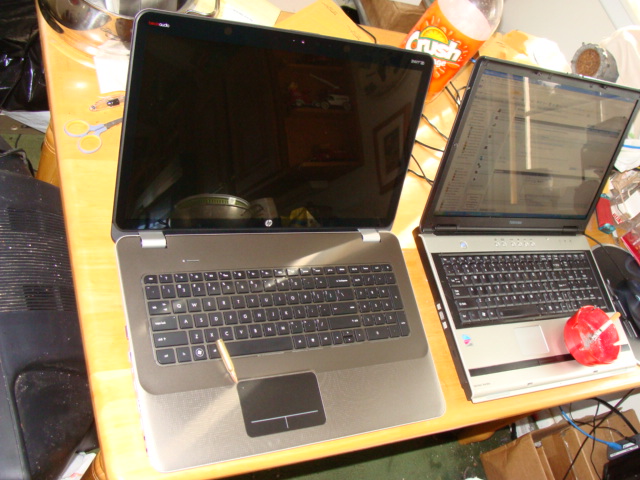
Well it is the moment of truth, I'm going to fire this sucker up here in a bit; but first the photos of the observed defects are in order.
1) The track pad has a slight radius lift in the upper left at cartridge
round tip and a lift that is slightly higher on the lower right corner.
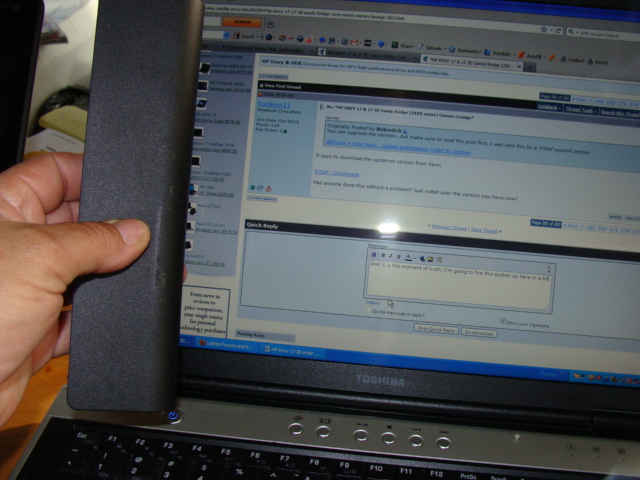
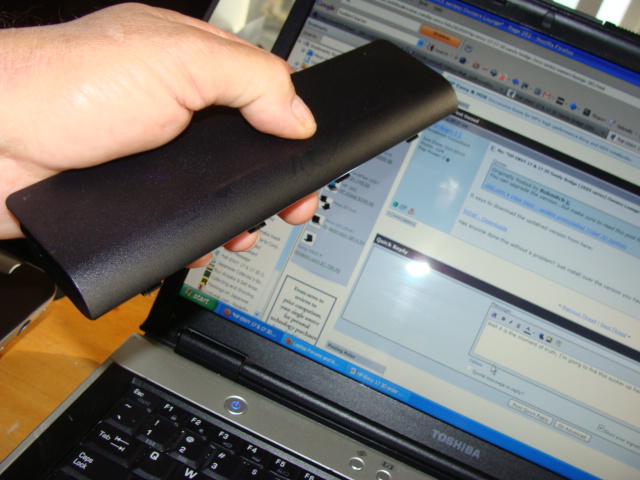
2) There are some smooth marks in the 6 cell battery cover matte finish.
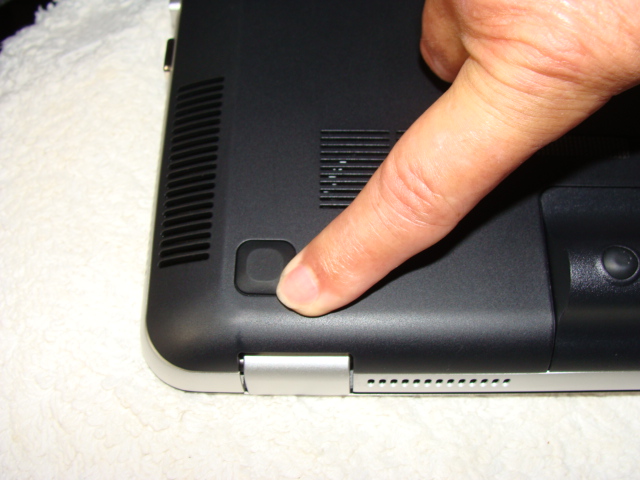
3) There are similar markings in the lower case by hinges and some faint
thin ones elsewhere.
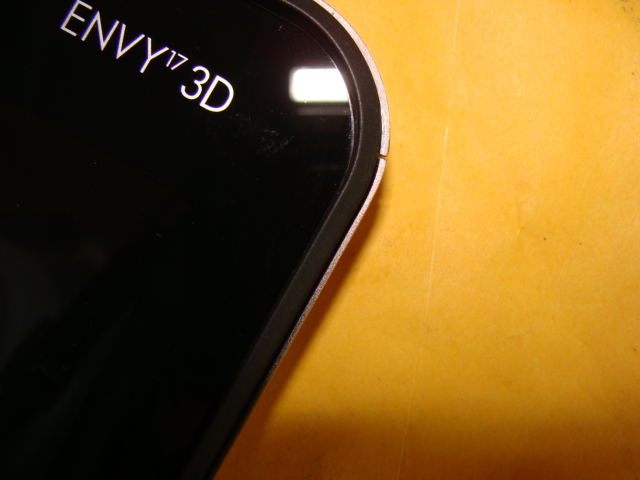
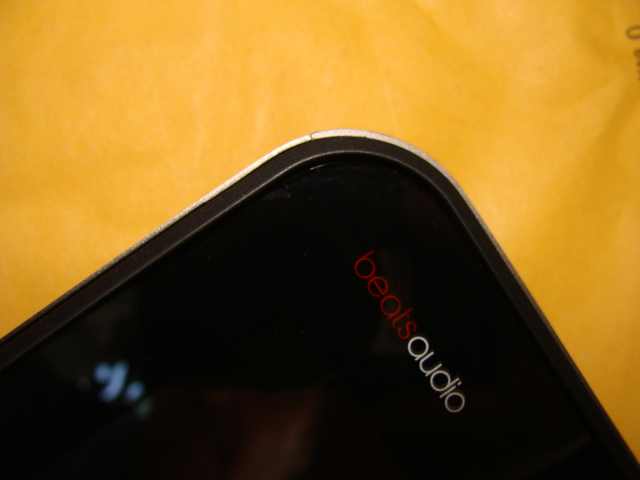
4) The upper right corner seam has a gap, I didn't gauge it yet but this is
a solid 5 to 8/1000th's of an inch gap, the upper left seam is light tight.
Other than these items mentioned it appears to be otherwise cosmetically perfect or I've haven't noticed it yet because its a gray cloudy morning in Kapaa; but I've yet to fire this sucka up yet too; more to come later through the day!Attached Files:
-
-
Ordered mine the 8th
Shipped the 15th
Received it yesterday
2820/ 8GB Ram / 750GB 5400
Pretty awesome but I do have a slightly raised trackpad, some very minor gapping on the side, and a few marks that I was able to wipe off. Very sweet machine however I did notice a slight slowdown on the wireless when on battery and on maximum power saving mode. Went away though and hasn't come back.
I am amazed how solid the machine feels. It has been a while since I had a notebook this big that I felt like I could handle with one hand without breaking it.
The 3d is stupid and I will never use it. Unless I need a Halloween costume this year I will never use the glasses. Luckily I only bought the 3d because it was cheaper than the regular envy.
Overall I am happy with the battery life, I really tried to see how long I could stretch it last night and feel like about 4 hours is as far as I could go with the 6 cell/wireless on/general surfing/maximum power saving setting/30% screen brightness. I am hoping my Intel SSD will give me a little more but 3-4 hours is good for me. 5 would have been ideal but I gave that up by going with the envy over the dv7tqe. I just really did not want the 9cell sticking out and ruining the thinness of this laptop. All I have to do now is find something to replace that HUGE car sized power adapter for travel. I have asked a few times here if anyone has any experience with any of the other adapters and have gotten no responses so it looks like I might be the guinny pig.
Sucks for all you guys that ordered them before me and haven't gotten them. Wonder if it has something to do with me ordering it over the phone?
Oh, and it does have WiDi. I was nervous when they updated the website to show that feature AFTER I purchased mine however I am good to go. -
Bob, doesnt the SSD should have more life then HDD?I know my HDD has been working for more then 5 years. I would expect the SSD will last like my SDRAM chips on my old computer, which still works.
My gf Envy is equipped with 2820, it should be delivered today. Maybe some other components. -
The 4/15 date is either your build or ship date. Mine was 4/8 and my machine shipped on the 12th.
-
If you purchased the additional CarePack, you could register the laptop and then have HP send a technician out to replace the screen. I'm pretty sure stuck pixels warrant a replacement whereas a certain number of dead pixels are considered acceptable.
1) Somebody posted pics on a similar problem and how to fix it. There is a metallic clip which can be bent during assembly that yields this problem. A person here posted how to fix that.
2) You should have HP send you a new battery then. I don't see why they would need the entire laptop back to fix this.
3) Even I had some of those little nicks and I figured it was just due to human handling. I figure that with time, I'm going to cause much more scuffs than the few I got with my hinges.
4) IDK on this one... honestly this is the only thing that worries me about the physical appearance of your laptop. Other's have said it's very easy to crack open the lcd head and fix problems with the mounting, but then some people have claimed dust and debris can get in between the screen and cause viewing issues. Good luck.
I've posted several times about my ThermalTake slim PS that I travel with my Envy. I'll look around for the post and link it here ---> post7316677 - Thermaltakeusa Toughpower Slim Adaptor 95W ADP95W0003 -
Actually an SSD has a shorter life expectancy than an HDD. Supposedly, there are like 10,000-12,000 write cycles built into an SSD. If you write consistently to the same cells all the time, certain cells will wear out, while others are OK. It is estimated that if we minimize the writes to the drive...could last up to five years. Heck...in a couple of years...these Intel 160's are gonna be small. Right now the drives are SATA II. The next generation SATA III is just coming into it's own
-
Thanks for the information.
Me and Slotti are having the same issue. I just sent my cousin to pick up my new AC adapter that arrived today, so I will be finding out if it's the adapter or the motherboard. At the moment I am unsure what to think. It definite is not related related to the thermal throttling as it ran at 2.0 ghz for 8 secs@ 78c~ then went back down to 700 mhz when usually anywhere from 60c-80c it runs at 1.4 ghz~ or lower.
It's the adapter or motherboard. -
Cam121...
So you have NO issues using the Thermaltake travel adapter? Have you tried firing up the video card in 3D on it? Just curious... -
HOw easy would it be to replace the SSD? How do we even access it in these laptops?
-
Pop open the service hatch on the bottom, as well as the memory hatch. Only need to loosen 2 screws for the larger hatch and 2 for the memory hatch.
The larger hatch may require some force, just be careful as many people report them feeling like they will break (so far I think only 1 person has broken it).
The main hard drive can be taken out with caddy and all. The 2nd hard drive needs 4 screws removed.
From there removing the hard drives from the caddy requires 4 smaller screws to be removed.
The whole removal should only take about 10 minutes or less. -
http://h10032.www1.hp.com/ctg/Manual/c02772484.pdf
Start on page 47...should do it for you -
I still show the old drivers are running. I redownloaded the drivers from ATI and when I try to install I get "the version of your graphics driver is not supported."
My brightness keys also still work. Everything is working fine. Should I worry about it. -
Actually, what you are showing in the photo is Catalyst 11.3, which were released early April and are the most up to date. Open CCC and see under the sofware tab...my bet is it says Catalyst 11.3. Oops, my bad...that was Fiver5's photo
-
Alright Slotti, not sure if you will read this but the adapter is no a go. I still get throttling. I am contacting HP Tech support for an in-home repair, I am done being patient.
-
Bobmitch, I'm hoping our 160GB SSDs will last us a few years until the SATA IV or SATA V's come out! LOL....what, in 4 or 5 years?
KJ
-
NextBench says the Envy can do Crysis 2 in 3D mode just fine. And that was the old Envy even.
HP Communities - ?But Will It Run Crysis 2? (A Tweak Guide) - HP Communities -
Download the 11.3 Catalyst from here:
UPDATED 29/03* ATi Mobility Catalyst 11.3 For Notebooks - Get it here!
I just installed and they are running 8.831 -
Well you can slide your hand across it and not thang up on the gap, clothing on the other hand might snag, grab and send your laptop on a downward spiral of a road trip to the hardtop ground, whatever it is.
I'm letting this stew for now; an I'm off to get some DVD R's here in a bit; I just checked all of my equipment here and they use both the + & - types; is there an advantage of one over the other that anyone is aware of?
Second can you use the Double Layer type DVD R Disks to make your recovery disks with?
I'm not firing up my Envy until I purchase these disks. -
34nm NAND is estimated around 30k write cycles whereas 25nm NAND only has about 12,000 cycles. All SSD's set aside a portion of space to re-map bad cell's as they go dead... this is an inherent design mechanic which requires no user intervention (most HDD's have a similar tech to remap bad sectors).
I haven't had any problems using my Thermaltake since it travels with me to work; however I don't obviously use 3D all that much. I'll have to try it out sometime, though I don't foresee any problems. I believe the full 120Watts are needed when the CPU goes into overdrive but this TT supply was touted as a 120W supply even though its rated for 95W thus it has me thinking it has some suppression technology to handle a 120W draw without overheating. -
I don't believe it matters which one you use (+ or -) but some people have reported that "-" is preferred. I'm pretty sure you cannot use dual layer DVD's for the recovery disk set.
-
Cam121...
As always...Thanks -
In my personal experience, hard-drives have a short life span, ~3 years max on average (i'v only owned about 25-35 hard drives over the years tho)
My intel 80gb x-25m has been on for 428 days (power on cycle count) and has done ~ 2.42TB of host writes.
I have 1 re-allocated sector.
Media Wearout Indicator: 98% -> Thats 2% gone of it's lifespan
Now i haven't been the best SSD Owner, I dont always run the toolbox every week, I'v been known to leave <5gb of usable space on it for weeks on end (currently 20).. and yet, if these numbers are correct, i can expect this hard drive to out last it's usefullness to me (due to bigger and faster drives being available in the next decade. -- Ya, i'm expecting this drive to last me 5 years + pretty easily, as long as microsoft doesn't bloat up and become 50gb+ per install by then! -
My recovery disks are on single layer. Not sure if the program will use all the allotted space on DL or not...never tried...
-
Thanks everyone for the info on the DVD R types, so it is standard DVD R type only and I can go with the (Plus +) or (Minus -)with my equipment.. thanks again!
-
Well I am amazed. I have been running a pixel fixer program most of the afternoon (dead pixel tester). I still had the stuck pixel up until I needed to rebooot for a BIOS update. After the reboot, the stuck red pixel was GONE!! Hopefully it stays that way. I had rebooted quite a few times over the last few days and the stuck pixel was always there haunting me. So maybe the pixel tester exercised it enough to get it over the edge.
Since I was able to register my copy of Office (despite the seal tampering), and the pixel issue is hopefully resolved, I am now a happy camper.
I want thank everyone for their advice, and I hope those of you that have been waiting significantly longer than me will soon have their Envy in their possession.
Best wishes to all. -
OK...did some tinkering with the AMD Catalyst 11.3 drivers, etc. I have them installed...but there is a price
1. Lose the ability to use the brightness buttons
2. There must be a .inf file in the HP drivers that locks the 6850 refresh at 120 HZ. I played around with switchable graphics and they worked fine...except when I go back and forth...even the 6850 refreshes at 60 until i fix it. Overall...3DMark 11 goes from 1855 with HP drivers to 1864 with straight AMD drivers...
Most likely a waste. Gonna go back to the HP drivers and wait for Catalyst 11.4 -
While I've experienced some HDD's failures in my professional lifetime, the numbers are quite small compared to the amount of good drives I've seen. For example, I have HDD's at home that still work and are 15+ years old. However, that's not to say you can encounter a short-lived HDD. We all know that as consumers we are given expected numbers, not guaranteed ones. The numbers handed to us by manufacturers are based on extensive testing, complex statistics, and a little bit of political manipulation.
You've only written about 6GB/day to your SSD so of course it will last decades. Would a HDD last that long? Probably not because HDD's are exposed to rotational wear and failures are likely to occur just due to the spinning of the platters. Now, if you were to up your daily write consumption to 1TB/day, your HDD will greatly outlast your SSD.
This argument got me thinking about SSD lifetime and so I did a little research. The numbers we are quoting generally come from published Intel-based SSD specification material. Intel has guaranteed a 5yr lifetime @ 100GB/day writes against their x25 MLC SSD's. However, each manufacturer is different and thus these numbers are skewed when trying to generalize SSD lifetime for all manufacturers. Since SSD's are not subject to the same physical wear characteristics as HDD's are, your write usage is mostly what dictates it's lifetime.
Generally speaking though, any (new) SSD is going to outlast its usefulness for consumers. The latest, greatest, largest, bigger, bestest and most fantastic thing is always around the corner; at which time it won't matter if your SSD lifetime has 3 years left or 10 years left, we will replace it.
P.S. The Intel x25 SSD's also use 34nm NAND which lasts about 3x longer than the current 25nm NAND technology found in most newer products. -
I had the freezing wifi issue like fiver5 and others. Got the 13.0.0.107 driver and it seems to be working well so far. Gonna download some more off of steam and will update later.
FYI - here's the link to the download for those in need ---> http://downloadcenter.intel.com/Detail_Desc.aspx?DwnldID=18212&ProdId=3141 -
I totally agree, if you write more to your drives than i do then absolutely, you'll fry them quickly... Ok i will admit, i have taken a few more precautions than just the standard user... I have no swap on that drive for example. I have an obnoxious amount of ram in this computer for my typical usage (sadly that wont be so much the case in the envy when it arrives)... My temp folders and profiles are either moved or i created sym-links to another drive or directly to my drobo (such as the itunes back-up folders).
I seriously just have photoshop, steam, windows, and some of office, and a few other high-usage things on that drive and thats it, I keep it pretty lean. I put everything else off to my nas/drobo/local drive/cloud storage.
Now with the drives i was talking about, i was talking about consumer grade models, as i assume you are too, but i always feel jipped when you compare them to server grade hardware.. I have seen drives in servers that should have died yyyeaars ago but are still running (i am thinking about one right now that i am afraid to ever power down b/c i do not know if the drives will ever spin back up). And my hard drive from my 486? Still runs, From my p2? prolly still will spin up if i plug it in... but past that it's all been down hill for me.
It just seems that I have always had bad luck with drives : EX in the past 2 years: 1tb WD MyBook - started to die 1 year after i got it, copied the files over to a new 1.5tb Seagate external, it completely gave out on me with no warning after 8 months... I just hate moving parts anymore lol
-
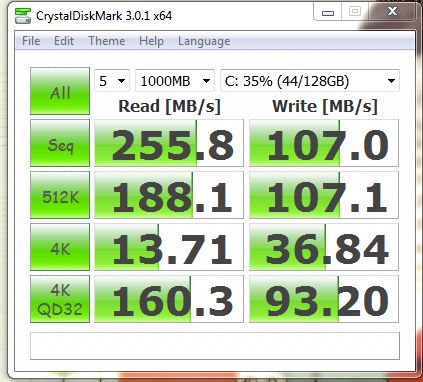
FINALLY!
Some software that gets SSD. Now the SSD benchmarks like normal after I enabled AHCI mode...which was quite easy!Attached Files:
-
-
Bobmitch, Holy heck you did it!!!! How@$>@>$@> Spill the beans please!
KJ
-
How do you enable AHCI mode? Obviously there's nothing in the bios, I found a few tutorials online, but I'm iffy to try something I know isn't going to work.
-
I can't wait for Bobmitch to post how he did it! He is going to get some more well deserved reps. I already added a
+1 to his.
P.S. Don't have to say it, but this Envy thread is seriously full of goodness, lol.
KJ
-
1. Startup "Regedit
2. Open HKEY_LOCAL_MACHINE / SYSTEM / CurrentControlset / Services
3. Open msahci
4. In the right field left click on "start" and go to Modify
5. In the value Data field enter "0" and click "ok"
6. exit "Regedit"
7. Reboot Rig and your SSD and HDD are in AHCI mode
On the Envy...item 5 is defaulted to 3 (which means off). Put the 0 in and follow the rest. Because our SSD / HDD combo are running off the Intel Storage manager RAID drivers...AHCI drivers are already installed...
also...
The motherboard has ICH10 controller...which contains AHCI. There is no setting in the bios...but that is because I believe it is running by default. On my desktop...once I ran the HDD's in RAID...AHCI is a given.
That should do it... -
Seriously, you are brilliant! Glad you stuck around. Not sure HP can afford to hire you.
KJ
*HP ENVY 17 & 17 3D (2XXX series) Owners Lounge*
Discussion in 'HP' started by 2.0, Mar 14, 2011.