Problems? See this thread at archive.org.
I just recieved and email from HP advertising the "new" Envy and "Huge" price drop.
All pics in the email are identical to the "old" Envy.
OEM's do not change entire system designs in 3 months. That would be suicide to a large company as they would have to pay the ODM (in this case I believe it is Quanta) big money. Add in the $500 price drop and I think you can come to a sensible conclusion that the system will look no different.
-
Attached Files:
-
-
Then the outer design is the same. Remember this laptop was marketed as "beautiful power house in disguise" or something like that, the etching gives it that extra wow to it...believe me, I have turned tons of heads when I take out mine...^_^
-
As I said, yes in all likelihood you are correct about some of the design features, but really there is no need to tell people to get their heads examined - it could have been phrased much nicer than that.
The big questions are really around the internals anyway, and those have definitely changed to accomodate the i5 & 5830. -
Agreed. I had terrible Wifi signal strength on my Envy 15. This needs to be looked into. My Dell laptop has zero issues and can connect to my wireless from double the distance that the Envy 15 can.
-
I agree I like the etching except it seemed to make people reach out to feel the lid, thankfully it's imune to fingerprints.
Just looked at the new e-mail on the envy and not trying to beat a dead horse but the large image is actually a preproduction model, if you look at the outer palm rest area you can see the rubber pads to protect the screen when closed, these were moved to the plastic bezel on the display for production units when they dropped the E2E glass... As for the new smaller images I have to agree with 'CJ..' who brought this up last night, it looks like a new color and smoother finish...then again with photoshop I could make it look like basla wood...
Doesn't really matter to me, it's still a great lookin design! -
Have you checked your power plan settings to make sure your set for 'maximum performance' for the wireless -- i think by default it comes set for power saving mode when your on battery....
-
I don't know if I'm mistaken, but it looks like one of the ways they lowered the cost of the Envy was by reducing the original 2 year warranty to 1 year.
I haven't owned a laptop for 4 years now so I'm hoping that square trade reliability sample data doesn't hold true with envy (HP had a failure rate of slightly over 25% by year 3). Then again Lenovo wasn't far behind and the top performer (Asus) still had a failure rate of slightly over 15% by year 3. It also stated that netbooks/cheaper laptops also had a higher failure rate than premium laptops such as the envy, which is good to know.
Source for pdf: http://www.squaretrade.com/pages/laptop-reliability-1109 -
OK, I'm reposting this revised list from last night in case you missed it. Please provide input if you think changes are needed...
-
Ok people
3DMark06 Results 7170 3DMarks, how bad is that? -
About the same as I got at factory defualts (1280 x 1024) not sure how some are getting close to 9000 with, they claim no O.C.
-
I am running latest drivers on everything in theory and 3DMark06 ran alone with only a Safari tab opened.
If you ask me this is about the same as the 4670HD which can be easily overclocked, while ours is not that much, at least RivaTuner didnt recognized it when I tried it...
Side note, new signature, check it out. -
Did you make sure that you're using the same settings (resolution, aa settings, etc) as others getting 9000 3Dmark scores?
-
Just scanned the signature link. Thanks for this -- lot's of good info available there
On a side note, I am working on an opening paragraph or two for posting the questions to HP -- do you have any info on the number of active users on this forum ? as well as how many may be monitoring it for info anonymously ?
May be useful to include that for HP
Thanks -
Yes, of course. I have quite possibly tried all permutations of power/wifi settings available. In addition I have turned off any and all transmitting devices, and made sure my router uses a channel that is not crowded. Results remain the same.
-
Well on the Envy I just returned the wifi performed flawlessly for me - better speed and signal strength than my dell and a new MBP 15. Currently only have 3Mb incoming and g router...
-
To HP's industrial designers:
- When you design a laptop, make sure the screen can tilt past 115 degrees so the average Scandinavian can use it, on a table, sitting in a normal chair, without getting a crooked back.
- Thin lines in fonts and symbols sure is pretty, but in gray-white on a keyboard without backlight it's not a good idea. Use fat bright white symbols or provide a backlit keyboard.
- Flat keys on a keyboard sure is pretty too, but from an ergonomic standpoint it's a complete disaster. Go back and look at what really works (i.e. Thinkpads), and borrow freely, for example concave keys allowing for a better fingertip feel for exact position of fingertip on key. Or add backlight so it's actually possible to see the darn things - see above.
- Repeat 500 times: FORM FOLLOWS FUNCTION.
-
I also get around this using default 3dMark settings. Can max out Dragon Age resolution and details though so pretty happy

-
I don't have my Envy 15 anymore but I did have it on high performance and plugged in. Didn't help for some reason. And I was using the default windows install with nothing changed. Also tried updating drivers, clean install etc.
I'm also talking a very good range, like about 100 feet from the router. Not just a room away from the router. Like I said, my other notebooks work at that range. Even a 5 year old gateway. -
I doubt all of these are not patented.
-
Quite likely it's the combination of router and Wifi card that causes problems for me..
-
Does anyone know if the $300 coupon that expired worked with the EPP program? Just wondering if I could of gotten a better deal.
-
Not my problem.
-
doubt it.
1010101010 -
nope. i tried it online and on the phone
-
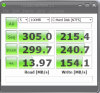
I am starting to wonder if i made a mistake by not ordering the dual ssd.
I looked at the price of the drive alone and they are quite expensive and has it even been confirmed that we can order the cable and cage to add them later?
i have and OCZ apex 120GB drive that has raid built in that i might put in the new envy instead of going with the dual drives. anyone have any idea on what type of performance difference i would get with the dual drives? it appears that the dual drive still only use one sata channel so I am wondering if i would even get a big boost with the dual drives. right now my ocz apex drive has 2 controllers and they are setup as raid 0.
Thanks! -
This is all I can tell you:
Threads: 417,153, Posts: 4,599,797, Members: 305,782
Currently Active Users: 3295 (350 members and 2945 guests)
Most users ever online was 3,992, 11-30-2009 at 04:13 PM.
*OFFICIAL: HP Envy 15 Owners Lounge!* Replies 4,224 Views 280,819
Is this helpful? -
I skipped the SSD options because I want to install my own Intel 80GB G2 and the new 320GB 1.8" HDD. That's my ideal setup unless dual SSD prices come down.
I'm hoping to order the parts to install the dual 1.8" on my own. -
Me too. I'm holding off for a few months though, availability of 1.8" drives should improve.
-
I also tried with the HPA (Educational Discount) pricing and it didn't work. The HPA discount was far less than using the $300 coupon, so I ended up ordering through the regular online store.
I also checked Bing Cashback and yesterday they had a 5% cashback versus the regular 3% cashback, but that still wasn't enough to deter me since you aren't supposed to be able to use coupons with Bing Cashback. The special 25% one that people got around Christmas was a big exception because, as I understand the scenario, it wasn't supposed to actually be that high, and individual successes varied. -
For those looking for an alternative to the HP Optical Drives and looking for just DVD+/-RW functionality right now... I own and can confirm this I/O Magic model uses only a single USB port, and no other external power:
http://www.newegg.com/Product/Product.aspx?Item=N82E16827145006
It looks nice, is slim/light, and does everything I need. This is what I'll be using and why I didn't purchase the HP one. I don't need additional USB ports (have a nice Kensington 7-port hub that works great at my desk), and when I'm ready to buy a Blu-ray drive I'm sure I can get one that is USB 3.0 and cheaper than HP's model.
At $85.00 it obviously costs more than just buying the HP model with the system, but I wanted to put the info out there for people. -
I bought http://www.newegg.com/Product/Product.aspx?Item=N82E16827151186 which is pretty good, but uses two of my USBs.
-
GOOD NEWS EVERYONE
I just downloaded the manual for the Envy 15 and sure enough:
USB 3.0 Ports (2, each capable of driving an external optical drive)
It lists that it also has two USB 2.0 ports, which I am assuming applies to the i7 model.
It says that there is a total of 3.0 amps available to the USB ports, which is actually twice as much as is required by the USB standard(.5amps per port). That means there is a reasonable chance that you can power most external blu ray drives with just one usb cable.
It also says that there are two user accessible memory modules next to the battery, so we should at least be able to access the memory without having to take the whole thing apart, even if there are only two instead of four slots now.
The Wifi card is the Intel 6200.
They say that the HDMI port is limited to 1080p60, but they also say that it is 1.3b complaint which means it should be able to do 2560×1600p75.
The part number for the external blu ray is 576832-001 for those who need to order it. Apparently it has a bronze finish now instead of hte black(or was it always like that)? The black one is 580131-001.
Edit:
hmmmm... this manual was published in September and it only applies to the i7 model. Yet it still lists USB 3 as being included. Whats up with that? -
Yes, Thank you. I think I'll just use the 'owners lounge' numbers.
I see the 1st post was on 10/21/09 so I will assume the numbers for our thread began on that date unless you you tell me otherwise. -
Yep, that is the OP on this thread. There was an older thread on the same topic.
Dated 9/14/2009 http://forum.notebookreview.com/showthread.php?t=417717 -
Obviously a typo re USB3 - this was discussed at length two months ago.
Black finish is probably for Beats config. -
I Just looked at the manual and don't see any reference to USB 3.0 What page is it on ?? It is the same manual that was provided with my envy i7 model as far as I can tell.
EDIT : Never mind -
A little caution re the slice battery - the connectors are quite exposed and (at least on mine) extend up above the surrounding insulator. Any metallic surface - a coin, or the underside of an all-metal laptop - could short-circuit the battery. Being Li-Ion, there is always a fire hazard, so be careful when storing the slice away from the computer.
-
It doesn't seem like a typo to me. It makes it seem like some models have USB 3 and some have USB 2. It also specifically mentions that the combo port is USB 2.0 and in the ports diagram it just says USB.
-
It was a typo in that the config it applied to didn't have USB3. Perhaps the tech writer confused "3 USB ports" with "USB 3 ports". Perhaps the writer was also working on the newer rev. Either way it's a typo by definition since it is incorrect.
-
It should come with USB 3.0. I don't see why not when it was confirmed by CNET..or are they not trustworthy?
check http://news.cnet.com/8301-13924_3-10428132-64.html -
The point is that the manual said USB 3.0 for the previous version of the Envy 15; yet this was not true as it only came with USB 2.0. It was a typo then, so until we have official word from HP or someone has a machine in their hands, we will not know.
-
Hey, everyone! I have two quick questions regarding this machine.
1. I'm currently in a situation that would make my life a whole lot easier if I bought this laptop now, instead of later. I was planning on holding off on the purchase until June or July, as I intend on bringing it with me when I go to college. Now, I'm considering purchasing it within the next month. So, given that the line was just refreshed, I assume I won't be sacrificing any upgrades. Basically, will the HP Envy 15 be refreshed/upgraded anytime from now until June?
2. I plan on using the machine for quite a bit of gaming. EVE Online, Star Trek Online, Modern Warfare 2, and Mass Effect 2 are all games I want to run well. Will I see a big increase in performance with the i7-20QM over the i5-540M? If it's very minimal I'd prefer to save $75 and possibly increase the battery life/heating issue by going with the i5-540M.
Thanks for the help! -
1. There won't be a refresh on the Envy untill there is a reason to be refreshed. Looking at what's coming that won't happen until next year.
2. The HD5830 is more than enough to handle those titles on native resolution. For gaming the processor is really not that significant as the graphic card. The quad core (i7 920QM) will actually be slower in some titles than the i5. There really isn't any necessity for anything higher than the 520M, which will be plenty fast for any game title out there. -
Thanks for the fast response!
So it seems the i5 is more appealing to me. What am I losing by going with the i5? I suppose I'm limiting myself to 4GB of ram, but I don't think I really need the extra 2GB. And it's certainly not worth upgrading to the i7 for. -
The i5 will definitely support more than 4GB of RAM. If it doesn't I'll do whatever I can to mod the BIOS to support it. It is nothing more than a marketing strategy. Other i5 laptops such as the Dell Inspiron 15 and the HP dv4i both use the PM55 chipset and they both have options for 8GB of RAM.
The i7 QM is an early mobile quad CPU. It really isn't worth to jump on the first train, knowing that things are a bit rough for early adopters as usual. Today's CPU's are more than fast enough to supply every power user's demands, the CPU will hardly ever be a bottleneck in a laptop. The i5 will give you an option to switch graphics for better battery life, and it will most definitely run cooler than the quad. -
if i intend to use the laptop for at least 2 years, would it be recommended to get the dual ssd or the ssd+hd option?
-
It seems like the Core i5 has two cores with two threads each. Is the concept of two threads per core similar to hyperthreading in the older Pentium 4 models? My experience with HT with the older models have been very bad.
-
that's exactly right, it's 2 cores with 2 threads each core (hyper-threading). If i'm not mistaken in the past alot of applications weren't optimized for hyper-threading, but this has changed over the years. From what I saw with my i7 when I had it, things like decoding movies took a fraction of the time thanks to the 4 cores having hyper-threading.
-
Thanks for the quick reply - I was slightly worried when I heard about threads in i5 and i7.
-
who sells that? Don't see it anywhere
*HP Envy 15 Owners Lounge! PART 1*
Discussion in 'HP' started by Serg, Oct 21, 2009.