Problems? See this thread at archive.org.
Just to clarify. On battery, the CPU runs locked in low frquency mode (LFM). This is x7 for the i7-720, and x9 for i7-820. So, the i7-720 runs fixed at 933MHz and the i7-820 runs fixed at 1.2GHz.
Not sure what other people do with their machines, but the difference is huge, even browsing the web. It just feels like browsing on a 56K modem. I mean, my wife's $100 netbook runs faster. But ofcourse, what can you get from a 933MHz processor? This is just not right, for a very expensive MOBILE machine.
-
Thanks for that. Well aware of the escalation process, I spent 15 years as an OEM slaes rep. in Seattle and HP was my largest customer (4 divisions). Dealt with all departments from design engineering, production, marketing to executive management.
In general the current problem, as I see it, is that there is a major disconnect between design, engineering, production and marketing departments communicating with the direct sales team and tech support. This is quite common in large corporations with a new product release. I am sure things will improve shortly when actual production units start shipping. It's just been a very frustrating experience for me so far... -
Is this a software, or hardware problem? Could HP release an update that solves the multiplier issue?
From what I can tell this laptop seems top of the line, but its small stuff like this that is overlooked that makes the machine less than perfect. IMO, if they want to solidify a place in this type of market they need to ensure all issues are resolved before offering this to the consumer.
Not that this makes or breaks the laptop but it is frustrating to the end user who goes "i wish i wish i wish...but still this works" why not have the end user go "wow, I couldn't ask for anything better! Everything is taken into account for things I might need to do or might make my experience that much better!" Personally, I'm a little fed up with "this is good enough" and I hope things get resolved and options are introduced with having to reverse engineer my laptop. -
The multiplier locking is a bios issue.
-
That's the number I called. I thought I dialed the wrong number, but that is the "dedicated" number that came on the card in my box.
Hopefully the next time I call the experience will be better. -
Just in case anyone is interested, I received an e-mail notification early this morning from CostCentral.com saying the G2 X18-M G2 160GB was (finally) in stock.
Intel X18-M Mainstream Solid State Drive -
Wow, I did not realize the difference in multiplier was that great. I used CPU-Z to take a look. Attached are screen shots of what I found as evidence.
This is plugged:
![[IMG]](images/storyImages/w11L5.jpg)
This is unplugged:
![[IMG]](images/storyImages/1PRXo.jpg) Last edited by a moderator: Feb 6, 2015
Last edited by a moderator: Feb 6, 2015 -
hmmm... first -820m results I've seen, looks like your limited to x9 instead of x7 while unplugged.
A good example of an issue that HP has not responded to appropriately (IMO) to the customer. -
Looks like you are in the same boat as me, I returned my XPS 1645 after just a few days, the Consumer stuff just doesn't do it anymore for Dell, and their Consumer Support isn't the greatest either.
I can't say much about HP Consumer support, but I imagine its not too bad. Everyone who's mentioned something about HP support seems generally pleased.
Basically I'm hoping that HP Consumer laptops like the Envy are built better than Dell's.. because my XPS 1645, although didn't have build issues, just didn't act right, at least with the screen flashing and the RGBLED failing once in a while.. I also found a piece of packing plastic blocking my heat sink.. which I had to open up and remove.. anyway it sucked. and thats why I'm awaiting my Envy now..
I keep mentioning "Consumer" because at my work we're a dell enterprise level shop, servers, workstations, laptops, and they are great products with great support.. which is a stark difference to consumer stuff.
-
Well this will be something to pursue. I will try to find it out, but personally speaking, while on battery(which I go on for long lengths of time), I have never noticed a performance decrease other than the the dimming of the screen to save power. Sure you don't have the 20x multiplier, but its a trade off for the extended battery. Once I get my replacement Envy (or I might play around with this one one), I wonder what the battery life would be like if the multiplier was not governed. Right now I get roughly in between 1 to 2 hours on the 6 cell battery, if there was an ungoverned multiplier, I believe it is safe to say that I would not nearly get as much off my battery. I can understand the intent of the user to control this though. I find myself wanting to control everything. Off topic, but has anyone checked out God Mode in windows 7. It is quite stellar. To enable it, create a folder and rename it "GodMode.{ED7BA470-8E54-465E-825C-99712043E01C}" without the quotes of course. This provides a more advanced control panel with everything at your fingertips.
-
How does the highest resolution screen for the envy compares to DELL's RGBLED? in terms of clarity and color saturation.
-
If I recall it right, another problem with the fixed multiplier was, that the processor cores would not reach the lowest possible idle wattage. Please correct me if i got this wrong!
Hopefully there will be some kind of fix soon... -
My Guess is that its not as crazy as the RGBLED because it is a WLED, I saw one at Best Buy and everything looked great!
-
Were you running something intensive in the second image? Try running SuperPi or something that'd cause a load just to be sure it's not simply a downclock to save power when on battery... a lot of default power profiles are set to run wide-open when on AC, and then do load-based throttling when on battery.
I do know that HP has a number of issues with C-states and their BIOS in the older machines... I'm hoping the i5's have a completely new BIOS and don't have those issues I'm also hoping pigs will fly, but hey, a man can dream...
-
Awesome. thanks for your responses. do u know if the i5 envy comes with usb3 or just the i7s ?
-
That's correct. This actually makes things worse, cause the system is actually not saving any battery by running that much slower.
EDIT: I should say: not saving as much as it should save by running that much slower -
I agree about not really needing full performance while on battery in exchange for longer life.
Not sure if you are aware of the idle power issue with the 720m, it never drops below 15.34W at idle which is well above intel specs. Again tech support is 'working on it' with no response or follow up in over 3 weeks. I'd be curious to know if you see this on the 820m. Also try running the following built in power management test: at command prompt type: "powercfg -energy" it will do an evaluation of your system and save a detailed report for you. I get errors for the "ACPI.....PCI-E....may not idle properley...." for all 8 threads of CPU. Not sure if this is still happening on all units or just select 720m's
I just read an update for "God Mode" There are now 11+ other modes that unlock a lot more functions than in the first one; stuff you can't get to from normal win7 GUI. will post if I find the article (think it was PC mag website) -
Most people believe this can be fixed with a new bios. Though it's not clear what is taking HP so long. This is has been an issue since the envy was released.
-
http://social.msdn.microsoft.com/Fo...t/thread/4c44ceb6-c5d9-4ec7-86de-159c6d27a524
There's some info on it, and a partial "workaround". It happens in both Windows and Linux, so it's definitely a BIOS issue. I saw a post on some random board that the HP Linux team was looking into it, but that's the last I've heard.
Some other links about the BIOS issues:
http://h30434.www3.hp.com/t5/Operat...-HP-Envy-15-and-DV6T-Quad/td-p/150680/page/18
http://www.thenextbench.com/t5/HP-E...2;jsessionid=EBB5AF74D82B762BC84F371553C2E591 -
do you know what the workaround is? I've visited those links and don't see anything for a windows machine. Most of the discussion is linux related.
-
Here is a link to new 'God modes' http://blogs.zdnet.com/Bott/?p=1615
Looks like they now have found 39 hidden modes....should be interesting to check out when I have some time.... -
Sorry. I think the workaround is booting it while unplugged, and then plugging it in after you're logged in and all. It's if you boot it plugged in that the C-states flake out, from what I'm reading.
-
Pretty sure this went away with one of the BIOS updates.
-
Here is Sheila Watson's contact infromation: http://www.hp.com/united-states/personal_again/press/you_on_you.pdf
Anybody care to call her and ask her about what she said to CNET about Envy 15 and USB 3.0 support?
-
Might want to edit your post and take down her info.
Not allowed here unless she gave permission. -
How are Envy 15 users protecting their investments? I know Mac users have 'hard cases' and 'invisible shields' but I haven't found something that attaches to th Envy 15 like those made by Speck.
After reading about users who chip their cases, I'm concerned. Ideas? -
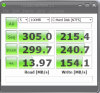
That's the wrong model. You will need the X25-m which is 2.5". The Envy comes with a single 2.5" bracket unless you've ordered a dual drive setup.
Of course, if you are trying to upgrade to a dual hard drive setup yourself in the 1.8" factor you will need to get the 1.8" hard drive brackets. Also, you will get no benefit from the G2s over the G1s because you can't use TRIM in a dual drive system. The TRIM spec doesn't work in RAID. -
It's information that I've found via Google.
http://www.hp.com/united-states/personal_again/press/you_on_you.pdf -
Yeah, did you see the "special order" on cost central? Again, ghosts
Attached Files:
-
-
Doesn't matter.
Here, on these boards, you cannot post info like that unless she says so. -
Alright then.
-
Just letting you know before a mod does
Now, the Envy 15 looks to have a longer build date now when you configure it.
1/26/10.
Hope that doesn't mean there will be delays;( -
noticed they are adding the external dvd as standard with purchase. getting one with the beats but not with the prior order...
-
GRR that better mean USB 3 and vicious trouts with laser beams!!
-
The Envy 15 has RGBLED according to the maintenance manual. It is hovever not wide gamut like the XPS 16 RGBLED, but rather more close to sRGB.
I can't compare to the Dell panel since I don't have access to any, however I have profiled mine and it behaves quite well for a laptop TN panel. Gamma correction curves are almost linear, primaries are close to sRGB, and contrast is about 500:1. -
Yeah, um, the Envy does not have an RGBLED display.
Your confusing yourself
-
So if you order dual drives, you'll get two 1.8in drives? If you order a single drive.. you'll get one 2.5in drive? Is this right?
Also, by getting the two drives, i'm assuming there's less space then, so will it have a worse cooling system? -
Maybe so... I saw RGBLED in one of the official docs. What's your information source to the contrary?
-
That should be mostly right. As for the cooling, it shouldn't be an issue. 1.8" drives are a fair bit smaller than the 2.5" drives, and the system is designed specifically to handle dual drives.
-
The SM says LED, which is plain-jane white LED backlighting.
The mention of RGB Vertical Stripe is the configuration of the pixels in the LCD, not the backlighting used.
If HP used RGBLED backlighting, then we would know because 1)it would be advertised as such and 2)it would be hella expensive
Attached Files:
-
-
You might be right on 1). I'm not so sure about the pricing, the technology isn't expensive anymore. Did you check the panel with a spectrophotometer yet?
-
I dunno about the USB 3, at this point I'll just wait and see. I ordered the i5 model.. there have been some conflicting information in the last 10 pages, but we'll just have to see when we each get ours delivered.. which I hope is soon.
-
No, I haven't check it with any meters.
The RGBLED backlighting tech is expensive. IF you haven't ntocied, Dell sells RGBLED displays with the SXPS 16 series, and it is a $250 upgrade. HP has the same tech in there pro line, I believe, and they call it Dreamcolor (IIRC).
That is a known fact. You can hope all you like that the panel is RGBLED, but it isn't.
Take a look at the 4W power usage. RGBLED panels use slightly more power than WLED as well. -
Bada-bing bada-boom. I'll let you make conclusions for yourselves.
![[IMG]](images/storyImages/Whs9l.jpg) Last edited by a moderator: Feb 6, 2015
Last edited by a moderator: Feb 6, 2015 -
nice, p.s. you forgot to white out your last name in your email...
-
Gee thanks, sheila.
That helps a lot..... -
Ehh, it doesn't matter I guess. I just did that out of habit. I don't think I will have to worry very much about privacy on here....
-
Well it is implicit that all new quad core i7 envys will have usb3. I do hope that means all the orders that have been waiting 2-3 weeks that ship on the 18th will have the update. If so that makes this machine upgrade resistant for years to come, as long as usb3 sticks and that lightconnect (or whatever its called) by intel doesn't become standard for a long time.
For those who know off hand, will it make a difference going with eSATA vs usb3 for an SATA II external 1TB 7200 rpm drive? I only ask because I have a usb2/esata enclosure and if the gains are minimal with usb3 vs eSATA i'll just buy a new cable instead of a new enclosure. -
So only the i7s will have USB 3? How does that make any sense at all?
-
you gotta "upgrade" to the older i7...if you think about it makes perfect sense. After all why wouldn't 4 cores be better than 2? Plus the technology for the i7 is older than the i5 so if you upgrade essentially they increase their profit margin by selling you older technology which has probably dropped in price for them compared to the i5. Oh and MB options may be limited with the i5 & USB3 right now perhaps making an i5/usb3 envy more expensive than an i7/usb3 which would put people off because quad core should be more expensive, or so people would argue.
Edit: the sweetest deal would be a 35nm quad core...but I suspect that will be a little ways away, simply because of heat issues.
*HP Envy 15 Owners Lounge! PART 1*
Discussion in 'HP' started by Serg, Oct 21, 2009.