Problems? See this thread at archive.org.
Man.. So I guess I'll have to go back to that other site for the older NVIDIA drivers..perhaps 179.48 was it? As in the last one that was known to have Blu Ray. Or was it 179.28? WHQL means not signed I guess?
-
-
WHQL (Windows Hardware Quality Labs) means it is signed.
I'm using DOX 185.68, it gives a ridiculous boost performance in 3D. NwN2 went from 30-35fps with 2xAA/4xAF to 35-40fps with 4xAA/8xAF. I'll check and see if Blu-ray works with this one. -
Thank you! If its not signed doesn't that mean I have to keep it on Test Mode via Driver Signature Enforcement Overrider?
-
sp36881, Intel(R) Matrix Storage Manager, ITECIR Infrared IDT STAC9271 Audio Driver (sp40438.exe) all didn't work?
BTW what did you shrink your hard drive to in order to get Windows 7 on the hard drive? I was thinking to use just 76GBs or so. -
MORE MONITORING WIDGETS:
1. Nvidia GPU temp monitor widget:
![[IMG]](images/storyImages/nvidia1.png)
http://blog.orbmu2k.de/sidebar-gadgets/nvidia-gpu-temp-sidebar-gadget
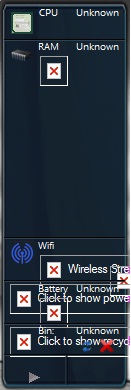
2. Computer Status (RAM, CPU, Drive space, wifi signal, batt, radio, ect.)
NOTE: Buggy on some installations. (Fails on Win 7). If it doesn't work first time out, try uninstalling and reinstalling.
Image link: http://lh6.google.com/ljames28/R-fid_VXrAI/AAAAAAAAAzI/Bx95vqIloX8/sidebar4[3].jpg?imgmax=800
http://gallery.live.com/liveItemDetail.aspx?li=c41637be-8809-458b-9be2-5803b6de5ea5 -
Yep, I've been using that one for awhile.
-
Those who want to run Windows 7 XP Mode (VirtualWindowsXP_64_en-US.msi) using the latest Windows Virtual PC (Windows6.1-KB958559-x64.msu) will learn that, unlike Virtual PC 2007, Windows 7 Virtual PC requires Intel-VT (hardware virtualization). Bios F.40 E is the only Bios version that enables this truly on supported processors. Previous Bios versions had the option in Bios setup but enabling it did nothing; Intel-VT remained disabled with the Bios setting set to enabled. However, with Bios F.40 E it is truly enabled, and Windows 7 XP Mode is able to run thereafter.
-
Greeeeaaaaatttttt(drawn out with sarcastic tones)....you obviously don't follow things around here very well, do you?
It's extremely irresponsible to post something like this when that Bios version is KNOWN to brick HDX's. Some have used it and been lucky, but F40 is the only known Bios version to have totally FUBAR'd the Dragon, on more than one occasion. -
Interesting that you brought that up because I was looking into that when the news broke last week about this feature of Win7 Pro, Enterprise and Ultimate.
Trouble is, BIOS update F.40E (properly done or otherwise) has a higher than normal failure rate that can brick people's HDX as has been seen in this thread and on other forums.
So for the sake of your fellow HDX owners, I'd add that caution in BOLD. Nifty little feature of Win7 is not worth the risk of losing one's HDX.
EDIT: Yes, and what Hovercraftdriver said.
-
For curiosity's sake...
Anyone running 32bit XP or Vista, to find out if "Enable hardware virtualization" in BIOS actually works or not, enable it in BIOS (f.39 or lower) then download and run this little program:
http://www.grc.com/securable.htm
It's say "YES" above hardware virtualization since the CPU supports it. But click the YES and report what it says.
All in the name of science.
I know I couldn't get VMware 6 to use Intel VT when I used to use it. I just want to make sure that it's not VMware and is actually HP disabling VT irrespective of enabling it or not in BIOS. -
This one looks great and seems very useful, however on my Windows 7 it does not show correctly.
Any ideas how to fix it?
P.S. I have been using Win 7 7100 for 2 days now and closely monitoring GPU temerature, which at the same levwl of use runs at around 15C lower temperature in Windows 7!!!Attached Files:
-
-
I have the same issue. I use VMware and have a few images I had to use 32bit instead of 64 (Ubuntu and Win7). I made sure the option was on in the BIOS (1 of the few we have) and it did not help. I figured it was VMware and not the BIOS.
I will try this tonight when I get home and see what I get. It would be our luck that one of the few BIOS options that we have does not work. lol It is odd that HP does not mention this in the BIOS description. That would have been helpful a few months ago when I was doing research trying to figure out what was up. -
Not sure, but is UAC enabled or disabled? I think if you disable it in win7 some gadgets won't work correctly as part of the new security scheme.
If you have UAC enabled and it doesn't work, then it might not be compatible with win7. if you have UAC disabled then try the following:
HKEY_LOCAL_MACHINE\SOFTWARE\Microsoft\Windows\CurrentVersion\Sidebar\Settings
Create a new DWORD value named AllowElevatedProcess
Set the value of this new DWORD to 1
It should work right away. If not log off and log on again. -
UAC was disabled, so first tried reenabling it and loggin off-on. Nothing.
The reg key you suggested is a strange one I had tried before writing here. There was no 'settings' under sidebar so I created it and it also did not work.
It seems like the gadget is not compatible with Win7, what a pity.
I am using the HWMonitor gadget and will stick to that as I like it too.
P.S. Win7 really fast and nice (even though has some things that need to be addressed) -
Computer status is a pretty cool! For some reason though it didn't pick up the wifi, and the power and volume icons that were on the taskbar are gone. After going into the taskbar properties to try to restore them, I was not given the option to put a check in the box (mainly interested in the volume since the widget has the power on it). Should I uninstall it and install it again? -
That's odd. It shouldn't do that. Uninstall it, then reboot. If those icons do not return, you may have to resort to a system restore.
I tested this gadget on Vista x64. I'm probably going to have to take the link down since it doesn't seem to work for everyone. -
2.0 Here is the message I get when I use the SecurAble program you are talking about:
"Hardware Virtualization
This processor does offer advanced hardware support for virtualization. However, while running under a 64-bit version of Windows this program cannot execute its 32-bit kernel code to determine whether Intel's VMX virtual machine extensions are being locked on, locked off, or neither. Since there's a chance that your system's BIOS may be deliberately disabling support for hardware virtualization (some do) you should re-run this program, if possible, with administrative privileges under a 32-bit version of NT, XP, or Vista. That will allow SecurAble to run a bit of kernel-mode code in order to determine exactly what's going on. (Note that you can also poke around in your system's BIOS to see whether you're able to find any references to "hardware virtualization" or "VMX", etc."
Looks like we need someone with a 32bit OS to try it out. I do not think running it from my VMWare 32bit OS will be reliable info.
*EDIT*
I tried it in my Windows XP 32 Bit VMWare and it said Yes no matter what I set in the BIOS. I will try and find another program to use.
*EDIT 2*
I did some searching and supposedly if VT is enabled CPUZ will show it in instructions. I tested and with it on or off CPUZ does not show it. Here is what I see:
![[IMG]](images/storyImages/NewPicture6.jpg)
I am not sure if this is true but I will see if I find anything else.
*EDIT 3*
For the sake of knowing and helping this community I took the plunge and installed the F.40 BIOS. It was a success and I can verify that VT now works. I was able to install Ubuntu 64 and Win7 64 in VMWare. CPUZ still does not show VT though. But it definitely works now. (Warning: Just because F.40 worked for me I do not want to advise other do so. If they do it is at their own risk. It seems to be a hit or miss if it will brick or not. For me it was worth the risk. Having 64 Bit test environments will help me a lot.) -
Hi guy I got blue screen for the very first time using 32 bit, likely because I was doing WAY too many things at once..and now its asking for an HTTP driver.. Could anyone direct me to know where to get it from? I uninstalled the two yellow icons in the Device manager hoping it would find and install it automatically but it just keeps asking for it, then for the disk that came with the manufacturer for the driver.. I had a bazillion tabs opened in Firefox, was recording via Firewire, had an SD Card in the slot, and a Blu Ray in the drive (which I haven't been able to get working again yet).. And the error message says this:
Description:
Windows detected a new device attached to your computer, but could not find the driver software it needs to make the device usable. Each device manufacturer typically includes driver software of a CD that comes with the device, or as a download from its website. The hardware ID of your device is .
Problem signature:
Problem Event Name: PnPDriverNotFound
Architecture: x86
Hardware Id: unknown
OS Version: 6.0.6001.2.1.0.256.1
Locale ID: 1033
Read our privacy statement:
http://go.microsoft.com/fwlink/?linkid=50163&clcid=0x0409
Any ideas? -
Well done CompTrekkie. Well done.
(I know that heart was beating hard during the F.40 update.)
Also thanks to dreamcast for the heads up. -
Seems like the driver database got corrupted. To verify that it's not a hardware problem, boot to Vista 64. If all your hardware is working without error, then the driver database in Vista 32 got borked.
Unplug all devices from the system and reboot to vista 32. Then plug in devices one at a time.
If it still says the same thing, you can try a system restore.
If that doesn't work, you're going to have to use the Vista disk to repair the installation.
Here's how:
1. Insert your Vista setup DVD and boot your PC then click next on language/keyboard screen
2. Windows is ready to install... important choose "REPAIR YOUR COMPUTER" option, see it in lower left corner.
3. System Recovery then click "Next"
4. A quick scan for common problems will start, when prompted for an automatic system restore, click "Cancel".
5. Now you should see the "System Recovery Options" select "Command Prompt"
6. Go in your system disk by typing the letter corresponding to your Vista 32 system HDD, followed by a colon. for example "F:"
7. reach your INF system folder by typing CD \Windows\INF
8. Type commands below in command prompt in \Windows\INF folder
DEL DRVINDEX.DAT
DEL INFPUB.DAT
DEL INFSTOR.DAT
DEL INFSTRNG.DAT
DEL INFCACHE.*
DEL SETUPAPI.*
9. Type EXIT press enter key.
10. Click "RESTART" button and remove Vista Setup DVD from DVD drive.
11. Boot into Vista 32
Windows will rebuild a new drivers database once you plug a new USB Plug'n'Play device.
If that doesn't work, you'll have to save all your data and start a fresh dual boot setup for Vista 32. -
anyone have an idea on this????? -
Crap..looks like I'll have to get a rugged Hard Drive sooner rather than later..:/ Doesn't work. Bah. Thanks for the instructions to let me know how to get it fixed. Whats weird is it seems like everything except synching via my Pocket PC through USB works.. Does this mean that the more I use it the more corrupted things will get?
-
Hard to say. Don't know what caused the error. Could be that whatever caused the error would just do the same thing but not any worse. Could have been a memory error that occurred when driver table was being accessed. BSOD are usually caused by something associated with hardware related error. That doesn't neccessarily mean failure. Usually means overloading.
-
I can't remember if you tried letting Windows search for it or not. Right click it in device managerand select "update driver" if you haven't done so.
Also, try the ITECIR driver. sp37925. -
I uninstalled it,and was able to get power and volume icons back without a system restore. I reinstalled it and it works fine with the icons intact. Thank you for the link!
-
Good deal. I was a bit worried. Didn't know sidebar gadgets could make one lose those aspects. Glad all it took was an uninstall.
-
i found these links for you that reference the sp35676 and the Intel Chipset Installation Utility for ICH8..
http://www.badongo.com/file/3859672
http://h50177.www5.hp.com/support/GJ157PA/more_info_soar_ob-52653-1.html
ftp://ftp.hp.com/pub/softpaq/sp36001-36500/sp36491.exe
hope they provide the driver you are looking for! -
Cool Utility Alert:
For those of you who use the HDX's battery for more than a superior UPS, here's a fairly accurate free battery meter that resides in your taskbar next to your tray. I've been using it on my tablet with fantastically accurate results for a while now. Especially with a periodic battery calibration.
Gives percent(%),time remaining until fully charged or discharged, and warnings.
BatteryBar: http://osirisdevelopment.com/BatteryBar/index.html
Examples:
Charging time remaining:
![[IMG]](images/storyImages/BatteryBar2-Charge.png)
Discharging time remaining:
![[IMG]](images/storyImages/BatteryBar2-Discharge.png)
-
Anyone's CPU fan get stuck on high after a few hours of gaming? Go back to the desktop and it stays at full until I reboot.
-
I used to have the problem until I used HW monitor. If it's running in the background, it stops that from happening. GPU fans cut off about 1 to 3 minutes after a game.
What game BTW? -
RATIO based GPU overclocking guide for HDX 9000
Back in the day, you would adjust Core and Shader clock in unison. The reason was that there was a correspondent ratio of core v. shader clock. It's still good practice today. Tends to yield best performance more efficiently.
Stock clocks on the 8800M GTS are:
Core: 500mhz
Memory: 799Mhz
Shader: 1250mhz
Everything you do should be based on the core. So let's say you want to overclock the core to 600mhz. How to determine based on ratio of stock, what value to ascribe to memory and shader?
Mathethematical formula time! Recall your cross multiplication...
![[IMG]](images/storyImages/ovrclk600.jpg)
(799 x 600)/500 = 959mhz (rounded up). So set the overclock value of mem to 959mhz.
![[IMG]](images/storyImages/ovrclk600shdr.jpg)
(1250x600)/500 = 1500. So set Shader clock value to 1500mhz.
So you would enter into Nvidia control panel under device settings/custom:
Core: 600 mhz
Memory: 959 mhz
Shader: 1500 mhz.
You should see a 1000 pt (~13%) boost in 3Dmark06 score over stock. Or an increase of 2 to 4 FPS in average FPS is average was 25FPS before overclock. A 0-1 degree increase in max temps.
Here's a chart I made of 5mhz increment Core clock Overclocks and the correspondent ratios to Memory and Shader clocks.
![[IMG]](images/storyImages/ovrclktable.jpg)
610 is in green because it is the most geometric of all and yields a 9475+ 3DMark06 with only a 0-2 degree increase in top temp on a T9300(2.5ghz) system. 650 is in red because it may cause 3DMark06 to crash before finishing. Especially if ambient occlusion is on. Ambient occlusion set to on will raise top temps. Hence 0-"2" top temp increase.
Note: DO NOT jump from stock to 650. Try 550 first and work your way up, testing with 3DMark06 and games. WATCH your top temps. You want to keep them under 75 DegC.
What you'll need to overclock the GPU:
Nvidia system tools: (current version is 6.03) - [ NOTE: NVmonitor will likely report wrong realtime clock speeds for Core/Mem/Shader]
http://www.nvidia.com/object/nvidia_system_tools_6.03.html
What you'll need to monitor temps:
HW monitor: (current version is 1.13)
http://www.cpuid.com/hwmonitor.php
What you'll need to verify overclock (optional):
GPU-Z: current version .0.3.4) - [ NOTE: GPU-Z will report wrong realtime clock speed under "sensor" tab.]
http://www.techpowerup.com/gpuz/
What you'll need to test and benchmark:
3D Mark06: (current version is 1.1.0)
http://www.futuremark.com/benchmarks/3dmark06/download/
Fraps: [FPS in games] (current version is 2.9.8 but may not work with some Nvidia drivers so I'm linking to 2.9.7):
http://www.filehippo.com/download_fraps/5026/
Quick tour of Nvidia System tool addon in the Nvidia Control panel:
![[IMG]](images/storyImages/nvidiacontrolpanel.jpg)
Always hit apply once you change the settings. Once you get things the way you like, you can save it to a profile. Once saved to a profile, you can choose at a minimum for it to load your settings at boot. Here's how...
![[IMG]](images/storyImages/nvidiapanle2.jpg)
1. Click "load this profile" check box.
2. In the box below and to the right that says "take these actions:" you will have the opportunity to select your saved profile. Once you do that, in the box to the left, click to highlight "The system first starts windows." Then click the left arrow to move it over to the box on the right.
3. Hit accept.Last edited by a moderator: May 8, 2015 -
Wow...amazing.
THNX dude...your the man! -
I was DEFINITELY overloading it..I did more with the HDX than I pretty much have ever done with it..and it apparently had a heartattack Man..now System restore doesn't work..:/ I'm just hoping I get my 1TB Lacie LX Rugged Hard Drive in the mail before it goes completely.
-
Sweet! Thanks 2.0!
-
only for info:
1.
http://www.digitalpersona.com/index.php?id=bus_support_faq_IE8update
2. BlueRay playback with 185.81 ok.
3. For the deactivation Powermizer at 185.81, the DwordWert PerfLevelSrc only be created!
@ 2.0
!Without Powermizer deaktiverung no reasonable overclocking possible! -
Explain the benefit of deactivating powermizer in relation to overclocking this GPU. Not sure what you mean here. I haven't seen any downclocking during testing. If you mean to take core clock over 650, then yeah, that might come in handy. But not sure taking it over 650mhz on core is a necessarily good thing.
Edit: I don't even have PerfLevelSrc in my registry with 185.81 driver installed. Used to have it with old drivers though. -
hey folks. Need some help with sandbox audio.
I bought the full program, installed under win 7 64 bit using compatibility mode.
I have now lost my sound.
Speaker icon shows no issues and when sound is playing you can see the meter jump but no sound coming through.
Any ideas -
Set the SRS as default, then log out or reboot.
If you are using win media 32, then it will fail the driver. Have to use 64bit win media. -
that did the trick. Thank you. Definately sounds a bit nicer on the Dragon.
-
Those are the exact set of tools I use. I currently have mine set to 610 905 - 1475. The card I have is very picky. I have tried several other combos to try and bring them into a better ratio. But those numbers are literally the max that each can work at and remain stable. It also yields the highest gains out of the options I have. Just one MHz more added to any and I get artifacts and eventual crashing. The temps never go above 67c and usually hover @ 63 - 65c under load very different than what I am use to. Usually temps are what make be decide where to stop.
Every few weeks I will try and play around with it again to see if maybe after some burn-in at that setting it will let me bump it some more with no luck. It has also been the same with every driver I have used since I got it eliminating drivers as an issue. Even a different OS: XP, XP 64, and Win7 64does not matter lol. No complaints though it does a good job at that setting and with the latest NIVIDA Laptop drivers yields a 9510 in 3DMark06 with my x9000. -
I noticed that on one of my HDX's I can do the 645 ratio before getting issues. On the other HDX, won't break the 610 ratio without downclocking. 620 fails to finish 3DMark06.
I'm using 610 ratio on both and getting 9475-9490 3D marks on the T9300.
@625 ratio I was able to get 9609 3Dmarks.
@645 ratio I was able to get 9757 3Dmarks. But it would crash in Crysis Warhead. And i was only getting 1 FPS more in avg over 610 ratio. -
Pretty much anything higher end. NwN2 and Oblivion are the games I play most commonly these days though. It's just the CPU fan, I have no issues with the GPU fan. CPU gets down to 30C and still the fan tries to achieve lift off.
-
Do you have fan always on in BIOS? That's worked for me as far as hushing up quickly after a game or some other CPU intensive task.
-
Zitat RickiBerin:
"For the deactivation Powermizer at 185.81, the DwordWert PerfLevelSrc only be created! " Zitat End.
He had created (dwordWert) and at 185.81 Powermizer "off". (very satisfied)
From page 542 http://forum.notebookreview.com/showthread.php?t=169232&page=542 ,
I tried the problems, which caused Powermizer to explain. At the same time, I repeatedly pointed out that the HW Monitor Bios Fan Control adversely affected.
This seems, however, nobody can read, or not interested it.
In extensive remarks, therefore, I strongly reject.
Only so much ...
The goal is not the highest score in 3DMark!
In real operation Powermizer Graphics killer number one. Only then will the graphics bar through its standard limited.
Powermizer is too slow and turns, even at sustained performance required, the clock back.
In their case it would be in the middle of the game is a burglary of 610/975/1525 to 383/301/766. This results in each case to video and sound dropouts. (the timing was so 500/799/1250 by 610er replaced) I am with this issue until after their own experiences employed. (need to) Also, this affects every HDX. (any computer with Powermizer)
Overclock with Powermizer "on", is operated High Speed with hand brakes!
But at this Eglish will again nobody can understand. -
Yes unfortunately it is difficult to understand what you are typing at times. Some of it is very clear, but I have a hard time understanding a lot of what you are trying to say. No offence intended.
After reading the complete post I can usually understand the main points you are making but some points remain unclear. -
Yes shame, it is with the languages. I am annoyed about most. Had still lots of other useful tips.
Here are more pages on the same topic:
http://forum.notebookreview.com/showthread.php?t=169232&page=545
and:
http://forum.notebookreview.com/showthread.php?t=169232&page=547
and:
http://forum.notebookreview.com/showthread.php?t=169232&page=552
But this you know everything already :-( -
Have a really dumb question - where is the root directory? -
Don't stop giving advise though. Lots of what you have said is helpfull. Even if something is not fully understood it can get someone on the right track and they can find the info needed to fill in the gaps.
Plus others may have a better ability to understand what you are saying than I.
Keep the post coming. -
True, admittedly, goal is not highest mark in 3DMark06. The goal is higher frame rates. Especially higher average frame rates. Only reason to overclock really. That's where fraps comes in. Measures real word performance as opposed to synthetic. Small 3DMark06 increases can yield no increase in FPS. Bigger ones (>300) can add a frame or two to your average FPS.
I'll look into this some more. One thing to note, GPU-Z clock reports can be wrong. Especially when logging.
Even so, I'm experiencing expected frame rates @ native resolution as compared to other notebooks with 8800M GTS and not all that far behind notebooks with 8800M GTX. More importantly, FPS close to the 8800M GTS's desktop near equivalent, the 8800 GTS.
Experiencing no sound drop outs in games or downclocking. In fact, I don't experience it with any software to a degree that would seem out of the ordinary.
So I'm not exactly sure what I'm supposed to be looking for as far as this powermizer issue. But if it's a holding things back with no meaningful purpose, it's definitely worth looking into.
Stay tuned... -
Good question since it can be named differently on different machines if you name your hard drive.
Go to start menu and click computer on the side panel. Then click your C: drive. That would be your root directory for your Vista installation.
*HP HDX DRAGON Owners Lounge, Part 1*
Discussion in 'HP' started by J-Bytes, Sep 14, 2007.