Problems? See this thread at archive.org.
Hmm, not too bad because I run mine at 780/880 right now. Maybe I'll give it a shot.
edit: worked like a charm. Except I'm not sure what most of this stuff is. I mainly want to change fan control. Things that look like it might affect are:
Hardware Thermal Control (default Enable)
HTC Temperature Limit (default 115)
HTC Hysteresis Value (default 0.0C)
I am assuming Temp limit is max temp before it shuts down. Hysteresis value I have no clue but you have a choice from 0 to 7.5 deg C in 0.5 deg increments.
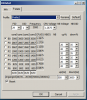
here's some pictures:
Advanced Menu:
![[IMG]](images/storyImages/EMIs4.jpg)
Power Menu:
![[IMG]](images/storyImages/tv2z8.jpg)
Advanced CPU Control:
![[IMG]](images/storyImages/8l27f.jpg)
-
Alrighty. I think I'm done with playing around with clock rates and voltages for now. I'd overclock the GPU, but I think I'm just gonna start trying games on this thing. ^ ^ It'll be nice to be on break partway through next week...I won't have to be distracted from my computer by "finals" and "real life." xP
-
I dun have mine to play with right now.
Saw a thread of envy 15 bios
http://forum.notebookreview.com/hp-envy-hdx/623647-envy-15-unlocked-insyde-bios.html
Looks likes the dv6z is gimp'd w/o the thermal options(good stuff)?
Cpu related ~= Thermal options?
edit : amd seem to have different fan management than intel after i find a few unlocked 1. -
HTC Temperature Limit is the temp before it throttles down the clocks to a lower P state. So far no way to control fan that I can tell.
-
Still getting negative crossfire scaling on amd's 11.11c drivers...
Any ideas?
All benchmarks are with the exe set to high performance and both are dx11 so crossfire should work.
Unigine Xfire on:
Min:6.5
Max:41.7
Avg:19
Unigine Xfire off:
Min:10.3
Max:46.5
Avg:20.2
Stalker COP "Rain" Xfire on:
Min:19.6
Max:80.4
Avg:44.7
Stalker COP "Rain" Xfire off:
Min:23.2
Max:95.1
Avg:59.3
EDIT:
Just tried it with HP's latest driver too and I got even worse performance and still negative scaling -
Did you check under AMD PBS option? i check some video and there is a thermal setting there.
-
Thanks, no such luck. I am disappoint!
Thing is coolsense is able to increase the fan if you use coolest, so there MUST be a way. Problem with coolsense "coolest" setting it throttles above 75C, and that's no good either.
Here's what's under AMD PBS:
![[IMG]](images/storyImages/URpQa.jpg)
-
LOL, i guess it is the cooking nature ( Crossfire + amd unlocked voltage), they take off the options in bios.
this is the video i saw
http://www.youtube.com/watch?v=fqQ1sxvokxk -
Wow, that's a nice BIOS setup, and what I want! Come one HP!
To be honest I would be happy if HP added an option to set full fans above 75C or something like that. They don't kick into full until it reaches 90C, which is ridiculous. Full fan at 75C would be able to keep temps from ever reaching 90C. -
The t line with intel seem to carry thermal setting though.
-
I'm having another issue now too...
The function keys like volume up/down all work but nothing shows up on the screen when I press them like it used to. I'm not sure what I uninstalled or did to cause that.
What software is responsible for displaying that graphic? -
Just got my RAM and immediately installed it. I know the 3500M doesn't support 1600Mhz, but you wouldn't know it from the Windows experience index.
Before -> After
Memory 5.9 -> 7.3
Graphics 4.6 -> 5.8
Gaming Graphics 6.2 -> 6.5
Scored 2x4GB 1600Mhz for $35 from newegg. Looks like it may be well worth it. -
It's called HP Onscreen display.
-
I got rid of it too because I thought it was useless but it was called "HP on screen display" iirc.
-
i got with the default ram, cpu @ 2,2ghz, and gpu 780/880
6.9 cpu
7.3 memory
6.5 gpu
6.5 gaming gpu
maybe the older test wasn't done right Oo -
Yep, that was it. I got rid of it thinking it was useless haha.
So does anyone have an idea about my negative crossfire scaling?
And Shad0wguy, I think there was something off with your original test. I got much better results than that out of the box. -
Good numbers there!
Im using 2.8hz cpu(3510mx) and 770/ 970 stock 6gb ram and solid state
7.3
7.3
6.5
6.5
7.9
I really would like to see my video performance up more but at $600 i cant complain.
Has anyone seen performance difference with 16bg of ram. Id love to make the jump switch bump would need a definite show of performance. -
anyone running at 800/1000 without any issues? I just tore down and applied some new arctic 5 paste.
-
Hello guys....I'm currently looking at and comparing the dv6z vs the dv6t QE.
Are there any issues with the dv6z due to the AMD processors?
Also which upgrades in terms of the processor do you think are worth it and will result in true gains but not a lot of heat? I currently have a system configured with
AMD Quad-Core A8-3510MX Accelerated Processor (2.5GHz/1.8GHz, 4MB L2 Cache)
And its about $857.99 before tax. Is that processor overkill for most people or is pretty weak when compared to the basic intel processor? The 15-2430? -
Thanks

Nah i read a test long time ago about 8gb ram benefits (on tomeshardware.com), and the only think that improved was some loading times in few games, so dont expect much of it for games.
Our last "power switch" is a good working and scaling cf, this would give us a real speed increase, but i almost lost my hope in our cf evolution.
64-Bit: Benchmarks With 4 GB To 16 GB : Memory Upgrade: Is It Time To Add More RAM?
----------------
@TheAtreidesHawk
hi
the good thing with the Dv6z series is the unlocked cpu multiplier, so u can achieve "real" 2,5ghz for example. The default clock 1,8ghz is for all 4 cores, and the 2,5ghz is the so called "turbo" it just clocks 1 or 2 cores to this speed and that not quite often.
The default cpu performance was like this, if i remember right:
i3 2310m ~ A8 3500m default clocks
i5 2410m ~ A8 3500m @~2400mhz
i5 < A8 < i7 --- A8 @ 2,6ghz+
but an oc over 2,3-2,4 on full load produce to much heat, especially with 100% gpu usage. (could throttle)
i have an a6 linano and use my cpu most times at 2,2ghz and can play all the games i want; gpu@ 780/880 (skyrim all max. except aa: ~20-40, i can live with it, bf3: medium: min 30fps in worst situatoins, so its playable) full load temp: ~86°C(gpu+cpu@100%).
maybe u could get with an i5/7 cpu better results but i read, that they get kinda fast hot and throttle. You should read some threads about their thermic behaviour (maybe @dv6t lounge).
I bought an A6 3410mx + 6750m for 550€ and im quite happy with the performance/money result, but i had to read alot in this thread to get the oc's working. -
there arnt many options for gpu perfomance out there without jumping to the 560m systems running quite a bit more money. If you can find refurbished I would recommend. I bought refurbished and my system is brand spanking new. I will say if you are in the US check for a refurb online or maybe some coupon codes to save an extra 5% off a new one. Good luck!
-
GPU overclock have more to do with the card itself than heat. ( at least in this lappy)
For perspective buyers :
Dv6z is pos (excuse me) if you want out of box performance. I may be too extreme, but if you read through the dv6t thread, you will find a much easier life/better cpu for ~100(150)bucks .
edit : It is still great spec for the value, but it can get annoying (as in annoying!!) -
msi afterburner use for gpu o/c ?
-
TheAtreidesHawk
If you need CPU power then I'd go with an I5 over an A8 honestly. I went with an A8 because any CPU made in recent times will do what I need to do but most laptops still can't play games worth a damn without spending big bucks on the intel side. The A8 based dv6-6135dx with an ATI 6750m can and very well. Even the A8's integrated ATI 6620g isn't bad and blows away the intel 3000. The A8 being easy to overclock helps but most people aren't going to do that.
tigerdirect still has the dv6-6135dx for $500 refurb btw. -
The thing is, A6/A8 is a true quad core, i5 is dual core. If you have games or apps that are multithreaded, A8 is by far the better choice. For games like Starcraft 2 or Battlefield 3 you will be better off with the A8. If you're primarily running single or dual threaded apps, an i5 would be a good choice, but A8 overclocked to 2.4GHz would still be a comparable option IMHO.
Once you get it tuned, then you just let it go. Have patience and expect to spend at least a solid two to three hours tuning step by step, and you will be set from there on out. If there was a guide from day one then it would have made everyone's life easier. I had plans to do it, but just never had the time. I may still do it, though. -
This may be of help to us:
http://forum.notebookreview.com/toshiba/594618-insydeh20-bios-modding-zone.html -
But the post was banned or what happened with him?
-
Yes the A8/A6 is a true quad core but it is still slower than an I5 multithreaded apps or not, gaming not included which is nearly all video card. We have to overclock to make up for having a weaker CPU. It is nice that "we can do that" but most people won't.
AnandTech - The AMD Llano Notebook Review: Competing in the Mobile Market
"Some people will try to tell you that AMD will sell you more CPU cores than Intel for a lower price, but unlike desktop parts, mobile Llano cores dont clock high enough to consistently outperform dual-core Intel processors. Even in heavily-threaded benchmarks where quad-core CPUs can shine, dual-core i5 processors are still typically 30% faster than the A8-3500M. Instead of selling you more CPU cores for less money, what AMD is now selling is substantially better graphics for less money. Home theater enthusiasts might find a use for such parts as well, but really the purpose of GPUs is simple: theyre for playing games. Until and unless GPGPU can take off and provide some killer apps, businesses and non-gaming folk alike will be better served by Intels processorsunless you want to save $100 to $200.
If youre after a good all-around laptop for $500-$600, Llano should have just what you need; and for gaming, it will likely power some of the best sub-$700 gaming capable laptops you're going to find right now (short of fire-sales and refurbished laptops). For those interested, the only viable gaming notebook (e.g. with at least HD 5650M/6530M or GT420M/520M GPU) we can find for under $700 with an Intel CPU is the MSI CX640 at $650. Hopefully we'll see Llano offerings drop into the sub-$600 range with A8 APUs." -
For anyone interested; I got crossfire working with HP's oldest driver (Version:8.822.4.0). I was trying HP's newest version, 8.861.1.2 previously and that wasn't working.
I was on 11.11c, uninstalled, ran driver sweeper and then installed the HP driver.
I'm now getting ~1700 in 3dmark11 with crossfire where before I was getting ~1450 with crossfire, ~1550 with the 6750m and ~1200 with the 6620g.
One odd thing is that in the catalyst control center it says in my software info that I'm on driver version 8.90.7 and version 11.11 catalyst.
I'm not gonna mess with it though since crossfire is finally working... -
I still run the original bios (apparently the last development bios) F.18 and driver 8.832-11401m-117970C-HP. I run k10stat in conjunction with the lesser known Fusion Tweaker (there's some finesse in getting the best out of both ) and MSI Afterburner and Sapphire Trixx. I have had no problems running every game I've tried. skyrim rocks.
I keep scanning the web looking to buy a "better laptop", but have yet to find anything I consider worth the extra money. I've pretty much concluded that it will take a new trinity box to move this one to 'back up' status.
seer
oh, and even tho I have apparently the worst overclocking 6750-at least as to mem speed (sigh) I run solid 1980ish 3dmark11's without issue. -
Well actually, things are not as good as I thought...
I tried crossfire on 3dmark11 and all was good but I've found that crossfire is making other programs like unigine and wei crash. If I turn crossfire off, they run fine. Also in the Stalker COP benchmark there's no difference between crossfire on or off.
Another problem is that I'm getting lower fps with just the 6750m using HP's old drivers compared to 11.11c
So what clocks are you getting your 1980 score at? I'm just getting 1700 at 2.6ghz cpu (2.9ghz boost) and 780/880 on the gpu. And when you say fusion tweaker do you mean brazos tweaker or amd fusion utility? -
That's the sad thing about AMD not "directly" completing with Intel anymore. While the i3-2310M in the CX640 is better clock-for-clock than the A8-3500M, the graphics card in that laptop, a GT 520M, is far inferior to the 6750M found in the DV6 series.
When I got decided to get a new laptop for Christmas I looked for the best possible graphics card (based on notebookcheck's rankings) that fit my budget. Almost all the computers with cards that performed close to the 6750M were Intel-based and cost $900+. While the DV6 was a refurbished laptop, it was less-than half the price of any Intel-powered laptop with similar graphics. -
So what I'm hearing based on all the different responses is this...
IF I'm more concerned with
Gaming ---> AMD
Overall Performance such as web, video, etc etc. ---> Intel
Does that sound correct? -
I wouldn't sum it up like that, tbh. With overclocking the AMD quads perform on the same level as SB i5's in heavily-threaded performance and about the same as SB i3's in light-threaded apps. I know I am an AMD fanboy, somewhere, but you really won't notice a difference at all in stuff like web-surfing, watching HD videos, etc. The difference is only there is purely CPU-intensive stuff like media encoding.
In terms of gaming it is about the graphics. The 6770m in the Intel dv6 is pretty much the same as the 6755G2, the difference is that the latter is cheaper.
It depends mostly on your price range. For around $500, the dv6-6135dx is going to offer the best gaming performance and pretty good CPU performance plus extras like bluray and the fingerprint reader. You could get something with similar gaming performance and a better CPU but you would likely have to spend a couple hundred more. -
Here are my 3 options. Keep in mind this is going to be a temp notebook until the Ivy Bridge Envy 17 3D is released...whenever that happens next year...hopefully March or April...who really knows given HP these days?
Anyways bottom line is that I eventually will pass this laptop down on to my little brother in great condition. I will not be using it for games. He probably will not either. I just want a laptop that can render webpages quick with little to no effort. For example "The Verge" on the dv5t I'm typing this on causes the entire system to freeze for several minutes. Also powerpoint, ms word etc.
HP dv6z Quad Edition
- dark umber
- Genuine Windows 7 Home Premium 64-bit
- AMD Quad-Core A8-3530MX Accelerated Processor (2.6GHz/1.9GHz, 4MB L2 Cache)
- 1GB GDDR5 Radeon(TM) HD 6750M Graphics [HDMI, VGA]
- 8GB DDR3 System Memory (2 Dimm)
- 750GB 7200 rpm Hard Drive with HP ProtectSmart Hard Drive Protection
- No Additional Office Software
- No additional security software
- High Capacity 6 Cell Lithium Ion Battery
- 15.6" Full HD HP Anti-glare LED (1920 x 1080)
- FREE UPGRADE to Blu-ray player & SuperMulti DVD burner
- HP TrueVision HD Webcam with Integrated Digital Microphone and HP SimplePass Fingerprint Reader
- 802.11b/g/n WLAN and Bluetooth(R)
- Standard Keyboard with numeric keypad
- HP Home & Home Office Store in-box envelope
TOTAL: $816.63
HP dv6t Select Edition
- dark umber
- Genuine Windows 7 Home Premium 64-bit
- 2nd generation Intel(R) Core(TM) i5-2430M Processor (2.4 GHz, 3MB L3 Cache) Turbo Boost to 3.0 GHz
- 1GB Radeon(TM) HD 6770M GDDR5 Graphics [HDMI, VGA]
- FREE UPGRADE to 8GB DDR3 System Memory (2 Dimm)
- 750GB 5400 rpm Hard Drive with HP ProtectSmart Hard Drive Protection
- No Additional Office Software
- No additional security software
- 30% OFF High Capacity 6 Cell Lithium Ion Battery
- 15.6" Full HD HP Anti-glare LED (1920 x 1080)
- SuperMulti 8X DVD+/-R/RW with Double Layer Support
- HP TrueVision HD Webcam with Integrated Digital Microphone and HP SimplePass Fingerprint Reader
- Intel 802.11b/g/n WLAN
- Standard Keyboard with numeric keypad
- HP Home & Home Office Store in-box envelope
TOTAL: $801.04
HP dv6t Quad Edition
- dark umber
- Genuine Windows 7 Home Premium 64-bit
- 2nd generation Intel(R) Core(TM) i7-2670QM (2.2 GHz, 6MB L3 Cache) with Turbo Boost up to 3.1 GHz
- 1GB Radeon(TM) HD 6770M GDDR5 Graphics [HDMI, VGA]
- FREE UPGRADE to 8GB DDR3 System Memory (2 Dimm)
- 750GB 5400 rpm Hard Drive with HP ProtectSmart Hard Drive Protection
- No Additional Office Software
- No additional security software
- 30% OFF High Capacity 6 Cell Lithium Ion Battery
- 15.6" Full HD HP Anti-glare LED (1920 x 1080)
- FREE UPGRADE to Blu-ray player & SuperMulti DVD burner
- HP TrueVision HD Webcam with Integrated Digital Microphone and HP SimplePass Fingerprint Reader
- Intel 802.11b/g/n WLAN
- Standard Keyboard with numeric keypad
- HP Home & Home Office Store in-box envelope
TOTAL: $961.97
Thoughts? -
If I were you I would go with option 2. The 6770 will outperform the 6750 (naturally) and the A8 3530 and I5 are pretty well equal when you are talking about gaming. The Dv6Z should have an edge when crossfire is sorted out, but frankly it just does not seem to be the case. (only real evidence is 3dmark11)
The entire draw of the Dv6Z is that is is supposed to be far cheaper (500-650) compared to the Dv6T, with comparable performance.
If you want a Dv6Z get the refurb for cheaper. My entire reason for buying a Dv6Z was that I got it new for under 700 after taxes.
On a side note too bad Dv6Ts like that weren't this price in Canada a few months ago...
-
Word of caution to others:
My 6135dx stopped working on me yesterday, I don't know what exactly happened. I was playing NBA 2K12, paused the game, when to get something to eat, and when I came back it was frozen, with artifacts. I couldn't exit the program or shutdown normally so I had to force shutdown by holding down the power button. After that the laptop wouldn't boot. The screen didn't turn on, and the capslock key had one steady blinking sequence. HP support shows that it means CPU failure.
I have only had it for a wk, and was able to exchange it for another. New one should be here in a week or two.
I had a modest overclock. I don't remember all my kstat settings, but i had boost enabled at 2.4 Ghz @ 1.2V, my P0 as 2.2 Ghz @ 1.05V and P6 @ 800 Mhz @ 0.8V. It was stable for a week. Video card was as is, with 11.11c drivers. MY temps were within limits. Core temp showed around 75C max during gaming or running prime95 and bout 38C idle. Are any of these numbers unreasonable?
I'm questioning if it because of the overclock or just hardware malfunction. I'm definitely hesitant to try anything with the new one. I had even purchased a laptop cooler to offset the heat for original one. I don't know, I got a lot of confidence from this forum to pull the trigger on this product and tweak it. Did I just have bad luck or did I screw something up? -
Tell me about it. I configured a DV6t QE for about $850 with 1080p screen recently with the Black Friday sale. Just bought my dad a DV6t SE with 1080p screen and 8GB RAM for $750.
To be honest if I were to do it over again I probably would have just spent the extra coin for the DV6t. I've had fun modding and overclocking and stuff, but it's still got its quirks. -
I would go with option two as well but why are you paying for the 8GB RAM option with the first one? It is much, much cheaper just to do so yourself
-
Because I'm using the coupon which takes off $400 so I needed to upgrade a few things to reach the $1149 threshold.
Plus it is eventually going to go to my brother and if there is any reason we have to send it in to HP I'd rather not have to mess around with it. -
How many times the led on the caps look blinked? if two it would only have needed to remove the bios battery and then to put it back again after a minute, if it's four I think... yes, it's the processor.
-
The thing about CPU is that Seller generally use it to set a price tag and give fault assumption(s).
------------------------------------------------------------------------
The AMD performance and stability are kinda driver driven. On Newegg you can see review about the refurb 6135dx got minor stability issue.
It is nice(actually fun) for people who like to tweak their comp and dig their head reading, installing/res installing stuff , pasting etc.
Would I buy one for my brother who play games but noob at computer? NO, LOL. -
Fusion Tweaker is the name of the utility, its by the same guy as did the brazos. He posted to this thread several times.
here's a shot of my timings.
oh, and i mispoke, not 1980's, er 2180's. A couple of lucky b*stards with high clocking 6750's broke 2250 I believe.
Seer
![[IMG]](images/storyImages/2185a.png)
Attached Files:
-
-
Well, there aren't even any sales on the Dv6T here in Canada. Is still costs $1250 + tax (13% in Ontario) so overall cost for a "home grown" dv6t in Canada is $1412.00
Almost double what you US folks pay. -
sorry, if this was asked before... search function doesn't really work on here.
I have the dv6-6135DX with A8-3500M/ AMD 6750M Graphics
Whenever I check in AMD System Monitor it only shows the CPU and 6620G being used (with High Performance while gaming) while the 6750M stays at 0% load all the time. Is my 6750M being used at all? I cant even get max fps on some maps in Quake Live and it's base on a 10 years old game engine =(
Just wondering if it's normal for the 6750M to shows 0% load all the time? How do I enable it? (CrossFire already enabled) -
It likely overheated . All you really needed to do from my experience is reset the cmos battery. But hey a new pc isnt bad!
-
did you installed a new driver and tried to oc via software?
i had the same issue: used 11.11c driver and oced with afterburner, normally the system would crash, but the dgpu was just unusable until i made a restart with default clocks.
and do you mean with the "high performane" the ccc, or energy settings.
pls describe your problem a bit more, its hard to thing about a solution if we just dont know anything about your system or recent changes. -
I did a minimum restore and then installed the latest video drivers already. There's no problem to describe...it's just not performing to my expectation. So I check with AMD System Monitor that came stock with this laptop and it says the "AMD Radeon HD 6750M" is not being used at all. It's always at 0% load even in game, while the cpu and "AMD Radeon HD 6620G" is almost all fully loaded.
Yes, I did try OC and it does help. But the point is that this game(QuakeLive) doesn't require much horsepower to play and yet I cant get max(125) fps without OC and tweaking in-game graphics. So I'm just worrying something is wrong with my 6750M card? I just bought this laptop and still have time to return it if that's the problem.
I also play CS-Source. FPS jumps anywhere from 40 to 90 fps depending on the map and number of players around.
edit: Here's a screenshot. It's listing my video card as "6600M and 6700M Series" when I use the latest driver from AMD website. But if I use the drivers from HP it'll list as Radeon 6750M (same problem/ performance though).
This is with "high performace" in everything I can set... energy setting and in video properties
Maybe that's normal...i don't know. But I'd like to know what you guys see when checking AMD System Monitor with a game loaded. Does the discrete video card show any usage? If so, what's the load percentage? Again, mine is always 0% no matter what I set or play. -
if u just used the latest amd driver, then try to install the hp one.
or just try afterbutner + kombuster, it tests your gpu. you should normally get a near 100% gpu usage if u run kompuster. if not then just try to reinstall the hp ccc driver, if this helped then u can deinstall just the gpu driver and install the newest amd one over it. -
One last question....
How does the Radeon HD 6490M compare with the 6750M and the 6770M? Should I not even consider it as far as performance goes?
And this is kinda of a dumb question but when it comes to play HD video which card is more important? The CPU or the GPU?
EDIT: It is only $25 to go from the 6490M to the 6770M so I guess on that basis its a no brainer to do the upgrade. I'm leaning towards options 3 since when all was said and done the Envy I was set on getting was going to cost over $2400 and with a coupon came down to $1,775 so I figure the least I can get for my brother is to keep it under $1000....
*HP dv6z AMD Llano (6XXX series) Owners Lounge*
Discussion in 'HP' started by scy1192, Jun 22, 2011.