Problems? See this thread at archive.org.
Thought you first received the HDD as your Primary drive and you formatted it after making it the secondary drive for backup? Then you installed Win 7 onto the SSD, right?
-
I absolutely noticed the difference. It was my 'red flag' if you will. It's why I asked to check them EXACTLY as I had typed it out. The problem is you have a file named "accelerometerdll.dll"on both of your machines (as do I) when in fact the .inf file is ignoring it in favor of
"accelerometer.dll"
All you need to do is take SP47282.exe (4.0.5.1 software), extract it and start looking at the contents to see that it's messed up. Pay close attention to accelerometer.inf and accelerometer.sys - Notice the conflict? If you look closely at accelerometer.sys you will see that there is indeed a key (string) required to function properly, especially focusing on these commands contained in the .sys file:
ExFreePoolWithTag > InitUnicodeString > AppendUnicodeStringToString =
ExUnregisterCallback
To me that is saying the obvious, check for string (key) if it's not there it's "unsupported'
The big question I think is how do you find the key, because I haven't been able to..... -
No, my computer came with the SSD as primary and HDD as secondary..... I kept it that way after I reformatted to since thats the best speed configuration. -
I honestly don't think it has to be primary (maybe I'm wrong - idk at this point) it just has to contain that key. I believe it searches all available disk drives and protects the one it matches the key to. This is what I'm thinking is happening anyway....
-
Can someone with the regular accelerometer.dll see if the files are the same as the size I described for my accelerometerdll.dll, if so.. maybe all we need to do is change the file name back to "accelerometerdll.dll" rather than doctor the string.
Seems everyone thats having problems has the accelerometerdll.dll file instead of the accelerometer.dll file right?... or wrong? -
Unfortuntetly wrong, mine is 'supported' and working fine, and I have accelerometerdll.dll
It has something to do with this difference though as the system is looking for accelerometer.dll which doesn't exist - at least not on my cpu which is working. It's all just too weird...
EDIT: Just thinking out loud here, but maybe the key is actually the hdd serial number as it is contained in the hdd firmware - and it's trying to use that to match? I have no idea, just thinking.... -
seems you either have the accelerometer.dll and don't know it or its not really looking for that file and we are on the wrong track.. how else would yours be working?
I do remember there was something I tried to install that wanted to do it only on another partition and I didn't let it. -
I can't be certain but it fits the facts from those so far who have posted their experience here on this thread. No one with HP-installed and supplied SSD (primary) and HDD (secondary) and who hasn't reformatted them has posted to say that their secondary HDD is supported under HP 3D DriveGuard.
-
I shall do so in the next hour and repost the result. I'm posting from a different (XP) laptop.
That's exactly what I previously suggested yesterday!
I HOPE that's all that's necessary!
Yes, Windstrings and PMorgan (AFAICT, those who have posted on this thread about it) have confirmed that is their situation. -
Well I confirmed you have to have the accelerometerdll.dll in order for the 3D data protection software to even install.
Once installed you also need the accelerometerdll.dll file for it to run.
I appears it could care less about a accelerometer.dll file as it doesn't appear to be looking for one unless it is and not giving an error other than "unsupported".
Simply changing the name does not work at this point.
I left the software on at this point till we figure this out.
I did discover what software it was that wanted to install a different partition.. it was the HP system diagnostics software. -
OUCH! That's a shock!
Maybe it renames that file after it makes the determination of whether or not the drive will be supported? Certainly getting to be a bit more complex than I expected.
I doubt that it's in the firmware... If it were, the driver would have to be able to check that serial number against a database somewhere, etc. Besides, reformatting removes the "key" and doesn't affect the firmware.... -
That's certainly what "inquiring minds want to know!

-
How do you guys know if your turbo boost is working.. when I try to install the drivers, "sp46092.exe" at the end of the install it says "error, my system does not meet the minimum requirements to install that software"
However I do have the intel turbo boost monitor installed and it only seem to go to 1.73Ghz and no higher.
You guys have any suggestions?
I have my system set to high performance when plugged in..... While I have no error in device manager, I"m also not sure they are even installed.
Can someone that knows theres is working look in device manager and tell be which section its installed in and the exact name its called?... maybe I can do a force install. -
Too bad. I guess I won't bother to check on that in my system, then.
As I previously told you, I believe that is the HP Tools partition. -
The Intel Quad-Core i7 cpu is stated to include that feature. The Intel TurboBoost Monitor simple displays what speed it's at. If your goes from 1.63 to 1.73, it suggests it IS working.
To get it to go higher (top is 2.8GHz for that CPU I think), try running a single non-multithreaded non-64bit app. According to Intel's site description, that should trigger the speed upchange.
Have you viewed the video on the TurboBoost Technology on their site?? It describes how it works and should point you toward setting up a scenario to demo the effect. -
Very good thought, it seems this may be true. And I agree with Windstrings in that you must have accelerometerdll.dll for it to work. However, it DOES look for accelerometer.dll after the fact. I can't really tell if it is required but it definitely looks for it hinting at what you're saying PMorgan...
This is what's crazy:
I think it starts with accelerometerdll.dll and does change to accelerometer.dll after the 'key' match. The only puzzling part for me is I can find accelerometerdll.dll but can't find accelerometer.dll
I have searched everywhere, in all of the hidden files, folders, etc. Nothing..
But the instructions are telling it to use accelerometer.dll - how can it when it doesn't exist?
-
Hey guys, new to the dv8 club just ordered mine a few days ago....specs are:
Genuine Windows 7 Home Premium 64-bit
Intel(R) Core(TM) i7-720QM Quad Core processor (1.6GHz, 6MB L3 Cache) with Turbo Boost up to 2.8 GHz
FREE Upgrade to 6GB DDR3 System Memory (2 Dimm) from 4GB DDR3 System Memory (2 Dimm)
1TB 7200RPM SATA Dual Hard Drive (500GB x 2) with HP ProtectSmart Hard Drive Protection
1GB Nvidia GeForce GT 230M
18.4" diagonal High Definition HP Ultra BrightView Infinity Display (1920x1080p)
SuperMulti 8X DVD+/-R/RW with Double Layer Support
Webcam + Fingerprint Reader with HP Imprint Finish (Espresso Black)
Intel Wireless-N Card with Bluetooth
No TV Tuner w/remote control
HP Color Matching Keyboard
8 Cell Lithium Ion Battery (standard)
Microsoft(R) Works 9.0
HP Home & Home Office Store in-box envelope
I use it mostly for adobe creative suite, and wondering if I should have gotten the 8gb of ram?? Mostly use photoshop and dreamweaver, but would like to get into some video editing. The blu ray burner was not available through the hp store, but I would like to add one later. Does anyone know the make and model number of the burner, and where I might be able to find one?? Thanks for the help! -
Joining the forum for the first time. Recently, Device Manager is reporting that Intel Turbo Boost Technology Driver on my HP dv8 "cannot start (code 10)". HP Chat Support suggested I uninstall the driver, re-start, download the driver from their link and re-start which I did. Problem was not fixed.
In recontacting HP Chat Support, their tech is now recommending the following procedure:
HP : I suggest you to reset the BIOS to default settings and install the below chipset driver which could resolve the issue.Here are the steps to reset the BIOS.
1. Turn on the computer.
2. Keep tapping the F10 key when the Compaq logo appears. This will take you to BIOS Setup Utility.
3. Press F9 to "Set Defaults and Exit".
4. Press F10 to "Save and Exit" the BIOS.
5. Click on Ok/Yes to confirm the changes.
6. Restart the computer.
Here is the weblink to download and install the chipset driver.
Intel Chipset Driver (link provided but not shown here)
Has anyone successfully used this approach?
I have BIOS F.06. Are there any precautions I should take in doing the above to avoid bricking my computer? -
Since you can't find it and your works "am I assuming right?", then I won't do what next popped in my head.. that was to make a copy and rename the copy so it has both.
-
I think confusion now has us talking backwards... I postulated that INITIALLY there was an accelerometer.dll file - when the driver (e.g., 4.0.6.1) is loaded, it makes a determination and stores it in a registry or file somewhere, and THEN renames accelerometer.dll to accelerometerdll.dll so it doesn't have to run it each time the PC is restarted. So, whether it finds an HP drive or not, the same files remain on everyone's PC.
-
I think confusion now has us talking backwards... I postulated that initially there was an accelerometer.dll file - when the driver (e.g., 4.0.6.1) is loaded, it makes a determination and stores it in a registry or file somewhere, and THEN renames accelerometer.dll to accelerometerdll.dll so it doesn't have to run it each time the PC is restarted. So, whether it finds an HP drive or not, the same files remain on everyone's PC.
At this point,nothing but putting a new HP-supported drive into your PC is going to trigger any change in drive status (supported or unsupported). -
Wow!.... you have an old bios.. mine came with F.15, now Ive upgraded to F.17.
But I do remember I used to could get it up to 2.3, even2.6 before but not now.. the only thing I've changed in bios is the setting allowing the processor to do virtual mutitasking "however its worded".
I will try to change it back and see what happens.
Like Phil eluded to.... getting it to work could be a bad sign as only one core may be doing all the work and so have to clock up... whereas if all 4 cores are kicking in, it won't have to work so hard....
I guess the bottom line are the clock scores on performance and mine are still the same. -
WELCOME!
I suggest you just delete the TurboBoost driver from Device Mangler
No driver is needed to support TurboBoost on Quad-core processors. If you want to see it working-download the TurboBoost Monitor from Intel's site (search for Turbo Boost Technology)...
Mine works fine and I have BIOS F.06 also.
Enjoy! -
You are correct, looking back at it again, the DRIVER looks for accelerometer.dll, finds it, renames it to accelerometerdll.dll and then the SOFTWARE looks for accelerometerdll.dll just as you say.
This is the wrong path, I still believe it has to do with a 'key'
Check this out:![[IMG]](images/storyImages/hpsmartguardbs.jpg)
Thoughts? -
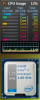
I don't think I even have a turbo boost driver and mine is working perfectly per the Intel Turbo Boost gauge, (which is a cool thing to have anyway). There's a picture of it in action in the attachment. I included my other CPU gauge that shows all 8 cores in action.
Also did the upgrade from Bios F15 to F17 w/o any problems. There was something wrong with F15 that caused a problem when people tried to upgrade to it. That was fixed by F17, so it appears to be pretty safe to upgrade to F17. My experience bears this out. But I have no idea if there are any other significant improvements between the early bios versions and F17. Might be worth doing some research to see if any important fixes were implemented since the earlier bios versions.Attached Files:
-
-
I just thought that was hilarious, that is all...
-
Can you give some details showing how to test.. I've been all over the intel site and it doesn't give any benchmark tools other then its monitor which I can't get above 1.73.
Is that all cores at 1.73 or just one?.. who knows?
At any rate there ought to be something simple to at least get it to temporarily spike and I can't. -
Just for fun I too the dll.dll one and copied it to a temp directory and renamed it to simply .dll and copied it back into system32 so that both files were in the same place...
still didn't work.
We have yet to confirm what the file size if of the real .dll verses the dll.dll that I have. -
I don't have the blu-ray burner, but I have the dv8t service manual which states the following specs:
12.7-mm tray load
Serial ATA (SATA)
Fixed (removal of 1 screw required)
Customer-accessible
Parallel ATA
Supports no-optical-drive option
Supports the following drives:
■ Blu-ray ROM with LightScribe DVD±RW SuperMulti DL Drive
■ Blu-ray ROM DVD±RW SuperMulti DL Drive
^ If you're going to buy one, make sure it is 12.7mm tray load as well as SATA. One that pops into my mind is this one:
http://www.laptopuniverse.com/product/DRBLU-UJ220-Mata-Panasonic-UJ-220-UJ220-Blueray-Blu-Ray-Burner-Player-/LU/123074/productDetails.html?sess=ZnJvbT1saXN0JmNpZD0zMTY0NSZsaW1pdD0yMCZwYWdlTm89NjU2Mg==
I'm sure you can find it cheaper, I just threw up a link that had a pic... -
I thought it was quite clearly and well explained at Intel's page on the subject. http://www.intel.com/technology/turboboost/index.htm?iid=tech_product+tb Any single threaded app should get it to spike. Mine frequently spikes. I've seen it go at least as high as the rated 2.8, maybe even higher on occasion. Just hit 2.13 momentarily while I was writing this post, no doubt due to some background service or process. For me, just bringing up Control Panel causes it to spike momentarily.
When all cores are in operation, turbo boost is less likely to kick in. The fewer the number of cores that are being used, the more headroom turbo boost has to operate. Thus, you would see the most boost if only one core was being used. But if, say for example, 4 cores are being used at say 10-20%, there is still plenty of headroom left for turbo boost to kick in. -
What intel chipset do you have running?
-
opening control panel makes it to 1.73......
I could go back to my system restore disk and uninstall all the bloatware, but that still doesn't give me back the partitions I deleted..... so I would still quite possibly have issues with the 3d protection software not seeing my disk.
What ever happened to just buying a computer and everything worked?
I'm just about frustrated enough to return this and start over with something else. -
I'm backpedaling from from earlier assumptions about the .dll files and I don't think the file size matters. As PMorgan noted the DRIVER creates .dll and upon 'matching' (supported or not it still happens) it then creates .dll.dll so that the SOFTWARE can find it. So in essence it is the same file...
-
OK.. I figured out my turbo boost issue.... Now it goes "quite frequently" to 2.6 and everywhere in between.. no problem.....
in "msconfig" I had it set to 4 processors instead of one.
When I put it back to one and rebooted the intel turbo meter worked perfect!. Simply putting it back to one didn't do it if I remember right, I had to set it to "normal boot" and reboot.
Keep in mind if you downgrade the number like that you will no longer be able to see any more choices for processors other than one.. the way you fix that is to set it to "normal bootup" and reboot, then you can tweak other settings as you wish, just don't mess with the processors.
So does this mean I"m only using one core?..... maybe I don't know, and I won't know without some kind of software that will show me the activity on all 4 cores, but the way turbo boost is supposed to work is its designed to save power and be powerful when needed.. so it only wants to use one processor and would rather ramp up the Mhz to avoid kicking in the other cores unless needed. In this fashion it saves power.
Possibly I was either getting an error with it set to 4 cores or since all 4 cores were running all the time it never "needed" to ramp up the Mhz.... which if that was the case would be a real power eater when running on batteries. -
Sounds like it's working then. Anything over 1.6 is turbo boost.
Playing a video that doesn't use DXVA causes mine to spike to 1.73 - to 2 something.
Anyway, you don't have to return it to start over. Just do a recovery to the factory load and it will be like starting over with a new computer again. (Assuming you have the recovery disks. You did burn those didn't you?)
About the MS Config stuff. I thought we had that straightened out several days ago. I told you to reset it by unchecking the box that even engages that ability to set the number of cores. Doing that turns that feature off and returns it to default with respect to the number of cores setting in MS Config. If you run the 8 core CPU meter, you would know immediately if something wasn't right because all 8 cores wouldn't show up on the meter. -
Yea it definitely works even though the turbo boost driver install gives an error at the end that my system doesn't not have the min requirements.... thats prob because I don't need that driver at all! LOL!
Its not loaded in device manager anywhere so its obvious now it simply runs off the processor.
I was just getting frustrated and being close to my time of when I can return it was tired of so many things seeming not lining up and was wondering if the tools partition I deleted was really needed.
It appears it may be for the 3d drive protection to see my hardrive as family but I can't see any other need.
I did another test and my scores are the same.. while it feels punchier "could be placebo" it scores the same.
The intel turbo monitor could be buggy in any setting other than "one" processor.
I do remember I set it on 8 one time "since we have 8 virtual cores" and it had a terrible lag... like maybe 10 - 15 seconds!... on 4 there was no lag but it was capped at 1.73 Ghz.
I did burn recovery disk.. hope to never need them.. I also burn't disk for my existing system.. it only took two single layer DVD's go get my whole system! Pretty good seeing how it shows about 50gig on my C drive.. I'm sure much of that is restore files.. but still excellent compression.
And I"m backed up on D drive.
I originally turn the setting is msconfig to 4 to speed up boot time, but I really don't notice a difference. -
I AGREE! I learned something else today. I looked into the accelerometer.inf file in the DRIVER installation driver package (before installation). It doesn't look for accelerometer.dll - it looks for accelerometerdll.dll instead!. So I'm back to being certain there's a key somewhere.
Looks like a registry listing ... what's it from? -
Don't know. Whatever came with an Quad-Core Mobile I7 CPU in a Dv8t last December, I guess.
-
The correct setting is one (=1) since cores are not processors in terms of that configuration utility. It's intended for true multi-processor systems (like servers use) and allow diagnostic testing of one processor at a time when necessary. It has no purpose or application in our laptops!
-
Alright guys, here is the obvious:
There are two components - the Driver, and the Application.
You need to install the application from an older softpaq, and the driver from a newer softpaq. The problem is when you install SP47282 it installs the correct application but the wrong driver, and when you install the pkg. containing driver 4.0.6.1 it installs the correct driver, but the wrong application. To resolve this install the correct application and then manually update the driver.
CAUTION!!!!
Remember that you have to restart your PC everytime you remove or install something in these steps!!!
Follow this step-by-step:
1- Uninstall HP 3D DriveGuard from your system
2- Go to device manager and open System Devices -> HP Mobile Data Protection Sensor. Uninstall the driver and delete driver files. RESTART!!!
3- Download SP47282 (I'm sure you still have it ) and EXTRACT it to SWSETUP.
4- Once I did this I had the latest driver (version 4.0.6.1) which works on Windows 7 64-bit. The problem is this version came with a DriveGuard application which doesn't run properly (I was talking about there being conflicting commands in the .inf).
5- If it does work and you get the protectsmart settings, you should be able to enable the drive.
6- Most likely it won't work, you need to start by installing SP39123.
http://h10025.www1.hp.com/ewfrf/wc/softwareDownloadIndex?softwareitem=ob-60810-2&lc=en&dlc=en&cc=us&product=3956766&os=2093&lang=en
This is an older version for Windows XP, but we only need the application from it. You need to repeat step 2 first to uninstall the newer driver. Remember to RESTART!
7- Once SP39123 is installed and accelerometerST.exe runs properly - you can try it by running: C:\Windows\System32\accelerometerST.exe from a command line. It will still report the drive as not supported.
Now go to Control Panel, and update the driver HP Mobile Data Protection Sensor. Choose to manually update the driver, point it to the location c:\SWSETUP\SP47282\ (it's called accelerometer.inf) which you had previously extracted in step 3.
8- It should now work!
Remember that you have to restart your PC everytime you remove or install something in these steps!!!
To recap, you just need two things:
SP39123 for the software only& SP47282 for the driver only!!! -
I grasp the thrust of your explanation but have to take exception. For example, installing SP47282 does NOT change the driver - it updates only the software.
I found no driver in SP47282....
This really stumps me.... Did you mean to say that, you can open HP 3D DriveGuard and will find HP-provided drives "supported" ?
Yep - Rolling back the driver and installing the newest software didn't help at all.
Installing this doesn't update or replace the older driver (4.0.2.1) since it is only a replacement for the software. In fact it installs version 3.10 of the software. No effect.
Still no luck but I'm now running driver 4.0.2.1 and software 3.10.1.7 so I'm still trying. -
I was originally told be a tech that the data protection is built into the drive itself.
If true, the issue we are dealing with is simply the "monitoring" of it rather than the actual function of it.
In other words, we may have the protection, but just not able to monitor it with the 3D software. -
I doubt that is correct and computer support technicians don't have a lot of credibility with me. I find them to be wrong more often than right.
-
I think i agree with you but I thought it was worth looking into.
BTW, I find it more than a coincidence that, after reviewing all the storage options HP offers for the Dv8t on the HP Store site, they tout the Drive Protection Technology only on systems with a boot/primary HDD!!! Whenever an SSD is offered, and there are a couple of combos, the Drive Protection Technology is NOT mentioned.
Sounds to me like it's not automatically included unless the primary and boot drive is a mechanical drive.
Thoughts? -
Update on my progress so far.
I've now tried both Macrium Reflect and Paragon Backup & Recovery and could not find any way to do a sector-by-sector clone with them. Today, I tried the Acronis TIH 2010 trial seems to do the job so it's definitely high on my list right now. -
Yes, interesting.. almost like the software doesn't worry about saving a non primary drive..... hum.. or just an oversight!..... gee could that be?
-
May just be that they put the priority on the boot drive with the OS on it.
-
Well I'm shopping for another printer and after exhaustive reviews.. seems the HP printers have the same issue.. great hardware and sucky software..... too bad to be so lopsided.
-
I have always felt HP printers were the best in practical terms. I love my Color Laser 1215 for day-in, day-out durable reliability. I don't use HP software so I can't comment on that.
-
I know that, all you wanted to do was extract the package and keep that 1 file accelerometer.inf.That's it, don't even try and install it...
I just added this in for others - I never thought it would work for you or Windstrings as examples - but it will work for others and they can stop after that step.
Yep, that's not what I wanted you to do....at all. You need to install the OLD software after removing everything related to Driveguard in the prior steps and then MANUALLY point the driver update to the ONLY file you kept from SP47282 accelerometer.inf
There is an effect, and the entire point was to get version 3.10 of the software installed...
You're so close you don't even realize it I think - You say you have software 3.10.1.7 - that's correct. Verify you can run accelerometerST.exe
Command line: C:\Windows\System32\accelerometerST.exe
If you can, just manually update the driver to 4.0.6.1 and it *should* work.
Unless all of all this was a gigantic coincidence, it worked on the dv8t I have here at my office (it's not mine btw). Drive shows as 'supported' now - and it's not the primary drive....
*HP dv8 Owners Lounge*
Discussion in 'HP' started by rageman, Oct 19, 2009.