Problems? See this thread at archive.org.
Fwimbw, I installed the new video driver though windows update. Just mentioning it to say that it appears to be working well. It upclocks and downclocks. It seems to kick up to the 500 MHz 3D performance mode more often, however, but then it clocks back down pretty quickly, so I'm not concerned about that, as long as it continues to downclock appropriately. Haven't had a chance to assess how it is for gaming yet.
-
Be real careful with the 197.45 Nvidia video driver. I installed it this morning and had to roll back to 197.16. The new driver completely wiped out my background and made it all black.
-
After installing a new video driver, usually you need to go into the nvidia control panel and readjust the settings. Anyway, as I said, it's working fine for me, although I did have to adjust the desktop color settings in the nvidia control panel.
-
Almost my words in previous message, and certainly my sentiments. I think you'd agree. All I do is inject the necessary comments to assist anyone wishing to evaluate the validity of such speculations. I hope that is not what your complaint is about.
-
I may have asked this before so, if so, forgive the repetition. How do you determine or measure the "upclocking" or "downclocking"?
-
I stated that smarter folks had advised that I exercise caution (and I took their advice) and directed me to review the horror stories of others who'd attempted the upgrade unsuccessfully on various other PCs. So, instead of attempting the firmware upgrade, I started a petition asking HP to address this matter for Dv7 and Dv8 owners.
Me, too! I feel exactly the same way.
-----
Good! I suspect it's mostly because the SSD generates far less heat than a HDD as a primary drive. Did your previous computers have SSD primary drives? -
To determine whether your display driver is upclocking or downclocking properly, you simply need to have monitoring software that shows you what the GPU clock frequency is at any given moment. There are 3 modes with nvidia GPU's each with its own clock frequency. The stock (assuming no overclocking) frequencies are 135 MHz, 405 MHz and 500 MHz, each corresponding to Standard 2D performance mode, Low Power 3D and Performance 3D modes, respectively. I use a program called Everest Ultimate (not free, although there is a free trial) for monitoring the various sensors in my machine, (as well as benchmarking, stability testing and to tell me what hardware, drivers, software versions are installed). I find Everest to be a real useful app but there are other free programs that will provide some of the same info, although I don't think any of them provide all that Everest does.
Anyway, there is a free 3rd party side bar app that uses Everest's monitoring data to display up to 5 user selectable readings. I keep this monitoring gadget in my sidebar displaying sensor data read by Everest (readings taken at a user selectable rate, e.g., every 5 secs), so this way I can keep an eye on various data including important thermal sensors as well as the GPU clock frequency. So it's very easy for me to see what it's doing at any given moment. It should mostly be at 135 MHz while doing normal 2D stuff like web browsing. It should ramp up to one of the higher modes while watching video and it should be at 500 MHz while gaming. It is normal for it to jump around, assuming the adapter is set to react adaptively but one doesn't want it to get stuck on 500 MHz or stay at that mode inappropriately as it did with some earlier versions of the driver.
I've attached a screen shot of my sidebar with the app that displays the Everest monitoring data highlighted with a red border. You can see that when this image was made, the GPU was at 500 MHz which is the non overclocked 3D Performance mode.Attached Files:
-
-
No, SSD drives were pretty non existent back then for folks like me with no Gold bars.
-------------
Time to stir the mud... here goes:
My computer is "calm".... it never speeds up unless I know why. But I don't game with it.....
I'm the guy with the Sooped up Camaro that cruises the Blvd nice and slooooow!.... stylin and profylin!
Nice to know I have the power if I need it and also nice to know if my AV wants to run in the background its not gonna stress everything out.
I have my AV set to only do frivolous scans while my system is idle anyway.... I run 64bit Nod32.
I think Poor AV support alone can kill a computers ability to run smooth.... especially if windows defender is engaged in the background causing double checks and scans on everything..... The AV programs with all their Heuristics checking and double checking every move, every HTML scan, every file movement..... both checking the same files and even checking each other checking each other... "did that make sense?".... anyway.. this alone can choke all but the best processors.
Throw in a bunch of other background crap that doesn't need to run from HP and there you have it.
Vendors have taken advantage of the immense speed and power of the latest computers to billboard their banners, ads, and "monitoryourhabitsware", stealing and altering the desktop, basic controls that lead to wizards that duplicate what windows already has "trying to reinvent the wheel" instead of giving you your full power that you paid for to use for yourself, they steal or siphon off some of it for themselves all in the name of driving the price down via sponsor/ad support.
Kinda like when they added smog control to engines.....
I see many trucks on the road huff and puff when they stomp the gas and you can hear them for 300 yards, yet they barely go any faster.......
Computers can be the same way if not configured properly and the pipes aren't blown out.
I get sick of the whole mess.. thats why I favor wiping a system and starting over..... but it sounds like a though cleaning can do the same thing.... I'm sure that pisses HP off!..
Triple the cpu speed... that means they can now write 3 times as dirty lazy code to get the same job done and save money on high quality programmers..... triple the ram?... that means they can bloat the code instead of erasing non needed stuff.... kind of like a registry clean... that needs to be done with code in allot of programs they simply add to the base of an existing program rather than rewriting it costuming it for the job at hand.
They do it in drivers, and regular software... printers, video, you name it... everything gets 10 times bloated with only 2 times the features added.
Every few years, you have to go with a new upcoming AV company so the code is new... all the old standbys don't want to have to wipe and start at scratch and write new faster code because in essence, thats starting a new company. Why do that?, when they can milk the old name as far as it will go?... Hence the problem with Nortons and McAfee's and a few others.
Gee I feel better now....
Off my soapbox......But my computer runs sweet!...
thank you, thank you very much! -
Wish I'd found this forum before ordering dv8t fully loaded, which should arrive 4/30.
Hoping now I don't get one of the dogs, talked to IT guy @ work and advised him of as many issues mentioned here as I could note and he'll help, also bought 2 year P/U plan whatever that's worth.
Appreciate both the horror/success stories, advice, links etc., will advise with mine...
Really disappointed to hear about all the problems, as others have said, I planned on this machine to last several years as desktop replacement. -
Greetings. As an ambassador from the "love it" section of this forum, let me say that I think the so-called "horror stories" are few and far between and are greatly exaggerated by angry and frustrated people.
Specifically which "horror stories" do you recall reading that bother you. Let's see if I and my compadres can't put your mind at ease. Also, remember that you have 21 days to try out your computer and send it back to HP, for any reason or no reason. That should be plenty of time to see if you like it, problems or not.
Speak your mind, and you shall be heard! -
My old desktop is about 5 years old but has raided drives for speed and runs quite nicely and my DV8T puts it to shame.
I picked up a wireless printer and I now do all my business stuff from my livingroom couch so I get to spend family time too!
I love the big display....if you have issues, it shouldn't be anything we can't help.
While there are obscure tweaks we are still trying to iron out... our machines run like lightening...
You shouldn't be disappointed.
But right out of the box is not slouch and it only gets better from there as you clean it up and start tweaking. -
But as far as temperature issues, it confirms my point that the SSD as primary is allowing your Dv8t to run faster AND cooler!
-
Neat! Thanks for replying to my post.
I'll go get that program to try it out. What is the sidebar app you included the image of? -
Alan,
Are you saying the Raid-ed drives are what make your 5-year old desktop put the dv8, Core i7 and all, "put to shame?" Have you not upgraded any of the cards inside the desktop along the way?
In any case, i agree, the dv8 generally works great out of the box, and only gets better with tweaks, and we can help our new friend go right to the best drivers, etc.
Lastly, it's about your icon. I should know who the picture is, but it is certainly ugly and freaky. Cool, but I can't get this image out of my head that you look like that! lol! Jeff -
My desktop is running pci / 133 and two raided drives... the speed of the faster busses now and SSD drive of the dv8t is really no comparison.... 8mb of ram with win7 has much to do with it too, along with a faster processor.
I never put my system in hibernation unless I truly want to conserve whats on the desktop for later use.. because it shuts down and comes up just as fast either way. -
Never mind! (Emily Latella, played by the late Gilda Radner, SNL, circa 1976-77 - sad that I need to source this quote, but time do be marching on - and any chance to remember the great Gilda is worth pouncing on) I thought you said your desktop smoked your dv8; you said just the opposite.
-
Nope.. was the opposite.... thats ok... I read these post so fast sometimes I do the same and I read my own typing so fast I do it even more.
-
Multisensor v. 1.1 available from windows live gallery or gadgets . . . wherever they store their collection of free Vista and 7 gadgets.
-
I updated the driver. Everything's working fine right now. With the 197.16 driver I did notice that gpu-z showed the OpenCl box as unchecked whereas it's checked with the 197.45. The 197.16 did upclock & downclock ok for me, so too the 197.45. Idle temps ~47 - 49 deg. C and my ambient temp is ~32 Deg C.
So far so good. -
is anyone still experiencing BSODs?
I sure am- I'm getting a BAD_POOL_CALLER with ndis.sys, which seems to be the network driver. I'm using Wi-fi so I think that it's the Intel Wi-fi Drivers. However, I'm using the latest driver and there are no updates available.
Is anybody else having this problem? -
Thank you for the welcome, don't get me wrong -- the last thing I want or expect is disaster...
Have not made a detailed list of problems mentioned here except for Nvidia drivers, overheating, vol/bass/treble controls & HP programs lugging performance.
Initially read several posts ripping the machine and naturally was concerned, but will spend some time and get back, however I'm sure you've seen them as well.
Do have one quick question: what HP programs can I ditch?
Thanks again, so far I'm loving this unit...
PS -- please advise all tweaks, thanks! -
Just an opposite point of view. This is not intended to agitate the "ambassador from the love it section". If your are planning on doing anything in Adobe After Effects or other graphics work, I suggest buying a different computer. This computer has crashed many times in the middle of basic compositing, in my experience. Losing my precious work in the process. If you are willing to deal with the numerous other issues, without any support or acknowledgement from HP of these problems, then it may be the perfect computer for you.
-
So far the 197.xx series of graphics drivers have proved to be completely stable for me. So I haven't experienced any display related crashing/rebooting issues on my DV8 since updating to those drivers. I strongly recommend updating to those drivers if you are experiencing any display related issues.
I'm running with most of the latest drivers (from the unofficial driver thread on this site) and I'm not experiencing ANY of the other problems that have been mentioned in connection with the DV8, (not even the fading keyboard keys, although it might still be too early to tell about that one).
So I am one who believes that all of the problems mentioned in connection with the DV8 (with the possible exception of the fading keyboard keys) have been resolved (not much thanks due to HP for that though). -
I'm pretty sure upgrading the video diver will void your warranty. I will say the treble bass issues seem to have subsided, but they have gone away and come back before on my Dv8t. The wireless issue plagues my computer to this day. I, for one, am not taking any chances. I choose to differ on my opinion of things being fully resolved. I'd love to here some feedback from those using Photoshop and After Effects, as I have had dismal performance and many crashes. Good luck in the long run; I'm not going to wait and see and let the warranty expire.
-
No, upgrading drivers DOES NOT void any warranties. That's completely and utterly untrue. Driver updates are FREQUENTLY needed to fix problems, bugs, and add new features.
In fact, updated drivers are frequently made available by HP itself. HP offers many updated drivers on their own site and will eventually get around to updating the drivers they offer on their own support site to most of the same drivers that are already available elsewhere (e.g., manufacturers of various components, such as Intel, Synaptics, etc., and this site). HP is a little slow in keeping their driver support site updated. But the point is, obviously, HP wouldn't offer driver updates to the consumer if installing them would void the warranty.
-
HP has not updated the Nvidea driver for the Dv8t since day one. I said "I'm pretty sure". I will get back to you on that one, as I will be talking with HP corporate in the next few days. As I said, I am not 100% sure, though you are. Please tell me what enables you to state this as fact.
"A little slow". That's the biggest joke I've heard all day.
197.xx is not an official release from HP, and thus, I believe it would void your warranty. I will reiterate. I do not know that to be fact. -
I use Photoshop (just installed CS5 version) and it works great.
Obviously, you are going to continue to experience problems with your machine if you refuse to update your buggy drivers to the latest versions that were created to fix the problems you are experiencing.
And that includes the Bios, btw, although from the statements you have made, I wouldn't suggest that you attempt to upgrade your Bios yourself but rather take it to someone with more experience to perform that task as you can brick your machine if you don't do it correctly. However, HP has made Bios version F.21 available to consumers online and that is the Bios version I'm running.
If you're experience network issues, you need to update your wireless driver to the latest version from Intel, assuming you have an Intel wireless adapter in your unit. My network connections are rock solid but again, I'm using the latest driver. -
Um...All OFFICIAL RELEASES of software and firmware are updated on my computer. Why don't you ask before you speculate?
-
A while back, HP issued a statement (you can find it by searching in posts about the display issue on the HP user support forum) about the display issue that actually advised users to update their video drivers to the newest ones offered on the nvidia site, among other things.
-
"(you can find it by searching in posts about the display issue on the HP user support forum)"
Give me a break. That is about the lamest excuse for HP. If they OFFICIALLY recognized 197.xx, it would be on their Dv8t support and drivers page. I will repeat. They have not updated the video driver since day one 9/2009, before the computer was released. I stand by what I say. I do not recommend this computer to anyone in the professional video/graphics business that expects to do routine compositing. If you share my experience, it will let you down on a daily basis. Now have a nice day. -
Good for you. The official releases in many cases are not current for the DV8, unfortunately.
This includes the video driver and, iirc, the wireless network adapter as well, but I'm not certain of that off the top of my head. I reiterate my suggestion of updating to the drivers available at: Latest drivers: HP dv6 Quad / dv7 Quad / dv8 / HDX16 / HDX18 (INTEL) and seeing if that fixes the problems you are experiencing. If not, or if you are concerned about warranty issues, you can always roll back specific drivers via device manager or use system restore to roll back everything at once, (assuming you have system restore enabled).
Edit: I just wanted to add the following advice received quite a while ago, so it is slightly out of date, but it came direct from HP:
"Thank you for taking the time to complete the 0x117 Nvidia Timeout Driver Restart Survey.
We recommend you update with the latest nVidia driver available on the product page for your desktop or notebook computer on HP® - Laptops, Desktop, Printers, Servers, and more Please visit HP® - Laptops, Desktop, Printers, Servers, and more and enter the product number of your desktop or notebook computer, and visit the download page.
If no newer nVidia driver is posted, and you have a desktop computer, please run Windows Update, you may need to look under the optional section for driver updates.
If you have a notebook computer and the graphics controller is GeForce GT 230M or GeForce GT 320M, we recommend you download and install this softpaq to update the nVidia driver:
ftp://ftp.hp.com/pub/softpaq/sp47501-48000/sp47611.exe
Additionally, if there are 4GB or more, of RAM installed in your desktop or notebook computer, you may want to try installing this hotfix on KB976972 from Microsoft. You encounter problems when you move data over USB from a Windows 7 or Windows Server 2008 R2-based computer that has an NVIDIA USB EHCI chipset and at least 4GB of RAM
If this does not resolve your problem, or you have further questions please email them to the [email protected]
HP sincerely appreciates your business and we apologize for the inconvenience this matter may have caused.
Thanks,
HP Online Crash Analysis Team.
https://www.hpwebgen.com/conf.aspx?userid=2245240&key=354636356"
(Empasis added.)
I would add that the latest video driver for the DV8 from nvidia currently is 197.45 and it is currently being offered to us by Windows Update as an optional update, assuming you have windows update configured to receive optional updates. This means it is a completely "official" driver for our machines despite the fact that it doesn't yet appear on HP's official support page. As previously noted, HP is slow to update their official support page for the DV8. That is indeed a shame, but fortunately for the vast majority of us who are not fixated on and wedded to only the official HP support site as a source for obtaining current updated drivers, it is indeed very easy to find the latest drivers as people here have taken matters into their own hands and maintain an unofficial driver update support page that does provide an easy source for the latest drivers from either HP or the manufacturers of the specific devices installed in the DV8. And, as even HP acknowledges, windows update is yet another source and that one is officially approved, (not that that matters in the slightest).
Also, although the highlighted advice above specifically mentions desktop machines, the point is, it proves that updating to official drivers via windows update is officially sanctioned by HP and therefore does not void any warranties, otherwise HP wouldn't be going around and telling people in writing to do just that, for either desktops or notebooks. Incidentally, when this advice was given, there was no new display driver update available for the DV8 via windows update, but as I already mentioned, there is now.
In any event, good luck with your machine and I hope you have a nice day as well.
-
For those who might not already be aware of it, I wanted to mention a cool little trick dubbed "GodMode" (no offense intended) that one can easily enable in W7 that gives access to all OS controls in one handy folder.
By creating a new folder in Windows 7 and renaming it with a certain text string at the end, users are able to have a single place to do everything from changing the look of the mouse pointer to making a new hard-drive partition.
To enable and enter "GodMode," one need only create a new folder (could be on the desktop or anywhere) and then rename the folder to the following, w/o the quotes:
"GodMode.{ED7BA470-8E54-465E-825C-99712043E01C}"
Once that is done, the folder's icon will change to resemble a control panel and will contain dozens of control options.
If you haven't done so already, I recommend giving it a try. It's like a super Control Panel on steroids and is a handy way to quickly get to a well (alphabetically) organized folder containing all kinds of useful controls. If you decide you don't like it, all you have to do to get rid of it is to delete the folder.
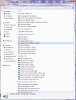
Note: The attached screenshot only shows a very small section of the entire Godmode folder.Attached Files:
-
-
FWIW, just had HP install latest driver from Nvidia site to avoid any warranty issues and got case#.
Only had this laptop a few days and no heavy graphics or video use yet but will advise.
BTW what HP programs can I ditch?
Thanks -
Thank you tdowl. It sounds like you might use this thing for graphics, so your experience would be valuable information to me, and others like me. Let us know when you start breaking it in.
-
Right, well seems like cannot install latest Nvidia driver any suggestions?
BTW luvlaps please get back to me on this thanks! -
Striker,
Not getting BSOD's anymore, but when playing HULU, I get a completely blacked out screen, disabled keyboard and a disconcertingly loud buzzing sound. I am wondering if we need to update to F21, or have you already? Also, I am still on a November nVidia driver, because it has worked so well, but maybe not anymore. I think you may need to enter the Temple of Doom and call HP Tech support, get a case # and, after suffering through useless support from Level 1, ask for a Case Manager, and they usually get the ball rolling.
Sorry I don't have more to offer, but I am looking into my problems too, so I will keep you posted. Please do same. -
Thank you lovelaptops, striker for sharing. I think you now understand that I am not trying to stir trouble with you guys. We are all techies here and like to think we can fix it, but sometimes that is just not possible. We are also all consumers here. Evidently of a very poorly thought out and designed product. Something needs to be done soon. HP is playing a stalling game because they know they are screwed. They most probably have HARDWARE issues here. I will be talking to HP corporate in the next couple of days if they live up to their promise. If not, I for one, am ready to initiate a class action suit. Otherwise, their plan is probably to move on with redesign, new model and leave all of us suckers in the dust. This is some BS. I would suggest others tip off engadget and gizmodo, as I have done. If we are vocal and act together, they can no longer ignore.
-
I am 100% positive that upgrading the graphics driver will NOT void your warranty.
-
You sure it's your wi-fi? I think it is actually referring to your NIC.
Your latest error with NDIS.sys is most likely pointing to a faulty NIC card or faulty drivers for your NIC card. -
Sorry, I have been laid low by severe sciatica down my right leg. Going in for cortisone injections in a few minutes.
Were your questions related to what bloatware to remove (your request the other day) or related to the issues you describe in the this post:
"Thank you for the welcome, don't get me wrong -- the last thing I want or expect is disaster...
Have not made a detailed list of problems mentioned here except for Nvidia drivers, overheating, vol/bass/treble controls & HP programs lugging performance.
Initially read several posts ripping the machine and naturally was concerned, but will spend some time and get back, however I'm sure you've seen them as well.
Do have one quick question: what HP programs can I ditch?
Thanks again, so far I'm loving this unit...
PS -- please advise all tweaks, thanks!"
---------------------------------------------------------
Now that I re read, the questions are similar. I'm giving you the quick, off the top of head things now, more later.
First, if you haven't already, make your system restore CDs or USB drive copy (be sure it's a good USB drive and has at least 8 mb. For reasons I don't understand, the computer only lets you make one such copy, but I believe you can make unlimited CDs. You can also buy the CDs from HP, so you can't completely undermine yourself.
As to the programs you can remove, start with all the "trials" such as:
1) Microsoft office 2007
2) Norton and/or McAffee security and all other programs provided by these vendors (replace with Windows Security Essentials (free download from Windows 7 site, just Google the program name) and Malwarebytes (also free, also get via Google)
3) Windows update: change to option of getting alerts as to updates, but leave as your choice to download and install. For now, don't install anything, but you will need to change that. I need to do my homework to recall which to use and which to avoid.
4) Same for HP Updates. These are mostly duplicative. To my knowledge there are few if any programs from HP (in terms of updates) that are not in the Windows groups, but there may be some of HP's latest updated drivers, not always the right ones to use, especially the graphics and sound drivers
5) Get rid of the HP games. Don't think they have much effect, but they are garbage and trials at best.
6) Ultimately, most purists are getting rid of virtually all of the HP programs. There are a few that you need and at this moment I can't tell you which, so leave them unless their name clearly states their irrelevance
**** before I forget, make sure to set a restore point before you uninstall any of these. That way, in case you uninstall something you need and finding it to reinstall is difficult (rare, but it happens) the more restore points you set, the better, though they may effect performance, they are a safety precaution, enabling you to undo anything that proved detrimental
7) uninstall the tone controls. You can get them back, working, later, but for now you can live without them and they just cause problems
8) Definitely uninstall and reinstall "HP quick launch buttons" You are safe using the most up to date diver from the HP site. If it is the same as the one you already have, it is still beneficilal to uninstall/reinstall
9) BIOS - this is a tough one, because you can't fix it by restoring to an earlier time. BIOS flashes have been known to "brick" dv8's. The latest one is f.21. I believe "pae...." (very active poster, recently taken over the bickering fest with "editorpc" that I was previously moderating, lol) anyway, pae flashed the latest, f21 BIOS and reports no problems, though most of the BIOS updates, since F.o6, which my dv8 came with, have done no noticeable good, if not harm. There are no doubt some fixes that can't be seen directly, but might improve overall system performance and fix certain specific problems, notably heat. I would post the question directly to the thread before deciding which, if any, BIOS upgrade to do. Make sure to state what BIOS is presently in your dv8.
Graphic Drivers: after BIOS, the second trickiest drivers for this computer. I am presently using nVidia drivers from November 2009. Why: because they work! I have no graphic/video problems I am aware of (I have read from others that some of the drivers may work fine, but they may be slowing down your gpu and may be disabling certain features, including 3D. I defer to greater minds with more experimenting with this issue on this machine before you do anything.
As to additional bloatware, I think people overestimate the effect of bloatware on system speed. More important than what's on your HD is what boots up each time you do. To find that out, you need to get into your registry. There are a variety of ways to do this. I find typing msconfig into the search box after clicking on the Windows icon, then clicking on the search result. You have to be logged in as an admisinstrator, and you will get a warning that you should be sure you know what you are doing. Keep in mind, there is nothing you can do by way of turning off programs from the "Start Up" tab that you can't undo, both by going back in and toggling them on, and by a system restore (pretty sure of the latter, but positive of the former.) Look for programs that you may need at times, but don't need to have launched and running in background everytime you boot up. Culprits include Apple programs like Quicktime, "Bonjour," iTunes, etc. Also anything from eBay, Amazon, Google and even HP programs that you clearly don't need to have running in background all the time. These will all slow your computer down. You can do some experimenting here. Take as many off as you think are unneeded (again, you are not removing them, just telling them not to boot at startup. If, for example, you need quicktime to run a file, it will prompt you and willl come up in seconds on this machine, fast as it is.
Ok, gotta go get this horrific injection!
I really recommend you copy this post, or cut/paste the key advice I'm giving you and post to the thread and give a plea for advice as to where mine is wrong or where you can do better.
I'll jump back on when I can.
Remember, there is little you can do that you can't undo (BIOS being the major exception, though there are a few others that are at least a major pain to get back), so the more you delete the better.
Remember to keep setting restore points every time you do something you are unsure of.
Final, very important point, more important than any I have said in this ridiculously long post: ***the LESS you do to your computer the better.*** If nothing is malfunctioning, or, as they say, "if it ain't broke" DON'T "FIX" it!!! When you say the machine is "lugging," be sure you know that it is not just your perception before looking to change a whole bunch of things. As to heat, a very , er, heated topic of debate, see the wealth of posts, particularly those between me, pae and P Morgan. Personally, I am a fan of cooling pads, and have specific recommendations, as does Pae. Others say they are not necessary. Definitely download a program called "CPU-HWMonitor and pin it to your task bar. It will give you temperatures of your cpu and gpu. If the cpu idles above 60 degrees C, you may have a problem. If it goes into the 70s and you are not doing intense gaming, you also have a potential problem. If it goes into the 80's, still well below it's maximum threshold of 100 degrees C (!!), but not where it ought to be in all bur rare cases, again, you have a problem which needs to be addresed. On the other hand, if you idle in the 30s to 50s you are fine. If doing basic things, not gaming, going into the high 50's to low 60s is fine. If you are doing light baming or playing video, up to low 70s is probably fine. That said, I am a big proponent of cooling pads. The good ones lower your core temps by 8-12 degrees C, and there is little downside (they are cheap, mostly power by USB or aC current, some are noisier than others, they will keep your internals even cooler and will prevent the internal computer fans from going on and off, which is a good thing. You will see sprited debate about this, but no one suggests a cooling pad is a bad thing, just some think it is an unnecessary expense.
Gotta go for now. -
!!!!! I had no idea how long that post got to be. Later I will edit it down. Maybe even chop it into 2-3 separate posts by category.
Sorry to everyone for cluttering the thread. Meant to be helpful,but am on fairly heavy medication for Sciatic nerve pain and, well, just got carried away. Negative Rep point for me
-
My dv8t has been stolen from my father's house. Anybody got any ideas about what I can do besides insurance? I had no tracking software, so that is out of the question, but can HP do anything so far as my warranty and not honoring repairs or anything? Any and all replies would be helpful.
-
Subscribe to an identity theft protection service. If you haven't already, you should definitely subscribe to an identity theft protection service as soon as possible after a laptop loss. Once your personal information has been compromised, there is no way of getting it back. But an identity theft protection service such as LifeLock or Identity Guard can help prevent criminals from using that information to open accounts in your name.
File a police report. While some police will not be particularly interested or concerned about helping you recover your laptop, others are surprisingly helpful. This is when it is useful to have the make, model and serial number available.
File a complaint with the FTC. If your laptop is stolen, this will serve as a record of the crime. It helps the FTC to analyze and detect patterns of wrong-doing, and may be helpful in the event of an investigation into the theft of your laptop or any identity theft that occurs as a result of your lost laptop.
Change all of your online passwords. Whoever has your computer can now gain access to your online bank and brokerage accounts, email, PayPal, eBay, Amazon and any social networking websites you belong to. Change those passwords now to prevent your online accounts from being compromised.
If your laptop contained information relating to any financial accounts, notify the financial institution immediately. If you use Quicken or other personal finance software, it is likely that your computer contains a map to all of your financial accounts. You should notify the fraud departments of each of the accounts you believe may have been impacted. Representatives from each of these companies will be able to provide you with information on what to do next, which may include changing the personal information on accounts or even closing them entirely.
Notify your employer. If your computer contained confidential corporate information pertaining to your job, you should notify your employer so that your company's IT staff can take precautionary measures to protect other peoples' personal data. In some cases, failure to do so could mean that you are breaking the law.
Keep an eye on Craigslist and eBay. It's a long shot, but if you are really desperate to get your computer back, you could try monitoring Craigslist and eBay. You could also check local resale stores and computer repair shops. There's always a chance that it might turn up.
Source: How to deal with a lost or stolen laptop - NextAdvisor Daily
Sorry to hear this, good luck man...
-
Lovelaptops...Are still thinking you wished you bought a Sony instead of HP, or have you changed your mind again? As I look back on your posts, you seem to have vacillated back and forth a bit. Not sure where you stand on any given day. You'd make an excellent politician.
As I have stated before, I am not here to "bicker", only to inform and give my opinion. I think you would agree that I am entitled to mine, as much as you are yours.
I loaded F21 bios firmware the fist day it came out, no problems, but no help either. You guys make loading bios sound so hard only a NASA engineer could do it correctly. Get out your space suits! LMAO. Just don't interrupt the process (i.e. shutdown the computer), and you should be fine. Use some common sense. Don't have any other programs running, and make sure you are plugged in. I think a few people in here think they live their life in "Godmode". ROFLMAO.
Interesting to hear that your are still having issues with 197.xx, but not a surprise, as it is my opinion that the video card issues are HARDWARE related. Once again, this is my opinion, as well as many other not on this board. You have it your way and I'll have it mine, but I'm getting rid of this piece of crap, and getting my money back pronto. Enjoy it after your warranty expires and you are kicking yourself in the for not getting rid of it when you could. -
Not responding to anyone in particular, but just wanted to observe that many people have experienced fatal crashes while updating the bios on HP's. I'm always cautious to advise that people update the bios because I don't want to be responsible for any disasters. Below is a quote from a post that was made on the unofficial driver update thread just today:
"i would suggest not to upgrade BIOS to F.21 from within windows... it has very high probability to crash if tried with winflash. i would suggest following:
1. Backup current BIOS
2. Create a Boot time BIOS recovery and update scenario
3. Update BIOS at boot
My DV8 is now with the vendor to either recover the bios or change motherboard.. it can take anywhere from 3 days to 4 weeks depending upon if my BIOS is recovered or otherwise." Source: http://forum.notebookreview.com/hp-...ad-dv8-hdx16-hdx18-intel-100.html#post6213172
That said, I personally have not experienced any problems updating the bios (from w/i windows) on my HP and have updated to F.21 w/o issue and I do personally feel it is important to keep everything. including the bios, updated. I vastly prefer Lenovo's method of bios updating which reboots the machine and does the update from outside of windows, which is much safer, imo.
I recently migrated over to a DV8 after many years of using Thinkpads (latest one being a T61p). Aside from the great build quality of Thinkpads, I really miss the many configuration options the Bios' of those machines have. The DV8 (and I assume most HP bios') are almost empty of configuration options compared to the Thinkpads. One of the things I am missing very much is the ability to set a hard disk password in the bios, which Thinkpads allow but the DV8 does not. I'm not sure how secure a hard disk password is (by that I mean how easy it is to circumvent), but one of the advantages of having a hard disk password set is that even if the drive is removed from its "host" machine and put in another machine, the drive still will not boot or be able to be accessed as a secondary hard drive at all, unless the password is entered or can be somehow circumvented. I really miss this extra layer of security. Also annoying is the loud beep the DV8 makes before windows starts to prompt the user to enter the power on password, if one is set in the DV8's bios. The power on password does not protect the hard drive if it is moved to another machine, so it is not very secure.
I guess I'm going to have to look into possibly using Bitlocker or Truecrypt to protect my system drive on the DV8, although I suspect neither are as convenient and simple as a hard disk password. I just don't understand why HP would leave something so simple out of their bios'.
On the other hand, it is not possible to get a Thinkpad configured with the great specs the DV8 has without spending a heck of a lot more money than one can buy a DV8 for, so despite the little things (like e.g., the hard disk password) that I find lacking, I still feel the DV8 was an amazing bargain with all the discounts etc. that one can get if one takes advantage of the coupons, rebates or BCB deals that regularly are available. And also, Thinkpads are business class machines, which confers certain advantages, but which also involves the disadvantage that business class machines are not optimized for entertainment, which the Pavilion machines are. So things like audio quality are much better on the Pavilion machines, imo. -
"My dv8t has been stolen from my father's house."
Sounds like you may be better off than the rest of us, as you should get most of your money back (minus the deductible) from home owners insurance (if you have it). What I wouldn't give to have this piece of junk stolen. -
Editor,
I am breaking the silence I promised you just this once for one small reason. You say: "I'm getting rid of this piece of crap, and getting my money back pronto." If you are still in your return window, what are you waiting for, man? Do it. You owe it to yourself. Some machines are lemons and sometimes you just start off on a bad foot and it never gets better. Get you money back an look at the amazing selection of awesome Core i7 and Core i5 machines out there for the same or less money!
Wishing you only the best. -
LL. I can't talk about that right now. I will fill you in later.
-
On that note editorpc and everyone here for that matter, what computer should I get next? I liked the dv8, but to me it is jinxed and I can't help but feel a little bit like you editorpc... it seemed like it was having some problems. Anybody got any suggestions that are not the dv8?
-
Who knows zman? The culprit might just end up here when he discovers all the problems. Just kidding.
If I had it all over to do again I would have bought a Sager NP8120.
Lovelaptops, I have lost my battle to return this boat anchor. They want me to send it in for repairs, but I don't believe they have a fix, so I will not return it to them. I have climbed all the way up the corporate ladder, only to hear the same story over and over. They have never heard of any of these issues before. They refuse to acknowledge all the complaints on the internet regarding the same damn problems. A corporate system of denial. I still believe the video driver issues to stem from faulty hardware, but I will try and implement some of the tweaks you guys have suggested and continue my right to disseminate the bad news about HP. I truly hate the company now. I have spoken with one or two nice and understanding people there, and dozens of jerks. Can someone tell me if it is worth it to install 197.xx nvidia driver and how you have successfully installed it? Lovelaptops, I think you said you were still having problems after updating to that driver. Is that correct?
*HP dv8 Owners Lounge*
Discussion in 'HP' started by rageman, Oct 19, 2009.