Problems? See this thread at archive.org.
Hi All,
Miss you all a bunch. I have been having serious medical setbacks: looks like my back surgery was a complete failure or I destroyed the nascent recovery vacationing in, duh, San Francisco. Will know more soon.
This is just a quick post to check in "alive," say I miss you all, and ask for one favor to save my searching and searching: I need a Hiren's Boot CD and I recall hearing they changed it and omitted important things, etc, then hearing someone found a way to get the original. Can you help me with a suggestion, maybe even a link?
PS: Phil, in so much pain, I haven't even really gotten to play with my new HP 2740p tablet, but I have done enough to tell you it is lightning quick with the 160GB SSD and that by luck I got the Samsung screen this time and it is scads better and brighter than the AUO I had in the last one.
I don't know when I will next get on, so please forgive if I don't respond immediately to your posts
Peace,
Jeff
-
-
I second both of Alan's comments. It's a great desktop replacement due to its screen size, good speed, and excellent connectivity provisions.
I also second the recommendation to "stretch" the budget enough to get the 256gb SSD as it transforms the performance equation and represents the only dramatic technology improvement over any previous laptop you may have had. Note that everyone who has one writes very favorably about them.
Regards,
- - Phil
-
First, of all, I'm sorry that your assessment is not more positive and hope your doctors can get it under control without another surgery.
On the Hiren's BootCD, they didn't actually "change" it so much as they updated it as they have for years - they drop some items when better ones come along and update the rest. What had happened with version 11 is that they took so many things away, the users reacted by taking the version 11 and "restoring" the items that were dropped from versions 10.1 thru 10.6 and released a "version 11 - restored". Peter first posted about the new 'restored' version here but if you want one PM me. I'll be happy to mail you one or email you the current link (they seem to come an go every day!) to download the 300mb file with which to create the CD.
P.S. I'm glad you much happier with it and that it is much improved... particularly glad you represent another VOTE for getting SSD in any new laptop! I have been checking for email responses from you and hadn't expected to find them here. Email me to let me know of your plans regarding its future.
Regards,
- - Phil -
I've seen no indications that DV8 is likely or even rumored to be 'refreshed' in the near future. There was a less-than-credible rumor in late July or thereabouts that the DV8 might be dropped but, now, over a month later, no sign that ANY DV8 changes are likely. My ouija board is not precise enough to predict HP marketing and pricing plans for the DV8. Just glad that it's still the top of the line offering and is still available for purchase.
If you can configure a CTO DV8 to your satisfaction, I wouldn't let the current promotions and coupons expire without placing my order.
In addition, i recommend getting an SSD if you can afford it - great option for speed of operation and extending usage on battery.
Regards,
- - Phil -
Thank you for the quick replies. Is there a way to dumb down the explanation of how significant the upgrade is to an SSD? 128GB ssd is a $300 upgrade, and the 256GB is $550. (roughly another 33% of the previously configured model) I am all for it if it makes a significant difference... just don't understand what I would be buying.
Oh.. and is the $150 upgrade from the 1.6GHz i7 -720 to the 1.73 GHz i7 - 740 a no brainer?
Thanks again. If I pull the trigger this round, it will have to be Wednesday. Just bummed they are not throwing in the Blu Ray this time around.
Thanks again. -
SSD is solid state drive- regular HDD is slowest component in determining performance of the machine. SSD is about 3X as fast.
While it depends on how much the upcharge is, IMO, money is more wisely invested in the SSD.
Can add it later?
Regards,
- - Phil -
I agree, just add it later. You can find bd-rom's pretty cheap if you search. You don't have to buy the actual HP drive either. Any drive will work as long as it is 12.7mm and has serial ata. Pretty common.
If you decide to go through HP at some point, the part numbers are:
Optical drive (includes optical drive bezel and bracket):
Blu-ray ROM with LightScribe DVD±RW SuperMulti DL Drive 503488-001
Blu-ray ROM DVD±RW SuperMulti DL Drive 503487-001 -
Phil,
Thanks as ever for both the offer to aid in my search for a Hiren's - which I think should be renamed "Morgan's" for all the promoting you do for them and just so people who know you only in the "1.5" dimension of your writings here that this is not the first time you 'offered' to make me a copy - earlier this summer you did make me a Hiren's and actually planned to hand-deliver it to my home, some 12 hours drive from your home! And at that time I hadn't asked for help procuring it, but you determined in my behalf that it contained programs i needed to get myself out of a careless jam I'd gotten into!
Hopefully by now you have rcvd my email with initial impressions of the HP 2740 tablet with SSD. Let me know if not by PM or email and I wil resend. One thing I have learned iis that under "battle-injured" state the slate mode is an indispenasble tool that makes use of a computer even possible when otherwise I would still be radio-silent!
Best,
Jeff -
You're very kind to remind me of that, Jeff. Still sorry that visit didn't work out... certainly the offer to mail you one still stands and since your email didn't say one way or the other, let me know.I received the email (and replied to it) and am very glad you like the 2740p with SSD so much. I'm still studying all the info on alternatives and will respond on those after I get home. I'll close with that as others may not be as interested in this as we are.
Hope you get the attention, treatment, and results you need for your medical condition and will recover soon!
Regards,
- - Phil -
yep.. there is no need to pay through the nose for a really big SSD... 128 is plenty big since you will likely never fill it up.
I do have a 256gig SSD but right now as we speak I only have 55.7gb used.
I do have a 500gb secondary drive thats 7200rpm and I don't have a swap file set to it either... with a SSD drive you really don't even need a swap file... if you don't know what I'm talking about.. no biggy cause your swap file will be on you C drive anyway unless you move it on purpose.
The secondary drive is just for backup, image backups of the C drive, music files, videos etc... stuff I don't need on my C drive.
C drive is basically where I install "all" my programs to... nothing installed to D drive.
I do have "my documents" on C, but text files take up no space anyway... whenever I store anything of serious size like downloads from my camera etc.. they go to D drive.
By having all your programs installed to C, you will get two things.
1. The full benefit of speed from the SSD for your programs.
Your computer will dance with Glee!..... people that install the OS to the SSD but then install other programs to the D drive "non-SSD" are just shooting themselves in the foot.
2. The secondary drive will "coast" if nothing is installed to it and you don't access it. It will basically sleep and rotate at a very slow speed extending its life and saving battery and power.
IMHO, I wouldn't even buy the laptop at all until you can at least afford to get the 128gb SSD with it too.....
It would be like buying a hot rod camaro and leaving out the hot rod transmission!
Truly computers work interdependent upon a chain of events and hardware... the hardrive is the slowest link in the chain.
A. You have your processor that "thinks" and processes... that's like your brain...
B. then you have your memory sticks.. they act as your Ram.... that's like your "consciousness"..
C. then you lastly have your hardrive.. that like your long term memory.. your subconscious.
Everything that is accessed first has to come from the hardrive "subconscious" before you can use it in your consciousness and process it with your brain......
The difference between a conventional hardrive and a SSD hardrive is literally like a 23 year old college student with a brain sharp as a whip that can pull up stored knowledge at a moments notice verses a poor senile old man that has to think about it a long time.... believe me.. I'm old enough that I know the difference!.... LOL! -
Due mostly to the excellent posts on this forum, I officially pulled the trigger this evening. Ended up going with the i7 - 740 1.6 GHz / 128 GB SSD / 320 GB HD with the Blu Ray drive.
Had to compromise a bit with the size of the SSD ($), but definitely wanted to add it after the great recommendations. I own a desktop as well, so I am sure I can get by on the slightly smaller 2nd hard drive. I am sure once I receive it (build date of Sept 17) I will surely have a few more questions. Thank you again to many of you for the buying assistance and quick responses! I am definitely looking forward to learning more about my new purchase.
-Jay -
I totally agree with this description by Alan.
One exception is the size of the SSD - I'd go again with the 256 if I had to do it over again. Since the doubling costs only a little more than a $100m and SSDs work better (faster) as they have more open space, the 256gb seems a better choice than 128gb.
Even so, Frantzchize is still far better off with a 128gb SSD and without any SSD!
Regards.
- - Phil -
I tried to reply to your PM but was told you cannot receive my response since your PM box is full.~
Regards,
- - Phil -
CONGRATS!Hope to hear more from you after you receive it and put it into use!
Regards,
- - Phil -
Hi Jay,
Well done! I can guarantee you will not be disappointed - the DV8 is truly a wonderful machine. There is a wealth of information on this forum and some incredibly knowledgeable and helpful members, so if you ever get stuck just holler.
I envy you for getting the SSD. I'm running dual 500Gb 7200RPM HDDs on mine, and it is still incredibly fast compared to what I was used to. I would have loved to get a SSD with mine, but I was told by the CEO/CFO/MD/GM that if I wanted one I would have to choose between my marriage or the upgraded DV8. In the end, insanity prevailed and the marriage won...only for the simple reason that I could not find a SSD in New Zealand for less than the price of my house...lol!
Whoa...here she comes - got to sign off now before she sees this and I'm dead!
All the best,
Richard -
I feel the same way. I do intend to add an SSD to my DV8 in the not too distant future and am really looking forward to that. Should have just gotten one when I ordered the machine. . . .
But nevertheless, I still find the machine to be quite satisfyingly fast for my purposes (which are mainly photo editing, browsing the web, email, listening to music, downloading stuff, watching HD movies, and gaming) with the plain old fashioned mechanical dual hard drives. I'm sure all the extra speed from the SSD is very nice though and, as I said, I am looking forward to adding one to my machine eventually. -
Sorry Phil, I got an email yesterday advising me my PM mailbox was full. I killed off enough saved messages so there is room again.
BTW, does anyone know how you can save your PMs to a folder or in some way empty the mailbox without losing the content? (I have a wealth of information and advice amongst my 200(!) PMs.) -
Don't delete them! You can save them!
> Go to your user control panel
> Click on Private Messages (Inbox/Outbox, doesn't matter)
> Scroll all the way to the bottom of the page
> There is an option to:
Download all Private Messages as:
And your choices are XML, CSV, TEXT
See the attached screenshot:
![[IMG]](images/storyImages/PMSavingNRF.jpg)
-
Jeff, I'll be interested in which format you choose to use when you follow the instructions posted by Woods3336 (in post immediately before this one) to archive your 200 messages.
Regards,
- - Phil -
Gents,
I have recently acquired a new "convertible tablet" PC (HP 2740p) to be my "travel-sized DV8" and I got it with a factory installed"160GB" SSD - an Intel X18-G2. To my great dismay, all but 92GB of the 160 GB were unavailable as-delivered. I briefly describe, below, how Windows Disk Manager describes the allocation of space on the drive. Suffice to say that, of the 68GB unavailable as delivered, only 30GB is for the OS and factory installed software, 17 GB is used by HP's "Recovery" and "Tools" partitions and over 20 GB is just "mysteriously" missing.
This is my first-ever SSD and I was hoping I could draw upon the awesome Brain Trust of my DV8 forum buds, knowing that Phil and Alan have had SSDs for a while and others may have as well. I have a couple of specific questions below about possibly reclaiming space from some of the HP partitions, and the "missing" 20GBs, but the more I have thought about it, I realize that putting a comparatively small SSD in an ultraportable single-drive (and 1.8" at that!) notebook is an entirely different proposition than adding a 128-256 GB SSD as a
second drive for the OS and programs only. Enjoying the benefits of the SSD in my compact, 1-drive system will require certain tradeoffs and sacrifices and, I'm convinced, some habits and tools I've long since forgotten for keeping storage utilization to a minimum. I assume this is important long before you're nearly out of storage space, as SSDs perform far better when they are not fully populated, so to get the benefit that makes the thing worth having, I probably need to keep, what, 25% or more free space? That means then, that my 160 GB SSD, which presently has 90 GB free with essentially NO SOFTWARE and NO media files, should be kept to no more than 50 GB additional usage. That really changes the whole picture, possibly even making the idea of using an SSD in this kind of computer a not-particularly good idea. Ya think?
So, here is how the disk is currently partitioned and space allocated as it came unboxed from HP (source-Windows Disk Manager):
C: 132 GB, 92 GB free ("NTFS, Boot, Page File, Crash Dump, Primary Partition") - has OS, software, misc stuff accounting for only 30 of the 40GB shown as in-use from the original 132GB partition - I can't identify the source of the other 10GB that is shown as unavailable. Of the 30 GB I can identify, 16.5 is attributed to the Windows OS folder, 6GB to Program Files, 6GB to SWSetup and about 1.5GB for User Accounts. I would have thought that Windows 7/Pro might have taken up more than 16.5 GB and that maybe the 10 GB I can't find are hidden W7Pro files. But I can usually detect hidden files through the use of Windows: Computer->right click->manage->Disk Management. Anyone have a favorite tool to recommend for better hunting down hidden files?
HP Recovery: 15 GB, 3.55 GB free ("NTFS, Primary Partition")
F: (HP Tools) 2 GB, 1.4GB free ("FAT32, Primary Partition")
"System" 0.30 GB, 0.26 GB free ("NTFS, System, Active, Primary Partition")
Other unavailable capacity: The Windows Disk Management utility, from which I am reporting the partitions and sizes above, indicates that the entire "Disk 0" (aka, "Intel SSDSA1M160G2") shows starting "Basic Online" capacity of 149.05 GB, not the 160 GB identified in Windows Device Manager, so there's an additional 11GB of mysteriously disappeared, to be added to the 10GB of "loss" on the c partition that is unaccounted-for.
To recap: my 160GB Intel SSD arrived from HP with only 92 GB available for my use and, of the 68GB indicated as unavailable, only 47GB are accounted for as populated files and folders using the tools I have at my disposal; 21 GB are simply unaccounted-for/ missing!.
My main questions:
1) Any idea why my 160GB SSD starts out with only 149GB of capacity? More important: can I get the 11 GB back for use?
2) Any ideas for finding the 10GB from my c: partition that doesn't appear to exist? Again, goal would be recover the space, but if not I would at least like to know what is occupying it.
3) Since I have a recovery disk from the factory, and will today be making a Ghost image of the C drive, can I safely wipe out the "HP Recovery" partition and repatriate the entire 15GB for general use?
In any event, to get optimum use and performance from my single 160GB SSD, I will need to change habits and acquire tools to keep utilization as low as possible. Thus, any suggestions for practices or tools to keep my SSD utilization as low as possible for as long as possible would be much appreciated.
Brief editorial: I dunno...but I'm thinking there's something very wrong with the idea that you can spend $1,700 on a computer in late 2010 - even a special purpose tablet/ultraportable - and have to put a good bit of time into rationing a resource (storage) that for a couple of years has been seen as essentially "free" and unlimited. I think I probably need to spend more time using the new computer with the SSD to appreciate the joys of the technology enough to be more than willing to go back to a little more discipline with storage utilization. Or maybe I just trade "down" to the biggest, fastest 1.8" HDD I can find and go back to never worrying about storage. Or maybe I give up on the tablet concept for now and wait for better, cheaper, faster "mainstream" convertible tablet PCs (not iPad/Android level, "real" computers) to grow in the market. Me thinks sometimes it's exhausting trying to be on the "leading edge" because you really do have to pioneer your way to a workable solution before the market has sorted it out and offered attractive options. End of editorial. Thanks all.
Thanks for letting me rant and, of course, for any thoughts anyone may have. -
Yes, I know why it is missing. Sorry, Jeff, no, I don't know of any way that you can get it back.
Drives are rated for marketing reasons by their unformatted capacity (sort of like the fuel tank in your Audi that is say, 25 gals, but only holds 20 gals because they allocate 3 gals to 'reserve"). Formatting and spare cluster allocations (for built-in use by chkdsk to substitute good clusters when it finds bad ones) varies by manufacturer. It's always 5-10% of unformatted capacity.
Depends on what tools you have. I just enable showing of 'System files' and showing of "hidden files" under Windows Explorer advanced configuration. It shows everything then except when malware or viruses override user settings but that's a different matter.
It's worth a try after you have a complete sector-by-sector clone of the entire but, in my experience, removing that partition from the "HP load" may interfere with boot up and require a "clean install" or restoring of "clone" to get it running again. I wouldn't recommend taking away any of the factory partitions otherwise and I have retained them on my system.
Yup - I have confirmed, above, everything you're seeing, Jeff.
Yes, since I was singled out for that precautionary request ,
, I must confirm that I have elaborated several times in the past on this topic.
Short version, add a second HDD to any machine you can do so on. Otherwise, use the largest HDD you can install. (parenthetically that's one reason I tell everyone NOT to settle for less than a 256gb SSD if they get one).
I use the utilities you've mentioned and there are lots of files Windows retains to facilitate repair and removal that I routinely remove to my external dock drives, no special software is involved, just a lot of trial and error (remove, run for a while, put back if anything stops working).
Beyond that, I recommend getting an external eSATA drive dock that will quickly allow making clones of drive(s) in my DV8 (500gb in less than 30 minutes) and swapping external drives for establishing a series of clones to use when a problem develops and already exists on a prior clone before it was discovered. My dock takes 2.5 inch drives (laptop) or 3.5 inch drives (desktop) so I can use whichever is handy, cheaper, or more durable.
While I can empathize with your disappointment and the conflicted outcomes, it may help if I tell you that all becomes easier with experience. Does your new tablet take a 2.5-inch drive? I presume it does - why not just order the 256gb SSD I keep recommending to everyone and on which I have over 66% free space after more that 6 months of heavy use. BTW, FYI, my "256gb" formats to 228gb available space!
Regards,
- - Phil -
That was so thoughtful and helpful for you to have not only explained how to do it, but then to hand-diagram the screen shots - well, that's +1 for going way above and beyond...you're just a really good guy, Woods; people just don't do things like that anymore. Hope to have an opportunity to help you one day soon
Jeff (Oh, btw, do you know what the "CSV" format is?)
-
CSV is format I use to export databases, like email address books, and my phone's address book, for editing or installation into a different phone or email client. BTW, CSV stands for "comma-separated values".
Regards,
- - Phil -
CSV = comma separated values.
Comma-separated values - Wikipedia, the free encyclopedia
Edit: Phil was faster than me. -
Confirmation can only help our credibility though, Peter.
My preferred definition is at the link below:
http://www.softinterface.com/Convert-XLS/Features/CSV-File-Definition.htm
Regards,
- - Phil -
Thank you so much for hitting the nail on the head! First, this particular tablet PC (we have discussed the options offline) has as it's single biggest negative the fact that it cannot hold a drive larger than 1.8", and only one of them - not even an internal DVD drive to swap out for a second HDD. So what I'm down to is this: Is it just a bad idea to opt for a costly computer that presently limits you to a maximum SSD of 160GB (maximum HDD is only 320 GB, btw), or, when you say "it becomes easier with experience" are you suggesting that living within the limitations of less available storage gets easier, or that managing a 2-drive + extrenal eSata bay system gets easier? Because I am on my way to doing the latter with my DV8 and one other notebook, and I actually love the efficiency of it, once you get it organized and the back-ups all automated. But I am right on the verge of answering my own first question with a big NO! which, as Phil knows, translates to: "if you really want a tablet PC and you want to use it as a general purpose power notebook, today you gotta go with the Lenovo or the Fujitsu because the HP, sweet a package as it is, went with a 1.8" drive limit (Lenovo is 2.5" and Fujitsu can fit 2, 2.5s).f
Funny - and this is the last "inside baseball" comment I will make that only one other person (probably) can relate to - very early on in the evaluation process I zoomed right in on the single 1.8" HD limitation being a likely deal killer for this product. What changed my mind? I hadn't yet gotten hip to the SSD "religion," and a single 320 GB HDD, I became convinced, was manageable, what with all the easy auxiliary sources: tiny "pocket" USB 1.8" drives, lower prices for 64GB SD cards, the likelihood that we'd be seeing larger and larger capacity "drives" (HDDs, hybrids, SSDs) in the 1.8' form factor as - you guessed it - TABLETS - grew in popularity and the world discovered that you needed things like storage - as well as keyboards, full operating systems, "real" software (stuff that's called "software," not "apps" ), expansion, connectivity. In other words, give it another year or two and the presently overpriced and a little ungainly convertible tablet PCs will meld with the incredibly svelte and slick but under powered and limited functionality iPad/Android-like devices and we'll have a product form known as a "Tablet PC," that is not a FAD, but a genuinely evolved from of mobile computing.
Here's me, finishing up my plate of crow while dismounting from my high horse
-
Some of what I wanted to reply to were included WITHIN your quoting of my previous post and are inaccessibile to me without hours of re-editing, etc. I'll do what I can with what you wrote after your lengthy quote in previous message.
Hardly - actually, I referred to my comment about knowing what things in the Windows system can be discarded or moved to a dedicated drive in an external eSATA drive housing to greatly reduce the amount of garbage stored on drives in a space-limited system like a laptop. I have no "magic" software that will automatically remove or move surplus copies of files from your C: drive to a different location. There used to be a DOS program I used that would perform file-by-file comparison and highlight duplicates for 'pruning" but I can't recall ever seeing such a program for running under Windows... maybe someone else has and will post about it here.
Edit:A quick search of the WWW, yielded the following download from ZDNet:
http://downloads.zdnet.com/thankyou...XFxvgu8YJItgU2kaEBUYDDxT/1W06noo4g0RaF04s40Zr
Maybe it'll help you do the removal of duplicates.
Certainly your conclusion, perhaps, Jeff, but not mine. I still hope to try out the 2740p and see how well it would serve my hope for a Tablet PC that does for me what you wanted it to do for you.Certainly, you're in the midst of a potentially expensive (unless you return them all to HP) educational "odyssey" to find what you described you are looking for.
Sorry that you are not happier with the 2740p with SSD because of its storage limitations for the most part.
Regards,
- - Phil -
OK, +1 reps for each of you as soon as NBR will let me do some more (I've been giving a lot out lately, and they limit you - who knew?) Turns out I first used CSVs 35 years ago writing my own database programs in BASIC and FORTRAN (yes, I really am THAT old). Speaking of old, Phil,
, I do think it was a bit of a cheap shot to accept Peter's gracious acknowledgment that you beat him to the keyboard, and then somewhat one-upping his first provision of a reference link.
You have to know I'm just poking fun, for the fun of it. Because...as much as I appreciated the quick and helpful information on CSV files, the reps - and what I'm about to say, is long, long overdue for both of you, many, many, many times over.
Let's face it, when newcommers constantly refer to the DV8 Owners Lounge as having the nicest and most incredibly knowledgeable and helpful people, chances are they are referring to experiences with Phil ("Phil") or Peter ("pae77") - one or both of you. (Alan/Windstrings, I don't mean to downplay your enormously helpful posts - you just aren't online as often to respond as quickly as Peter and Phil are. I actually had a theory in the beginning that "they" were one person with two alter egos, and "he" was Phil for the Western Hemisphere time zones and Peter for the Eastern Hemisphere population; (ask Peter his last name and the plot thickens.) It then occurred to me that since at least one of "them" is always online, "he" would never sleep - which
is true of me, but that's only
part of the reason I never have much of value to say
, while Western Phil and Eastern Peter are always on top of their games.
Between all the banter, sometimes "passionate" discussions and advocacy, and genuine conviviality (well, you know, sometimes anyway, lol!), the truth is that you two have saved me untolled grief, expense, lost productivity and - except when Phil "punishes" one for failing to heed an earlier post of his - always give so generously of your time and knowledge. (BTW, Peter, I tried recently to apply the techniques you supplied a few months back to getting bit torrent movies and TV shows and it just never would work for me - I'll rattle your cage about that later.)
Anyway, when I have been unable to get online due to back pain, or am just overflowing with commitments and just can't justify "hanging out" here when I'm so late with so many things, I really miss it and miss you guys.
**Sorry, but I know there are lots of other people who post helpfully too and many others who, like me, have benefitted by Peter and Phil's largesse and awesome knowledge bases. This post is directed at you too. It's not a 4-5 person forum, only that 4 of us have consistently been hanging out since we got our DV8s last winter. Most others come to get advice on purchasing and setting up and to troubleshoot problems, then go back to their "lives." Whereas an argument could be made that Peter, Phil, Alan and I have no lives, which is why we spend so much time on the DV8 Owners lounge, lol!
Anyway, I happen to be Jewish and this is the time of the Jewish New Year and Day of Atonement and for me this has long been a time to both atone and resolve to do better, but very much to recognize people who add to my life with no "motive" other than the kick that comes from sharing information about our "hobby" and just finding some comraderie.
L'Shana Tova - May you have a Good New Year (loosely).
Jeff -
You never fail to be very gratious and very funny at the same time. Obviously, you have a skill that I need to develop!
I'll certainly concede that I need more nighttime slumber. I'm too old for 6 hour nights. (I can't speak for Peter )
I've had similar issues with Bit Torrent and have been too busy to follow up with him about the "tricks" he may have omitted...
Ouch! The truth is more related to how much shorter I keep my responses.LOL!
Happy Rosh Hashanah! (pardon my spelling liberties but it always seems there are multiple correct spellings)
Regards,
- - Phil -
Actually, there's an awful lot to like; it is only the storage that has me spooked. I offlined you an email about an idea I had to use the expansion base to put an extra HDD in place of its built in DVD drive. Otherwise, today I held in the palm of my hand, no bigger than a deck of cards, and even lighter, a 750 GB WD external drive. It would barely be noticed inside the sleeve I carry the 2740 in. Seems to me I can probably just save all the files I don't need in the internal drive to a folder that I transfer to the handheld 750GB USB2 drive daily. Still kinda resent the need to do this, when I am quite certain the physics of the design provided for a 2.5" drive, solving all issues. But this should be my biggest "problem" in life!
-
I've now tried that program and think you'll like it. After using Ghost 11.5 on my free Hiren's BootCD to make a fresh clone yesterday morning, I ran ZDNet's Find Duplicate Files Easily 7.26 (for Windows) on my SSD in my DV8 and it removed over 8gb of duplicates and moved them to my second HDD (spacious 500gb Seagate). My SSD now has nearly 70% free space and my system is still running great so I guess none of the duplicate files were needed.
I'm sure I can make it acceptable for ME but would not presume to say I can do what is needed to make it acceptable to YOU.. LOL! Because of upcoming travel plans, I only have the coming week to do anything with it and that is not leaving me much time (2-3 days, perhaps) since you (understandably) haven't sent it to me yet.
I guess you hadn't checked your email before you wrote this post since I had replied to that email 9 hours before your post.
Since I know of no way to convert a PATA interface to use a SATA device, your pocketable USB drive sounds like a good idea.
Regards,
- - Phil -
Hi All.
New to this forum as I have just purchased my dv8t. Looks like a great forum with excellent input from all.
I was wondering if any of you have any experience with using this laptop with the latest Vegas 9 Pro video editing software - in particular editing HD video shot on the Sony EX1r HD camera?
If not, does anyone have any advice on settings to enable smooth preview and playback of HD material?
Vegas unfortunately does not make use of the GPU for processing or playback, so I have to rely on the power of the i7 840 processor for that.
I would really appreciate any input.
Cheers -
Hey, guys,
Long time no see...
Quick question: anyone else having problem with this new Intel WiFi Link update? It says "the package can't be installed on your system".
What am I doing wrong? Maybe the link on NBR Driver Thread is wrong and I downloaded a wrong version?
Thanks you all! -
Not sure if anyone remembers my problem of a blank screen, shine a torch see the desktop.
HP wanted a return with 2-3 working weeks, well bit the bullet and got a local guy to look at it, took it away with a view to replacing LCD, was back in three hours, trapped wire earthing out.
Still happy with it just not so happy HP customer service. -
Thank you for the kind words sir. That was very nice. You're very welcome. Glad I could help, and that stands for anytime!
. I hope that you have successfully saved your PM's.
-
Well if you downloaded v. 13.3.0.24 it says on the NBR driver thread it was provided by Dell. Maybe that's why you're getting the installation message. I haven't installed it, so I can't verify it works. Are you having problems with your current version, or just keeping everything up to date?
-
Hey, woods,
No, no problem at all. I just try to keep everything up to date. Every now and then I check NBR Driver Thread to install the updates. This is the first time I got a problem like this.
I guess I'll just wait for it to be provided by other company or maybe to support other non-Dell machines.
Thanks for your answer. -
Hey guys,
I am thinking of buying a dv8t from someone locally, the price is great, but after reading alot of forums and seeing problems with video as well as with fingerprint reader and BSOD, I was wondering if these issues were ever resolved completely. I read as much as I could but this thread is 450+ pages long and I just don't have the time to read it before I am supposed to pick the laptop up.
Can anyone confirm if any of these issues still exist of if they have been taken care of by drivers/firmware updates ect.
Also, the model I am buying is refurbished, anyone know what issues would have been fixed in a refurbished model?
Thanks -
I wish there were only one or two issues and that those have been universally resolved. I don't know for sure but I doubt that that's the case.
I can tell you that the vast majority of posters here have few or no problems and are very happy.
If you are buying locally, ask the seller about the issues you are concerned about and, if possible, get them to accept an option to return if you find significant problems. It's unlikely that you you'll need it. There's always some risk that comes with buying used or refurbished units but that's why you're not paying full price! Getting a DV8 for 1/2 or less of what I paid for mine is a real deal id the local dealer is reputable!
Most folks here work through their issues by updating drivers, R&R-ing drivers, and performing minor repairs using software like chkdsk, sfc, ccleaner, to address minor filesystem or registry issues.
I wish these DV8s were perfect but I doubt they are (though I've had no issues with mine in 10 months of using it). Refurbished machines are usually machines returned or exchanged for non-critical issues and refurbishment involves checking them out for hardware shortcomings as if they were being QC-ed at the end of the "new production" line. Then a fresh HP software load is applied. I would not expect any of the issues some owners discuss here are being addressed (nor even occur) in refurbished units.
Good luck!
Regards,
- - Phil -
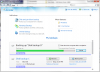
For the past couple of weeks, I've been using the latest version of Acronis True Image Home 2011 and I'm pretty impressed with the improvements. One of the best things is that the program gives one the option to have it integrate itself quite seamlessly into the Win 7 user interface. And they appear to have done a very good job of it. I've attached a screenshot of what the opening screen that comes up when one starts the app looks like (while it is in the process of performing one of my scheduled backups).
Another thing that is very nice is they have incorporated some very sophisticated back up "algorithms" (for lack of a better word) that one can just select without having to manually configure the backup scheme, although one still can manually configure to one's hearts content. Anyway, with the latest version, I'm liking the program more than ever.Attached Files:
-
-
Whatever you do, DO NOT install the Widcomm bluetooth drivers from the Broadcom website on your DV8T as I did. I went to upgrade the drivers last night to the latest HP provided driver and kept getting an installation error and rollback. Finally, I went back to an older HP provided version. The install program first tried to uninstall the Widcomm drivers. The Widcomm uninstall program deleted everything from my C:\ drive! Apparently, I'm not alone in this. After my disaster, I found this thread on a Microsoft site: Widcomm Uninstalltion wipes out the computer. New Virus or Windows Voulnerability. I had to go back to the factory image and have been up all night restoring my poor baby.
-
Thanks for the alert. Sorry for all the damage you experienced. Glad you're back up and running again, tho'.
I post a lot here about not updating any drivers unless you know they have been tested and know that they fix something on your machine that needs fixing. Every now and then a sad experience like yours comes along and shows why I'm so persistent about this issue.
Since you had to go back to the factory recovery disks, I gather that you had not been making periodic clones (I find Ghost 11.5 easy to use and effective for performing the task) of your laptop disk drives to allow a quick and easy swap out in the event of a disaster like this. That's my other advice to everyone before applying any driver updates (even if they think they need them).
Hope everyone reads of your warnings about the WidComm drivers. I'm amazed that these infected drivers were posted on the Broadcom site. Sorry for your difficulties.
Regards,
- - Phil -
I"m amazed this widcomm issue is still going on.....
Surely Broadcom would have their act together better than this and have their site cleaned up by now?......
Makes me wonder..... -
Apparently not.
I share your sentiment that they should have this fixed by now tho'.
Regards,
- - Phil -
1234567890
-
The answer is 45! ... did I get it right?
-
I guess things are slow today, Alan. Amazing when folks are replying to deleted messages.... LOL!
BTW, did you ever make a Hiren's BootCD?
Regards,
- - Phil -
I figured you were giving us a test...... 1 plus 2 plus 3 etc.. = 45!
I always tried to be the brightest student in the class and raise my hand first..... just to show my ignorance!... LOL!
Yes I made a Hirens BootCD... the one before the changes that removed the good stuff before the fixed one that added them back...... yes... Ghost alone is the nugget I was wanting.. but theres lots of other good stuff too. -
Sorry I confused you. For future reference, the tip-off was the lack of "+" signs between the integers.
Glad to hear that!
I find the MBR repair utilities to be very helpful in recovering, and making bootable,
the primary drives for friends after the boot sector is ravaged by a virus.
Sure beats the drudgery of starting over with HP's Recovery Disks, etc. LOL!
Regards,
- - Phil -
Yea, but my suspicious nature made me think you were trying to be tricky!
*HP dv8 Owners Lounge*
Discussion in 'HP' started by rageman, Oct 19, 2009.