Problems? See this thread at archive.org.
Everything has to pass thru that cache, doesn't it?
Why not, Alan? Cost?
Regards,
- - Phil
-
Anyone want to trade down?..... LOL!
I'm good.... I'll update again soon enough.. when I do... I hope to find another battle cruiser like the DV8T! -
I take that to mean that there was no technical problem but the cost of a CPU upgrade is still too high.
I'm looking for a 920XM (8mb cache plus 2 gHz) for mine. Just a matter of costs here too.
Regards,
- - Phil
Regards -
wow, no kiddin?..... I didn't think you could toss a new processor in without having issues with the motherboard etc....
will the motherboard instantly see it and use its own drivers to run it?
I would like to hear some details of how to do this....
I would definitely entertain the upgrade if I thought I could do it. -
I have heard of others doing it with the 920XM but don't know the details. Because the cost differential of the 920XM is about 4 times the cost upcharge for the 820QM over your 720QM, I'm not likely to find out.
Motherboard issues? I suspect that, since it has the same socket as my 820QM, it would work just fine but would require addressing some cooling issues since it uses about 25% more power than my 820QM.
As far as you upgrading to the 820QM from the 720QM, it's a drop in. No problem. When you can afford it, you can go for it!
Regards,
- - Phil -
I've been having major issues with my integrated bluetooth on the DV8t (Intel(R) Core(TM) i5-540M, 6 GB memory, Windows 7 Home Premium). I can turn the bluetooth on, but it will not connect with anything. Not my Microsoft 5000 bt mouse, not my blackberry. I have updated to the latest driver. I have turned the devices onto discover mode. Nothing. Any help would be GREATLY appreciated. Thanks!
-
How is the screen quality of the DV8t 1920x1080? Are the blacks really black? Contrast ratio? Viewing angles?
-
A highly subjective issue. I find its screen quality excellent. Blacks are very black. Contrast is good but not outstanding -certainly adequate in normal room light levels. Viewing angles are limited (not much beyond 30 degrees of straight on. LED TVs are much better IMO but this is a computer and seems really good.
Regards,
- - Phil -
Thanks, this is for the 1920x1080 screen right?
-
Right ... see my sig below.
Regards,
- - Phil -
I wish!!
Its 1920x1080. I dont know of any (unmodded) laptops with higher than 1920x1200. -
My bad. I guess you didn't need to ask (after you edited your OP to reflect 1920x1080) then. My error (2 was typo from answering in haste) - my sig said it all.
Regards,
- - Phil -
A drop in?... I'm always concerned about front side voltages, frequencies etc.... seems there are always a few subtile differences between processors when dealing with desktop processors anyway... most of my experience is with AMD processors in building systems......
Do you know how hard it is to access the socket and what the cost is?
If you want to sell me your processor.. that will help you buy the other right?....
-
Yes, Alan, I am sure you will have no compatibility or operability issues "dropping in" an 820QM in place of your 720QM. I expect that the R&R of the processor is tedious and involved but not difficult.
Yes, I do. I have no idea what your skillset includes but, if it's like mine (30 years of building custom desktop and server PCs and 20 years of repairing IBM and Toshiba laptops), you'll have no difficulty with the process. FYI, take a look at replacing the processor as described in the DV8 Maintenance and Service Guide (p.4-63) for the 720QM and 820QM. It's a long series of steps but the accessing the processor involves nothing more difficult than upgrading the DV8 keyboard to a HDX18 backlit keyboard.D )
Not sure what cost you asked about? Intel lists the 820QM at $180 more than the 720QM.
If I were to get a 920XM and install it, I'd certainly let you know when my 820QM becomes available.
Regards,
- - Phil -
I've always been intimidated with laptops... like swiss watches to take apart compared to a grandfather clock.
I guess its like most things.. once you've done it.. its like you say.. easy... but tedious. -
yea... looks like a piece of cake... just a drop in after that!
sure we shouldn't take apart the mouse too?... I think thats the only thing left!
-
Sorry if you're intimidated. Knowledge and practice are the best way to overcome that. I always think of the baby bird "learning to fly" by being tossed out of the nest high in the tree. Fly or die ... they all seem to learn real fast though or the ground would be littered with those that didn't ...
At least we both have great DV8's that work really well without any upgrades!
Regards,
- - Phil -
At least, after reviewing the series of steps in the Maintenance and Service Guide, you understand the steps involved and none of them are particularly challenging. The DV8 is well assembled and pretty easy to take apart and put together after you've experience working on others.
At least we've "put to bed" your anxieties and concerns on whether it is a straightforward project that will work fine when it's done. Piece of cake!
Regards,
- - Phil -
yea... I might just do that in my spare time before heading out to work one day!
Therein lies the problem... my system is running so perfect, I'm reluctant to mess with success.... if it was toast and out of warranty, then I would have nothing to lose.
I really don't have the time to get into something that might keep me down for several days and be at the mercy of HP to help.... not a pleasant prospect!.....
One of the reasons I've been successful in building computers is that I'm smart enough to know when I'm over my head and not to mess with things that I don't have a clue about!
Of course if you want to donate yours for me to learn on I might be more open to the venture!
I guess the worst that could happen is you have to buy another one... then you could get the one you really want!.. LOL!
-
Chirp Chirp! -
Hope it works for you!
Regards,
- - Phil -
I'm not trying to talk you into anything, Alan.... this was your idea. If you wanted to do it, I think I've shown you that you could, but I doubt that you really are motivated enough to want to.
It's like my upgrading my keyboard to the backlit one. With all your concerns, I would never have done it. I knew what I wanted and just went ahead and did it. Works really great BTW.
After all this discussion, if you ever decide that those issues aren't more important than getting closer to the machine you want, get back to me and we'll focus on doing it instead of why we won't.
Regards,
- - Phil -
Thanks for the offer... I think If I had ever taken apart anything before, I might have more confidence.... I took my bottom off once and said "ekks!" and was happen to get it all back on.
Things don't come off easily.. there is always a majic combination of how to take it off ... one little lip catching somewhere they don't tell you about and if you force it.. it breaks... yet other times you need a little force......
Just not clear cut and dried enough for me... I have everything to lose.... like I say.. if I have nothing to lose and my system is dead.. I might try it.
Thanks for the support though. -
Despite the clarity of the instructions in the DV8 Maintenance and Service Guide, you may be right to exercise caution if you don't feel comfortable with your experience for the task ....
Regards,
- - Phil -
Hey Phil, what is the easiest way to run ghost from the D drive?
So you don't have to put the cd in every time?
Assuming I boot to a dos envirnment upon bootup of course. -
I don't recommend running Ghost except after booting up from the CD.
Regards,
- - Phil
P.S. PM me to discuss further, ok? -
Thanks.... ghost32.bat will run from the CD from within windows "haven't tried the whole process".. but thats little advantage if you can't get into windows.
It won't run from a cmd prompt or in safe mode or in windows.
Just looking for a way to do it at my fingertips without having to go fetch the CD. -
What part of "PM me to discuss further, ok?" was unclear?
Regards,
- - Phil -
guess I ignored that and thought it was your sig...
-
But you're still doing it! My sig starts with " Regards," Couldn't even this statement of oversight have just been included in the PM. I just wanted to try and get this kind of stuff off from the posts and into the PM.
Regards,
- - Phil -
What lower screen resolutions does the DV8 support?
I'm going to buy a DV8-1250ea (full HD infinity screen) with maximum screen resolution of 1920 by 1080.
Does anyone know, or can look at the different lower resolutions available on their laptop?
I'm interested if it does:
1600 by xxx
1440 by xxx
1280 by xxx
(or similar)
(I ask because a full HD Dell I saw only support 1920 then 1280 and nothing in between which isn't good for people with poor eyesite )
-
Good morning fellow dv8 devotees. It's been a terrific two month since I purchased my dv8t (after following the amazing threads of this lounge). It's actually been exciting to clean out all of junk and set up this amazing computer to how I want.
The only issue I've encountered, I if this has been discussed I apologize for the repetition and just let me know where to look, but outside of the HDMI output is there a way to connect audio for use in a true DTS/DD 5.1/7.1 format?
My living room home theater is hdmi compliant is all is well in that regard. However, my old system (pre-HDMI but sitll full DTS/DD 7.1) is in the rec room and all I can seem to get out of the dv8t is a mono signal from the headphone jack. Of course I can use the receiver to "simulate" a stero/surround sound effect but that's surely not what I am looking for.
As always, I humbly come before the superior collective knowlege of this august body in search of knowledge and wisdom. Any information my fellow enlightened members may provide would be greatly appreciated. Thanks!! -
I think you've figured out your own question. The dv8t is only capable of 7.1 audio via digital output through HDMI. The headphone jack is mono.
-
Mine easily does 1360 by x and 1280 by x. However, lettering and images remained same size (didn't get bigger) ... maybe other settings let the sizes become bigger for those of us who have weaker eyes.
Regards,
- - Phil -
Thanks Woods! I just wanted to double check about the mono output.
Have any of my esteemed fellow members had experience with HDMI to optical connectors? Since my "old" receiver has an optical input I would assume that would be my best option for using the dv8t in the rec room.
As always, thanks for all of the support!!! -
Perhaps changing to a lower resolution as well as increasing the dpi?
-
You're welcome. To convert the audio from hdmi you would need an HDMI-to-digital-audio converter. I googled it, and this is the first one listed:
1x1 HDMI Audio Converter. Extract audio from HDMI to Optical Toslink. Full 1080P resolution.
There is also a rather vague "how-to" guide here:
How to Convert HDMI to Digital Audio | eHow.com -
It seems that's equivalent to lowering rez while keeping the screen full size. Haven't seen any way to do that on the DV8 beyond the 150% display option. Do you know of another way?
Regards,
- - Phil -
Thanks, so much...
Does anyone know if it can display in the range 1400 by xxx to 1600 by xxx
I was really hoping it would do something like 1600 by 900 -
The DV8 is capable of displaying lower resolutions, however, any LCD display should be set at its "native" resolution for best performance. The DV8's screen's native resolution is full HD or 1920 x 1080. Anything lower than that will look a little blurry at least on the DV8's built in screen. If you use an external monitor with the DV8 that has a lower native resolution, that would be fine and the DV8's display adapter could drive it at its lower native resolution without any problems.
It should be noted, however, that there also are other ways of making the fonts appear bigger that don't cause blurriness. There are ways of changing the windows system font sizes for things like, for example, menus and tooltips and, of course the default font size can be made bigger in whatever browser one uses. And, one can always change the DPI (dots per inch), which affects the font size globally. -
Thanks for that, can you confirm what options are available below 1920 and abovr 1360...
(this is just to give me the confidence to buy )
-
I'm kind of excited about a new (to me) device I've ordered to use with my DV8 that is designed to bypass the DV8's internal sound card and substitute much higher quality DACs and amplification to provide greatly enhanced sound for headphones and/or powered speakers. It's called the Nuforce Icon HDP. There's a good description of it here.
-
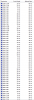
Here's a partial listing of available resolutions, however, I wouldn't recommend operating at less than the native resolution i.e., 1920 x 1080 unless using an external monitor with a lower native resolution.
Attached Files:
-
-
Cracking, thanks you so much! It's given me the confidence to open it and start it up!
Great! -
I looked into this further for you. Using the display card control software, nVidia Control Panel (under Control Panel), you can set almost any custom resolution you want and by checking "nVidia scaling," it fills the entire display.
I tested both 1600 x 900 and 1400 x 900 as you were specifically interested in those. Both work fine! I now use 1600 by 900 for my standard setting. BTW, it does no harm to use lower rez - just test it first under the nVidia Control Panel.
Hope this more fully answers your query ...
Regards,
- - Phil -
Looks like a neat gadget, Peter! I'm not much of an audiophile but others here may benefit considerably from this find and your subsequent testing and evaluation report.
Good luck with it!
Regards,
- - Phil -
That's a perfect answer, and I'm glad you like 1600 by 900
Thanks for all the help -
Most of the times I need fonts enlarged is when I'm browsing or in my word processor... in both cases, all I have to do is hold the "ctrl" key down and roll the scroll forward or backwards on my mouse to get full zoom in or zoom out abilities.
This works in Word, Open Office, Firefox, IE etc.
Much better than being stuck with a small resolution that I have to go reset in order to get the big picture again. -
Ctrl + does the same thing from the keyboard for most fonts and text, Alan.
However, it doesn't work for the desktop which is where I find it handy. It also doesn't do anything for image size and lowering rez makes reading text in images noticeably easier.
Certainly like the "all the time" "everywhere" enlargement provided by slightly lowering the rez. It's easy to change back when viewing BD and Dvd videos.....
Regards,
- - Phil -
I adjust the system fonts under "personalization > windows color > advanced appearance settings." Especially, useful are the font settings under "icon," "menu," and "tool tip" iirc, and there may be a few other items in there that offer the ability to set the font size. I have found that by increasing the size of those various items font settings by one or two numbers, I can still use the native resolution and still have larger system wide fonts. And also many programs derive their font settings by using those same system fonts so adjusting those font settings affects a lot of stuff, (e.g., Outlook menus). That, combined with increasing font size in the various programs such as e.g., browsers and Word, as needed, as Alan described or using the control + or - keys in such programs as needed, works perfectly for me.
I would never run at less than the native resolution. Why buy a machine with an expensive FHD monitor if you are going to run at e.g., 1600 x 900? (Rhetorical question. ) Makes little sense to me. If one is wanting that lower resolution, one is probably better off spending less money on a machine that offers a display with a lower native resolution which, afaicr, most of the other HP's apart from the DV8 and the Envy's offer. Iirc, most of them are 1600 x 900 native, which is fine for the average Joe (no offense intended to anyone named Joe
). But I just love the added detail of 1920 x 1080 (or higher).
But each to their own, of course.
*HP dv8 Owners Lounge*
Discussion in 'HP' started by rageman, Oct 19, 2009.