 Problems? See this thread at archive.org.
Hi,
I guess these links are alive : rars
I have just found this link (entire ISO, baidu): [dead] (just click on second button with "(1.8 GB)" label)
Concerning "osimage.ini", Do you have directory "nb\2hdd" on your recovery partition? If so, you can replace this as described. And yes, "osimage.ini" stores restroration settings (also partitions structure for restore)
-
That's shame...Ok, I will take a look later...Now I must go (I need to do some work)
-
I'm sorry but you're wrong. Links are dead. I've got OKR7 iso but only "standard edition"
 - I mean there is no nb\2hdd directory on this dvd nor on my recovery partition.
-
I have just double-checked all links and all works for me (any of 8 rar and iso too). Is there any chance that your firewall or internet provider blocks these links?
Try direct download link of ISO: [dead] //direct link expired
Also link to ISO (baidu) expired -
I tried again and this actually worked for me So, I have my system now the way I wanted it. Thanks a lot!
-
I love to read that's working for you too You are welcome. I will add this option tutorial later (with options to upgrade to Windows 8.1 Update without downloading via Store). And it seems that I will post updated tutorial with help of Javier whom I thank for suggestions and corrections (when I will a less busy).
-
Looking forward to that. Please do asap
-
Haha dont even mention it, all the merit it is yours. Just today after I managed to recover my windows, as it was, I called Lenovo and asked them to fix the wifi problems on my laptop. They will pick it up on monday and hopefully fix it. At the moment, wireless wont work if you are more than a meter away from the router. Let me please know if you want me to test your tutorial/instructions when you are ready, it is the least I can do.
Javi -
I need to open .imz files from recovery dvds of lenovo, but these are password protected.
Can you help me decrypt the password ?? - encrypted password is - lenovo
I found a table which decrypts uppercase characters, but nothing for lowercase yet. Here is that thread -
http://forum.notebookreview.com/lenovo/143797-imz-imd-files-service-partition.html
Can you help keoanu ?? -
I didn't think it important to mention I hope that they are fixing your problems with wifi. Keep my fingers crossed. It would great if you could test the updaed tutorial (including upgrade to Win 8.1 with Update that I will focus on after weekend). Also I will contact you with answers after weekend. Thank you in advance.
-
Have you tried restore entire system from recovery dvds and then get desired files? Or do you need to open only particular .imz files?
I would try restore entire system (I assume it's Windows XP) and then get particular files (e.g in virtual machine)...But if you need to open specific IMZ files I have no experience with that yet. But I will take a look on it after weekend.
Excuse me gentlemen, now I have to focus on a some personal matters. I will be back after weekend...Have a nice weekend to all
-
Long story short - I found the password. So, its all good
You have been of great help to everyone, so enjoy some personal time now, lolConstantin Cosoiu likes this. -
keoanu - I am testing your tutorial on page 8 in a VM.
How are you able to get the image back up done by osimage tool ??
When I try to boot into OKR environment, it says something like OKR is broken, don't use it etc. And exits. It does load when I boot via efi file, but then gives error and the mains screen doesn't show up.
Do you use any special commands ? -
@ - keoanu
I was able to boot into OKR environment using your commands in -> Lrs-Config-Org.xml (OneKey\MAIN)
P.S - Waiting for your tutorial now to upgrade, without downloading from the store.HTML:</NB> < DetectLenovo>TRUE</DetectLenovo> </LRS-Boot-Config>
Thanks a lot
-
Ok. I've downloaded iso from baidu but there is definitely something wrong with all these rar files. Everytime after clicking on "Download" button I've got "no such file" message.
Let's get to the point: There are more files in this iso than the previous one I've got from TPB. I'll try it tonight.
I need to do sth like this:
1) On my first GPT disc (Plextor M5M SSD) I would like to have only 3 partitions:
a) EFI
b) MSR
c) OS - Windows7
2) On my secondary disc (WD or Seagate - doesn't matter right now) I would like to have other 3 partitions:
a) NTFS - music, foto etc,
b) NTFS - documents,
c) RECOVERY - made by OKR7.
What is the best way to do it? When I boot from OKR7 DVD then there is no option (or I don't see it) to made RECOVERY PARTITION on my secondary drive. Maybe I should remove the SSD then boot from OKR with only one drive available? If so what should I do next?
I would be grateful for any help. -
Hi, sorry for late respone, but I am busy this week. Anyway I will post a shortly tutorial, so you can test yourself. But for complete upgrade process there is needed a some testing.
The secret of upgrade without downloading from the store is use Windows installation media (ISO, DVD, USB or just a copy of media onto HDD) that contains upgrade option ;-)
- In freshly restored Windows from the factory image insert, mount or copy your Windows 8.1 with Update media onto HDD
- run setup.exe from root of media
- download updates (download 11 updates (3 MB approx.) for me) or no (both options work for me)
- if Windows key is appears you can:
-> recreate ISO, DVD or add to a copy onto HDD with file "ei.cfg" that contains for Core edition and OEM channel:
-> "ei.cfg" add into \sources directory on Windows media installationCode:[EditionID] Core [Channel] OEM [VL] 0
-> or use generic retail keys: 334NH-RXG76-64THK-C7CKG-D3VPT (Core); XHQ8N-C3MCJ-RQXB6-WCHYG-C9WKB (Professional) After installation activation will be needed (I guess your key from EFI BIOS will be used) - select first option to Keep your settings, files and apps
- run upgrade
-
I will take a look asap, but now I'm busy.
-
So, basically you fresh install Win 8 from factory image and then upgrade via 8.1 with update iso ?? This is exactly what I did but when you upgrade, windows keeps so much mess with it. Like "Windows.old" folder and so much other stuff which we dont know
-
Exactly, you are right. Any windows upgrade process leaves less or much mess. Hence I have recommend clean install. But if you want to leave lenovo branding upgrade is option for you. But after restoring factory image (Windows 8 with Lenovo branding) you don't have to download all updates from Windows Update and then download Windows 8.1 upgrade from Store. If you have MSDN/Technet Windows 8.1/w Update ISO, you will able to perform upgrade through that ISO. Any mess (windows.old, $Windows~BT, etc.) will be present either upgrading via Store or ISO. Anyway windows.old, redundant WinRE partition and other detected mess can be deleted
-
Thanks mate, I appreciate it you taking the time to reply every time. You dont owe me anything. Really, thanks.
Anyways, what I am working on is - Clean install with Windows 8.1 with update and use autounattend.xml to insert lenovo's wallpaper, branding etc.
-
You are welcome. And no problem I will answer if I can
Unattended installation that means use of autounattend.xml (stored into root of Windows Media installation) or of unattend.xml (run setup.exe with unattend argument) I have to recommend only ;-) I use unattend installation myself. Btw. this way I thought when I had mentioned clean installation of Windows 8.1 with adding Lenovo branding or any settings manually...
For others who are interest in unattend installation, please read this topic: [ source].
Note: Unattend XML components for Windows 8.1: [ source]Valued17 likes this. -
Finally, I have a working answer file which works with Windows 8.1 with update iso. PM me if you need it and all the $oem$ folder stuff. This is the least I can do for you, lol
-
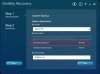
Greetings to all ! I'm new here and I own a Lenovo Z710. I made a clean install of OKR 8 from a usb stick, then install win 8.1 x64 on related partition. After I install OneKeyRecovery 8 softwere. Now how I change the default location which is D:\Lenovo\OneKey App\OneKey Recovery\ to Recovery Partition made by OKR 8 ? I need to make it visible to change the path of backup if I understood well from this thread. Sorry for my bad english.
Thanks in advance!
-
I dont think you can change the default location. But yes, when saving back up, you could save it anywhere. Click on "Default path" and it will give you option to save to "Hard disk or removable hard drive", then click "browse" and save anywhere.
-
Ok. No problem.
ISO downloaded from baidu works differently than the previous one I've got from TPB. There is no OKR installation options (Install OKR Not Clean Partition etc.). There is no other possibilities than do a clean install (and vanish all partitions/data) or restart. Is it the only way to install OKR stuff? -
One could be OKR 7 and other could be OKR 8.
For windows 8, only OKR 8 would work. -
That's right. As I said before I've got WIN7 so I used OKR7 and that iso from baidu is definitely OKR7.
-
When I say "change the default location" I mean to change location with that partition reserved for recovery (Recovery Partition made by OKR 8) and backup my system on that partition and restore from there.In fact what is the purpose of Recovery Partition, it's about 20 GB there?How I make it visible in Win 8.1?This was my request in previous post.Thanks
-
May be you are confusing user backup (which is saved by default in D with factory reset backup (which is the last resort if your laptop stops working - which is in PBR_DRV - which sets your computer to factory state and deletes everything).
You can make that partition visible with diskpart. But I wont advise making backups to that location. Still, if you make that partition visible and save your backup there, you wont be able to factory reset at a later date. -
May be you are confusing user backup (which is saved by default in D with factory reset backup (which is the last resort if your laptop stops working - which is in PBR_DRV - which sets your computer to factory state and deletes everything).
You can make that partition visible with diskpart. But I wont advise making backups to that location. Still, if you make that partition visible and save your backup there, you wont be able to factory reset at a later date. -
If understand well initial backup means it's sets my computer to factory state and deletes everything on C drive and I don't know how to config this. My Lenovo did not came with preinstalled OS.I have installed OKR 8 from a bootable stick then windows 8.1 and One Key Recovery Software .Now I want to config the initial backup and I don't know how.All the partition made by OKR 8 are empty.
Thanks and sorry for my bad english.
View attachment 111924
-preview.jpg)
-
So, right now, you have Windows 8.1 installed which is working properly and you also have installed One Key recovery which works when you use the "NOVO" key ?
If yes, then go ahead and complete this step "3" from this post -
http://forum.notebookreview.com/ide...ion-size-y580-maybe-others-8.html#post9638429
Then your "Restore from initial backup" will start working and it will recover your pc to the state which your PC is in right now. -
So, right now, you have Windows 8.1 installed which is working properly and you also have installed One Key recovery which works when you use the "NOVO" key ?
If yes, then go ahead and complete this step "3" from this post -
http://forum.notebookreview.com/ide...ion-size-y580-maybe-others-8.html#post9638429
Then your "Restore from initial backup" will start working and it will recover your pc to the state which your PC is in right now. -
Thanks for your quick response.
I shutdown my PC then start it from NOVO Key which open Lenovo OKR Environment. I press SHIFT+F10 Keys but command prompt doesn't start.
I try in Windows to open command prompt and follow the steps from here "3. Update your Windows image for initial restoration".
On step 3d. Go to PBR_DRV partition (f.e. PBR_DRV par is G: drive) -> "G:" -> run "backup.bat" if exist, otherwise type "cd onekey\osimage" and run "osimage /nopbr" and then "osimage /fb" -->> I don't know how to assign a letter to Volume 6 (PBR_DVR) to run next commands to complete step 3d. (look at PS)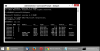
-
You should create the backup image from OKR environment only. Use this combination to open cmd when in OKR - "CTRL+Shift+O"
Re: Diskpart - Read this - to assign, remove letters -
Assign, change, or remove a drive letter: Storage Services; Local File Systems
Let me know if this works for you.
-
CMD window it's open with CTRL+Shift+O, all volumes drivers have a letter assigned.I don't need to assign letter anymore. Anyway thanks for info about this commands. :thumbsup:
Before start to backup my system I want to ask about the size of backup, because when I try to make backup image size from One Key Recovery Software in Windows (Not in OKR Enviroement), estimate size of backup image was 28.3 GB.
I'm gonna need to install again OKR 8 (and Windows)? and before this, edit "create.ini" file from bootable usb drive to allocate more space to PBR_DRV partiton, I think....
Thanks again for your time -
You dont need to change size of pbr_drv, its enough to take back up if its 20 gb. Try it and it will succeed. The way "one key recovery" software takes back up is different, so it takes way more space.
only thing to consider is - make sure you delete/uninstall all unwanted programs,because in future when you recover from this factory backup, it will restore your laptop to this state which it is, just before taking back up today. -
I am sorry for bad shortcut. The correct shortcut for Lenovo OKR Boot Environment is " CTRL+SHIFT+O" as mentioned earlier by Valued17. Also I have corrected it in tutorial. The keys " SHIFT+F10" invokes CMD in default WinPE/WinRE.
-
Hi, very good document. I followed it to the letter, option 1, but I don't get the OS.okr file. The process runs for 30 seconds and I get no errors.
A -
Hi, what do you exactly want to do? Do you want to create factory USB drive or recreate Windows image (OS.okr for OKR7 or install.wim for OKR8)? Please specify your OKR system (OKR7 or OKR8) and your purpose.
-
I have a lenovo Yoga pad 11 inch, the one sold at BB. I am trying to restore it to the factory defaults so I can sell it. It boots ok and runs ok, but I cannot reset it. OKR keeps complaining that it cannot find the restore image.
-
Is your Yoga Windows 7(with OKR7) or Windows 8(with OKR8) OS preinstalled? There is a different partition layout for Windows 7/OKR7 and Windows 8/OKR8. And have you ever formatted entire HDD?
-
Hello Friend I have the same problem I just change the OS in my Lenovo Yoga 11S bout in BB, from windows 8 to 8 Pro , for that I had to change the HDD format at because when I try to install the OS the system showed me that the HHD was in not a GPT format
in that way I changed it but know the partition f the OKR is not there so when I try to reestablish the factory sating its not allow me , In the windows the OKR say that the partition is not found , and when I restart it an use the OKR bottom it show me the screen to select the recovery system but it not work and the windows start normally
what can I do to solve this problem whit the OKR 8? -
Hi,
Did you have Windows 8 with MBR disk style on your Yoga? That's weird. I have had no experience that Lenovo's machines with preinstalled Windows 8 (and higher), thus Lenovo OKR 8 system, came with LegacyBIOS/MBR style instead of EFI/GPT style. Can you confirm that your Yoga had LegacyBIOS/MBR style, please? Have you changed firmware from LegacyBIOS to UEFI in your BIOS or just disk style from MBR to GPT?
Please follow these posts and later to understand Lenovo OKR 8 structure (partition's layout and functionality): [ source 1],[ source 2]
If any questions, feel free to ask...I will reply asap... -
Thanks for putting together this description.
If I want to fresh install Windows 8 on a blank msata SSD, what are the steps I need to follow? This is a y580. Has anybody been able to get the novo buttong fully working? I am a noob here, so any help will be greatly appreciated
-
Hey guys!
What about Windows7 backup procedure? Could you please help me with that?
As I said before in this post I've got 2 discs. I've just installed OKR and here what's happened:
1) ssd (128 Gb) was cleared and changed from gpt to ms-dos - I donno why. There are 2 partitions on it: 200MB and 119 Gb. Both are set to "unknown" in gparted.
2) hdd (1 Tb) was cleared and changed from gpt to ms-dos. There is one 916 Gb logical partition and one (at the end of the disc) primary partition 14 Gb set as "diag" with label "LENOVO_PART".
My question is: how can I use OKR with gpt discs or it is possible only with standard mbr? What should I do to create my partitions like I described in my earlier post?
Thanks for all your help. -
Hello i want to download OKR latest version but the links here are downloading webpage after following the links using browser and then clicking on download now please help and provide valid links if possible to download latest OKR
Sent from my Nexus 4 using Tapatalk -
hi men in the your post you say at the step "1.f Copy and replace ". but my problem is that i dont have any idea where find my files because i realize after erase and format my pc that i had lost my lenovo OKR partition and that the idea recover it and use the backup that i done whit the OKR and have again the original "system"
Thanks for u help -
this guy is truly amazing n genius. Kudos 2 u !!
How to restore Onekey Recovery function after changing partition size. (Y580 and maybe others)
Discussion in 'Lenovo' started by link626, Sep 18, 2012.


