Problems? See this thread at archive.org.
Agreed, adding to that USB 3.0 equipment will continue to malfunction especially if it shares other "blue port" with any other USB device. this is to make clear happens even after firmware update still, so I will go with the opinion that said its deeper than firmware and bios (hope im wrong) they do need to make the QC better at the end. annoying.
decided to add,
solution of mine is: use powered USB 2.0 hub connected to yellow (the one in the back) USB 2.0 port for increased reliability of any USB 2.0 devices connected to laptop, and if you are using USB 3.0 HDD or any other equipment simultaneously and if this device actually takes advantage of it try to have only one "unit" or "device" plugged into USB 3.0. this is only if you don't want dropouts and or interruptions in power to happen in USB 3.0 area (I hope Esata isnt affected by this)
if you ask me I think this kind of problems should be expected but be resolvable and when you pay
for machine that takes 50% of time with it on its maintenance makes you think. but there are laptops out there that just drop dead lol
-
-
This W510 becomes more and more annoying. One new problem I encounter just now is that the machine becomes less responsive after coming back from "hibernation". This becomes a pattern to my machine. I saw some posts in this thread saying the machine will "think" for a second before it responds to keyboard typing or application running so slow. I ran into the exact same issue. But I'm not sure if those users find the same "hibernate" pattern as mine. Anyway, this issue is not acceptable. The "sleep" already doesn't work (see my other posts). With the "hibernation" not working correctly, the laptop cannot act as a mobile station. Really disappointed. I will see if I can find any workaround. If I cannot, I probably have to reinstall Windows 7 from scratch as some other users suggest.
With this experience, I'm not sure I will by another Lenovo laptop in the future. -
Install the latest bios, chipset, and power management drivers as they may help. Unfortunately, I have not experienced any of your issues, so I can't give more precise advice.
-
Thanks for your post. I'm already on the latest bios, chipset and power management drivers.
-
These are the versions I have for comparison:
BIOS-1.33
Power Manager Driver-1.60
Power Manager Utility-3.30
Intel Chipset-9.1.1.1027
In addition, I have simple tap and it kept crashing the NVidia driver. I installed the beta from NVidia to completly alleviate the issue. The current beta version is 260.63. I haven't had any crashes since. To be perfectly honest I would recommend a clean install. I have been happy will all aspects of my system on my clean install. Even though it adds a little effort on the front end the back end work is decreased greatly! -
Hi All,
Need some help here.
Have been using the W510 for some time.
I am not too sure y suddenly a few of the components cant be used...
From the device manager,
imaging devices; intergrated camera
Modems; thinkpad modem adapter
bluetooth hands free audio,conexant smartaudio
Nivdia High definition audio
Plug and play software device enumerator
All have the yellow triangular Exclamation symbol saying the driver is not installed or corrupted.
I have reistalled all te drivers but still unable to work.
Any help from you guys?
Thanks a lot. -
truth is I've got two machines one is a wreck from day one and other works OK with the common issues, re installs did not help it is just ill machine. as for sleep and hibernation I personally learned not to use them "AT ALL"
 I haven't seen one windows based PC that was waking up without hangover syndrome from these
-
"Sleep" on Windows Vista and 7 generally works very well. Sometimes issues come up for hibernation, so sleep is generally preferred now. If there are any issues, it is 99% probability to be a driver issue. Windows needs to have the right drivers to put devices to sleep, and if they are bad, there's nothing Windows can do about it.
-
Agreed! I trend to use sleep 7 out of 10 times, but I've never had issues waking up from either dormant state. I have the latest Lenovo driver installed for all my hardware except for the beta NVidia driver referenced above. I am not currently using any 3rd party peripherals that are not accessed over LAN so not many additional drivers are in place (iphone 4, ipod classic, htc tilt2, bt mouse).
-
sleep means your batt is half and hibernating means almost full. plus without risk of waking it by accident. that's why its no use for me. hibernating is ok but when you have video project with multiple files open from multiple sources its 50/50 chance of failure since there's multitude of error corrections for multitude of reasons, now when HDD and ram wont need error correction algorithms we may have the real hibernation. current one is a joke. IMO of-course
-
question, I've looked at the lenovo website and noticed following,
W510 model
Processor
Intel Core i5-560M Processor (2.66GHz, 3MB L3)
System Graphics
NVIDIA Quadro FX 880M Graphics with 1GB DDR3 memory for Dual Core Processors
does this mean they finally released model with switchable graphics
if so it means dual core DIY might be not so unrealistic for some of us
who craves for more battery life rather than Gfx poWa -
Hi all!
Is it normal when the w510 completely freezes after a few minutes of using the cpu at 100%?
Have experienced it a lot of times in a single day, I don't find other way rather than switch it off.
I don't know, maybe I'm the only one experiencing this problem because I have only 2g of ram on windows 7 64. Some one knows if adding more ram would solve this problem? -
IF you are not getting an "out of memory" error I wouldn't think it's a lack of memory causing the problem. I would suggest opening the task manager and monitoring the app(s) that are consuming the cpu cycles when it goes to 100% cpu use. At least that way you may be able to track down the problem...
-
Thanks, I'll try that, but the weirdest thing is that sometimes it freezes even with the cpu working at 80%.
-
here is what I just ordered...I had to make some sacrifices because I'm on a budget
-Intel Core i5-560M Processor (2.66GHz, 3MB L3)
-Windows Prof. 64bit
-15.6" FHD Display (95% Gamut, 270nit) with LED Backlight
-NVIDIA Quadro FX 880M Graphics with 1GB DDR3 memory for Dual Core Processors
-2 GB PC3-8500 DDR3 SDRAM 1067MHz SODIMM Memory (1 DIMM) (Going to upgrade later)
-320 GB Hard Disk Drive, 7200rpm
$1700 after discounts etc. with additional ram let's say $1800
My question is, how much RAM should I upgrade to. I am currently in school for architecture and programs that I use frequently are Adobe Suite (Photoshop, Illustrator, Indesign, Encore), AutoCad, and also I'm going to be getting into rendering using 3dsMax.
Is this going to be able to handle doing that (not all at once of course) -
I use those apps and I would venture 4 to 8 GB would do the trick depending on the amount of multitasking you'll do with those apps. As you can see in my signature I went for it all at once.
-
I didn't know that you could get a W510 with an I5 processor, is that only in the US?
-
That sounds like a heat problem. Make sure you use the laptop only on a hard surface. Do not under any circumstances run the laptop with it sitting on top of a bed, blanket, sweater, carpet, or anything else that would trap in heat. Also, try to raise it up to allow more airflow underneath. You can monitor the temperature using a tool like Real Temp - CPU temperature monitoring
These days I would go with 8. Since this laptop has 4 RAM slots, you can buy 4 of the cheaper 2GB RAM modules and get up to 8 more inexpensively than other laptops where you need to buy 2x 8GB modules. -
I think it might be a new option actually because I don't remember seeing it earlier when I was doing my research to buy laptops...I only saw it when I decided to get the laptop and figured i7 was more than what I need (or willing to pay for).
-
Thanks. I use the laptop on a hard surface, and it doesn't even get hot, only a bit on the left side. I noticed today that the freeze issue does not happen if I only use the cpu, even if it's at 100% it may work for hours without problems. But when I put some HD video, after a few seconds it freezes, but mainly if I do it just after it boot up. Sometimes it freezes even when the cpu is not at load. Do you think I should contact tecnical support?
I used this laptop only 3 days, and it frooze completely around 30 times. already. -
Are you using the 135 W power adapter that came with it or one of your 90 W adapters that you lying around? If it's the latter that may be your problem...
-
I'm using the enormous 135w. It is really weird because if I put an hd video from youtube there are no problems, even if I run 4 at the same time. But when I put a video installed in my hard drive, that's when it freezes, even the ones preinstalled by lenovo, like for example the one in samle video, wildlife, which it seems always freezes.
-
Oops. At any rate, that eliminates the power issue.
-
You might try to update the video drivers, but it does seem like you might have some other kind of issue. You could also try to run a memtest on it to verify the RAM is not bad. Check my sig for a guide on how to do that.
You could also try to wipe the OS and reinstall using the recovery discs, which will reset it back to factory settings to rule out any additional software you might've installed. This will delete all data, so make sure to backup first.
If you don't find a solution is a day or two, then definitely call Lenovo as that is not normal for a brand new system. -
@kava
is your model 4318 CTO with FHD and 2GB ram and your BIOS is 1.20? (had same thing going with mine)
make sure that no other naughty hardware connected to one of your "blue ports" and look to update USB 3.0 firmware here Lenovo Support & downloads - USB 3.0 Firmware for Windows 7 (32-bit, 64-bit), Vista (32-bit, 64-bit), XP (32-bit, 64-bit) - ThinkPad W510, W701, W701ds
do it after updating bios.
might help
I would get 4GB thats a minimum otherwise your HDD will overwork. -
Thanks to all for your help. Yes my model is 4318 CTO but with just an hd screen, 2g ram, i7 720qm, BIOS 6NET64WW 1.27. I didn't use any usb.
I monitored the ram, and the maximum it uses is 1.8GB but sometimes even at less load it freezes anyway. Maybe the problem is with the windows media player. The most interesting thing is that after having used the laptop for around one hour, no metter what do I do this issue does not appear. -
try using another video player maybe VLC player...I know with my old Dell I had problems with Win. Media player freezing but rarely when using VLC.
-
I'm not a good writer but ill give you algorithmic breakdown.
video freezes>
possible causes...
( that I personally would check first )
Power management, (driver, setting it to video playback)
other possible solution is getting stand alone player like VLC (mentioned) but on par with it comes MPC (media player classic) 64bit ver coz I think WMP isn't 64 so worth a try. link Media Player Classic - Home Cinema - Video Player its best for HD videos.
where VLC lags this one doesn't.
Video driver, uninstalling it through control panel with restarts
ie if you have default driver installed one restart req to get read of the driver completely if you installed another version on top of it 2 restarts to get read of both and so on. then install the newest and freshest.
also codec packs, maybe bad example but thers one that works called klite codec pack. I wouldn't use it if you have serious video editing software installed it may have some adverse affects on it. it all depends. -
Tried the vlc player and flv too, both seem to work fine even under high cpu load (I like to listen music while working). I'll try the media player classic too.
So I think and hope it's just a software issue. Thanks again to all! -
Never thought of that... I even tried to reproduce your error with the sample video. I launched several memory/cpu intensive apps and it played smoothly in WMP. Glad you found a workaround though...
-
Ehh, looks like not, still same problem but not so usual like with the wmp, so I think I'm going to contact lenovo tecnical support. Anyone knows something about lenovo return conditions? Or where can I found them? I think I have one week after receiving the laptop to return it, right?
-
If your in the US, I think you have 30 days to return for refund minus restocking fee. I am not sure what they do with units with defective units and exchanges.
-
I'm in Canada. I searched everywhere and wasn't able to find the return policy. Of course I would prefer exchange the unit for another one, but the problem is that thess issues that I have are not so simple to prove, sometimes it works really bad and freezes but sometimes it may work perfectly for a few hours.
-
Hi all,
I've been ressearching quite a bit and I have few questions and hope someone can lend a hand.
a. Is the difference between the 840QM and 920XM or 940XM that noticeable?
--> the main purpose of the system is to run VMWare (or Virtual box) images, as many as allowed by 8 GB of RAM then expanding to 16 GB when posisble.
b. I am still trying to decide between the Lenovo W510 and the Dell 4500 (yes, sorry 'another one of those questions' -- which seem to come and go in the forum as I've read).
The Dell looks more expensive in Canada, but I am every week in the US -- have residence on both countries, so I could purchase anywhere.
I do realise this is a Lenovo forum, be gengtle ...
-
Sorry forgot to add, I am looking for a Linux frendly laptop, that is of important consideration as well -- how does the W510 do with Ubuntu or Fedora? -- I'd plan to dual boot with Windows 7 64 but really prefer to run Linux -- I am thinking that the highest resolution is the way to go, any feedback highly appreciated.
-
yeah just replace it, or refund it. when you pay as much as it costs you have full right not to have issues.
-
I'm running 64-bit debian sid since day one and never had problems (w/ nvidia blob and reasonably fresh kernels). Reading where this thread is going recently (people being unhappy with win drivers, powermanager, hibernation/suspend,...), it must actually be a better experience than running win7.
-
Based on what?
-
Win7 Ultimate X-64 for over six months here and, this being my sixth ThinkPad, pretty selective about which drivers and utilities I install, have had killer performance and stability both.
-
I concur. Not sure what the source of the angst is, but my experience has been equally "killer".
-
We're running a boatload of W510's in my company and we have not seen any software issues with Windows 7 x64 or many from Windows Server 2008 R2 either. The few issues we've seen with R2 have been fixed with hotfixes or the SP1 beta.
Glad to hear linux is working well but there's no basis to indicate it's superior in stability over Windows. At least nothing I've seen personally or read.
The quality of the hardware coming of the factory line is a different discussion. We have seen defects in some of the machines we've received but a simple return and replace solves that.
-
Hi all,
It is good to hear that Lenovo quality has been acceptable, good amazing ? anyone care to comment? -- at any rate, it is good to hear that the feedback on quality appears to be positive --
Does anyone know how good (or not) is the warranty if purchased in Canada? I could purchase it in the US otherwise if it is worthwhile....
lastly I am surprised that no one has voiced a committed opinion favoring the W510 over the Dell M4500 ...
i am left wandering if there's an unwritten "don't do that code"? -- vendors, are you monitoring and using some iron clad on this forum?
-
The M4500 is slightly bigger and heavier. The M4500 lacks USB 3. The M4500 only has 2 SoDIMM slots. The M4500 is about $400 more than a similarly configured W510 (i7-720 on the W510 versus i7-740 on the M4500).
Failure and defect rates on Dell are higher than Lenovo according to our corp use stats. However, we don't buy the Precision laptops so I don't know if that translates.
I have used a lot of HP, Dell and Lenovo machines over the last 15 years. My money is on the ThinkPads for build quality and reliability.
However, I do wish some of the options available to the M4500 were available to the W510. The GPU for instance. -
can I start from asking (pure curiosity) what were the problems on think-pads you had in your company that needed replacements? I think I'm voicing many with this question.
-
Really random stuff but enough to reject the initial unit.
- Bad LCD panel due to pixels or other defects
- Consistently running hot
- Unstable hard drive and store controller - this was a weird one. The machine arrived DOA and would not boot. The hard drive was replaced but the unit continued to exhibit unstable file I/O and corruption.
-
thanks for reply. looks like I got lucky too,
bad LCD, was replaced now I have bad IO and just runs hot all the-time. I have another twin brother nothing even close both are from march as you mentioned. must've been bad batch.
you mentioned bad LCDs what were the "other" defects? in my case total pink-out
they replaced some cable and LCD but that didn't fix the video jitter.
sorry to nag you about it but it helps to know. -
Sorry, I didn't see the machines and don't have all the details on the LCD issues.
-
Hello All,
I just received my W510 with the FHD 15.5" screen, without the multi-touch or color calibrator.
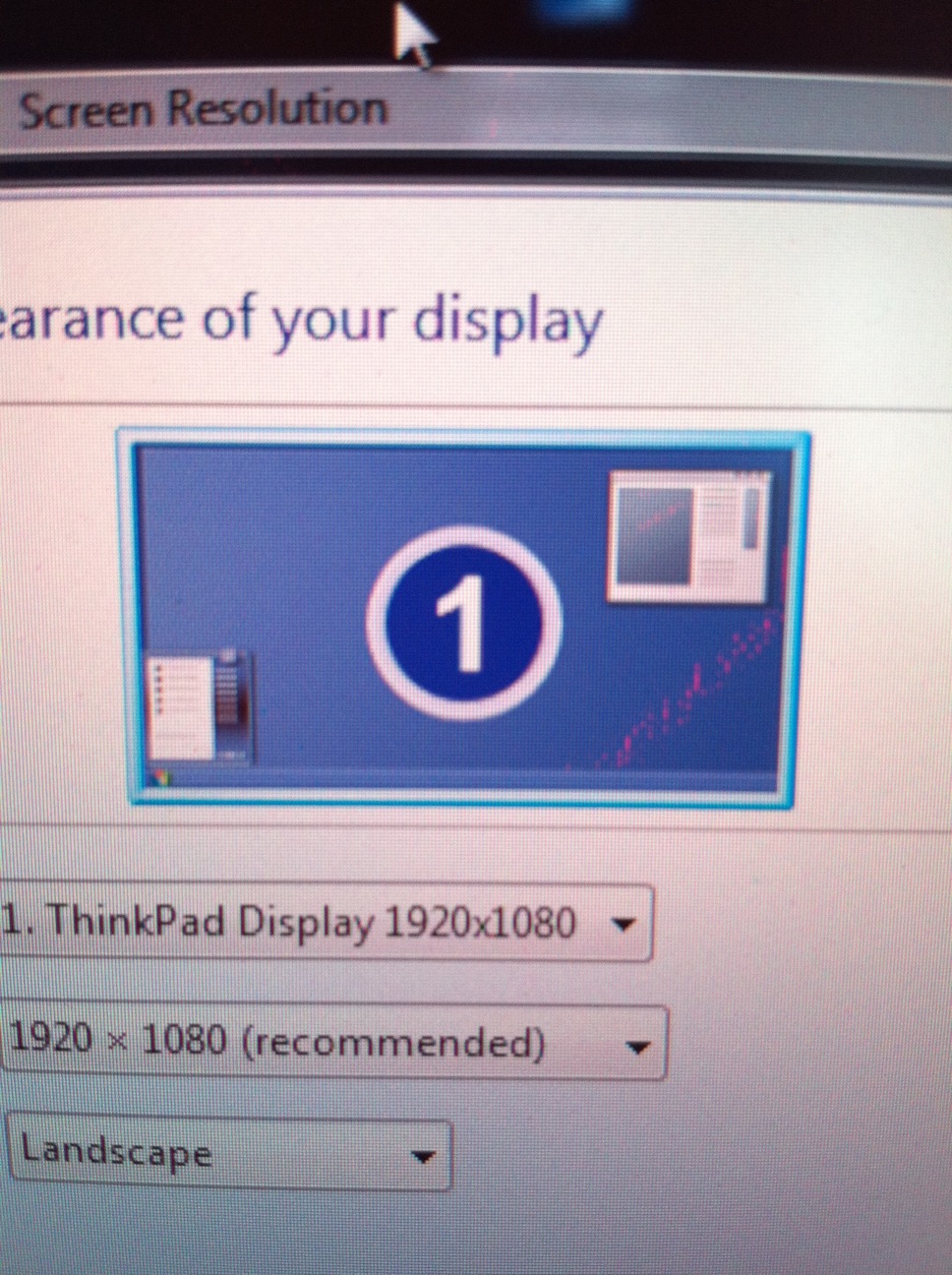
I have noticed very often in various areas of the screen lots of little red dots (artifacts) flashing around. Its a little hard to describe, it seems worse when the refresh rate is set to 60Hz (which was the default for this new machine) dropping to 50Hz seemed to have improved things a little but its not perfect. I have also updated the NVIDIA but this has not fixed the issue.
Just curious if anyone else has seen this before ?
I might try and capture a Video of it to show.
Thanks,
Serge -
check if that happens when you move white object over black background, do it in the dark room or in the evening. if that will show some red tail of pixels, call lenovo and ask for replacement of whole thing. -
Hi,
Thanks, it actually seems to happen with a certain tint of blue against the back background.
See the screenshot.
Look on the right side of the blue square.
Bummer if I have to send this back, I just got it!!
SergeAttached Files:
-
Lenovo W510 Owner's Thread
Discussion in 'Lenovo' started by ZoinksS2k, Jan 22, 2010.