Problems? See this thread at archive.org.
-
-
Acer Aspire 5745.. looks like it has better build quality and better screen.. Im really picky

-
someone else mentioned the screens being lose on the 560's. If thats the only problem I wouldn't give a second worry about it. All hinges can be tightened. Don't let that stop your enjoyment. Here is a disassembly guide for y460, just click the first link there.
Believe me its very simple tightening up the screen hinge, it has noting to do with the quality of it. You will have to remove the plastic media button control then remove some screws under that then your hinges should be there for you to tighten as much as you want. Just take your time with the plastic media bar strip, it snaps into place Im sure and will feel like its breaking when your taking it off but it wont. -
That guide works for the Y560 right? Same internal components?
-
yes...I cant say for sure though if someone could please step in and give us some info about being able to tighten the hinges and if the internals are the same between both models.
-
I seem to have gotten everything up and running and I plan to test gaming performance on the laptop tomorrow, but for now I just have one question remaining: how do I set it to automatically switch between the integrated GPU and the 5650 depending on if it's plugged in or running on battery? The instructions mention an option in CCC for this, which I can't seem to find.
-
You can use evga's precision software to monitor ingame temps while gaming which is nice( link) and you could record with fraps a video showing gaming. Be nice to see one with temps, with evga precision it shows how hot your gpu is getting in the corner of the screen.
I think its weird that the reviewer on notebookforums saidI haven't seen any temps that look like it gets to hot for gaming with peoples systems. -
I got in on the $699 y460 with 5650 card for BF. Popped in a 7200 drive and am getting moved in to my new lappy.
Couple of questions from a newb.
1) I seem to be getting intermittent feedback to my external speakers plugged into the audio jack. Cracks and pops when i first start up the computer which go away after I unplug and replug.
Any advise/knowledge about this??
2) How about doing a backlit keyboard mod? Anyone found a keyboard for that?
Thanks -
Ok seemed to have fixed the popping audio problem with a reinstall of the audio driver. Was beginning to think I would have to send it back.
Still interested in doing a backlit mod though.
thanks
-
EVGA Precision works with ATI cards?
How would a backlit keyboard mod work?
I wonder if anyone has successfully tighten'd their hinge already.. -
It has nothing to do with tightening the hinges. It's just a design problem, the bolts don't go from left to right. If you look from an upside position you can see that the bolt are only penetrating the display bezel from one point and not reaching the opposed part. It has no strength this way. -
yes ati works with evga precision. Check out this video, uses it in the gaming benchmark and you can see it close up. <style='height: 390px; width: 640px'><param name="movie" value="http://www.youtube.com/v/szYvhHyGoD8?version=3"><param name="allowFullScreen" value="true"><param name="allowScriptAccess" value="always"><embed src="http://www.youtube.com/v/szYvhHyGoD8?version=3" type="application/x-shockwave-flash" allowfullscreen="true" allowScriptAccess="always" width='640' height="390"></object>
@Lao I think in this case it could just be the hinges have goton lose from lose screws cause no one else reported lose hinges that I seen after searching. Is it this way with both models? If it doesn't snap apart like the m11x I think it would be fine. Remember there are people that buy the m11x very well knowing that there hinge is going to snap apart. Cant be near as bad as that.Last edited by a moderator: May 6, 2015 -
Hopefully nothing will happen, its not even covered under warranty..
*knocks on wood* -
I just tried gaming on my new Y460 tonight, and I must say I am impressed. It handled Bad Company 2 decently on high settings in DX9 mode, though there were a few times when the frame rate dipped into the high 20's. I know the 5650 is capable of reaching 5730 clocks or perhaps higher, and mine never went above 75 degrees so it seems that I have a bit of cooling headroom to work with, but my obvious question is how do I go about overclocking it? I know on my desktop I just went into MSI Afterburner and changed the clocks, but it doesn't seem to be that easy on a laptop.
Also, has anyone had any luck configuring the GPUs to auto-switch when they plug in/unplug? It seems to be an option according to the help file, but I can't seem to find the setting for it anywhere. Finally, I'm using the ATI drivers that came on the laptop. Does anyone know what procedure I need to follow in order to update them?
Thanks. -
Just do the same like how you do on desktops, but go to the MSI Afterburner folder, open the msiafterburner.cfg, change the EnableUnofficialOverclocking = 0 to 1...
-
That rox syberian! I think iv made up my mind im getting the acer 3820tg this month though. I need more portability and battery life.
-
I got shipped today! It wasn't nearly as long as they suggested - I hope it comes quickly
-
Depends on where you live and where it ships from. If you live in the US/Canada and the laptop ships within the US, it should be to you in a couple of days. If it ships from China it could take around a week.
-
How did you get EVGA Precision to work? I get an error everytime I run it..
"Failed to initialize display driver wrapper!" -
It says evga precision v1.9.9? I didn't make the vid. It says with quick google search that its your ati's driver. It could be to new the 10.10e drivers from the 5650, you could give using an older version of catalyst a go, isnt that tough.
-
Thanks! I'm in the US, but I don't know where it is shipping from. When I click on the track shipment link, it just says "Sorry. There is no tracking information available for this order."
-
nope its a design flaw that you will have to live with..
-
Is this for both the 460 and 560?
-
Im assuming since both models use the same hinge design..
-
I wouldn't let the hinges hold you back from getting this. Its not like there going to break on you! No one really has even complained about it till just this last post about the Y560 none about the y460 and that was a 699.00 Y560 from frys not lenovo.
@aboutthreefifty has said nothing about the hinges so I wouldnt worry about it if your planning on getting this machine? -
My only complaint has been the fact that if you hold it upright, the screen will open a little bit. I wish it has a magnetic latch like a Macbook Pro or like system.
Other than that it has been just fine. I got mine in April and the screen opens just the same as it did back then. -
I already checked the hinges when I wrote about them. I double checked them after I wrote about them. Screws are not loose, it's just the soft plastic around them that bends slightly.
-
I got mine today. I am setting things up now.
-
It's the same laptop no matter who resells it, it's still lenovo that made it, it's not like Frys was making counterfeit lenovos to sell for less.
-
I was thinking maybee instead of lenovo sending them straight out of the factory after being built that frys moves them around in there warehouse differently so it could be more likly that something happens between the time frys gets them and then they get send out but I agree there is no difference.
-
listen..
Its an awesome laptop..
You just have to deal with a few issues for the money.
The laptop rocks. but when closed it is floppy, meaning it does not lock.
It has weak protection on the case behind the screen.. If you pack your laptop in a backpack with the power adapter, if you put the screen towards the power adapter the flexy casing could f-up your lcd.
But once again... i paid 750 for an awesome performing laptop. I took into consideration the build quaility before i bought it.... i was willing to live with the so so build, because the performance to $ is fluckin ing awesome..
Do some research before you start b1tch1ng.
for the $ its flyuckinging awesome. -
Is it just me or is my Y460(i5) running games worse than it's supposed to? I've played SC2 on it and could only play with subpar settings(only textures are set to high) for the latter half of the game. I even have to set so many graphics settings down for STALKER:Clear Sky(complete mod) to run well. A big part of the reason I purchased this laptop was so that I could play games at very acceptable frame rates with good graphics settings and, from what I've read from the internet, it's supposed to do that
Can anyone help me out? Did I get a dud? Is there something I'm not doing or not aware of? I'm not very computer literate. Thanks in advance, guys! -
Check to see if you actually have a dedicated video card. Some of them might of come with integrated Intel HD graphics instead.
-
Yup, it does. It has the switchable graphics.
-
Ok there are a number of things you can do sizzurp.
1.use programs like rivatuner/setfsb to overclock your gpu/cpu
2. gamebooster2
3.change in-game settings for optimal play(resolution and AA)
4.Use a registry fix(use at your own discresion(just change it back if it dosnt work for you))
Step A: Start -> Run -> Regedit
Step B: File -> Export -> whatever location you want to keep registry backups.
Step C: Go to: HKEY_LOCAL_MACHINE\SOFTWARE\Microsoft\Windows NT\CurrentVersion\Multimedia\SystemProfile
Step D: The entry for network performance throttling, default value is 10; set it to FFFFFFFF hex (willl look like 0xFFFFFFFF to the right of the entry)
Step E: Reboot(this worked with m11x so it might with this as well)(here is the thread( link))(for online play only)
5.checkstar craft 2 forums for tweaks etc...
6.MAke sure your system isnt bogged down from when you got it. Keep your harddrive space clear for your game you want to play with best performance also keep your machine cool with a fan as it will slow down when the temp increases. If need be do a OS reinstall. Also change drivers to find the one that suits you the best with your ati card. -
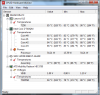
I got a question 3 week after i got my Y560 i7 740 ati 5730 my mainboard died i sent it to repair when it came back each time i was playing games the temps was always between 80-91 C since i got it i never play over 1 hour. My question is that normal or ist just me going crazy my cpu is between 53-63 C idle and gpd 50-55 i tryed using colling pad and it didnt help at all. I suspect thermal paste or i don't know
Attached Files:
-
-
^^^ Those temperatures are far too high/abnormal, even for the y460. I would send it back and have them look at it.
-
I would give it a bit of time. Machines do weird things some times. Make sure your vents are not covered and take apart the back part of it and blow it out good with a can o air. Dust can cause temps to rise and the machine to fail along with slow it down. Also if your in a heated room your going to get temps like that no matter what type of cooling you use. Use your laptop in a very cool room for a few weeks and see what happens maybee?
Dont worry most of all, you will get it figured out! Stay positive, the ideapad series is a great laptop. Lenovo will work with you to flush out any problem you have with your machine. -
I have a switchable graphics question. Can I download the most recent drivers from ATI, or will they not be compatible with the switchable graphics?
-
I bought a Cooler Master U2 for those who would like to know about how it performs...
With Y560 (as it's all I have to test), the main issue I run in to are 2 fold: a. the air intake vent, where the fan intake is on the bottom, is actually mostly blocked by the fan housing on the inside, and b. there isn't a lot of passive venting around the CPU; the RAM actually has the highest area of passive venting. Screwey if you ask me.
I haven't been able to find the GPU yet but I can't imagine it has very much in the way of passive venting either.
My U2's fans are set up with one underneath my intake fan, and the other underneath the CPU Passive Vent. The second fan took some tweaking to position properly, previously I had it under the RAM.
My laptop is about 5-6 degrees cooler on average. This is a decent amount but honestly I was hoping for maybe a little more... Y560s tend to run a little hot - mine gets up to 60+*C if gaming or something. With an MSI Afterburner Overclocked Graphics Card, I've seen 81*C for my GPU's temperature.
The U2 is absolutely beyond any shadow of a doubt too small for the Y560. It fits height wise, but it is about an inch to an inch and a half too narrow. I'd say that if you're debating on getting one, definitely look at the U3 instead.
All in all it's a good cooler and does its purpose fairly well if you position the fans correctly. It's too small, so I'd go up a size. The biggest problem with the U2 is not the cooler itself but rather poor design on Lenovo's part... with an i7 and a dedicated graphics card it seems like they would have anticipated higher running temps and adjusted the amount of ventilation in the bottom accordingly.
My question for you now is: since there is minimal ventilation for my cooler to blow through, would it be possible to simply remove the plastic piece on the bottom and have the fans blow directly on the board? Gut feeling says no but I'd like an answer from some people with more laptop experience than I have. -
called lenovo i sent them picture they are sending me a box to return it. Its just weird they sent me the laptop with a trouble after repair .. hopefully they will repair it again.. just have to be patient =/ the tech probably didnt test the machine imo they probably didnt apply the thermal paste. I woulda put artic silver but im scare as the mainboard died again for some reason this laptop seems to be 2 cheap to break the warranty. But when it work wow really nice price for power the 740 is like the new 820.
-
I can play Bad Company 2 on DX9 with all settings on high except effects on low and no AA/AF/HBAO at 40-60 fps. All flavors of Crysis run in dx9 at mostly medium settings with a few on low, no AA, between 35-40 fps. CoD 4 runs with everything on high, no AA/AF, at a consistent 55-60 fps.
Are these numbers in line with what you're experiencing?
OCing the GPU is causing annoying problems (if I switch the graphics or even put the computer to sleep, the clocks reset to stock until I restart Windows), so these numbers are at stock clocks on the 5650. -
For BFBC2 I find that running it in DX11 doesn't hurt performance at all, and might even improve it a little over DX9. Turning HBAO on also doesn't hurt performance. I run on medium and low with 1X AA, 8x AF, and it runs fine on 32 player servers.
-
lol and behold Im getting a y460 tomarrow, monday morning. If anyone wants any videos/pictures/benchmarks Ill be glad to do them. Funny cause the ups delivered it twice last week, but no one was around.
-
Can someone post their average battery life for the Y560?
I get about 2 hours on mine with med brightness and no wifi, just using word documents and maybe some music. -
just unplugged at high performance, about 90% brightness. Wireless nic on and connected. Using firefox, winamp, word, excel. Probably average about 2 hours 15 minutes. Pulling 15 minutes just out of me, definitely not 2.5 hours. 2.5 hours is probably using super power saver with the brightness about 30%, wireless on and connect and everything running as well.
-
Hi all, Im now typing on my new Y460 and loving it. Its very sleek laptop that has a ton of things going on with the media buttons/touch control strip/ indicator lights it reminds me of a space ship taking off at night when ever its on. Everything is 100% on myn if anyone is afraid of having something wrong with it out of the box. Ill post a review and other stuff with it tonight, I made an unboxing video that can be seen in the off topic forum( link). I made a youtube channel too youtube.com/notebookplayer that has other video reviewing it and comparing it with other laptops. I have a few newbie questions my self though, If I want to revert back to the operating systems default how it came out of the box how do I do that? Also what about recovery disks/boot disks? Thanks!
edit: Iv since found out how to recover factory settings for windows. There is a program called onekey which allows me to do all of it. -
Damn my battery life is horrible compared to yours. Any suggestions as to what I could be doing to deplete my battery faster? -
I saved myself a little money and got an i5 version of the y560 that allows me to switch between integrated and discreet graphics.
i get about 4 hours with the intel graphics and with battery saver on. -
Does the Y560 have the same Hinge issue as the Y460? Lid not closing completely when being carry...
New Y460 and Y560 Ideapads
Discussion in 'Lenovo' started by Rustican, Jan 22, 2010.