 Problems? See this thread at archive.org.
Ok so ran a TON of benches and here is my conclusion:
When using the HDMI out with the LCD disabled (pure 780m and no IGP), I gain about ~1-2 fps across the board. When enabling the LCD back I consistantly lose those 1-2fps.
My conclusion. The IGP pathway increases latency by less then 1%. I think this optimiss setting is a winner here!
-
-
It has probably been discussed else where but where can someone get a 240W power supply?
-
I bought these..
Genuine Dell Alienware M17x R3 PA 9E 19 5V 12 3A 240W Slim AC Power Adapter | eBay
X75 Power Connector - 7.4 x 5.08mm Female Jack to 5.5 x 2.5mm Male Plug
Not exactly sure if its going to work yet, but it should! BTW nice config you have there in your sig! I am hoping the extra power will give me the juice to get this 4900MQ up to its full potential. -
Unlocked BIOS working just fine thanks to Svet for actually doing it and Striker for handling all the communication.
I have not explored all the options yet but yeah there is alot of stuff in there to tinker with.. Of course most of it should never be touched by anyone.
Will delve into it later when i have time. -
I've been reading up on this thread and it seems like everyone here has mostly the same BB model. I just ordered the MS-16GC (937-16GC22-002 w/ 765m) and was wondering if I'm the only owner of one on NBR? I'm happy to be a pioneer, but hopefully at least there will be someone else to benefit when I start messing around with tweaking and mods.
-
let me know if you find anything of use in there! Im interested in the OC settings
-
Nice! He is currently working on my GT60 unlocked bios. He said it should take 2-3 hours. How was the flashing process? Did you have to do anything weird to get it to work? Do you know if we can flash back to the original bios or would that cause problems? I am just thinking in case I need warranty support.
-
You can flash back no problem and he will set it up in a structure you just dump to a bootable USB stick then type in flash.bat and wait. Takes a minute or less to finish. He makes it very noob friendly as long as you know how to make a bootable flash drive
 .
.
-
Yeah he is very good, glad you got it
Have fun
-
CPU overclocking options are there but since i had changed mine with XTU they were already changed in the BIOS as well so no need to touch them again. I had formatted recently and noticed the CPU was still locked at 3.6hz on core 1 etc so it seems my XTU changes stuck across even formatting.
The BIOS is Willy Wonkas play land and like ApacheHavok said even more then a desktop would have so its easy to break stuff if you are not careful. I had an unlocked BIOS on my Alienware and it was very similar and again easy to break.
-
Thanks Talon!
Let me know if that cord works out, I'll pick one up immediately!
Can't wait to see an unlocked bios for the Barebones GT70s.
v7 -
XTU settings are stored in the bios directly rather than the OS but can be reset by a CMOS reset or sytem configuration change.
-
Well if you make the bootable usb stick,then the only thing to do/type is flash.bat??
Nothing more??
and then I HAVE TO SHUTDOWN THE SYSTEM(4 SECONDS) ,i must unplug the AC POWER ADAPTER,AND THE BATTERY FOR 5 MIN?
That's all???
-
Yeah do not sweat the whole process just get it done and flash it. I did not do those extra steps at the end like you outlined but of course everyone handles things a little differently . I just CTRL ALT DELETED outta the dos prompt then pounded the Delete key till i got the BIOS to come up. After that i shut it down then just powered it back on .
I would say just follow your gut and what makes you feel right. I have flashed a TON of bioses over the years so some people get a little shaky about it but after a while you grow numb to the process a little more. Of course i am concerned of bricking it each time but i have never bricked anything in my too many years to mention use of PCs. Had some weird stuff happen but never brick and dead.
Kind of thought that was the case but wanted to make sure myself and yeah the changes are permanent.
So in reality if all people are after is a CPU overclock they do not need the unlocked BIOS . Just download intelXTU 3.2 and make your changes which will be permanent. -
I just oc via the new bios from Svet.
Look my physics at 3.9ghz- 4 cores.....lol
NVIDIA GeForce GTX 780M video card benchmark result - Intel(R) Core(TM) i7-4800MQ CPU @ 2.70GHz,PowerNotebooks MS-1763 -
Nice one Kolias . Its always nice of intel to let us get a little extra out of CPUs for free and not just the extreme CPUs.
-
Thanks man but my physics are to low for 3.9ghz....
Before I had 8400-8600 physics on stock on 3.5ghz
-
Ok so drop the OC back down to stock and rerun the benchmark without touching anything else on the PC. See if you get your points back or not then go from there.
Are you sure your PC is not in ECO mode or balanced power profile ?. -
Well thats not looking promising for me Kolias. I also experienced the same thing when I OC the CPU with XTU. My physics actually go lower. I think the system isn't able to supply the power needed to actually support those clocks. Thats why I decided to buy the 240 Dell Slim. But looking at your sig you already are using it, and it doesn't seem to be helping. Have you upped the power limits?
-
Never mind i went back to my outta the box scores i saved and my numbers are correct. I saw someone post a 7700 CPU score on 4700 CPU so im not sure how they got it that much higher.
Edit i take that back my CPU score all along should be in the 7700 area but is 1000 less then retail model owners... Not sure what is up with that ..
My average physics score is 6700-6800 . I had screen shots of both Windows 7 and Windows 8 and its the same and not an OS problem so something else must be up with that. Will have to do more testing.
Edit again from i have been told physics score also relies on the amount of RAM you have plus if you are only running single channel like i am so i guess that answers that question.
Not sure what is up with Kolias though -
Anyone want to translate some of the basic OC options on this unlocked bios? I cant seem to make heads or tails out of it.
-
There is so much there yet so little we should even touch id hate to say there is really anything of true value in there unless you are chasing numbers in benchmarks where you can tweak every little thing imaginable.
The muxless option is not changeable so no way to run directly from the Nvidia card and the CPU options are also just insane but most of that stuff is so you can go crazy for short term overclocks and again chasing big numbers with say a 4930xm.
I looked at pretty much every page and inside each category , i cant say from my own experience i would touch any of it. Its more like a museum in there .. Look but don't touch
-
Exactly!! What im really interested in is the ability to up my low end. Like make it so the processor as a quad hits like 3ghz as opposed to the default 2.4. It can still top out at 3.4 which is fine, I just want my low end up! -
You can raise your mutlipliers but if you run HWinfo you will never see the cores at 2.4ghz ever while doing anything meaningful. They, as in all 4 of them will be above 3ghz all the time already without even overclocking . That whole 2.4ghz thing means nothing with these CPUs .
-
Got it, XTU is now loaded but still having difficulty measurably raising the FSB or Multiplier in the utility.
Before XTU 3.2 updated itself the utility would allow you to permanently change multipliers in the settings and even save the changes in a profile past 40x100FSB, but would never see the 4900MQ processor go past 3600mhz during stress testing.
After XTU updated online you could change the multiplier in the settings but would not apply any increased changes, even after reboot. XTU seems locked with regard to mulitpliers now unable to save any of those changes to a profile.
Before the update the FSB would crash past 100.9FSB. After update I tried adjusting the Memory Multiplier down from 1600MHz speed to 1400MHz and 1333 and the Memory Clock down to 1067Mhz. This made little difference crashing past 101.9FSB.
Also have not adjusted any of the the voltages yet.
How are some able to measurably raise CPU speeds with this utility? -
AHHHH Yeah I did notice that. My last laptop was the first run of the laptop based i7's and when all 4 cores were enabled it did indeed lock itself to its lowest Ghz rating. Im not noticing that on these. That something new with hasewell?
-
And this is with stock clocks cpu:
NVIDIA GeForce GTX 780M video card benchmark result - Intel(R) Core(TM) i7-4800MQ CPU @ 2.70GHz,PowerNotebooks MS-1763
something is wrong here...I think I will flash it back....
-
That actually came along with Sandybridge . I am really not sure why intel even advertises that lowest clock speed because its never hitting those low speeds unless you are in balanced mode and maybe browsing the web then it will only spin up to 2.4 and down to 800mhz.
I have an unusually low physics score as well but again was told it was in fact the amount of RAM i have along with the fact i only have 1 stick and its not running Dual channel . I assume your 8gigs is 2 sticks ?.
MSI_Lover on his 4700 CPU hits almost 8400 points running 12 gigs 4gb x3. I went back last night and was looking for scores to compare to and noticed his was so much higher then even the retail models. He is running the Retail BIOS though on his barebone but am not sure that has anything to do with it or not. My Vantage CPU score is inline though with 23,700+ points so i dont know if it is the BIOS or not .
When you flash back let me know if it changes since you saw higher numbers originally but on mine i never saw higher then 6800 with or without the unlocked BIOS installed. -
and this is before I flash the bios:
NVIDIA GeForce GTX 780M video card benchmark result - Intel(R) Core(TM) i7-4800MQ CPU @ 2.70GHz,PowerNotebooks MS-1763 -
Better than 60% of all submitted scores
-
Ok, I went back to check the 3.2 utility and the difference is in 3.2 the multipliers are not locked but doesn't have FSB control.
In 4.1 the multipliers are locked but have FSB control with more ram tweaks.
There is plenty of room with multipliers in the 30s to raise the FSB from 100 to 133FSB raising the speed of the CPU significantly.
On this 1763 or the previous 1762 model was their faster ram and overclocking timings some found measurable FSB gains with to study? -
I stated before that 3.2 changed the multiplier but could not see the speed or multipliers move up during stress testing inside of the program.
Outside I tested another benchmarks and seeing 4.2Ghz so 3.2 is defiantly working!
CPU-Z Validator 3.1
Really liking this setup now!!!
-
Finally got around to loading 3DMark11 yesterday.
Made a couple of passes only using XTU and MSI Afterburner, no vmods, voltage or throttle adjustments.
Here was the best one so far: NVIDIA GeForce GTX 780M video card benchmark result - Intel(R) Core(TM) i7-4900MQ CPU @ 2.80GHz, MS-1763 -
Thinking about getting a 240W PSU or two... Does anyone know if the ASUS G750 PSU is compatible with MSI 1763 without requiring an adaptor dongle? If not, I may get the set @Talon has. Only question is, how well does the tip fit? I just want to make sure the tip fits into the hole pretty tightly / snug.
-
Hi everyone.
How is a barebone compared to a branded GT70/GT60 2013 about updates? I know the components are "the same", but I wonder if BIOS updates, drivers, hardware, etc. is the same. I want a branded GT60 but for the same price, I could get a barebone GT70 but I am not sure about the time to be invested in a barebone unit (bluescreen, freezes, etc). -
Usually BIOS tend to differ, but sometimes you can use branded on barebone. Other than that, they should be about the same for drivers, updates etc. Maybe branded gets a bit more attention sometimes
Neither should give you problems. -
P8637 and GPU 8694? that's amazing scores with 4900MQ, this must be some record breaking with 4th Gen CPUs and GTX780M.
-
So far that's the highest I have seen I need to get myself a bootable USB, I lost mine
I will flash the unlocked vbios and claim the performance crown! hahaha
-
Yes it is, very nice work by vector7.
-
The Asus, MSI and Sager (180W) adapter are all compatible without requiring and adapter dongle.
-
Yes, very nice 3DMark11 scores, indeed! Good Job! (BUT..... you're gonna make all the bareboners here jealous, LOL!)
-
Thanks Ken!!!
Couldn’t have done it without your help.
Yeah, I’m tired of the turbo lag too.
I know, blame Ken.
Last night, I ran a few more adjustments still at stock voltages, no mods and only using XTU and MSI Afterburner and got the Physics score up to 9815 in 3DMark11 making it to 8653.
NVIDIA GeForce GTX 780M video card benchmark result - Intel(R) Core(TM) i7-4900MQ CPU @ 2.80GHz, MS-1763 -
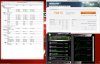
Can you post pictures of your CPU and GPU temperatures? -
Hey, you do realize if you keep prodding me with these scores, I'm gonna have to smoke-your-butt! Don't make me go to work now!
LOL!
Without XTU, AfterBurner only:
-
Did you use Turbo Fan?
-
Yes, with Turbo Fan.
-
Hm. I thought for a moment that MSI had employed dark magic for the GT70 to run that cool with the stock fan profile.
-
-
Hello guys, is there a way to remove that bigfoot agent message at boot?
-
^^^^^^^^^OMG YES!!!! I have been trying everything to do that. I disabled network boot in the bios and even hit alt F4 during startup to get into the bigfoot network manager and disable it. But it NEVER saves. It will always try and boot off network. Anyone figure this one out?
--> The Official BAREBONER's Lounge <---
Discussion in 'MSI Reviews & Owners' Lounges' started by eelkered, Mar 11, 2012.


