Problems? See this thread at archive.org.
i think its could be due to the repaste.... i had to repaste 3x (liquid metal) to get it right... you cant screw it too tight.... and have to screw according to numbers provided. The triangular shaped CPU mount is prone to uneven pressure... so gotta do it just right.... its a real bummer... i had a tough time... but got it right after a few times.
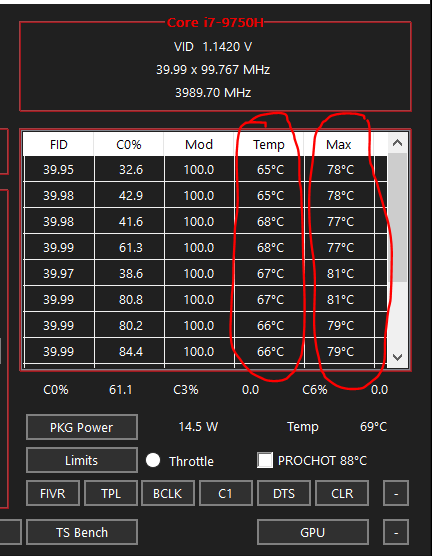
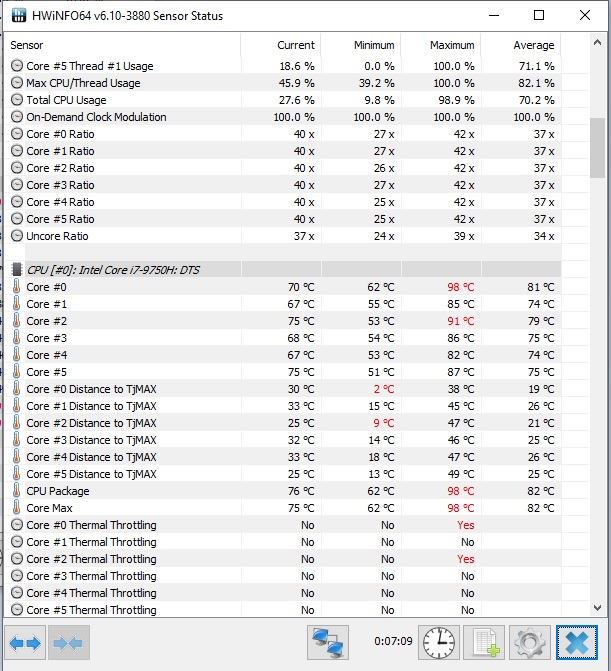
Check your core temp difference... if it registers more than 5-7 deg diff between cores.. then its not even enough. See below. This is not the LM pasted laptop. Its another laptop, stock paste.
9750h RTX2060
-
-
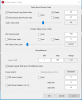
SST=110 for good performance with lower temps.
SSt= 80 high performance but runs hotter
SST=0, only for benchmarks.
for starters, let core voltage = cache voltage. Apply your undervolt equally. You can optimize it later. -
Where do you set the SST value in throttlestop?
Thanks!
EDIT: Just found out Last edited: Aug 3, 2019
 -
Main Window. 4th row on the left. Mark the numbers and punch in the new value.
Speed Shift - EPP
Hit "Save" on bottom left.Kilador likes this. -
I was using 64, but I noticed that on BFV i get 95C, on Metro Exodus it maxes 82. But since i mainly play BFV i dont know what do to, also CPU idles at 47-52Celcius
-
64 will make your freq stick at max value... try 110.. it should lower your temps.... 128 will lower your temps even further. raise the rear of your laptop using a book.. that shld improve airflow and reduce temps further... by 3 - 5 degrees depending on ambient temps. Dont forget to check the diff in temps for among your cpu cores.. BFV is notorious for driving CPU temps high... one shortcut to reduce temps is to cap the framerate to 60fps... that will definitely reduce your temps...Last edited: Aug 3, 2019
-
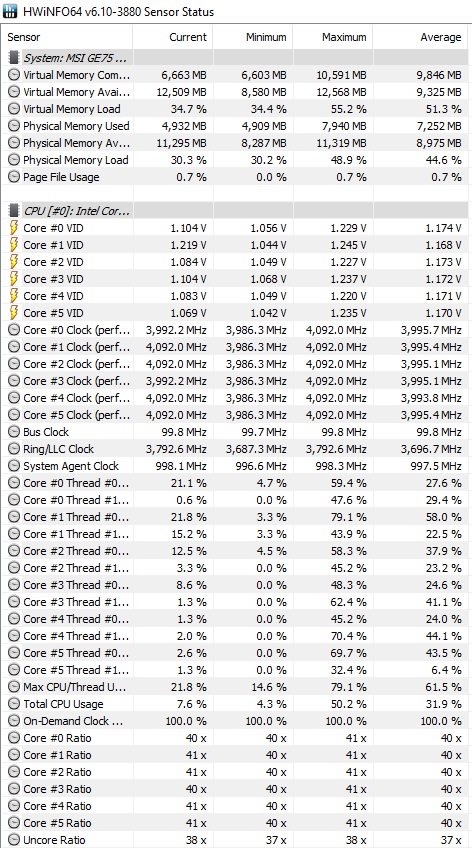
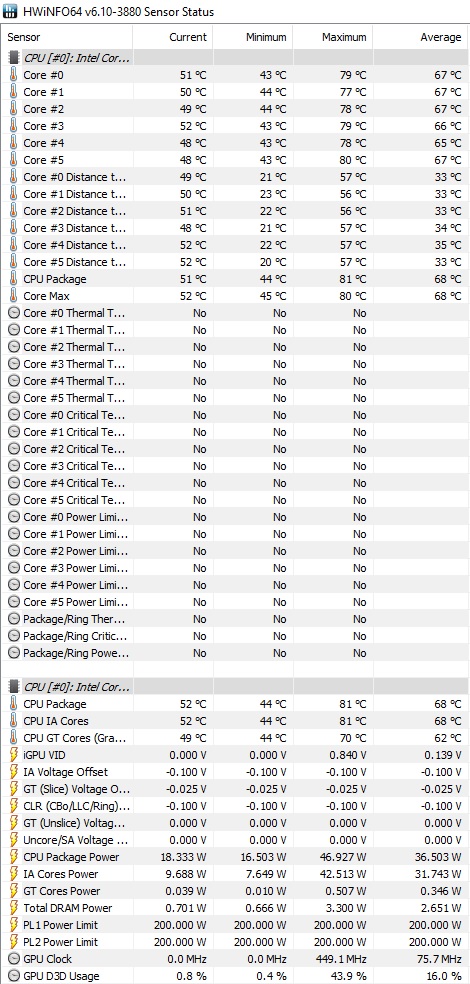
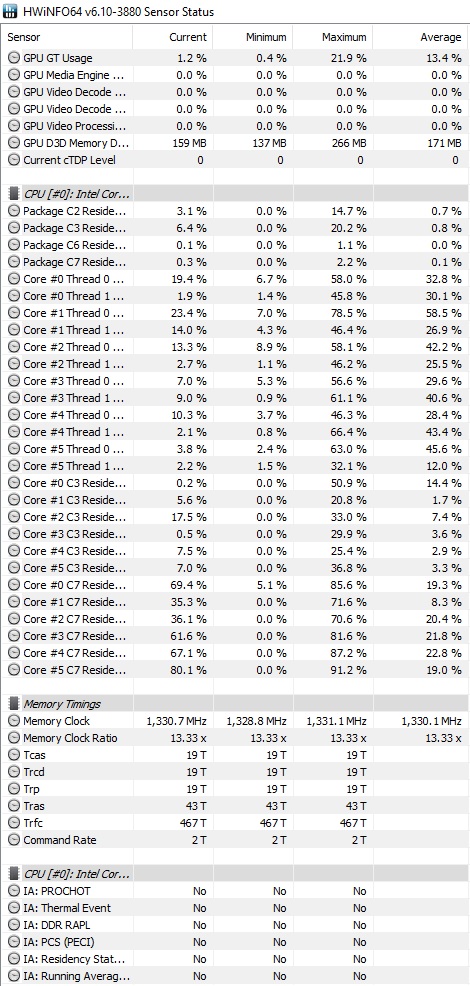
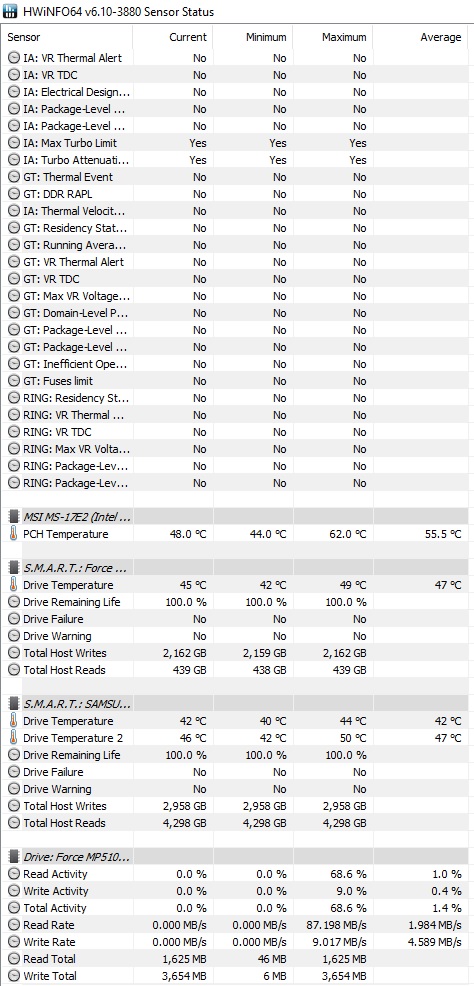
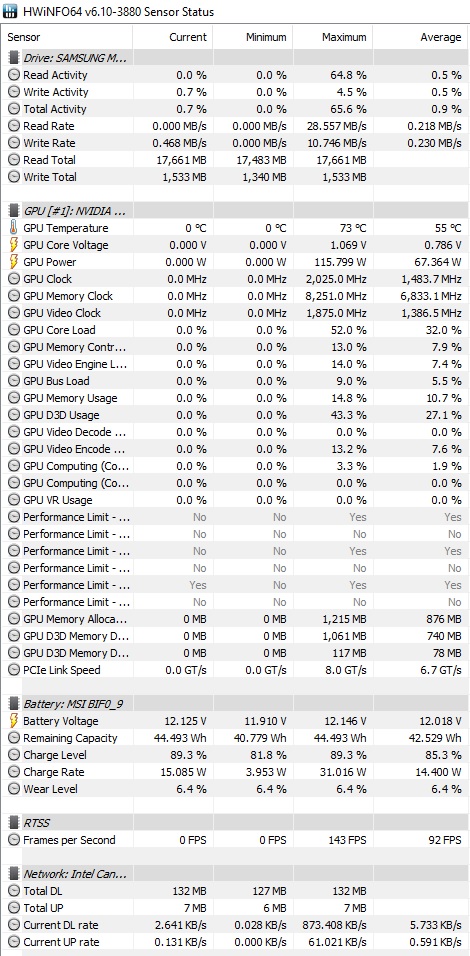
These are screenshots after 10 mins of playing Dota 2 and I have a csv file if you want me to upload it. (Frames are set to max of 143 through riva tuner)
And now I noticed something new, the Audio coming from the laptop speakers is much worse after I formatted and installed the latest driver from MSI site (But nahimic still makes it sound even worse now and before the format) -
Your vitals via hwinfo looks fine....
Try installing latency monitor to check on your audio. -> https://www.resplendence.com/latencymon. See screenshot below.
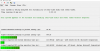
I've disabled all nahimic related apps and services. Im not comfortable with it. -
Hi,
I'm gonna repaste the GPU/CPU with Kryonaut.
I understand that I should also clean and repaste the chips and memory modules around the GPU (currently using some kind of blue paste), right?
Will 5.5g of product suffice for the job?
Thanks!
sush33king likes this. -
Doesn't really look that good. -
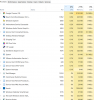
woha...... thats really bad. verify all your background processes... remove all unnecessary apps from startup. Stop all unnecessary services.
can you share a screenshot of your processes order by max processor usage... Attached is a screenshot of mine.
 Last edited: Aug 3, 2019
 -
Hi, what about putting it upside down since i use with ext monitor? No HDD but could the IPS screen affected?
-
Here you go. -
looks fine here.... i give up... pls do give me a shout if u fine the soln... im curious...
-
thats abit extreme...
-
Yea its very freaking weird xD, Although thanks a lot for your time. How can I reduce the audio latency tho?
-
try checking out the other tabs in latency monitor for more information.... I am out of ideas.
update:
Try disabling all programs and services related to nahimic.... maybe??? -
This with dota on ,what the hell?
-
I did a repaste but I think I wasn't very good. Cores 0,2,4 are running hotter should I repaste or is this normal ? These are numbers after an hour of gaming on Apex legends
![[IMG]](images/storyImages/6bbfa394677a18dab4982f205edce4f8.jpg)
Sent from my SM-G975F using Tapatalk -
This is not normal. I have a GE75-9SF (i7 9750h + RTX 2070).
Power settings : max performances
I repasted today with :
- Grizzly Kyronaut
- Grizzly Minus Pad 8 0,5mm
I'm also using a Notepal U3.
Undervolt with TS :
- CPU core : -160.2 mv
- CPU cache : - 151.4 mv
- Intel GPU : -35.2 mv
While playing MTG Arena (which made my laptop heats), for a turbo up to 4ghz (6 cores), I'm hitting 75°C on average with a spike under 80°C.
You should definitely repaste and also plan to add thermal pads of 0.5mm. -
That's exactly the laptop I have. Okay going to repaste for sure.
Thanks for the info
Sent from my SM-G975F using Tapatalk -
Hey guys, does RTX 2080 version supports DisplayPort over Type-C?
-
I'm gonna repaste with kryonaut next week.
Some people in the thread said that 0.5mm pads are too tick for some areas around the gpu, so I'm gonna use K5 pro paste instead of pads.
Did you have any problem with the thickness??
Thanks. -
So repasted with mastergel and k50 pro (instead of thermal pads) and here are the results, Same 1 hour of gaming.
I left the undervolt and under clock the same. I think these results are much much better.
I ordered grizzly kryo maybe it will improve even more.![[IMG]](images/storyImages/adc401684f816a99259d9ccadbda94bd.jpg)
Sent from my SM-G975F using Tapatalk -
On my end no, I haven't spotted anything wrong : I mean, when I screwed the heatsink back, I didn't feel I needed to force it.
Anyway, 0.5mm is the thinnest we can get, and I'm not used to apply thermal paste on memory chips.
How can I monitor anyway those Samsung chips temperatures ?
I can give you my temperatures but don't know where to go get the info.
Yes your temperatures seem normal now. You have no more spikes up to 95°C, which were high for a repaste.
I would let it like this if I was you, repasting is such a long process with this beast ^^ -
Can anyone with the 2080 model share the vbios? It can be exported using the button on the right of bios version in GPU-Z
A GPU-Z screenshot will also be very helpful
Thanks
-
I've compared repasting with mastergel maker and kryonaut.
Both gave identical results in the short run. Not sure which one will last longer.
Either way, the only worthwhile change will be to use liquid metal instead of pastes which will drop temps by another 5-10°c -
We can't monitor those chips because they don't have thermal sensors on them
What pasting method did you guys use on the CPU/GPU (X shape, pea, spread with card, etc..) ?
Thanks! -
So on my repaste I used dot for gpu and line on cpu
Sent from my SM-G975F using Tapatalkseanwee likes this. -
I agree with some here, prefering pads if i had the same computer as you instead of putting thermal paste on capacitor. Why don't you use copper shim if you wanna use thermal pads ? like this : https://www.walmart.com/ip/Unique-B...d-Copper-Shim-for-Laptop-CPU-GPU-x-2/47553648
-
Change .txt to .rom
Attached Files:
seanwee likes this. -
-
Hello all,
I’m having an issue with my 9SF laptop, the temperatures have started to skyrocket up to even past the thermal throttle limit ( up to 98C!), please see screenshot.
I think it may have something to do with the thermal paste (I had TG Conductonaut and Fujipoly pads installed by reseller), even running at max fans, I just played CoD BO4 for about 10 minutes and it jumped to 90C (at MAX fans!).
Before even on auto for the fans it would barely hit 80C running BO4 for extended periods of time, the thing ran amazing cool...
I have also noticed that some cores are running hotter than others, specifically cores 0 and 2, they're constantly running anywhere from 5 – 16 degrees hotter than the other cores!
All I am running is a -150mV undervolt on the cache and core, as well as a -35mV undervolt on the igpu via Throttlestop, and for the GPU an OC scanner curve on the clock and 600MHz on memory.
It just started overheating apparently out of nowhere...
I have contacted the reseller to discuss options, but does anyone here have any ideas?
Thanks!Attached Files:
-
-
Looks like a bad thermal paste application but I can be wrong.
Also the cooler might be loose (Less likely) or the thermal pads are a little too thick. -
Check and make sure everything is nice and snugg. Or repaste
I had the same issue from the factory and after doing my second repaste I now have normal temps.
Sent from my SM-G975F using Tapatalk -
Same here. Dot for gpu and line for cpu.
-
Thanks a bunch man!
-
Which reseller are you using?
It sounds like they may have used the wrong thickness of fujipoly pads. Leaving a gap between the coldplate which may allow Liquid metal to leak out.
From what you've described, the change going from very cool to overheating may be caused by LM spillage which is causing some cores to no longer have any LM in contact with the coldplate.
It'll be best to send it back to the reseller and have them replace the pads, redo the LM application and possibly clean up any spills. -
Copper shims don't have full contact on the microscopic level, which is why we don't use it.
-
can someone help me with no load limit on games like subsistience and league of legends etc? i have 8se and overclocked curve and 900mhz on memory but it is running only like 960mhz on most games, and games like bf5 it power limit throttles and stutters like crazy although my temperatures are under 80c on many games with advanced fan speeds (still under 70%), i have exelent cooling and looking a way to overvolt the gpu more and get rid of the no load limit, any help appreciated
-
Try uninstalling the driver using DDU. Then doing a clean install of the nvidia drivers.
-
thanks that helped, now i just need to raise the power limit just a tad little to get 2100mhz
![[IMG]](images/storyImages/67702258_2361691937402868_3584844837867749376_n.png)
-
How did you over-volt?
-
I have a brand new OEM 280 watt charger for our laptop please PM me if anyone is interested.
-
Guys can you check my Throttlestop, actually i tried everything but when on BFV or AC Odyssey or TS BENCH i always get over 90 celcius. What am i doing wrong? This is my last config. Without Throttlestop i get same temps.
Attached Files:
Last edited: Aug 5, 2019 -
-
Only thing I can say is SST to 128 but looks like a thermal paste application is necessary.
-
I also tried that, on idle i get 48-49 celcius but on load it goes crazy. Also applied mastergel 2 months ago for both cpu and gpu. RTX 2080 does not even get 80 celcius on load.
-
Make sure the CPU screws are nice and snugg
Sent from my SM-G975F using Tapatalk -
Hey guys,
I did a repaste with Kryonaut and I'm not getting any difference in temperatures. Still reaching 95c on CPU after just a few minutes of BF V.
I also have -150mV on core/cache and max turbo set to 3.8
What can have gone wrong?
Here's a picture of my repaste before putting the cooler back on (used K5Pro on VRMs). I did a prior test and both GPU/CPU dies are well covered with the paste.
-
This might be a long shot but due to the CPU using three screws only maybe the instillation process was a little skewed which made the thermal paste slide to one side?
-
It's the 2nd time I'm not seeing you guys activate speedsteps. Personally, I've always activate it, disable Speedshift, and I don't get those crazy temperatures.
I think your thermal paste job is quite heavy : you put way too much !
Do remember that if you over put paste, the dissipation won't be optimal.
*** The Official MSI GE75 Raider Owners and Discussions Lounge ***
Discussion in 'MSI Reviews & Owners' Lounges' started by Spartan@HIDevolution, Nov 12, 2018.






![[IMG]](https://www.upload.ee/image/10318719/67702258_2361691937402868_3584844837867749376_n.png)