Problems? See this thread at archive.org.
Thinking about pairing this laptop up with a monitor for dual monitor setup. What do you guys suggest? I would like to keep the same resolution and if possible similar screen size. Thanks!
-
Thats what ive done, using displayport and hdmi
You have to make sure laptop doesnt sleep with lid closed.
And you need to open lid once to hit power button to turn it on, then close lid. -
Does anyone know if the panel is a PLS panel or a TN panel? I can't seem to figure it out and Xoticpc seems to believe it is a TN display. Just curious because of how much Wing liked the display.
-
Everything I've seen had shown that the TN panel were used in older models while the newer ones are IPS.
GS70 is TN, though. -
I looks like it was answered in another thread, all of the panels excepting the 4k panel is a TN and the 4k IPS panel is 48htz. Gah... I just cannot make up my fricken mind between this and the Sager 8651.....
-
It is the Samsung PLS - 156HL01-102. "In 2012 Samsung Electronics introduced Super PLS (Plane-to-Line Switching) with the intent of superseding IPS. Samsung adopted PLS panels instead of AMOLED panels, because in the past AMOLED panels had difficulties in realizing full HD resolution on mobile devices. PLS technology was Samsung’s wide-viewing angle LCD technology, similar to LG’s IPS technology.
Samsung claimed the following benefits of Super PLS (commonly referred to as just "PLS") over IPS:
Further improvement in viewing angle
10 percent increase in brightness
Up to 15 percent decrease in production costs
Increased image quality
Flexible panel" -
There are multiple versions for sale. The 2PE line tends to have the TN panel. The 2QE is the newer version with the PLS panel.
-
Nah, I've got one of the very first 860m models and it the "IPS" equivalent Samsung display... looks great. My 970m model also has the same screen, and looks just as good.
It appears MSI might drop to a cheaper TN panel for the 850m models though based on the other post in this forum. -
Now that makes sense ... cheaper laptop, cheaper screen.
-
All of the Full HD (1920x1080) Ghost Pro models with the nVIDIA GeForce GTX 970M have the Samsung PLS - 156HL01-102, as do the GTX 870M GS60 Ghost Pro-052, GTX 860M GS60 Ghost-003, GTX 850M GS60 Ghost-012, and GS60 Ghost-013.
-
Well that's good to know. Thank you!
-
Curious, HTWingnut mentions his review unit came with 13% battery wear. I noticed my brand new unit came out of box with 12% wear level, a bit higher than I am used to seeing. Has anyone else seen similar or did I get a weak battery? Also, I've never had much luck with the MSI Battery Calibration Utility, would it be worth running? What exactly does it do?
Thanks. -
Battery Calibration sets the battery counter so it shows right percentage when discharging and showing wear level. As it does complete discharge cycle it's best to do just 1 to 2 times per year at most; complete discharge strains the battery more than multiple partial ones.
Kevin@GenTechPC likes this. -
I've got about the same: 11.9% battery wear level in brand new unit too (shown by HWInfo64). This was after running MSI Battery Calibration utility. I didn't check the wear level before running the calibration.
-
How to set the NVIDIA's Surround View?
Thanks. -
You can't use nvidia surround with this model. You can power 3 displays and have a single desktop spanned across but you can't combine them to form a single gaming display as the internal panel is hooked into the intel IGP.
-
Surround View is supported.
MSI USA GS60 Ghost Pro 4K (GTX 970M)
You will have to use both HDMI 1.4b + mDP to do it since these 2 outputs are directly linked to Nvidia GPU, internal display cannot be part of this surround view set up.
Resolution on HDMI supports up to 3840 x 2160, the refresh rate is unknown at such resolution.
http://service.msicomputer.com/msi_user/support/TechFAQ.aspx -
Are you sure about that (highlighted part)?
In "How to set up matrix display" PDF linked from MSI FAQ they tell outputs are connected to Intel GPU:
I checked now my MSI GS60 displays setup in Nvidia Control Panel and Oculus Rift plugged in HDMI port shows up as connected to Intel GPU (which is what I always assumed, sadly):
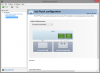
-
Matrix display is intended for 2D desktop mode (1 internal + 2 external screens).
Nvidia surround view is intended for 3D gaming (2 external screens), this is published on MSI's own product page.Attached Files:
-
-
Yup, I have seen that. I was asking about HDMI and DisplayPort being connected to Nvidia GPU. Any source on that? Both MSI FAQ and Nvidia Control Panel claim ports are being connected to Intel GPU.
-
I thought they had changed it on this model (as per his screenshot) but i'll admit I may be wrong.
-
No problems, we strengthen each other.

-
I'm still unsure on this as well, and here's why:
On my GT60, when I have an external monitor hooked up (HDMI), the power button turns orange and the Nvidia GPU is active all the time. On my GS60, when using an external monitor (HDMI), the power button stays blue and the Nvidia GPU isn't active until I load a game or program that actually uses it through Optimus.
My questions then leads to wondering if a G-Sync monitor would work on the GS60 or not. If the Nvidia is directly connected, it should, but if it all passes through the Intel iGPU first I doubt it would support G-sync. -
G-Sync probably wouldn't work on MSI GS60. We know it works with 900 series Maxwell notebook GPUs, but so far only MSI GT72 and Aorus X7 Pro had any reports of getting it working. Both of them don't have Optimus.
It's a shame Optimus keep crippling notebooks. I never use Intel GPU so Optimus is basically just a misfeature, only causing troubles and no positive effects at all for me.
Especially unfortunate, there is some tiny chance Nvidia could make G-sync work on already existing notebooks for their internal displays just with drivers change (at least in theory, needs internal screen connected to Nvidia GPU via embedded DisplayPort (eDP) ). I posted about it in 900 Maxwells thread:
http://forum.notebookreview.com/gam...icially-announced-nvidia-388.html#post9886568 -
who has gaming benchmarks for their system?
-
What Monitor R u using? 4k? What do you think? Will be able to drive 4k @ 60hz? or like 2560*1440 or 3440*1440 21:9 monitors? Planning to buy a monitor along with this. cant get any concrete newer which monitor it will support @60 hz? Dell U3415W or LG 34UM95 or samsung 34 inch curved one? Any one used?
-
What monitor r u using? 1080p or 4k or WQHD? which monitor will run @ 60Hz via mini display port? Plz help. Will those newly announced curved monitor be able to run @ 60Hz via mini display port 1.2? Amnot getting any concrete answer...
-
hi there HTWingNut. Your review of the MSI GS60 ghost pro is great. I have a question. You mentioned that the sound comes from the grill above the speakers. I have also heard other people say that the grill above the speakers is for air intake only. Some say its both. From videos of others opening their machines, I can see there are two downward facing speakers on the bottom corners of the notebook but I can't make out if there are indeed the additional upward facing speakers with sound coming from the grill above the speakers. Can you confirm that there are indeed speakers in the grill above the keyboard?
Thanks a bunch -
The speakers are on the bottom, not above the keyboard...and they sound great! Good 'ole Dynaudio Tech Speakers

-
Thanks. Whats interesting though. I wonder if there are actually speakers in the grill above the keyboard too. THe reason why I say this is... on the larger GS70 model when the internals are exposed, we see one speaker one the bottom corners like the GS60, but unlike the GS60 there is no speaker on the other corner which leads me to believe that there are in fact upward facing speakers in the mid sections that we cant see when opening up the bottom.
check here
http://www.hardwaresecrets.com/printpage/MSI-GS70-STEALTH-Laptop-Review/1849
Unless the GS70 actually only has one speaker instead of 2 like the GS60.
Question: if the speakers r indeed just on the bottom, being bottom facing speakers dont they sound muffled? I am coming from a Lenovo y580 with JBL speakers so I want an upgrade or at least the same in audio quality with my next laptop. -
I have the same high wear level on both my GS60, it is a widespread problem and I've raised this issue multiple times with msi, including through msi rep here and got no satisfactory reply, I find this to be very disappointing.
Battery calibration doesn't do anything to rectify this problem ........ -
The 10% serves as a battery reserve to avoid system shut-off during gameplay when a sudden switch from AC to DC occurs.
GenTechPC likes this. -
Curious, is this documented somewhere? I've had gaming laptops, including several MSI's, for 12+ years and have not read this as a "feature" anywhere on any of them and none have had anywhere near such high wear levels new. All this does is reduce the total battery capacity....
I understand if MSI won't let the battery discharge below 10% for the reason you mention, but that wouldn't show up as wear level. What we have here appears to simply be gimped batteries. -
MSI have started doing this recently, it's not actually wear but a reserved portion. Originally on the gt72 they had 30% reserved but back tracked from that as it was a little excessive.
-
Because if a customer is in the middle of a game and then disconnects from AC adapter, which will shut off the whole computer without the 30% reserve.
This can also damage the battery thus why they had such amount of reserve. -
I would have preferred it as a toggle option to give the consumer the choice, some users don't want to loose 30% of their battery permanently for a one off occasion where as others might want to have the feature.
-
Thanks the explanation of what is going on...
I too would have preferred this as an option instead of instantly losing 10%+ of my battery capacity. -
It is possibly why they had withdrew such feature but 10% is still part of that, perhaps they figured out that they can get away with 10% instead of 30%, else everyone would be going after MSI's tech support & RMA.
-
I'm not sure about this because MSI kept mum everytime I asked, also it's not always 10%, some have 13% Wingnut's 11%, mine is 15-16% depending on the day, its randomness doesn't seem like a 'feature' to me. Even 10% seems excessive since the full capacity is not that big, @Kevin@GenTechPC if you can get me an official statement from MSI it'll be very helpful, Geno only referred me to Henry, msi technical supervisor who unfortunately ignored my email and phone call, I also asked Michael from MSI through email and he didn't reply. @MSIGeno can you please confirm this feature? thanks
-
Assuming what they are saying is correct, and MSI reserved some capacity that shows up as "wear" to our software utilities, then to me the percentage fluctuates due to actual additional wear. Say, for instance, MSI did use 10%, and it shows your wear level of 15%, then it's very possible the 5% is actual wear.
That would at least make sense to me why they all show ~12% or a bit more out of the box... all batteries will show a bit of wear, and 2-6% is well within normal for a new battery.
Just my thoughts based on what they are telling us and observation. -
I agree except for a few oddities, my wear fluctuates daily (roughly) which makes little sense, in fact I remember on day 2 it jumped to 26% and then came back to 16% on day 3. If it only increases then it makes sense, but the fact that sometimes it decreases is quite odd, because real wear will only add to the reserve. And I feel that it is quite odd to report it as wear, it reminds me of GTX 970 fiasco where NVIDIA advertised 4GB of memory where in actuality it's segmented as 3.5 and 0.5, lawsuit anyone ??!?!?
Anyway, I would really like for msi to acknowledge this officially, the funny thing is that early versions of GS60 did not have this 'feature' and I found no info whatsoever about it except from @Kevin@GenTechPC on this forum, well we'll see if msi would respond at all. -
Your assumption makes more sense, the extra percentage is probably the actual wear and tear on the battery itself.
However, this requires MSI to confirm since they could have changed the design right before the product launch. -
How do you explain the wear decreasing from one day to the next then?
Anyway, even if this is true, it's still a crappy way of doing it, they should've given us extra 10% rather than taking away 10% from an already limited capacity. Did you manage to get an official statement from msi by the way? -
FYI, GS60's battery capacity was never "specified" in the specification.
-
I'm not concerned about that did you get an official statement from msi yet?
-
Hi
can you tell me if a samsung 80mm m2 sata ssd fits in a MSI GS60 ghost pro gold edition. Do you have a videos that shows the upgrade of the M2 SSD
Thx -
Yes, M.2 80mm drives are the correct size. I installed a Samsung 850 EVO a couple weeks ago, works great. I kept the OEM 128GB drive installed as well (this model has 2 M.2 slots) for additional storage.
Be aware though, if you are adding a drive and not replacing one, you will need a M2x3 screw to secure the drive, as MSI didn't provide one for the extra slot and Samsung does not ship one with the drive.
See this video for an idea of what's involved:
ryzeki likes this. -
Hi
Thx be77solo
http://i.imgur.com/K1ijTYX.jpg -
This is what I get from two m.2 850 evo drives in my gs30
![[IMG]](images/storyImages/MSISSD_zpshlzgjoi0.jpg)
-
MSI GS60 Ghost Pro with GTX 970m 6GB Review by HTWingNut
Discussion in 'MSI' started by HTWingNut, Nov 22, 2014.