Problems? See this thread at archive.org.
Thanks for the input NEM. I asked about the imaging thing because, Win7 may complain that I have different hardware and lock me out. I don't want to be confronted with a Whiskey-Tango-Foxtrot situation after doing all this juggling.
I'm pretty excited about getting this!
Another thing, I walk/bike everywhere. Is there a rain-proof/weather-proof sleeve that I can use. I have one of these backpacks--> eCOST.com - Wenger Swiss Army Notebook Backpack - GA-7305-14F00
Would a big-@ss ziplock bag work just as well? I thought about shrink wrap, but it will be a giant PITA to work with. I don't want to buy a separate case or book-bag for it.
PS#
-----
What do you use for software clocking the card/CPU? Just AMD-CCC? Remember guys, I'm coming from the desktop world.
-
-
AMD GPU Clock Tool works best, just remember you can't actual use that program to change voltages. You'll have to do some profile editing for that.
And before you ask, you cannot control the fan in this laptop. No matter what CCC may believe you to believe. The fan is automated based on a combination of the CPU/GPU so you won't be able to adjust its spin rate.
not sure about the water proof thing, might wanna sk the guys in the accessories forum, they find all sorts of stuff -
Profile editing as in editing the VBIOS? I've flashed many a desktop GFX card before (Use RaBiT/RBE followed by ati-flash), but I'm not sure how to handle a mobile GPU. I don't want to do that for fear of bricking the laptop. With a desktop GFX card, I can always reflash it using a secondary PCI card.
-
Nope. He means you can create different profiles in CCC. The profiles are usually located in: "C:\\Documents and Settings\USERNAME\Application Data\ATI\ACE\Profiles". In these profiles you'll find features like: "CoreClockTarget_0", "MemoryClockTarget_0" and "CoreVoltageTarget_0" to change the core and memory frequency and the core voltage respectively.
- Note that you have to enable overclocking in CCC for this to work.
- Also note that the frequency values in the profile are the desired frequency*100 and the voltage values are the desired voltage*1000
- Also I don't know for sure if changing the voltage in the profile actually changes the core voltage of the card.
I would also still recommend flashing the vBIOS to get rid of all the hibernation and sleep issues and lower the idle temperatures of the video card (which can also be achieved with CCC profiles though). I flashed mine without any prior experience even with desktop cards and it was a breeze. -
Desktop is fine because I can always get a PCI card and reflash it if something goes wrong. With a Laptop...I'm a bit scared.
-
It's true, the chances to recover from a bad flash with a single GPU system are slim...
The only things I can imagine that can go wrong are if for some reason the computer shuts down during the flashing process or if the new vBIOS gets corrupted during copying. It's impossible to accidentally misspell the command for flashing as MSI provides a bat-script to call the correct command. -
Ok boys, the beast has arrived! The guy shipped it out yesterday and I got it today. I've heard horror stories about jerks on ebay, but this seller went the extra mile to ensure proper packaging! Triple boxed, secure foam slots + cardboard slots.
I booted up with the Ubuntu live cd and it turns on. I'll keep you posted on tests etc.
For $850 shipped I got, i5 430M ES, 4Gb DDR3, 60Gb OCZ Vertex(2) SSD, 250Gb Stock 7200rpm HDD, original packaging, power brick, battery and some leftover thermal pads.
I am excited to get cracking on this! -
Congrats! It truly is a wonderful machine, despite the minor issues it has

Hope everything works as advertised. And if you should run into problems, we're here to help
Man, that's some fast shipping btw! -
Thanks man, I'll probably take you up on the offer by asking tons of questions. The seller lives about 4hrs drive away from me, so if anything goes wrong, I can walk up to his house and deliver a beating with extreme prejudice (j/k).
-
Quick update:
----------------- Installed Windoze 7 64 bit.
- ATI CCC 10.1 is utter crap. Avoid like plague! I cannot understand why AMD engineers release such garbage without testing it properly??? Runtime crashes and cannot be restarted. Whiskey-Tango-Foxtrot? Using the 10.8 Mobility CCC instead.
- The beast runs hot. Idles currently at 56C. Profile editing did not work for me. Clocks do not seem to change.
- Keyboard feels cheap and flimsy...oh well.
-
Mines idles hot as well. Doing some cooling mods and lowering idle voltage didnt do much at all. Currently idling at 58oC and even up to 61oC on a hot day as it is summer in NZ.
-
I was looking into flashing the VBIOS and came across this warning--> GX640 (1656) & GX740 (1727) New VBIOS Release
1. GPUz does not really tell me what VBios version I have.
2. Can somebody point me to a link with the barebones kit VBIOS? -
Hey there MSI GX640ers
) just happened now and thought I'd share it with you all
We all know that our little laptop would be the hottest chick around if it were a human. But then Black Ops came out. Had it running on high rather smoothly (despite the unoptimised game itself) but then in the middle of the mission in the Arctic... it just shut down
I had my headphones on so i didn't hear that the ventilator was actually running at 110% RPM for quite a while by that time
) so now I present to you -- my current setup needed to play Black Ops - Razer Lycosa, Razer Imperator, Steelseries HD5v2, open window, 2 degrees Celsius outside. ^^ I'm getting an upgraded fan ASAP, but until then... this is where it stays
![[IMG]](images/storyImages/th_IMAG0049.jpg)
-
Good deal man. I am not going to turn the heat on for as long as possible. (Advantages of living in an apartment as a poor student)
-
Answered my question about BIOS etc...
If you own a barebones setup like me, it is not a GX640, instead it is an MSI "whitebook" ---> MSI Notebook Website
Using the retail VBIOS, BIOS and Firmware will brick it. -
Would this work as a replacement caddy? --> New Laptop 12.7mm SATA TO SATA 2ND HDD HARD DRIVE caddy - eBay (item 180588145300 end time Nov-20-10 14:06:39 PST)
-
Guys, how do I use SetFSB to OC this bad boy? Can somebody take me through this step by step/ I am stuck after setting the correct PLL chip and clicking the Get FSB button. Every time I change either of the sliders by even 1MHz, windows freezes.
Nevermind. I figured it out. You click the little slider on the right and increase by 1MHz. I am running a few benches at 3GHz right now. -
It doesn't work in-game.
I got benches running at 3.6gHZ stable but it's throttled by something and the gameplay screws up.
Read this thread:
http://forum.notebookreview.com/msi/527466-overclocking-cpu-new-msi-laptops-i5-i7.html -
I sent over an RMA request over to MSI to fix my laptop's hinges and a small unrelated issue.
As I have warranty until 2013, they should fix it...but I am awaiting their reply.
Interestingly enough, when I opened up the screen bezel I noticed that MSI uses Samsung LCD's, the antennas are on either side of the MSI logo (the inside one) and the inverter(?) is directly under the MSI logo (again the inside one). The WiFi antennas are 1x1 antenna and 1x2 antennas (2 antennas on 1 pcb).
I also noticed that the metal part that holds the screen to the back of the lid (not the interior bezel) has broken off, like 100% sheared right off.
Other info:
The WebCam data cable is the one that is directly above the GPU and the grounding cable that attaches to the 5850 is also that of the webcam.
Removal of the LCD assembly is easier than all heck. Its the 9 step program.
1) Remove bottom cover and unplug wifi cables and webcam data/ground cable - ground cable requires the removal of a screw that is on the GPU above the Heat Sink.
2) Remove the cables from the routing chanels
3) Remove the touch sensor panel by prying it up and removing one of the data cable ends
4) Unplug the gray data cable that plugs in right above the keyboard
> it is the thick gray one that goes to the LCD screen
5)Remove the red hinge cover by removing a screw on either end.
6) Pull the WiFi antenna cables out through the hole by the right hinge
7) Pull out the Web Cam data/ground cable out through the same hole
8) On the top of the chassis, there is a silver screw holding down the hinges, remove it, under the laptop at the back there are two screws on either side of the chassis, remove them
9) lift off the LCD assembly.
Repeat in reverse order to attach a screen. You will have 4 black screws and 2 longer silver screws left over. Store them someplace safe.
/end threadjack. -
90% of all panels are samsung. But samsung get their panels off some chinese company.
-
I think its AuOptronics, but don't quote me on that
-
HWiNFO32 will tell You the exact panel model.
-
Any way to increase VCore via software? Throttle-Stop is not giving me the option to do so.
-
Hi guys.. I'm not a computer wizard so i need your help
, i have sleep issui with my gx640 and the MSI emailed me to update my BIOS and VBIOS, they give me instruction. My question is which first i'm going to update my BIOS or VBIOS.
Is VBIOS are for my VGA?
Thanks in advance for ur help guys.. -
It really does not matter. You can do it either way. I have the same problem, but I have not done any updating yet.
But before you proceed, please wait for a few more opinions. Also make sure you do not use windows tools to do this. -
Waht do you mean with windows tools? sorry i really have no idea
-
Do not use Winflash or any such tool to flash the BIOS. If you don't know what you are doing, don't try it. If you brick your laptop, you will have to send it back to MSI to get it fixed. There really no recourse for a rescue a la Desktop (PCI card or changing the BIOS chip).
-
Or you can always find a friend somewhere who knows more in computers and flashing and can help you out
-
thank you guys for your suggestion.. by the way how will i know my VBIOS version?
-
GPU-Z tells you your vBIOS version.
-
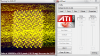
Hello guys. I got mine today from newegg and I'm currently imaging my secondary 500gb hard drive to the snazzy 750gb 7.2k rpm hard drive from seagate. Do you guys know how to select which hard drive to want to boot from? Currently it boots to the data drive unless I use boot override in the bios. My gt628 had a hard drive section in the bios allowing to select hard drive priority but for some reason I wasn't able to find it in the gx640 bios.
EDIT: I just fired up Burnout paradise and I see small squares flickering on the screen, and when I tried the atitool artifacts scanners, it says that there are 0 artifacts even though I see those yellow things all over the windows?! The heck is going on??? Is my brand new machine defective???Attached Files:
-
-
I had a similar problem and there doesn't seem to be a real solution at the moment. I'm afraid it might require some modifications to the BIOS to solve this issue. However I was able to come up with a workaround that I describe in detail in this thread:And here's how to change the boot order (if you install Ubuntu 10.10):
-
Also try Furmark and check for artifacts.
-
Yea i'm never using winflash again!!! i bricked my laptop using this and had to send it back to msi to fix it!! And it took around 3 weeks...so don't do it unless u really want to and are not afraid of the risk...or u just absolutely know what u are doing. For now on im gonna use a bootable usb stick or cd to flash an unmodified vbios.
-
It doesn't artifact in Furmark... Could that be drivers related?
-
It is probably ATITool related. Give me a moment and I will check on my laptop. Well, I'm not going to bother, v.26 was released in 2006! Junk it.
-
It fixed itself and even atitool is now almost free of artifacts... I'm not sure what happened but I'm not complaining either.
-
NVM 10 char
-
Hello I just got my GX640 back from MSI RMA and checked the VBIOS of the video card and realized that the BIOS Version is 012.020.000.039.035701 in gpu-z.
Is this a new VBIOS or the stock one? I'm curious..
I sent it to MSI RMA because I had a bad vbios flash and bricked the card and I'm wondering if they somehow flashed a new VBIOS on it or if they just put a new video card in it. I searched for the vbios version but nothing came up.
Any thoughts?? -
thats the newer vbios, 36533 was the old one
-
How long did the process take?
-
For me, .035701 bios causes no problems (I had same story as you lol) with hibernation/black screen so I assume this is correct version
-
It took around 3 weeks from the time i shipped it and got it back.
-
The artifacts are back!
Attached Files:
-
-
Can you please give me the contact info? I am getting ready to flash the VBios.
Ayle, what are your temps? Do you have the thermal pads on the VRAM? The pads are not very good, but they do fill in the gap. -
Just did a 3dmark run and the highest temp never went over 79C but it still artifacted.
-
Maybe there is more temperature in 1 part of the GPU or in one of the memory chips
-
Usually (it is not a rule though) artifacts are caused by problems with VRAM (overheating, clock too high etc.) or drivers, or both. When there is a problem with the GPU itself, most computers freeze. Try checking, if the heatsink has good contact with the VRAM chips (with a sheet of paper, for example), if there is enough thermal compound, or, if You use thermal pads, if they make proper contact.
-
Checked and full contact is made. Any other suggestion? I can't afford to be without a laptop for 3 weeks if i have to send it to msi....
-
Does this happen if you force your clocks to 400/900 using AMD GPU Clock tool?
Official MSI GX640 Owner's Thread
Discussion in 'MSI' started by min2209, Apr 6, 2010.


![[IMG]](http://s41.photobucket.com/albums/e284/Lieutvis/?action=view¤t=IMAG0049.jpg)