 Problems? See this thread at archive.org.
I'm not sure graphics and cache voltage have much impact. From my results, they seem to decrease stability. Just focus on the dynamic voltage.
Did it noticeably improve temperatures?
-
-
Hello all! I just purchased this bad boy after having my house robbed this weekend. I have done plenty of research and feel this laptop will be the best fit for me and what i use it for. I am not a huge gamer but i do play TF2/CS/CS-GO/LF2 etc... The few questions i do have are.

1- Has anyone wrote up a tutorial on replacing the thermal paste?
2- I did see someone adding mini-heat-sinks to the cpu and gpu heat-sink. How much does this help and are their any tutorials on this?
3- What type of ram do i need to purchase to bump this guy up to 16gb?
Thanks in advance cheers -mall -
Hi guys,
I'm thinking about buying the MSI GE40 2OC-245US, and I was wondering if it was worth it to upgrade any of its parts via a reseller (i.e. HiDEvolution, XoticPC), and if so which parts and which reseller? XOTIC PC | MSI GE40 2OC-245US . I want to use the laptop for both general productivity work around the house and, more importantly, gaming while I travel -- not really fps games, more rpg, mmorpg, rts sorts of things, plus I hope to be able to do 25 man WoW raids (more demanding than you'd think!) at reasonable fps, preferably at ~high settings at 1080p but a few options turned down as need be.
Also, has anyone tested how the better screen of the 245us affects battery life? Or overheating?
And finally, how bad are the heat issues? Are they just while gaming? Or if I sit with the laptop browing the internet and maybe watching youtube a bit will it start to get uncomfortable or stay cool at that level of use? How much do you miss having a backlit keyboard?
Thanks! -
Heat issues aren't a problem when you're using this laptop to office-like tasks. When I switch it to Power-saving profile, it's cooler than my brother's Atom netbook. You can keep it on your knees without unpleasant feeling - very good for chatting
A lot of heat is generated when you play 3D intensive games. It's gets very warm on left side, near TAB and WASD keys, but it's not burning hot. It's pleasant in cold winter evening and unpleasant in hot summer days. But the laptop is very powerful and slim - so I accept the heat. And this laptop's greatest feature is "flexibility": it can be powerful 3D gaming machine, powerful CPU machine and then you can chat with it on your knees for 7 hours on battery, without burning yourself - this is what I bought it for
Backlit keyboard - I miss it sometimes, but not very often. Not a problem for me.
Better screen (I have 1600x900 version) - this is what I miss, so if you can, get a FullHD screen. -
Hi
Can i ask if my MSI GE40 20C can be Upgraded and get the 2 SSD?
heres the Specs
Operating System: Windows 8
Processor: Intel® Core i7-4702MQ
Memory: 8GB DDR3
Hard Disk Drive: 1TB S-ATA
Optical Disk Drive: yes(but it doesnt sayd anything in the side)
Graphics: Nvidia GeForce GTX760M (2GB GDDR5)
because when i search a 1TB variant of This it shows the One with intel i7 4900mq
thank you because im planning to get an SSD because it drive is slow -
You would need to get the caddy which sits in the 2.5" bay, I would recommend simply buying a single larger SSD.
You could replace the optical drive with a caddy to fit the hard drive if you want to keep that. -
Thank you sir ..
i think its time to save money for an upgrade cuz the HDD i think is dragging down the full potential of the machine
-
My fan just started to rattle horribly.
Anyone know where I might be able to get a replacement fan? -
I just got mine Friday, and I have a bunch of questions:
* Mine makes a horrible noise whenever it's rebooted. It appears to be the "power on" doing it rather than power off, so I don't think it's the HDD parking. What could it be? Is there a power selenoid that fires every time you reboot? This model has no DVD drive, just the HDD and SSD (GE40-245) so it's not that.
* I seem to have the Win 7 BIOS, based on the bios model and name (it most closely matches one of the Win 7 BIOS versions listed on the MSI site for download.) However, the laptop came with Windows 8 installed. Is that normal to have Windows 8 installed from the factory if it shipped with a Win 7 BIOS?
* I can't seem to boot an older USB stick unless I go into the BIOS and change to Legacy boot, but then I have to change back to UEFI to boot Windows 8. Supposedly, "UEFI and CSM" will solve the problem, but when I hit F11 during boot in "UEFI and CSM" mode, it lists my USB stick as UEFI, which I'm fairly sure it's not (FAT32 partition only), and tries to boot it as UEFI which fails. Is this a bug in the BIOS or do I need to do something to the USB stick to convince the BIOS it's NOT UEFI.
* My previous laptop was an ASUS, which had a WIFI hardswitch. The MSI doesn't appear to have a hardswitch and the Bluetooth and WIFI lights seem to switch on randomly even with the devices disabled in Windows 8. Are there any custom BIOS available for GE40 which offer capability to switch off WIFI/bluetooth? I'd also like to switch off hyperthreading, as it's really not that useful when you have a quad core (or higher). There's some guy (svet?) who makes these custom BIOS, right? -
1. Disconnect the HDD to verify. Do not worry about warranty sticker.
2. There are Win7 (2xx, 4xx) & Win8 (1xx, 3xx) BIOS, therefore only update within the same series.
3. In UEFI mode, you can only boot a device with EFI loader, including your USB flash drive. It can be any format. So what do you have in your USB flash drive?
4. GE40 uses Fn + F10 for the switching (Airplane mode) per Win8 requirement. -
Hi Rooy, could you confirm hughc's tip does work -- disabling in BIOS "the sata link power optimizations from Intel Rapid storage, and the buzz will go away.." ? Does the whine / sound disappear then, or lowered?
Also btw, is the heat acceptable in practice, will it burn hands?
cf. :
"Many people are asking about the GE40 heat issues, so we did a heat test.
It is hotter on the left side on the Chasis, averaging around 42 degrees. On the right chasis, it is around 33 degree.
Max temperate is 57 degree at the exhaust area.
Average temperate is around 39.3 degree on the C Chasis (keyboard area + touchpad + palmrest).
Note that Razer 14 average temperate is higher in our test with max temp @ 64 degree.
GE40's heat is slightly higher than normal laptops, but is in very acceptable range. "
forums.hardwarezone.com.sg/notebook-clinic-77/msi-laptop-good-bo-4307572-4.html -
Greetings for Afghanistan!
Im looking to upgrade to a GE40 around black friday. Prob through Hidevolution. I do some gaming, school, mainly music production and DJing. Potrability is important for me but so is power and rendering. I was looking into the Razer Blade 14 and the MSI GE40. Both systems boast having 6+ hours of battery life and that is kind of important for me as well.
Couple of questions:
1. Looking to upgrade to i74800. How negatively will it affect battery life (37W to 47W)?
2. Im definitely getting dual mSATA 128GB Raid0. Is it necessary or worth switching out the ODD to another SSD 128GB and inlucing that into the Raid0 for even faster speeds? Affect on battery life?
3. looking to upgrade to the 1080p monitor option. Affect on battery life?
4. I am also upgrading to 16GB RAM. there is a huge price difference in Kingston Hyper RAM and the generic brand. is it worth it?
Thanks for your help! -
I'm not comfortable opening it just yet. I guess I can check that when I decide to upgrade memory. However, I would think that in an MSI forum someone else must know what I'm talking about. Is everyone else's ge40 dead silent during reboot? The sound mine makes almost sounds like a DVD power cycling but it doesn't have one - it's too loud to be a hard drive, unless it's one from 1986.
I'm aware of the warnings that MSI provides on their download page. I was unsure as to what BIOS I had since my exact BIOS model wasn't listed on the download page, but based on what you say, I must need w8_E1492IMS10L.zip, since I have E1492IMS.10H. Thanks.
The flash drive has YUMI ( YUMI Multiboot USB Creator | USB Pen Drive Linux) on it, but I was trying to boot in UEFI with CSM mode, which I was given to understand would boot in legacy mode if required. However, it thinks the YUMI USB should be booted in UEFI mode so I have to switch to legacy mode (and then back) every time I use the USB stick.
I'm aware there are hot key settings to switch it off; I want a physical switch for peace of mind, like my ASUS has. Are you saying Microsoft bans people selling Win 8 laptops from having a physical WIFI switch? That sounds crazy to me, but given what a mess the whole OS is, I guess it wouldn't surprise me. It should still be possible to hack the BIOS to switch it off with a toggle, though. -
Hello, has anyone tried intel XTU tool? Just got mine and it doesn't show any tunning settings. Looked it up it seems that it needs to have some acpi bios driver. I'm guessing it's got something to do with my current bios? Anyway, has anyone tried it? if so, what BIOS version are you using?
-
Just a heads up, but it appears the latest Win 8 BIOS, for the ge40, E1492IMS10N, breaks USB functionality for Windows 7 (the comment for this BIOS says update codebase to 28). It still works inside Windows 8. I'm hitting this using a USB stick with WinPE 3.0 (Windows 7 x32) installed for Ghost imaging. I've tried two different external drives on both USB3 and USB2 ports and it still has the problem, and the only change I made was to flash the new BIOS. It still eventually completes the write operations, but takes a LONG time and repeatedly re-seeks he drive heads. At first I thought it was the drive (but then a second drive showed the same problem from a different company), and though there are newer USB3 drivers out than are available from MSI, the fact that it happens for USB2 rules that out as well.
My ge40 originally came with E1492IMS10H, so I may need to go back to that version, where I know things work.
[***Update***]
So I started flashing older BIOSes, one by one, on the way back to the original. The older ones are still available for download if you know what you're looking for (i.e. you alter the download URL manually.)
So the current version is E1492IMS.10N, and thus the path back to 10H is N, L, K, J, H (there are some holes perhaps they were bad and got deleted).
I got all the way to J and still saw the problem, but before giving up and flashing H, I decided to try ghosting from C => D instead of from C to a USB drive. (My ge40 has the SSD and 1g HDD so two internal drives.) This showed the same problem! So it wasn't a USB issue, but instead a SATA issue. Indeed the comment for BIOS J said: "Change SATA port0 GEN3's topology for can't Download image complete from LAN server sometimes."
So I thought I might try installing some Win 7 Intel drivers into the WinPE image to see whether it's an AHCI driver issue. However, on a hunch I looked at the BIOS again and noticed there is actually a SATA setting, that can be set to EIDE, AHCI, or RAID. It was set on AHCI, the default. Now I've been building systems since 2000, so I naturally assumed setting it EIDE wouldn't work as that's a completely different connector type that hasn't been used for a few years now, but I gave it a shot.
Guess what, that FIXED it! So when switching to legacy boot mode to boot the WinPE Win7 32-bit image, I now also have to switch SATA mode to EIDE to get normal access to the C drive. This is with the current N version of the BIOS. So it was the stupid tweak they made in J that borked SATA access for WinPE/legacy mode unless you also engage EIDE SATA mode. (What a waste of time chasing all these issues.)
BTW, there was something weird with BIOS K, the USB3 port devices came up without a driver; I think they might be stuck in USB2 mode, so you might want to avoid that one. -
I've just bricked my GE40 by BIOS upgrade to 10K :/
I upgrade to new BIOSes every time and I know how to do it. This time the display gone black on 2nd stage of upgrade (I think it's bootblock erase) and since then it's dead. I've tryied removing battery and power for whole night, bootable FAT32 USB stick with normal BIOS filename and AMIBOOT.ROM, tapping CTRL + HOME. Nothing helps. I've packed it to send to MSI support.
Be careful with this BIOS! -
My new 1080p screen arrives today (I live in Australia, so it has taken a while to ship). I will try to do the upgrade (and take appropriate photos and videos).
Wish me luck... -
Good luck. I've tried to search what screen you got, but the forum search engine or backtracking in threads doesn't agree with me today - where did you say you ordered it and how much was it?
I asked MSI if I could buy the 1080p as a spare part, but they didn't want to sell it to me. (Actually they both said that the 1080p doesn't exist at all - with a link to the page that says it does - and that it wasn't sold in my part of the world and that I couldn't buy it anyway in the same message.) -
Hey,
at first sorry for my bad English...
I also own the MSI GE 40 and im really happy with it.
Im a computer science student and im really happy with the Performence. Playing Battlefield 4 is also possible on high Setting i get 38-45 Fps.
I read that the gtx 760m is identical with the 765m so i asked myself if we could flash the gtx 760 to 765 ?
// I forget to ask if someone else have also the problem that Wifi is disconnecting time to time? -
Did you run the flash batch command? Or did you flash it manually?
Those syntax are important and required. -
Hey, i have a big Problem..
I changed the cpu and gpu Thermal Paste and now i have a big problem.
While Playing bf4 the gpu is stocking.. fps drops and goes uo and its not playable anymore....
Did i damaged something?
// okay i fixed it.. When i activate vertical synchronisation frames are ok. -
Hi Mirar,
I bought the AU OPTRONICS B140HAN01.1 14.0" Full-HD eDP 30 pin. It is sold by a few vendors - see http://forum.notebookreview.com/msi/735607-msi-ge40-display-mod.html
I ended up buying mine on ebay from this vendor Brand New Laptop LCDs items - Get great deals on items on eBay Stores! it cost about $US100 plus shipping of about $50. -
I guess we'd know if I did it wrong, right? I'd have a brick! I followed the instructions here: EFI Shell method
I couldn't get the BIOS Update option in the BIOS itself to work. I'd insert the USB stick, point it at the BIOS image, and it would reboot but just do a normal reboot and not install anything. -
Ok, so what you have done were correct, so probably a bad luck.
Best to contact MSI directly now to get the unit restored. -
Anyone else with the problem that Wifi is Disconnecting time to time?
And its ing laggy while playing bf4. Driver Problem or Wifi defect?
Its the Realtek Wlan card.
mfg -
Huh? Are you sure you replied to the correct post?
-
Sorry, I misread your post.
Were you using the same series of BIOS for your system?
For example, 5.XX to 5.XX, or 1.XX to 1.XX? -
Yeah all the images I flashed were .10X as I described in detail in my original post. There was no issue with the flashing, just the BIOS itself.
-
has anyone ever testes 3d mark vantage ? i get only half the CPU Score of 11.000 instead of 21.000 (free version, performance settings, GPU 1 & 2 test, CPU 1 & 2 test)
i tried setting physx to GTX instead of automatic, but it did not change the Score. -
Well using the GPU for the phys-x part of the test is cheating anyway, so it's a bit pointless to worry about not cheating.
-
looking at the ge 40 the trackpad looks really small does anyone have a clear pic of it so I can see , couldn't find one on google
-
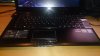

it's big enough for me.. as you can see my whole hand with 4 fingers fits the width (no small hands), and i never had problems with the size of it compared to other notebooks. -
Hi guys,
I'm considering getting this laptop.
Can anyone give me a quick run down of the pros/cons? It would be greatly appreciated.
Thank you in advance! -
I'm looking to buy the 245 but want the DVD from 008, anyone know the UPC on the drive or how to get a 'replacement' dvd drive with the bezel?
-
Hey,
i got always the DPC Watchdog Error when i start Games
0x00000133
Caused by nvlddmkm.sys
I reinstalled the Driver..
Reinstalled Windows..
Nothing changed
Anyone who can help me? -
There's a hotfix from Microsoft about this issue.
FIX: Stop error 0x00000133 occurs on a computer that is running Windows 8 or Windows Server 2012
Have you also tried updating the Intel and nVidia drivers to the latest version?
Intel HD Graphics driver download
nVidia Graphics driver download -
Hi guys, I just get this laptop and regist to notebookreview just to share some experience
.
About performance and anything else, all is good and fit to my demand (gaming and carry to lecture 'cos I'm a student). The only annoying thing is the WASD part is really hot when gaming, I don't know why this happens with every gaming laptop, couldn't the manufacturer move those heat pipes to other side ? ~.~
Because of that I tried to undervolt to make it cooler and might prolong battery life and laptop's life as well. However, things did not come as I thought.
- Undervolt CPU don't really decrease the temp at full load, instead of that, it increases the clock of CPU on fullload .aka performance increase! It sounds good but not my aim (because I'm totally satisfied with performance at the moment). I reckon this happen because of Turbo-Boost. Turbo-Boost is limited by power consumed (37W on this laptop), and since we decrease the power consumed by CPU when undervolt, Turbo-Boost have more room to utilize. I double check by set the voltage to stock and run Prime 95, and it seems that it follow my theory:
+ On stock voltage: Prime 95, 8 threads, CPU at 2.6 Ghz.
+ Undervolted (-85mV): Prime 95, 8 threads, CPU at 2.8Ghz, sometime 2,9.
- And then I tried to undervolt GPU: this laptop vBIOS is intergrated in system BIOS -> very hard to edit vBIOS, ThrottleStop and RMClock dont support. Luckily enough, Intel XTU does support GPU voltage :x. I reached -155mV at best and set -145mV for every day usage. The temp for GPU and CPU as well does decrease by a margin of 10 Celsius. Sweet enough :x.
So to my conclusion:
- You only need Intel XTU to undervolt both CPU and GPU, very simple, no risk.
- Undervolt CPU does imrpove performance, does not improve temp.
- Undervolt GPU does improve temp for both GPU/CPU.
- GPU on load will increase CPU temp even if CPU are not under heavy load (checked with Furmark. 3DMark11, MSI Kombuster, WOW: Mist of Pandaria .etc). I think this is a minus in thermal design.
- I reach -85mV on CPU undervolt, some other guys reach -100mv -> -150mV, GPU I reach -155mV pass Furmark 1hour, I haven't test further. If you guys tried to undervolt, please post your number.
- Repasting is recommended, it seems my laptop stock paste is not good compare to some online review (higher about 5-10 Celsius). I'm on a trip and have no tool to attempt this, so I will update later. Anyone have repasted, please post your number before and after that.Moses2000 likes this. -
@Kevin@GenTechPC
tried it but dit not help... Just flashed Bios again and now it works.. hope the issue comes not from the hardware.
The Hotfix link just gives me a Windows RT Version to download.. hmm
@sauchin
I repaste with normal paste nothing special. ( 5 Euro Paste )
Cpu is now while playing on 60-65.. before repasting 80-85...
It was so bad pasted.. never saw something like that...
Next time i will try OC diamond paste.. maybe it will help more and i can get 55 Celsius
It Helped a lot and Msi is not Throttling so hard anymore -
@urlasthope: wow, that's great, I will check with mine, hope that the improvement could be that good. Sorry that I got no clue about your issue.
-
So I got the barebones version (skyfire III from PC specialist), received it about a week ago. I'm quite impressed by the system, but my only concern is that the battery life doesn't seem to be anywhere are good as I'd read.
For starters, the first thing I noticed is that battery rating printed on the battery itself reads 4400mAh(TYP), 46Wh, 4200mAh(min).
Based on the review on AnandTech, the battery is supposed to be 5900mAh 65Wh. Can anybody confirm this for me? Does the barebones version have a lesser capacity battery?
The practical battery life seems to be rather low too. I've never owned a laptop before, hence I've nothing to compare with.I haven't measured time taken for a complete drain but I took it to college and it drained from 97% to 65% in about 1:45 hrs of only running TASM in DOSBOX. That seems rather bad to me...
Before you ask, yes, I do have the latest nvidia drivers and I was running the integrated GPU, brightness was at minimum. I don't have an SSD but a 5200rpm 1TB WD Scorpio Blue and optical drive which wasn't in use, so that might consume a little more power. Wireless was off the whole time, no USB devices connected. -
I replaced my screen with an AU OPTRONICS B140HAN01.1 14.0" Full-HD eDP 30 pin yesterday.
I had started about a month ago, but there was an adhesive between the stock screen and the bezel. I was about to travel and worried that if I broke the bezel or screen through carelessness I would have a week with no laptop
I used my fingernails to unclip the bezel, and then a small flat-headed screwdriver to work between the screen and the bezel to separate the adhesive from the two. I was not able to fully remove the bezel, however, as it was stuck where the bezel meets the screen hinges.
That said, I was able to continue with the replacement, as the thin plastic used in the bezel was flexible enough for me to work around it and unscrew the stock screen. Once unscrewed and unplugged, I was able to plug in the new screen, re-do the screen screws (there are two at the base of the screen) and then reclip the bezel back into place.
The new screen was partly detected on reboot (showed 1600 x 900 correctly, then artifacts for the rest). A reboot solved this and now the screen shows in all of its glory.
The hardest part of the replacement was separating the bezel from the screen - it would have been easier if I had used a scalpel/craft knife, but these weren't available. Once this was done, it was a matter of removing two screws, unplugging a connector and then working backwards from there.
As for the results, the screen has hugely better viewing angles and colour - it is simply glorious.Decist likes this. -
Hi guys! So I recently got an MSI GE40 245-US, and I have to say, I'm loving it. It runs NFS Most Wanted (2012) and NFS Rivals smoothly on full graphics and 1920 by 1080 resolution. I'm glad I chose it. My main issue actually hasn't been the heat, it's been the fingerprints. This thing smudges too easily. I just have a couple questions. What are the advantages and disadvantages of downgrading to Windows 7? Windows 8 has been really annoying for me, with Skype not updating (I eventually installed the Windows 7 version, works fine) and everything opening in an app taking me away from the desktop. There have also been some issues with Most Wanted; the game ran perfectly a few days back, but now it gives me an error saying 'This app can't run on your PC'. I've heard that Windows 8 uses more resources, and that downgrading actually gives you better performance while playing games.
The 245-US model comes with a full HD 1920 by 1080 screen (which I tune down to 1600 by 900 for reading and web-browsing), but I haven't exactly seen any reviews of the screen on this model. Is the color production better than the regular 1600 by 900 screen? How about viewing angles? And how does the higher-res screen affect battery life during games? The main reason I chose this laptop over the P34G was because of the longer battery life. Also, how does the the battery life get affected when tuned down to 1600 by 900 for less demanding tasks? And suppose I wanted to install an internal optical drive. Would I have to remove the 128 GB SSD? And lastly, what exactly is that Super-Charger application that comes default with the laptop? Thanks in advance! -
just give msi a support mail, i did it and got the optional DVD drive sent for free.
-
Sometimes I notice that the Nvidia graphics is running even when I am not running a game. To fix this, I just run the Nvidia control panel, and then close it. But generally, I get about 8 hours of battery life when I use it in class, doing word processing or whatever. -
I've 5900mAh 65Wh battery in my GE40.
-
Different versions will have different batteries on occasion. You can always order one and keep your original as a spare.
-
Hello All
I'm a little disappointed with the 2.4 ghz wifi performance i'm getting and would like to upgrade with a card that supports 5ghz as well. Has any one found a compatible replacement wifi card that also has Bluetooth. Can you still control it via the SCM and keyboard short-cuts?
Thanks -
Intel 7260 is a good choice.
Intel® Dual Band Wireless-AC 7260 Plus Bluetooth* -
Thanks i'll check it out.
Do you know if i can still disable it via the FN key shortcut?
The Official MSI GE40-2OC Owner's Lounge
Discussion in 'MSI' started by Wonderdog, Jun 19, 2013.


