Problems? See this thread at archive.org.
Here's a few photos of the Killer AX1650 cards that will be used in my tests once I get the RAX120 setup.
All reviewing of the AX1650 should be a collection of information and questions form all forum members as was the case for the Killer 1550 review..
Intel wireless driver 21.10.0.2 is installed
Intel BT driver 21.10.0.6 installed
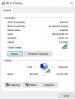
EDIT:attached new thumbnail of theoretical link speed.
-
-
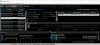
Here's the screenshot of Data Rate in the inSSIDer app
 jaybee83 likes this.
 -
Nice Im also gonna test when I get mine on Monday. Going to test using both the RAX120 and RAX80 doing transfers to and from, a connected Samsung T5 SSD to bypass Ethernet bottleneck when on HT160.
The RAX80 seems to do better with USB 3.0/external storage transfer rates so it might actually be the better one to test the 1650 with to check wireless throughput. The RAX120 is pretty solid but still needs some firmware tweaks.Last edited: Apr 28, 2019jaybee83 and WhatsThePoint like this. -
looking forward to your real life throughput results guys! please also include any results from older cards u might still have laying around

-
I just finished retesting the 9260ac as a comparison on 2.4 GHz / 5 GHz / 5Ghz w/HT160, one floor below the RAX120 roughly 15-20ft away. I will do similar tests with RAX80. Tomorrow my AX1650 arrives and Ill do similar tests and Ill post them by Friday.
I will just re-edit this post with the results.
I expect no more than 20-25% gain on 5Ghz with ax. Also note that 1024 QAM is more sensitive to noise. Bigger difference in improvement will probably be on the 2.4 GHz band...
Can’t wait to see @WhatsThePoint’s results as well.
Differences in testing environment and housing materials have an impact as well so more people putting up results the better, in order to get a good picture.
UPDATE: I have attached my testing results below:
Routers Used: RAX80, RAX120
Client: DELL Inspiron 7577 w/Intel 9260ac then replaced with KIller AX1650 (Intel AX200)
Storage: Netgear Ready NAS 524X and 1TB Samsung T5 SSD
Test Location: 1 floor below router, roughly 12-15ft away
Interpretation: In case you don't want to look at table -
5 Ghz: In my testing AX200 in AX mode gives less than a 25% gain on 5Ghz on HT160 AX vs AC (more like 11-15%) & about 25-26% gain on HT80 AX vs AC in my case when looking at the downlink test with the RAX80).
2.4 GHz: 2.4 Ghz results however show much higher gains. Between n and ax on 2.4 Ghz @ HT20 there was a pretty big delta, almost a 2x gain. Between n and ax on HT40 difference was much lower, probably due to the fact that there are numerous APs nearby including my Arlo cameras’ base station.
I could probably get greater improvements using a "Multi-Gig" switch to bridge the RAX120's 5Gb eth port to my NAS's 10Gb eth port but thats a costly venture just for a benchmarking purpose.
Without an AX (WiFi-6) router the AX200 is practically the same as the 9260ac performance wise. With an AX router expect at most around a 25% gain on 5Ghz and up to 2x gain on 2.4 GHz at HT20. Maybe a bit more performance can be squeezed out on HT160 if the RAX120’s USB storage performance was fixed.
I was getting max link rates through most of the testing period.Attached Files:
Last edited: May 9, 2019Fire Tiger, VoodooChild, Starlight5 and 2 others like this. -
-
I just swapped out my 9260 for an AX1650 card in my Precision M5530. The 9260 would connect at 1733/1733 and I would average about 140MB download speed of a 6GB movie file directly from my Synology NAS. The AX1650 connects at 2402/2402 most of the time, and averages about 165-170MB download speeds. FWIW, I also changed the driver on the AX1650 to utilize AC mode only, and it averaged the same 140MB download speed. It seems that AX is about 20% faster than AC when conditions allow.
jaybee83, WhatsThePoint and Aivxtla like this. -
erick_e,which router are you using,settings?
Have you tested date rate speeds with it and the AX1650
I'm using 5ghz channel 48.
Pairing a Netgear RAX120 routerwith an AX1650 I've not achieved over 1,838.0 Mbps that's measured in the inSSIDer app.
My Internet speed tests are about the same as they were with a Killer 1550 as expected but transfer speeds of files to and from USB router attached storage are much better.Also client to client are higher just shy of 140 MB/s.Encryptonite likes this. -
I forgot to mention. I'm using the Asus GT-AX11000, channels 36-42 and DFS channels 116-122. -
I've tried channels 36-48,60 and 116 with WPA2(AES) and WPA2(AES) + WPA3.
When I set to only WPA2(AES) I get better results besides when I use WPA2(AES) + WPA3 I can't get my MS Surface Pro 5 to connect at all on either band.With only WPA2 it connects easily.
The Surface Pro uses a Marvell AVASTAR AC chip -
I'm not too familiar with Netgear's equipment.
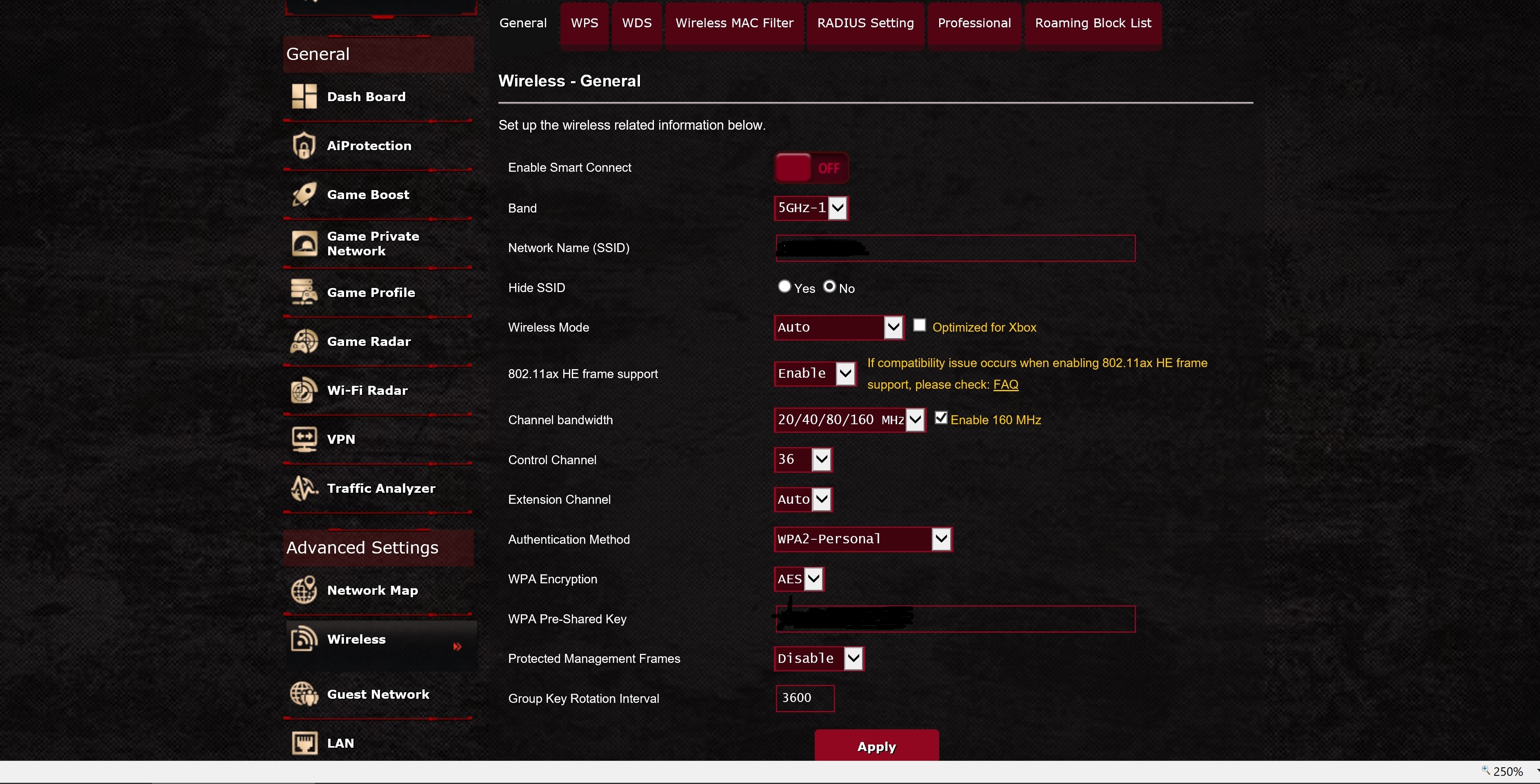
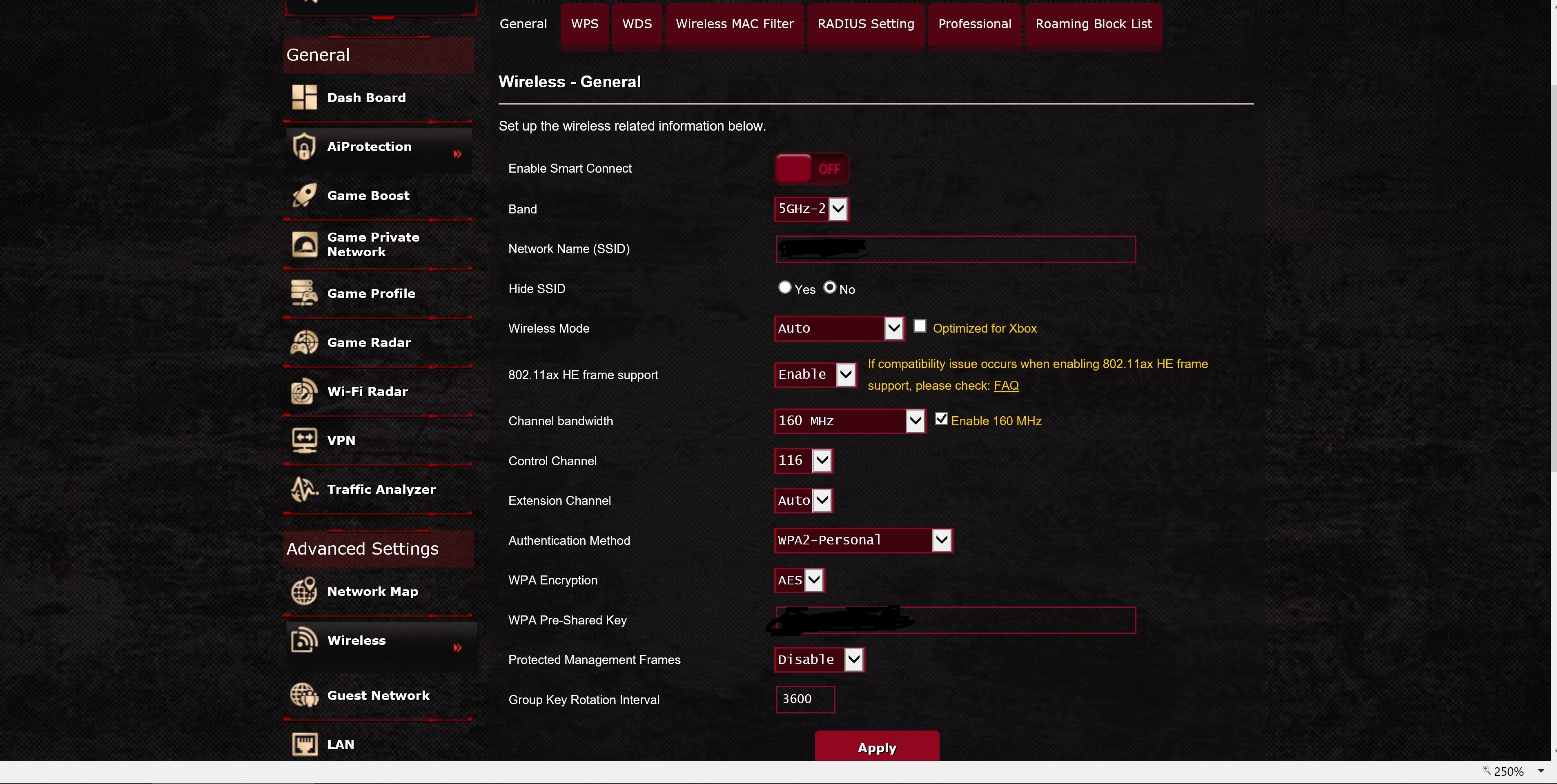
This is what my settings look like using my router, which is tri-band. I also tried setting the DFS channels to the lower band 52-58 and using channel 149-153 as well, but I get a stronger signal using these settings. -
Just received the Killer 1650 and installed it in my Alienware. The speeds are superb, better than the Killer 1550 and so is the range.
@WhatsThePoint
How come in Device Manager the name of the card is Killer WiFi 6 AX1650x? Notice the X after the 1650? There is no mentioning of an X on the Killer Site in the model name
Aivxtla and WhatsThePoint like this. -
It is actually labeled 1650x on the physical card. The company isn’t very consistent. Looking at that huge name in device manager is an eyesore, did they really need to add “WiFi-6” in the name lol.
In AC tests, in my case at least it performed practically like the 9260ac tests as I expected. Only gains were in the AX. An Intel contact confirmed that there should be little difference on ac routers, a little maybe but nothing significant. Guess your 1550 might have been defective. Either way glad your liking the new one.
Expect to see at best roughly a 20% improvement on 5Ghz with ax and almost 2x improvement on 2.4 GHz HT20, on HT40 gains were only 20% but obviously I never use HT40 as it would piss off neighbors.
Attached Files:
Last edited: May 5, 2019 -
-
X marks the spot.lol
I'll ask Rivet on Monday about the X
I've also noticed the range being better.
I've walked around my one level townhouse with notebook in hand and inSSIDer running.The far bedroom saw data rate up to 275 Mbps on 5ghz with a 1550 and worse on a Microsoft Surface Pro 5.The SP5 now sees 600+ Mbps at times and the MSI notebook with the 1650 can reach 866 Mbps in the far bedroom.It gets 1,838 Mbps in line of sight with the router from about 10' away.
The RAX120 router is located at the rear of the house next to the TV and where the cable modem is.
I'm sure as router firmware matures and new 1650 drivers are released things will get even better.
I'm still doing file transfer testsVasudev and Spartan@HIDevolution like this. -
@WhatsThePoint or anyone else with an RAX120 could you please repeat uplink/downlink tests mentioned in my table for AX, unlike the RAX80 the RAX120 has high write speeds to external and much lower read speeds. I can’t till if it’s just my unit or it’s an actual firmware optimization issue affecting all units.
Update: I tried using the same Samba read and write buffer settings via telnet from the RAX80 in the RAX120 with no change.Last edited: May 6, 2019 -
@Aivxtla @WhatsThePoint
Reply from Killer Networking regarding why no x in the official name of the card on their site:
Encryptonite, jaybee83, Vasudev and 1 other person like this. -
Interestingly enough but the Killer 1550 Part Number also had the X after the numbers.
P/N:KILLER1550X.01
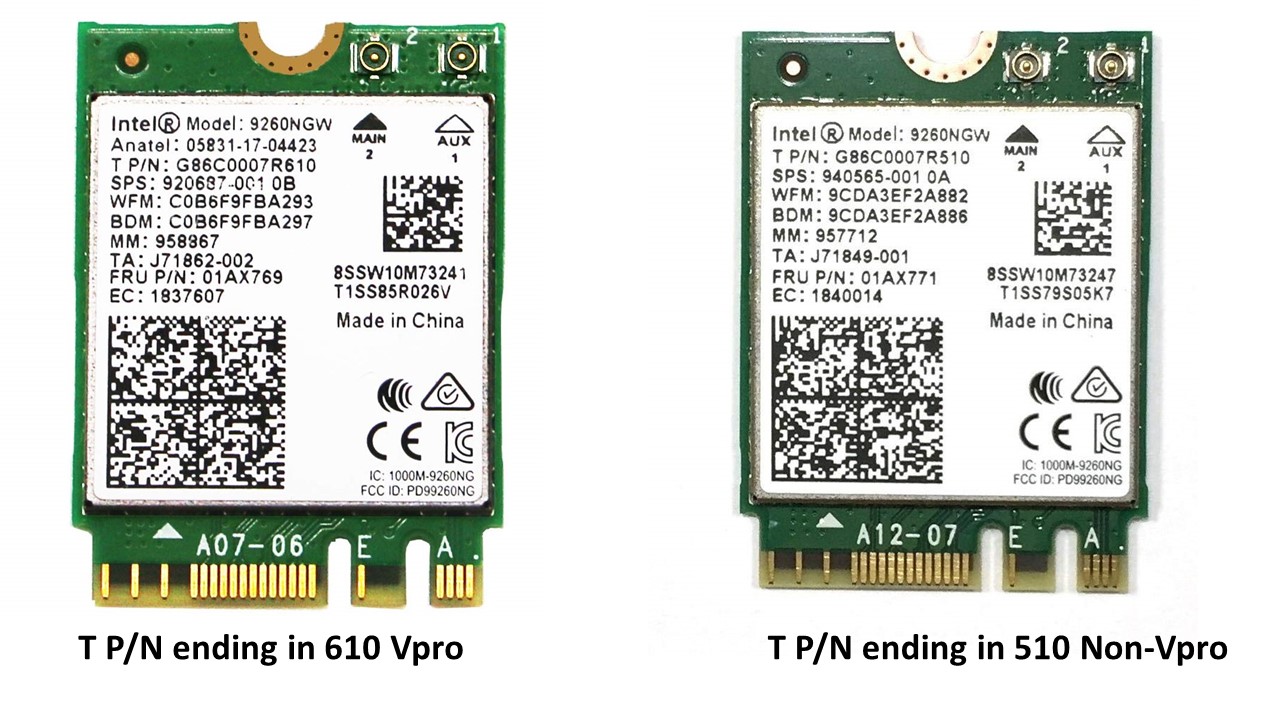
Another question about the Intel based wireless AC and AX cards is whether it has or hasn't VPro support.I'm not saying it's important to have.
The MM numbers on the Intel cards will show if it supports VPro .
AC9260 MM:958867 = No Vpro
AC9260 MM:957712 = VPro support
AC9560 MM:957715 = No VPro
AC9560 MM:957714 = VPro support
Killer 1550 MM:959454 = No Vpro
AX200 MM:985927 = ????
Killer 1650 MM:985961 = No VPro
I notice that the Intel AX200 offered by Provantage,now at $15.22(Minimum Order 100), is listed as No VPro.
The China sellers on ebay haven't stated in their AX200 ads so far.Some did with the 9260 and 9560Last edited: May 8, 2019Encryptonite, jaybee83 and Spartan@HIDevolution like this. -
Not that I use/need Vpro, this is my understanding of 9260 cards.
Attached Files:
jaybee83 likes this. -
-
out of curiosity, what do you need VPro for?
Sent from my Xiaomi Mi Max 2 (Oxygen) using Tapatalk -
I don't use, nor have any use for Vpro. My understanding is that it is for use in enterprise environments.
-
aaah misread your previous post...
-
Killer Wireless-AC 1650 WiFi Driver v21.10.1.2
Don't forget to unblock the ZIP file before extracting itAivxtla, WhatsThePoint and jaybee83 like this. -
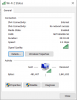
The new IntelWireless driver version 21.10.1.2 allows my Killer 1650 to reach a Theoretical Data Rate of 2,4 Gbps
The Killer Control Center shows Transmit and Receive speeds of 2,402 Mbps
With the previous driver version 21.10.0.6 I only reached 1.8 Gbps
 Last edited: May 8, 2019jaybee83 and Spartan@HIDevolution like this.
 -
So my question is...will this card do me any better on standard 802.11ac networks? Almost everywhere I am , there's an AC network (Wi-Fi 5) not AX (Wi-Fi 6).
I currently have a Killer 1550. -
I did extensive tests on the RAX80 and RAX120 at HT20/40 AC on 2.4 Ghz and HT80/160 AC on 5 Ghz and as expected it did not perform any different, my test table is located in the first page. Looking at inSSIDer data, signal strength was also pretty similar.
If you have an AX router you will gain anywehere between 10-25% improvement on 5Ghz and up to around 2x improvement on HT20 AX on 2.4 Ghz vs HT20 AC on 2.4Ghz. HT40AX on 2.4 Ghz only gave a 25% improvement over AX at HT20.
I personally did not notice any difference between the 9260ac (Killer 1550) and AX1650 on "AC" mode range/performance wise. Then again some people did see differences even on AC routers like @WhatsThePoint and @Ultra Male and it's a cheap upgrade and so can't really complain.
Different laptops have varying signal characteristics based on antenna placement so slight differences in the cards may show slight improvements or losses for some and maybe none for others like me.Last edited: May 9, 2019 -
I might buy it since it's newer tech and it's cheap. Can always keep the 1550 as a backup.
Aroc likes this. -
Your Internet speeds are mostly not going to change much if any because they rely on your Internet service and the sites you are connecting to.If you are connecting on public WiFi you are dependent upon that provider.On pubic WiFi make sure you use a VPN.My speed tests have not changed since updating from a 1550 to an AX1650.There are other well documented perks using WiFi 6 card and router that are properly setup.
I have all my smart home devices on the 2.4ghz band that are working somewhat better using the Netgear RX120 router with almost no need for a device redo.
My USB router attached storage sharing mostly video files on the home network is somewhat better but any issues might be pilot error.
As AX1650 drivers and router firmware mature things will get even better.
The only problem device I have is a Surface Pro5 tablet.Attached Files:
Last edited: May 9, 2019Aivxtla likes this. -
-
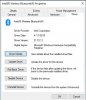
The latest Windows 10 20H1 Insider Preview build 18894 installs Intel BT driver version 21.10.1.1
Also installed were Intel Wireless 21.10.0.5 and NVIDIA 430.50
If anyone wants the BT driver files let me know.
 Spartan@HIDevolution likes this.
 -
I was looking at the Advanced settings for the AX1650 and decided to see what results would be achieved by changing the default from AX to AC.
When changed to AC the max Data Rate dropped to 1733.3 Mbps as expected but it was rock solid at that rate for over an hour before I switched back to AX mode.
This was in a 5 year old MSI GS60 notebook about 15' from the RAX120 router and in line of site.
On AX mode the rate reaches 2,402 Mbps but it's not there very long.It's mostly at 1,838 Mbps but also drops to 1,480 Mbps often.Aivxtla likes this. -
Yeah that makes sense because 1024QAM modulation compared to 256QAM is more sensitive to noise and loses effectiveness faster at range. Added to that HT160 is already more susceptible to more interference and lower range. So when you are at 1838 Mbps Link Rate that actually means the connection fell back to using 256QAM.
For me link rate fluctuates between 2.4/2.1 Gbps one floor below, on HT160 AX and stays pretty stably at 1.7 Gbps on HT160 AX. HT80 AX is also pretty stable at 1.2 Gbps.
On an interesting note:
Broadcom chip based AC clients (ie possibly MacBook Pros, Samsung Galaxy phones, some Dell laptops, +maybe iPhones?) / and Wave 2 AC routers (R8500/AC88U/GT5300AC etc) had non-standard 1024 QAM support in AC mode but it apparently wasn’t very effective other than at very close ranges. That’s why Broadcom based AC Wave 2 routers advertised 2100 Mbps rather than 1733 Mbps for 4 stream routers on 5 GHz band.Last edited: May 10, 2019jaybee83 and WhatsThePoint like this. -
I've revisited a few of the DFS channels(52,60,116,120) but they're not getting the data rates that I receive using 36-48.Back on 36 now.
jaybee83 likes this. -
After installing that version, I'm getting crazy high latency. Sometimes 300ms to ping to my router. I was able to get it back to a decent level ~ 30ms by disabling the MIMO power save mode in the driver. But my other laptop with a 9260 card and the same version driver averages <2ms to ping to my router.
EDIT. My lag time was due to having InSSIDer running at the same time. Once I stopped it, my ping times were ~2ms.Last edited: May 16, 2019 -
Thinking about grabbing a couple of these for my Alienwares.
Not trying to get AX speeds right now but Im sure at some point I will get an AX router and it would be nice to have it already installed in my laptops. So far these are working for you guys? -
yes and even at AC speeds they have better range. It's a non brainer d00d
-
Only 1 left on Amazon now after I just ordered my 2.
Thanks for sharing all the info guys -
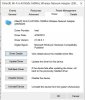
Windows Insider Preview build 18898 Pro x64 installed Intel Wireless driver version 21.20.0.1
 Spartan@HIDevolution likes this.
 -
We just got the RAX40 to replace our R6400 that decided to keep resetting itself constantly. Haven't got the ax wifi cards yet. But just on ac this is much more stable then our R6400 ever was.
jaybee83 likes this. -
Ashlander,lots of good luck with the new RAX40.
I believe the router has an Intel chip so please keep up informed on how things are going.
After logging in to routerlogin.net frequently check for new firmware.
Do you plan on getting a Killer AX1650 or an Intel AX200 wireless card to pair with the RAX40 router? -
My two will be arriving today. Can't install it in the ranger until the mpcie to m.2 adapter arrives in the mail,but can install into my r3
EDIT:
Currently installed in the R3, seems to work just fine. Using a basic Archer C50 AC router and signal throughput goes between 180Mbps to 866.7Mbps which is fine. Its set on the other end of the house through 3 walls and a door no direct line of sight.Last edited: May 16, 2019jaybee83 and Spartan@HIDevolution like this. -
ordered two AX200 for my lady and myself on ebay yesterday, will take a while to arrive though
shes still on a dell vostro 3350 purchased in 2011, so itll be fun to see how it handles such new tech
Sent from my Xiaomi Mi Max 2 (Oxygen) using TapatalkLast edited: May 17, 2019 -
More than likely going to get the Intel AX200/201. Not sure when, but on my list of upgrades. Pretty happy with it so far. No issues at all yet. More than I can say for the R6400 we've used for the last 3 years and the R6300 we RMA'd before that.
-
So are you recommending this Wireless card Ultra Male, i am using a Killer E2400 and Killer 1535 combo, i am also running a Linksys WRT32X with OpenWRT. Is the Range better on AC 5GHZ with this new 1650?
-
I see no difference in range between 9260/ax200 with a WRT32X, however I did notice that the link rate fluctuates like crazy with this card.
![[IMG]](images/storyImages/wuwR2Pe.jpg)
-
There should be no difference in range and performance when used as an ac card with an ac router. It will be just like the 9260ac according to an Intel contact. Makes sense considering there is only so much you can do within legal power limits. Some people saw differences even in ac mode maybe due to minor internal layout differences on the cards, but I’d say for most people no difference.
In my tests it performed no different in signal strength (checked in inSSIDer at various locations) and throughput on ac as I already expected. On ax mode you will see gains of up to 25% on 5 GHz and up to 2x on 2.4 GHz. It’s a cheap upgrade and gives a decent boost if you eventually get an AX router so I’d still recommend the AX200/1650.Last edited: May 18, 2019 -
Second this. We got ours knowing full well we wouldn't be able to use the ax yet. But since we needed to get a new router anyway, might as well future proof.
-
Have you tried the 36-48 channels?
Is your PC in line of sight with the router and 6' to 10' away?
With a Killer 1550 and a Netgear R7800 router I saw some big fluctuations when not in line of sight and about 30' away.
The Killer 1650 and Netear RAX120 combo shows much less 5ghz fluctuation and is mostly around 2402 Mbps and 2160 Mbps when in line of sight and 10' from the RAX120on channel36.If I change the Killer 1650 Advanced setting from AX Mode to AC mode I'll get a solid 1,733.3 Mbps.
This is with a 5 year old MSI GS60 notebook.jaybee83 likes this. -
Yes, ~10' away. In EU, channels 36-64 are limtied to 200mW, I'm using channel 112 (1W).
I might play with the channels later on. -
Router,Killer AX1650 and Windows 10 build 1903(aka May 2019 update) all support WPA3.
If I set the router to WPA2 + WPA3 my desktop and notebook with Killer AX1650 cards have not problems connecting to The Internet on both bands or when Smart Connect is enabled.If WPA3 is selected in Windows 10 Release Preview WiFi Status/Security it stays on WPA3.
My Surface Pro 5 tablet running the same version of Windows 10 and supports wireless-ac(866.7 Mbps) will not connect unless the router is set to WPA2(AES) only.It just won't connect with the WPA2 + WPA3 router setting.
With the router set to WPA2(AES) only without the WPA3 addition Windows 10 WPA3 setting will revert to WPA2(AES). -
@CataIin You have a WRT32X, are you using the stock firmware or OpenWRT? I am using OpenWRT and i only use channels 36 upto 48 anything past that it becomes lets just funky with some devices (Intel 7260 ac wireless).
Just got to wait to find someone that ships the card to UK or holds stock in UK at least. -
Stock firmware.
-
If your PC is 10 feet from the router your dbm connection strength is not nearly as strong as it should be.The inSSIDer screenshot you posted shows -60dbm.At 10' from the router the dbm should be in the -20dbm to -30dbm range.
Killer AX1650 Info And Review
Discussion in 'Networking and Wireless' started by WhatsThePoint, Apr 27, 2019.