Problems? See this thread at archive.org.
hi, I'm new here and looking for help, got my 9400 few weeks ago, and I think I've got a problem with my LCD, when turn off any desktop wallpaper and set background colour to BLACK I can not have black colour, it looks to me like LCD got something like extra light installed at the bottom of the screen and top as well, so I've contacted dell, got my laptops swapped and guess what, it is THE SAME, colours are not sharp, it looks better in daylight, but when it's getting darker it is getting worse, does anyone of the 9400 owners experiencing same?
I've got "17" UltraSharp™ Wide Screen WUXGA (1920 x 1200) Display with TrueLife™" and as far as I can say, comparing to VAIO or Toshiba Qosmio, it looks bad.
-
-
Luis Cypher,
That is the light leakage from the bottom of the screen. It is a common occurance in the new laptops and old for that matter.
For the most part, I just deal with it on my I9300. There is light leakage at the bottom, but doesn't bother me except on a full black screen.
If you are still unsatisfied, call Dell and have them replace the LCD again.
Hope this helps. -
it doesn’t looks like leakage, because it is on a most of the screen, it looks like clouds of fog if you know what I mean, and also I haven’t got white colour at all, all white background are greyish
-
Call Dell and tell them....it might be a problem with the display adapter or the monitor. It is going to have to be returned most likely.
-
you see, this is the problem, laptop I have received just a few hours ago looks exactly the same as previous one, this concerns me most, is this poor lcd screen quality or I've got such a bad luck
-
I haven't heard of the problem in the Dell forums as of yet.
I have heard of the light leakage problem, but nothing like what you are experiencing. I would call Dell or chat with them. Tell them to send you the new one and include the shipping label so you can send yours back once you receive the new one.
This way you don't have to go without a laptop for any length of time. -
let me ask you one more question, have you seen any of latest sony VAIO or Toshiba Qosmio laptops, if yes how does your lcd quality compares to oter ones?
-
I have seen a few of the Viaos...they are nice. Other than that I don't know all too much about them.
Sorry. -
Hi, just recently got my laptop. Love the forum and the laptop.
I just wanna know how to delete that registry key that Flames_Fan_Forever was talkin about. I use i.e., and its really annoying.
-
Update on games/drivers for i9400 with 7800go:
I've downloaded and installed the 83.90 (mobileforce) drivers from tweaksrus. I'm happy to report that they are more stable than the 83.60 drivers I was using. All my games now run properly (i.e. RTCW now runs fine at 1920x1200). In addition, the new drivers have the benefit of keeping the GPU fan on at all times, thereby keeping the temp at idle at around 60 degrees. This is good because the 81.97 drivers, although stable, kept the temp at 70-82 degrees.
Therefore, I highly recommend these drivers.
Note: I still have the problems with NFS:MW with AA enabled at 1920x1200, but I don't think that is to do with the video drivers, but more the game itself. -
No, no reinstall here.
This is what it looks like, i think it's what you mean.
![[IMG]](images/storyImages/namnls7up.th.jpg)
-
Hmmm. Interesting. I suppose you've checked when you weren't running any programs (i.e. winamp, MSN, etc)? I have one game (Hoyle Table Games), that although it's not very CPU intensive, will make the CPU run at 100% regardless. I recall that winamp used to be very CPU-hungry, but it may have changed since then.
Another way to check, is booting into safe mode. That way you can be sure if it's a program that's causing that or not.
Sorry, can't help you any more than that...
P.S. NFS:MW plays very nicely at 1680x1050 with 2xAA. I guess that's the sweet spot for me... -
I saw those on the tweaksrus site yesterday and was curious how they are. I've been running the 81.97 drivers still while I wait for my replacemtent 9400 to arrive (monday i think) then I'll reinstall xp and try those drivers! Thanks so much for posting your experience with the 83.90 drivers I'm sure everyone will find that interesting.
-
Well, then it's no use trying, thought it would throttle when i was just using Firefox or something not as demanding.
-
Can't believe it! Placed my order (9400 specs below) over the phone with dell on 22/02/06 (I live in the UK), and it went through all the 5 stages to dispatched by the next day!!!!!!! Am expecting it on the 24/02/06.
1.83Ghz Core Duo
1024MB 667Mhz SDRAM
WUXGA (1920 x 1200) TrueLife
XP Pro
7800 Go
100GB (5,400 rpm)
9 Cell 80 WHr battery
Bluetooth
1 Year Collect and Return warranty
£1145 inc VAT and Delivery! -
To prevent throttling, set the power scheme to Always On in control panel, then make your own adjustments for on battery power savings.
Dougie. -
How did you manage to get it that cheap...those settings would cost you 1239 pounds on the website :s -
I hate you. Ordered mine here in the States on the 16th, and it still hasn't shipped.
-
I Went to http://www.dmxdimension.com/ and used the 305-N02947 E-Value Code. Bearing in mind this was on the day before this E-Value Code expired!!!
The total cost came to £1150.33 including VAT and delivery (but excluding Bluetooth!!!). The cost with Bluetooth came to £1179.70; again including VAT and delivery!!
So I called them instead, and persuaded the sales agent to throw in the Bluetooth for FREE on top of him initially offering me a £5 discount!
Hence £1145 (and one more time for the road... inc VAT and delivery).
Lucky I know!!!
Have to thank everyone on this forum.. Persuaded me to choose a Dell 9400, over equivalent Sony, Acer, and Asus models. Thanks guys for the research. -
Well, since there are a lot of Core Duo owners in here, I thought I would ask - it's a bit off topic, sorry - do you think the upgrade from 1.83 (T2400) to 2.0 (T2500) is worth it? Sony is charging 200 bucks.
Thanks,
Chaz -
The answer is easy:
If your rich and like to spend money, go with the T2500.
If your rich and DONT like to spend money, go with the T2400.
If your poor I dunno
-
Core duo 1.66
1gb RAM
nVidia 7800 Go 256
8x dvd +/-
17" WXGA+
100gb HD
Win MCE
53 whr 6cell LiOn batt
Cost w/o shipping/tax: $1340.82
(after $105.05 tax and $79 next day shipping): $1524
*dies of happyness*
-AceSmythe
www.GeorgeCartoon.com - Webcomic
www.AceSmythe.com - Everything else... -
Has anyone experienced difficulties with getting the screen to come back on after the screen has gone into power-save but prior to it hibernating or standing by occasionally? I have, pressing the space bar or touching the mouse pad doesn't bring it back on and although the system hasn't crashed, it's as though the lid is closed but still running - except that the lid isn't closed!
Also, when my battery becomes fully charged and my laptop is switched off, I can hear a lowish whistle noise coming from the back of the laptop where the power-lead feeds in. The noise instantly stops if the laptop is powered up or if the battery is being charged.
Anyone else notice this? (Edited for typos). -
someone have had problems with notebook hardware control and microsoft framework 2.0 instalation? my system does not accept with program, after I instaled it windows home doesnt charge and lot of problems, some program to read temp, speeds and something more.
THANKS. -
Well, i have been thinking of that call of duty 2 problem FFF has had --ever since my friend had same problem with battlefront 2. (random game crash with an error message that starts CPU fail)
It turns out that BF2 has a problem with dual core processors --occasionally causing both CPU's to spike to 100% utilization and thus basically tilting the CPU.
There is now a bf2 1.1 update that says it increases dual core stability.
But one way to "fix" the problem (especially on older games that only ever expected to be run on 1 cpu), is to go here:
http://www.tweakguides.com/SWB2_1.html
and the link in the dual core fix section takes you here:
http://www.robpol86.com/Pages/imagecfg.php
(this utility allows you to make the change automatically --but back up your game's exe file [whatever game you happen to want to modify])
Basically what both the manual/auto solution does is change the CPU affinity of the program --so that only ONE cpu is used.
----
Now, i don't know if this will fix FFF's problem --but, it just might.
My friend is still using the dell drivers (and is thus still seriously underclocked and who knows what else
-
I have that problem sometimes (not all the time) and its pretty annoying. I end up just waiting for a minute and it turns on again.
-
Hey, does anybody know a reg hack to further increase the mouse speed. Am a seasoned veteran with the touchpad, and along with a 1920x1200 screen the highest setting is still not high enough!!!
-
a search reveals:
http://www.pcstats.com/articleview.cfm?articleid=1590&page=12
"30. Speed up mouse movement, part 1
Windows XP applies an acceleration curve to the mouse by default, meaning that every time you move the pointer, it starts out slowly and accelerates with continual movement. If you like a really fast and precise mouse setting, you may find that even increasing the mouse speed in the 'pointer options' tab of the mouse entry in the control panel does not get you the speed you want. A good partial solution is to uncheck the 'enhance pointer precision' box below the mouse speed setting in the 'pointer options' tab.
While this does not completely remove the acceleration curve, it mostly does, allowing your mouse to reach much higher speeds in normal operation.
31. Speed up mouse movement, part 2
As stated in the previous tip, Windows XP applies an acceleration curve to the mouse which can be disabled for better overall mouse performance, especially during games. Unfortunately, the option in the control panel as detailed above does not fully disable mouse acceleration. To do this, it is necessary to make some registry changes.
First, open up REGEDIT and navigate to 'hkey_current_user\control panel\mouse'
Change the value of 'smoothmouseXcurve' to the following:
00,00,00,00,00,00,00,00
00,a0,00,00,00,00,00,00
00,40,01,00,00,00,00,00
00,80,02,00,00,00,00,00
00,00,05,00,00,00,00,00
Then change the value of 'SmoothMouseYCurve' to the following:
00,00,00,00,00,00,00,00
66,a6,02,00,00,00,00,00
cd,4c,05,00,00,00,00,00
a0,99,0a,00,00,00,00,00
38,33,15,00,00,00,00,00
This should eliminate the acceleration curve of the mouse once and for all.
" -
Thanks RedStar, it worked for me!
-
The thread that never ends........... Is it that DeLL is one of the first and few to have a duo core laptop, and everyone has flocked to buy it?
-
Recieved mine a few days ago...
Actually, I think it is the price : performance ratio along with a nice screen and video card.
So far I'm pretty impressed with mine
BTW the most information I've found in one, so far is this thread... so I come back daily to see if it's updated... -
A followup on that affinity cpu fix..
after doing some actual troubleshooting, I discover the problem with battlefront 2 was NOT the dual core problem. No, instead i actually had to install the mobileforce drivers.
All this proves is that you have to change the original drivers to get the computer working properly. So there is no way that can void the warranty
edit: FFF: perhaps this will solve your cod2 problems
"CoD2 Patches Coming
Infinity Ward has promised some upcoming Call of Duty 2 patches to rectify some issues that players are having. Patches are expected for both the PC and 360 platforms.
On the PC a patch currently in testing promises to finally include Punkbuster anti-cheat technology after months of fans protest, along with two new multiplayer maps; HTTP redirect in multiplayer and many of bugs and glitches fixed. Fans can also expect map editing tools to be released shortly, which should hopefully bring a second lease of life.
"
http://www.hardocp.com/
bottom line: soon
-
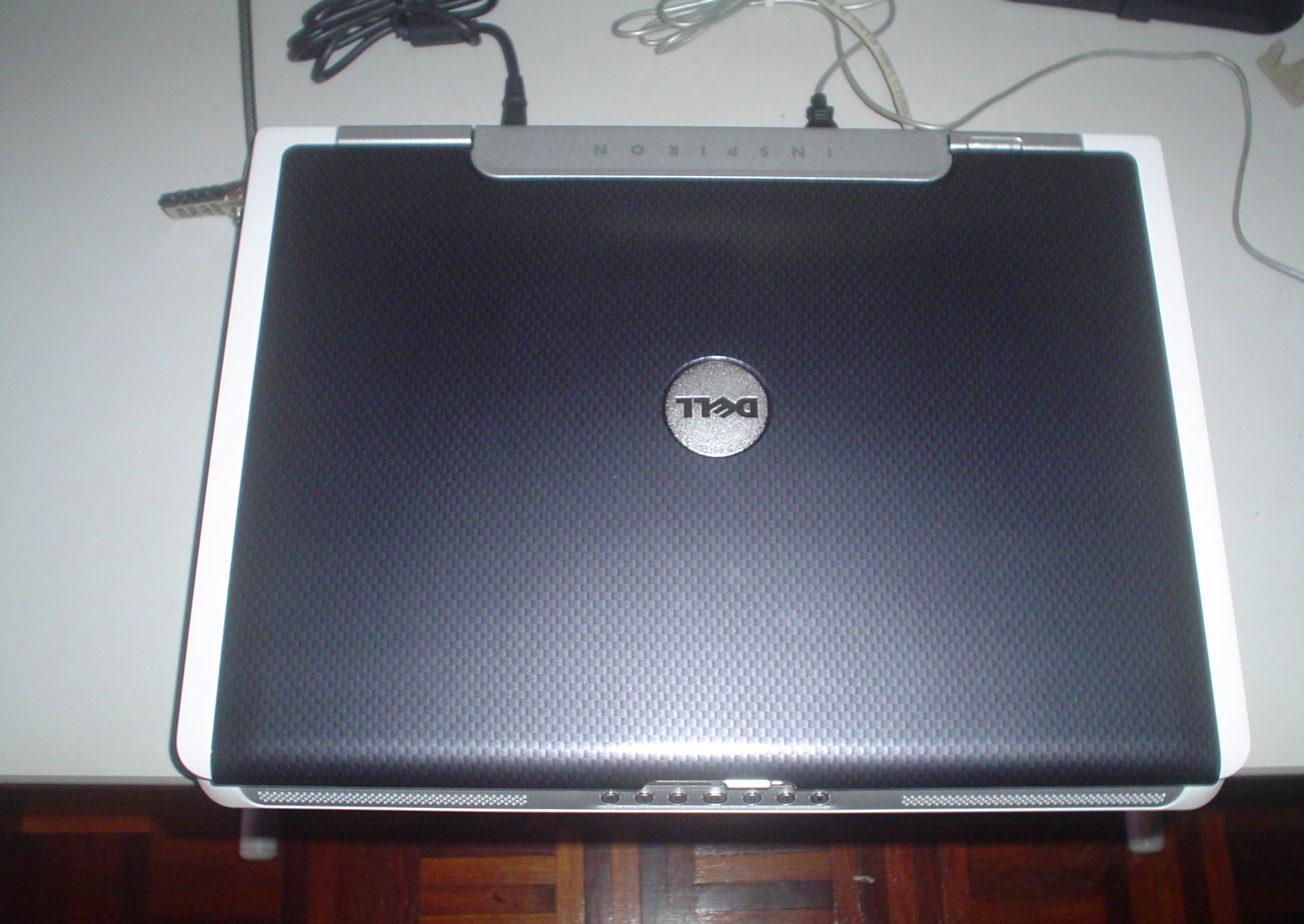
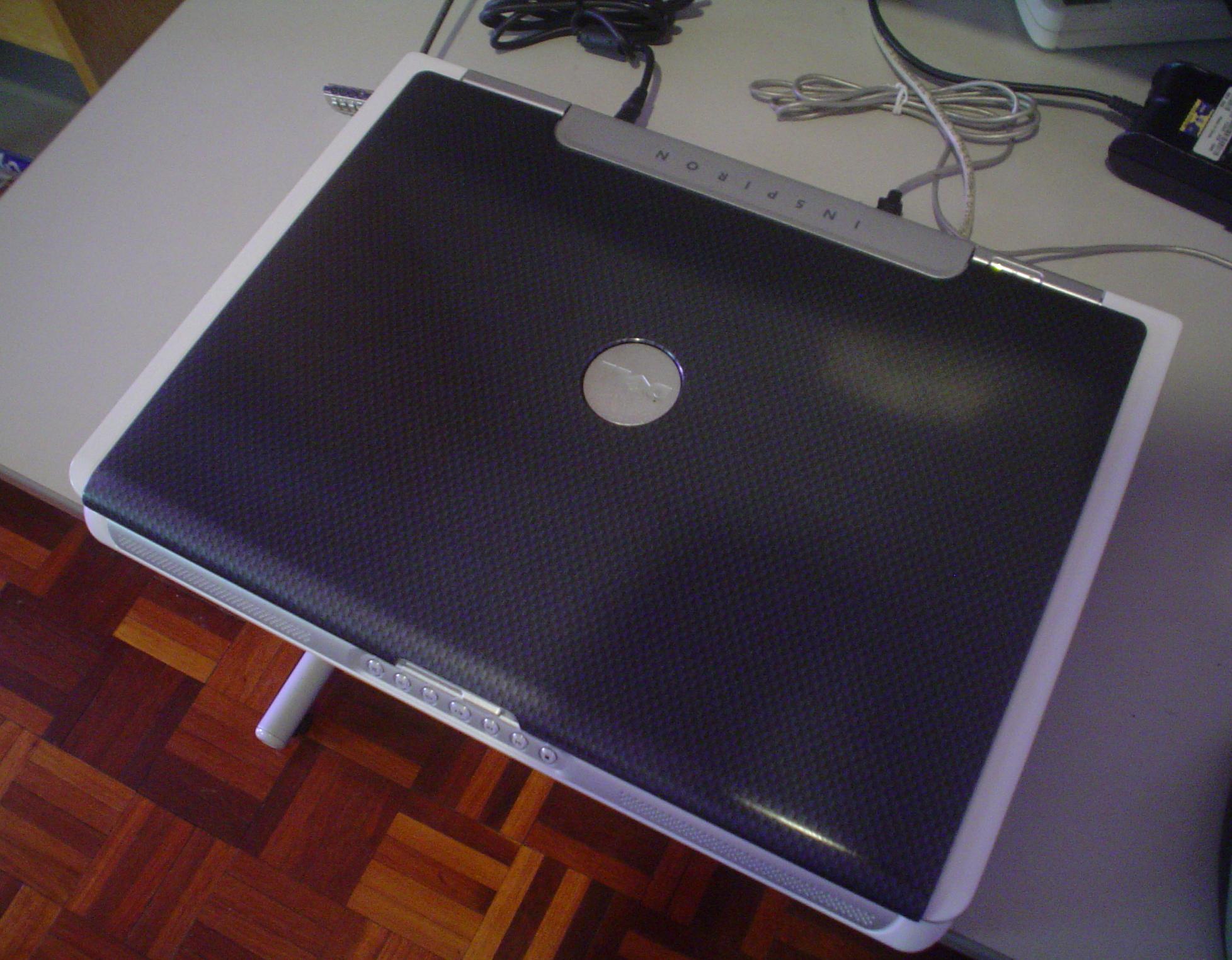
Here's a shot of the carbon fibre cover if you want to get one. Personally, I think it looks better with it than without it.
The reason I buy a dell is because the warranty service is the only one I know of that is good in Malaysia.
Punkbuster sucks.... Americas Army (the game) is using punkbuster and frankly,cheating is quite rampant... and when that cheater gets booted, he can kick all players from the server, which is just rude.Attached Files:
-
-
Planning to get a 9400 after reading so much information. However no one have mentioned the quality of the LCD. Is it the normal or the glossy type? Since I am more into games, I plan to get the lower resolution version. Thanks in advance!
-
Planning to get a 9400 after reading so much information. However no one have mentioned the quality of the LCD. Is it the normal or the glossy type? Since I am more into games, I plan to get the lower resolution version. Thanks in advance!
-
Iv just ordered mine:
2.16GHz Duo processor
2x1024MB (677MHz) ram
17" WUXGA display
100GB (5400rpm) sata hard drive
7800 Go
8x +/- dvd burner
Cant wait to get it. I spec'd it as high as I could. Does anyone else have this spec and if so what benchmark scores are you getting?? -
hey Loongy that looks awesome!!!! where did you get the cover is it through dell?? and how much was it??
-
For those that are curious, people at another forum have found out how to volt mod the 7800 go with a modded bios and are getting some insane results. I wouldn't suggest trying these, but it's interesting to see what can be accomplished, should you have some decent cooling and adrenaline:
http://img227.imageshack.us/my.php?image=immagine0007ek.jpg
I guess our goal to overclock and hit 6k in 3DMark05 has been shattered!
-
Just ordered my DEll E1705!!
2.0GHZ, 2 GIG's RAm, 7800 Geforce, 80 GIG HS 7200, at 667MHZ RAM
Gonna be using it for flight sims -
Good luck, especially with a new MS Flight sim on the near horizon
-
Thanks Redstar for all the info. I've been out of the loop the past few days fighting a cold. I just haven't bothered even trying COD2 since my last crappy night of trying to play it. Crashed over and over. 20 minutes of play, 60 minutes, 5 minutes, I knew it was coming so it pissed me off. My new 9400 should be hear this week (it's been in ground haul from the us to canada for 6 friggin days already and still not in canada. I think purolator is using a mule chain.) and I will do a fresh install of xp and install the new mobileforce drivers Garbuckle has recommended and then I'll load up COD2 and see how it goes.
-
the wxga+ is the "matte" finish
the uxga (1900 res screen) is the "glossy" finish.
not having actually used a glossy screen..i love the 1440 screen (wxga+)
but in a review here...it states many gamers love the look of the glossy screen
(better contrast)
but if u get the 1900 screen...the native resolution is further away from a good game resolution..and text is small.
from the review:
http://www.notebookreview.com/default.asp?newsID=2776
"You have two options for screens with the e1705, either a WXGA+ matte style screen or a UXGA TrueLife screen. The e1705 I have is equipped with the UXGA TrueLife screen. The TrueLife marketing term equates to a glossy screen finish that is the same as Sony's XBrite, HP's BrightView, Fujitsu's CrystalView and so on. The glossy finish is very popular for those that like to use a notebook for entertainment purposes, it provides very good color contrast and bold blacks with bright whites. If you intend to watch a lot of movies on a notebook or view a lot of pictures, the TrueLife screen is a great option. However, the UXGA resolution means the text and icons will be very small, those people that have poor sight or dislike small text would be wise to think twice about selecting UXGA. The WXGA resolution will provide larger text and an easier time reading documents and web pages.
I have to say, the UXGA TrueLife screen on the configuration for this notebook is really a treat. The screen is very bright, you can select between 7-levels of brightness. The colors are amazing and images wonderfully crisp. The backlighting is very even, there's very little to no light leakage -- only at the bottom on completely dark screens can you notice the slightest of light spill, and even then you have to look hard. Overall, just a fantastic screen, big thumbs up.
"
but again, i got to say i love the wxga+ -
Found this thread that I thought looked interesting.
http://www.laptopvideo2go.com/forum/index.php?showtopic=8666&hl=inspiron+9400 -
I just bought this laptop and returned it the next day. The screen had light leak problem, I couldn't belive DELL is still trying to sell the defective LCD's even after so many months of knowing it.
Will never buy DELL laptop again, just for the reason that they still shipping to customers what they have already known as defective few months back.
It also had the loud Sony DVD drive.
Just wanted to add this : DELL customer service has been very good. -
I just don't see what you people are complaining about with light leakage. yeah sure there's a bit at the bottom of the screen only which is only noticeable during boot up for the most part for most people on the black screen. It is not noticeable under normal operation for all but the utmost pickiest people. From what I hear many screens for many brands have some amount of light leakage.
-
Thought i saw something about reassigning the Media Direct button a few days ago, but i can't find it now. Could the one who posted that please do it again
-
Well, perhaps you got one of the better screens. However, the majority of us are not so lucky. True, the screen is usable in windows, but I have to admit that watching a letterboxed dvd isn't so much fun. I don't know about other brands, but out of all the various LCD's I've seen (eMachines, Gateway and Toshiba laptops, Samsung HDTV, even my Dell 24"), this is the only one that has light leakage (I didn't even know the term before I bought the laptop).
I think it's a personal decision as to what is "acceptable" leakage and what isn't. -
Think i found what i was looking for: http://www.notebookforums.com/showthread.php?t=87097&highlight=mediadirect+dmx.exe
-
Hey Garbuckle. I've installed these drivers now on my new 9400 I got today. I'm assuming you had to check the "keep fan on" checkbox to get the gpu to stay in the 60's??
-
Yeah I volt modded mine with a different bios to 1.2V from 1.1. It made a little difference as to how much further the core would overlock. I ended up getting a 3dmark06 score of 3240. No glitches and heat is staying the same. It is a risk to take when doing it though. I was able to run at 400 core and 920 Ram stable, but haven't tried any higher yet.
Dell Inspiron 9400 With Intel Duo Core Available (specs)
Discussion in 'Notebook News and Reviews' started by Andrew Baxter, Jan 3, 2006.


![[IMG]](http://img238.imageshack.us/my.php?image=namnls7up.jpg)