Problems? See this thread at archive.org.
Can the below Drive used as a 2nd M.2 drive ? Pls let me know.
Samsung 970 EVO 500GB TLC NAND M.2 2280 PCIe NVMe 3.0 x4 Internal Solid State Drive
-
-
I've got it on Kryonaut now. I'm going to try messing with it a little more tomorrow.
-
Would it be a good or bad idea to add a Samsung 970 in to the m.2 slot 1 and move the current drive to slot 2?
-
I think it is a good idea. That is what I am running right now on my OP 17+. I put the 500 GB Samsung Evo, same drive you linked as my main drive in slot 1. And I put a different SSD in slot 2. I kept the original drive as is in case I wanted to return it.DaveMike11 likes this.
-
So I'm doing some testing. I've found that the single top mount does affect cores 1,3,5 the most. The bottom left and the bottom right side do a good job on cores 2,4,6.
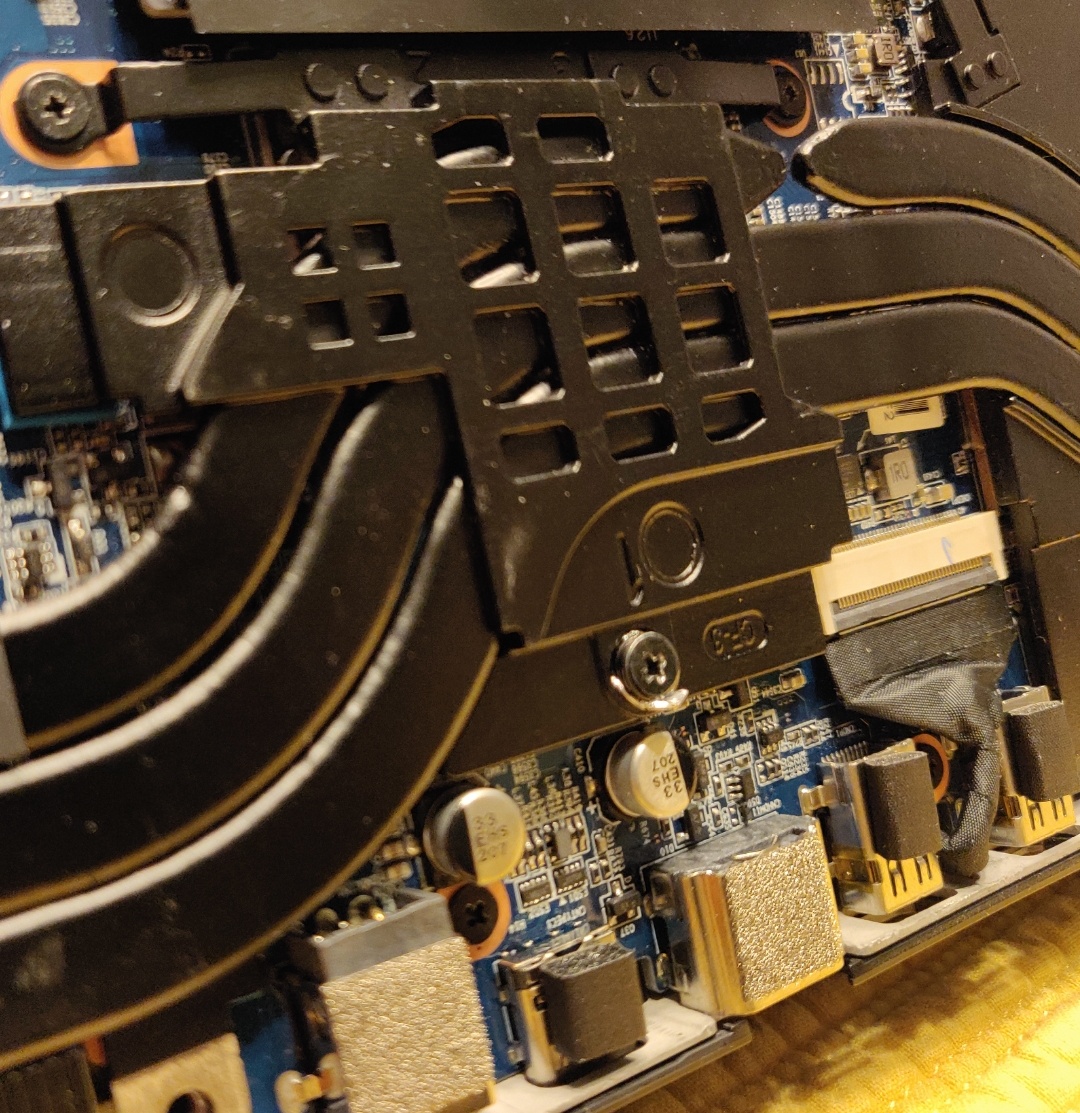
I've taken a little foil and wrapped it around the tip of the screw and tightened it back down in an attempt to even the pressure. This DID help bring the temps together. I'm going to have to find the appropriate washer to fit in there. I'm guessing this will be frowned on, but the top mount pressure is too weak it seems.Attached Files:
-
-
Does speed shift in TS need to be adjusted or disabled with dual channel? I'm still using the same config I had for single with EPP set to 84.
Is the general consensus it doesn't matter and an EPP of 0 is max performance? -
On mine I get up to 20°C of difference between mentionned cores (95°C VS 75°C )during stress test. I guess NT-H1 is faulty here because of its thinness (and maybe also how I applyed it as well).
I also noticed on this comparison that Kryonaut is actually thinner than NT-H1 (viscosity value of 2 for kryonaut versus 3 for NT-H1, where higher value means thicker paste), and a proper choice might be Gelid GC Extreme (6) or even Diamond 24 (7). Did you guys noticed that Kryonaut is THAT much thin ? Or is it a weird error into the article ?
Thanks for this ! I'll give a try some day, but first I'll take what @unclewebb said into acount and do more precise measurements with HWInfo. Furthermore I doubt that GPU is the problem in my case: power consumption looks on TS higher than before when idle and GPU turned off.sicily428 likes this. -
Hello, I need some help.
I'm comparing the Samsung 970 Evo vs 970 Pro m.2 drives to get one of them for my OP 15+ laptop.
Comparing the two i see the Interface Type difference between the two:
PCIe Gen 3 x 4 (for 970 Evo) and m.2 (for 970 Pro).
Can any of the above two be used in the open port available in the OP 15+ laptop? I need to add a 2nd m.2 drive . Pls let me know. -
Either the 970 evo or 970 pro can be used in the OP15. The pro is faster, but 99% of people would never notice a difference. I would get the Evo since they are typically much cheaper.
-
Thanks for your quick reply. appreciate it.
-
20c differences seem very high. I'm ssing GC Extreme and temp difference between cores during 5 mins of running Aida stress test is 5c. Max temp seems high, but that was the peak and during most of the run it was "just" around 90c & staying around 3.9Ghz throughout. Having said that Aida stress test appears to consume a lot of power as even without the benchmark running it seems to be using 15w.
-
I wanted to install the following programs & games. I need some suggestions to install them for better performances with my OP 15+ laptop:
SSD#1 (Orginal OP drive) - Mainly for OS & broswer & Antivirus, MSoffice.
SSD#2 (Open Slot) - I'm going to install the Samsung 970 Evo 500 GB drive. Here i'll install my photo/video editing softwares like Lightroom CC,Photoshop CC, Premier Pro CC.
HDD#3 - For media storage only.
1.which drive shud i install the games for my son like Fortnite,Overwatch etc. for better gaming experience? 2. Can lightroom catalog/scratch disk kept on SSD#2 ?
Pls advice. Thanks in advance. -
I would put your games/scratch disk on the 970. Keep your archived material on the HDD (properly backed up elsewhere of course).DaveMike11 likes this.
-
Thank you .
-
![[IMG]](images/storyImages/EDuEt4J.png)
I'm hyped to try out this new battery for classes. I have a feeling the charge time is still going to take ages. I don't understand why they are babying the cells so much. Maybe they only allocated a certain amount of power to the charging circuit to keep the computer computing at full bore when charging. You would think that they would charge a bit faster on 4S hopefully. The battery currently only charges at like 600ma per cell which is pretty slow. I wonder if the charger will increase charge rate linearly with more cells or if it will just stick to a fixed charge rate. -
Let us know how it goes
-
Anyone know if a double sided M.2 SSD will fit properly?
-
It was my experience when swapping out the M.2 with an NVMe the NVMe worked in the 1st slot but when I placed the unbranded M.2 in the 2nd slot it disappeared. I had to swap them back but I boot from the 2nd slot NVMe drive. Anyone else experience this?
-
If by 'unbranded M.2' you're referring to the factory drive, it's a SATA drive and only the first slot supports SATA.B0B, DaveMike11 and boidsonly like this.
-
Can someone give me some feedback on what is wrong with some of the data in this screen shot?
-
Its just going to charge the 4th cell at 600ma linear. Charging speed would only be changed by changing the MA charging rate per cell. You could test this by charging the battery with a balance charger at 2amp per cell vs the 600ma that is the default rate.
Some lipo/li ion/ li/fi batteries are "Smart" and utilize silicon to monitor and manage the following:
16: Battery Status
08: Temperature
14: Charging Current
0A: Current
09: Voltage
03: Battery Mode
0D: RSoC
0F: RC
10: FCC
In that circumstance it can be possible to modify the SMB ROM. In which case you could increase the charging current.
http://www.karosium.com/2016/08/smbusb-hacking-smart-batteries.html -
I know that the 960 evo's failed at Hardware encryption. I am not aware of this issue being fixed with the 970 evo series.
https://www.zdnet.com/article/flaws-in-self-encrypting-ssds-let-attackers-bypass-disk-encryption/
"TCG Opal hardware-based encryption on SEDs" vulnerabilities and other issues which for instance are not found with other NVME storage such as intel's. Samsung and Crucial NVME fail at FDE + OPAL + Bitlocker
Unfortunate ;o(Last edited: Jan 23, 2019 -
I just replaced the stock battery with the four cell upgrade. No problems at all in installation. But now the z, x, c, and v keys on the keyboard no longer work. I'm pretty sure I didn't bump or bend anything. Any ideas?
Or am I (gulp) destined to send this thing in for warranty repair? -
Did you try to gingerly remove and re seat the ribbon cable that connects the keyboard assembly to the motherboard?Last edited: Jan 23, 2019 -
I have not. Is that the ribbon cable in the middle of the MB and right above the battery?
Also, just noticed my numeric keypad is set to navigation (arrows). Did I turn off the equivalent of num lock perhaps or maybe that is related to the keyboard ribbon cable as well? -
When you use multiple monitoring tools that are all monitoring the exact same sensor at different intervals, it is not unusual for them to report slightly different maximum temperatures. The More Data option in ThrottleStop might give it a better shot at recording the true maximum temperature since this option allows TS to sample the sensors more often than the competition.
Is this what you are really asking or did I miss the point of your screenshot?
I think HWiNFO clears the throttling flag from the CPU so other monitoring software cannot read when thermal throttling is taking place.boidsonly likes this. -
Your PL1 and PL2 should be 55/65 I believe if you have done the 180 brick update (since I see you have 8750h).boidsonly likes this.
-
Yeah this topic interests me, for the possibility of using a completely different battery (from another laptop). To see if the other battery could be close enough to be made to work. And how the charging circuit / mechanism might have to be altered.
But that is really something for later on, after omre generally identifying [which specific ] batteries have the potential to be good candidates. -
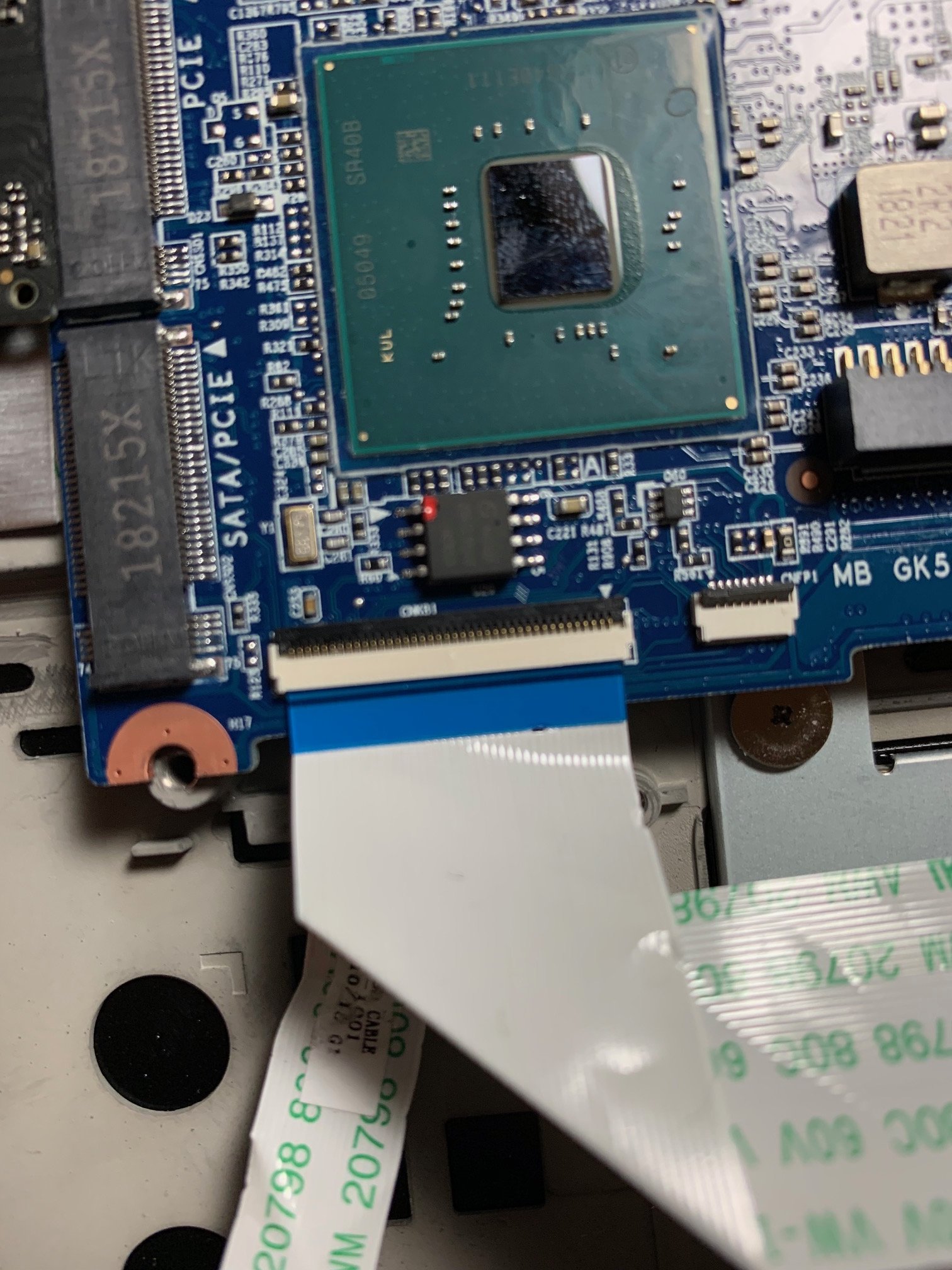
Crap, I think I figured out the issue. There appears to be a tiny tear in the ribbon cable (see pic below). I'm pretty certain I didn't nick it or do anything and it's just very cheap but I suspect that is my issue.
Anyway, I guess there are three options:
1. Return to Walmart for a refund
2. Warranty repair through OP
3. Attempt to replace the ribbon cable myself
I really want to keep the laptop, so option 1 isn't that exciting but it is easiest. Can anyone comment on OP warranty repair experience? Can anyone comment on replacing this kind of ribbon cable? Looking for advice I guess.Attached Files:
-
-
When I called the other day about warranty repair the rep said you would have to pay for the shipping and the turn around time is 1-2 weeks (which I thought was suspiciously fast, considering they might not even have any new stock).
-
I just checked some of my pictures and I do not have that tear, not sure how that happened on yours. My curiosity would be if they will warranty something that you likely damaged. You may want to see how much replacement keyboards are since the cable is likely built into it.
-
Good point. Any ideas where I would find a replacement keyboard?dreamcat4 likes this.
-
Looking to buy a second 180W adapter. Was wondering if anyone has any prior experience with any sellers. I've found this place to be the cheapest:
https://www.adaptersdepot.com/chico...8l-a15180p1a-charger-ac-adapter-p-206672.html
Thanks -
As was recommended to me when I asked about fixing my keyboard that has a few rgb leds going off color: try contacting any company that sell this tongfang laptop.
--------------------------------------------------------
So here are my results in attempting to even my core temps by wrapping a little foil around the top mount screw, in order to increase pressure on the mount. MUCH better. I see that some people don't have this problem, but I just couldn't get it to even out before doing this. Maybe my heatsink is junk. I'm pretty happy with things now.Attached Files:
Last edited: Jan 24, 2019 -
-
You have to be very careful when removing the ribbon cable from the battery as it is glued to it with some sort of mild adhesive. I managed to do the swap without any issue. Bob said you can remove the cable by removing a tape that is holding the SATA cable to the mobo but there is a spot under the 1st M.2 slot where you can fit the sata connector under there and remount the 1st m.2 drive so you do not have to worry about losing the cable.
-
Did you end up finding a tongfang vendor that you used?
-
I have the GK5CN6Z with xmg 1.03 bios, 1.33.09 EC and runinig Win 10.
Some posts ago it was said that the m.2 PCIE slot is 2x and m.2 PCIE-SATA is 4x.
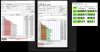
So I run Anvil, AS SSD and ATTO benchmarks, puting the Samsung 970 EVO 512GB on slot #1 and then on slot #2.
The results are realy strange:
- both slots give practically the same speeds!!
- seq read speed is around 1200 MB/s
- seq write speed is around 2200 MB/s
I don't understand why the seq read speed is about half the seq write speed (clearly vissible with ATTO and AS SSD), and far from the 3500 MB/s read speed on the specs sheet... See imguir post https://imgur.com/a/1K0vS61
Any ideas why this is happening? -
No, I haven't even looked into it yet. It's fairly minor, so I'm not too concerned about it yet. I was hoping there was a fix I could do without paying for replacement parts originally.
-
I'm not sure why people are saying the other slot is x2. The documentation says it's x4, and the speed tests show it's x4. x2 lanes of pcie 3 is going to see a max speed of under 2000. I don't know what is going on with your read speed though.
-
Well, I get to the conclusion that both slots are same regarding speeds.
My problem is the seq read speed being half the write one.
I will test the 970 EVO on a desktop and test another m.2 NVMe on both laptop slots... -
Odd, I have no issues with my SX8200's read speeds. Are you using the Samsung NVMe driver?
-
Yes, I istalled the Samsung_NVM_Express_Driver_3.0.exe from samsung support page. I will do more tests, in a couple of days i will have my hands on another NVMe SSD.
![[IMG]](images/storyImages/7hzdUfn.png) custom90gt likes this.
custom90gt likes this. -
Any chance you can post a photo, or draw some annotations on top of an existing photo? Thank you.
-
see if the video from bob helps you:
-
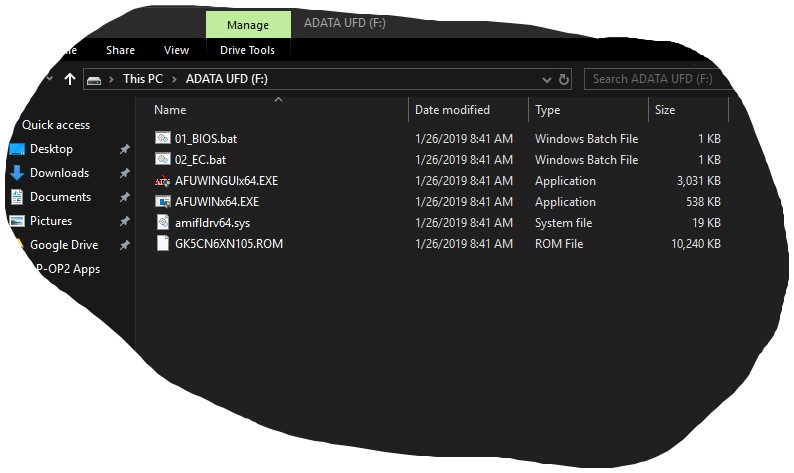
I think I'm ready to flash the EC update. Does anyone remember which of these is/are the file(s)?
Attached Files:
-
-
I bought and am currently typing on my OP15+ with an asus 180W charger. It works perfectly and I am happy and thankful a user posted a nice summary of alternative chargers about 10 pages back. (sorry dont know the post number) Please see his post for an exhaustive and informative list! paid 40 for an asus branded vs the "OEM" brand that the OP came with. Probably all the same and manufactured with the same level of QC.bidzer likes this.
-
Hey all, i'm a first time poster in here but I've been following this thread for awhile as i myself own an OP15+,
So I thought people might like to know I found a seller on aliexpress selling a like plastic keyboard cover which will cover over the keys on the 15/15+ overpowered laptop
So here is the link incase anyone is interested in one:
https://www.aliexpress.com/store/pr...-series-membrane-TPU/4494009_32924388323.htmlGTRagnarok and ZaiArgylle like this. -
Have you tried updating the firmware of the 970? I am running a humble Samsung PM961 256GB in the slot near the fan. My speed test looks good. I'm not using the Samsung driver (not sure if it would even do anything with the PM961 anyway).
What BIOS are you on? The file you want to flash the EC is not in your picture (unless you edit the bat and put in the correct options). You should head over to page 109 and download the file there for it. He includes a bat for the EC there (assuming you are updating to new newest offered from OP).Attached Files:
-
-
your seq speeds look fine!
I've the latest firmware, ver 2B2QEXE7, just checked that with Samsung Magician.
I'm starting to think that might be a bios problem or because I'm using single channel memory...
TONGFANG GK5CN5Z / GK5CN6Z / GK5CQ7Z / GK5CP0Z
Discussion in 'Other Manufacturers' started by sicily428, Apr 22, 2018.