 Problems? See this thread at archive.org.
Decalrus makes them, and you can use whatever images you want
-
Mobile 1060 max-q is significantly faster than a 1050ti.Arondight likes this.
-
No no no, it’ll keep remind me the specs of my laptops in next decade like this

-
Hey guys, great to see so much discussion on this thread. I've just started reading up to page 25 but thought it's quicker to just post my question here at the end. But feel free to re-direct me to a specific page/thread that is more relevant.
I'm looking at buying the razer 15 but I am really indecisive about the 1060 or 1070 GTX. I know it depends on my gaming needs, finances and how much heat/battery life I can tolerate etc...
But I'm curious to hear from the owners who bought the razer 15, their initial expectations, and what their thoughts are now. For example, whether you have the 1060 or 1070 - if you were given the chance now, would you swap it for the other and why?
Thanks -
I think when you make this kind of purchase you take your time and work out what's best for you so I doubt you will get many if any who say I wish I had gone for version x,y,z. I got the 4k model and well happy.
Most issues are around the cpu getting hot and that's the same for all models.
You could for example think get the 1060 and later by the eGPU and put a 1180ti in it, but that goes for the 1070 as well. -
My battery test 3 for the 4k model is live!
-
I fully support and suggest the eGPU idea, having own both laptops (Gave the 1070 to my brother) you get the best of both worlds. A powerful laptop system at home and a great mobile solution when on the go. The only time you go against this situation if you absolutely need to have the power on the go*
Every user is different but if you're anything like me I just play RTS games and hearthstone on the go, and watch videos or browse the web on the go. FPS games (Which are the generally more graphically demanding games are only played at home.
Above all else you lower your temps tremendously by going to a eGPU where nothing goes over 50-54 degrees, which is crazy when you consider you're playing your games on ultra like I have shown in previous screenshots. -
Cant see the point in a 1080ti and the new 1180ti or what ever its going to be called will be out soon and hopefully this time next year or year after the inbuilt 10GPU may need a hand. That's my thoughts..
-
The 10 series is still ridiculously powerful, and you can buy 2x 1080 ti cards for the price of 1x 2080 ti. I'm about to be getting a desktop and I'm personally going 1080 ti because I have no value for Ray Tracing, just high FPS. This update was pretty lame tbh, but it also is great for us because our 10 series blades will retain their value better.
-
the heat is because the machine is made of uni-body aluminum which sucks heat like a vacuum but after 2 months of intense gaming this is by far the coolest laptop razer has ever made the palm rests stay comfortable they get a bit warm if the battery is charging while your gaming but other than that its relatively cool and the fans are intelligently under the WASD keys so you can actualy feel the air blowing on your fingertips while you're gaming. as far as temps I did a re paste with MX-5 as i did not do a very good job with IcDiamond 7 (because it sucks) and my CPU never goes above 82c and gpu sits nice and cool at 73 max i have ever seen was 78c and thats with a 150/500 oc which is incredible for the razer lineup which in the past is notorious for running hotter than any other laptops. All in all after trying every big name laptop this generation other than the gigabyte Aero 15 extensively this razer blade is the best laptop on the market right now and its not even close.
-
Really depends on how you are going to be using the system. If you plan to use only the laptop and you are not interested in creating a desktop atmosphere with it then go with the 1070m model. I get 7-8 hours of battery life with it on 60% brightness and they keyboard lighting on static set to 40% and with better battery set on the balanced profile and im able to blow through my workload on a full workday with out a charge. it runs cool on battery and performs great. and it has one of the best screens on the market. the 1070m will play any game you throw at it there was nothing I couldn't max out on it and if you dont plan on buying the core will get the job done much more admirably as the gtx 1060 model will not run the 144hz screen in games and will struggle alot with some games.
However that being said if you plan on buying the core and money is not a option for you and you want to do the bulk of your gaming stationary than the 1060m model will be the way to go as it is cheaper you will get abut 8.5-9 hours of battery life with it and it will use less power than the 1070m and should run cooler. however when you are on the go dont expect much in terms of performance. Aslo if you are going fo stationary i would save even more money and get the 60 hz panel and get yourself a G-sync monitor for your daily driver.
Make sure which ever one you do go with to update to the 1.05 drivers and update the EC driver to 2.0 they are very easy ad provided on the razer support page and have self installers doing so will significantly increase your battery life and batter performance. those updates increased my battery life by 1 hour 17 minutes average since i updated them last week .
some references
GTX 1060m
https://www.notebookcheck.net/NVIDIA-GeForce-GTX-1060-Max-Q-GPU-Benchmarks-and-Specs.224734.0.html
GTX 1070m
https://www.notebookcheck.net/NVIDIA-GeForce-GTX-1070-Max-Q-GPU-Benchmarks-and-Specs.224732.0.html -
since when is there a 2.0 ec update ?? the highest i can find is 1.02djcgeez2189 likes this.
-
yes. 1.02 my apologies
-
Sorry I was kidding, it’s already announced as 20 series on last 20 August, though Jensen (nvidia CEO), made a joke by saying 1180 at first speak on stage. My preorder 2080 will come around a week from now, hopefully.
Now I can even buy 2 1080ti second with price a good 2080 like from evga. But I want to try new tech (RTX) and it’s nice to have performance boost if I disable it for esports titles (I wish). When i tried BFV I felt something wrong with reflection even on 4K ultra, idk why maybe they didn’t optimize it unlike they did on RTX tech, even Spider man PS4 without Ray Tracing can reflect things more natural. If it’s not worth it over 1080ti I’m term 4K performance I’ll send it back, yes 1080ti still great for 1440p for quite long imo, 4K In some titles i need something stronger to cap my screen (60Hz) refresh rate.
Datus likes this. -
Guys, no shouting as I have no idea what im doing but I just ran 3DMark on the 4K machine and I'm very happy. Mainly the noise of the fans is actually very quite or low level. Not the screech I was expecting.
I got the power on performance and turned a lot of windows stuff off but temps are nice.
Picture below tell me what's good or bad and what I should do to make it better or test better.
Power brick no noise and hardly notice any warmth in it? -
Graphics score and temperatures are fine but I’m curious with that physical score, too low imo.
You should getting better, like 14K or higher (mine always on 16K~ with default Synapse setting). What is your synapse setting, Balanced or gaming? Did you doing something through throttlestop like undervolting or clock limitation, but from core clock it’s 3,9gh so I don’t think so. Or did you lower something like on power options advanced setting lowering processes state %? This my default score Synapse gaming mode and auto Fans.
Some cores may hit 90ish but only a second (see average, it’s taken right after benchmarks ended), since gaming mode is OC mode by +100/+300 and higher tdp that means higher temperature. It’s on better performance battery profile btw, and -135mV undervolting with xtu, that’s all, turbo boost is also on. I can keep them max 70ish by disabling turbo boost and lowering cores frequency etc with throttlestop, but I kind like higher performance. -
Ahh forgot about synapse, not had much time to play with that will all the youtube battery testing vids and all.
Yes no under volting etc. done yet. The fans span up more but the unit stayed cool and the power brick same. Noise was louder but nothing painful.
-
Yes this looks way normal to me. Don’t let your CPUs being lazy, we paid a lot for them
Datus likes this.
-
So doing what the computer is advertised for (gaming) here's some fortnite results, hooked up to a 2560x1440 144hz display. Keeping at 3ghz, mediumish settings, epic view distance, no shadows.
Very capable laptop. Fans on auto go around 80 though, this was 4800rpm gaming mode.
pau1ow likes this. -
This is an interesting one, only time will tell. Something tells me though the entire case is being used to dissipate heat, this is actually a good thing - the metal can get as hot as it wants. What would be really interesting is to see how hot the INSIDE is when the outside is so hot. I actually think this is by design to help the laptop last longer. Happy to be proven wrong.
Someone tested this already, applying the skin to the bottom made no difference to temps. If that's your thing then go for it with confidence.
So 'cool', huh? OK that was a terrible pun. But I really do love that my fingers are getting that cool air whilst gaming. It's so well thought out.
And I guess to me at least, that's kind of the point. There do seem to be a number of things that are so well thought out on this device. I really do think the case getting hot under load is very intentional and used to transfer heat from the inside to the outside which is exactly where we want it to go. Sure you might say this gets uncomfortable at times. To me the worst that happens is the area where my palms rest get a little sweaty and the laptop needs a darn good wipe after a gaming session, but that's par for the course anyway and I'm always wiping this thing to keep it looking nice because I use it for work as well. No biggy really, it's not like that problem is exclusive to Razer, all laptops need wiping/cleaning.
-
Hi all,
So I've been doing some experimenting and did the thermal paste and thermal pad swap to my Razer blade 15. Like everyone, I used 1,5mm pads and kryonaut as thermal paste.
After the swap I had to see if the thermal interfaces were making a proper contact with vapor chamber and opened the blade up after 2 days of usage on new pads and paste. Did it because the original pads on the upper part of the vapor chamber were definitely thicker and wanted to make sure there was a good contact to the components.
To my suprise the components marked in yellow in this picture were making realy small or no contact at all to the vapor chamber.
https://drive.google.com/file/d/15kfQFOLVExJBYWW1rbW-DWxx1v1X2tvt/view?usp=sharing
(Blade in the picture is not mine, just used the picture to demonstrate the components I mean.)
on those CPU power components marked on the right were making no contact at all.
So what components these are, and how hot are they running? Do they need to have good contact to cool enough? have you opened your blades after the pad/paste swap?
Maybe I will order some 2mm pads for those and swap them out.
Waiting for your responses,
-Villehaseo -
Whoa nice picture I kind of want to make it my background desktop picture.villehaseo likes this.
-
My latest Blade I left totally stock with Razer's graphite based grease. Temps are in order and I don't get thermal throttling. Power limit throttling is still an issue in certain games but until that is fixed.. everything is still running great.
Bones13 likes this. -
man you're the luckiest guy on earth! you always get laptops that work great out of the box with super cool temps!
-
I had a Clevo and Alienware that both gave me problems. Vid card and HD failure on the Clevo... and keyboard and motherboard failure on the Alienware. Razer has just been a better experience for me!
-
ohh ok, I was under the impression that your Mythlogic laptop was good at first with great temps as I remember from our previous conversations. Didn't know about your Alienware.
Enjoy manDonald@Paladin44 likes this. -
At first it ran great... but for 5k that laptop was a money pit and gave me a ton of problems even after 6 months. I'll never go back... the amount of time tweaking and OCing and repasting etc etc etc on a laptop that was supposed to be out of the box ready. Then to have a video card fail. I would rather spend almost half the cost on a thin and light and If I need more power go egpu.
-
As an update for ya all. I have ordered a case for the RB and a Card reader. When I get them and had a test, if they are as good as I hope you will see an upload. New video coming soon on hitfilm render RB VS my desktop.
-
Sounds good, looking forward to it.
@hidevolution shipped my RB 15, and it should arrive this week. They repasted with LM, I’ll try to benchmark the system when it arrives. I will be installing a 2T SSD with a new “clean” Win10pro install using the @Ultra Male guide prior to putting applications on. -
Just saw the revised page for the Blade with no black paint on vapor chamber
Joikansai likes this. -
Is it me or does the Laptop chip very easy, I finally was able to pick up another one. I babied it and even took off my wedding ring when I was using it. This morning I go to clean the palm rest and there is a tiny chip in the palm rest.
-
It's about as protective as you'd expect black paint to be, first blade I owned got a chip from a USB cord tapping it, since then I skin my machines. If you use it naked and get more chips, cover them with a skin later.
-
I think I'm proud being one of the limited edition black vapor chamber lol
Assault likes this.
-
I guess they ran out of Nano Particles?
-
Let us know when you get it. Pro is the only way to go
I will be doing a Hyper-V segment for the Razer soon on me channel. Keep an eye out for that... -
The image was update long time ago guys. I may paint mine in the future hehe... Razer Green.
-
Just update for eGPU setting on Blade 15, after benchmarks from rtx cards released. I hope i was wrong but 2080ti power consumption is almost around similar as Volta and Vega 64 in various cases, it may be the issue with 500 Watt psu on Core v2, and may runs better on core x with 650 Watt psu which is officially supports Volta unlike Core v2 that only up to 1080ti (similar with rtx2080). Kind want that beast 2080ti though.
-
Only thing that bothers me is that you're getting discount performance, 20% off FPS. You wouldn't want to build a simple desktop, like mini ITX or something so you can put all the wear and tear on it and get full performance?
-
Yes you’re right, but I’m egpu enthusiast, use it mostly for 4K gaming on my Blade 15 and sometimes on my stealth to change it into a gaming laptop when someone use my Blade 15. Btw it’s not correct 20% off fps in 4K on title lets say destiny 2 and Battlefront 2 that doesn’t bottleneck the Laptops cpu huge, i can get similar FPS with desktop setting in 4K (base on notebookcheck 1080ti desktop setting).
-
Well if it gets the job done then I guess there's no issue lol. I decided to try selling my OMEN X laptop and build a desktop, since I don't usually take that one off the desk ever. Blades just too portable and powerful not to take it places.Joikansai likes this.
-
You missed the important one "too Gorgeous not to flaunt".
I got both but remember this, just plugging the laptop into a monitor will save a lot on electricity as well.
Where the eGPU comes in is if you want more poke at a later date or even now.Joikansai likes this. -
True, gorgeous blade. Except now mine is rusty haha. Literally just finished putting my keyboard deck skin on.
External monitors use more power than a laptop screen though? o_o
djcgeez2189 likes this. -
interesting choice for a cover, afraid someone will pinch it so giving it a disguise?
Only playing thought you'd like the pun.
As to the monitor you would have that same monitor with the desktop.Assault likes this. -
That's a neat video XD
Yeah I like the character, thought I'd give it a try. I use Dbrand black camo top and bottom, not changing that though. I may replace the rusty skin later with a flat black or black camo, too. -
don't be shy on posting the others as people want to see... its real life.
ough and tell us why you done it and why that particular skin/sLast edited: Sep 19, 2018 -
I suppose I could repost them, they're buried under about 150 posts so shouldn't hurt.
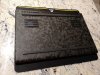
-Dbrand offers the best exterior skins, but no interior.
DecalRus offers interior skins, but fitment is less perfect. Buying from both companies can be expensive, but scratching your blade would cost me pity every time I look at it.
I recommend buying a sleeve to protect corners and edges, regardless of being in a backpack or not. Being protective of your devices and cleaning them often will make you happier using them, and increase your resell value for later. (I'd never buy a dirty or scratched laptop.)
Thermals are unaffected by skins, it's been tested. If you scratch a skin, buy a new one and reapply it. Good as new!



-
Don't know how I missed those, I read every page so far, sometimes I skip the moaning rambling bits and your legit post might have been buried inside them.
Very nice top and bottom, thanks for repost. I have a sleeve coming any day now if the frigging postman hurries up, which I think you will like if it meets what it says on the tin.
Can I make a suggestion and that would be to remove the hand rest pieces. Since the speakers split the skin, to me looks a bit odd.
I'm going down the road of if I scratch it then get a skin or spray can.... nooo…. -
I'll keep my palm rests for sure, or replace them with black. It's actually much more comfortable, and less sweaty. In eager to game on it tonight and see how it does with is me heat.
-
All valuable info for those reading. Maybe some of that sumo wrestlers hand dust might help them sweaty bits
And yes black pads if you can spend even more money would look great. Pity they don't let you pick and mix.
Razer Blade 15.6" (GTX 1060/1070, 2018 edition) Owner's Lounge
Discussion in 'Razer' started by X33nbat, May 20, 2018.


