Problems? See this thread at archive.org.
EDIT: God damnit. Seems like that time it worked, that was an outliar. Now a day later the power limit resets again. Unfortunately I can't think of any reason that could've lead to the regression. Sorry for the sensationalism.
I guess I have good news. Seems like I was able to overcome the 35W power limit without using Razer Synapse.
After my BIOS downgrade to 1.05 to have the CPU listen to my ThrottleStop SpeedShift EPP value I reunlocked all BIOS options in a fresh BIOS dump I made. Of course I had to go and set all my settings again. And just for kicks I tried to mess with the configurable TDP settings and found that when the cTDP lock is enabled, the power limit for the cTDP level 1 can be raised from 35W to 45W. So it seems like the EC tells the BIOS after whatever amount of seconds to switch to the next cTDP level and maybe sets the 35W power limit to overwrite whatever is there. But with the lock it can't do that.
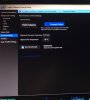
I've let Prime95 run for a bit more than 15 minutes and observed no lowering of the power limit. The core clock increased, so the limit for sure is raised. The settings in question are in Advanced -> Power & Performance -> CPU - Power Management Control -> Config TDP Configurations. I've turned off the cTDP mode, because both levels will be the same anyway. Not that this setting matters. I've set the power limits of both cTDP levels to 45000 and 60000 mW respectively, set the time window to the maximum value (doesn't matter anyway) and activated the cTDP lock and enabled the cTDP BIOS control setting. The CPU now doesn't seem to throttle down anymore.
-
Thanks! One 145x145x1.5mm was enough?
-
Has anyone figured out a way to brighten the screen beyond what it's stock settings are? Not the intel graphics power issue but just a general tweak to overall brightness?
The contrast could be improved if we could just do that somehow.
Like some bios setting?
Is there a secret key combination to activate unlocked bios like the MSI bios?Last edited: Feb 13, 2019 -
Welp. Over the last month I did sell the problematic Razer 1070, tested out an xps 15, realized how much better the Razer was, ended up getting the new 2070 blade.
I like it, no defects off the bat. First blade was batch #1 and it seems this has been smoothed out. Really can't beat these machines, I don't like other laptops anymore Muezick, unlogic and RobotDoctor like this.
 -
Finally decided to use thermal grizzly conductonaut on my Blade with 1070.
Its fans are now stay more quiet, less screaming.
CPU temp at full loaded is at mid 70.
GPU temp at full loaded is also at mid 60. -
This might seem like old news but I still have that crackling speaker problem when the laptop is plugged in.. it will even happen through my headphones so it's not a speaker thing.
I heard other people had this problem too. Thing is when you contact razer support they pretend like they've never heard of it.
Is there a fix for this? The only thing I've found that works is to recover the system image and then don't allow windows update to do it's thing. -
That’s great temperature. I just did stress test, and finished 2nd run RE2 Remake balanced Auto Fans @1440p. There’s still power limit throttling but games is quite smooth and temperatures isn’t bad at all for over hours play. I’ll do more tweaks like repasting later when I’m not comfortable with temperature, still have15 months left guarantee
Last week I just cleaned the Fans, quite dusty.
Is that Blade 15 1018? I have similar problem with nommo chroma and my Blade stealth weird noise comes from nommo but not when plugged with Blade 15 nor Blade stealth own speaker, Blade 15 sounds without nommo as well, did you try updating sound drivers? Idk if Windows Update has something to do with it but I’m on latest build 1809, prefer latest windows or other drivers for better hardware optimization.Attached Files:
-
-
From what you said, it seems driver problem.
Sent from my SGP771 using Tapatalk -
What thermal paste you are using? What is max temp or your CPU?
Sent from my SGP771 using Tapatalk -
On Blade 15 I didn’t repasting it yet only on my Razer tablet and stealth that already 2 years old. I used to use kryonaut and maybe will use it again on Blade 15, I just want to know how bad would the factory paste be to the machine. I prefer heat issues like mobo dead happens within 2 years my warranty so “they can sweep their butt alone” said the Japanese
I can make it 100 or keep it on 80ish depends Synapse profil, games and ambient I believe. I don’t use TS for limiting turbo boost, only xtu undervolting, since I’m using Razer core setting as well and use OC when running it, with Razer Core cpu temperature mostly 70ish max 80ish and it’s my summer cpu cooling
Edit: I posted this before I think, my worst case gaming temperature on AC Odyssey with dgpu and egpu usage, on games like OW and other that doesn’t cpu hungry it’s in between.Attached Files:
Last edited: Feb 17, 2019 -
-
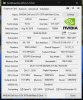
After reading this story I've been re-inspired to try something I was attempting to do several months ago. If anyone would please be able to extract and provide their vBIOS rom and take a picture of their GPU-Z so I can make sure it matches with mine, I would greatly appreciate the help. I'm looking for a vBIOS from an RB15 which matches the GPU version (GP104), Revision (A1), and Device ID (10DE 1BA1 - 1462 1227). Thanks to anyone who can help me out.
Attached Files:
-
-
I think he flashed from Blade 15 90 Watt as well. Blade gpu is already with highest 90 Watt and doesn’t need such tweak, maybe with increasing power limit but it’s already limited on bios which is hard to tweak unlike MSI one. There’s some performance gain, but increasing power usage isn’t worth to try, may also increase the temperature. The only thing needs to increase current Blade performance is by unlock the power limit throttling which no one seemly success.
-
I see I didn't make clear in my post that I have the GS65 1070 max-q variant. So like he described on the GS65 2080 max-q crossflash, I want to do the same using the 90W vBIOS from the RB15 1070 max-q version
-
I see, you can pm me if you want the vbios I’ve gp104 A1, of course different device ID since it’s different vendor. Need gpu z screen shot?Arondel and Kyle Shirley like this.
-
PM Sent. Thanks for helping out. If you could also do the GPU-Z screenshot, I would really appreciate it. Thanks again!
-
Need some input, RTX 2070 blade power throttling hard. Temps are more than acceptable but I'm hitting a power throttle at 20-22w and forcing clock speeds down. Theres no software or drivers tabs on Razer support site yet, should I wait or message razer chat? I know there will be kinks to work out on a new set of hardware, just eager to get full speed lol.
-preview.png)
-
Welcome back to power limit throttling club. You’re on 120fps? If it’s on highest setting I think you’re already over 15% higher FPS than my 1070maxq, i don’t play fortnite often though. Is that gaming mode btw? On 25watt balance mode I can still getting 3,9ghz with long session gaming average around 3,5ghz. A moderator from Razer forum bought this power limit throttling to system dept apparently but never heard the progress back though, maybe for avoiding thermal throttle, since on AC Oddysey, SoTR it’s impossible to get average 70ish cpu temperature like on OW or Fortnite.
Papusan likes this.
-
Eucalyptus- Sorry cant pm yet is your code still available. Thinking about the Razer RTX2060 or MSI GS65 GTX1070 or the Razer GTX1070. Just cant decide . Razer is sexier to look at with a meh keyboard-msi is a ***** to upgrade but otherwise solid and the GTX1070 version is up to £400-£500 cheaper than the Razer RTX and £300 cheaper than the Razer GTX 1070
-
I had this all worked out on the 1070mq model i used to have, it wouldn't limit throttle at all. Problem was temps on that unit. This 2070 model has much better cooling, but im actually thottling on power. It was 160fps cap, mix of low and medium settings, i should be slamming 160fps constantly but the downclocking to 3.1ghz is killing me here. Synapse Gaming mode.
-
That’s suck, on gaming mode throttle that much. Yes rtx Blade Fans has higher rpm so there will be improvement on cooling dept.
Btw how did you escape from power limit throttling on your old Blade, I’m interested to hear. Need that for less cpu demanding games or faster rendering works since I’ve tons cooling room on those usage, but still notice power limit. -
He probably just used Synapse to turn on Gaming Mode. I see no other way currently.
-
wasnt that easy. Repaste with kryonaut, use fujipoly thermal pads, undervolt in throttlestop, pretty much got it. stock setup i had to uncheck BDPROCHOT and that allowed it to go up but wasnt sure the real reason. No issues after repaste. Just ran hotter obvJoikansai likes this.
-
It’s already a while since i play around with TS, last time i noticed there was still there our be loved PL throttling, I’ll check it. Repasting is more on hardware tweak and not software. I think it’s not too much effect beside give a bit better temperature for more cooling head.
-
Wonder if we'll ever know. Unfortunately at 20w of power, this is jsut a glorified ultra book for me. 35w is all I need to game heavy tbh. Hope an update fixes this
-
It’s still new yeah probably there come some optimization update, on 2018 i can see often 45 watt on more when I use gaming mode with core, without core I play only Overwatch on that mode
Yes damn look at this I feel like being betrayed by Razer this performance made me jealous and keep me telling myself “be patient bro” And I believe it’ll be getting better.
https://www.3dmark.com/compare/fs/18199606/fs/18172052 -
what ist creator and why i dont have it? is yours a 2018 or 2019 model?
Mine looks so:
-
Mine (2018) also looks like that only “auf englisch” creator mode is new Synapse mode on Blade 15 rtx and Blade stealth 2019, I’m not quite sure about that mode on rtx Blade 15 but on stealth it’s similar with gaming mode on 2018 Blade 15, maximizing cpu tdp to highest value (25 watt on stealth and 45 watt on Blade 15 2018). It’s because stealth doesn’t have gaming mode, before only balanced and low power, and now with some bios fix they made this new profil. I’m also curious what creator mode in rtx Blade for.
el3c likes this.
-
I have no idea why your unit is performing sadly. My unit and some videos I found on youtube shows great performance. CPU can always holds 3.9ghz when gaming, even 3.5 when playing Assassin's Creed Origins. When playing Battlefield 5, my average CPU power is 40 to 45 watts. You need to check more about your system performance in case you have a defective.
Assault likes this. -
NVM it seems to be a fortnite issue for me. Apex has no issues with power. WOW this thing is so much cooler and quieter than my 1070 blade, glad i upgraded ;w;
-preview.png) Joikansai likes this.
Joikansai likes this. -
That’s what I felt and my first comment when upgrading from Blade 14 2017...Wait where’s Fortnite
Now Apex
-
Lol I play on my desktop mainly but it's nice to know I can play at my friends house and hotel and still get some nice fps. Apex is fun, I've been hooked more than fortnite
-
Idk why I haven't run this sooner, 2070mq Firestrike score of 16,073. Max fans, but an easy 20c lower than my 1070 blade. Old unit must've been bad silicon lottery.
Still think the 2070 is the best value option this go. Ready to see some 2060 firestrikes~
-preview.png)
-preview.png)
-
Making an account just for this. I have the same rig looking to do the same crossflash. Did it end up working out? If it did, @ Joikansai, would it be possible for you to share your vbios with me as well?
-
Will do! Is it possible for you to initiate the conversation? Apparently new users can't pm.
-
It would be great if u also share with me a PM would be very nice. Can u tell something about your experience with your bios?
I am still very happy with my RB15 advanced, only the hard cpu limit from razer isnt that nice compared to an aero15x Also battery life could get a way better, i am still getting about 6 hours with browsing and watching youtube videos or netflix.
-
If you’ve Blade 15...which one?... Why do you need Blade 15 1070mq vbios? Other brand seem doesn’t work well flashing it due smaller room.
Yes power limit throttling is still there but it’s less than before I felt, overall gaming performance pretty sure still better than Aero 15x due higher gpu tdp. I’ve also similar battery life, isn’t bad for gaming laptop imo. I think I saw Aero 15x user complained about worse battery life like under 5 or 4 hours, forgot , most probably because the software which is main issue from Aero 15 that I heard before.el3c likes this. -
i ve got the same one as yours, 8750h and a 1070mq. I ve read about your success and it would be great if you share your bios
-
I think there’s nothing special on my vbios or my bios. I gave vbios maxq1070 to gs65 user because they have lower gpu tdp and wanted to flash it to increase the performance. I think they did the update and optimization on our model well. I get recently less power limit throttle and cpu temperature is getting better. I attached the xtu benchmarks and cinebench before I got rarely pass 1200, but now it’s easy and xtu benchmarks as well before was always 1400 ish. If you still want my vbios or original bios shoot me on PM I’ll send anything you want. I’m not reaching bios moding nor repasting yet like i did Bios moding on Blade 14 since the performance is still satisfying me.
Attached Files:
-
-
Did anyone notice lower temperature on their Blade 15 but performance still not bad, this’s all on gaming mode, before it jumped always 45 watt or more but recently it’s mostly on 25 watt with sometimes jumping to 30ish. All games are set to high 1080p despite Anthem 1440p. I’ll see on other games like AC Oddysey and SoTR (finished it so never play it again) that pushed the cpu to high 80ish even sometimes breaks 90ish on balanced mode. I noticed also some cpu performance increase as i posted before this, before I think I never get close to 1500 xtu benchmark score nor 1200cb cinebench multicore. Didn’t do repasting trallalala, all still tight on his pants
only xtu super simple undervolting.
Attached Files:
-
-
-
I want to put struggle with razed on here. I purchased the new blade 15 256 1070 when it first came out. It was great and I loved it. 5 months later the bezel around the screen is peeling up from the screen. Sent it off and got it back. The screen was replaced and there were black line inside the screen. Sent it back again and got it back with aother new screen or issues. Then I developed a mouse micro jitter all the time the week I got it back. Sent in after trouble shooting it. Replaced the mouse pad and it worked great. I noticed the bottom cover on one corner would not stay shut. Took the bottom off and the corner screw mount was broken into multiple pieces and the screen mounting hardware was also broke. Sent it back in again
Here’s where the fun begins. Contacted support for a new laptop or refund. They said they would sent a new one. Two weeks later I got an email saying I’m getting an upgrade because they are out of my model. I’m getting a blade pro 1080 512. Not what I wanted but I’ll take it. They also sent me a backpack. Cool. Once I got it they wanted it back because it was an error that I got it, even though they said it was an upgrade. A lot of email back and forth and they let me keep it. Two to three weeks later the screen starts to show white horizontal line randomly across the screen. Trouble shooter it and sent it back and now they are sending me the original blade 15 model that I ordered. This has been a nightmare. I’m selling the new laptop that I will be getting back and buying something else. I have pics and videos if anyone is interested in seeing them. -
You can upload the photos here it’s free. Feel sorry for you though but yes I’m interested to see.
-
Yet another disappointed razer blade owner, join the club....when mine gets “fixed” I’m selling it off immediately if possible and either getting the Area 51M or building a desktopPapusan likes this.
-




 Here’s a link to the blade pro
https://www.dropbox.com/s/moo1e6oj00wxh1r/VID_20190204_165909.mp4?dl=0
Here’s a link to the blade pro
https://www.dropbox.com/s/moo1e6oj00wxh1r/VID_20190204_165909.mp4?dl=0
Here’s a link to the mouse jitter https://www.dropbox.com/s/3xamdwplrulvjgi/20181016_082433.mp4?dl=0
I like the build quality and feel but I cannot work with the quality issues. My blade 15 last went bad and the whole email issue happened at a very critical time where I was prepping video evidence for a court case. I need reliability.
Hopefully this helps if you were looking for it.
Joikansai likes this. -
Me too, can’t accept that. If you need a help you can PM me, I know well someone from their main office and some senior moderators on Razer forum.el3c likes this.
-
Thanks for offering that! If there’s any more issues with this new one I’ll be sure to get a hold of you. I really want this to work.Joikansai likes this.
Razer Blade 15.6" (GTX 1060/1070, 2018 edition) Owner's Lounge
Discussion in 'Razer' started by X33nbat, May 20, 2018.







 , pm me I’ll send it.