Problems? See this thread at archive.org.
I wonder if it's a non G-Sync card and that's causing some kind of issue.
-
-
I'm not sure, it doesn't specifically say weather its G-sync or not or i could just be unlucky and got a DOA card?
-
How would I identify if its a g-sync card or not and how would i fix it?
-
Possibly is DOA that is fair, I think they stopped putting in hardware differences with the 20xx series so I think that should be ok.
-
It's really strange though because it shows up in device manager under devices that aren't plugged in when I switch back to my 1060 so it's being recognised I really don't know what the problem could be
-
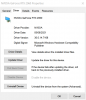
What's the driver code on it?
-
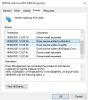
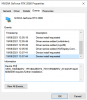
I dont know if this helps?
Attached Files:
-
-
So the driver installs without issue?
-
Well yes apart from having a black screen, the pc boots on into windows like it normally would just I have a black screen so I can't really do anything, can't get into BIOS either when the card is in because I don't know if it's out putting a signal or not, the only indication I have of the computer booting into windows when it's on is sound
-
Can you remote into it?
-
As in connect to it using teamviewer or something?
-
Windows RDP should work (MSTSC from run).
-
Windows Home doesnt support it cant afford a pro key rn.
-
Quick assist or something like teamviewer then?
Clevo P751TM RTX 2060 upgrade uproblems
Discussion in 'Sager and Clevo' started by fricknbot, Jun 13, 2021.