Problems? See this thread at archive.org.
You don't have the good model of laptop !
-
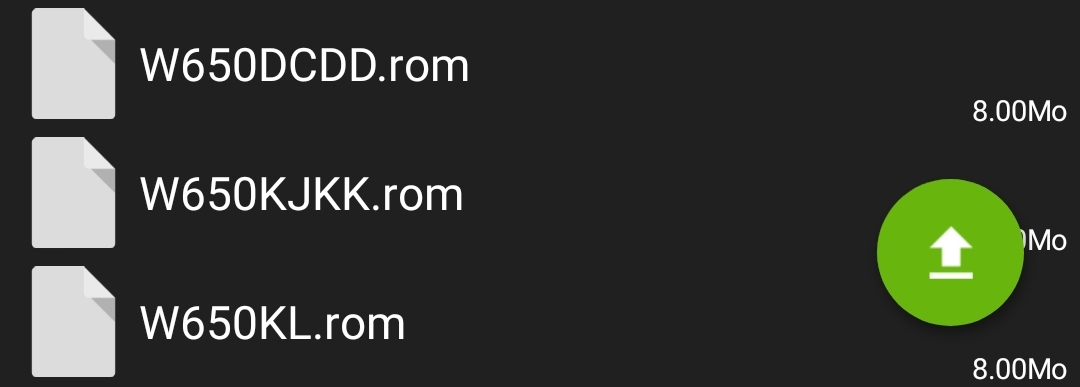
Attached Files:
-
-
I have one of the motherboards listed in the image you posted. The only graphics card ever paired with that motherboard is a gtx 1050ti or below. My laptop must be compatible, but I wanted to make sure if I should skip the vBIOS step.
-
Yes but you don't have the good graphic card so... you are brick you laptop if you flash your bios
-
Clevo P751DM2G support I7 8700K or 9700K ? I have last orginal bios and EC
-
If you use bios dsanke you can upgrade to 9900k or 9900ks max (but for the ks version heat more !)
-
I have orginal only bios 1.06.11 . I have original heat sink. I think more about I7 8700K or I7 9700K
-
8700k is great compromize heat and performance
-
Yes. but I7 9700K is litte coler than 8700K ?
-
No the 8700k is more cooler
-
Ok i must have brand bios and mods a CPU ? or not ?
-
Mod bios and pin mod.
-
Where can I download the mod bios to my P751DM2G ?
-
-
Hello everyone,
Does the Clevo P775DM3-G supports 9900k?
Thank you -
Yes ! I use it
-
Modded bios?
-
Of course you have see this topic ? Here is a comunity of custom bios
-
Can you post me in the right direction please? Which bios exactly
-
Go to the frist page
-
I don't understand if it a question of a flash or a pin mod as well. Perhaps if you see that I am a bit clueless you can help me if you want, if you don;t then np.
-
There is a section on the first page called
Time for the pin mod:
I would say that yes, you will need to cover a couple pins of the CPU with tape.
Read the first page, because its pretty well written.
@DaMafiaGamer could you update the images, by hosting them on the forum itself?moral hazard, kekstud, Tryner and 1 other person like this. -
hello,
Maybe I'm gonna change CPU for i.e. i7 9700K. Currently I've got P751dm2-G laptop with i7 6700K . Some time ago, somehow I've updated BIOS & EC-found from XMG...:
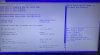
do you think it should be OK when do flashing etc? Does my EC will interfere? -
Hi,
I have a 751dm2-g, and I am preparing for the same.
- flash dsanke P7xxDMx_RTX.rom bios - with programmer
- flash the gop modified vbios for the 1080gtx- with programmer
- change the screen to AUO BTN 7.0 - 144hz IPS gsync. This is the screen in the 751tm1-g, so I hope I will have gsync (I also need to change the 30pin cable to 40pin)
- replace the cpu with i7 9700 nonK (delided, copper IHS, TGC) - pin mod

Question: Does anybody have experience, if the AUO BTN 7.0 works with gsync in the dm2 dsanke mod?Last edited: Apr 5, 2020 -
-
For the previous 775dm3 in spite of the successful flashing with usb, I had black screen, so I needed to reflash with programmer, after it worked.
However the main reason that I sold the 7th gen intel, so I need to flash with programmer in order to put the 9th gen inside.
On the top of that the screen replace need full disassembly due to the cable replace (30 pin to 40) so I can reach the bios chip in that way easily.
If you have your 6/7th gen, you can give a try, there is a good chance that works. -
can you share what programmer you have?
where exactly bios module is located in p751dm2-g? -
The bios in under the keyboard but the metal plate of the house covers it... so you need full disassembly to access it... the programmer is not mine, I do not know the type...
-
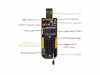
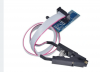
thanks for the info, coming back to programmer-does it look like this one maybe?
-
I dont know. Somebody else who has it can confirm.
-
I have the same SPI, works fine
-
That's what my setup looks like.
The little board as adapter between the programmer and the cable was busted (no continuity on 4 of the 8 pins) so I had to bend the small 2x4 pin array to fit.
The adapter clip really needs to be on the bios chip perfect to get a solid connection (if it shows random hexadecimal data that changes every time read the chip or click 'autodetect' in the ch341a software that's a sign of an intermittent connection). I usually hold it in place to increase the pressure as the slightest accidental tug on the ribbon can dislodge itjoluke likes this. -
What is your screen? BTN AUO... 5.2?
thx -
Use 1.34 Spi programmer version is good one.
Windows 10 also good for it
-
What version of the program it has?
edit - spotted and noted it nowLast edited: Apr 8, 2020 -
LCD 15.6" FHD/120HZ/NVSR G-SYNC/N7/EDP/LED AU B156HTN05.2
-
should I change my 230W to 330W AC, right? No matter if we're talking about 8th or 9th gen intel....?
-
If you use both gpu and cpu on stock I think 230W could be just enough, however if you have 330W, you could have some headroom for OC (eg increased TDP on the gpu or OC on CPU) - however I think dm2 has some limitation on cooling (maybe upgraded heatsink could help)
-
Thx, I guessed. I am curious you will have gsync with sdanke bios, I will check with the 144hz gsync IPS AUO 7.0 panel.joluke likes this.
-
I have g-sync in my AUO B173HAN03.1 (144hz)
Enviado do meu ASUS_I001DC através do Tapatalk -
Flashed P7xxDMx.rom for my P775DM3-G three times now. First time installed 9600K CPU. 2nd had messed up with Intel ME upgrade. Third time because sound was gone after 2nd flash.
Second that:
Monitor Name AU Optronics B173HAN03.1 G-Sync is working. -
Guys, we are talking about 751dm2, the b173...3.1 is a 17,3 panel, the question was if the original 751tm1 btn...7.0 works with gsync.
-
Have you managed to do the mod?
-
not yet, waitting for programmer till come. If we talking about AC, I’m going to buy from Dell ( same output parameters) and do some plug mod from Dell’s one to Clevo 4 pin plug
-
Hallo guys
I am after mod with p775dm3-g (8700k>x1080).G-sync work again
Was easy flashing by spi programmer. I flashed first .27 version and than .26
Above have bug with USB TYPE C...
Now im running on .24 version and problem goneI will start testing today on the night
Ps: after flashing new bios recommended is to put fresh system (old driver make problems)Last edited: Apr 11, 2020joluke likes this. -
Where can I find the different versions? thx -
-
MSI and Clevo are the same. Dell has different plug
-
It is link from first page...
https://drive.google.com/file/d/1Tr275Yl65ejq6E_aV8aYqk-v7_hSJJwF/viewjoluke likes this. -
I know thx, but there I cannot find different verions only one...
-
Pls. Just flash rom from this link (P7xxdmx_RTX.rom) is .24 version.
You dont need other version with bug
Official Coffee Lake Refresh Thread/BIOS for ALL Clevo Laptops - RTX CARDS NOW SUPPORTED
Discussion in 'Sager and Clevo' started by DaMafiaGamer, Oct 25, 2018.